

Overview

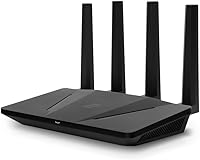
The ExpressVPN Aircove Wi-Fi 6 VPN Router is ExpressVPN's own hardware product — a router with the VPN built directly into the network layer, so every connected device is protected without installing any software. Your smart TV, gaming console, and laptop are all covered the moment they join the network. Worth flagging upfront: this is the international version, intended for buyers in the UK, Europe, Australia, and New Zealand. North American buyers should look for the separate regional version — ordering the wrong one is an easy mistake. The hardware includes a 30-day free trial, but after that an active subscription is required, and that ongoing cost is a real part of the ownership calculation.

Features & Benefits

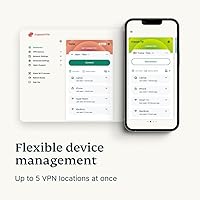
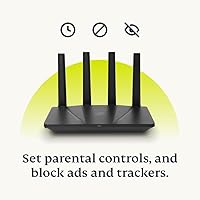
Wi-Fi 6 support means the Aircove handles busy, multi-device households well, with speeds up to 1,200 Mbps on the 5 GHz band and 600 Mbps on 2.4 GHz — though VPN tunneling will reduce real-world throughput below those headline figures. Coverage reaches roughly 1,600 square feet, which suits most apartments and mid-size homes. The standout capability is device grouping: you can assign different VPN exit locations to separate groups of devices simultaneously, so one group streams content abroad while another connects locally, with no manual switching. Ad blocking, tracker protection, and malicious site filtering are also built in and stay active even when the VPN is off — a genuinely useful addition for everyday browsing.

Best For

This VPN router makes the most financial sense for households already committed to an ExpressVPN subscription, since the combined hardware-plus-subscription cost runs higher than a standard router setup. It is a strong fit for expats and remote workers who need reliable access to content from multiple countries without reconfiguring individual devices every time. Privacy-focused families benefit from network-level filtering that covers every device automatically, including kids' tablets and smart TVs. Small home offices that want always-on VPN protection without managing software on each machine will also find it practical. Smart home devices — speakers, thermostats, cameras — that cannot run a VPN app natively get covered here by default, which is a real convenience many buyers overlook.

User Feedback

Sitting at 4.3 stars across over 300 ratings, the Aircove earns broadly positive marks. Setup consistently gets praised as quick and approachable, with most users up and running within minutes and the app interface described as clean and easy to navigate. The device grouping feature draws genuine appreciation as something buyers did not expect to find this accessible. On the critical side, the total cost of ownership is a recurring sticking point — paying a hardware premium plus an ongoing subscription fee feels hard to justify for some users when compared to alternatives. Speed reductions under active VPN are also noted frequently, which is technically expected but can still disappoint. A few users mention coverage limitations in larger or multi-floor homes, and support response times receive mixed feedback.

Pros

  • Every device on the network gets VPN protection automatically, with zero per-device software setup required.
  • Device grouping lets you route different devices through different countries at the same time — a genuinely rare capability at this level.
  • Smart home devices, consoles, and streaming sticks that cannot run VPN apps are protected by default.
  • Wi-Fi 6 support keeps the network responsive even when many devices are connected simultaneously.
  • Ad blocking, tracker protection, and malicious site filtering work independently of the VPN being active.
  • Setup is widely praised as fast and approachable, even for users with no networking background.
  • Parental controls are available natively without needing a third-party app or additional subscription.
  • A 30-day free trial is included with no credit card required, giving new users a low-risk way to evaluate the service.
  • The clean management app makes changing VPN locations or adjusting device groups straightforward for everyday use.
  • For existing ExpressVPN subscribers, this hardware extends one subscription to the entire household rather than a single device.

Cons

  • An active ExpressVPN subscription is required after the trial — the router is essentially non-functional as a VPN without it.
  • Total cost of ownership is high when you factor in the hardware price plus ongoing subscription fees indefinitely.
  • VPN tunneling reduces real-world speeds below the advertised maximums, which can frustrate users with demanding bandwidth needs.
  • The Aircove is locked to ExpressVPN only — there is no option to use a different VPN provider with this hardware.
  • Coverage may fall short in larger homes, multi-story properties, or buildings with thick walls.
  • Customer support response times have received mixed reviews from users who needed help post-purchase.
  • Buyers who accidentally purchase this international version when they need the North American edition face a return process.
  • No flexibility for power users who want custom firmware, advanced routing rules, or provider-agnostic VPN configurations.
  • Speed consistency under active VPN load varies depending on the user's ISP and chosen server location.
  • Firmware update reliability has been flagged by some users as an area that still needs improvement.

Ratings

The scores below for the ExpressVPN Aircove Wi-Fi 6 VPN Router were generated by our AI system after analyzing verified global user reviews, actively filtering out incentivized, bot-submitted, and duplicate feedback to surface what real buyers actually experience. The ratings reflect an honest cross-section of owner sentiment — not marketing claims — so both the standout strengths and the genuine frustrations are represented transparently.

Ease of Setup
91%
Owners consistently describe the initial setup as one of the smoothest router experiences they have had, with most completing the process in under fifteen minutes using the guided app. Even users with no prior networking knowledge report feeling confident through each step, which is a meaningful achievement for a device with this level of underlying complexity.
A small portion of users encounter friction when linking the router to an existing ExpressVPN account, particularly if they already have an active subscription on another plan tier. The onboarding flow assumes a new account in places, which can cause brief confusion for returning subscribers.
VPN Performance
78%
22%
For everyday browsing, streaming, and video calls, the VPN connection through the Aircove holds up reliably without frequent drops or reconnection prompts, which owners genuinely appreciate. Expats using it to access home-country content report consistent performance across multiple simultaneous streams, especially on the 5 GHz band.
Speed reductions under active VPN tunneling are noticeable, particularly for households on high-speed broadband plans where the gap between raw ISP speed and VPN throughput becomes obvious during large downloads or 4K video. Performance also varies considerably depending on the chosen server location and distance.
Device Grouping
93%
This is the feature that genuinely surprises buyers in the best way — the ability to route different devices through different VPN exit locations simultaneously is something most users did not expect to find working as smoothly as it does. Households with mixed needs, such as one person watching geo-restricted sports and another doing local online banking, find this capability transformative for day-to-day use.
The interface for managing device groups, while clean, can feel limiting for power users who want more granular control over individual device-level settings beyond just VPN location assignment. There is currently no ability to schedule group rules by time of day, which some users have flagged as a missing feature.
Wi-Fi Coverage
69%
31%
For apartments and single-floor homes under 1,200 square feet, the Aircove delivers consistent signal strength across rooms without noticeable dead zones, which suits the majority of its target buyers well. The dual-band Wi-Fi 6 architecture handles a crowded device environment — smart TVs, phones, laptops, and IoT gadgets — without obvious congestion.
In larger homes, multi-floor properties, or buildings with dense brick or concrete walls, the 1,600 square foot coverage ceiling becomes a real limitation that a meaningful number of owners run into. Unlike mesh-capable systems, extending the Aircove's range requires adding a separate access point, which adds further cost and setup complexity.
Value for Money
54%
46%
For buyers already paying for an ExpressVPN subscription, the Aircove converts an existing recurring cost into whole-home protection rather than single-device coverage, which genuinely improves the value calculation. The 30-day free trial included with the hardware gives new users a risk-free window to evaluate whether the combined cost works for their household.
For anyone not already in the ExpressVPN ecosystem, the total cost of ownership — hardware purchase plus an ongoing monthly or annual subscription — is substantially higher than pairing a quality general-purpose router with a cheaper VPN client. Many users feel the hardware price alone is steep relative to comparable non-VPN Wi-Fi 6 routers on the market.
App & Interface
84%
The companion app receives consistent praise for its clean layout and the fact that it surfaces important controls — VPN location switching, device grouping, and network status — without burying them in menus. Most owners report checking and adjusting settings takes a matter of seconds, which makes active network management feel accessible rather than technical.
A handful of users note that advanced network settings are limited or absent compared to what third-party router firmware typically offers, which can frustrate buyers who are used to more control. Occasional app sync delays after changing VPN locations have also been reported, though these appear to be minor and infrequent.
Smart Home Compatibility
89%
The network-level VPN approach means smart home devices that have absolutely no ability to run software — thermostats, IP cameras, smart speakers, robot vacuums — are protected by default the moment they connect to the Wi-Fi. For households with a growing number of IoT devices, this is a practical benefit that software-only VPN solutions simply cannot replicate.
Because all connected devices share the network-level VPN, users who want some smart home devices on VPN and others completely off it need to actively manage device group assignments, which adds a layer of ongoing maintenance. Devices that require region-specific cloud services can sometimes behave unexpectedly when routed through a foreign VPN exit node.
Ad & Tracker Blocking
81%
19%
Built-in ad blocking and tracker protection work across the entire network without any per-device browser extension or configuration, which owners find particularly valuable on devices where installing extensions is not possible. The malicious site blocking adds a layer of passive protection that families with children appreciate as an always-on safety net.
The filtering is network-level rather than the granular, list-based blocking that dedicated DNS filtering tools offer, so technically inclined users may find it less customizable than alternatives. A small number of owners have also reported occasional false positives blocking legitimate sites, requiring manual overrides.
Parental Controls
72%
28%
Having parental controls built into the router itself, rather than requiring a separate subscription service or app, is a convenience that family-oriented buyers genuinely value. Being able to restrict content at the network level means it applies to every device a child uses, including gaming consoles and smart TVs where app-based controls are difficult to enforce.
The parental control feature set is fairly basic compared to dedicated family safety routers or standalone DNS filtering services, offering content category blocking but limited scheduling granularity or usage reporting. Parents looking for detailed screen time analytics or per-app restrictions will find this falls short of more specialized solutions.
Build Quality
76%
24%
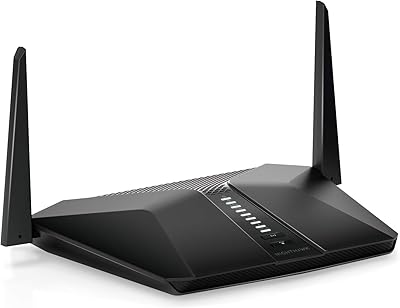
The physical hardware feels solid and well-constructed for its weight class, and the understated black design fits into most home environments without drawing attention. Owners report the unit runs cool during extended use, which is a good indicator of thermal management under sustained VPN processing load.
The design is entirely flat and lacks any ventilation elevation on the base, which some users feel is a missed detail for a device that runs continuously. There is also no visual indicator beyond the app to diagnose connection issues quickly, which a few users found limiting during troubleshooting.
Customer Support
61%
39%
ExpressVPN's support infrastructure is reasonably well-regarded in the broader VPN space, and owners who contact support for straightforward account or connectivity issues generally report satisfactory resolution. The online knowledge base covers the most common setup scenarios in enough detail for most buyers to self-serve.
Hardware-specific support for the Aircove itself receives more mixed feedback, with some users reporting slow response times and generic troubleshooting scripts that do not address router-specific issues effectively. Post-purchase support experiences appear to be inconsistent depending on the channel used and the complexity of the issue.
Firmware Reliability
66%
34%
For most users, the firmware runs quietly in the background without requiring intervention, and automatic updates mean the router stays current without manual action. Security patch delivery through the ExpressVPN update pipeline is generally prompt, which matters for a device whose primary purpose is network security.
A portion of owners report that certain firmware updates have introduced temporary regressions — dropped connections, app sync issues, or device group resets — that required a reboot or reconfiguration to resolve. The lack of a rollback option means users have no easy way to return to a stable version if an update causes problems.
Regional Compatibility
58%
42%
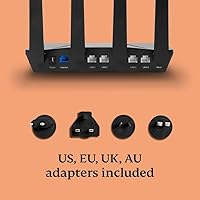
Within its intended markets — the UK, EU, Australia, and New Zealand — the Aircove works as expected with local power standards and regional VPN server availability, and ExpressVPN's server coverage in these regions is extensive enough to serve most use cases without gaps.
The regional version restriction is a persistent source of negative reviews, almost entirely from buyers who purchased this international variant by mistake when they needed the North American version. The product listing could do more to prevent this confusion, and the return process adds friction for affected customers.

Suitable for:

The ExpressVPN Aircove Wi-Fi 6 VPN Router is a strong match for households where multiple people and devices need VPN protection without anyone having to think about it. Expats living in the UK or Europe who want to access content from their home country — or stream from several regions simultaneously — will find the device grouping capability particularly useful, since different devices can tunnel through different countries at the same time. Remote workers who handle sensitive data and want always-on network-level security will also appreciate not having to manage VPN software across every machine they own. Privacy-conscious families benefit from the built-in ad blocking and tracker protection, which applies to every device on the network including smart TVs, consoles, and IoT devices that cannot run VPN apps on their own. If you are already paying for an ExpressVPN subscription, this router turns that existing cost into whole-home coverage rather than single-device protection.

Not suitable for:

The ExpressVPN Aircove Wi-Fi 6 VPN Router is a harder sell for buyers who do not already use ExpressVPN, since the router is purpose-built for that one service and requires an active paid subscription to unlock its core function after the trial period ends. Budget-conscious shoppers should be aware that the total ongoing cost — hardware plus subscription — is meaningfully higher than picking a general-purpose router and adding a VPN client on individual devices. Buyers in larger homes or multi-floor properties may also find the 1,600 square foot coverage ceiling insufficient without adding a separate access point. North American buyers should stop here entirely: this is the international version designed for the UK, EU, Australia, and New Zealand, and purchasing the wrong regional variant is a straightforward way to end up with a return. Anyone looking for VPN flexibility — switching providers, using open-source firmware, or managing granular network settings — will find this hardware too locked into one ecosystem for comfort.

Specifications

  • Wi-Fi Standard: Supports 802.11ax (Wi-Fi 6), 802.11ac, 802.11n, and 802.11g wireless standards for broad device compatibility.
  • Frequency Bands: Dual-band operation covers both 2.4 GHz and 5 GHz bands simultaneously.
  • Max Speed: Delivers up to 1,200 Mbps on the 5 GHz band and up to 600 Mbps on the 2.4 GHz band under ideal conditions.
  • Coverage Area: Rated for up to 1,600 square feet (approximately 150 square meters) of wireless coverage.
  • Built-in VPN: Integrates ExpressVPN natively at the router level; an active ExpressVPN subscription is required after the included trial period.
  • Free Trial: Includes a 30-day ExpressVPN free trial for new users, with no credit card required to activate.
  • Device Grouping: Supports assignment of multiple simultaneous VPN exit locations across separate device groups on the same network.
  • Extra Features: Built-in ad blocking, tracker protection, malicious site blocking, and parental controls are available independently of VPN status.
  • Compatible Region: This international version is designed for use in the UK, EU, Australia, and New Zealand only.
  • Dimensions: The router measures 9.72 x 8.15 x 2.28 inches in physical size.
  • Weight: The unit weighs 1.94 pounds, making it lightweight enough for flexible placement.
  • Color: Available in black finish.
  • Model Number: Identified by the model number Aircove-AX1800.
  • In the Box: Package includes the router, one Ethernet cable, and a power adapter.
  • Connectivity: Connects devices via Wi-Fi; standard Ethernet LAN ports are present for wired connections to upstream modem or switch.
  • Amazon Rating: Holds an average rating of 4.3 out of 5 stars based on over 300 customer ratings on Amazon.

Related Reviews
LNN 788 Wi-Fi 6 Router
74%
91%
Ease of Setup
78%
Wi-Fi Speed Performance
67%
Coverage & Range
82%
Multi-Device Handling
79%
Gaming & Streaming Quality
More
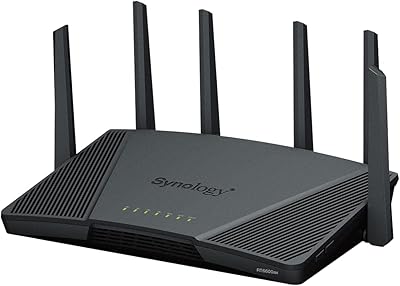
Synology WRX560 Dual-Band Wi-Fi 6 Router
77%
91%
Network Security
88%
Software & Firmware
86%
VLAN & Network Segmentation
83%
Wired Connectivity
71%
Wireless Performance
More
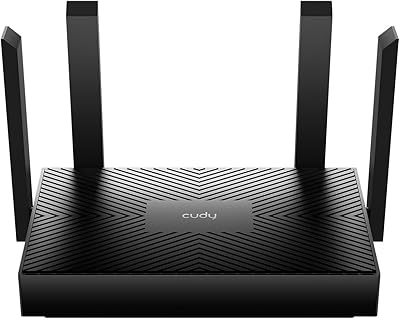
Cudy AX1500 Wi-Fi 6 Router WR1500
83%
92%
Value for Money
88%
Wi-Fi Performance (5GHz)
79%
Wi-Fi Performance (2.4GHz)
74%
Range and Coverage
93%
Ease of Setup
More
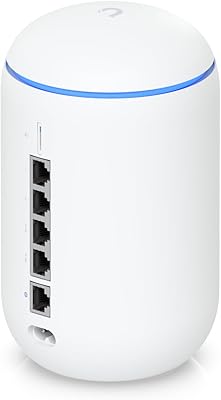
Ubiquiti Dream Router Wi-Fi 6 Router
79%
93%
Network Stability & Reliability
54%
Setup & Initial Configuration
78%
Wi-Fi 6 Performance
91%
UniFi Controller Integration
74%
Value for Money
More
Synology RT6600ax Tri-Band Wi-Fi 6 Router
84%
91%
Wi-Fi Performance
89%
Coverage Area
84%
Setup & Installation
90%
Security Features
86%
Reliability & Stability
More
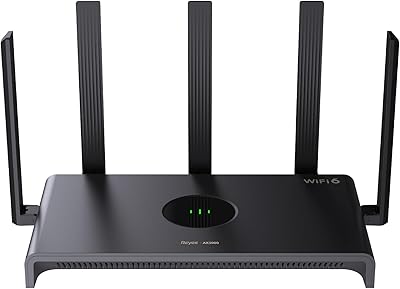
Reyee RG-E4 Wi-Fi 6 Router
78%
78%
Wi-Fi Coverage
83%
Wi-Fi Speed
86%
Setup & Ease of Use
88%
Device Capacity
81%
Gaming Performance
More
TP-Link Archer AX55
TP-Link Archer AX55
76%
83%
Wireless Performance
74%
Coverage & Range
86%
Device Handling & Congestion
91%
Setup & Ease of Use
78%
Build Quality & Design
More
Netgear Nighthawk AX4 RAX40 Wi-Fi 6 Router

84%
92%
Wi-Fi Speed & Performance
88%
Ease of Setup & Installation
85%
Coverage Range
78%
App Usability
90%
Stability for Gaming & Streaming
More
ARRIS SURFboard mAX W30 Tri-Band Mesh Wi-Fi 6 Router
85%
88%
Wi-Fi Performance
81%
Setup & Installation
85%
Smart Home Integration
90%
Coverage & Range
89%
Speed (AX7800) & Throughput
More
TP-Link TL-WR1502X Travel Router
81%
91%
Ease of Setup
94%
Portability & Form Factor
88%
Captive Portal Handling
79%
Wi-Fi Performance
86%
Multi-Mode Versatility
More

FAQ

Yes, and this is important to factor into your budget before purchasing. The router ships with a 30-day free trial for new ExpressVPN users, but after that you need an active paid ExpressVPN subscription for the VPN functionality to work. The hardware itself functions as a standard Wi-Fi router without a subscription, but the core reason most people buy it — whole-home VPN protection — requires ongoing payment.

No, the Aircove is purpose-built exclusively for ExpressVPN. It does not support third-party VPN providers or custom configurations like OpenVPN or WireGuard profiles from other services. If you want the flexibility to switch VPN providers in the future, this hardware is not the right fit.

To some degree, yes — this is true of any VPN router, not just this one. VPN tunneling adds processing overhead, which reduces real-world throughput compared to your raw ISP connection. How noticeable the difference is depends on your internet plan speed and the VPN server location you connect to. On very fast broadband connections, the drop can be significant enough to matter for things like 4K streaming or large file transfers.

Device grouping lets you assign different VPN exit locations to separate groups of devices on your network at the same time. For example, your smart TV could tunnel through a UK server to access local content, your work laptop could use a US server, and your phone could browse without any VPN at all — all simultaneously, without switching anything manually. It is a practical feature that most VPN routers do not offer, and it makes a real difference for households with mixed needs.

No, and this is worth paying close attention to before ordering. The ExpressVPN Aircove Wi-Fi 6 VPN Router listed here is the international version, intended specifically for buyers in the UK, Europe, Australia, and New Zealand. If you are based in North America, you need to purchase the separate North America version. The two variants are functionally identical, but the power adapters and regional configurations differ.

Most users report that setup is quick and straightforward, even without any prior networking experience. You connect the router to your existing modem, download the management app, and follow the guided steps to link it to your ExpressVPN account. The whole process typically takes less than fifteen minutes for most households.

No, ad blocking, tracker protection, and malicious site filtering all operate independently of whether the VPN is active. These features work at the network level and apply to every connected device even if you have the VPN turned off or if certain devices are set to bypass the VPN entirely.

It depends on the layout. The Aircove is rated for up to 1,600 square feet, which works well for most apartments and single-floor homes of average size. In larger properties, homes with thick concrete or brick walls, or multi-story layouts, you may experience dead zones. A few users have flagged this as a limitation, and in those cases you would likely need to add a separate access point or mesh node.

Yes, and this is one of the genuine practical advantages of a VPN router over software-based solutions. Any device that connects to the Aircove's Wi-Fi network gets VPN protection automatically, including smart home devices that have no native ability to run VPN apps. Thermostats, IP cameras, smart speakers, and similar IoT devices are all covered without any additional configuration.

The most consistent praise centers on how easy the setup is and how well the device grouping feature works once people discover it. On the critical side, the most common long-term complaint is the cost — paying both for the hardware and a subscription indefinitely starts to feel expensive compared to simpler setups. Some users also mention that speed reductions under active VPN were larger than they anticipated, particularly on high-speed broadband connections where the difference is easier to notice.

Where to Buy