Overview

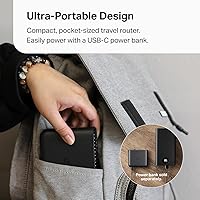
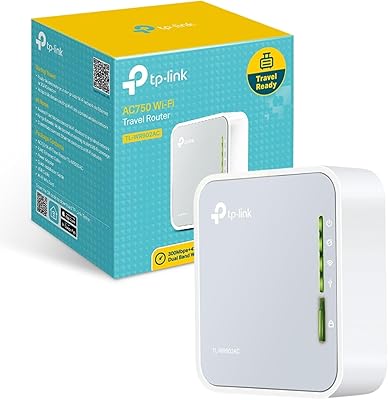
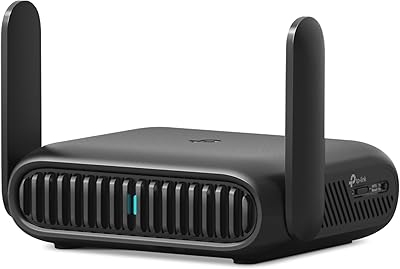
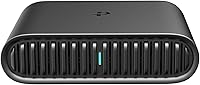
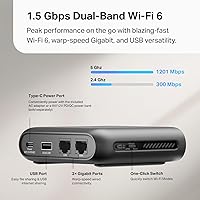
The TP-Link TL-WR1502X Travel Router is one of those rare gadgets that actually earns its place in your carry-on. About the size of a deck of cards and weighing just over five ounces, it brings dual-band Wi-Fi 6 to hotel rooms, RVs, and cafes — delivering strong 5 GHz throughput for streaming and video calls alongside a steadier 2.4 GHz band for lighter tasks. It runs off a USB-C connection, so a compatible power bank can replace a wall outlet when needed. Six operating modes give it real versatility, and its strong sales traction since launching in mid-2024 suggests buyers are finding it genuinely useful out in the field.
Features & Benefits

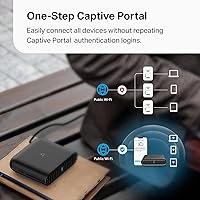
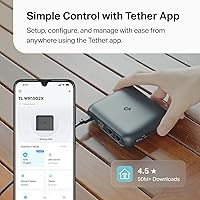
What makes this travel router stand out isn't any single spec — it's how the whole package fits together for real-world use. The six operating modes mean you're covered whether you're bridging a hotel's wired ethernet, extending a weak signal in an RV, or tethering your phone's mobile data to share across a laptop and tablet. The Tether app handles setup in minutes and, crucially, takes care of captive portal authentication in one step — so instead of logging into public Wi-Fi separately on every device, you do it once. Plug an external drive into the USB-A port and you also get instant file sharing across all connected devices.

Best For

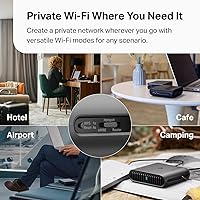
This pocket-sized router is a natural fit for anyone who spends real time in hotel rooms, short-term rentals, or traveling in an RV. Remote workers juggling video calls and file transfers across several devices will appreciate having a private, stable network rather than fighting for bandwidth on a shared hotel connection. It also suits travelers who routinely hit captive portal walls in airports and lobbies. People looking to share mobile data from a phone across a laptop and tablet — without burning through a direct hotspot plan — will find the TL-WR1502X handles that neatly via USB tethering, which few routers at this size do this reliably.

User Feedback

With close to nineteen thousand ratings and a score well above four stars, overall buyer sentiment is strong and consistent. Reviewers repeatedly highlight quick app-based setup and how smoothly mode-switching works without touching complicated menus. Hotel and RV users in particular describe it as a dependable fix for slow or restricted shared networks. A few friction points do come up regularly, though. The power bank requirement trips some buyers up — you need a 9V or 12V PD/QC-compatible model, not a standard 5V bank, which isn't always obvious. Range in extender mode is modest in larger spaces, and anyone hoping to run custom OpenWrt firmware will need to look at a different device entirely.

Pros

  • One-tap captive portal login through the Tether app eliminates repeated hotel Wi-Fi authentication across all your devices.
  • Wi-Fi 6 keeps connections stable and efficient even in congested public networks like hotel lobbies or airport lounges.
  • Six operating modes in a single device covers router, extender, hotspot, and USB tethering without extra hardware.
  • At roughly five ounces, this pocket-sized router adds almost no weight or bulk to any travel bag.
  • The Tether app makes initial setup approachable for non-technical users in just a few minutes.
  • USB-A port lets you share files from an external drive or tether a phone's mobile data to all connected devices.
  • No moving parts means the TL-WR1502X holds up well to the bumps and pressure of regular travel.
  • Works cleanly as a private network layer over sketchy public Wi-Fi, adding a basic but meaningful security buffer.
  • Strong buyer adoption and active firmware updates suggest TP-Link is actively maintaining and improving the product.

Cons

  • Requires a 9V or 12V PD/QC power bank for mobile use — standard 5V banks will not work and are not included.
  • No built-in SIM slot or cellular modem; 3G/4G mode requires purchasing a separate USB modem dongle.
  • OpenWrt and custom firmware are not supported, ruling out advanced network customization for power users.
  • Practical Wi-Fi range in extender mode is modest, covering smaller hotel rooms comfortably but struggling in larger spaces.
  • Some non-standard hotel captive portal pages do not render correctly inside the Tether app browser.
  • The Tether app pushes account registration for full functionality, which feels unnecessary for local-only management.
  • iPhone users face iOS tethering restrictions that limit USB tethering reliability compared to most Android phones.
  • No protective sleeve or case is included, leaving the glossy finish vulnerable to scratches inside a packed bag.
  • Documentation covers only the basics; advanced mode configurations require hunting through online support resources.

Ratings

The TP-Link TL-WR1502X Travel Router earns a well-deserved spot among the most bought compact networking devices of the past year, and these scores reflect exactly why — and where it falls short. Our AI rating engine processed thousands of verified global buyer reviews, actively filtering out incentivized, duplicate, and bot-generated submissions, to surface what real users actually experience. Both the strengths that keep buyers recommending it and the friction points that show up in lower-star reviews are transparently represented below.
Ease of Setup
91%
Buyers consistently describe getting up and running in under five minutes, often without touching a browser. The Tether app walks you through each step clearly, and mode selection is handled through a clean interface rather than buried configuration menus. Hotel guests especially appreciate not needing to call front desk support.
A small number of Android users report occasional Bluetooth pairing hiccups during first-time setup that require an app restart. iOS users rarely hit the same issue, suggesting minor platform inconsistency in the onboarding flow.
Portability & Form Factor
94%
At roughly the footprint of a large deck of cards and barely over five ounces, this pocket-sized router disappears into any travel bag without complaint. Buyers who pack light — one-bag travelers and flight attendants among them — single it out as one of the few networking accessories they actually bring on every trip.
The lack of a carrying pouch or protective sleeve in the box is a recurring minor complaint. A few buyers note that the glossy black finish picks up scratches in luggage, though no one reports structural damage from normal travel wear.
Captive Portal Handling
88%
This is the feature that earns the most enthusiastic feedback from hotel and airport users. Completing the public Wi-Fi login just once inside the Tether app and having every connected device instantly share that authenticated session removes a genuinely annoying daily friction point for road warriors.
Captive portal behavior varies slightly by hotel network provider, and a handful of users report that certain older or non-standard hotel login pages do not render correctly inside the app browser. It works reliably on most major chains but is not universally foolproof.
Wi-Fi Performance
79%
21%
For a device this size, the 5 GHz throughput holds up well for HD video calls, remote desktop sessions, and simultaneous streaming across two or three devices. Buyers working remotely from hotel rooms consistently describe it as more reliable than connecting directly to hotel Wi-Fi, even when the source signal is average.
The coverage radius is modest — most buyers put the practical range at around 20 to 25 feet through a wall before speeds drop noticeably. In larger hotel suites or open-plan RV setups, users may find the signal thins out in far corners, which is a real limitation for range extender mode specifically.
Multi-Mode Versatility
86%
Having six distinct operating modes in a single unit that fits in a shirt pocket is genuinely useful rather than just a feature list talking point. RV owners describe switching between router and modem-tethering modes on the road without any hardware changes, and remote workers use the access point mode to stabilize wired connections in Airbnbs.
The 3G/4G modem mode requires a separate USB modem dongle, which trips up buyers who expect built-in cellular capability based on the product title. This expectation mismatch generates a notable chunk of the lower-star reviews, even though the limitation is disclosed in the product description.
Power Bank Compatibility
61%
39%
USB-C power delivery is the right call for a travel router, and buyers who already carry a 9V or 12V PD/QC-compatible power bank describe the combination as a genuinely cable-free, outlet-independent setup that works well in cars, trains, and outdoor settings.
This is the most consistent source of frustration in negative reviews. Many buyers assume any USB-C power bank will work, then discover their standard 5V bank is incompatible. The 9V or 12V PD/QC requirement is a real constraint that filters out a large portion of commonly owned power banks without an adapter workaround.
Tether App Quality
83%
The app is frequently praised for its clean layout and the fact that routine tasks like changing Wi-Fi passwords, checking connected devices, or switching modes take only a couple of taps. Buyers who have used older TP-Link products note the app has improved meaningfully over previous generations.
Some users report that the app requires an account login for full functionality, which feels unnecessary to buyers who just want local management. Occasional push notification spam from the TP-Link ecosystem is also flagged, though this can be disabled in phone settings.
Build Quality & Durability
82%
18%
The solid, no-moving-parts construction inspires confidence for frequent travelers who know how rough bags can be on gear. Multiple buyers mention using the TL-WR1502X across dozens of trips without any signs of hardware degradation, and the compact chassis does not feel cheap despite its light weight.
The plastic casing, while solid, feels a notch below premium. A few long-term users report that the USB-C port loosens slightly with very heavy daily cycling, though this appears to affect a small minority and typically shows up only after extended use of a year or more.
Value for Money
85%
At its price point, buyers regularly describe it as punching above its weight compared to older travel routers they have owned. Getting Wi-Fi 6 capability, multi-mode flexibility, and app-based captive portal handling in a single compact unit strikes most buyers as a fair deal for what it delivers.
A subset of buyers feel the accessory requirements — particularly a compatible power bank sold separately — push the true cost of a complete mobile setup meaningfully higher than the router price alone suggests. Those who already own the right power bank rarely raise this concern.
Firmware & Long-Term Reliability
72%
28%
Most buyers report a stable experience over many months of regular use, and TP-Link has pushed firmware updates that resolved early connectivity quirks flagged in initial reviews. Buyers who stay current on firmware updates generally report fewer issues than those running older software versions.
A segment of technically inclined buyers expresses frustration with the lack of OpenWrt support, limiting advanced customization options. Some also note that firmware update notifications are not always proactive, meaning less tech-savvy users may unknowingly run outdated software for extended periods.
USB Tethering Reliability
78%
22%
Sharing a phone's mobile data connection through the USB-A port works cleanly on most Android devices and provides a stable shared connection for laptops and tablets — a setup that road trippers and remote workers in areas with poor fixed internet rely on regularly.
iPhone users face limitations due to iOS restrictions on USB tethering behavior, which some buyers only discover after purchase. Tethering performance also varies depending on the phone model and USB cable quality, introducing a variable that the router itself cannot fully control.
Hotel & Public Wi-Fi Integration
87%
This is arguably the device's most practical real-world use case, and buyer feedback from hotel-heavy travelers is largely positive. Creating a private, password-protected network on top of an open hotel connection — especially with one-tap captive portal login — addresses a genuine and common travel pain point.
Performance is inherently capped by the quality of the source hotel connection, and a few buyers express frustration when the travel router gets blamed for sluggish speeds that are actually the hotel network's fault. Managing these expectations in the setup flow could reduce confusion.
Documentation & Support
67%
33%
The included quick-start guide covers the basics adequately for most users, and TP-Link's online support portal has detailed mode-specific setup walkthroughs that are reasonably easy to find. Community forums also provide useful workarounds for edge-case configurations.
The printed documentation is minimal, and buyers who want to understand advanced features like client mode or modem tethering often have to search independently. Customer support response times receive mixed feedback, with some buyers reporting slow turnaround on technical inquiries.

Suitable for:

The TP-Link TL-WR1502X Travel Router is purpose-built for people who spend meaningful stretches of time away from home and need reliable, private internet access across multiple devices. Hotel regulars — business travelers, travel nurses, consultants, and digital nomads — will get the most out of it, particularly those who have grown tired of logging into captive portals on every phone, laptop, and tablet separately. Remote workers who need a stable connection for video calls and file transfers, rather than gambling on shared hotel bandwidth, will find this pocket-sized router a practical addition to their kit. RV owners and road trippers who want to stretch a phone's mobile data connection across several devices via USB tethering are also well served here. If your travel bag already includes a compatible PD/QC power bank, the router doubles as a fully untethered mobile setup that requires no wall outlet at all.
Not suitable for:

The TP-Link TL-WR1502X Travel Router is not the right choice for buyers expecting a truly all-in-one mobile connectivity solution straight out of the box. Anyone who wants built-in cellular capability — the kind where you pop in a SIM and go — will be disappointed, since this device requires a separate USB modem dongle for 3G/4G connectivity. Power bank owners running standard 5V units will also hit a wall, as the router demands a 9V or 12V PD/QC-compatible bank, which many people simply do not carry. Tech-savvy users who rely on OpenWrt or other custom firmware for advanced network control should look elsewhere, since this device does not support it and likely never will. Those who need strong coverage across large, open spaces — sprawling RV interiors, big hotel suites, or outdoor setups — may find the range in extender mode falls short of expectations. And buyers seeking a plug-in home router replacement will find more capable, better-ranged options at similar price points designed specifically for that scenario.

Specifications

  • Wi-Fi Standard: Uses the 802.11ax (Wi-Fi 6) standard for improved throughput efficiency and better performance in congested network environments.
  • Frequency Bands: Dual-band operation covers both the 2.4 GHz band for range and compatibility and the 5 GHz band for faster, less congested connections.
  • Max Wireless Speed: Delivers a combined wireless throughput of up to 1501 Mbps — 1201 Mbps on 5 GHz and 300 Mbps on 2.4 GHz under ideal conditions.
  • Dimensions: The unit measures 4.09″ × 3.54″ × 1.10″, making it roughly the footprint of a large deck of cards.
  • Weight: Weighs 5.4 oz, light enough to slip into a jacket pocket or the accessory pouch of any travel bag without noticeable bulk.
  • Power Input: Powered via USB-C; requires a 9V or 12V PD/QC-compatible power bank or AC adapter (neither a standard 5V bank nor an AC adapter is included in the box).
  • Operating Modes: Supports six modes: Router, Access Point, Range Extender, Hotspot, Client, and 3G/4G USB Modem — selectable through the Tether app or web interface.
  • USB-A Port: A single USB-A port supports both USB tethering from a smartphone and local file sharing via an externally connected USB storage drive.
  • Cellular Modem: Does not include a built-in SIM slot or cellular modem; 3G/4G connectivity requires a separately purchased compatible USB modem dongle.
  • App Management: Managed via the free TP-Link Tether app, available on both Android and iOS, covering setup, mode switching, device monitoring, and captive portal authentication.
  • Captive Portal: The Tether app handles captive portal authentication in a single step, allowing all connected devices to share one authenticated public Wi-Fi session.
  • Firmware: Runs TP-Link proprietary firmware; OpenWrt and third-party custom firmware are not supported on this model.
  • Color: Available in Black with a glossy plastic finish on the top face and matte surfaces on the sides.
  • Build Construction: Solid-state construction with no moving parts, antennas, or external components that could snag or break under regular travel conditions.
  • Included Contents: Box contains the router unit and a Quick Installation Guide; no AC adapter or USB cable is included in the standard retail package.
  • Model Number: Official model designation is TL-WR1502X, sold under the TP-Link brand.
  • Connectivity Ports: Physical ports include one USB-C power input, one USB-A multipurpose port, and one RJ-45 Ethernet port for wired WAN or LAN connections.
  • Wireless Security: Supports WPA3 and WPA2 encryption protocols to secure the local Wi-Fi network created by the device.

Related Reviews
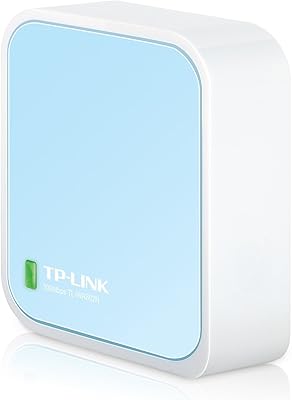
TP-Link TL-WR802N N300 Wireless Nano Travel Router
82%
92%
Value for Money
95%
Portability & Size
85%
Wi-Fi Performance
88%
Ease of Setup
82%
Versatility (Modes)
More
TP-Link TL-WR902AC
TP-Link TL-WR902AC
78%
96%
Portability & Form Factor
83%
Setup & Ease of Use
71%
Wi-Fi Performance
88%
Multi-Mode Flexibility
58%
Range & Coverage
More
TP-Link BE3600 Wi-Fi 7 Travel Router TL-WR3602BE
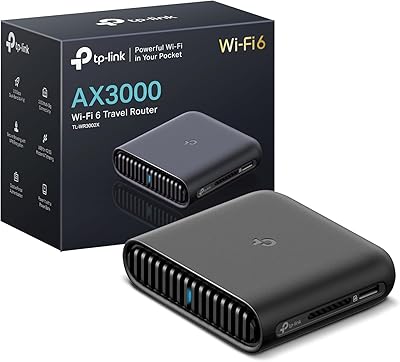
85%
88%
Performance & Speed
94%
Portability & Size
85%
Wi-Fi Range & Connectivity
92%
Security Features
90%
Ease of Use & Setup
More
TP-Link TL-WR3002X Dual-Band Wi-Fi 6 Travel Router
85%
89%
Performance
91%
Ease of Setup
85%
Portability
87%
Security Features
88%
Wi-Fi Speed
More
TP-Link TL-MR6400 4G LTE Router
82%
88%
Setup & Installation
91%
4G LTE Performance
83%
Wi-Fi Speed & Reliability
85%
Portability
82%
Bandwidth Management (QoS)
More
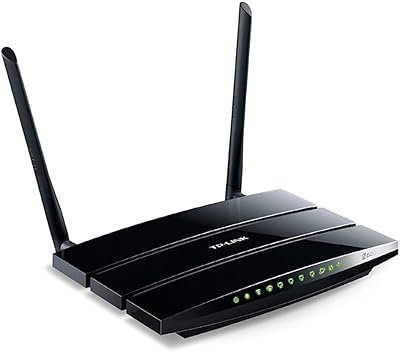
TP-Link TL-WDR3500 Wireless N600 Dual Band Router
83%
86%
Dual-Band Performance
91%
Setup and Installation
83%
File and Printer Sharing (USB Port)
80%
Parental Controls
72%
Wi-Fi Range
More
TP-Link TL-SG3428XMP
88%
91%
Performance
88%
Build Quality
90%
Cloud Management & Software
87%
Ease of Setup
85%
Power Efficiency
More
TP-Link ER7212PC Omada Router
86%
88%
Ease of Installation
84%
VPN Performance
91%
Cloud Management Experience
87%
PoE+ Port Performance
85%
Build Quality
More
TP-Link TD-W9970 Modem Router
83%
91%
Value for Money
95%
Ease of Setup
76%
Wi-Fi Performance
84%
Build Quality
87%
USB Port Functionality
More
TP-Link ER605 V2 VPN Router

80%
93%
Value for Money
89%
Multi-WAN Reliability
71%
VPN Performance
82%
Ease of Setup
91%
Omada SDN Integration
More

FAQ

Not quite — this is one of the most important things to check before buying. The router requires a power bank that outputs 9V or 12V via Power Delivery or Quick Charge protocols. A standard 5V-only power bank will not power it correctly. If your power bank only does 5V/2A, you will need a different one or use it with a wall adapter instead.

You can access basic setup features without an account, but TP-Link does push account registration for full app functionality including remote management. If you prefer to keep things local and account-free, the router also has a standard web-based admin interface you can access from a browser on any connected device.

When you connect this pocket-sized router to the hotel Wi-Fi as your WAN source, the Tether app detects the captive portal login page and lets you complete the authentication once inside the app. After that, every device connected to your private router network shares that authenticated session automatically — no need to log in from each phone, laptop, or tablet individually.

It is possible but not as straightforward as with Android. iOS applies restrictions on USB tethering that can cause inconsistent behavior depending on iOS version and cable quality. Most iPhone users find that standard Personal Hotspot over Wi-Fi is a more reliable method for sharing mobile data through this router, rather than a direct USB connection.

Yes, this is the TL-WR1502X specifically — the Wi-Fi 6 AX1500 variant in TP-Link's travel router range. TP-Link sells other travel routers at different speed and feature tiers, so it is worth confirming the model number before purchasing to make sure you are getting the Wi-Fi 6 version rather than an older AC-based model.

In a typical hotel room or small apartment, coverage is solid throughout. Once you start pushing through multiple walls or across larger open spaces — a big RV interior or a sprawling hotel suite — signal strength drops noticeably, with most users putting the practical limit at around 20 to 25 feet through obstacles. It is a travel router, not a whole-home mesh node, so managing range expectations matters.

Yes, plugging a USB storage drive into the USB-A port lets all connected devices browse and access the files on that drive over the local network. It is a handy feature for sharing large video files or documents between a laptop and a tablet on the road without needing cloud storage or transferring files by cable.

The router itself is compatible with international use, and the dual-band Wi-Fi 6 radio works globally. The main thing to check is the power adapter situation — you will need an appropriate AC adapter or power bank for the country you are visiting. The router operates on standard international frequencies, so there are no regional Wi-Fi restrictions to worry about in most destinations.

TP-Link does not publish a hard cap for simultaneous connections on this model, but real-world buyer feedback suggests it handles four to six devices comfortably without performance degradation. Beyond that, speeds can start to thin out, particularly if multiple devices are streaming or on video calls simultaneously. For a solo traveler or a couple sharing a connection, capacity is rarely a problem.

No — this model does not support OpenWrt or any third-party firmware, and TP-Link has confirmed this is intentional. If custom firmware support is important to you for things like advanced VPN configurations, traffic shaping, or ad blocking at the router level, you will need to look at a different device. For straightforward travel use cases, the stock firmware covers everything most buyers actually need.