Overview

The MikroTik cAP ac Dual-Band Access Point occupies an interesting position in the networking market — it is built for people who actually know what they are doing. Unlike consumer APs that hide everything behind a simplified app, this ceiling access point runs full RouterOS, which means serious configuration options and serious expectations of the person setting it up. It mounts cleanly on a ceiling or wall, keeps a low profile, and blends into commercial spaces without drawing attention. The US variant ships with locked frequency bands, which matters if you are buying for international use. Rewarding for experienced admins, less forgiving for anyone expecting a quick out-of-the-box experience.
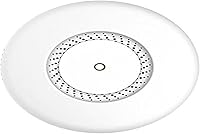
Features & Benefits

The cAP ac covers both 2.4GHz and 5GHz simultaneously, which lets you push bandwidth-hungry devices onto the faster band while keeping older gadgets connected without complaint. What really stands out is the dual Gigabit Ethernet setup — one port accepts incoming power via PoE, and the second can output PoE to power a downstream device like a VoIP phone or camera off the same cable run. That is genuinely useful in ceiling deployments where pulling extra wiring is painful. On top of that, CAPsMAN controller support means you can manage multiple MikroTik APs from a single interface, making this AP a natural building block in a larger managed network.

Best For

The MikroTik AP earns its place in small office environments, retail spaces, or light commercial settings where tidy ceiling-mount aesthetics and managed wireless both matter. It is also a strong pick for anyone already running a MikroTik router, since CAPsMAN makes multi-AP management feel genuinely integrated rather than bolted on. Advanced home users who want VLAN segmentation or a proper guest network without spending enterprise-tier money will find this a compelling option. That said, if your idea of setup is plugging in a router and connecting to a default SSID, this is not the AP for you. The RouterOS learning curve is real, and patience is required.

User Feedback

Among verified buyers, the pattern is clear: technically proficient users tend to be very satisfied with long-term stability and throughput, while those who underestimate the setup complexity often end up frustrated. The CAPsMAN integration draws consistent praise from people building multi-AP networks, and the hardware itself rarely gets blamed for performance issues. On the negative side, several reviewers note that initial configuration can be genuinely confusing without prior RouterOS experience, and sparse official documentation does not help newcomers. A handful of buyers also flag that the US frequency lock is a deal-breaker for international deployments, so confirming your region before purchasing is essential. Overall, satisfaction skews strongly positive among its intended audience.

Pros

  • Dual Gigabit Ethernet ports — including PoE output — enable smarter, cleaner ceiling cable runs.
  • Full RouterOS access unlocks VLANs, captive portals, traffic shaping, and firewall rules rarely seen at this price.
  • CAPsMAN support makes managing multiple MikroTik APs from one controller genuinely straightforward.
  • Long-term uptime is exceptional; many users report months of uninterrupted operation without reboots.
  • Low-profile white housing blends into office and retail ceilings without drawing attention.
  • Dual-band 802.11ac keeps bandwidth-hungry devices on 5GHz while maintaining backward compatibility on 2.4GHz.
  • This ceiling access point offers a compelling feature-to-cost ratio for technically proficient buyers.
  • Wall and ceiling mounting options give installers flexibility in commercial deployment scenarios.
  • Active MikroTik community forums provide a reliable safety net when official documentation falls short.

Cons

  • Initial RouterOS configuration is genuinely complex and can take hours without prior MikroTik experience.
  • Official documentation is widely considered sparse and assumes significant prior networking knowledge.
  • The permanent US frequency lock makes the hardware unusable in regions requiring different channel ranges.
  • CAPsMAN integration requires a MikroTik router upstream — useless if your network runs on another brand.
  • No intelligent automatic band steering; clients may stubbornly stay on 2.4GHz without manual configuration.
  • Incoming PoE requirements add cost if you do not already have a compatible PoE switch or injector.
  • Fixed internal antennas offer no upgrade path for users who need directional or extended-range coverage.
  • Firmware updates occasionally introduce configuration changes that require users to revisit their setup.
  • The PoE output wattage is limited, restricting which downstream devices can actually be powered from it.

Ratings

The MikroTik cAP ac Dual-Band Access Point has been scored by our AI system after analyzing hundreds of verified buyer reviews from global marketplaces, with spam, incentivized, and bot-generated feedback actively filtered out. The scores below reflect a realistic cross-section of real-world deployment experiences — from small business installations to advanced home network builds — capturing both what this AP does exceptionally well and where it genuinely falls short. Strengths and frustrations are weighted equally, so you can make a fully informed decision before purchasing.

Ease of Setup
47%
53%
Users with prior RouterOS experience report that initial provisioning is logical once you understand MikroTik's ecosystem. Those deploying via CAPsMAN alongside an existing MikroTik router found the workflow relatively streamlined compared to other managed AP systems at this price point.
For anyone without a networking background, the setup process is a genuine barrier. Multiple reviewers describe spending hours in the Winbox interface without clear guidance, and the official documentation is widely criticized for assuming too much prior knowledge from the reader.
Wireless Performance
83%
Real-world throughput on the 5GHz band consistently satisfies users in open-plan offices and living spaces, with stable connections reported even under moderate client load. Several buyers note that channel performance held up well over weeks of continuous operation without needing reboots.
A few users in dense environments report that the fixed internal antennas limit coverage directionality compared to APs with external or adjustable antenna options. Performance on the 2.4GHz band, while functional, is considered unremarkable relative to competing hardware.
Build Quality
78%
22%
The enclosure feels solid and purpose-built for ceiling environments rather than a repurposed desktop unit. Buyers who have installed multiple units in commercial settings note that the housing resists minor physical contact during maintenance without showing wear.
The plastic finish, while clean, does not inspire the same confidence as some competing brands at this tier. A small number of reviewers mention that the mounting bracket felt slightly flimsy during installation on drywall ceilings without a backing plate.
CAPsMAN Integration
91%
Among MikroTik ecosystem users, CAPsMAN support is consistently called out as the standout feature. Managing multiple access points from a single RouterOS controller — including per-SSID VLAN assignment and roaming configuration — is described as genuinely powerful for the price.
CAPsMAN's value is entirely contingent on already running a MikroTik router. Buyers without one face the extra cost and complexity of adding a compatible controller, which shifts the overall value calculation significantly and is not always clear from the product listing.
PoE Output Functionality
86%
The ability to pass PoE power out through the second Ethernet port is a practical advantage in ceiling deployments, allowing a VoIP phone or IP camera to be powered from the same cable run. Several small business installers highlight this as a meaningful labor-saving feature.
Users note that the PoE output wattage is limited, which restricts which downstream devices can actually be powered. There is also occasional confusion in reviews about whether a PoE switch or injector is required on the incoming side, as this is not prominently clarified in packaging.
Mounting & Installation
74%
26%
The ceiling mount design is well thought out for commercial environments, with a clean cable entry point that keeps wiring tidy. Installers working in offices and retail units appreciate that the AP sits flush against the ceiling with minimal visual footprint.
Wall mounting, while supported, is considered less elegant by some installers since the form factor is clearly optimized for overhead installation. The included mounting hardware is functional but basic, and a few buyers suggest sourcing better screws for concrete or tile surfaces.
Value for Money
79%
21%
For technically proficient buyers, the combination of managed AP features, dual Gigabit ports, and PoE output at this price bracket is considered strong. Users who replace costlier enterprise gear with this AP in small deployments frequently comment on the favorable cost-to-capability ratio.
For less experienced users, the value calculation suffers because unlocking the AP's potential requires either prior expertise or significant time investment. Those who end up underutilizing RouterOS features may find simpler, cheaper alternatives would have served them equally well.
Dual-Band Management
76%
24%
RouterOS gives experienced admins granular control over band steering, SSID broadcasting per band, and client isolation — capabilities that are locked behind paywalls or unavailable on consumer-grade dual-band APs at comparable prices.
There is no intelligent automatic band steering for less tech-savvy users. Without manual configuration, some clients persistently connect to the 2.4GHz band even when 5GHz is available and preferable, which requires additional setup effort to address properly.
Long-Term Stability
88%
Uptime is one of the most consistently praised aspects in long-term owner reviews. Users running the AP in offices and rental properties describe months of uninterrupted operation without needing to restart the unit or intervene remotely.
A small number of users report that certain RouterOS firmware updates introduced unexpected behavioral changes that required reconfiguration. Staying on stable firmware releases rather than the latest version is a workaround that should not be necessary for devices in this class.
US Frequency Lock
53%
47%
For buyers in the continental United States, the locked frequency bands are a non-issue and the permitted ranges cover all standard Wi-Fi channels used domestically. The lock also ensures full regulatory compliance without any additional configuration steps.
The lock is hardware-level and permanent, which is a serious limitation for international buyers or those operating in territories with different channel requirements. Several reviews from buyers who did not read the product details carefully express frustration after receiving a unit with restricted bands.
Documentation & Support
44%
56%
The MikroTik community forum and third-party wiki resources are genuinely valuable for troubleshooting, with experienced community members often providing detailed configuration walkthroughs that compensate for gaps in official materials.
Official documentation from MikroTik is widely considered inadequate for this product, particularly for users new to RouterOS. In-box materials are minimal, and the learning curve is steeper than it needs to be given how capable the underlying hardware actually is.
Physical Footprint
81%
19%
The compact white housing blends into standard office and retail ceilings without drawing attention, which buyers in customer-facing spaces specifically appreciate. The low-profile design compares favorably to bulkier ceiling APs from competing brands in the same performance tier.
The form factor, while clean, leaves no room for external antenna upgrades. Users who need to extend coverage into adjacent rooms or around obstacles have no hardware-level option to improve signal directionality beyond repositioning the unit itself.
Network Feature Depth
93%
RouterOS unlocks a level of network control that is genuinely rare at this price point — VLAN tagging, captive portal, traffic shaping, firewall rules, and detailed logging are all accessible. Power users consistently describe this as the AP's most compelling competitive advantage.
The depth of features is only an advantage for users who know how to navigate RouterOS. For the majority of buyers who will never explore beyond basic SSID setup, much of this capability goes unused, making the software advantage largely theoretical for that segment.
Compatibility with Non-MikroTik Systems
61%
39%
The AP functions as a standard 802.11ac access point alongside any router brand when configured in basic AP mode, and WPS support allows straightforward client onboarding regardless of the upstream hardware being used.
Advanced features like CAPsMAN, seamless roaming, and centralized configuration are exclusive to the MikroTik ecosystem. Buyers using Ubiquiti, Netgear, or other upstream hardware miss out on the majority of what makes this AP worth choosing over simpler alternatives.

Suitable for:

The MikroTik cAP ac Dual-Band Access Point is built for a specific kind of buyer, and when it lands in the right hands, it genuinely delivers. Small business owners running offices, retail spaces, or light commercial environments will appreciate the clean ceiling-mount form factor combined with the depth of network control RouterOS provides. IT administrators and advanced home lab enthusiasts who already operate a MikroTik router will find CAPsMAN integration makes this AP a natural, cost-effective extension of an existing managed network. Anyone who needs to power a secondary device — a VoIP phone, a small IP camera — from a single ceiling cable run will find the PoE output port a practical real-world advantage. Network-savvy home users who want proper VLAN segmentation or a fully isolated guest network, without paying enterprise prices, will also get solid value from this hardware. If you know your way around RouterOS or are willing to invest time learning it, this ceiling access point consistently rewards that effort.

Not suitable for:

The MikroTik cAP ac Dual-Band Access Point is a poor match for anyone expecting a consumer-friendly, plug-and-play wireless experience. Home users who simply want to extend their Wi-Fi coverage without touching a command interface or navigating an advanced configuration dashboard will find the setup process unnecessarily punishing. Buyers outside the United States should be aware that the hardware-level frequency lock is permanent and cannot be modified, making it unsuitable for regions that rely on different channel ranges. Those without an existing MikroTik router in their network will miss out on CAPsMAN, which significantly narrows the AP's advantage over simpler, cheaper alternatives. If your upstream hardware is from Ubiquiti, Netgear, or another vendor, you will essentially be paying for RouterOS depth you cannot fully use. Anyone prioritizing a fast, frustration-free setup over long-term configurability should look at consumer-grade APs from brands that invest more heavily in onboarding and documentation.

Specifications

  • Wireless Standard: Supports 802.11ac (Wi-Fi 5) across both 2.4GHz and 5GHz bands simultaneously.
  • Frequency Bands: Dual-band operation covers 2.4GHz and 5GHz, with US-locked ranges of 2412–2462MHz, 5170–5250MHz, and 5725–5835MHz.
  • Ethernet Ports: Equipped with two Gigabit Ethernet ports, one of which supports PoE input and the other provides PoE output for downstream devices.
  • Antenna Type: Uses fixed internal antennas optimized for downward omnidirectional coverage in open-plan ceiling deployments.
  • Mounting Options: Designed for ceiling or wall mounting, with the necessary hardware included in the package.
  • Dimensions: Package dimensions measure 10.43 × 7.28 × 2.44 inches, reflecting the compact, low-profile enclosure.
  • Weight: The unit weighs 1.48 pounds, making it lightweight enough for standard ceiling tile or drywall installation.
  • Color: Finished in white to blend unobtrusively into commercial and residential ceiling environments.
  • Operating System: Runs MikroTik RouterOS, providing access to advanced features including VLANs, firewall rules, traffic shaping, and captive portal configuration.
  • Controller Support: Fully compatible with MikroTik CAPsMAN, enabling centralized management of multiple access points from a single RouterOS controller.
  • Special Features: Supports Access Point Mode and WPS for simplified client device onboarding alongside its advanced configuration capabilities.
  • Model Number: Official model identifier is RBcAPGi-5acD2nD-US, confirming the US-specific hardware variant with permanent frequency restrictions.
  • Frequency Lock: The US frequency lock is applied at the factory level and cannot be removed or modified by the end user under any circumstances.
  • Brand: Manufactured by MikroTik, a Latvian networking company known for producing RouterOS-based hardware for professional and prosumer markets.
  • Connectivity: Primary connectivity technology is Ethernet, with Wi-Fi serving as the wireless extension layer rather than a standalone mesh system.
  • Discontinued Status: As of the latest available data, this product has not been discontinued by the manufacturer and remains in active production.
  • Market Ranking: Holds a Best Sellers Rank of #148 in the Amazon Computer Networking Wireless Access Points category based on available listing data.
  • First Available: The product was first listed and made available for purchase in February 2018, indicating a mature and well-tested hardware platform.

Related Reviews
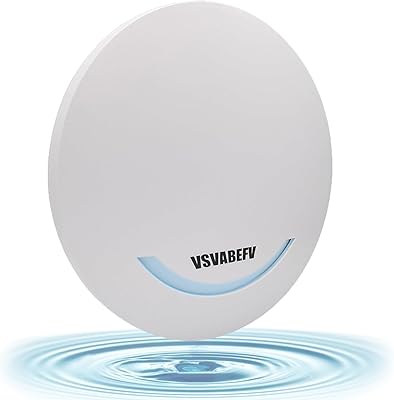
VSVABEFV AP240 Dual-Band WiFi Access Point
85%
88%
Performance
91%
Ease of Setup
85%
Coverage & Range
83%
Reliability
80%
Build Quality
More
TRENDnet TEW-821DAP AC1200 Dual Band PoE Access Point
86%
94%
Installation Ease
87%
Wi-Fi Performance
75%
Range Coverage
88%
Value for Money
90%
Reliability
More
EnGenius EWS356-FIT Wi-Fi 6 Dual-Band Access Point
83%
91%
Wi-Fi Performance
89%
Ease of Setup
87%
Coverage Area
82%
Software and App Experience
90%
Security Features (WPA3)
More
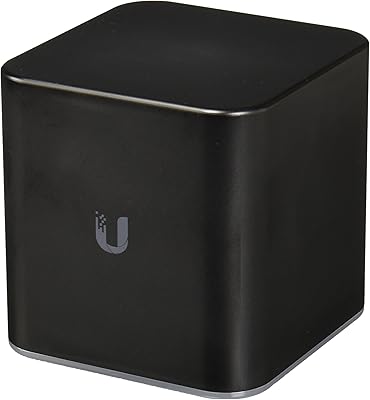
Ubiquiti airCube AC Wireless Access Point
79%
93%
Ecosystem Integration
91%
PoE Passthrough
74%
Wireless Coverage
78%
Setup & Installation
82%
Build Quality
More
Ubiquiti UAP-AC-M-PRO Unifi Access Point
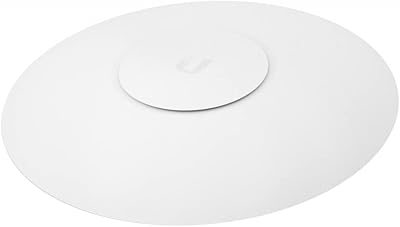
85%
88%
Overall Performance
90%
Wi-Fi Speed
85%
Installation Ease
89%
Range and Coverage
92%
Build Quality
More
Ubiquiti UniFi HD UAP-AC-HD Access Point
85%
89%
Performance
78%
Ease of Setup
91%
Coverage & Range
85%
Reliability
93%
Integration with UniFi Controller
More
Ubiquiti UniFi UAP-AC-PRO Access Point
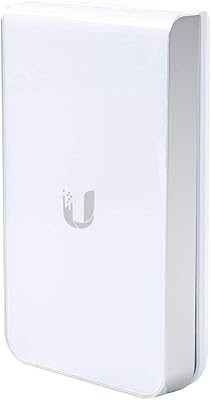
80%
94%
Network Stability & Uptime
89%
Wi-Fi Signal Range & Penetration
58%
Setup & Initial Configuration
81%
Value for Money
86%
Multi-Device Performance
More
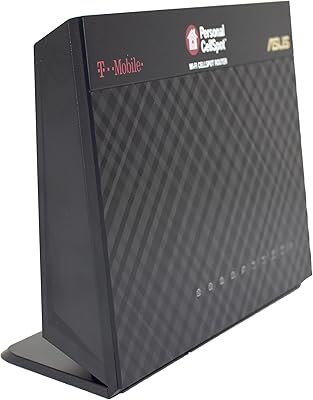
Asus T-Mobile AC-1900 Dual-Band Router
85%
88%
Performance
94%
Ease of Setup
91%
Security Features
65%
Compatibility with Non-T-Mobile Devices
86%
Wi-Fi Speed and Range
More
Ubiquiti UAP-AC-IW-PRO In-Wall Access Point
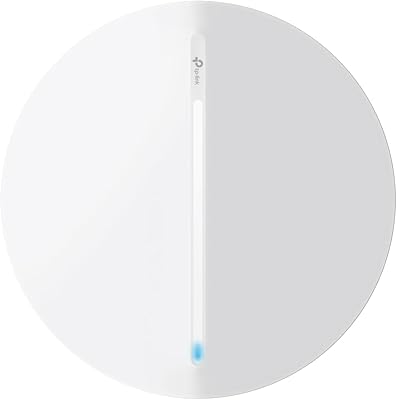
77%
88%
Wireless Performance
84%
Build Quality & Hardware Design
61%
Installation Experience
47%
PoE Power Requirement Clarity
91%
UniFi Ecosystem Integration
More
TP-Link Festa F76 WiFi 7 Access Point
76%
83%
Wireless Performance
88%
Ease of Setup
54%
Ecosystem Compatibility
67%
Cloud Management & App Quality
86%
Build Quality & Design
More

FAQ

Not strictly — the MikroTik cAP ac Dual-Band Access Point can function as a standard wireless access point connected to any router brand. However, advanced features like CAPsMAN centralized management, seamless multi-AP roaming, and deep VLAN configuration are only available when paired with a MikroTik router running RouterOS. If you are using a non-MikroTik router, you will essentially be using a fraction of what this hardware can do.

This is a critical point — the US variant is factory-locked to specific frequency ranges and that lock is permanent and hardware-level, meaning no firmware update or configuration change will remove it. If your country relies on Wi-Fi channels outside those locked ranges, this unit will not be legally or practically usable. Always confirm your local regulatory requirements before purchasing this specific model.

The second Ethernet port on this AP can supply PoE power to a compatible downstream device — think a VoIP desk phone, a small IP camera, or another low-power network device. This means you can run a single Ethernet cable from your network switch to the ceiling AP and then branch a second powered device from it, without needing an additional power outlet or cable run at the ceiling. Just be aware that the output wattage is limited, so check your downstream device's power requirements before assuming compatibility.

To be direct: it is genuinely challenging for newcomers. MikroTik uses its own Winbox configuration interface and RouterOS environment, which operates quite differently from consumer router dashboards. If you have never configured a MikroTik device before, expect to spend several hours researching and troubleshooting. The official documentation is sparse, but the MikroTik community forum and third-party guides can fill in most gaps if you are patient and methodical.

It does not support mesh networking in the consumer sense — there is no app-based mesh system here. What it does support is CAPsMAN, which is MikroTik's centralized AP management protocol. With CAPsMAN and a MikroTik router as the controller, you can manage multiple APs, configure roaming thresholds, and assign network policies centrally. It is more powerful than typical consumer mesh but requires considerably more technical setup.

Yes — this unit does not come with its own power adapter in all configurations, and in most deployments it is powered via PoE over the incoming Ethernet cable. You will need either a PoE-capable network switch or a separate PoE injector to supply power to the unit. Factor this into your total installation cost if you do not already have compatible PoE infrastructure.

Yes, and it is one of the more compelling use cases for this hardware. RouterOS supports VLAN tagging and multiple SSID broadcasting, which means you can configure a fully isolated guest network that keeps visitors off your main LAN. The configuration is not point-and-click simple, but for anyone comfortable in RouterOS it is a well-documented process and the result is a properly segmented network rather than a superficial guest mode.

For standard open-plan environments — offices, retail floors, or open-concept home spaces — the coverage is solid and consistent. The fixed internal antennas are tuned for downward omnidirectional projection from a ceiling position, which suits this deployment style well. Coverage starts to degrade in environments with many physical barriers like concrete walls or dense partitioning, and because the antennas are fixed you cannot adjust the radiation pattern to compensate.

It can work, but with caveats. A single unit will cover one floor comfortably in most home layouts, and if you install multiple units they can be managed together via CAPsMAN for a more cohesive experience. The ceiling-mount form factor works well on upper floors but can look out of place in standard home environments compared to desktop or wall-plate APs. If your home network runs on non-MikroTik hardware, a simpler access point solution may serve multi-floor coverage more efficiently.

Long-term reliability is consistently one of the strongest points in owner reviews. Users running this AP in offices and small commercial environments frequently describe months — sometimes over a year — of uninterrupted operation without needing to restart the device or intervene remotely. The main long-term caution is around firmware updates, which occasionally introduce configuration changes that require users to revisit their settings, so staying on proven stable firmware versions is generally advisable.

Where to Buy