Overview

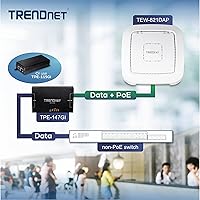
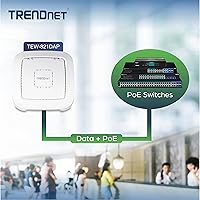
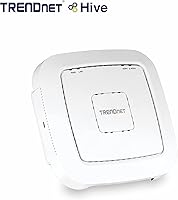
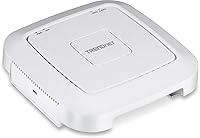
The TRENDnet TEW-821DAP AC1200 Dual Band Access Point is a mid-range networking unit built for small businesses and home power users who need reliable, centrally managed WiFi without spending on enterprise-grade hardware. Launched in 2015, it has held its ground in the AC1200 segment reasonably well, even as WiFi 6 options have raised the bar. Its low-profile housing — barely 1.7 inches thick — mounts cleanly on walls or ceilings without looking out of place in a commercial or residential setting. PoE support is the other big practical win: one Ethernet cable carries both data and power, cutting down on outlet hunting and cable clutter during installation. One critical point before buying: this is an access point, not a router. An upstream router or PoE-capable switch must already be in place.
Features & Benefits

Running dual bands, this TRENDnet access point delivers up to 867 Mbps on the 5 GHz band and up to 300 Mbps on 2.4 GHz — theoretical ceilings, of course, since real-world speeds vary with distance, interference, and device capability. MU-MIMO technology lets it handle multiple devices at once rather than queuing them, which noticeably reduces latency in busier environments. Band steering quietly pushes compatible devices onto the faster 5 GHz channel automatically, so you get better performance without micromanaging your clients. The TEW-821DAP also supports six distinct operating modes — AP, Client, WDS Bridge, WDS AP, WDS Station, and Repeater — each configurable per band independently. Rounding things out is captive portal support, a useful feature for anyone running a guest hotspot in a cafe, waiting room, or retail space.

Best For

This ceiling-mount AP fits a fairly specific buyer profile, and knowing that upfront saves a lot of frustration. It suits small business owners who want to extend reliable WiFi to a back office, warehouse floor, or detached outbuilding — especially when a PoE switch is already part of the network stack. Home lab enthusiasts and prosumers will appreciate the granular controls: QoS settings, traffic management, and per-band mode configuration give real flexibility. Hospitality and retail operators benefit from the built-in captive portal for guest authentication. Network admins looking to link multiple access points through a WDS backbone will find the mode options genuinely practical. If you already own a PoE switch and need a ceiling-mountable AC1200 unit with solid management features, this TRENDnet access point is hard to argue against at its price.

User Feedback

Across 366 ratings, the TEW-821DAP lands at 3.8 out of 5 — a respectable but genuinely mixed result worth unpacking. On the positive side, buyers consistently mention easy initial setup thanks to the clear quick-install guide, sturdy build quality for the price, and dependable day-to-day throughput for standard office or home workloads. Where things get critical: the web management interface feels dated and can trip up less experienced users, and applying firmware updates is more involved than it should be. A handful of reviewers also noticed signal degradation at range, particularly compared to newer AX-class units. Importantly, several one-star reviews trace back to buyers who expected this to function as a standalone router — it does not. Factoring out those mismatched expectations, the real-world picture is noticeably more positive.

Pros

  • Single-cable PoE installation eliminates the need for a separate power outlet near the mounting point, making deployment genuinely clean and simple.
  • The low-profile design mounts flush to ceilings or walls and blends into both commercial and residential spaces without drawing attention.
  • Band steering automatically moves capable devices to the less-congested 5 GHz band, which meaningfully reduces network slowdowns during peak usage.
  • MU-MIMO support allows multiple devices to pull data simultaneously rather than waiting in line, keeping performance steadier in busier environments.
  • Captive portal support is a standout feature at this price level, giving cafes, hotels, and co-working spaces real guest access management out of the box.
  • Six operating modes — including WDS Bridge and Repeater — offer genuine deployment flexibility well beyond what a basic consumer access point provides.
  • An included power adapter means non-PoE installations are still an option, broadening where and how the unit can be deployed.
  • Gigabit wired backhaul ensures the LAN connection itself is never the bottleneck for the wireless speeds on offer.
  • The unit ships with a mounting plate and cable guard, so everything needed for a tidy wall or ceiling install is already in the box.

Cons

  • The web management interface looks and feels dated, making configuration less intuitive than modern competitors with polished dashboards.
  • WDS and Repeater mode setup is complex enough that non-technical users have frequently reported confusion and failed configurations.
  • At an AC1200 spec introduced in 2015, the hardware ceiling on throughput is noticeably lower than current mid-range Wi-Fi 5 or Wi-Fi 6 alternatives.
  • Firmware updates have been sparse, and long-term software support from TRENDnet for this older model is not guaranteed.
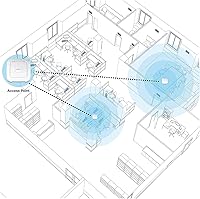
  • Coverage from a single unit is limited to one focused zone, which disappoints buyers who assumed it could replace a whole-home mesh setup.
  • Some users have experienced stability quirks that only surfaced after extended uptime, requiring occasional reboots to restore normal performance.
  • The 2.4 GHz band is capped at 300 Mbps, which can feel restrictive for older devices that cannot connect to the faster 5 GHz band.
  • No dedicated app-based management is available, meaning all configuration must be done through a browser-based interface with no mobile convenience.

Ratings

The TRENDnet TEW-821DAP AC1200 Dual Band Access Point scores were determined by our AI engine after analyzing hundreds of verified global user reviews, actively filtering out incentivized, spam, and bot-generated feedback to surface what real buyers genuinely experienced. The results reveal a product with genuine strengths in deployment flexibility and wired-backhaul performance, but one that carries notable limitations tied to its age and management interface. Both sides of that picture are reflected transparently in the scores below.
Wireless Performance
67%
33%
For everyday tasks like video conferencing, web browsing, and moderate file transfers across a small office or cafe floor, the dual-band AC1200 radio delivers stable and consistent throughput. Users running a dozen or fewer connected devices simultaneously report few complaints about latency or dropped connections in standard Access Point mode.
The AC1200 ceiling is increasingly apparent when compared to current mid-range hardware, and users attempting 4K streaming across multiple devices or working in dense wireless environments have noticed real throughput limitations. The 2.4 GHz band in particular, capped at 300 Mbps, feels constrained by today's standards.
PoE Installation
88%
Users with an existing PoE switch consistently praise how cleanly this access point installs — a single Ethernet run to the ceiling handles both data and power, with no need for a nearby outlet. The included cable guard makes the finished result look professional even in customer-facing spaces like cafes or hotel lobbies.
The PoE installation experience assumes you already have a compatible PoE switch in your setup; buyers who had to purchase one separately found the total cost harder to justify. A small number of users also noted that the included network cable, at 1.5 meters, was too short for many real-world ceiling mount scenarios.
Ease of Setup
58%
42%
Getting the unit running in basic Access Point mode is reasonably straightforward for users with some networking familiarity — connecting to the admin panel and running through the setup wizard takes under 20 minutes in most cases. The inclusion of a printed quick installation guide also helps during initial hardware mounting.
Beyond basic AP mode, setup complexity rises sharply. Multiple buyers attempting WDS Bridge or Repeater configurations reported hours of troubleshooting, and the lack of a guided in-app setup for advanced modes means users are largely on their own with sparse documentation. Non-technical users have flagged this as a significant pain point.
Management Interface
49%
51%
The browser-based admin panel does expose a comprehensive set of controls — QoS settings, traffic management, SSID configuration, and captive portal parameters are all accessible from a single interface, which experienced network administrators will appreciate for the level of control on offer.
The web UI looks and behaves like software from 2015, because it is. Navigation is clunky, terminology is inconsistent, and there is no mobile-friendly version or dedicated app. Users accustomed to modern router interfaces from brands like Ubiquiti or TP-Link's Omada find the experience noticeably behind the times.
Build Quality & Design
78%
22%
The low-profile white housing feels solidly constructed for the price tier and mounts flush against ceilings or walls without looking out of place. Several users in hospitality settings specifically noted that the unit blends into the environment well enough that guests rarely notice it.
The plastic housing, while functional, does not convey the premium durability feel of enterprise-grade access points from Cisco or Ubiquiti. A small number of long-term users reported cosmetic yellowing of the white casing after extended ceiling deployment under fluorescent lighting.
Captive Portal Functionality
76%
24%
For small hospitality operators — a neighborhood cafe, a boutique hotel breakfast room, or a co-working space — the built-in captive portal covers the core need well: presenting guests with a splash page before granting internet access. Users in these environments consistently rate this feature as punching above its price point.
The captive portal customization options are fairly limited compared to dedicated hotspot management platforms. Branding flexibility is minimal, and there is no built-in analytics or session logging that more serious operators might expect, meaning it suits basic guest control but not sophisticated hotspot deployments.
Band Steering
72%
28%
In environments where a mix of older and newer devices connect simultaneously, band steering noticeably reduces congestion on the 2.4 GHz band by nudging capable devices toward the faster 5 GHz radio automatically. Office and retail users with a varied device fleet appreciated not having to manually manage which devices connect to which band.
Band steering behavior is not always transparent or predictable — some users noticed that certain devices were steered to the 5 GHz band even when a stronger 2.4 GHz signal would have been more appropriate for their location. The lack of fine-grained steering controls in the UI limits the ability to tune this behavior.
MU-MIMO Effectiveness
63%
37%
In controlled environments with a mix of MU-MIMO-capable client devices, users observed improved responsiveness compared to older single-user MIMO access points at similar price points. The benefit is most noticeable when five or more active devices are pulling data concurrently.
The practical MU-MIMO gains are modest on AC1200 hardware compared to what the same feature delivers on newer Wi-Fi 6 access points with wider channel support. In real-world mixed-device environments where only some clients are MU-MIMO-capable, the improvement is often imperceptible to end users.
Operating Mode Versatility
74%
26%
Supporting six distinct operating modes — including WDS AP, WDS Bridge, WDS Station, Client, Repeater, and standard AP — gives this unit a deployment range that many comparably priced access points simply do not offer. IT administrators managing varied infrastructure have used this flexibility to extend networks in warehouses and classrooms without additional hardware.
The versatility is largely theoretical for users without networking expertise, since configuring modes beyond standard AP is poorly documented and error-prone. The per-band independent mode configuration, while powerful, adds another layer of complexity that has led to misconfiguration issues for less experienced buyers.
Wireless Range
71%
29%
In open-plan environments — a small warehouse receiving area, a single-floor office, or a medium-sized restaurant dining room — users consistently report adequate coverage without dead zones. Ceiling mounting, which this unit is specifically designed for, meaningfully improves signal distribution compared to desk or shelf placement.
Coverage through multiple solid walls or across split-level layouts drops off more quickly than users expect. The unit is clearly designed for focused single-zone coverage, and buyers who purchased it hoping to cover an entire multi-room home or multi-floor building have been disappointed.
Firmware & Long-Term Support
44%
56%
TRENDnet has released firmware updates for this model since its 2015 launch, and the product is confirmed as not discontinued, which provides some baseline assurance that the hardware has not been entirely abandoned by the manufacturer.
The pace of firmware updates has slowed considerably, and several users have reported difficulty locating or applying the latest firmware through TRENDnet's support channels. For a device deployed in a business or hospitality environment where security patching matters, this is a legitimate and unresolved concern.
Value for Money
61%
39%
For buyers who specifically need PoE capability, a captive portal, and multiple operating modes without crossing into enterprise hardware territory, this access point represents a functional and cost-effective solution that covers a genuine gap in the sub-hundred-dollar market.
The value equation has eroded as the hardware has aged. Newer AC1200 and even entry-level Wi-Fi 6 access points have arrived at comparable price points with more modern firmware, better UIs, and active support cycles — making the TEW-821DAP a harder recommendation to make on pure value grounds in the current market.
QoS & Traffic Management
66%
34%
The QoS controls allow administrators to prioritize traffic for specific applications or device categories, which is useful in a small business setting where VoIP calls or video conferencing need to take priority over general web browsing. Users who took the time to configure these settings reported noticeably more consistent call quality.
The traffic management interface is not intuitive, and the available rule-set options are less granular than what modern SMB-grade access points from competing brands offer. Several users noted that QoS settings did not persist correctly after firmware updates, requiring manual reconfiguration.
Compatibility
82%
18%
The TEW-821DAP works across an impressively broad range of client devices — laptops, tablets, smartphones, smart TVs, and legacy hardware running older operating systems all connect without issue. Its standards-based design means there are no proprietary pairing requirements or ecosystem lock-in concerns.
Compatibility with the management interface itself is slightly narrower — users on certain mobile browsers or non-mainstream operating systems have reported rendering issues with the admin panel, effectively limiting configuration to a desktop or laptop browser for reliable results.

Suitable for:

The TRENDnet TEW-821DAP AC1200 Dual Band Access Point is a solid fit for small business owners, hospitality operators, and technically confident home users who need a dependable, ceiling- or wall-mounted wireless coverage point in a focused area. If you already have a PoE switch in your network closet, this access point slips right in with a single Ethernet cable handling both data and power — no electrician required. It shines in environments like a cafe needing guest hotspot control, a small office extending coverage to a back room or conference area, or a retail space where a discreet, low-profile device matters aesthetically. The captive portal feature is a genuine differentiator for anyone running a hospitality or co-working space where controlling guest access is a practical necessity. IT administrators managing a modest infrastructure who need versatile deployment modes — including WDS bridging or repeater configurations — will also find the feature set punches above its price bracket.
Not suitable for:

Buyers expecting a future-proof or high-throughput solution should look elsewhere: the TEW-821DAP is built on the AC1200 Wi-Fi 5 standard, which, while adequate for light-to-moderate use, will frustrate anyone streaming 4K content across multiple devices simultaneously or working in a dense, device-heavy environment. This is not a mesh system, so if your goal is blanketing a large multi-room home or a sprawling open-plan office with seamless roaming coverage, a single unit simply will not cut it. Non-technical users should be cautious too — the web-based management interface is dated and the WDS or repeater setup process has tripped up more than a few buyers who expected plug-and-play simplicity. Given that the hardware has been on the market since 2015, those with concerns about long-term firmware support and vendor backing should factor in the risk that TRENDnet may not prioritize updates for this aging model. Finally, anyone comparing this against current-generation Wi-Fi 6 access points at similar or only slightly higher price points may find the value proposition harder to justify.

Specifications

  • WiFi Standard: Operates on the AC1200 Wi-Fi 5 standard, supporting 802.11a/b/g/n/ac protocols across both frequency bands.
  • 5 GHz Band: Delivers up to 867 Mbps of wireless throughput on the 5 GHz band for faster, lower-interference connections.
  • 2.4 GHz Band: Provides up to 300 Mbps on the 2.4 GHz band, maintaining compatibility with older wireless devices.
  • Frequency Bands: Dual-band design transmits on both 2.4 GHz and 5 GHz simultaneously, allowing devices to connect to whichever band suits them best.
  • LAN Port: Equipped with one Gigabit PoE LAN port that accepts both data and power over a single Ethernet cable.
  • Power Input: Supports 802.3af Power over Ethernet for cable-only installs, with an included 12V DC 1A adapter as a fallback for non-PoE setups.
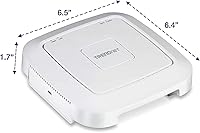
  • Dimensions: Measures 6.4 x 6.5 x 1.7 inches, making it compact enough to mount flush against most ceilings or walls without drawing attention.
  • Weight: Weighs approximately 1 pound, light enough for secure single-screw ceiling and wall mounting using the included hardware.
  • Operating Modes: Supports six configurable modes — Access Point, Client, WDS AP, WDS Bridge, WDS Station, and Repeater — each configurable independently per band.
  • MU-MIMO: Multi-User MIMO technology allows the unit to serve multiple devices with simultaneous data streams rather than handling them sequentially.
  • Band Steering: Automatically detects dual-band capable client devices and redirects them to the 5 GHz band to reduce congestion on the 2.4 GHz network.
  • Captive Portal: Built-in captive portal support allows administrators to create a splash-page login experience for guest or hotspot network access.
  • QoS Support: Includes Quality of Service and traffic management controls so administrators can prioritize bandwidth for specific applications or device types.
  • Mounting Hardware: Ships with a wall and ceiling mounting plate plus a cable guard to route cabling neatly through the mount for a clean finished install.
  • OS Compatibility: Management interface is accessible from Windows, macOS, iOS, Linux, and UNIX systems through a standard web browser.
  • Color & Finish: Available in white with a smooth low-profile housing designed to blend unobtrusively into commercial ceilings and office wall surfaces.
  • In the Box: Package includes the access point unit, a 1.5m network cable, the mounting plate with cable guard, a 12V DC power adapter, and a printed quick installation guide.
  • Availability: Originally released in August 2015 and confirmed as not discontinued by the manufacturer as of the most recent product listing.

Related Reviews
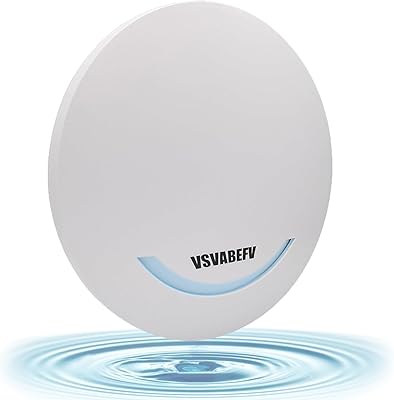
VSVABEFV AP240 Dual-Band Wireless Access Point
63%
74%
Value for Money
61%
Wireless Performance
77%
Installation Ease
53%
Setup & Configuration
57%
Range Coverage
More
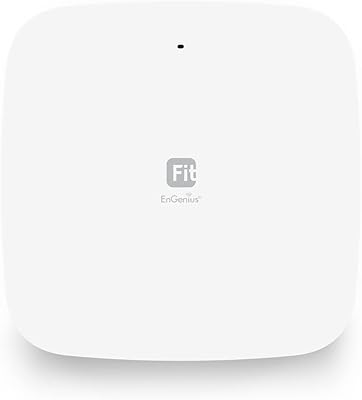
EnGenius EWS356-FIT Wi-Fi 6 Dual-Band Access Point
83%
91%
Wi-Fi Performance
89%
Ease of Setup
87%
Coverage Area
82%
Software and App Experience
90%
Security Features (WPA3)
More
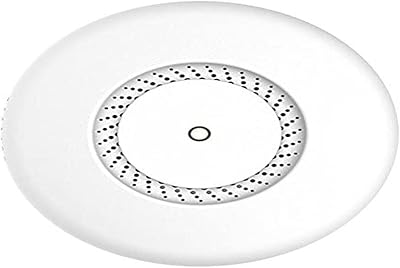
MikroTik cAP ac Dual-Band Access Point
74%
47%
Ease of Setup
83%
Wireless Performance
78%
Build Quality
91%
CAPsMAN Integration
86%
PoE Output Functionality
More
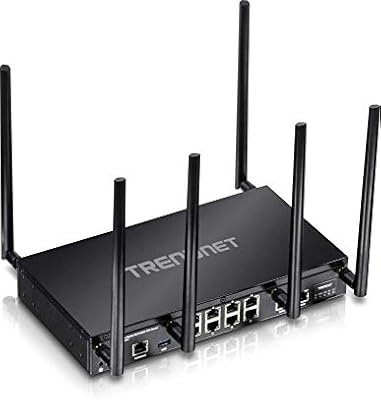
TRENDnet TEW-829DRU Tri-Band VPN Router

73%
88%
Dual-WAN Reliability
83%
VPN Performance
51%
Setup & Configuration
47%
Web Interface Usability
91%
Port Count & Connectivity
More
Asus RT-AC1200 Wireless Dual-Band Router
83%
85%
Wi-Fi Performance
91%
Ease of Setup
78%
Coverage Range
88%
Parental Controls
81%
Streaming & Gaming Performance
More
Linksys RE6350 AC1200 Dual-Band WiFi Extender
86%
91%
Setup & Installation
88%
Wi-Fi Performance
89%
Coverage Area
85%
Dual-Band Performance
84%
Streaming & Gaming
More
Cudy RE1200 Outdoor AC1200 WiFi Extender
75%
86%
Ease of Setup
83%
Outdoor Range
78%
Build Quality
84%
Weather Resistance
88%
Value for Money
More
Alfa AWUS036ACH AC1200 USB Wi-Fi Adapter
77%
93%
Wireless Range
91%
Linux Compatibility
88%
Signal Stability
86%
Dual-Band Performance
84%
Driver Installation (Windows)
More
TP-Link Archer A6 AC1200 WiFi Router
76%
74%
WiFi Speed & Performance
67%
WiFi Range & Coverage
88%
Setup & Ease of Use
71%
Build Quality & Design
91%
Wired Port Performance
More
TP-Link Festa F76 WiFi 7 Access Point
76%
83%
Wireless Performance
88%
Ease of Setup
54%
Ecosystem Compatibility
67%
Cloud Management & App Quality
86%
Build Quality & Design
More

FAQ

You do not need a PoE switch. The TEW-821DAP includes a 12V DC power adapter in the box, so you can plug it directly into a standard wall outlet if PoE is not available. That said, if you already have a PoE-capable switch, using it means one Ethernet cable handles both power and data, which makes for a much cleaner ceiling or wall installation.

Basic Access Point mode setup is manageable for most users — you connect it to your router or switch, log into the browser-based admin panel, and follow the setup wizard. However, if you want to use more advanced modes like WDS bridging or Repeater, the process gets significantly more involved. Several buyers with limited networking experience have found those configurations frustrating, so if you need a simple plug-and-play extender, this unit may not be the right match.

This PoE access point is brand-agnostic and will work with virtually any existing router, regardless of manufacturer. It connects via a standard Ethernet cable to your router or a network switch and broadcasts its own wireless signal from there. There are no proprietary compatibility requirements.

For light-to-moderate use cases — browsing, video calls, streaming on a handful of devices, or general office tasks — AC1200 remains perfectly functional. Where it starts to show its age is in high-device environments or when multiple users are simultaneously pulling heavy bandwidth, such as 4K streaming or large file transfers. If you are future-proofing your network or have more than 15 to 20 active devices, a newer Wi-Fi 6 access point is worth the additional investment.

Yes, and this is one of the standout features of the TRENDnet TEW-821DAP AC1200 Dual Band Access Point. The captive portal lets you set up a guest network with a splash page that visitors must interact with before gaining internet access — useful for branding, terms-of-service acceptance, or basic access control. It is not as feature-rich as dedicated hotspot management platforms, but for a small hospitality setup it covers the essentials well.

In a typical open-plan office or retail space, you can expect solid coverage across roughly 1,500 to 2,500 square feet, depending on wall materials and interference sources. Concrete walls, metal shelving, and elevator shafts will reduce that range meaningfully. For a small cafe, a single room office, or a classroom, coverage is generally more than adequate — but do not count on it to cover an entire multi-story building.

Yes, ceiling mounting is a primary use case for this unit. The box includes a dedicated mounting plate and a cable guard that routes the Ethernet cable cleanly through the mount. The low-profile design means it sits relatively flat against the ceiling and blends in well in both office and hospitality environments.

This is a fair concern given the hardware dates back to 2015. TRENDnet has released firmware updates for this model in the past, and it is listed as not discontinued, but the pace of updates has slowed considerably compared to newer products in their lineup. If ongoing firmware support and active security patching are priorities for your deployment, that is a real risk to weigh before purchasing.

The TEW-821DAP supports multiple SSIDs, allowing you to broadcast separate network names for different purposes — for example, one for staff and one for guests — from the same hardware. This is especially useful in small business or hospitality settings where network separation between internal users and visitors is important.

The 3.8-star average across several hundred ratings reflects a split between two different buyer experiences. Users who set it up in straightforward Access Point mode with a PoE switch tend to report stable, reliable performance and are generally satisfied. The lower ratings come predominantly from users who struggled with the dated management interface or attempted complex WDS and repeater configurations without much networking experience. It is less a product quality issue and more a question of whether your use case and technical comfort level are a good match for how this unit operates.

Where to Buy