Overview

The Asus TM-AC1900 Dual-Band Wi-Fi Router is, at its core, a rebranded ASUS RT-AC68U — a well-regarded router sold exclusively through T-Mobile. That distinction matters more than it might seem. This dual-band router is locked to T-Mobile, meaning the firmware and setup process reflect that carrier partnership, and using it outside that ecosystem requires some technical effort. It has been around since 2014, which in router years is significant, but the hardware remains capable for medium-sized homes. Don't expect Wi-Fi 6 speeds or mesh expansion — this is a proven, mature AC1900 performer, not a cutting-edge device.
Features & Benefits

Despite its age, the TM-AC1900 packs a genuinely useful feature set. The 1 GHz dual-core CPU handles real-world multitasking well — streaming 4K video on one device while another is gaming or downloading large files rarely causes noticeable slowdowns. The AiProtection suite, powered by Trend Micro, adds automatic threat detection, malicious site blocking, and parental controls at no ongoing cost, though it operates at the network level and is not a substitute for antivirus software on individual devices. The ASUSWRT interface is among the richest router dashboards available, offering QoS controls, VPN support, and traffic analytics. A USB port rounds things out for basic NAS or printer sharing.

Best For

The TM-AC1900 is a natural fit for T-Mobile home internet subscribers who want a more capable router than the default equipment without spending a lot. It also attracts technically minded buyers who pick up refurbished units and flash them with Merlin firmware — a popular workaround that restores full ASUS functionality, though it is not something casual users should attempt, and it does void any remaining support. Households running 5 to 10 connected devices in a medium-sized space will find the dual-band coverage solid and consistent. If you need Wi-Fi 6, tri-band performance, or whole-home mesh capability, this router is not the right starting point.

User Feedback

With a 4.2-star average across nearly 500 ratings, buyer sentiment leans clearly positive. Range, connection stability, and the hassle-free ASUSWRT setup process come up repeatedly in favorable reviews. Where things get complicated is the T-Mobile carrier lock — a meaningful chunk of one-star reviews come from buyers who did not realize the router would not work on other networks. Some long-term owners also mention the unit running warm during extended use, so ventilation placement matters. A smaller group of technically experienced users reports successfully flashing Merlin firmware, effectively unlocking it as a full-featured ASUS router, but this remains a niche option with real risks attached.

Pros

  • Built-in AiProtection by Trend Micro provides real-time threat detection and parental controls at no extra subscription cost.
  • The ASUSWRT dashboard is one of the most feature-rich router interfaces available, with VPN, QoS, and traffic analytics.
  • A 1 GHz dual-core CPU keeps multi-device households running smoothly without noticeable slowdowns during heavy use.
  • Dual-band coverage handles 5 to 10 simultaneous connected devices reliably across medium-sized living spaces.
  • The ASUS Router App lets you monitor and manage your network remotely from a smartphone.
  • A USB port enables basic NAS and printer sharing — a practical bonus for home office setups.
  • Strong enthusiast community support, including the Merlin firmware project, meaningfully extends the hardware's long-term usefulness.
  • Gigabit LAN ports ensure wired connections to desktops or smart TVs are never the bottleneck.
  • Initial setup via ASUSWRT is approachable even for users without deep networking experience.
  • The value-to-performance ratio is hard to match for T-Mobile subscribers upgrading from default carrier equipment.

Cons

  • Carrier-locked to T-Mobile only — it will not function on any other network without firmware modification.
  • Flashing Merlin or stock ASUS firmware is the primary unlock path, but it voids support and is not beginner-friendly.
  • Hardware design dates to 2014 and lacks Wi-Fi 6 support, limiting relevance as newer client devices become standard.
  • Several long-term owners report the unit runs noticeably warm, making thoughtful ventilation and placement essential.
  • No tri-band option or official mesh compatibility makes coverage expansion in larger homes impractical.
  • T-Mobile firmware branding restricts access to certain advanced ASUS configuration features without modification.
  • Firmware update cadence for the T-Mobile variant has historically lagged behind standard ASUS router releases.
  • The 2.4 GHz band can face meaningful congestion in dense apartment buildings with many competing networks.
  • The single USB port operates at USB 2.0 speeds, which noticeably limits NAS transfer performance for larger files.

Ratings

The scores below for the Asus TM-AC1900 Dual-Band Wi-Fi Router were produced by our AI rating engine after analyzing hundreds of verified buyer reviews from global markets, with spam, incentivized submissions, and bot-generated feedback actively filtered out before any score was calculated. Every category reflects the honest distribution of real user experiences — the genuine strengths that made buyers recommend this router, and the recurring frustrations that pulled scores down. Nothing has been softened.
Wi-Fi Range & Coverage
83%
Users in two- and three-bedroom homes consistently report strong, stable signal on both bands, with the 5 GHz channel holding up at moderate distances better than many expected from a router this age. Several reviewers noted it handled coverage across multiple floors without a range extender, which is a meaningful result for a single-unit device.
Coverage starts thinning noticeably beyond 50 feet or through multiple thick walls, and users in open-plan homes over 2,000 square feet reported dead zones that a mesh system would handle more reliably. The router is simply not engineered for large footprints, and pushing it into that role leads to disappointment.
Connection Stability
86%
Day-to-day stability is where the TM-AC1900 earns most of its goodwill from long-term owners. Reviewers who had been running it for a year or more frequently mentioned they had never needed to reboot it during normal household use — streaming sessions, video calls, and gaming all held steady without random dropouts.
A recurring pattern in lower-rated reviews ties instability directly to heat — units running warm in enclosed entertainment centers or poorly ventilated shelves showed intermittent disconnections after extended uptime. In those cases, a reboot restored normal behavior, but the root cause was thermal rather than a firmware issue.
Value for Money
88%
For T-Mobile home internet subscribers, the hardware platform on offer here — Gigabit ports, a capable dual-core CPU, and AiProtection included at no subscription cost — is genuinely difficult to match at this price point. Buyers who understood what they were purchasing before checkout consistently rated the overall package as excellent value.
The value equation collapses for anyone outside the T-Mobile ecosystem. The carrier lock is not a minor footnote — it renders the router non-functional out of the box for everyone else, and buyers who discovered this after purchase rated the value far lower, often without recourse for a return.
Built-in Security
79%
21%
The inclusion of AiProtection at no ongoing cost is a real differentiator for family households. The Trend Micro engine handles automatic threat signature updates and malicious site blocking without requiring any manual action from the user, and the parental control tools are functional enough for basic household content filtering.
AiProtection is a network perimeter tool, not a device security solution — it cannot detect malware already on a laptop or phone, and it offers no protection when those devices connect via mobile data or public Wi-Fi. Reviewers who understood this distinction appreciated it; those who expected antivirus-grade coverage were let down.
Carrier Compatibility
31%
69%
For confirmed T-Mobile home internet subscribers, the carrier lock is entirely invisible in day-to-day use — the router integrates with T-Mobile's network exactly as intended, with no workarounds or extra steps required. Users already in the T-Mobile ecosystem have no practical reason to encounter the restriction at all during normal operation.
Outside T-Mobile's network this router is simply non-functional as a standard device, and this single limitation accounts for a significant share of its one-star reviews. Many secondhand buyers were blindsided by the restriction, and the combination of a non-refundable purchase and a technically demanding unlock process made for genuinely frustrating experiences.
Software & Interface
84%
ASUSWRT is one of the most capable interfaces available at this price tier, offering real-time per-device traffic monitoring, QoS bandwidth prioritization, and an integrated OpenVPN server and client. Users who invest time in learning the interface consistently describe it as far more powerful than they expected from a consumer-grade router.
The T-Mobile firmware variant omits several ASUSWRT features present in the standard retail version, which catches users off-guard when tutorials based on the regular ASUS interface reference settings that simply do not appear in this firmware. Advanced USB and certain parental control options are among the most commonly noted absences.
Setup & Ease of Use
78%
22%
The ASUSWRT setup wizard is guided clearly enough that most users had the router running within fifteen minutes of unboxing, even without prior networking experience. The visual layout of the interface makes it easier than most competitors to locate both basic and advanced settings once the initial connection is established.
The T-Mobile firmware context creates friction for any buyer who purchased the unit without fully understanding the carrier-specific nature of the setup process. Users expecting a generic ASUS experience found that certain options were absent or relabeled, which added confusion during configuration and prompted a higher-than-normal rate of support questions.
Multi-Device Performance
77%
23%
Households running 8 to 12 connected devices simultaneously — streaming sticks, phones, laptops, and smart home gadgets — reported a largely smooth experience during typical daily use. The dual-core CPU handles the kind of mixed, concurrent traffic that was a real bottleneck on older single-core routers without any manual traffic management.
Performance starts degrading when multiple devices are engaged in high-bandwidth tasks at the same time — two simultaneous 4K streams alongside active gaming revealed the ceiling more quickly than some users anticipated. The Wi-Fi 5 architecture and the lack of advanced MU-MIMO handling mean this is not a router built for dense, high-demand environments.
Wired Connectivity
87%
The four Gigabit LAN ports are a consistent strength for users who hardwire desktops, smart TVs, gaming consoles, or network switches. Wired throughput is reliable and fully utilizes available internet speeds up to 1 Gbps, making Ethernet-connected devices feel completely insulated from any Wi-Fi congestion happening elsewhere on the network.
There is only a single WAN port with no dual-WAN or failover capability, which limits the router for home office users who need redundancy from a secondary internet connection. Anyone whose setup requires load balancing across two uplinks will find this architecture does not support that use case at all.
Heat Management
52%
48%
Under light to moderate everyday use — general browsing, streaming, and a modest number of connected devices — the router maintains a workable temperature when placed on an open surface with adequate airflow. Users in cooler rooms who positioned it on a shelf with clearance on all sides rarely flagged heat as a concern.
Heavy sustained use in enclosed spaces causes the unit to run hot enough to be uncomfortable to touch, and this issue appears repeatedly in long-term negative reviews. Multiple owners attributed eventual hardware failures to chronic overheating, and the router has no active cooling or automated thermal throttling to protect it under load.
Remote Management
76%
24%
The ASUS Router App provides a functional, clean interface for checking connected devices, setting up guest networks, and rebooting the router remotely from a smartphone. For users who want basic network visibility while traveling, it works reliably without requiring any additional hardware or third-party accounts beyond the standard router setup.
Remote management through the app is better suited to monitoring than deep configuration — complex changes like VPN server adjustments or advanced QoS tuning still require the full browser-based interface. Some users also reported intermittent connectivity issues when accessing the router remotely over cellular rather than a stable Wi-Fi connection.
USB & NAS Performance
58%
42%
The USB port makes it easy to share an external drive across the home network without a dedicated NAS device, which is genuinely convenient for light use cases like accessing media files or sharing documents between a couple of machines. Setup through ASUSWRT is straightforward and requires no third-party software to get running.
Real-world transfer speeds are hard-capped by the USB 2.0 interface at roughly 25 to 35 MB/s under ideal conditions, which rules out large file transfers or running a media server with high-bitrate video content. Users who expected NAS-grade performance from this feature were consistently and vocally disappointed in their reviews.
Future-Proofing
37%
63%
For households where every device is still on Wi-Fi 5 or older standards — which remains true of a large portion of typical home networks — this dual-band router covers all practical wireless needs without compatibility gaps. The active Merlin firmware community also extends the hardware's useful life by keeping third-party firmware options current and capable.
Wi-Fi 6 adoption is accelerating, and this router cannot benefit from the efficiency or throughput improvements that newer client devices are capable of delivering. There is no upgrade path, no mesh compatibility, and no tri-band option — buyers should treat this as a transitional solution rather than a multi-year investment.
Firmware & Updates
44%
56%
The ASUSWRT foundation is stable and well-tested after years of deployment, and most significant bugs in this hardware were identified and addressed long ago. For users who prefer a set-and-forget approach, the current firmware state is stable enough that the absence of frequent updates rarely causes problems during normal everyday use.
T-Mobile's update cadence for this variant has historically trailed ASUS's own release schedule, meaning security patches and feature additions reached standard RT-AC68U owners first — sometimes by a significant margin. The firmware also withholds a portion of ASUSWRT's full feature set, which frustrates users who researched the platform expecting complete parity with the retail version.

Suitable for:

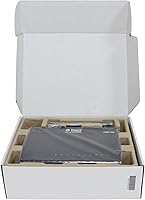
The Asus TM-AC1900 Dual-Band Wi-Fi Router is a solid pick for T-Mobile home internet subscribers who want a meaningful hardware upgrade without a steep price tag. It handles a household of 5 to 10 simultaneous devices comfortably — think a couple of 4K streams running alongside someone gaming and a few phones browsing, without the network buckling. Buyers who appreciate genuine control over their network will find the ASUSWRT interface refreshingly capable, with QoS, VPN, and detailed traffic monitoring all built in. The included AiProtection suite is a real draw for families who want router-level malicious site blocking and parental controls without paying a monthly fee. Technically confident users who are comfortable flashing firmware can also unlock significantly more functionality from this hardware, making it an appealing value find in the refurbished or secondhand market.
Not suitable for:

The Asus TM-AC1900 Dual-Band Wi-Fi Router is a clear pass for anyone not on the T-Mobile network — the carrier lock is not a minor inconvenience but a hard technical barrier, and non-T-Mobile subscribers will find this router simply does not function as a standard unit out of the box. Buyers expecting the latest wireless technology will be disappointed: this is a Wi-Fi 5 device in a world increasingly shifting toward Wi-Fi 6 and Wi-Fi 6E, and that gap shows in throughput on newer client hardware. Large homes or multi-floor layouts will likely find coverage inconsistent, particularly in areas far from the unit. Anyone relying on this router alone for network security should understand that AiProtection works at the router level only and is not a replacement for device-level antivirus protection. Users planning to scale a growing smart home with mesh or tri-band expansion should look elsewhere from the start.
Specifications

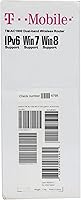
  • Wi-Fi Standard: This router operates on the 802.11ac (Wi-Fi 5) standard, which supports modern devices but does not offer the improved efficiency or throughput of Wi-Fi 6.
  • Frequency Bands: It broadcasts on both the 2.4 GHz band for range and the 5 GHz band for higher-speed connections, allowing devices to be distributed across both channels.
  • Max Speed: Combined theoretical throughput reaches 1900 Mbps (600 Mbps on 2.4 GHz and 1300 Mbps on 5 GHz), though real-world speeds vary based on distance and interference.
  • Processor: A 1 GHz dual-core CPU manages concurrent tasks such as streaming, gaming traffic, and USB data transfers without sharing a single processing lane across all functions.
  • Security Suite: AiProtection, powered by Trend Micro, is built into the firmware and provides automatic malicious site blocking, intrusion prevention, and parental controls at no ongoing subscription cost.
  • Management UI: The ASUSWRT web interface and companion ASUS Router App offer QoS controls, VPN server and client support, real-time traffic monitoring, and remote network management.
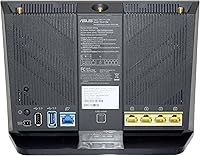
  • WAN Port: A single Gigabit WAN port connects the router to your modem or gateway and supports speeds up to 1 Gbps on the wired uplink.
  • LAN Ports: Four Gigabit LAN ports are included for wired connections to devices such as desktop computers, smart TVs, gaming consoles, or network switches.
  • USB Connectivity: One USB port supports connection of external storage drives for basic network-attached storage (NAS) functionality or a USB printer for shared network printing.
  • Carrier Lock: This unit is locked to the T-Mobile GSM network by default and will not function as a standard router on any other carrier without firmware modification.
  • WPS: Wi-Fi Protected Setup (WPS) is supported, allowing compatible devices to join the network via a single button press without manually entering a passphrase.
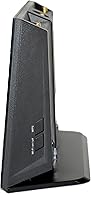
  • Dimensions: The router measures 11.8 x 9 x 3.7 inches, a moderately sized footprint that suits placement on a shelf or desk with adequate ventilation clearance around the unit.
  • Weight: At 1.4 pounds, the unit is lightweight and easy to reposition, though its size means it is not designed to be tucked into tight enclosures.
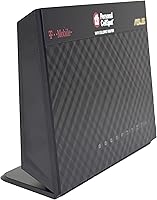
  • Color: The router ships in a matte black finish with a low-profile horizontal design typical of mid-range ASUS home networking hardware.
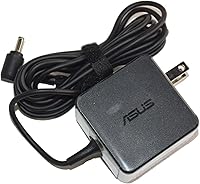
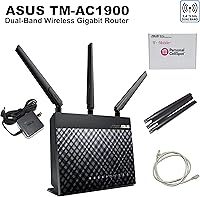
  • In the Box: Each unit includes the router itself, an Ethernet cable, an AC power adapter, a printed quick start guide, and a support CD.

Related Reviews
ASUS RT-AX89X AX6000 Dual Band Wi-Fi Router
77%
91%
Wireless Performance
88%
Multi-Device Handling
86%
Build Quality
83%
10G Port Utility
84%
Security Suite
More
Linksys EA7500 AC1900 Dual-Band Router
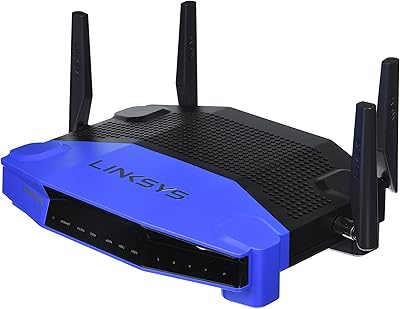
76%
88%
Setup & Installation
83%
Signal Stability
67%
Wi-Fi Range & Coverage
81%
Multi-Device Performance
84%
Streaming Performance
More
Linksys WRT1900AC Dual-Band Wi-Fi Router
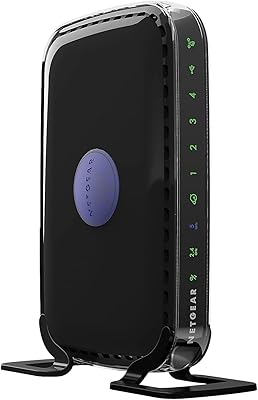
77%
84%
Wireless Range
91%
Wired Performance
93%
Firmware Flexibility
58%
Stock Firmware Stability
88%
Build Quality
More
NETGEAR WNDR3400 N600 Dual Band Wi-Fi Router
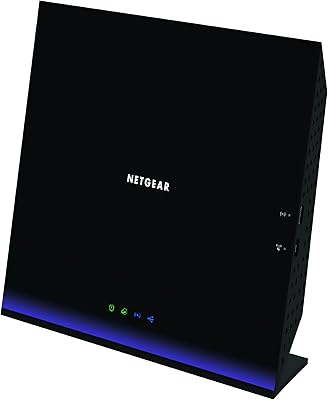
82%
85%
Performance
91%
Ease of Setup
87%
Dual-Band Performance
72%
Connection Stability
80%
Parental Controls
More
NETGEAR R6250 AC1600 Dual Band Wi-Fi Router
73%
91%
Ease of Setup
74%
Wi-Fi Performance
61%
Wi-Fi Range & Coverage
82%
Connection Stability
69%
Multi-Device Handling
More
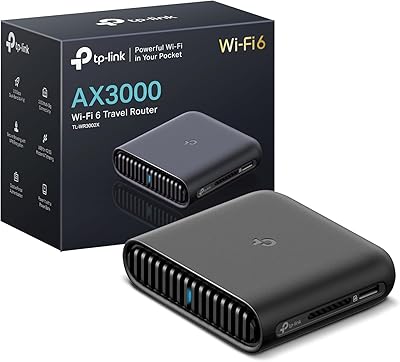
TP-Link TL-WR3002X AX3000 Wi-Fi 6 Travel Router

81%
83%
Ease of Setup
88%
VPN Performance
79%
Captive Portal Handling
93%
Portability & Form Factor
74%
Wi-Fi Speed & Range
More
Linksys EA7200 AC1750 Dual-Band Wi-Fi Router
76%
91%
Ease of Setup
63%
Wi-Fi Range
82%
Connection Stability
77%
Multi-Device Performance
84%
App & Management
More
ASUS Lyra Voice Mesh Router Smart Speaker
65%
58%
Wi-Fi Coverage & Range
67%
Wi-Fi Speed & Throughput
44%
Smart Speaker Audio Quality
76%
Alexa Integration & Voice Control
82%
Setup & Installation Ease
More
Linksys EA6900 AC1900 Dual-Band Wi-Fi Router

73%
91%
Ease of Setup
78%
Wi-Fi Speed & Performance
67%
Wireless Range
73%
Beamforming Effectiveness
74%
Build Quality & Design
More
Asus RT-AC1200 Wireless Dual-Band Router
83%
85%
Wi-Fi Performance
91%
Ease of Setup
78%
Coverage Range
88%
Parental Controls
81%
Streaming & Gaming Performance
More
ASUS RT-N66R Dual-Band N900 Gigabit Router
69%
63%
Wireless Performance
61%
Signal Range & Coverage
84%
Setup & Ease of Use
78%
Firmware & Software
91%
Wired Connection Quality
More

FAQ

No, it will not work out of the box with any provider other than T-Mobile. The carrier lock is a firmware-level restriction, not just a software setting. Unless you are willing to flash third-party firmware — which carries real risk and voids any support — this router is only practical for T-Mobile home internet customers.

It means the router ships with T-Mobile-branded firmware that is configured specifically for their network. On a practical level, certain ASUS features that appear in the standard RT-AC68U are either hidden or disabled in this variant. You can still use the ASUSWRT interface and most core functions, but you are working within T-Mobile's customized firmware environment unless you flash it.

Essentially yes — the hardware is nearly identical, which is actually good news. The RT-AC68U was a well-respected mid-range router, and this unit benefits from the same chipset and build quality. The key differences are the T-Mobile firmware, the carrier lock, and the slightly different branding. That shared DNA is why the enthusiast community developed reliable Merlin firmware workarounds for this specific model.

Many technically experienced users have done this successfully, and there is a solid community around it. That said, it is not a simple plug-and-play process — it requires downloading the correct firmware build, following precise flashing steps, and accepting that if something goes wrong during the process, you may be left with a bricked device. If you are not comfortable working in a router admin console and following detailed technical instructions, this is not the path for you.

AiProtection is a network-level security layer, not a device antivirus replacement. It monitors traffic flowing through the router and blocks known malicious domains, prevents certain intrusion attempts, and offers basic parental controls for filtering content by device. It will not catch malware already on a device, and it does not replace endpoint security software. Think of it as a useful first line of defense, not a complete security solution.

Comfortably, somewhere in the 10 to 15 device range for a typical mixed household — streaming, browsing, a couple of gaming sessions. The dual-core CPU helps it manage concurrent traffic without grinding to a halt the way older single-core routers often did. If your household has 20 or more active devices or you are running bandwidth-intensive tasks simultaneously on many of them, you may start to notice congestion.

For T-Mobile subscribers on a budget, yes — with eyes open. The hardware is mature and proven, and for everyday use in a medium-sized home it still holds up. Where it starts to feel its age is in Wi-Fi 5 limitations, the lack of mesh support, and the T-Mobile firmware constraints. If you are finding a refurbished unit at a low price and primarily want reliable coverage for a modest number of devices, it represents real value. If you want future-proofing or Wi-Fi 6 performance, it does not.

It runs warmer than many users expect, and this comes up regularly in lower-rated reviews from long-term owners. It is not an immediate concern in most cases, but placement matters. Keep it on an open surface with airflow on all sides, and avoid stacking anything on top of it or placing it in an enclosed cabinet. Some users have had units fail after years of use in poorly ventilated spots.

Yes, the ASUS Router App supports remote management, which lets you check connected devices, adjust settings, and monitor traffic from anywhere with an internet connection. It is a polished app for a router in this class, and it works reliably for basic remote tasks. Advanced configuration is still easier through the full ASUSWRT web interface on a desktop browser.

Yes, the USB port supports basic NAS functionality — plug in a USB drive and it becomes accessible to devices on the network through the ASUSWRT interface. The key caveat is that it uses a USB 2.0 connection, so transfer speeds top out around 25 to 35 MB/s in real-world conditions. That is fine for media streaming or light file sharing, but it is not suited for transferring large archives or running a home media server with high-bitrate content.

Where to Buy