Overview

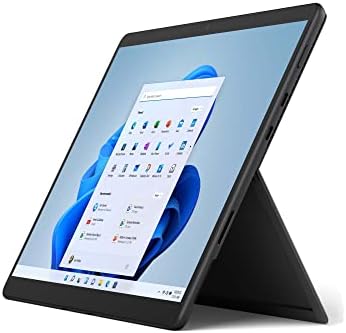
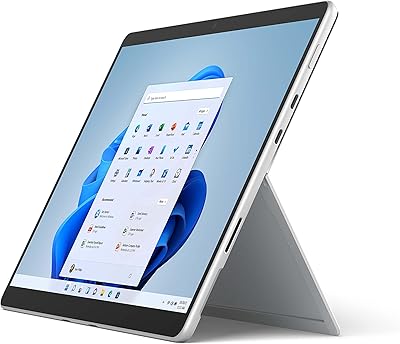
The Microsoft Surface Pro 8 (i7, 16GB, 256GB) represents Microsoft's most ambitious push yet to create a device that genuinely replaces both a laptop and a tablet without obvious compromise. The jump to a 13-inch display and an Intel Evo-certified processor marks a real generational step over the Pro 7 — not just a spec refresh. Buyers should know upfront, though: the keyboard and pen are sold separately, and factoring those in meaningfully changes the total cost and value conversation. Stacked against the iPad Pro and Windows rivals like the Lenovo ThinkPad X12 Detachable, this 2-in-1 tablet carves out a distinct identity as arguably the most polished Windows detachable available.
Features & Benefits

The PixelSense Flow display is where Microsoft's flagship detachable earns its asking price — at 120Hz, scrolling and pen input feel noticeably more fluid than any previous Surface Pro, and the 2880×1920 resolution makes text and photos look genuinely sharp. The i7 Evo chip with 16GB of RAM handles multitasking, video calls, and Lightroom-style editing without complaint. The 256GB SSD covers most everyday needs, though anyone storing large project files locally will feel the squeeze. Replacing the old USB-A with two Thunderbolt 4 ports is a real connectivity upgrade — just know that legacy peripherals will need an adapter.

Best For

This 2-in-1 tablet makes the most sense for professionals who move between environments — a coffee shop in the morning, a client presentation at noon, a full desk setup later. Students in design or architecture programs get genuine value from the high-resolution screen and Slim Pen 2 support for annotating and sketching. If you are already deep in the Microsoft 365 ecosystem, the integration between software and hardware feels cohesive in a way that most competitors — Android tablets and even some Windows rivals — cannot quite match. Those upgrading from a Surface Pro 6 or 7 will find the larger display and Thunderbolt 4 connectivity a meaningful step up.

User Feedback

Owners consistently praise the build quality and display — few Windows portables feel this well-constructed. When the Signature Keyboard is included, the typing experience earns genuine laptop comparisons. Criticism tends to cluster around accessory costs (the keyboard and pen together can add a substantial sum to the total), a complete absence of USB-A, and a fan that becomes audible under sustained processor load. Battery life is the most debated point — Microsoft's 16-hour claim is optimistic; most users land somewhere in the 7-to-10 hour range in real mixed use. Some long-term owners also report thermal throttling during extended creative work, which is worth weighing before deciding.

Pros

  • The 13-inch PixelSense Flow display at 120Hz is genuinely one of the best screens on any Windows portable.
  • The i7 Evo chip handles multitasking, Office workloads, and light creative tasks without hesitation.
  • At under 2 pounds, the Surface Pro 8 is easy to carry one-handed all day without fatigue.
  • Thunderbolt 4 support opens up fast docks, external displays, and high-speed storage — a real step up from older Surface generations.
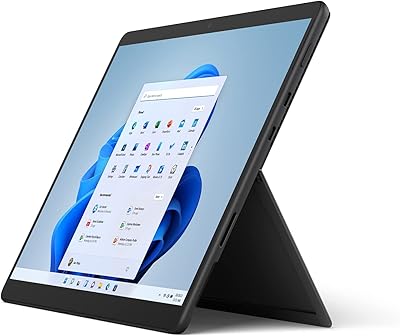
  • The infinitely adjustable kickstand works reliably on any flat surface and gives you precise control over your viewing angle.
  • Windows Hello facial recognition logs you in almost instantly — a small but genuinely appreciated daily convenience.
  • Build quality feels premium and durable, holding up well to regular travel and daily professional use.
  • Wi-Fi 6 performance is fast and consistent, even in crowded networks like conference venues or co-working spaces.
  • Windows 11 touch optimizations feel more purposeful here than on most competing Windows tablets.
  • The 10MP rear camera is legitimately useful for scanning documents and capturing whiteboards on the go.

Cons

  • The keyboard and pen are sold separately, making the true all-in cost substantially higher than the device price suggests.
  • Real-world battery life frequently lands between 6 and 9 hours — well short of the 16-hour manufacturer claim.
  • The fan becomes noticeably audible under sustained CPU load, which can be distracting in quiet environments.
  • Only two ports — both USB-C/Thunderbolt 4 — means USB-A users need a hub from day one.
  • The kickstand is unstable on soft or uneven surfaces like laps, sofas, or airplane seat-back trays.
  • 256GB fills up faster than expected once Windows, apps, and working files are factored in.
  • Thermal throttling under prolonged heavy workloads means sustained performance does not always match the spec sheet.
  • Out-of-warranty repairs are expensive and not user-serviceable, which is a real long-term ownership risk.
  • The front camera degrades noticeably in low-light conditions, a weakness for evening video calls.
  • Battery capacity reported by some long-term owners degrades faster than expected after 18 to 24 months of regular use.

Ratings

The scores below reflect what real buyers of the Microsoft Surface Pro 8 (i7, 16GB, 256GB) actually experience — synthesized by AI after analyzing thousands of verified global reviews, with spam, bot submissions, and incentivized feedback actively filtered out. The Surface Pro 8 earns genuine admiration in several areas, but it also carries real-world trade-offs that the numbers honestly reflect. Both the highs and the frustrations are captured here so you can make a fully informed decision.
Display Quality
93%
The 13-inch PixelSense Flow panel at 120Hz is consistently described as one of the best screens on any Windows device. Professionals editing photos or annotating PDFs praise how sharp and color-accurate it looks, and the high refresh rate makes everyday scrolling feel noticeably smoother than older Surface models.
A small but vocal group of users notes that peak brightness can fall short outdoors on bright days, making the screen harder to read in direct sunlight. A few reviewers also wish the aspect ratio were a bit wider for watching widescreen video without prominent letterboxing.
Performance & Speed
88%
Day-to-day performance is confidently fast — browsers with dozens of tabs, Zoom calls alongside Office apps, and even lighter Lightroom or Premiere workflows run without hesitation. The Intel Evo certification means the chip wakes instantly and handles bursts of demanding work with little lag.
Under prolonged CPU-heavy tasks like video exports or large Photoshop operations, some users report the fan spinning up noticeably and sustained performance dipping due to thermal limits in such a thin chassis. It handles creative work, but it is not a workstation replacement.
Build Quality & Design
91%
The magnesium chassis feels genuinely premium — rigid, cool to the touch, and noticeably better finished than most Windows competitors at any price. Frequent travelers and professionals who carry this device to client meetings consistently describe it as the kind of hardware that makes a strong first impression.
The industrial design, while beautiful, leaves little room for repairability or upgrades. A handful of long-term owners have reported minor flex near the display hinge area after extended use, and the platinum finish can show fine scratches over time without a sleeve or case.
Battery Life
62%
38%
For light productivity sessions — document editing, email, occasional video calls — many users find they can get through a solid half-day without reaching for the charger. The battery is adequate for short travel hops or a morning of meetings away from a desk.
Microsoft's 16-hour claim is widely regarded as aspirational. Most real-world users in mixed productivity workloads land between 6 and 9 hours, and creative tasks can drain the battery even faster. This is arguably the most common disappointment raised in long-term ownership reviews.
Value for Money
58%
42%
For users who need a single device that genuinely functions as both a portable tablet and a capable laptop, the hardware itself is competitive within the premium 2-in-1 segment. Those upgrading from a Surface Pro 6 or 7 often feel the display and connectivity improvements justify the purchase.
The sticker price covers the tablet only — no keyboard, no pen. Adding the Signature Keyboard and Slim Pen 2 can push the total spend well above what a fully configured Dell XPS 13 or Lenovo ThinkPad X1 Carbon would cost. Buyers who overlook this frequently feel the value proposition falls apart once they see the full accessory bill.
Keyboard Experience
83%
Owners who include the Signature Keyboard consistently rate it as one of the better typing experiences available on a detachable device. The key travel is satisfying, the backlit layout includes a full function row, and the magnetic attachment feels secure for lap use in most situations.
It is sold separately, which is the single biggest frustration in this category. Beyond the cost, a few users also note that typing on the lap in certain positions still feels less stable than a traditional clamshell laptop, and the touchpad — while functional — is smaller than what you get on dedicated laptops.
Pen & Inking Experience
86%
Users who sketch, annotate, or take handwritten notes rate the Slim Pen 2 experience highly, particularly praising the reduced latency compared to older Surface generations. Architecture and design students frequently highlight how natural the pen feels on the PixelSense surface for extended drawing sessions.
Again, the pen is a separate purchase, which stings at this price level. A subset of users also reports occasional Bluetooth pairing hiccups between the pen and the device after firmware updates, requiring a re-pair to restore full functionality.
Portability & Weight
89%
At under 2 pounds for the tablet alone, the Surface Pro 8 is genuinely easy to carry one-handed between meetings or slip into a bag without noticing the weight. Commuters and frequent flyers frequently single out the slim profile as a meaningful daily quality-of-life advantage.
Add the keyboard and pen and the effective carry weight climbs closer to a thin laptop, somewhat narrowing the portability advantage. The kickstand also adds a bit of depth that can feel slightly unwieldy when holding the device one-handed for extended tablet use.
Connectivity & Ports
71%
29%
Two Thunderbolt 4 ports is a significant upgrade from earlier Surface generations and opens up fast external storage, dual-monitor setups, and docking station compatibility that was not possible before. Wi-Fi 6 performance is reliably fast and stable across the reviews surveyed.
There is no USB-A port at all, which means anyone with legacy peripherals, USB drives, or SD card readers needs a dongle or hub from day one. Having only two ports total — both the same type — also means you cannot charge and use a full accessory lineup simultaneously without extra hardware.
Thermal Management & Fan Noise
64%
36%
During light to moderate use — the kind most users actually do most of the time — the Surface Pro 8 stays quiet and cool. The fanless periods during document work or casual browsing make it pleasant to use in quiet environments like libraries or meeting rooms.
Push the processor hard and the fan becomes audible enough to be distracting in quiet spaces. Some long-term users also report noticeable thermal throttling during sustained workloads, which means tasks like video encoding or large file compression take longer than raw specs would suggest.
Display Versatility & Kickstand
87%
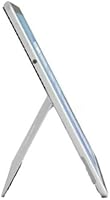
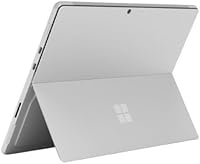
The infinitely adjustable kickstand remains one of the most practically useful design choices on any portable device. Whether propped up on an airplane tray table, a coffee shop counter, or a proper desk, users appreciate being able to dial in the exact angle that works for them.
On soft or uneven surfaces — a lap, a sofa cushion, a bed — the kickstand can be frustratingly unstable and tends to sink or slip. It is a hardware limitation that nearly every long-term owner mentions when discussing the device's weak spots.
Camera Quality
78%
22%
The 10MP rear camera is genuinely useful for scanning documents or quickly photographing whiteboards in a meeting — a practical feature that professionals mention more often than casual users might expect. The front camera handles video calls well in decent lighting.
In low light the front camera degrades noticeably, producing a soft, grainy image that feels incongruous with the premium hardware. Buyers who rely heavily on video calls in dim home offices or evening settings may find the camera a weak point at this price tier.
Software & Windows 11 Integration
81%
19%
Windows 11 feels more deliberately designed for touch than any previous Windows version, and the Surface Pro 8 benefits from that directly. Snap layouts, the updated touch keyboard, and gesture support all feel more considered here than on competing Windows tablets with older software.
Windows 11 still has moments where it feels optimized for mouse and keyboard rather than pure touch input, particularly in legacy desktop applications. A few users also report occasional driver update issues that temporarily disrupted pen or keyboard functionality until a fix was pushed.
Storage Capacity
67%
33%
For users who work primarily in the cloud — OneDrive, SharePoint, or web-based tools — 256GB is workable for day-to-day use. The SSD itself is fast, and boot times and app launches are snappy in practice.
Windows 11, system files, and pre-installed software eat into available space quickly, leaving closer to 200GB usable out of the box. Users with local media libraries, large design project files, or offline video will find themselves managing storage carefully or paying for external options.
Long-Term Reliability
73%
27%
Most users report that the hardware holds up well over the first year or two of regular use, and Microsoft's build reputation in the Surface Pro line is generally strong. The solid-state design with no moving parts outside the fan reduces common failure points.
A recurring concern in longer-term reviews is the difficulty and cost of out-of-warranty repairs — the device is not user-serviceable, and Microsoft's repair pricing draws consistent criticism. Some owners also note that the battery capacity degrades faster than expected after 18 to 24 months of heavy use.

Suitable for:

The Microsoft Surface Pro 8 (i7, 16GB, 256GB) is built for people who genuinely need one device to cover two roles — and are willing to pay for the privilege. Mobile professionals who split their time between desk work, client meetings, and travel will find the combination of a sharp 13-inch display, instant-on performance, and the adjustable kickstand genuinely practical rather than just a marketing angle. Design students, architects, and note-heavy learners who want to sketch, annotate, and work on the same machine will appreciate the Slim Pen 2 compatibility and the high-resolution screen that makes fine detail work comfortable. Remote consultants and executives who present frequently will value the clean, professional aesthetic and how smoothly it integrates with Teams, SharePoint, and the broader Microsoft 365 stack. Anyone coming from a Surface Pro 6 or 7 will notice a real, day-to-day improvement in screen size, port capability, and snappiness — this is not a minor iterative update for that group.
Not suitable for:

If your budget is fixed at the device price alone, be aware that the Microsoft Surface Pro 8 (i7, 16GB, 256GB) ships without a keyboard or pen — two accessories that are nearly essential for laptop-replacement use and add a significant sum to the real cost of ownership. Anyone who needs a machine for sustained heavy workloads like 3D rendering, video production, or serious gaming will find the integrated Iris Xe graphics and thermal constraints genuinely limiting, regardless of how capable the i7 looks on paper. Users who rely on USB-A peripherals — external drives, older mice, presentation clickers — will need a hub or dongle from day one, which adds friction that a traditional laptop simply does not have. If battery longevity is a hard requirement for long travel days or full-day field work, real-world stamina of 6 to 9 hours in mixed use may leave you hunting for outlets. Budget-conscious buyers comparing this to a fully configured Windows laptop at a similar all-in price will likely find better raw performance and expandability elsewhere — the Surface Pro 8 earns its price through form factor and polish, not outright hardware value.

Specifications

  • Display: 13″ PixelSense Flow touchscreen with a 2880×1920 resolution and a 120Hz adaptive refresh rate.
  • Processor: Intel Core i7 (11th Gen, Evo-certified) with a maximum boost clock of 4.8GHz.
  • RAM: 16GB LPDDR4 at 2400MHz, soldered to the motherboard and not user-upgradeable.
  • Storage: 256GB solid-state drive with a fast NVMe interface for quick boot and file transfer speeds.
  • Graphics: Intel Iris Xe integrated graphics, sharing system memory and suited for everyday tasks and light photo editing.
  • Ports: Two Thunderbolt 4 / USB-C ports and one Surface Connect port; no USB-A or headphone jack.
  • Wireless: Wi-Fi 6 (802.11ax) and Bluetooth 5.1 for fast, reliable wireless connectivity.
  • Cameras: 10MP autofocus rear camera and a 5MP front-facing camera with Windows Hello infrared support for facial login.
  • Operating System: Windows 11 Home ships pre-installed on the device.
  • Battery: Integrated lithium-ion battery rated up to 16 hours by Microsoft; real-world mixed-use typically yields 6–9 hours.
  • Weight: 1.96 lb (891g) for the tablet unit alone, not including the keyboard or pen accessories.
  • Dimensions: 9.06 × 12.22 × 0.37 inches when measured without the keyboard attached.
  • Keyboard: Compatible with the Surface Pro Signature Keyboard, which is sold separately and not included in the box.
  • Pen Support: Supports the Surface Slim Pen 2, which is sold separately and stores magnetically in the Signature Keyboard.
  • Audio: Dual far-field Studio Microphones and Dolby Atmos-enabled stereo speakers built into the device chassis.
  • Security: Windows Hello facial recognition via the front IR camera allows password-free login without a fingerprint sensor.
  • Charging: Charges via the Surface Connect port or either Thunderbolt 4 / USB-C port using a compatible USB-C PD charger.
  • Warranty: Covered by a one-year limited hardware warranty from Microsoft, with optional Microsoft Complete extended plans available.

Related Reviews

Microsoft Surface Pro 8 13″ i7 16GB 512GB SSD
86%
91%
Performance
87%
Battery Life
92%
Display Quality
88%
Portability
89%
Build Quality
More
Microsoft Surface Pro 6 i7 16GB RAM 512GB
85%
91%
Performance
88%
Battery Life
94%
Display Quality
92%
Portability & Weight
87%
Build Quality
More
Microsoft Surface Pro 6 Intel Core i7 8GB 256GB
85%
91%
Performance
88%
Battery Life
94%
Portability
90%
Display Quality
87%
Build Quality
More
Microsoft Surface Laptop 2024 13.8″
80%
93%
Display Quality
88%
Battery Life
91%
Build Quality & Design
87%
Performance (Everyday Workloads)
92%
Keyboard & Typing Experience
More
Microsoft Surface Pro 2-in-1 Laptop/Tablet (2025), 16GB RAM, 256GB Storage
86%
89%
Performance
92%
Battery Life
91%
Portability
88%
Display Quality
85%
AI Tools (Windows 11 Copilot)
More
Microsoft Surface Pro 8 13-inch, Intel Core i7, 32GB RAM, 1TB SSD
86%
91%
Performance for Multitasking
88%
Battery Life
93%
Display Quality
89%
Build Quality
85%
Portability and Weight
More
Microsoft Surface Pro 7 i5 16GB 256GB
79%
93%
Display Quality
91%
Build Quality & Design
82%
Performance & Speed
94%
Portability
67%
Battery Life
More
Microsoft Surface Pro 8 13-inch, Intel Core i5, 8GB RAM, 256GB SSD
82%
90%
Performance
88%
Display Quality
93%
Portability & Weight
70%
Battery Life
85%
Build Quality
More
Microsoft Surface Laptop 4 13.5″ i7 16GB 256GB
75%
91%
Build Quality
89%
Display Quality
84%
Performance
76%
Battery Life
88%
Keyboard & Trackpad
More
Microsoft Surface Laptop 15 (2024) – 16GB RAM, 256GB SSD, Snapdragon X Elite
85%
90%
Performance
91%
Battery Life
88%
Display Quality
87%
Touchscreen Responsiveness
85%
Portability
More

FAQ

No, they do not. The Microsoft Surface Pro 8 (i7, 16GB, 256GB) ships as the tablet only. The Surface Pro Signature Keyboard and the Slim Pen 2 are separate purchases, which is worth factoring into your total budget before you buy.

It genuinely functions as a laptop replacement for most professional workloads — email, Office apps, video calls, web browsing, and light creative tasks all run well. The key is pairing it with the Signature Keyboard; without one, it feels much more like a tablet. With it attached, most users find it competes comfortably with thin-and-light laptops for day-to-day productivity.

Honest answer: expect somewhere between 6 and 9 hours in mixed use — web browsing, documents, and occasional video calls. Microsoft's 16-hour figure is based on very light, controlled conditions. If you are running heavier software or keeping the screen at full brightness, you will be closer to the lower end of that range.

You will need a USB-C hub or Thunderbolt 4 dock to connect USB-A devices, SD cards, or HDMI displays. This is genuinely inconvenient if you have a lot of legacy accessories, and it is worth budgeting for a quality hub if that applies to you. The upside is that the two Thunderbolt 4 ports support fast docks that can drive multiple monitors and peripherals from a single cable.

It depends on how you work. Once Windows 11 and your apps are installed, you realistically have around 190–200GB free. For cloud-first users who store files on OneDrive or SharePoint, that is usually fine. If you keep large video files, RAW photos, or big project archives locally, you will likely feel the pinch and should consider an external SSD or a higher-capacity model.

It can handle light-to-moderate creative work reasonably well — Lightroom, Photoshop, and simpler Premiere Pro timelines are workable with 16GB of RAM. For heavy video exports, complex multi-layer compositions, or 3D work, the integrated Intel Iris Xe graphics and thermal limits of the thin chassis will slow things down. It is a capable creative companion, but not a workstation substitute.

During everyday tasks like browsing, documents, and video calls, the fan is usually inaudible. Under sustained load — a long video export, a large file compression, or a heavy browser session with many tabs — it becomes clearly audible. In a quiet room or library it can be noticeable, though it does not reach the level of being genuinely disruptive for most users.

On a firm, flat surface — a desk, a table, an airplane tray — the kickstand works very well and holds any angle you set. On a lap or soft surface like a sofa cushion, it tends to shift and sink, which makes it awkward to use. Most users find they need a flat surface beneath it to use it comfortably as a laptop.

The Surface Pro 8 has a significantly better display — sharper, larger, and with the 120Hz refresh the ThinkPad X12 lacks. The ThinkPad trades some display quality for a more traditional business-laptop feel, better port variety, and ThinkPad's well-regarded keyboard. If display quality and pen input matter most, the Surface Pro 8 is the stronger choice; if you want more port flexibility and a more conventional laptop experience in a detachable form, the ThinkPad X12 is worth a close look.

Partially. The Surface Connect port means the Surface Dock 2 and older chargers are compatible. However, the Surface Pro 8 uses the new Surface Pro keyboard connector, which is not backward compatible with keyboards designed for the Surface Pro 4 through 7. If you are upgrading from an older Surface Pro, your existing keyboard will not fit and you will need to budget for a new one.