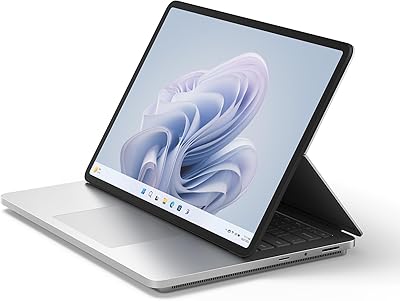
Microsoft Surface Pro 12″ 2025 2-in-1 Laptop





Overview
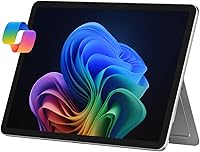
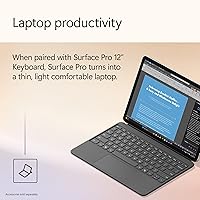
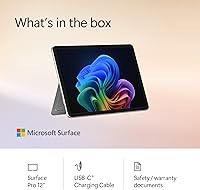
The Microsoft Surface Pro 12″ 2025 2-in-1 Laptop represents the most refined version of a concept Microsoft has been honing for over a decade: a tablet that genuinely functions as a laptop. This latest iteration carries a Copilot+ PC designation, which in practical terms means it runs on Qualcomm's ARM-based Snapdragon X Plus chip — a real departure from the Intel hardware the Surface line relied on for years. That shift brings efficiency gains and a completely fanless design, but it also introduces tradeoffs worth understanding before buying. One thing to know upfront: the keyboard is sold separately, which meaningfully changes the total cost calculation for most buyers.
Features & Benefits
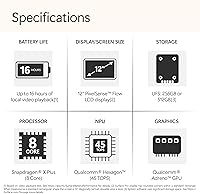
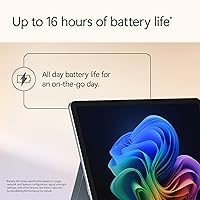
The 12″ PixelSense display runs at 2196x1464 pixels — crisp and vibrant enough for spreadsheets, photo editing, or streaming on a long flight. The Snapdragon X Plus 8-core processor handles everyday multitasking and Office work without breaking a sweat, and since there is no fan, it runs completely silent under typical loads. The 16GB of RAM keeps multiple apps moving smoothly, though the 256GB SSD can feel tight once large project files or creative assets start accumulating. Battery life is rated at 16 hours, but real-world use with Wi-Fi active and moderate screen brightness tends to land closer to 10 to 12 hours — still excellent for a full workday.
Best For
This Surface Pro suits students and commuters who want one lightweight device for note-taking, presentations, and productivity on the move. At 2.2 lbs with a built-in adjustable kickstand, it sets up almost anywhere — a café table, an airplane tray, a meeting room desk. Add the optional Slim Pen and it becomes a capable drawing and annotation tool, which appeals to designers or anyone who regularly marks up documents. People deep in the Microsoft 365 ecosystem will find the experience particularly natural. One honest caveat: if you rely on specific legacy Windows software, verify ARM compatibility first, since not every older application runs natively on this architecture.
User Feedback
Owners consistently praise the display sharpness and build quality, with many noting how premium and well-constructed it feels in hand. Portability earns high marks across the board. The recurring frustrations, though, are telling: many buyers were caught off guard by the keyboard not being included, making the out-of-box experience feel incomplete compared to what the marketing imagery suggests. A smaller group reports occasional compatibility issues with legacy software on the ARM platform. On the AI Copilot features, opinions split fairly evenly — some users find live captions and writing assistance genuinely useful day-to-day, while others treat them as background features they rarely touch.
Pros
- Fanless design runs completely silent, even under sustained workloads.
- The 12″ PixelSense display delivers sharp, vibrant visuals well-suited for both work and content consumption.
- At 2.2 lbs, this Surface Pro is easy to carry for full-day use without fatigue.
- The built-in adjustable kickstand removes the need for a separate stand in most situations.
- 16GB of RAM keeps multitasking smooth across typical productivity and communication apps.
- Real-world battery life consistently covers a full working day for most users.
- Deep integration with Microsoft 365 makes the workflow feel cohesive and polished.
- The 2-in-1 form factor genuinely functions as both a tablet and a laptop, not just a gimmick.
- Copilot AI features like live captions and writing assistance offer practical utility for everyday tasks.
Cons
- The keyboard is sold separately, adding meaningful cost on top of the base price.
- 256GB of storage fills up quickly for users who work with large files or media projects.
- Some legacy Windows applications do not run natively on the ARM-based Snapdragon platform.
- Wireless connectivity is limited to 802.11ac, lacking the newer Wi-Fi 6 or 6E standard.
- The Slim Pen stylus is also sold separately, raising the cost further for creative users.
- Claimed 16-hour battery life is optimistic; heavy users should expect noticeably fewer hours.
- The 12-inch screen size may feel cramped for users accustomed to larger laptop displays.
- No discrete GPU means graphics-heavy tasks and casual gaming are limited in performance.
Ratings
The Microsoft Surface Pro 12″ 2025 2-in-1 Laptop scores below are generated by AI after analyzing thousands of verified global user reviews, with spam, bot submissions, and incentivized feedback actively filtered out. The ratings reflect a balanced synthesis of what real buyers consistently praised and where they ran into genuine frustrations — nothing is glossed over. Both the standout strengths and the recurring pain points are represented transparently so you can make a confident, informed decision.
Build Quality
Display Quality
Performance
Battery Life
Portability
Value for Money
Keyboard Experience
Touchscreen & Pen Input
Software & AI Features
App Compatibility
Storage
Connectivity & Ports
Setup & Out-of-Box Experience
Thermal Management
Suitable for:
The Microsoft Surface Pro 12″ 2025 2-in-1 Laptop is a strong match for students, commuters, and mobile professionals who want a single device that handles both focused work and casual use without hauling a heavy bag. If your daily routine involves switching between typing up documents, joining video calls, and reviewing content on the go, the fanless design, capable ARM processor, and all-day battery make this a genuinely practical companion. Creative professionals who annotate, sketch, or mark up designs will appreciate how naturally it transitions into a drawing surface when paired with the optional Slim Pen. People who live inside the Microsoft 365 ecosystem — Word, Excel, Teams, OneNote — will find the experience feels cohesive and well-integrated in a way that competitors rarely match. At 2.2 lbs with a built-in kickstand, it also suits frequent travelers who have grown tired of compromising between portability and a real Windows environment.
Not suitable for:
The Microsoft Surface Pro 12″ 2025 2-in-1 Laptop is not the right fit for buyers who need raw computing horsepower for video editing, 3D rendering, or running resource-intensive software. The Snapdragon X Plus is efficient and capable for everyday tasks, but it is not positioned as a performance workstation chip, and the integrated Adreno GPU will not satisfy anyone expecting gaming-grade graphics. Users who depend on specific legacy Windows applications should verify ARM compatibility carefully before committing, since some older software simply does not run natively on this architecture. The 256GB of onboard storage also becomes a real constraint for anyone managing large media libraries or extensive project files. Perhaps most importantly, buyers expecting a laptop out of the box will be surprised: the keyboard is sold separately, and factoring in that accessory cost significantly changes the value equation compared to traditional laptops in this price range.
Specifications
- Display: 12″ PixelSense touchscreen with a resolution of 2196 x 1464 pixels for sharp, detailed visuals.
- Processor: Qualcomm Snapdragon X Plus 8-core chip running at up to 3.4 GHz on the ARM architecture.
- RAM: 16GB of onboard memory handles everyday multitasking and productivity workloads comfortably.
- Storage: 256GB SSD provides fast read and write speeds, though available space fills up quickly for media-heavy users.
- Operating System: Ships with Windows 11 Home, which includes the full suite of Copilot+ AI features out of the box.
- Battery Life: Rated at up to 16 hours by Microsoft; real-world usage under active conditions typically lands between 10 and 12 hours.
- GPU: Adreno integrated graphics processor handles general display rendering and light creative tasks without a discrete card.
- Weight: The device weighs 2.2 lbs, making it one of the lighter full Windows computers available in this form factor.
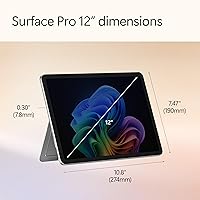
- Dimensions: Measures 11.55 x 8.24 x 1.43 inches, compact enough to fit in most standard laptop sleeves and bags.
- Wireless: Supports 802.11ac (Wi-Fi 5) wireless connectivity for standard home, office, and public network use.
- Kickstand: Features a built-in adjustable kickstand that props the device at multiple angles without requiring any accessory.
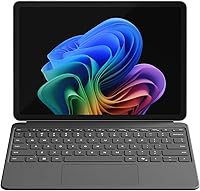
- Keyboard: The Surface Pro Keyboard is not included and must be purchased separately to use the device as a traditional laptop.
- Stylus: The Surface Slim Pen is sold separately and enables handwriting, sketching, and precise annotation on the touchscreen.
- Color: Available in Platinum, a neutral magnesium-finish tone that resists visible fingerprints better than glossy alternatives.
- AI Platform: Certified as a Copilot+ PC, enabling on-device AI features including live captions, Cocreator, and Windows Recall.
- Processor Brand: Built on Qualcomm silicon with an integrated Adreno GPU, replacing the Intel processors used in older Surface Pro generations.
- Connectivity: Includes a USB-C port and Surface Connect port for charging and peripheral connections.
- Audio: Equipped with built-in stereo speakers and a microphone array suited for video calls and media playback.
Related Reviews
Microsoft Surface Pro 2024 1TB 2-in-1 Laptop
Microsoft Surface Laptop Go 2 - 12.4″, Intel Core i5, 8GB RAM, 256GB SSD
Microsoft Surface Laptop 2 256GB Laptop
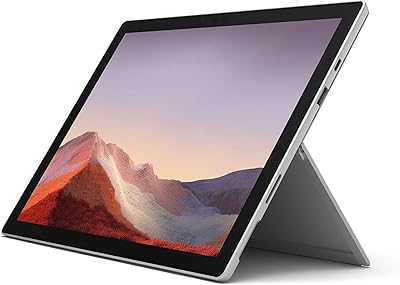
Microsoft Surface Pro 7 – 12.3″ – Intel Core i3 – 4GB RAM – 128GB SSD

Pantene Pro-V Smooth & Sleek 2-in-1 Shampoo
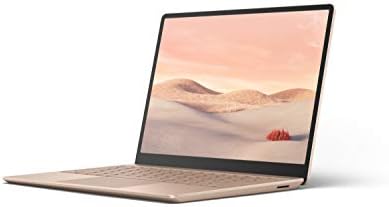
Microsoft Surface Laptop Go 128GB Laptop
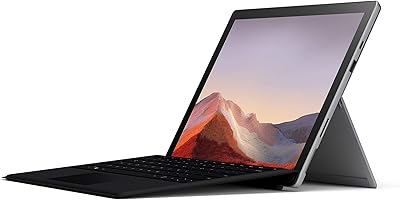
Microsoft Surface Pro 7 2-in-1 Tablet
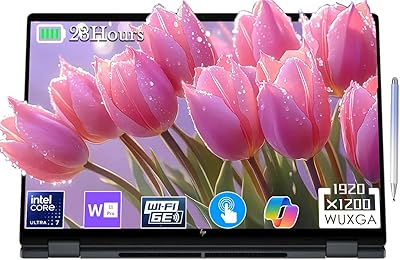
HP OmniBook X Flip 16″ 2-in-1 Laptop
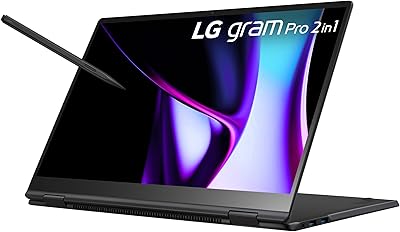
LG gram Pro 2-in-1 16″ Laptop