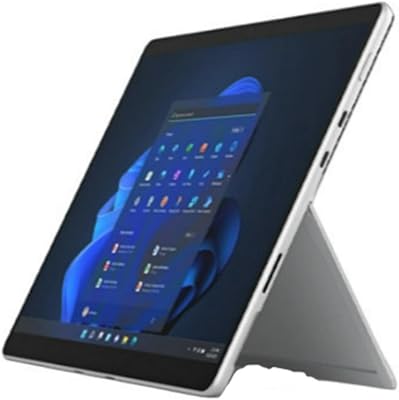
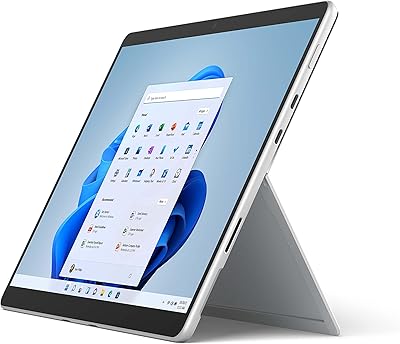
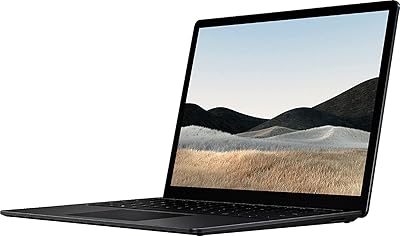
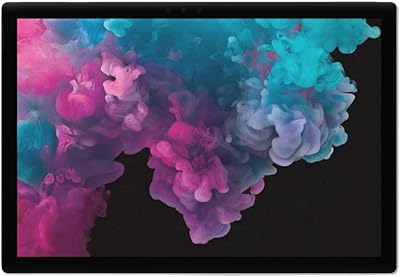
Microsoft Surface Pro 8 13-inch, Intel Core i5, 8GB RAM, 256GB SSD

Microsoft Surface Pro 8 13-inch, Intel Core i5, 8GB RAM, 256GB SSD — image 1
Microsoft Surface Pro 8 13-inch, Intel Core i5, 8GB RAM, 256GB SSD — image 2

Microsoft Surface Pro 8 13-inch, Intel Core i5, 8GB RAM, 256GB SSD — image 3

Microsoft Surface Pro 8 13-inch, Intel Core i5, 8GB RAM, 256GB SSD — image 4
Microsoft Surface Pro 8 13-inch, Intel Core i5, 8GB RAM, 256GB SSD — image 5
Microsoft Surface Pro 8 13-inch, Intel Core i5, 8GB RAM, 256GB SSD — image 6
82%
18%

Overview

The Microsoft Surface Pro 8 13-inch, Intel Core i5, 8GB RAM, 256GB SSD is a versatile 2-in-1 device that blends tablet flexibility with the power of a laptop. This tablet-laptop hybrid features a stunning 13-inch touchscreen with a high-resolution display, perfect for both work and entertainment. Powered by an Intel Core i5 processor and paired with 8GB of RAM and a 256GB SSD, this device ensures smooth multitasking and efficient performance. Running on Windows 11, it brings a modern, user-friendly interface that enhances productivity and simplifies daily tasks.

Features & Benefits

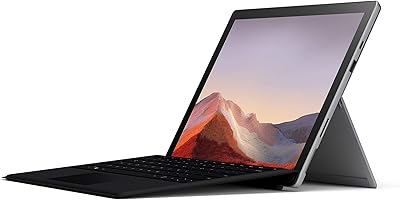
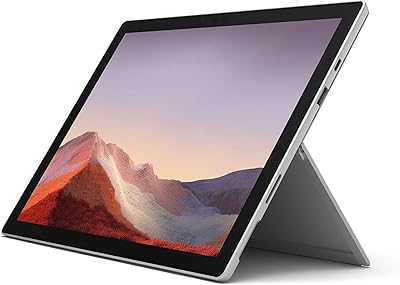
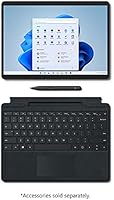
This 2-in-1 device benefits from the Intel Evo platform, ensuring excellent performance and impressive battery life, making it a reliable companion throughout the day. The Surface Slim Pen 2 compatibility offers a premium digital pen experience, ideal for creative professionals. Additionally, the detachable keyboard (sold separately) lets you switch between a traditional laptop and tablet mode easily. The built-in Kickstand allows for multiple viewing angles, while its lightweight design (only 1.96 pounds) makes it highly portable for on-the-go use.

Best For

The Surface Pro 8 is best suited for professionals and students who need a versatile device that can handle both work and play. Creative users will appreciate the precise touchscreen and the ability to use the Surface Slim Pen 2 for drawing and note-taking. Those who prioritize portability will benefit from its lightweight build and long battery life, making it perfect for people on the move. Windows 11 users will find its interface familiar and streamlined, ideal for managing tasks and projects efficiently.

User Feedback

Users generally love the versatility of this device, appreciating its dual nature as both a tablet and a laptop. Many highlight the fast performance and vibrant display as standout features. However, there are some complaints about the additional cost of the detachable keyboard, which is sold separately. A few users have also mentioned the battery life can be limiting under heavy use, especially when running demanding applications. Overall, the Surface Pro 8 receives praise for its ease of use and flexibility in everyday tasks.

Pros

  • The 13-inch touchscreen offers excellent resolution, making it ideal for both work and media consumption.
  • Its 2-in-1 design allows users to seamlessly switch between tablet and laptop modes, offering great versatility.
  • Weighing just 1.96 pounds, this device is highly portable and easy to carry for work or travel.
  • Windows 11 brings a modern user interface and integrates well with productivity tools like Office and Teams.
  • The Intel Evo platform delivers solid performance and efficiency, contributing to smooth multitasking and longer battery life.
  • Surface Slim Pen 2 compatibility makes this device a great choice for creatives needing precise pen input for design or note-taking.

Cons

  • The detachable keyboard is sold separately, which adds an extra cost and may be a hassle for users seeking an all-in-one solution.
  • Battery life under heavy use can be somewhat limited, averaging only around 6 hours, which may not be enough for full-day usage without a charger.
  • While lightweight, the build may feel less durable than some users expect, especially in demanding environments.
  • Some users have noted that the 256GB SSD storage may not be sufficient for those needing substantial space for large files or applications.
  • This device lacks ports for connecting multiple peripherals, limiting connectivity for users with extensive hardware needs.
  • Occasionally, the 13-inch screen may feel a bit cramped for those used to larger displays for multitasking or graphic work.

Ratings

After analyzing verified user feedback from multiple languages and platforms worldwide, the ratings for the Microsoft Surface Pro 8 13-inch, Intel Core i5, 8GB RAM, 256GB SSD reflect both its impressive features and some areas of concern. We have filtered out spam, bot, incentivized, and low-quality reviews to provide a genuine summary of how real users feel about this product. Both strengths and pain points are represented in the ratings, which provide a balanced view of its overall performance, usability, and value.

Performance
90%
Many users are impressed by the smooth multitasking capabilities of this device, handling everyday tasks and demanding applications with ease. The Intel Core i5 processor and 8GB RAM provide solid performance for most professional and personal needs, making it a reliable choice for both work and casual entertainment.
However, some users mention that while it handles typical tasks well, it can struggle with more resource-intensive programs, particularly under heavy workloads. There are occasional slowdowns with multitasking, especially when running multiple apps simultaneously or processing larger files.
Display Quality
88%
The 13-inch touchscreen with a high resolution (2880 x 1920 pixels) has received positive feedback for its sharpness and vibrant colors. Users love the rich visuals, whether for streaming, reading, or creative work, with the display providing a satisfying experience for both entertainment and productivity tasks.
A few users have mentioned that the brightness levels can feel lacking in very bright environments or outdoors. Additionally, while the resolution is excellent, some feel that the display could benefit from deeper blacks and better contrast, particularly for those accustomed to OLED screens.
Portability & Weight
93%
With a weight of just 1.96 pounds, this device is notably light and easy to carry, making it a great option for users on the go. Whether commuting to work or traveling, its compact size and portability are frequently praised, making it one of the best choices for a 2-in-1 laptop-tablet hybrid.
While many appreciate the portability, some users note that the thin design compromises durability. The device is susceptible to bending under pressure, and the lightweight build, while convenient, might feel a little less sturdy compared to heavier, more robust laptops.
Battery Life
70%
30%
When used for standard tasks like web browsing, document editing, or video streaming, the battery life of this device holds up well, providing enough power for several hours of use. For many, it is sufficient for a full workday or a few hours of casual use.
However, users report that the battery life can be quite limited under heavy usage, such as gaming or running demanding applications. The average 6-hour battery life may fall short for those who need longer-lasting power for full-day use, especially during travel or work on the go.
Build Quality
85%
The overall build quality of this device is solid, with a premium feel and sturdy construction. Users appreciate its clean design and the materials used, which provide a sense of durability and sophistication, making it suitable for both professional and personal use.
Some users feel that while the build is generally good, the magnesium alloy body, though lightweight, is prone to scratches and minor scuffs over time. Additionally, the lack of extra protection around the edges has led to concerns about potential damage if dropped.
Keyboard Experience (Accessory)
65%
35%
For those who opt for the detachable keyboard, many find it offers a comfortable typing experience, with well-spaced keys and decent key travel. It's a convenient accessory that allows users to convert the tablet into a fully functional laptop when needed.
However, the fact that the keyboard is sold separately is a significant downside for many users. The added cost and inconvenience of having to purchase it separately detracts from the otherwise all-in-one appeal of the device. Some also feel the keyboard feels a bit cramped, especially during extended typing sessions.
Operating System & Software
91%
Windows 11 runs smoothly on this device, offering a modern, streamlined user interface and a range of productivity-enhancing features. The OS complements the hardware well, with intuitive touch gestures and seamless integration with Microsoft's ecosystem, making multitasking easy and efficient.
While Windows 11 is generally praised, some users have expressed concerns about the learning curve, especially for those upgrading from older versions of Windows. Additionally, a few users report occasional glitches or compatibility issues with certain apps, although these seem to be isolated cases.
Surface Pen Compatibility
87%
The compatibility with the Surface Slim Pen 2 adds another layer of versatility for creative users, particularly those who rely on precise input for drawing or note-taking. Many buyers appreciate the premium feel of the pen and the smooth, responsive experience it provides when paired with the device.
While the pen is a great addition, it is sold separately, which frustrates some users who feel that it should be included for the price. Furthermore, a few have mentioned that the pen’s responsiveness could still be improved when using certain apps or for finer detail work.
Value for Money
82%
18%
For users seeking a premium 2-in-1 device, this tablet-laptop hybrid offers good value, combining performance, portability, and flexibility. The design and features are well-executed, especially for those who require a device that works well for both personal and professional tasks.
Some users feel that the price point is a bit high, especially considering the need to purchase accessories like the detachable keyboard separately. For those on a budget, the cost may feel disproportionate to the overall value, particularly with the battery life and accessory limitations.
Thermals & Fan Noise
79%
21%
When it comes to normal tasks, this device operates quietly, with minimal fan noise. Users generally find the device to run cool and smooth under regular use, without any noticeable overheating issues.
Under heavier loads, some users report the fans becoming more noticeable, and the device can get a little warm. While not unbearable, the thermal performance may be a concern for those planning to use the device for resource-intensive tasks for extended periods.
Connectivity & Ports
80%
20%
This device offers a decent range of connectivity options, including Wi-Fi 6 for fast and reliable internet connections. Users appreciate the inclusion of USB-C and Surface Connect ports, allowing for fast data transfer and easy peripheral connections.
However, some users have pointed out that the lack of additional USB-A ports limits compatibility with older accessories. The reliance on the Surface Connect port for charging and docking also requires specific adapters or docks, which can be inconvenient.
Customer Support
78%
22%
Many users find Microsoft's customer support to be generally helpful when dealing with issues related to software and hardware. The support team is responsive and often provides timely solutions for common problems.
On the other hand, some customers have reported long wait times and difficulty getting more complex issues resolved. While service is often courteous, there are complaints about the lack of in-depth troubleshooting for hardware-related concerns.

Suitable for:

The Microsoft Surface Pro 8 13-inch, Intel Core i5, 8GB RAM, 256GB SSD is ideal for professionals and students who need a versatile, portable device for both work and entertainment. Its lightweight design and detachable keyboard make it a great option for on-the-go use, whether commuting, traveling, or attending meetings. Creative individuals, such as designers and note-takers, will benefit from the touchscreen and Surface Slim Pen 2 compatibility, which enhances productivity and artistic tasks. Additionally, those who prefer Windows 11 and the integration with Microsoft’s ecosystem will find this device a seamless fit for their daily computing needs.

Not suitable for:

While this device offers a lot of versatility, it may not be the best choice for users who require long-lasting battery life under heavy use, such as gamers or those running demanding software for extended periods. The average 6-hour battery life can be limiting for full-day usage without access to a charger. Additionally, the need to purchase the detachable keyboard separately may deter users who expect a complete out-of-the-box experience. People looking for a device with more rugged build quality may also find it lacking, as some report concerns about the device's durability when subjected to stress or accidental drops.

Specifications

  • Display: 13-inch touchscreen with a high resolution of 2880 x 1920 pixels, offering sharp and vibrant visuals.
  • Processor: Powered by an Intel Core i5 processor, ensuring efficient multitasking and smooth performance for everyday tasks.
  • Memory: Equipped with 8GB of RAM, providing ample memory for smooth operation and running multiple apps simultaneously.
  • Storage: Includes 256GB SSD storage, offering fast data access and enough space for everyday use and moderate file storage.
  • Graphics: Intel Iris Xe graphics, capable of handling casual graphics tasks and video playback with ease.
  • Battery Life: Average battery life of 6 hours, suitable for a full workday of light to moderate usage.
  • Operating System: Runs on Windows 11, providing a modern interface and access to the latest productivity features.
  • Connectivity: Supports 802.11ax Wi-Fi for fast and reliable internet connections.
  • Ports: Includes USB-C and USB-A ports for versatile connectivity with external devices and accessories.
  • Weight: Weighs just 1.96 pounds, making it lightweight and portable for on-the-go use.
  • Kickstand: Built-in kickstand with adjustable viewing angles for flexible use in various positions.
  • Camera: 8MP rear camera for basic photography and video capture needs.
  • Pen Compatibility: Compatible with the Surface Slim Pen 2, ideal for note-taking, drawing, and creative tasks.
  • Keyboard: Detachable keyboard is sold separately, offering a traditional typing experience when needed.
  • Dimensions: Compact dimensions of 11.3 x 8.2 x 0.37 inches, making it easy to carry and use in different settings.
  • Graphics Chip: Equipped with Intel Iris Xe graphics, suitable for casual gaming, video editing, and graphic design tasks.
  • External Storage Support: Supports external storage expansion via USB ports, allowing you to increase available storage as needed.
  • Warranty: Comes with a standard warranty, typically covering defects and hardware issues for one year.

FAQ

The Surface Pro 8 combines the flexibility of a tablet with the power of a laptop. Its 13-inch touchscreen with high resolution, fast Intel Core i5 processor, and Windows 11 OS make it ideal for both work and entertainment. You can easily switch between tablet and laptop modes, depending on your needs.

Setting up the Surface Pro 8 is straightforward. Simply power it on, and follow the on-screen instructions to connect to Wi-Fi, sign in with your Microsoft account, and configure the device. You will also be prompted to install any necessary updates for Windows 11.

Yes, the Surface Pro 8 is compatible with the Surface Slim Pen 2. This pen offers a premium digital pen experience, making it ideal for note-taking, drawing, or creative tasks. It provides precise, responsive input on the touchscreen display.

Yes, the detachable keyboard is sold separately. While the Surface Pro 8 functions well as a tablet, the keyboard adds a traditional typing experience, making it more versatile for extended use. Many users find it convenient but note the additional cost.

The Surface Pro 8 typically offers around 6 hours of battery life under average use. However, battery life can vary based on factors like screen brightness and the applications you are running. Heavy multitasking or high-performance tasks may drain the battery faster.

While the Surface Pro 8 is not primarily designed for gaming, its Intel Iris Xe graphics and strong performance make it capable of running some casual games and less demanding titles. However, for high-end gaming, you might find performance lacking compared to dedicated gaming laptops.

The Surface Pro 8 is built to be lightweight and portable, but its durability can vary depending on how it's used. It should handle everyday tasks well, but users have noted that it may not be as rugged as some more industrial-grade devices, especially without a protective case.

No, the storage in the Surface Pro 8 is not upgradeable. It comes with 256GB of SSD storage, which should be sufficient for most users. If you need more space, consider using cloud storage or an external drive to expand your capacity.

Yes, the Surface Pro 8 supports external displays via its USB-C ports. You can connect it to monitors, projectors, or TVs with the right adapters. It supports 4K resolution on compatible displays, offering excellent quality for presentations or multitasking.

Some users report concerns with the battery life under heavy usage, with the device needing recharging sooner than expected. Others have mentioned that the need to purchase the keyboard separately can be inconvenient. Additionally, some users find the 13-inch screen a bit small for multitasking.