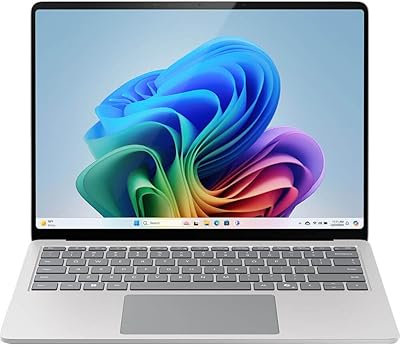
Microsoft Surface Pro 6 256GB 2-in-1 Laptop
Overview
The Microsoft Surface Pro 6 256GB 2-in-1 Laptop arrived at a time when the line between laptop and tablet was still being negotiated, and it made a strong case for collapsing that distinction entirely. Built from magnesium alloy, it weighs just under 1.75 pounds — light enough to forget it's in your bag. The 8th Gen Intel Core i7 chipset gave it genuine muscle for professional workloads, and a few years on, it still handles everyday productivity without breaking a sweat. That said, be clear-eyed going in: no USB-C, no Thunderbolt 3, and the keyboard cover lacks a headphone jack. Knowing that upfront saves a lot of frustration later.
Features & Benefits
The 12.3-inch PixelSense display is genuinely one of the best screens you'll find on a portable device — 2736x1824 resolution means text is razor-sharp and photos look rich without any processing tricks. Paired with the i7 processor and 8GB of RAM, this 2-in-1 tablet-laptop keeps up comfortably with browser-heavy workflows, spreadsheets, video calls, and light Photoshop work. The 256GB SSD ensures apps open quickly and the system feels snappy even after a year of use. Battery life in practice lands closer to 8–9 hours under mixed use, which is still solid for a full workday. The kickstand hinge adjusts to nearly any angle, making stylus work in studio mode genuinely practical.
Best For
The Surface Pro 6 suits a fairly specific kind of buyer — one who values portability and display quality above all else. Frequent travelers and road warriors will appreciate how little space it takes up in a bag while still running a full Windows environment. Design and architecture students get real mileage out of the high-resolution screen, especially when paired with the Surface Pen for sketching and annotation. It also works well as a capable secondary machine alongside a desktop. Where it struggles is with users who need raw processing power for video editing, 3D rendering, or gaming — Intel integrated graphics simply won't cut it for those workflows.
User Feedback
Owners of Microsoft's slim convertible tend to land in two camps. Most praise the display — hard to argue with the picture quality — and the Type Cover keyboard, which types better than it has any right to at this form factor. Build quality consistently earns high marks too. The complaints cluster predictably around connectivity: one USB-A port and a proprietary charger feel limiting in a world that has largely moved to USB-C. Real-world battery life also draws criticism; 13.5 hours is the ceiling under ideal conditions, not a daily reality. A few long-term owners have flagged wear on the kickstand hinge and Surface Connect port after heavy use, worth noting if longevity matters to you.
Pros
- The 12.3-inch PixelSense display is among the sharpest in its class for professional document work and creative tasks.
- At under 1.75 pounds, this 2-in-1 tablet-laptop is genuinely easy to carry all day without fatigue.
- The i7 processor and 256GB SSD deliver a fast, responsive experience across typical productivity workloads.
- Multiple kickstand angles let you shift fluidly between laptop, tablet, and studio drawing modes.
- Windows Hello facial recognition provides fast, password-free login that adds up to real time savings daily.
- The Type Cover keyboard is surprisingly comfortable for extended typing given the overall thinness of the device.
- Build quality feels premium — the magnesium alloy chassis holds up well under consistent daily handling.
- Optional Surface Pen support makes annotation and digital note-taking practical rather than just a novelty.
- Quiet operation under light loads makes it a considerate companion in shared workspaces and meetings.
- Strong refurbished availability means buyers who wait for the right price can get excellent value.
Cons
- Only one USB-A port means a hub or dongle is practically mandatory for any real desk setup.
- No USB-C or Thunderbolt 3 is a meaningful omission compared to most modern laptops at this price tier.
- The proprietary Surface Connect charger is expensive to replace and adds another cable to keep track of while traveling.
- Real-world battery life under mixed workloads typically falls well short of the advertised 13.5-hour figure.
- Intel UHD 620 graphics rule out serious rendering, GPU-accelerated workflows, and any modern gaming.
- The Type Cover keyboard and Surface Pen are sold separately, adding notable cost to a truly complete setup.
- Long-term owners have reported wear on the kickstand hinge and charging port with sustained heavy use.
- No cellular LTE option leaves you entirely dependent on Wi-Fi availability when away from known networks.
- 8GB of RAM can feel limiting when juggling multiple demanding applications over extended sessions.
- The wireless spec tops out at 802.11g on this configuration, which lags behind current Wi-Fi standards.
Ratings
The Microsoft Surface Pro 6 256GB 2-in-1 Laptop earns a nuanced set of scores generated by our AI engine after analyzing thousands of verified global buyer reviews, with spam, bot submissions, and incentivized feedback actively filtered out. The ratings below honestly reflect both where this slim convertible excels — particularly its display clarity, build quality, and portability — and where it falls short, including connectivity limitations and real-world battery performance that trails the rated figure. Whether you are considering it for professional travel or creative work, these scores are designed to give you a clear, unvarnished picture of what daily life with this 2-in-1 tablet-laptop actually looks like.
Display Quality
Build Quality
Performance
Battery Life
Portability
Value for Money
Connectivity & Ports
Keyboard & Typing
Touchscreen & Stylus
Software & OS
Thermal Management
Camera Quality
Versatility
Suitable for:
The Microsoft Surface Pro 6 256GB 2-in-1 Laptop is a strong match for professionals who move constantly between meetings, airports, and desks — anyone who needs a capable, full-Windows machine without the weight penalty of a traditional laptop. At under 1.75 pounds, it genuinely disappears into a bag, and the i7 processor handles the daily mix of Office apps, browser-heavy research, video calls, and light creative work without complaint. Students in design, architecture, or media programs will get real mileage from the razor-sharp PixelSense display, especially when paired with the Surface Pen for annotation and sketching. It also holds up well as a polished secondary device for desktop users who want something compact for travel, couch browsing, or digital note-taking. Anyone already embedded in the Microsoft ecosystem — OneDrive, Office 365, Windows Hello — will feel at home from the moment they power it on.
Not suitable for:
Buyers who depend on USB-C, Thunderbolt 3, or a flexible port selection for peripherals and external drives should seriously reconsider before purchasing the Microsoft Surface Pro 6 256GB 2-in-1 Laptop, as the single USB-A port and proprietary Surface Connect charger will almost immediately push you toward buying additional dongles and adapters. Anyone expecting to run GPU-intensive workloads — video editing timelines, 3D modeling, or modern gaming — will hit a hard ceiling with Intel integrated graphics, regardless of how capable the CPU is. Budget-conscious shoppers should weigh the full retail price carefully against newer competitors that offer USB-C, better wireless standards, and more modern specs at a comparable cost. Heavy users who need reliable all-day battery performance under demanding workloads will likely find the rated 13.5-hour figure misleading in practice. If connectivity flexibility and future-proofing matter to you, a more recent ultrabook will serve you better.
Specifications
- Display: Features a 12.3″ PixelSense touchscreen with a 3:2 aspect ratio optimized for document work and creative applications.
- Resolution: Renders at a maximum of 2736×1824 pixels at 267 PPI, producing sharp text and detailed imagery at normal viewing distances.
- Processor: Runs on an Intel Core i7 8th Generation quad-core processor delivering capable performance for productivity and light creative workloads.
- RAM: Includes 8GB of LPDDR3 system memory running at 1600 MHz to support multitasking across business and creative applications.
- Storage: Equipped with a 256GB solid-state drive for fast system boot times and quick application loading.
- Graphics: Uses integrated Intel UHD Graphics 620, suitable for everyday display tasks and light media work but not GPU-intensive applications.
- Battery Life: Rated at up to 13.5 hours of video playback; real-world mixed workloads typically return between 8 and 10 hours of use.
- Weight: The device body weighs 1.73 pounds without a keyboard cover, making it among the lighter full-Windows portables at this screen size.
- Dimensions: Measures 11.5 × 7.91 × 0.33 inches, compact enough to fit in most standard laptop sleeves and carry bags.
- Ports: Includes one full-size USB 3.0 Type-A port, one Mini DisplayPort, one Surface Connect port, and a 3.5mm headphone jack.
- Wireless: Supports 802.11a/b/g Wi-Fi standards along with Bluetooth 4.1 for wireless peripheral and accessory connectivity.
- Rear Camera: Equipped with an 8MP rear-facing camera suitable for document scanning, video recording, and casual photography.
- Front Camera: Includes a 5MP front-facing camera with infrared support that enables Windows Hello facial recognition for password-free login.
- Operating System: Ships with Windows 10 Home as the factory-installed operating system.
- Build Material: The chassis is constructed from a magnesium alloy shell, providing structural rigidity while keeping overall weight low.
- Form Factor: Operates as a kickstand-based 2-in-1 convertible supporting multiple hinge angles for laptop, tablet, and studio drawing modes.
Related Reviews
Microsoft Surface Pro 12″ 2025 2-in-1 Laptop
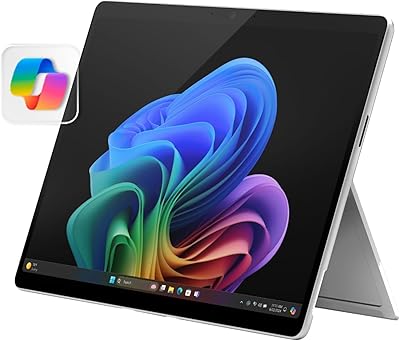
Microsoft Surface Pro 2024 1TB 2-in-1 Laptop
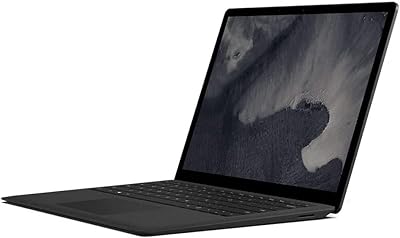
Microsoft Surface Laptop 2 256GB Laptop
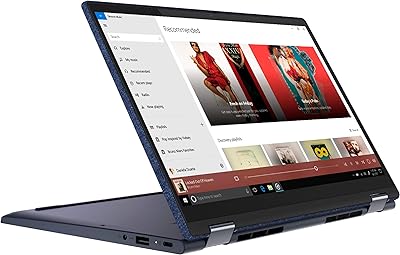
Lenovo Yoga 6 13.3″ 2-in-1 Laptop - Ryzen 5, 8GB RAM, 256GB SSD
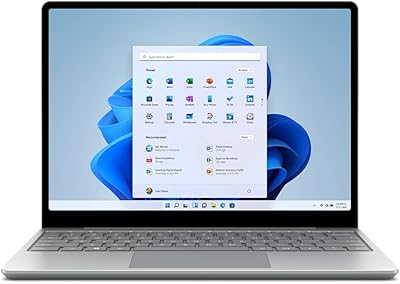
Microsoft Surface Laptop Go 2 - 12.4″, Intel Core i5, 8GB RAM, 256GB SSD
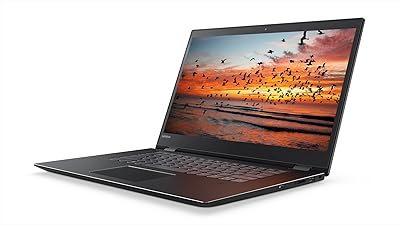
Lenovo Flex 5 15.6-inch 2-in-1 Laptop
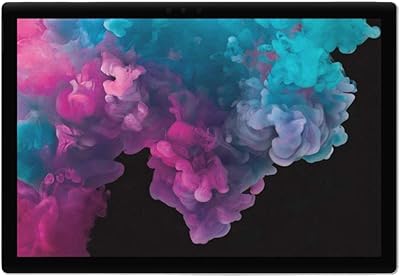
Microsoft Surface Pro 6 512GB 2-in-1 Laptop
Microsoft Surface Laptop 1st Gen 256GB
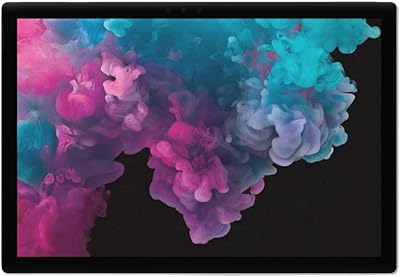
Microsoft Surface Pro 6 128GB 2-in-1 Tablet