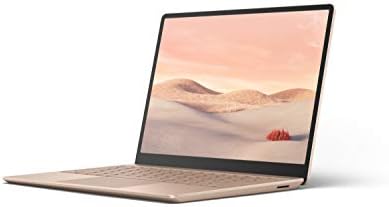
Microsoft Surface Laptop 2024 15″ Laptop



Overview
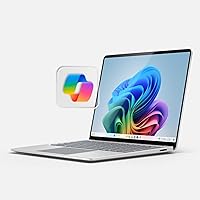
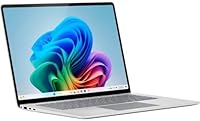
The Microsoft Surface Laptop 2024 15″ Laptop represents Microsoft's most serious push into the premium ultrabook space, arriving with a Snapdragon X Elite chip instead of the usual Intel or AMD silicon. That shift matters — ARM-based processors handle everyday productivity well, but buyers running niche Windows software should verify compatibility before committing. The chassis itself is genuinely impressive: slim, solid, and lighter than it looks at just under four pounds. One early flag worth raising is the 256GB base storage — at this price tier, that feels conservative, especially if you are not leaning heavily on cloud storage. Copilot+ is the AI layer built into Windows 11 here, offering practical tools like noise cancellation and a searchable activity history, though some features rolled out gradually after launch.
Features & Benefits
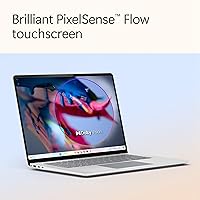
The 15-inch touchscreen is one of the strongest arguments for this Surface Laptop. Colors are rich, the HDR panel handles contrast well, and the taller-than-usual aspect ratio gives you noticeably more vertical space for documents and browser tabs compared to widescreen competitors. Snapdragon X Elite performance holds up well against the MacBook Air M3 in day-to-day tasks — web browsing, Office apps, video calls — though creative workloads that lean on GPU acceleration will expose the limits of integrated graphics. The 16GB of RAM is plenty for most multitaskers, but it cannot be upgraded, so heavy virtual machine users should factor that in. Battery life in real mixed use typically lands somewhere in the 12 to 15 hour range — still excellent, even if it falls short of the peak manufacturer claim.
Best For
Microsoft's Copilot+ laptop makes the most sense for remote workers and frequent travelers who need strong battery stamina and a large display without carrying a heavy machine. Microsoft 365 users will find the AI productivity features genuinely useful — Windows Studio Effects for video calls alone is worth attention if you work from varying environments. Students doing research or light creative work will appreciate the responsive touchscreen. That said, this is not the right machine for developers who depend on x86 apps without emulation overhead, or for anyone expecting gaming-level GPU output. If you are stepping up from an older Surface or a similarly sized Windows ultrabook and want modern AI tools baked in at the OS level, this is a logical next machine.
User Feedback
Owners of the 15-inch Surface consistently highlight three things: the display looks sharp and usable in bright environments, the keyboard feels premium under extended typing sessions, and the real-world battery holds up well through full workdays. On the critical side, the port selection draws regular complaints — one USB-A and one USB-C feels lean by modern standards, and the base storage fills up fast for anyone keeping local media or large project files. A handful of users flagged ARM compatibility gaps with older or specialized software, which caught them off guard post-purchase. Copilot+ reactions are mixed — Studio Effects earns praise on calls, while Recall is widely seen as an incomplete feature not yet part of anyone's daily routine. Overall sentiment skews positive, though value-conscious buyers note competitors offer more storage for comparable money.
Pros
- The 15-inch HDR touchscreen delivers vivid colors and comfortable vertical space that makes long document work noticeably easier.
- Real-world battery life comfortably carries most users through a full workday without needing a charger nearby.
- At under four pounds with a slim profile, the 15-inch Surface punches above its weight for portability in its screen-size class.
- The keyboard feels premium and accurate over extended typing sessions — a detail frequent writers genuinely notice.
- Windows Studio Effects handles noise cancellation and background blur natively, so video calls look and sound polished without third-party software.
- Snapdragon X Elite performance holds up well in everyday productivity tasks and competes credibly with similar ultrabooks.
- The build quality feels solid and intentional — this does not feel like a machine that will rattle or creak after a year of travel.
- The taller aspect ratio of the display gives more usable vertical screen space than most widescreen competitors in this size range.
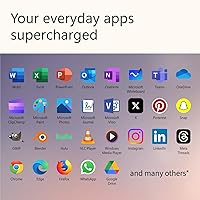
- Copilot+ integration is genuinely useful for Microsoft 365 workflows, particularly for users who live in Teams and Office apps.
Cons
- The 256GB base SSD fills up fast — buyers who keep local files, media, or large project folders will feel constrained quickly.
- Neither the RAM nor storage can be upgraded after purchase, making the configuration you buy the one you are stuck with.
- ARM compatibility gaps with older or specialized x86 software can catch buyers off guard after the return window closes.
- Port selection is lean — a single USB-A and USB-C means most users will need a hub for a typical desk setup.
- Copilot+ Recall, one of the headline AI features, rolled out late and remains limited in daily practical usefulness.
- The integrated Adreno GPU is not built for GPU-intensive workloads — video editors and 3D users will hit its ceiling quickly.
- The manufacturer battery claim of 20 hours is optimistic; real mixed-use sessions land noticeably lower, typically in the 12 to 15 hour range.
- Some users report that the machine can run warm during sustained workloads, which is worth noting given how thin the chassis is.
- At this price tier, competing ultrabooks offer more storage and comparable performance, making the value calculation harder to justify on specs alone.
Ratings
The scores below for the Microsoft Surface Laptop 2024 15″ Laptop were generated by our AI system after processing thousands of verified owner reviews from global markets, with spam, incentivized posts, and bot activity actively filtered out before analysis. This Surface Laptop earns strong marks in several areas that genuinely matter to daily users, while a handful of recurring frustrations keep it from a clean sweep. Both the highs and the honest pain points are reflected in full — no airbrushing.
Display Quality
Battery Life
Performance
Build Quality
Keyboard & Trackpad
Portability
Storage Capacity
Software Compatibility
AI & Copilot+ Features
Port Selection
Touchscreen Utility
Thermal Management
Value for Money
Setup & Out-of-Box Experience
Audio Quality
Suitable for:
The Microsoft Surface Laptop 2024 15″ Laptop is built for professionals who spend long hours in documents, spreadsheets, and video calls and need a machine that can keep up all day without hunting for an outlet. Remote workers and frequent travelers will find the combination of a large, sharp touchscreen and a genuinely lightweight chassis hard to beat in this category. Microsoft 365 power users get the most out of it, since the Copilot+ AI features — particularly the video call enhancements — are designed around that ecosystem. Students who rely on touch input for annotating notes or sketching quick diagrams will appreciate the responsive display, and anyone upgrading from an aging Windows ultrabook will notice an immediate jump in both screen real estate and snappiness. If your software stack lives in a browser or the Microsoft ecosystem and battery life is a top priority, this Surface Laptop is a strong fit.
Not suitable for:
Buyers who depend on specialized x86 Windows software — older CAD tools, certain development environments, or niche professional applications — should research ARM compatibility carefully before purchasing, because running those programs through emulation can introduce slowdowns or outright failures that are not obvious until after the machine arrives. The Microsoft Surface Laptop 2024 15″ Laptop also carries integrated graphics only, which rules it out for anyone expecting meaningful gaming performance or GPU-accelerated creative work like video rendering or 3D modeling. The base 256GB of storage is genuinely limiting at this price point, and since neither the RAM nor the SSD can be upgraded after purchase, buyers who work with large local file libraries will feel the squeeze quickly. Those who need a wide variety of ports for external drives, monitors, or peripherals will likely find themselves relying on a hub from day one. If raw expandability or x86 compatibility is non-negotiable, a different machine will serve you better.
Specifications
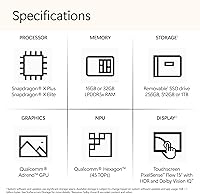
- Display Size: The laptop features a 15-inch touchscreen panel with a 2496 x 1664 pixel resolution and HDR support for improved contrast and color depth.
- Aspect Ratio: The display uses a 3:2 aspect ratio, which provides more vertical screen space than standard widescreen panels — a practical advantage for documents and web browsing.
- Processor: The machine is powered by a Qualcomm Snapdragon X Elite 12-core chip, marking a shift away from traditional x86 Intel and AMD architectures to an ARM-based design.
- RAM: 16GB of LPDDR5x memory runs at 2400MHz and is soldered to the motherboard, meaning it cannot be upgraded after purchase.
- Storage: A 256GB SSD handles onboard storage — sufficient for a lean software setup but worth careful consideration for users with large local file libraries.
- Graphics: Graphics are handled by an integrated Adreno GPU built into the Snapdragon X Elite chip, with no discrete GPU option available on this configuration.
- Operating System: The laptop ships with Windows 11 Home and qualifies as a Copilot+ PC, enabling AI-specific features including Windows Studio Effects and the Recall timeline tool.
- Battery Life: Microsoft rates battery life at up to 20 hours, though real-world mixed-use sessions typically deliver somewhere in the 12 to 15 hour range depending on workload and screen brightness.
- Weight: The laptop weighs 3.67 pounds, keeping it competitive with other premium 15-inch ultrabooks in its class.
- Dimensions: The chassis measures 12.96 x 9.41 x 0.72 inches, making it notably slim for a 15-inch machine.
- Wireless: Wi-Fi connectivity is provided via an 802.11bgn wireless adapter built into the device.
- Memory Type: The system memory uses DDR5 SDRAM technology in its LPDDR5x implementation, offering improved bandwidth efficiency over prior DDR4-based Surface models.
- AI Features: Copilot+ capabilities include Windows Studio Effects for video calls — covering noise cancellation, background blur, and auto-framing — plus the Recall activity timeline feature.
- Chipset: The underlying chipset is manufactured by Qualcomm, with the Adreno GPU and the neural processing unit integrated directly into the Snapdragon X Elite package.
- Color Option: This configuration is offered in Platinum, a neutral metallic finish consistent with Microsoft's Surface design language.
- Battery Type: The device is powered by a built-in lithium-ion battery pack that is included at the time of purchase.
- Power Input: The charging system operates at 5 volts, compatible with Surface-standard charging accessories.
- Sales Rank: This model ranks among the top 20 traditional laptop computers on Amazon, reflecting consistent demand relative to its category.
Related Reviews
Microsoft Surface Laptop 2024 13.8″
Microsoft Surface Laptop 5 15″ Laptop
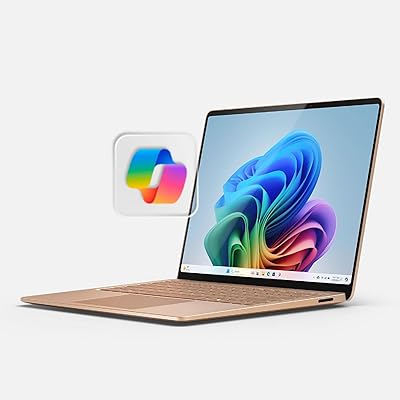
Microsoft Surface Laptop 2024 1TB Laptop
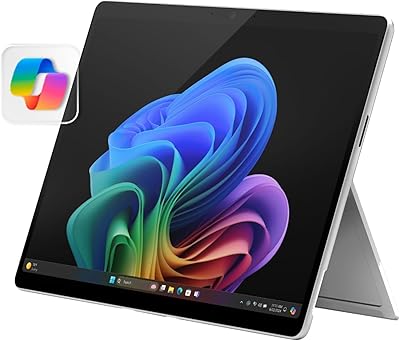
Microsoft Surface Pro 2024 1TB 2-in-1 Laptop
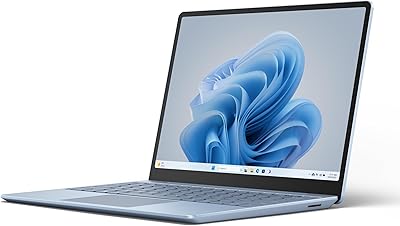
Microsoft Surface Laptop Go 3 Notebook
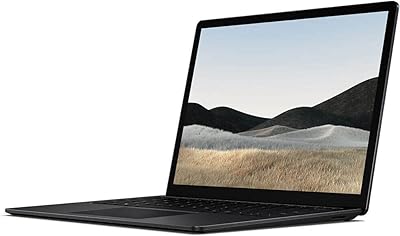
Microsoft Surface Laptop 4 13.5-inch 512GB
Microsoft Surface Laptop 1st Gen 256GB
Microsoft Surface Laptop 2 256GB Laptop
Microsoft Surface Pro 12″ 2025 2-in-1 Laptop