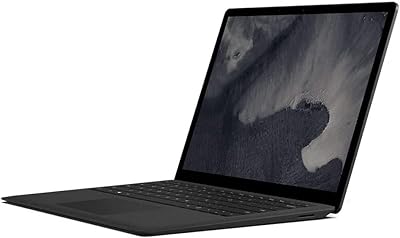
Microsoft Surface Pro 7 i5 16GB 256GB
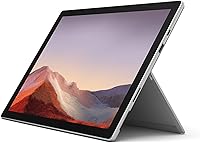

Overview
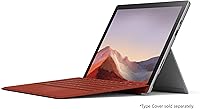
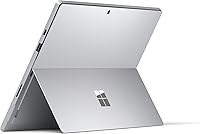
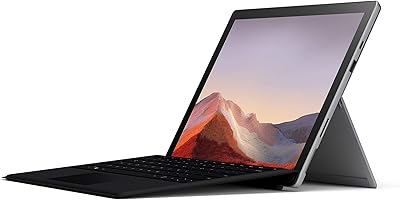
The Microsoft Surface Pro 7 i5 16GB 256GB arrived in late 2019 as Microsoft's answer to professionals who refused to choose between a laptop and a tablet. Built around a 12.3″ PixelSense display, this Surface Pro carries a premium feel the moment you pick it up — the magnesium chassis is rigid, the edges are clean, and the whole thing barely registers at 1.7 pounds. It was designed to work as a drawing surface, a note-taking device, and a full Windows machine all at once. Prospective buyers should know upfront, though, that the keyboard and pen are sold separately, which meaningfully affects the true cost of ownership.
Features & Benefits
The 10th Gen Intel Core i5, paired with 16GB of DDR4 RAM, handles everyday multitasking without complaint — multiple browser tabs, Office apps, and light photo editing all run confidently. The 256GB SSD keeps boot times short and apps snappy, though anyone managing large video files or extensive media libraries may hit the ceiling faster than expected. What really stands out is the PixelSense touchscreen: the resolution is sharp enough that text and images look crisp at normal working distances. Microsoft also corrected a long-standing frustration by including both USB-A and USB-C ports, and Wi-Fi 6 support keeps connections stable on modern routers. Fast charging rounds out a practical daily package.
Best For
This Surface Pro is a strong fit for students and professionals who move between typing and handwriting throughout the day — think grad students annotating PDFs, consultants sketching diagrams in client meetings, or journalists working on the go. Remote workers will appreciate the sub-two-pound form factor, which makes it easy to carry without a dedicated bag. Anyone already using Microsoft 365 will find that everything works together without friction. It is less suited to users who need heavy processing power, run GPU-intensive applications, or want to game. If display quality and portability are top priorities over raw horsepower, Microsoft's 2-in-1 tablet makes a compelling case.
User Feedback
Across a substantial pool of verified reviews, the Surface Pro 7 holds a 4.3-star average, with most praise directed at the display quality, the sturdy build, and how much lighter it feels compared to a traditional laptop. The added ports were widely welcomed. On the critical side, a recurring theme is the cost of going all-in — the Type Cover and Surface Pen push total spend considerably higher, which catches some buyers off guard. Fan noise and throttling under sustained workloads are mentioned with enough frequency to take seriously. Battery life, while adequate for shorter days, tends to land below the advertised figure in real-world use. Long-term durability reports are generally positive.
Pros
- The 12.3″ PixelSense display is sharp, color-accurate, and genuinely better than most screens in this size class.
- At 1.7 pounds in tablet mode, the Surface Pro 7 is easy to carry all day without bag fatigue.
- 16GB of RAM handles real multitasking well — many open tabs, Office apps, and video calls simultaneously.
- Wi-Fi 6 support keeps wireless performance stable on modern routers, reducing connection drop frustrations.
- The adjustable kickstand works reliably on desks and most flat surfaces, with no wobble during touch input.
- Fast charging recovers roughly 80% battery in about an hour, which is useful during short breaks.
- The dual USB-A and USB-C port setup is a meaningful improvement over the previous generation for peripheral users.
- Build quality is consistently praised — the chassis feels solid even after years of daily professional use.
- Windows Hello facial recognition works quickly and reliably, making login feel effortless in practice.
- The upgrade path to Windows 11 extended the useful life of this device well beyond its 2019 launch date.
Cons
- The Type Cover keyboard and Surface Pen are both sold separately, adding significant cost to the real purchase price.
- Real-world battery life typically lands between six and eight hours, well short of the advertised figure.
- Fan noise and thermal throttling become noticeable under sustained CPU-heavy tasks.
- 256GB of internal storage fills up faster than expected for users managing large files or media projects.
- The single USB-A and single USB-C port setup requires a hub for any multi-peripheral desk configuration.
- The display surface is reflective enough to cause glare problems in bright outdoor or window-facing environments.
- The kickstand and Type Cover combination feels less stable on a lap compared to a traditional clamshell laptop.
- Battery capacity degrades over time, making an already modest real-world runtime shorter on older units.
- At current pricing, newer Surface Pro generations offer better performance-per-dollar for first-time buyers.
- There are no user-serviceable components, meaning any hardware repair requires professional service.
Ratings
The Microsoft Surface Pro 7 i5 16GB 256GB has been scored below using AI analysis of thousands of verified global user reviews, with spam, bot activity, and incentivized feedback actively filtered out. The scores reflect a honest picture of where this Surface Pro genuinely excels and where real buyers have run into frustration. Both the strengths and the compromises are weighted equally so you can make a clear-eyed purchasing decision.
Display Quality
Build Quality & Design
Performance & Speed
Portability
Battery Life
Touchscreen & Pen Input
Port Selection & Connectivity
Keyboard Experience
Software & Ecosystem
Value for Money
Webcam Quality
Audio Quality
Thermal Management
Setup & Out-of-Box Experience
Longevity & Durability
Suitable for:
The Microsoft Surface Pro 7 i5 16GB 256GB is built for people whose daily workflow genuinely spans both typing and hands-on input — think graduate students who draft essays and annotate research papers in the same session, or consultants who sketch diagrams during client presentations and then type up reports on the flight home. Remote workers who prioritize traveling light will find the sub-two-pound form factor a practical advantage over bulkier ultrabooks without sacrificing a full Windows environment. Anyone already invested in Microsoft 365 — OneDrive, Teams, OneNote, Office — will find that everything works together without friction or workarounds. The sharp PixelSense display also makes this Surface Pro a solid pick for professionals who review visual materials, whether that means editing photos, checking design mockups, or presenting decks in well-lit meeting rooms. For buyers who want a single device that functions credibly as both a laptop and a digital notebook, this remains one of the more convincing options in its category.
Not suitable for:
The Microsoft Surface Pro 7 i5 16GB 256GB is a harder sell for buyers who need raw, sustained computing power. Video editors, 3D modelers, developers running local servers, or anyone who regularly pushes CPU-intensive workflows will encounter real thermal throttling and performance drops under load — this is a productivity machine, not a workstation. Gamers should look elsewhere entirely, since the integrated Intel Iris Plus graphics cannot handle anything beyond very casual titles. Buyers who expect a fully ready-to-use laptop out of the box will also be caught off guard: the Type Cover keyboard and Surface Pen are sold separately, and their combined cost pushes the total spend considerably higher than the device price alone suggests. Anyone who needs more than 256GB of local storage for large media libraries or project files may find themselves managing space carefully or relying heavily on cloud storage. Finally, buyers comparing this 2019 device against current-generation 2-in-1 competitors should weigh the generational gap honestly — newer models have closed the distance in battery life, processing efficiency, and port flexibility.
Specifications
- Display: 12.3″ PixelSense touchscreen with a 2736x1824 resolution and support for Surface Pen input.
- Processor: 10th Gen Intel Core i5 dual-core processor designed for responsive everyday productivity and light creative workloads.
- RAM: 16GB DDR4 RAM supports confident multitasking across productivity apps, browser sessions, and video conferencing simultaneously.
- Storage: 256GB solid-state drive delivers fast boot times and quick application launches with no moving parts.
- Graphics: Intel Iris Plus integrated graphics handle everyday visual tasks, photo editing, and video playback without a discrete GPU.
- Operating System: Ships with Windows 10 Home, with a free upgrade path to Windows 11 available for supported configurations.
- Battery: Rated up to 10.5 hours of typical use, with fast charging capability reaching approximately 80% in just over one hour.
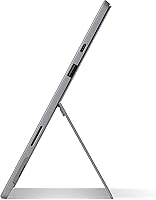
- Weight: Weighs 1.70 pounds in tablet-only configuration, making it one of the lighter devices in the premium 2-in-1 category.
- Dimensions: Measures 11.5″ x 7.9″ x 0.33″, keeping the profile slim enough to slip into most standard laptop sleeves and bags.
- Ports: Includes one USB-A 3.1 port, one USB-C port, a Surface Connect charging port, and a 3.5mm headphone jack.
- Wireless: Supports Wi-Fi 6 (802.11ax) and Bluetooth 5.0 for fast, stable wireless connections on modern network infrastructure.
- Front Camera: 5MP front-facing camera with 1080p video output, suited for video conferencing and Windows Hello facial recognition login.
- Rear Camera: 8MP autofocus rear camera capable of capturing documents, whiteboards, and casual photos with solid clarity in good lighting.
- Kickstand: Built-in adjustable kickstand supports a wide range of viewing and working angles on both desks and flat surfaces.
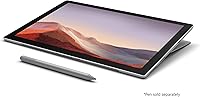
- Pen Support: Compatible with Surface Pen (sold separately) for handwriting, annotation, and sketching directly on the display.
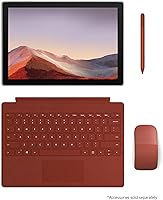
- Keyboard: Compatible with Microsoft Surface Type Cover keyboard (sold separately), which attaches magnetically and covers the display when folded.
- Security: Windows Hello facial recognition provides fast, password-free login using the front-facing infrared camera system.
- Color: Available in Platinum, a light magnesium-toned finish that gives the device a clean, professional appearance.
Related Reviews
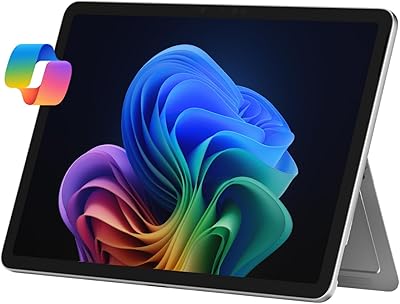
Microsoft Surface Pro 12″ 2025 2-in-1 Laptop
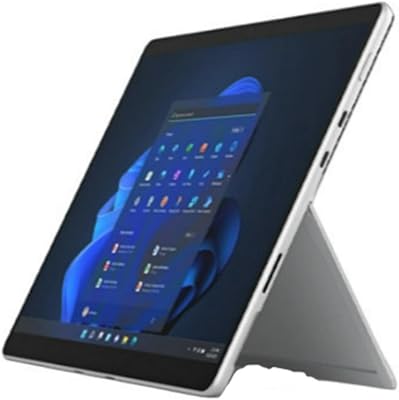
Microsoft Surface Pro 8 (i7, 16GB, 256GB)
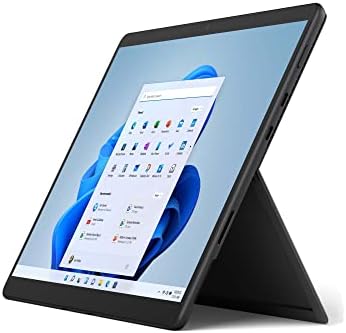
Microsoft Surface Pro 8 13-inch, Intel Core i5, 8GB RAM, 256GB SSD
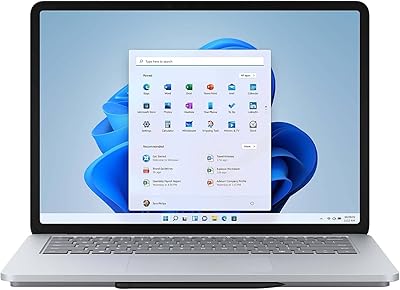
Microsoft Surface Laptop Studio 14.4″ Laptop
Microsoft Surface Pro 7 2-in-1 Tablet
Microsoft Surface Pro 6 512GB 2-in-1 Laptop
Microsoft Surface Pro 6 256GB 2-in-1 Laptop
Microsoft Surface Pro 8 512GB 2-in-1 Tablet
Microsoft Surface Laptop 2024 13.8″