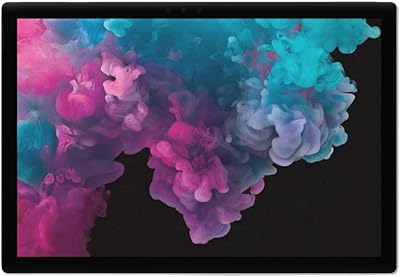
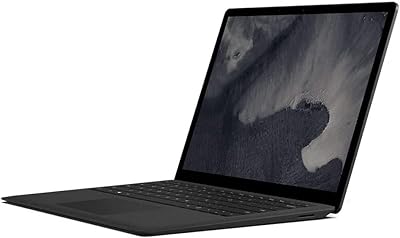
Overview

The Microsoft Surface Pro 6 512GB 2-in-1 Laptop represents Microsoft's most refined take on the premium 2-in-1 category, built squarely for professionals and power users who refuse to compromise. The jump to 8th Gen Intel Core i7 was a meaningful step up from the previous generation, bringing noticeably faster performance across CPU-intensive tasks. What makes this configuration interesting is also what makes it divisive: the fanless design keeps things whisper-quiet, but under sustained load, thermals can become a constraint. This is not a machine for casual web browsing — it's spec'd for demanding workflows, and the price reflects that reality plainly.
Features & Benefits

The 12.3-inch PixelSense display is one of this Surface Pro's strongest assets — at 2736x1824, text is crisp enough that you'll rarely miss an external monitor for document-heavy sessions or creative work. Pairing that screen with 16GB of LPDDR3 RAM means multitasking stays responsive, whether you're juggling a dozen browser tabs, a running IDE, or a Lightroom catalog. The 512GB SSD keeps boot times snappy and gives you real breathing room for large project files. Battery life is rated at 13.5 hours, though real-world usage under workloads like video calls or coding sessions lands closer to 7–9 hours. The adjustable kickstand adds genuine flexibility — prop it flat for sketching or upright for a presentation without carrying a separate stand.

Best For

This Surface Pro hits its stride in the hands of business professionals who travel frequently and need a capable machine that doesn't weigh them down — at roughly 1.7 pounds, it's genuinely light for what it offers. Design and engineering students who work with stylus input will find the display and kickstand combination hard to beat in this form factor. It also suits anyone deeply embedded in the Microsoft ecosystem: Windows Hello sign-in, OneDrive integration, and Office compatibility all feel native rather than bolted on. If you want a tablet that can credibly serve as your primary laptop, this configuration has the horsepower to back that claim up.

User Feedback

Across more than 2,000 ratings, the Pro 6 holds a 4.3-star average — a score that tells a reasonably honest story about what buyers actually get. The most consistent praise lands on the display quality and build, with many noting this is one of the sharper portable screens in its class. Where things get thorny is connectivity: a single USB-A port and a proprietary connector leaves anyone needing USB-C reaching for a dongle. The fanless chassis is quiet but can throttle under heavy sustained workloads. And the keyboard? It's sold separately — a real cost that buyers should factor in before checkout.

Pros

  • The 12.3-inch PixelSense display is genuinely sharp and color-accurate — a pleasure for document work and creative tasks alike.
  • At roughly 1.7 pounds, this Surface Pro is one of the lightest capable machines you can carry into a meeting.
  • 16GB of RAM keeps multitasking smooth across heavy browser sessions, coding environments, and productivity suites.
  • The 512GB SSD boots fast and gives ample room for large project files without constant housekeeping.
  • The built-in adjustable kickstand handles laptop, tablet, and studio modes without any extra accessories.
  • Windows Hello facial recognition makes logging in fast and secure — no password typing needed.
  • 802.11ac Wi-Fi delivers reliable wireless performance in office and travel environments.
  • The premium build quality feels durable and polished in a way that holds up to daily professional use.
  • The high-resolution display makes it a strong choice for reviewing detailed design work or reading dense documents.
  • Battery life is solid for light-to-moderate use, comfortably covering a standard workday away from an outlet.

Cons

  • The Type Cover keyboard is sold separately, adding a significant cost that many buyers don't anticipate upfront.
  • A single USB-A port and no USB-C means most users will need a hub or dongle almost immediately.
  • Real-world battery life under active workloads drops well below the advertised 13.5-hour figure.
  • The fanless design can throttle CPU performance during sustained heavy tasks, limiting burst workloads.
  • The proprietary Surface Connect port ties accessories to Microsoft's own ecosystem with no industry-standard alternative.
  • No USB-C or Thunderbolt 3 support is a meaningful omission for a device at this price point.
  • Integrated graphics cap what the Pro 6 can handle — even light GPU workloads push its limits quickly.
  • The Mini DisplayPort output requires an adapter for most modern monitors and projectors.
  • Users needing cellular connectivity are out of luck — there is no LTE option on this model.
  • Thermals under sustained load have been noted by multiple users, particularly during extended rendering or compilation tasks.

Ratings

Our AI scoring system analyzed thousands of verified global user reviews for the Microsoft Surface Pro 6 512GB 2-in-1 Laptop, actively filtering out incentivized, duplicate, and bot-generated feedback to surface what real buyers actually think. The scores below reflect both the genuine strengths that keep users loyal to this device and the recurring frustrations that temper otherwise strong satisfaction. Nothing has been smoothed over — the pain points are scored as honestly as the highlights.

Display Quality
93%
The PixelSense screen earns consistent top marks from users across the board. Professionals editing photos, reviewing architectural drawings, or presenting slides in client meetings repeatedly call it one of the sharpest displays they have used on a portable device. The 2736x1824 resolution makes text rendering and fine detail work noticeably more comfortable over long sessions.
A handful of users report minor color calibration inconsistencies out of the box, particularly noticeable in design workflows where accuracy matters. The glossy finish, while beautiful indoors, causes glare complaints from users who frequently work near windows or outdoors.
Build Quality
91%
The magnesium alloy chassis feels genuinely premium in hand — not just visually, but structurally. Frequent travelers note that after months of daily bag-to-desk use, the device shows minimal wear and the kickstand hinge remains tight and precise. It reads as a professional tool, not a consumer gadget.
The lack of any rubberized grip on the tablet body means it can feel slippery when holding it one-handed for extended reading or sketching sessions. A small number of users have also reported hairline scratches appearing on the Platinum finish after moderate daily use without a case.
Performance
84%
For standard professional workloads — running multiple browser sessions, working across Office apps, handling light code compilation, or editing moderate-resolution photos in Lightroom — the i7 and 16GB RAM combination handles tasks without hesitation. Boot times on the 512GB SSD are fast, and app switching feels immediate.
Sustained heavy tasks expose the fanless design's limits. Users running long video exports or intensive builds report noticeable performance throttling after several minutes, as the chassis has no active cooling to manage heat. This is not a machine for prolonged CPU-maxing workloads.
Battery Life
67%
33%
Under light use — document editing, email, and occasional video calls with screen brightness at mid-level — users consistently report getting through a standard workday on a single charge. For travel days that involve a mix of reading, note-taking, and presentations, the battery holds up respectably.
The advertised 13.5-hour figure is achievable only under near-idle conditions, and most real-world users land between 6 and 9 hours under typical mixed workloads. Heavy users running demanding apps or keeping the display at full brightness report the battery draining uncomfortably fast, with some needing a charge by midafternoon.
Portability
92%
At roughly 1.7 pounds, this Surface Pro is genuinely easy to carry for long stretches — users who commute daily or travel between client sites frequently cite the weight as a key reason they chose it over conventional laptops. It slides into slim bags and overhead bins without the bulk most powerful machines require.
While the device itself is light, the reality of needing a Type Cover, Surface Pen, and a USB hub alongside it adds up in both weight and bag space. Some users feel the total carry load starts to rival a thin-and-light laptop once all the necessary accessories are packed.
Connectivity & Ports
41%
59%
The single USB 3.0 port handles standard peripherals cleanly, and the Mini DisplayPort supports reliable external monitor connections for desk setups. For users who primarily work wirelessly and dock occasionally via the Surface Connect port, the included options are functional enough day-to-day.
One USB-A port and zero USB-C is a genuine limitation that users encounter almost immediately — plugging in a mouse, an external drive, and a monitor simultaneously requires a hub, full stop. The absence of Thunderbolt 3 and USB-C felt like a missed opportunity even at launch, and it has only aged worse as the industry standardized around USB-C.
Keyboard & Input
58%
42%
Users who invested in the Type Cover consistently praise the typing experience — the keys have decent travel for a cover-style keyboard, and the trackpad is accurate enough for full workday use without an external mouse. The magnetic attachment mechanism is satisfying and secure.
The keyboard is sold separately, which is a source of genuine frustration for buyers who assumed it was included — this is the single most common complaint in purchase reviews. The added cost is substantial, and buyers comparing this device to competitors who bundle keyboards often feel the value proposition weakens significantly as a result.
Stylus Experience
78%
22%
Users in design, architecture, and education programs who pair this Surface Pro with the Surface Pen report a natural, low-latency drawing experience that holds up well against dedicated drawing tablets for note-taking and illustration. The display's accuracy and resolution make handwriting recognition and sketch work comfortable for extended sessions.
The Surface Pen is also sold separately, adding yet another accessory cost on top of an already premium device price. A few users note that palm rejection, while generally reliable, occasionally misfires during fast, diagonal strokes in drawing applications.
Value for Money
62%
38%
For the specific buyer who genuinely needs the i7, 16GB, and 512GB configuration — and who will use those specs consistently — the device delivers a capable professional tool in a remarkably slim and portable form. Users in that bracket tend to rate it favorably against what they would spend on a comparable ultrabook.
For anyone paying full retail without a clear use case that demands the top-tier specs, the value equation gets uncomfortable fast — especially once the Type Cover and Surface Pen are added to the total. Buyers expecting a complete laptop-replacement experience out of the box often feel the real cost is higher than the listed price suggests.
Thermal Management
53%
47%
For light to moderate workloads, the fanless design keeps the device completely silent — a genuine advantage during quiet meetings, library sessions, or focused work in shared spaces. Surface temperatures under normal use remain comfortable on both the palm rest and the back panel.
Under sustained processing loads, the chassis warms noticeably and CPU throttling kicks in to protect the device, visibly reducing performance. Users who need to run intensive tasks for more than 15 to 20 minutes continuously report this as a real workflow disruption, particularly during large file exports or extended compilation jobs.
Display Versatility
82%
18%
The multi-angle kickstand is more practical than it looks on paper — users regularly shift between typing mode, tablet mode, and the near-flat studio angle for stylus work without any tools or awkward adjustments. It adapts well to desks, airplane tray tables, and lap use with the Type Cover.
The kickstand requires a flat surface to function correctly, which limits impromptu tablet use when standing or sitting without a desk nearby. Users who frequently hold devices one-handed for reading or note-taking find themselves wishing for a more traditional tablet grip experience.
Software & Ecosystem
86%
The integration with Microsoft 365, OneDrive, and Windows Hello works naturally and without setup friction — users already in the Microsoft ecosystem find everything connects quickly and intuitively. Windows Hello facial recognition in particular gets strong praise for making the login experience fast and hands-free.
A few users note that Windows 10 Home, rather than Pro, limits some enterprise features like Bitlocker and domain join out of the box. For corporate IT environments that require the Pro license, that is an additional cost and step worth considering before purchase.
Camera Quality
69%
31%
The 8MP rear camera handles document scanning, whiteboard capture, and casual photography with solid clarity for a device primarily designed for productivity. The front-facing 5MP camera performs well enough for video calls and handles Windows Hello recognition quickly even in lower-light environments.
Video call quality is functional but not impressive compared to dedicated webcam setups — users who conduct frequent high-quality video meetings note that the front camera image can appear soft and washed out under artificial office lighting. There is no 4K video recording on this model.
Wireless Performance
81%
19%
The 802.11ac Wi-Fi holds a strong, stable connection across standard office and home environments. Users who rely on cloud-based workflows and video conferencing throughout the day report consistent signal reliability without drop-outs during normal use.
A small group of users report slower-than-expected Wi-Fi speeds in congested network environments or when connecting to older routers. There is no LTE or cellular option available on this model, which limits connectivity for users who rely on mobile data while traveling between offices or client sites.

Suitable for:

The Microsoft Surface Pro 6 512GB 2-in-1 Laptop is purpose-built for professionals who need a portable workhorse that doesn't cut corners on performance. Consultants, analysts, and project managers who spend their days in PowerPoint, Excel, and video calls will feel right at home — the i7 processor and 16GB of RAM keep everything running without hesitation. Design and architecture students get a sharp, high-resolution display paired with a flexible kickstand that makes stylus-based work feel natural, whether sketching concepts or annotating technical drawings. Frequent travelers benefit enormously from the sub-2-pound frame, which fits easily in a slim bag without the bulk of a traditional laptop. Anyone already using Microsoft 365, OneDrive, or Azure will find that this Surface Pro slots into their existing workflow with very little friction. For users who genuinely need a single device that handles both tablet and laptop duties at a professional level, this configuration has the spec headroom to deliver.
Not suitable for:

The Microsoft Surface Pro 6 512GB 2-in-1 Laptop is a harder sell for buyers who simply need a reliable everyday machine for light tasks like streaming, email, and casual browsing — the price tier demands a use case that actually justifies the i7 and 16GB configuration. Budget-conscious shoppers should be especially cautious: the keyboard Type Cover is not included in the box, and adding one pushes the total cost up meaningfully. Anyone who relies on USB-C or Thunderbolt connectivity will quickly run into frustration — this generation ships with a single USB-A port and a proprietary Surface connector, making dongles an unwelcome necessity. Creative professionals doing sustained GPU-heavy rendering or running demanding workloads for extended periods may find the fanless chassis throttles performance under pressure. Gamers should look elsewhere entirely, as the integrated Intel UHD Graphics 620 is not built for anything beyond casual or older titles. And if you were hoping to future-proof with modern connectivity standards, the Pro 6's port selection already felt dated at launch.

Specifications

  • Display: The 12.3-inch PixelSense touchscreen delivers a resolution of 2736x1824 pixels, resulting in a pixel density sharp enough for detailed creative and document work.
  • Processor: An 8th Generation Intel Core i7 clocked at 1.6 GHz with four cores handles multitasking, light video editing, and productivity workloads with confidence.
  • RAM: 16GB of LPDDR3 memory running at 1866 MHz keeps applications responsive even when switching between memory-intensive tasks simultaneously.
  • Storage: A 512GB solid-state drive provides fast read and write speeds alongside ample space for large project files, software installations, and media libraries.
  • Graphics: The integrated Intel UHD Graphics 620 handles everyday display tasks and light creative work but is not designed for GPU-intensive rendering or gaming.
  • Battery Life: Microsoft rates the battery at up to 13.5 hours of local video playback under controlled conditions; real-world active workloads typically yield 7 to 9 hours.
  • Weight: The device body weighs approximately 1.7 pounds, making it one of the lighter options in the professional 2-in-1 category.
  • Dimensions: The unit measures 12.72 x 9.07 x 1.91 inches, maintaining a slim profile that fits easily into standard laptop sleeves and carry-on bags.
  • Operating System: Windows 10 Home comes pre-installed, providing access to the full Windows software ecosystem, Microsoft Store, and native Microsoft 365 integration.
  • Ports: Connectivity includes one USB 3.0 Type-A port, a proprietary Surface Connect port, and a Mini DisplayPort — there is no USB-C or Thunderbolt 3 on this model.
  • Wireless: 802.11ac Wi-Fi with support for legacy a/b/g/n standards ensures reliable wireless performance across modern office, home, and public network environments.
  • Camera: An 8MP rear-facing camera supports document scanning and video use, while a front-facing 5MP camera handles Windows Hello facial recognition and video calls.
  • Kickstand: The built-in multi-angle kickstand adjusts across a wide range of positions, supporting laptop, tablet, and flat studio modes without requiring any accessories.
  • Keyboard: The device is compatible with Microsoft Surface Type Cover keyboards, which attach magnetically — however, the Type Cover is sold separately and is not included.
  • Stylus Support: The Surface Pro 6 supports the Microsoft Surface Pen (sold separately), which connects via Bluetooth and works with the PixelSense display for drawing and annotation.
  • Security: Windows Hello facial recognition via the front camera enables fast, password-free login with no additional hardware or software configuration required.
  • Audio: Dual front-facing speakers with Dolby Audio support provide clear stereo sound for calls, media playback, and presentations in quiet to moderately loud environments.
  • Color: This configuration ships in Platinum, a neutral silver-toned finish that suits professional environments and is consistent across the Surface Pro lineup.
  • Power Source: The device charges via the proprietary Surface Connect magnetic connector using the included power supply; no USB-C charging is supported on this generation.
  • Battery Type: A built-in 45Wh lithium polymer battery is non-removable and integrated into the chassis, consistent with the device's slim fanless design.

Related Reviews
Microsoft Surface Pro 12″ 2025 2-in-1 Laptop
76%
93%
Build Quality
91%
Display Quality
84%
Performance
78%
Battery Life
96%
Portability
More
Microsoft Surface Pro 2024 1TB 2-in-1 Laptop
76%
93%
Display Quality
88%
Performance & Speed
81%
Battery Life
63%
Value for Money
86%
Form Factor & Portability
More
EYY Yoga 3200U 15.6″ 2-in-1 Laptop (16GB/512GB)
64%
78%
Value for Money
62%
Performance
83%
RAM & Multitasking
74%
Storage Speed
71%
Display Quality
More
Microsoft Surface Pro 8 512GB 2-in-1 Tablet
78%
93%
Display Quality
91%
Build Quality
88%
Pen & Stylus Experience
79%
Performance
58%
Battery Life
More
Microsoft Surface Pro 6 256GB 2-in-1 Laptop
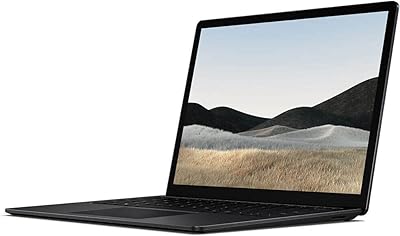
76%
93%
Display Quality
88%
Build Quality
79%
Performance
62%
Battery Life
91%
Portability
More
Microsoft Surface Laptop 4 13.5-inch 512GB
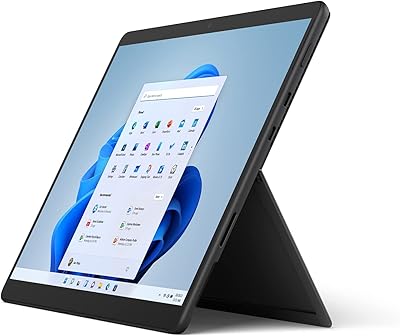
74%
91%
Display Quality
88%
Build Quality
87%
Keyboard & Trackpad
74%
Performance
71%
Battery Life
More
Microsoft Surface Pro 6 128GB 2-in-1 Tablet
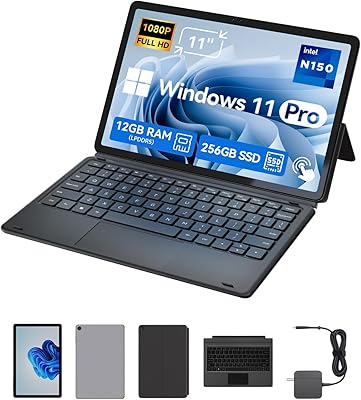
71%
93%
Display Quality
91%
Build Quality
89%
Portability
74%
Performance
61%
Battery Life
More
BNCF NewBook 11 2-in-1 Laptop
72%
83%
Value for Money
74%
Performance
79%
Display Quality
77%
Build Quality
54%
Battery Life
More
Microsoft Surface Laptop 2 256GB Laptop
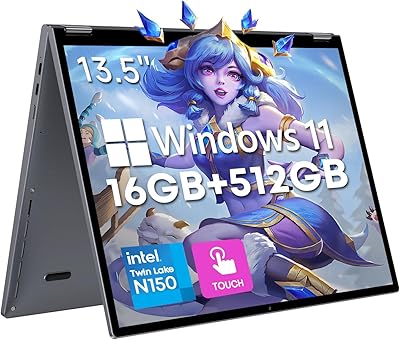
73%
93%
Display Quality
91%
Build Quality
88%
Keyboard & Typing Experience
76%
Battery Life
74%
Performance & Speed
More
CHUWI FreeBook 13.4″ 16GB/512GB
72%
83%
Build Quality
88%
Display Quality
76%
Touchscreen Responsiveness
67%
Performance (CPU & RAM)
61%
Stylus Experience
More

FAQ

The keyboard is not included. The Microsoft Surface Pro 6 512GB 2-in-1 Laptop ships with the device, power supply, and documentation only. You will need to purchase a Surface Type Cover separately, which adds a notable cost to the total package — factor that in before comparing prices with traditional laptops that include keyboards.

The official 13.5-hour figure is measured under light, controlled conditions — essentially looping a video at reduced brightness. In everyday use with active apps, browser tabs, and Wi-Fi running, most users report landing somewhere between 7 and 9 hours. That is still a solid full workday for moderate use, but do not expect the maximum rating under real workloads.

It can genuinely serve as a primary laptop replacement, especially with a Type Cover attached and the kickstand propped up. The i7 processor and 16GB of RAM give it enough power for professional productivity work, light creative tasks, and coding. The main caveat is the limited port selection — most users will want a USB hub fairly quickly.

You get one USB 3.0 Type-A port, a Mini DisplayPort for external displays, and a proprietary Surface Connect port for charging and docking. That is it — no USB-C, no Thunderbolt, no SD card slot. If your workflow involves regularly connecting drives, monitors, or peripherals, plan on buying a USB hub or the Microsoft Surface Dock.

Yes, the PixelSense display is fully compatible with the Microsoft Surface Pen, which you would need to purchase separately. It connects via Bluetooth and supports pressure sensitivity, making it a solid option for note-taking, sketching, and light digital illustration. Architecture and design students in particular tend to find this combination very practical.

This is one of the more honest trade-offs with the Pro 6. Because it uses a fanless design to stay quiet and thin, there is no active cooling to manage heat during extended heavy tasks. Under sustained CPU loads — like long video exports or compiling large codebases — some users report thermal throttling that reduces performance. For occasional bursts of heavy work it is fine, but it is not a sustained-performance workhorse.

It depends heavily on your budget and requirements. The Pro 6 lacks USB-C, which is a real gap compared to newer Surface Pro generations that added Thunderbolt support. If you can find it at a significantly reduced price and your workflow does not depend on modern connectivity standards, it remains a capable and well-built machine. For full-price purchases, the newer generations offer meaningfully better connectivity.

AutoCAD and Visual Studio run well for standard projects. Adobe Premiere can handle light editing and small timelines, but sustained 4K editing will push the integrated graphics and fanless chassis harder than ideal. The i7 and 16GB of RAM help considerably, but the lack of a discrete GPU is the ceiling for serious video production work.

No — neither the RAM nor the SSD is user-upgradeable on this Surface Pro. Both are soldered directly to the motherboard, which is why choosing the right configuration at purchase matters. The 512GB and 16GB combination in this model is the top-tier option, so at least you are not leaving headroom on the table.

The PixelSense display is bright and handles well-lit office environments without much trouble. Direct sunlight is tougher, as with most glossy displays, and reflections can become distracting outdoors. Indoors, even near large windows, the brightness levels are more than adequate for comfortable extended use.