Overview

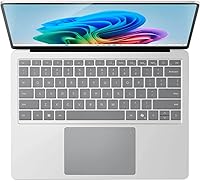
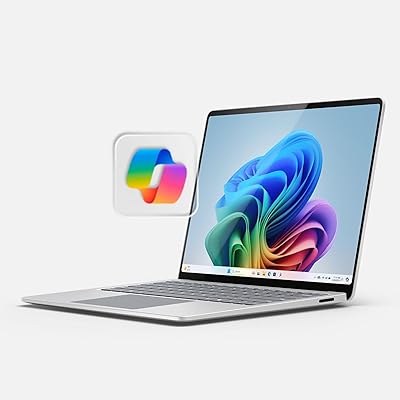
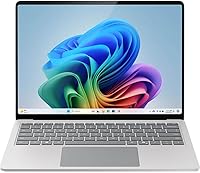
The Microsoft Surface Laptop 2024 13.8″ represents a meaningful pivot for Microsoft, swapping Intel silicon for Qualcomm's Snapdragon X Plus and landing squarely in Copilot+ PC territory. That shift isn't just a spec change — it reshapes how the machine handles everything from sustained workloads to battery draw. The Copilot+ designation unlocks Windows AI features that go beyond a chatbot shortcut, though some tools were still rolling out at launch. The 13.8-inch PixelSense touchscreen, with its taller 3:2 aspect ratio, gives this Surface Laptop a genuine edge over most Windows rivals for reading documents and multitasking side by side.
Features & Benefits

The 10-core Snapdragon X Plus handles everyday productivity tasks with noticeable efficiency, and the dedicated NPU makes AI-assisted workloads feel responsive rather than sluggish. Paired with 16GB LPDDR5x RAM, multitasking stays fluid across dozens of browser tabs and Office apps. The 256GB SSD is fast but fills up quicker than most users expect, so cloud storage or an external drive is worth budgeting for. The 2304x1536 HDR display is genuinely sharp and color-accurate. Battery life in real mixed use typically lands closer to 12–15 hours — still excellent — rather than the headline 20-hour figure. At under three pounds, it disappears into a bag without a second thought.

Best For

This Surface Laptop makes the most sense for remote workers and students who need reliable all-day battery without hauling a charger everywhere. If you're already using Microsoft 365 daily, the Copilot integration feels natural rather than forced. Professionals upgrading from an older Surface or an aging Intel-based Windows machine will notice an immediate improvement in responsiveness and thermal behavior. Light creatives — think presentations, document-heavy workflows, and casual photo editing — will appreciate the display's color fidelity. Frequent travelers and daily commuters will find the slim, lightweight chassis genuinely practical rather than just a marketing claim.

User Feedback

Owners consistently praise the keyboard and display quality, with many calling the typing experience among the best on any Windows laptop. Battery longevity earns strong marks, even if real-world results don't always match the advertised ceiling. The build quality draws frequent compliments, with the premium feel holding up well against daily use. On the flip side, some users have run into compatibility hiccups with older or niche Windows software — a known limitation of ARM-based systems that affects a small but real subset of workflows. A handful of reviewers also mention thermal throttling under sustained heavy loads, though casual users rarely encounter it.

Pros

  • All-day battery life holds up well in real mixed-use conditions, not just in lab benchmarks.
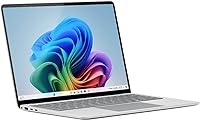
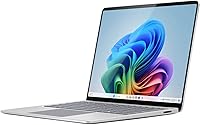
  • The 3:2 PixelSense display is one of the sharpest and most productivity-friendly screens on any Windows laptop.
  • At under three pounds, this Surface Laptop is among the lightest premium Windows machines you can carry daily.
  • The keyboard delivers a satisfying typing experience that holds up well during long writing sessions.
  • Windows Studio Effects makes video calls noticeably better without requiring any third-party apps.
  • Build quality feels genuinely premium, with solid aluminum construction that shows no flex during daily use.
  • Snapdragon X Plus handles everyday productivity workloads with smooth, responsive performance.
  • Deep Microsoft 365 and Copilot integration feels natural for users already in that ecosystem.
  • Wi-Fi 6E keeps wireless connectivity fast and stable in congested network environments.
  • The inclusion of both USB-C and USB-A ports avoids the frustrating all-USB-C situation found on many ultrabooks.

Cons

  • The 256GB base storage fills up faster than expected, especially without heavy reliance on cloud storage.
  • ARM architecture creates real compatibility gaps for users dependent on legacy or specialized Windows software.
  • Port selection is limited to two total, making a hub essential for any multi-peripheral desk setup.
  • Sustained heavy workloads can cause noticeable palm rest warmth and occasional performance throttling.
  • Several Copilot+ AI features, including Recall, were not fully available at launch and rolled out gradually.
  • The Platinum finish attracts fingerprints and shows light surface scratches more readily than darker alternatives.
  • Webcam performance degrades noticeably in low-light conditions compared to some competing premium laptops.
  • Base storage capacity at this price tier feels like a missed opportunity for buyers expecting more headroom.

Ratings

The Microsoft Surface Laptop 2024 13.8″ has been put through its paces by buyers across North America, Europe, and Asia-Pacific, and the scores below reflect AI-synthesized analysis of thousands of verified purchase reviews — with spam, bot activity, and incentivized feedback actively filtered out. The result is an honest picture of where this machine genuinely excels and where a few real-world frustrations persist. Both the highs and the friction points are represented transparently.
Display Quality
93%
The 2304x1536 PixelSense panel earns consistent admiration for its sharpness and HDR rendering. Users working in spreadsheets, long documents, and video calls repeatedly note how the taller 3:2 aspect ratio reduces scrolling fatigue and makes content feel less cramped than on standard 16:9 screens.
A small number of users coming from OLED-equipped rivals find the LCD panel slightly less punchy in dark scenes. Outdoor visibility, while decent, can be challenged in direct sunlight at moderate brightness settings.
Battery Life
88%
Real-world endurance is a genuine strength here. Most users managing emails, documents, and video calls report comfortably getting through a full workday and into the evening without touching a charger — a rarity for Windows laptops in this class.
The advertised 20-hour figure is a best-case benchmark, not a daily reality. Mixed workloads with video streaming and background sync typically bring the number closer to 12–15 hours, which is still strong but worth calibrating expectations around.
Build Quality & Design
91%
The aluminum chassis feels solid and deliberately premium without being ostentatious. Users frequently comment that it holds up well after months of daily commuting and desk-to-meeting transitions, with no flex in the keyboard deck or lid.
The Platinum finish, while elegant, shows fingerprints and light surface scratches more readily than darker colorways. A few buyers noted they wished a slim case had been included given the price tier.
Performance (Everyday Workloads)
87%
For the typical productivity stack — browser-heavy multitasking, Office apps, video conferencing — the Snapdragon X Plus handles things without hesitation. Users upgrading from older Intel-based machines consistently describe the responsiveness as a noticeable step up.
The chip is not engineered for GPU-intensive tasks, and users who pushed it with light video editing or gaming noted it hitting its ceiling faster than expected. It is a productivity-first processor, and that boundary is real.
Keyboard & Typing Experience
92%
Keyboard feedback is one of the most praised aspects across user reviews. The key travel feels deliberate and satisfying, and long writing sessions are comfortable — something Surface laptops have historically done well and this generation continues.
There is no numeric keypad, which is a minor but recurring complaint from users who work heavily in spreadsheets. The trackpad, while accurate, sits slightly off-center for some users' natural hand position.
Portability & Weight
94%
At under three pounds and less than 0.7 inches thick, this is a laptop that genuinely disappears into a bag. Commuters and frequent fliers consistently mention it as one of the lightest Windows machines they have carried without feeling like they sacrificed build integrity.
The slim profile means port selection is limited. Users who need to connect multiple peripherals daily will find themselves reaching for a hub, which adds back some of the bulk the thin design was meant to eliminate.
Storage (256GB Base)
62%
38%
The NVMe SSD is fast, and for users who lean heavily on OneDrive or cloud storage, the 256GB base capacity is workable. Those already embedded in the Microsoft 365 ecosystem tend to report fewer storage-related frustrations.
For buyers who store local media, large project files, or creative assets, 256GB fills up surprisingly fast. This is the most consistently cited limitation in longer-term reviews, and it is worth seriously considering whether an upgrade or external storage is necessary before purchasing.
Software Compatibility (ARM)
71%
29%
The vast majority of mainstream apps — Chrome, Slack, Teams, Adobe Reader, Spotify — run without any issues under emulation or native ARM builds. Most users who stick to a modern productivity stack will never encounter a problem.
Legacy enterprise software, certain VPN clients, and some niche creative or engineering tools still have ARM compatibility gaps. A minority of users discovered this the hard way after purchase, so checking compatibility for any critical specialized software beforehand is genuinely important.
Copilot+ AI Features
68%
32%
Windows Studio Effects for video calls — particularly the noise cancellation and background blur — work reliably and require no third-party app. Users on frequent video calls appreciate having these tools baked directly into the OS.
The broader Copilot+ feature set, including Recall, was still rolling out in phased updates at launch. Early adopters found the AI tools inconsistent and partially unavailable, leading to mixed impressions that temper what the marketing promises.
Thermal Management
74%
26%
Under typical office workloads, the machine runs cool and quiet. The fanless-style operation during light use is a genuine comfort advantage for users working in quiet environments like libraries or open-plan offices.
Under sustained heavy workloads — extended video exports, large compilations, prolonged multitasking bursts — some users reported noticeable warmth on the palm rest area and occasional performance throttling. It is not a dealbreaker for most, but power users should be aware.
Display Aspect Ratio & Productivity
89%
The 3:2 ratio is a productivity-focused choice that pays dividends when working with long documents, web pages, or stacked application windows. Users switching from 16:9 laptops frequently cite this as an adjustment they quickly came to appreciate.
The taller aspect ratio can feel slightly letterboxed when watching widescreen video content casually. It is a deliberate tradeoff that rewards work-first users but may mildly frustrate those who use the laptop primarily for media consumption.
Value for Money
79%
21%
Relative to other premium thin-and-light Windows laptops with comparable build quality and display caliber, the pricing is competitive. Users who compared it against similarly specced Intel-based alternatives generally felt the package justified the cost.
The 256GB base storage at this price point is a friction point that frequently comes up in value assessments. Buyers feel that bumping the base configuration to 512GB would have made the value proposition considerably stronger without a significant cost increase.
Webcam & Video Call Quality
83%
The front-facing camera produces clear, well-exposed footage for video calls, and the Windows Studio Effects integration makes a genuine difference in varied lighting conditions. Remote workers on daily calls tend to rate this aspect positively.
In very low light, the camera output degrades noticeably compared to dedicated webcams or the front cameras on some competing premium laptops. Users who regularly work in dim home office setups flagged this as a minor but consistent limitation.
Port Selection
58%
42%
Having both a USB-C and a USB-A port available avoids the frustrating all-USB-C scenario seen on some ultrabooks. The inclusion of USB-A in particular earns appreciation from users who still rely on older peripherals or standard USB drives.
Two ports total is a tight constraint for users with even a modest desktop setup. A monitor, external drive, and mouse simultaneously requires a hub, and the absence of a built-in SD card slot is a recurring complaint from photographers and content creators.
Audio Quality
76%
24%
The built-in speakers are clear and adequately loud for solo listening and video calls in a quiet room. Users working in home environments find them sufficient for background music and virtual meetings without external speakers.
Bass response is thin, which is expected in an ultra-slim chassis but still disappointing for users hoping to enjoy movies or music with any real depth. In louder environments, the speakers can feel underpowered relative to what competing devices offer.

Suitable for:

The Microsoft Surface Laptop 2024 13.8″ is genuinely well-matched for professionals and students who spend most of their day in a browser, Microsoft 365 apps, and video calls — people who need a machine that keeps up without constantly hunting for a power outlet. Remote workers will appreciate the all-day battery endurance and the built-in Windows Studio Effects that handle noise cancellation and background blur without needing third-party software. If you are already embedded in the Microsoft ecosystem — OneDrive, Teams, Outlook, Copilot — this Surface Laptop feels like a natural extension of that workflow rather than a compromise. Frequent travelers and daily commuters who have grown tired of lugging heavy laptops will find the sub-three-pound chassis a genuine relief over time. Light creatives working on presentations, client documents, or casual photo editing will also get real value from the sharp, color-accurate display and the comfortable keyboard for long writing sessions.
Not suitable for:

Buyers who depend on GPU-intensive work — video production, 3D rendering, serious gaming, or machine learning tasks — will hit the ceiling of the Snapdragon X Plus relatively quickly, and the Microsoft Surface Laptop 2024 13.8″ is simply not designed for those workloads. If your toolkit includes legacy enterprise software, niche engineering tools, or older Windows applications, the ARM architecture introduces real compatibility uncertainty that is worth investigating thoroughly before committing. Power users who need to manage large local file libraries — RAW photos, video footage, or sizable project folders — will find 256GB of base storage a persistent inconvenience rather than a minor footnote. Anyone who regularly works with multiple external displays, drives, and peripherals simultaneously will find the two-port setup limiting and will likely need to budget for a quality hub. Finally, buyers expecting the Copilot+ AI features to be fully mature and ready out of the box may be disappointed, as several of those tools were still being rolled out in staged updates at launch.
Specifications

  • Display: 13.8″ PixelSense touchscreen with 2304x1536 resolution, HDR support, and a 3:2 aspect ratio optimized for productivity.
  • Processor: Qualcomm Snapdragon X Plus 10-core CPU with a dedicated NPU for AI-accelerated workloads.
  • RAM: 16GB LPDDR5x memory soldered to the motherboard, with no user-upgradeable option.
  • Storage: 256GB NVMe SSD providing fast read/write speeds, though the capacity is fixed and not user-expandable.
  • Graphics: Integrated Qualcomm Adreno GPU built into the Snapdragon X Plus chipset, sharing system memory.
  • Battery Life: Rated for up to 20 hours on a single charge under light-use conditions; real-world mixed use typically yields 12–15 hours.
  • Operating System: Windows 11 Home with Copilot+ PC designation, enabling on-device AI features including Windows Studio Effects.
  • Wireless: Wi-Fi 6E (802.11ax) and Bluetooth 5.4 for fast, low-latency wireless connectivity.
  • Ports: One USB-C (with USB 3.2 and DisplayPort support) and one USB-A 3.1 port, plus a Surface Connect charging port and a 3.5mm headphone jack.
  • Dimensions: The chassis measures 11.85 x 8.67 x 0.69 inches, keeping the footprint compact enough for most standard laptop bags.
  • Weight: 2.96 pounds, making it one of the lighter options in the 13-inch premium Windows laptop category.
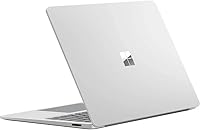
  • Build Materials: Anodized aluminum lid and keyboard deck with a platinum finish that gives a premium, matte appearance.
  • Webcam: 1080p front-facing camera with Windows Studio Effects support for AI-enhanced video call quality.
  • Audio: Dual far-field studio microphones and Omnisonic speakers tuned with Dolby Atmos for clear call and media audio.
  • Keyboard: Full-size backlit keyboard with a glass-covered precision touchpad positioned for comfortable extended typing sessions.
  • Security: Windows Hello sign-in via a fingerprint reader integrated into the power button for fast, passwordless authentication.
  • Power Adapter: Charges via the included 65W Surface Connect adapter; USB-C charging is also supported.
  • Architecture: ARM-based platform (Snapdragon X Plus) running Windows 11 with x86 app emulation for broad software compatibility.

Related Reviews
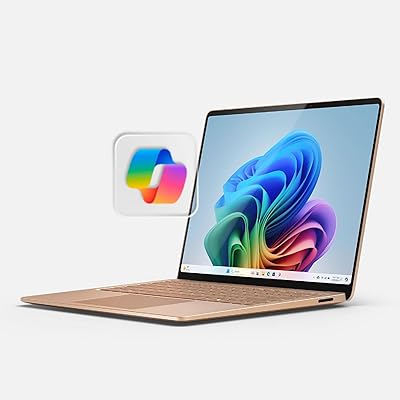
Microsoft Surface Laptop 2024, 13.8″, Snapdragon X Elite, 16GB RAM, 1TB SSD
88%
94%
Performance
91%
Battery Life
89%
Display Quality
92%
Multitasking Capabilities
88%
Build Quality
More
Microsoft Surface Pro 2-in-1 Laptop/Tablet (2024), 13″ OLED, Snapdragon X Elite, 16GB RAM, 1TB Storage
82%
94%
Display Quality
91%
Performance
88%
Battery Life
89%
Portability
75%
Value for Money
More
Microsoft Surface Pro 8 13″ i7 16GB 512GB SSD
86%
91%
Performance
87%
Battery Life
92%
Display Quality
88%
Portability
89%
Build Quality
More
Microsoft Surface Laptop 4 13.5” i5/8GB/512GB
87%
89%
Performance
94%
Portability
88%
Battery Life
90%
Build Quality
87%
Display Quality
More
Microsoft Surface Laptop 15 (2024) – 16GB RAM, 256GB SSD, Snapdragon X Elite
85%
90%
Performance
91%
Battery Life
88%
Display Quality
87%
Touchscreen Responsiveness
85%
Portability
More
Microsoft Surface Pro 8 (i7, 16GB, 256GB)
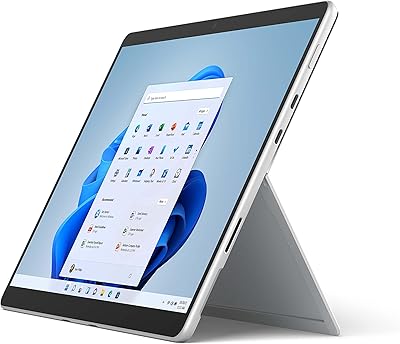
78%
93%
Display Quality
88%
Performance & Speed
91%
Build Quality & Design
62%
Battery Life
58%
Value for Money
More
Microsoft Surface Pro 8 13-inch, Intel Core i7, 32GB RAM, 1TB SSD
86%
91%
Performance for Multitasking
88%
Battery Life
93%
Display Quality
89%
Build Quality
85%
Portability and Weight
More
Microsoft Surface Pro 8 13-inch, Intel Core i5, 8GB RAM, 256GB SSD
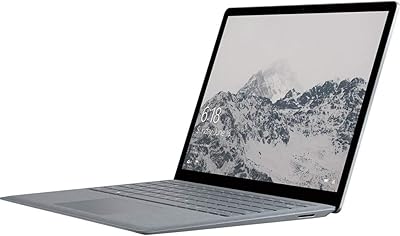
82%
90%
Performance
88%
Display Quality
93%
Portability & Weight
70%
Battery Life
85%
Build Quality
More
Microsoft Surface Laptop 3 13.5-inch, Intel Core i5, 8GB RAM, 256GB SSD
84%
88%
Performance
94%
Portability & Weight
82%
Battery Life
90%
Display Quality
85%
Build Quality & Durability
More
Microsoft Surface Laptop 1769 Intel Core i5, 8GB RAM, 128GB SSD, 13.5-inch
83%
88%
Performance
93%
Portability
91%
Battery Life
84%
Display Quality
90%
Build Quality
More

FAQ

In practice, most users get somewhere between 12 and 15 hours of real mixed-use battery life — think a blend of video calls, browser tabs, and document editing. The 20-hour figure is achievable under light, controlled conditions like document reading at moderate brightness, but it is not representative of a typical workday. That said, it is still among the best battery performers in its class.

The vast majority of mainstream applications — Chrome, Firefox, Slack, Teams, Zoom, the full Microsoft 365 suite, Spotify, and most consumer apps — run without any issues, either natively or through Windows 11's built-in x86 emulation. Where you may run into trouble is with legacy enterprise software, certain VPN clients, older 32-bit applications, or highly specialized engineering and creative tools. If you rely on anything niche, it is worth checking the developer's ARM compatibility status before purchasing.

For users who store most of their files in OneDrive, stream media, and work primarily in cloud-based apps, 256GB is manageable. If you keep large local files — RAW photos, video projects, software archives — it will fill up faster than you expect. A fast external SSD or a well-organized cloud storage plan is a practical companion purchase to consider alongside this machine.

It handles casual photo editing in apps like Lightroom or Photos reasonably well, and light video work in shorter timelines is doable. It is not built for heavy multi-track video exports or 4K color grading, where the integrated GPU and thermal constraints will slow things down. For anything beyond hobby-level creative work, a more GPU-capable machine would serve you better.

It genuinely comes in handy for tasks like scrolling long documents, pinch-zooming on presentations, and annotating PDFs, especially if you work across different environments. It is not a convertible or stylus-first device, so it will not replace a tablet workflow, but the touch layer adds convenience that users tend to appreciate more over time than they expected.

Under typical workloads — emails, video calls, and browser-heavy tasks — the machine runs cool and quiet, and many users barely notice any fan activity. Under sustained heavier tasks, some warmth is perceptible on the palm rest, and occasional throttling has been reported. For daily office and productivity use, thermal behavior is simply not a concern for the vast majority of buyers.

The keyboard is one of the most consistently praised aspects across user reviews. Key travel is deliberate and satisfying, and long writing sessions are genuinely comfortable. The glass-covered trackpad is smooth and precise. If you currently use an older Surface or a premium ThinkPad, the transition will feel natural; the typing experience holds its own against the best Windows laptops available.

Video call performance is a genuine strength. The 1080p webcam produces clear footage, and Windows Studio Effects — which handles background blur, noise cancellation, and automatic framing — works reliably without any third-party app needed. The difference is noticeable in varied lighting conditions, and remote workers on daily calls tend to rate this aspect positively.

There is one USB-C port (with DisplayPort support), one USB-A port, a Surface Connect charging port, and a headphone jack — four connections total. For a minimal setup with one external display and a wireless mouse, you can get by. If you regularly use multiple monitors, external drives, and wired peripherals simultaneously, a USB-C hub is essentially a required accessory rather than an optional one.

The 3:2 aspect ratio immediately sets this Surface Laptop apart from most Windows competitors, which still use 16:9 panels that feel narrow for document and productivity work. The resolution is sharp, colors are accurate with HDR support, and the touchscreen layer does not noticeably hurt brightness or clarity. Users coming from standard widescreen Windows laptops consistently find the display one of the most impactful upgrades they notice in day-to-day use.