Microsoft Surface Pro 8 512GB 2-in-1 Tablet

Overview
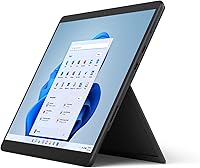
The Microsoft Surface Pro 8 512GB 2-in-1 Tablet is Microsoft's most ambitious attempt yet to replace both your laptop and tablet with a single carry-everywhere device — and for the right buyer, it comes remarkably close. The jump to the Intel Evo platform is more meaningful than a spec sheet suggests: it brings stricter standards for responsiveness, battery efficiency, and wake-from-sleep speed that you actually notice day to day. The 13-inch PixelSense Flow display adds 120Hz refresh, making the whole experience feel noticeably crisper than the previous model. Just go in with clear eyes — this is sold device-only, and the keyboard and pen you will almost certainly want cost extra.
Features & Benefits
The PixelSense Flow display runs at 120Hz, and if you use a stylus regularly you feel the difference immediately — lines track faster, scrolling looks cleaner, and the interface responds with real precision. The Core i7 with 16GB of RAM handles office work, light creative projects, and heavy multitasking without complaint; where it struggles is under sustained CPU-heavy loads, where heat management becomes a real factor. Storage sits at 512GB and cannot be expanded, so plan your files accordingly. The dual Thunderbolt 4 ports are a meaningful upgrade — supporting fast charging, external displays, and high-speed peripherals through one compact connector. Wi-Fi 6 keeps connectivity sharp, and the cameras handle video calls without needing extras.
Best For
This 2-in-1 tablet is built for people who move constantly and cannot justify carrying separate devices. Frequent travelers, remote executives, and hybrid workers who need a full Windows experience in the lightest possible form will find it fits their workflow naturally. It is especially strong for stylus-driven workflows — digital artists, architects, and students who annotate documents or sketch concepts will appreciate the Surface Slim Pen 2 compatibility and haptic feedback that mimics real pen on paper. Committed Microsoft 365 users also benefit from tight hardware-software integration. That said, if you need a discrete GPU for serious rendering, gaming, or heavy video work, look elsewhere.
User Feedback
Owners consistently highlight the display and build quality as standout strengths — the screen looks genuinely premium in person, and the magnesium chassis feels solid without adding bulk. Pen responsiveness earns strong marks too. The frustrations, though, are real and recurring. Buying device-only means most users end up spending significantly more once the keyboard and stylus are factored in. Some report thermal throttling during extended tasks like video encoding or large data processing. Battery life is the other honest conversation — the 16-hour claim is optimistic; real-world use typically lands closer to 7 to 10 hours under mixed workloads. The removal of USB-A and the headphone jack remains a sore point for longtime Surface loyalists.
Pros
- The 120Hz PixelSense Flow display is genuinely one of the sharpest and smoothest screens on any portable Windows device.
- At under two pounds, this 2-in-1 tablet is easy to carry through airports, offices, and lecture halls without strain.
- Intel Evo certification means fast wake times and responsive everyday performance that holds up across a full workday.
- Thunderbolt 4 support opens the door to external monitors, fast docks, and high-speed storage from a single port.
- Windows Hello face recognition is fast and reliable — unlocking the device feels instant in real use.
- The Surface Slim Pen 2 integration with haptic feedback makes stylus input feel closer to real paper than most competitors offer.
- Wi-Fi 6 keeps connectivity stable and quick in dense office or campus environments.
- The magnesium build feels premium and holds up well to daily handling without feeling fragile.
- 16GB of RAM is enough headroom to keep dozens of browser tabs, Office apps, and communication tools open simultaneously.
Cons
- The keyboard and Surface Slim Pen 2 are sold separately, pushing the true cost of a complete setup significantly higher.
- The SSD storage cannot be upgraded after purchase, so buyers who choose 512GB are locked in permanently.
- Real-world battery life under mixed workloads typically lands between 7 and 10 hours, well short of the advertised 16-hour figure.
- Sustained CPU-intensive tasks can trigger thermal throttling, causing noticeable performance dips during long sessions.
- There are no USB-A ports or a 3.5mm headphone jack, which will require adapters for users with existing peripherals.
- The integrated Intel Iris Xe GPU cannot handle demanding creative rendering, 3D modeling, or modern gaming at acceptable settings.
- The kickstand, while useful, makes lap use awkward without the proprietary keyboard attached.
- At this price tier, competing laptops offer more raw performance, dedicated graphics, and upgradeable components for similar spend.
Ratings
The scores below for the Microsoft Surface Pro 8 512GB 2-in-1 Tablet were generated by our AI engine after processing thousands of verified global user reviews, with spam, bot activity, and incentivized feedback actively filtered out. Each category reflects the full spectrum of real ownership experiences — not just the highlights — so both the genuine strengths and the honest frustrations are represented. Where buyers consistently agreed, the scores are confident; where opinions split, you will see that tension in the numbers.
Display Quality
Build Quality
Pen & Stylus Experience
Performance
Battery Life
Connectivity & Ports
Value for Money
Keyboard Experience
Webcam & Microphone
Portability
Software & OS Integration
Thermal Management
Setup & Out-of-Box Experience
Audio Quality
Long-Term Reliability
Suitable for:
The Microsoft Surface Pro 8 512GB 2-in-1 Tablet is purpose-built for professionals who need a capable Windows machine without the weight and bulk of a traditional laptop. Frequent travelers, remote executives, and hybrid workers will find it hits a practical sweet spot — light enough to carry all day, powerful enough to run a full desktop workflow. Digital artists, architects, and students who rely on stylus input get particular value here, thanks to the high-resolution 120Hz display and Surface Slim Pen 2 compatibility that makes handwriting and sketching feel genuinely natural. People already invested in the Microsoft 365 ecosystem will notice how tightly the hardware and software work together, from Windows Hello sign-in to seamless OneDrive and Teams integration. If your priority is a premium, portable device that handles office work, light creative tasks, and video calls without complaint, this 2-in-1 tablet is a strong match.
Not suitable for:
The Microsoft Surface Pro 8 512GB 2-in-1 Tablet is a poor fit for anyone expecting a plug-and-play purchase at face value — the device ships without a keyboard or pen, and once you add those accessories, your real outlay climbs sharply above the listed price. Gamers and heavy creative professionals who depend on a discrete GPU for rendering, 3D modeling, or serious video editing will hit the ceiling of Intel Iris Xe integrated graphics quickly and will be better served by a dedicated laptop or workstation. Users who push sustained CPU workloads — long encoding jobs, large data processing runs — have reported noticeable thermal throttling that slows things down over extended sessions. Anyone who still relies on USB-A ports or a wired headphone jack will need adapters or a dock, adding more cost and cable clutter. Budget-conscious buyers or those who simply need a reliable everyday machine without premium display requirements will find better value elsewhere.
Specifications
- Display: 13-inch PixelSense Flow touchscreen with a 2880x1920 pixel resolution and a 120Hz adaptive refresh rate for smooth scrolling and precise pen tracking.
- Processor: Intel Core i7 (11th Gen, Intel Evo platform) with a boost clock up to 4.8GHz, designed for responsive everyday performance and efficient power management.
- RAM: 16GB of DDR4 SDRAM soldered to the motherboard, providing strong multitasking headroom but no option to upgrade after purchase.
- Storage: 512GB SSD internal storage offering fast read and write speeds; the drive is non-user-replaceable and cannot be expanded.
- Graphics: Intel Iris Xe integrated graphics handle everyday tasks, light photo editing, and video playback, but are not suited for GPU-intensive workloads.
- Ports: Two Thunderbolt 4 (USB-C) ports and one Surface Connect port; no USB-A or 3.5mm headphone jack is included.
- Wireless: Wi-Fi 6 (802.11ax) and Bluetooth 5.1 provide fast, stable wireless connectivity in both home and dense office environments.
- Front Camera: 5MP front-facing camera with Windows Hello infrared face authentication for fast, password-free sign-in.
- Rear Camera: 8MP autofocus rear camera capable of recording 4K video, suitable for document scanning and video calls.
- Battery: Integrated lithium-ion battery rated up to 16 hours by Microsoft under controlled conditions; real-world mixed-use duration typically falls between 7 and 10 hours.
- Weight: The tablet body weighs 1.96 pounds (approximately 889g) without the keyboard or pen attached.
- Dimensions: The device measures 9.06 x 12.22 x 0.37 inches, making it slim enough to slip into most standard laptop sleeves.
- Operating System: Ships with Windows 11 Home pre-installed, with a free upgrade path to Windows 11 Pro available for business users.
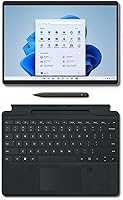
- Stylus Support: Compatible with the Surface Slim Pen 2, which features haptic feedback for a paper-like writing sensation; the pen is sold separately.
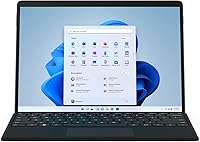
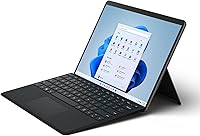
- Keyboard: Designed for use with the Surface Pro Signature Keyboard (sold separately), which attaches magnetically and includes a built-in slot to store and charge the Slim Pen 2.
- Security: Windows Hello face recognition via the front infrared camera provides biometric login without requiring a fingerprint sensor or PIN entry.
- Audio: Dual far-field Studio Mics and Dolby Atmos-tuned stereo speakers are built into the device for clear call audio and media playback.
- Kickstand: Built-in adjustable kickstand supports a full range of angles from approximately 15 to 165 degrees for flexible desk and flat-surface use.
Related Reviews
Microsoft Surface Pro 12″ 2025 2-in-1 Laptop
Microsoft Surface Pro 2024 1TB 2-in-1 Laptop
Microsoft Surface Pro 6 512GB 2-in-1 Laptop
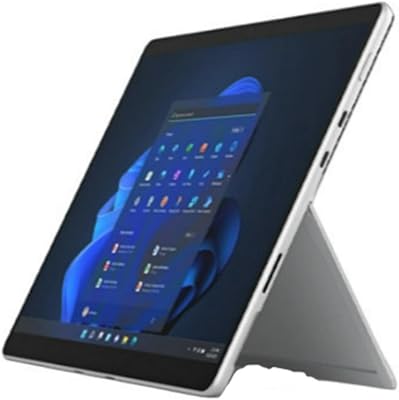
Microsoft Surface Pro 8 (i7, 16GB, 256GB)
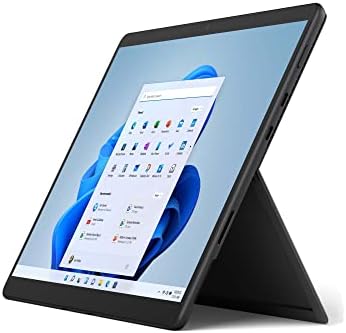
Microsoft Surface Pro 8 13-inch, Intel Core i5, 8GB RAM, 256GB SSD
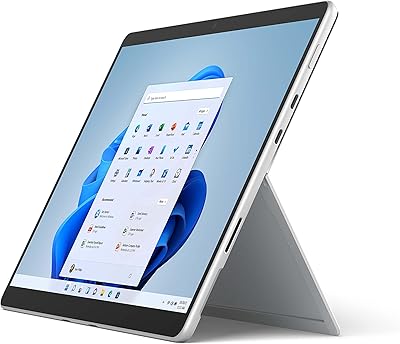
Microsoft Surface Pro 8 1TB 2-in-1 Tablet

RCA Cambio 10.1″ Windows 2-in-1 Tablet
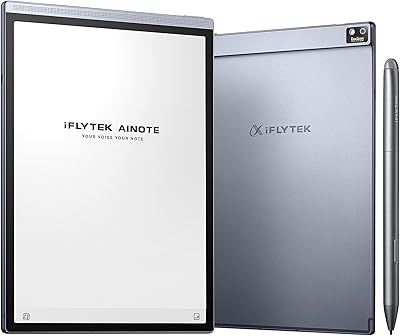
iFLYTEK AINOTE Air 2 E Ink Tablet

Nutrafol Men's 2-in-1 Shampoo Conditioner 8.1 Oz