Overview

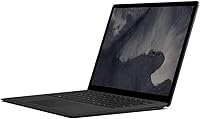
The Microsoft Surface Laptop 2 256GB Laptop represents Microsoft's most confident attempt at a no-nonsense, premium Windows clamshell — refined rather than reimagined. The shift to an 8th Gen Intel Core i5 brings a meaningful performance bump over its predecessor, enough to handle everyday multitasking without breaking a sweat. The matte black finish adds a sharper edge to a design that was already clean and understated. Out of the box, you get full Windows 10 Home — a welcome change from the S Mode restrictions of earlier models. Just set your expectations correctly: this is a productivity-first machine, built for work and focus, not gaming sessions or heavy video editing.
Features & Benefits

The 13.5-inch PixelSense display is genuinely one of this Windows ultrabook's strongest arguments — the 3:2 aspect ratio means you see more of a document or spreadsheet vertically, less scrolling, more context on screen. The 8th Gen i5 handles browser-heavy workdays, video calls, and Office suite work without complaint; just don't expect it to push through demanding video exports or 3D rendering. The 8GB of DDR3L RAM is functional but not generous by today's standards. Battery life in real mixed use tends to land between 9 and 11 hours — short of the rated figure, but enough to cover a full workday. The Alcantara keyboard deck is a genuine pleasure to type on, though the single USB-A port will frustrate anyone running multiple peripherals.

Best For

This Surface Laptop 2 is a strong fit for students and office professionals who spend most of their day in a browser, email client, or productivity suite. If you're deep in the Microsoft 365 ecosystem, the hardware-software integration feels noticeably cohesive. Frequent travelers will appreciate the sub-3-pound weight and slim profile — it genuinely disappears in a bag. Light photo editing and polished presentations are well within its comfort zone. What it isn't built for: video production, game development, or any workflow that demands discrete graphics. If you're upgrading from an aging Windows machine and want something closer to MacBook-level refinement without switching platforms, this Windows ultrabook makes a compelling case.

User Feedback

Owners consistently praise the display and build quality — most agree the screen and fit-and-finish feel well above average for a Windows machine, and the typing experience earns high marks across long-term reviews. On the critical side, the DDR3 memory and absence of USB-C or Thunderbolt are common complaints, especially from buyers who expected more for the price. The Alcantara fabric, while comfortable, has drawn real concerns about staining and visible wear over months of daily use — a fair warning worth heeding. Repairability is essentially nonexistent, which bothers technically minded buyers. Most owners land in a nuanced place: the spec sheet looks thin for the cost, but the overall ownership experience tends to win them over.

Pros

  • The 13.5-inch PixelSense display is sharp, color-accurate, and noticeably better than what most Windows laptops offer at this size.
  • The 3:2 screen ratio gives you more vertical space for documents and web pages, reducing constant scrolling during a workday.
  • Real-world battery life comfortably covers 9 to 11 hours of mixed use — enough for most full working days without a charger.
  • At under 3 pounds, this slim clamshell is genuinely easy to carry in a bag without noticing the extra weight.
  • The Alcantara keyboard deck offers a softer, more comfortable typing experience than the cold aluminum decks found on most rivals.
  • The 8th Gen Core i5 handles everyday multitasking — browsers with many tabs, Office apps, and video calls — without slowdowns.
  • Build quality is premium throughout: the aluminum chassis feels solid, well-assembled, and resistant to flex.
  • Windows 10 Home ships clean and fully unlocked, with none of the app restrictions that hampered earlier S Mode models.
  • The matte black finish resists fingerprints better than glossy alternatives and gives this Windows ultrabook a sharper, more professional look.

Cons

  • A single USB-A port is a real daily frustration — most buyers will need a hub immediately, adding cost and desk clutter.
  • No USB-C or Thunderbolt 3 is a significant omission at this price point, limiting docking and fast-transfer options.
  • DDR3 memory rather than the faster DDR4 standard found in competing laptops is a spec cut that feels hard to justify here.
  • The Alcantara fabric shows staining and wear over time, and it cannot be easily cleaned or replaced.
  • RAM and storage are soldered and non-upgradeable, so what you buy today is what you are stuck with for the life of the machine.
  • The rated 14.5-hour battery figure is optimistic — real mixed-use sessions land meaningfully below that number.
  • Integrated Intel UHD 620 graphics make this slim clamshell unsuitable for any GPU-dependent work or casual gaming beyond very light titles.
  • The 256GB SSD fills up faster than expected once Windows updates, apps, and project files accumulate — storage anxiety is real.
  • Repairability is essentially nonexistent; a screen crack or failed component often means a costly out-of-warranty replacement rather than a fix.

Ratings

The scores below reflect our AI-driven analysis of thousands of verified global owner reviews for the Microsoft Surface Laptop 2 256GB Laptop, with spam, bot activity, and incentivized feedback actively filtered out before any score was calculated. Both the genuine strengths that keep buyers satisfied months after purchase and the recurring frustrations that push others toward alternatives are transparently baked into every number. No category has been inflated — what you see is an honest composite of real-world experience.

Display Quality
93%
The 13.5-inch PixelSense screen earns consistent praise from owners who do document-heavy work, with the 3:2 aspect ratio making a noticeable difference when scrolling through long reports or web pages. Colors are accurate and well-calibrated out of the box, and the resolution holds up comfortably at normal viewing distances.
A small number of users who work extensively in video or photo editing note that the display, while excellent for a laptop, does not cover the full DCI-P3 color gamut needed for professional color grading. Glare in brightly lit offices or near windows can also be a recurring complaint.
Build Quality
91%
The aluminum chassis feels immediately premium — there is minimal flex in the lid and base, and the hinge opens smoothly with one hand at a resistance level owners consistently describe as just right. Buyers upgrading from plastic mid-range Windows machines are often genuinely surprised by how solid this slim clamshell feels in daily use.
A handful of long-term owners report minor cosmetic wear on the aluminum edges over time, particularly around the hinge area and the corner where the lid meets the base. It is not structural, but it is noticeable on a machine at this price point.
Keyboard & Typing Experience
88%
The Alcantara-covered keyboard deck is one of the most polarizing positives this Windows ultrabook offers — people who type for hours daily frequently call it the best keyboard surface they have used on any laptop, citing the soft material underhand and confident key travel. Writers and heavy typists in particular tend to single it out as a genuine reason to choose this machine.
The Alcantara fabric shows visible wear and staining with sustained daily use, and there is no practical way to restore it once it has discolored. Buyers who eat at their desks or work in messier environments often regret not being more careful from day one.
Battery Life
76%
24%
Under light to moderate use — email, browser tabs, and Office apps — most owners comfortably get through a full workday on a single charge, which is the core use case this machine is designed around. For students moving between classes or professionals in back-to-back meetings, the real-world stamina is genuinely reliable.
The rated 14.5-hour figure is an optimistic ceiling that most owners never reach in practice, with realistic mixed-use sessions landing 30 to 40 percent below that number. Users running Teams calls alongside active browser sessions tend to see battery drain faster than expected, and a few reported the battery degrading noticeably after 18 months of daily use.
Performance & Speed
74%
26%
The 8th Gen Core i5 handles the everyday productivity workload — multiple browser tabs, Office applications, Zoom or Teams calls, and light Lightroom edits — without obvious bottlenecks. Boot times are fast and the SSD keeps application launches snappy, which makes the machine feel responsive in daily use even under moderate multitasking.
The DDR3 memory, rather than the faster DDR4 found in competing machines, creates a ceiling that becomes apparent when juggling memory-hungry tasks simultaneously. Users who regularly work with large spreadsheets, multiple virtual desktops, or background processes running alongside a video call report occasional slowdowns that feel inconsistent with the machine's price tier.
Portability
89%
At under 3 pounds and with a genuinely slim profile, this Surface Laptop 2 disappears into a bag in a way that heavier 13-inch machines simply do not. Frequent flyers and commuters who carry their laptop daily consistently rate portability as one of the top reasons they chose this machine over bulkier alternatives.
The charger is a Surface Connect brick that adds meaningful weight and bulk to the carry kit, and its proprietary connector means you cannot top up from a standard USB-C power bank on the road — a limitation that surfaces quickly during travel.
Connectivity & Ports
41%
59%
The single USB-A 3.0 port does at least support standard peripherals without an adapter, and the Surface Connect port delivers reliable, stable charging. For buyers who exclusively use Bluetooth peripherals and wireless everything, the port situation is less of a daily obstacle.
One USB-A port and no USB-C or Thunderbolt is a serious limitation that generates the single loudest recurring complaint across owner reviews — many buyers report purchasing a hub or dock within the first week, which adds expense and undermines the slim, minimal aesthetic. At this price, the port selection feels like a design choice that has not aged well.
Display Size & Ratio
84%
The 3:2 aspect ratio is genuinely appreciated by knowledge workers — it is taller than a standard widescreen display, which means less scrolling when reading documents, emails, or web pages and more visible content at a glance. Owners who switched from 16:9 laptops frequently mention they did not realize how much screen space they were losing until they made the change.
For users who also consume video content or work with wide-format creative software on this machine, the 3:2 ratio introduces noticeable letterboxing during video playback, with black bars taking up a meaningful portion of the screen. It is a trade-off that suits productivity but is less ideal for media consumption.
Value for Money
62%
38%
Owners who prioritize build quality, display refinement, and overall ownership experience over raw spec numbers tend to feel the premium is justified — the machine holds together and performs consistently well beyond the first year, which matters when amortizing the cost over a longer period.
When judged purely by specification per dollar, this Windows ultrabook struggles against competitors offering DDR4 RAM, USB-C, and similar SSD sizes at lower prices. Buyers who approach the purchase with a spec-sheet mindset frequently express post-purchase disappointment, which is reflected in a notable portion of lower-rated reviews.
Software & OS Experience
82%
18%
Shipping with full Windows 10 Home rather than the restricted S Mode version of its predecessor is a meaningful improvement — owners can install any compatible application from the start without workarounds. The hardware-software integration feels cohesive for Microsoft 365 users, with features like Windows Hello facial recognition working quickly and reliably.
Windows 10 Home ships with a noticeable amount of pre-installed bloatware and default app suggestions that some buyers find irritating to clean up. A few long-term owners have also raised concerns about Windows Update behavior consuming SSD space over time, which becomes more pressing given the 256GB storage ceiling.
Touchscreen Responsiveness
78%
22%
The PixelSense display supports touch input accurately and with low latency, which owners who use it for annotating documents, scrolling, or navigating the OS with their fingers find genuinely useful. The 3:2 ratio also makes portrait-style touch interaction more natural than on widescreen panels.
Without a stylus included in the box, the touch capability feels underutilized for creative or annotative tasks unless you invest in a Surface Pen separately. Touch interaction also leaves smudges on the display noticeably faster than on some competing matte-finished screens.
Repairability
29%
71%
For the vast majority of buyers who simply use the machine without ever needing to open it, repairability never becomes a practical concern during the standard ownership period. Microsoft's warranty service is generally considered responsive for covered hardware failures.
Independent repairability is essentially nonexistent — the RAM is soldered, the SSD is non-standard, and the chassis is difficult to open without risking damage. Out-of-warranty repairs are disproportionately expensive relative to the cost of some competing machines, and a single failed component often becomes a total-loss scenario.
Webcam Quality
67%
33%
The front-facing camera produces acceptable video quality for standard video calls and remote meetings, and the Windows Hello facial recognition login that it powers works quickly even in varied indoor lighting. Most buyers using it primarily for Teams or Zoom calls describe it as adequate for professional settings.
In lower light conditions — a dim home office or evening calls — image quality drops noticeably, with increased grain and inconsistent exposure. Buyers who record video content or stream professionally will find the camera a limiting factor and are likely to reach for an external webcam fairly quickly.
Thermal Management
71%
29%
Under typical productivity loads the machine runs quietly — owners who work in libraries or open-plan offices appreciate that the fan rarely becomes audible during document work, browsing, or video calls. The chassis stays comfortably cool on a desk during moderate use.
Under sustained heavier workloads — large file exports, extended video calls with screen sharing, or running multiple demanding applications simultaneously — the fan becomes noticeable and the underside of the chassis gets warm enough to be uncomfortable on a lap. Thermal throttling under peak load has also been flagged in a subset of long-term owner reviews.

Suitable for:

The Microsoft Surface Laptop 2 256GB Laptop is an excellent match for students, remote workers, and office professionals whose daily workload centers on documents, spreadsheets, web browsing, and video calls. If you live inside Microsoft 365 — Word, Teams, Outlook, OneNote — the hardware and software feel genuinely well-matched in a way that generic Windows laptops rarely achieve. Frequent travelers will find the sub-3-pound weight a real advantage on long commutes or back-to-back flights, especially paired with battery life that comfortably covers a full workday in realistic use. Light creative work like photo touch-ups in Lightroom or building polished PowerPoint decks is well within its capability. It also suits anyone upgrading from a mid-range or aging Windows machine who wants a significant step up in build quality and display refinement without switching to macOS.

Not suitable for:

The Microsoft Surface Laptop 2 256GB Laptop is a poor fit for anyone who depends on a wide range of peripherals simultaneously — a single USB-A port and no USB-C or Thunderbolt means you will almost certainly be reaching for a hub or dock from day one, which adds cost and bulk that undermine the slim form factor. Video editors, 3D designers, or developers running resource-heavy local environments will quickly hit the ceiling of the integrated Intel UHD 620 graphics and DDR3 memory combination. Power users who prefer to upgrade RAM or swap storage down the road should look elsewhere entirely, since this Windows ultrabook is effectively sealed — repairability is close to zero. Gamers should give it a hard pass; integrated graphics at this tier handles light indie titles at best. Finally, buyers who are sensitive about long-term material wear should note that the Alcantara keyboard deck, while pleasant to type on, is prone to staining and visible aging with heavy daily use.

Specifications

  • Processor: Powered by an 8th Generation Intel Core i5 running at 1.6 GHz base clock speed.
  • RAM: Equipped with 8GB of DDR3L SDRAM, soldered to the motherboard and not user-upgradeable.
  • Storage: Includes a 256GB solid-state drive for fast boot times and responsive application loading.
  • Display: Features a 13.5″ PixelSense touchscreen with a resolution of 2256×1504 pixels and a 3:2 aspect ratio.
  • Graphics: Runs on integrated Intel UHD Graphics 620, suitable for everyday visual tasks but not GPU-intensive workloads.
  • Operating System: Ships with Windows 10 Home, fully unlocked with no S Mode restrictions.
  • Battery Life: Rated at up to 14.5 hours; real-world mixed use typically yields between 9 and 11 hours.
  • Weight: Weighs 2.76 pounds, making it one of the lighter options in the 13-inch Windows laptop category.
  • Dimensions: Measures 13.5 × 10 × 2 inches, maintaining a slim and compact footprint throughout.
  • Wireless: Supports 802.11ac Wi-Fi for reliable dual-band wireless connectivity.
  • Ports: Connectivity is limited to one USB-A 3.0 port, one Surface Connect port, and a 3.5mm headphone jack.
  • Keyboard Deck: The keyboard surround is covered in Alcantara fabric, a soft microfibre material that provides a distinctive typing feel.
  • Casing Material: The lid and base are constructed from aluminum, contributing to a rigid, premium feel.
  • Color: Available in a matte black finish that resists fingerprints better than glossy or anodized alternatives.
  • Aspect Ratio: The 3:2 display aspect ratio provides more vertical screen real estate compared to the standard 16:9 widescreen format.
  • Repairability: The device is not designed for user repair or component replacement; RAM and storage are non-removable.

Related Reviews
Microsoft Surface Pro 12″ 2025 2-in-1 Laptop
76%
93%
Build Quality
91%
Display Quality
84%
Performance
78%
Battery Life
96%
Portability
More
Microsoft Surface Laptop Go 2 - 12.4″, Intel Core i5, 8GB RAM, 256GB SSD
86%
92%
Portability & Weight
88%
Battery Life
85%
Display Quality
84%
Performance for Everyday Use
89%
Build Quality
More
Microsoft Surface Laptop 1st Gen 256GB
70%
88%
Build Quality
91%
Keyboard Comfort
87%
Display Quality
62%
Performance
61%
Battery Life
More
Microsoft Surface Laptop 2024 13.8″
80%
93%
Display Quality
88%
Battery Life
91%
Build Quality & Design
87%
Performance (Everyday Workloads)
92%
Keyboard & Typing Experience
More
Microsoft Surface Laptop 2024 15″ Laptop
75%
91%
Display Quality
84%
Battery Life
82%
Performance
93%
Build Quality
88%
Keyboard & Trackpad
More
Microsoft Surface Laptop Studio 14.4″ Laptop
73%
93%
Display Quality
88%
Pen Experience
89%
Build Quality
58%
Battery Life
76%
Performance
More
Microsoft Surface Laptop 3 13.5″ Laptop
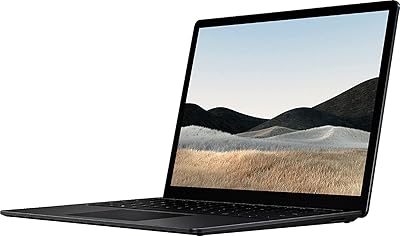
78%
93%
Display Quality
89%
Build Quality
88%
Keyboard & Trackpad
81%
Everyday Performance
74%
Battery Life
More
Microsoft Surface Laptop 4 13.5″ i7 16GB 256GB
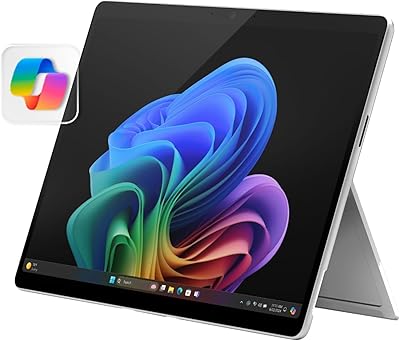
75%
91%
Build Quality
89%
Display Quality
84%
Performance
76%
Battery Life
88%
Keyboard & Trackpad
More
Microsoft Surface Pro 2024 1TB 2-in-1 Laptop
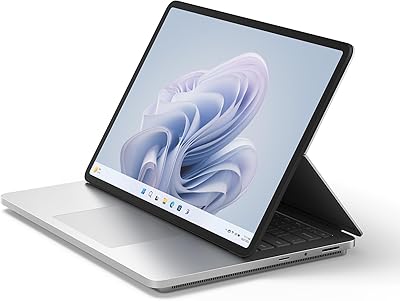
76%
93%
Display Quality
88%
Performance & Speed
81%
Battery Life
63%
Value for Money
86%
Form Factor & Portability
More
Microsoft Surface Laptop Studio 2 1TB Laptop
78%
93%
Display Quality
91%
Build Quality
88%
Performance
89%
Pen & Touch Experience
58%
Battery Life
More

FAQ

Unfortunately, no. Both the RAM and SSD in this Surface Laptop 2 are soldered directly to the motherboard, which means there is no practical upgrade path. What you configure at purchase is what you will have for the lifetime of the machine, so it is worth considering whether 8GB and 256GB will meet your needs two or three years from now.

No, and this is one of the most common frustrations owners mention. This Windows ultrabook ships with only one USB-A 3.0 port and a proprietary Surface Connect port for charging. There is no USB-C or Thunderbolt 3. If you regularly use USB-C accessories, an external monitor, or fast-transfer drives, you will want to budget for a quality USB hub or dock from day one.

Microsoft rates it at up to 14.5 hours, but in realistic mixed use — web browsing, Office apps, and occasional video calls — most owners report landing somewhere between 9 and 11 hours. That is still comfortably enough to cover a full workday without hunting for an outlet, but do not expect to hit the rated figure under normal conditions.

This is a genuine concern worth taking seriously. The Alcantara fabric feels great to type on, but it is a porous material that absorbs oils and can stain over time. Light cleaning with a slightly damp cloth handles surface dust, but deeper stains from spills or everyday hand contact can become permanent. If you tend to eat at your desk or work with dirty hands, this is something to factor into your decision.

Yes, for light to moderate photo editing it performs reasonably well. Importing, culling, and applying basic adjustments in Lightroom Classic is manageable. Heavy batch exports or working with large layered Photoshop files will push the processor and integrated graphics noticeably, and you may find yourself waiting. It is not a dedicated creative workstation, but it can handle that kind of work in a pinch.

It is a strong option for students who primarily deal with documents, research, web browsing, and presentations. The long battery life, low weight, and sharp display make it well-suited to classroom and library use. The price point is on the higher side compared to other student-focused laptops, so it makes the most sense for students who also need a polished, reliable machine for internships or professional environments.

Yes, Windows 10 Home works fully offline. All your locally installed applications — Office, desktop tools, media players — run without needing a connection. Cloud-dependent services like OneDrive syncing or Microsoft 365 online features obviously require Wi-Fi, but for standard offline work this slim clamshell performs just fine.

The two are closer in spirit than in spec. Both prioritize portability, battery life, and build quality over raw performance. The Surface edges ahead on display quality thanks to the higher-resolution 3:2 screen, and the Alcantara deck gives it a tactile feel the MacBook Air cannot match. On the other hand, Apple's ecosystem integration and generally longer software support cycle are real advantages for Mac buyers. If you are committed to Windows, this is as refined as Windows laptops get at this size.

Yes, but you will need an adapter since there is no DisplayPort or HDMI output built in. The USB-A port can drive a display via a compatible USB-A to HDMI adapter, or you can use the Surface Dock connected through the Surface Connect port for a cleaner multi-monitor setup. It is workable, but less plug-and-play than laptops with native video output ports.

Yes, Microsoft's slim clamshell includes a Windows Hello-compatible camera for facial recognition login, which works quickly and reliably in most lighting conditions. There is no fingerprint reader on this model, so face recognition is the only biometric option available, but in practice it handles the job well.

Where to Buy