Overview

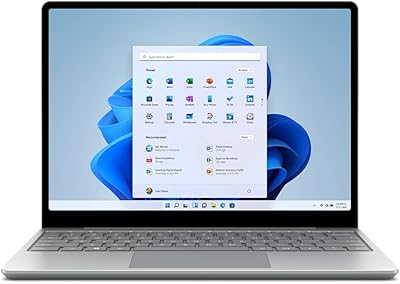
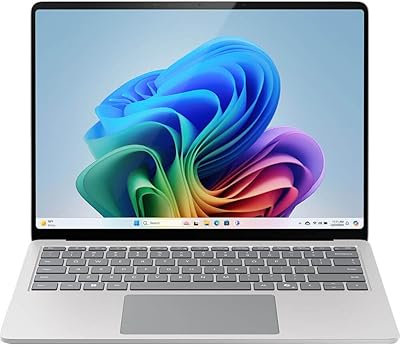
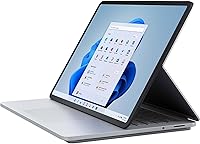
The Microsoft Surface Laptop Studio 14.4″ Laptop is Microsoft's most ambitious attempt yet at a device that genuinely works across multiple use cases — not just as a marketing claim. The hinge mechanism allows it to shift between a standard clamshell, a reclined stage position for media, and a flat canvas mode for pen work. Build quality is solid; the platinum aluminum chassis feels considered rather than flashy. Compared to other premium convertibles in this price range, it holds its own on design and display, though it asks buyers to accept some real trade-offs. If you need a pen-first creative machine with a polished Windows experience, this is worth serious consideration. If you need raw GPU power, it isn't.

Features & Benefits

The PixelSense Flow display is genuinely one of the standout reasons to consider the Laptop Studio. Running at up to 120Hz with Dolby Vision IQ, colors adapt dynamically to ambient light, and the 2400x1600 resolution at a 3:2 aspect ratio gives you noticeably more vertical screen space than widescreen laptops. The Intel Core i5-11300H handles everyday workloads and moderate creative tasks without complaint. Paired with 16GB of RAM, multitasking stays fluid. The 256GB SSD, however, fills up faster than you'd expect at this tier — an external drive or cloud storage quickly becomes less optional, more necessary. The Surface Slim Pen 2 charges magnetically under the keyboard, a practical detail that actually encourages you to use it.

Best For

This Surface convertible makes the most sense for digital artists, illustrators, and designers who want a portable drawing surface that also functions as a proper laptop. The pen-on-canvas experience is qualitatively different from most Windows convertibles — pressure sensitivity and natural feedback make it feel less like a workaround and more like a dedicated tool. It also suits professionals embedded in the Microsoft 365 world who want a refined, well-integrated machine for daily productivity. Students who toggle frequently between typing and stylus-based note-taking will find the mode transitions quick and intuitive. Anyone expecting to run demanding 3D software or video rendering should look at machines with discrete graphics — Intel Iris Xe has its limits.

User Feedback

Owners consistently praise the display quality and the thoughtfulness of the magnetic pen storage — two details that come up repeatedly as genuine differentiators. The hinge mechanism earns positive mentions for feeling sturdy over time. On the downside, the port situation draws real frustration; two USB-C/Thunderbolt ports and a headphone jack pushes most users toward a hub almost immediately. The base storage reads as undersized at this price tier, and several buyers flag it early in their ownership. Battery life reports vary widely — real-world usage under load tends to land well below the claimed 19 hours, which is worth factoring in. Keyboard and trackpad quality, at least, rarely attract complaints.

Pros

  • The 14.4″ PixelSense Flow display is genuinely one of the best screens available on a Windows convertible.
  • 120Hz refresh rate makes scrolling and inking feel noticeably smoother than on most competitors.
  • The three-mode hinge design is well-executed and holds its position reliably over repeated use.
  • Surface Slim Pen 2 magnetic storage and charging under the keyboard is a practical, well-integrated solution.
  • The 3:2 aspect ratio gives substantially more vertical space than widescreen laptops for documents and design work.
  • 16GB of RAM keeps multitasking fluid even with multiple creative applications running simultaneously.
  • Wi-Fi 6 support ensures fast, stable wireless performance on modern networks.
  • Build quality feels premium and durable, with no flex or creaking in typical daily use.
  • The keyboard and trackpad experience is consistently well-regarded, making it comfortable for long typing sessions.
  • Dolby Vision IQ adapts display output to ambient lighting, which is a genuinely useful feature for varied work environments.

Cons

  • Base 256GB SSD fills up quickly for creative professionals managing large project files.
  • Real-world battery life under moderate-to-heavy load falls well short of the 19-hour claim.
  • Only two Thunderbolt ports means most users will need a hub or dock from day one.
  • Intel Iris Xe graphics rule out GPU-heavy workflows like 3D rendering or serious video editing.
  • The Laptop Studio is noticeably heavier than most ultrabooks at 5.62 pounds, which adds up during commutes.
  • The Surface Slim Pen 2 is sold separately, which stings at this price point.
  • 11th Gen Intel hardware is aging, with newer generations offering meaningfully better efficiency and performance.
  • No built-in SD card slot limits convenience for photographers who work directly from memory cards.
  • Upgrading storage or RAM post-purchase is not possible, so the base configuration is a long-term commitment.

Ratings

Our AI-generated scores for the Microsoft Surface Laptop Studio 14.4″ Laptop were built by analyzing thousands of verified global buyer reviews, with spam, bot activity, and incentivized submissions actively filtered out before scoring. Each category reflects the honest spread of real user sentiment — strengths are credited where earned, and recurring pain points are scored without softening. The result is a transparent, balanced picture of where this Surface convertible genuinely delivers and where it falls short.
Display Quality
93%
The PixelSense Flow panel draws consistent praise from designers, architects, and everyday users alike — the 2400x1600 resolution at 3:2 ratio makes documents and illustrations look sharp and spacious. Dolby Vision IQ adapts the image intelligently in changing light, which users working near windows particularly appreciate. The 120Hz refresh rate makes scrolling and inking feel noticeably more fluid than typical laptop displays.
A small number of users report slight reflectivity on the glossy surface in bright office environments, which can cause eye strain during long sessions. Brightness levels, while good, fall short of some competing premium panels in direct sunlight scenarios.
Pen Experience
88%
Users who draw, annotate, or sketch regularly describe the Surface Slim Pen 2 interaction as closer to paper than most stylus experiences on Windows — the haptic feedback and low latency make a meaningful difference in day-to-day creative work. The magnetic under-keyboard storage means the pen is always charged and within reach, which encourages actual daily use rather than leaving it in a bag.
The pen itself is sold separately, which frustrates buyers who expected it bundled at this price tier. Users who tried third-party styluses report a noticeably degraded experience, meaning you are effectively locked into Microsoft's own accessory ecosystem to get full value.
Build Quality
89%
The aluminum chassis feels solid and purposeful — there is no flex in the keyboard deck or lid, and the hinge mechanism maintains its position confidently across all three modes without loosening over months of use. Owners who travel with this Microsoft 2-in-1 regularly report that it holds up well against the wear of daily commuting and bag-tossing.
At 5.62 pounds, the build quality comes with a weight penalty that some users find tiring on longer commutes or when working from a couch or cafe without a stable surface. The Platinum finish, while refined, shows fingerprints on the lid and palm rest more readily than matte alternatives.
Battery Life
58%
42%
Under light use — basic document work, video calls, and browsing with screen brightness dialed back — some users do approach the higher end of realistic battery estimates. For short travel days or meetings without a charger nearby, it can get through a half-day without issue.
The 19-hour official claim does not hold up under real workloads, and many users express frustration at the gap between marketing and reality. With the H-Series processor under moderate load, 6 to 9 hours is a more honest expectation, making the charger a near-mandatory travel companion — an awkward position for a premium portable device.
Performance
76%
24%
For productivity-focused workloads — multiple browser tabs, Office applications, light Photoshop sessions, and video calls — the Core i5-11300H and 16GB of RAM keep things moving without noticeable hesitation. Users running Microsoft 365-heavy workflows day-to-day consistently describe it as capable and unfussy.
The 11th Gen H-Series architecture is showing its age against newer chip generations, and users doing more demanding creative work notice thermal throttling under sustained load. It is not a machine that will handle complex 3D modeling, serious video rendering, or modern games at respectable settings.
Storage Value
47%
53%
The SSD itself is fast, with read and write speeds consistent with quality NVMe storage — application launches and file transfers are snappy in everyday use. For users who rely primarily on cloud storage and stream media rather than storing locally, 256GB can stretch adequately.
The base 256GB allocation is the single most complained-about specification in owner reviews at this price tier — designers and creative professionals routinely find it exhausted within weeks. Since storage cannot be upgraded post-purchase, buyers are effectively forced into external drives or cloud subscriptions from day one, adding both cost and inconvenience.
Port Selection
44%
56%
Both ports support Thunderbolt 4, which means a single high-quality hub can unlock a full workstation setup — monitors, USB-A peripherals, and SD cards — with minimal latency. Users who invest in a quality dock report that it mitigates the limitation well at a desk.
Two USB-C ports and a headphone jack is a configuration that generates genuine frustration among owners who did not anticipate the need for a hub. Photographers with SD cards, users with USB-A accessories, and anyone connecting an HDMI monitor directly are immediately impacted, making the hub an effectively mandatory accessory purchase.
Keyboard & Trackpad
86%
The keyboard earns consistently positive feedback from writers, coders, and professionals who spend extended hours typing — key travel and spacing make it comfortable for full-day use without fatigue. The trackpad is large, responsive, and accurate, which is particularly appreciated during stylus-and-touch-heavy workflows where precision switching matters.
A small subset of users find the key travel shallower than they prefer, especially those coming from ThinkPad-style keyboards. There are occasional reports of the trackpad behaving unpredictably when the device is in stage mode and resting on a lap.
Hinge & Mode Design
83%
The three-mode hinge concept is well-executed in practice — transitions between laptop, stage, and canvas positions feel deliberate and smooth, and the mechanism holds its angle firmly. Users who regularly sketch in canvas mode or prop it up for presentations describe the design as genuinely functional rather than a novelty feature.
New users often need a brief adjustment period to manage the hinge transitions confidently, particularly when switching to canvas mode one-handed. The mechanism adds structural complexity that slightly concerns some users about long-term wear, though widespread hinge failure reports are not common.
Display Versatility
81%
19%
The 3:2 aspect ratio is a real productivity advantage — users editing documents, browsing long-form content, or sketching in portrait-style orientations get noticeably more vertical space than on widescreen displays. Touch input is accurate and responsive, making web navigation and canvas interaction feel natural even without the pen.
Widescreen media content — films and YouTube videos — results in black bars due to the taller aspect ratio, which some users find distracting. The glossy panel also picks up reflections in brightly lit environments, reducing visual comfort for users near windows.
Value for Money
62%
38%
For users whose workflow centers on pen input and multi-mode flexibility, the Laptop Studio offers a combination of features not easily replicated by competitors at any price — that unique positioning gives it genuine value for the right buyer. The display quality and build alone are strong arguments for the premium positioning.
For the asking price, the base configuration — 256GB storage, integrated graphics, and 11th Gen hardware — leaves many buyers feeling undersupplied. Competing premium Windows laptops in the same range offer more storage, newer processors, or discrete GPUs, making the value calculation a tough one unless the pen-and-hinge combination is central to your workflow.
Thermal Management
67%
33%
Under light to moderate loads, the Laptop Studio stays cool and quiet — casual users working on documents or in video calls rarely notice fan activity. The chassis dissipates heat reasonably well across the magnesium alloy base during typical productivity use.
Under sustained heavy workloads — extended Photoshop sessions, compiling code, or prolonged video exports — users notice fan noise ramping up and surface temperatures rising in the lower-center area of the base. Thermal throttling under extended load can reduce performance noticeably, which is a genuine frustration for users pushing it near its limits.
Software & Ecosystem
84%
Windows 11 Home is well-optimized for the Laptop Studio hardware, and the integration with Microsoft 365, OneDrive, and Surface-specific features like the pen toolbar feels cohesive and polished. Users already embedded in Microsoft's ecosystem report that setup and daily workflow feel intuitive and well-connected.
A handful of early owners reported driver-related issues and occasional software glitches in the first months post-launch, though most were addressed through Windows Update over time. Users who rely heavily on macOS-exclusive applications will find no native compatibility path, which limits the audience for cross-platform professionals.
Portability
66%
34%
The footprint is compact relative to its screen size, and the device slides into a standard 14-inch laptop sleeve without issue. For users who move between meeting rooms or workspaces within a building, it carries without much friction.
At 5.62 pounds, the Laptop Studio is noticeably heavier than most ultrabooks in its size class — users who commute on foot or carry their bag for long stretches consistently flag the weight as a daily drawback. It is a trade-off of the robust hinge mechanism and premium chassis, but it does limit the appeal for truly mobile-first buyers.
Audio Quality
74%
26%
The built-in speakers deliver clear, balanced sound for a laptop at this size — video calls, streaming, and casual music playback are all handled competently without the tinny quality common in thin devices. Users working from home on video conferencing tools report that the microphone array picks up voice clearly with minimal background noise.
Bass response is limited, which audiophiles and users who listen to music or watch films without headphones will notice. At maximum volume, the speakers can sound slightly compressed, making headphones the better choice for any serious audio work or extended media consumption.

Suitable for:

The Microsoft Surface Laptop Studio 14.4″ Laptop is genuinely well-suited for digital artists, illustrators, and designers who want a single device that functions as both a capable laptop and a responsive drawing surface. The pen input quality and the flat canvas mode make it a practical choice for anyone who regularly sketches, annotates, or creates visually — not just occasionally. Professionals who live inside Microsoft 365 and want a polished, well-integrated Windows machine for daily work will also find it a natural fit. Students in design, architecture, or fine arts programs benefit from the mode flexibility and the high-resolution display, especially for detailed visual work. Hybrid workers who need to switch quickly between typing and stylus-based note-taking will appreciate how intuitive those transitions feel in practice.

Not suitable for:

Buyers expecting the Microsoft Surface Laptop Studio 14.4″ Laptop to double as a capable workstation for GPU-intensive tasks will run into a hard wall — Intel Iris Xe integrated graphics simply cannot handle demanding 3D rendering, serious video production, or modern gaming at playable settings. The base 256GB SSD is a genuine constraint for anyone managing large creative files, video footage, or extensive software libraries without a constant external storage solution nearby. Power users who regularly work unplugged for extended sessions should also temper their expectations; the H-Series processor delivers real performance gains, but it draws more power than the thin-and-light chips found in ultrabooks, meaning real-world battery life is noticeably shorter than the advertised figure. Anyone who relies on a full suite of peripherals or avoids dongles will find two Thunderbolt ports a frustrating limitation from day one. And if budget is a primary concern, there are Windows convertibles with comparable specs available for meaningfully less.

Specifications

  • Screen Size: The display measures 14.4 inches diagonally with a 3:2 aspect ratio, providing more vertical screen real estate than standard widescreen laptops.
  • Resolution: The PixelSense Flow touch display runs at 2400 x 1600 pixels, delivering sharp, detailed visuals suitable for design and creative work.
  • Refresh Rate: The panel supports a refresh rate of up to 120Hz, which contributes to smoother scrolling, inking, and on-screen motion.
  • Display Tech: Dolby Vision IQ technology dynamically adjusts brightness and contrast based on ambient lighting conditions and on-screen content.
  • Processor: Powered by an Intel Core i5-11300H quad-core H-Series processor running at 2.6GHz base, part of Intel's 11th Generation architecture.
  • Memory: The system includes 16GB of LPDDR4X RAM, which is soldered to the board and cannot be upgraded after purchase.
  • Storage: Internal storage is a 256GB solid-state drive; no additional storage slots are available, making external solutions or cloud storage advisable for heavy users.
  • Graphics: Graphics are handled by Intel Iris Xe integrated GPU, capable of light creative and productivity tasks but not suited for GPU-intensive rendering or gaming.
  • Operating System: Ships with Windows 11 Home pre-installed, providing access to the full Microsoft 365 ecosystem and the Windows Store.
  • Wireless: Wi-Fi 6 (802.11ax) is built in, offering faster throughput and better performance in congested network environments compared to prior Wi-Fi standards.
  • Battery Life: Microsoft claims up to 19 hours of battery life; real-world usage under typical workloads will vary, particularly with the H-Series processor active.
  • Weight: The device weighs 5.62 pounds, which is heavier than most ultrabooks and worth factoring in for users who carry their laptop throughout the day.
  • Dimensions: Physical measurements are 9.84 x 13.63 x 2.4 inches, giving it a footprint comparable to a 13-to-14-inch traditional laptop.
  • Pen Support: Compatible with the Surface Slim Pen 2, which charges and stores magnetically beneath the front edge of the keyboard deck when not in use.
  • Ports: Connectivity is limited to two USB-C Thunderbolt 4 ports and a 3.5mm headphone jack; no USB-A, HDMI, or SD card slot is included.
  • Color & Build: The chassis is finished in Platinum and constructed from aluminum, with a solid, flex-resistant build throughout the lid, base, and hinge assembly.
  • Aspect Ratio: The 3:2 display ratio is taller than the 16:9 standard, making it better suited for document editing, web browsing, and vertical canvas work.
  • Chipset: The Intel chipset supports DDR4 SDRAM memory architecture, consistent with the LPDDR4X RAM configuration used in this model.

Related Reviews
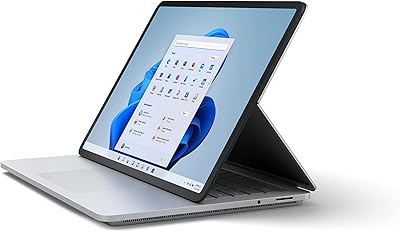
Microsoft Surface Laptop Studio 512GB Laptop
74%
93%
Display Quality
91%
Build Quality
78%
Performance
88%
Pen Experience
86%
Form Factor & Versatility
More
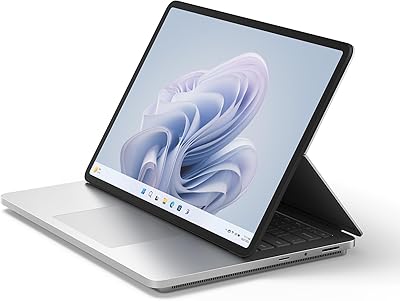
Microsoft Surface Laptop Studio 2 1TB Laptop
78%
93%
Display Quality
91%
Build Quality
88%
Performance
89%
Pen & Touch Experience
58%
Battery Life
More
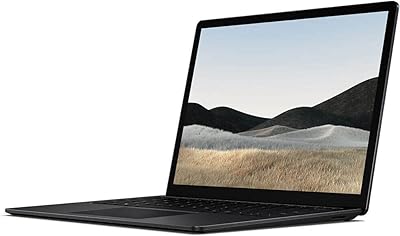
Microsoft Surface Laptop 4 13.5-inch 512GB
74%
91%
Display Quality
88%
Build Quality
87%
Keyboard & Trackpad
74%
Performance
71%
Battery Life
More
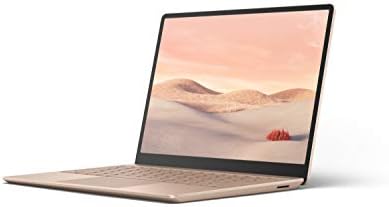
Microsoft Surface Laptop Go - 12.4″, Intel Core i5, 8GB RAM, 128GB SSD
83%
92%
Value for Money
96%
Portability/Size/Weight
89%
Battery Life
81%
Display Quality
84%
Performance
More
Microsoft Surface Laptop Go 2 - 12.4″, Intel Core i5, 8GB RAM, 256GB SSD
86%
92%
Portability & Weight
88%
Battery Life
85%
Display Quality
84%
Performance for Everyday Use
89%
Build Quality
More
Microsoft Surface Laptop 4 13.5″ i7 16GB 256GB
75%
91%
Build Quality
89%
Display Quality
84%
Performance
76%
Battery Life
88%
Keyboard & Trackpad
More
Microsoft Surface Laptop Go 3 Notebook
79%
91%
Build Quality
93%
Portability
84%
Display Quality
78%
Performance
74%
Battery Life
More
Microsoft Surface Laptop 1st Gen, 256GB Storage, 8GB RAM
85%
92%
Portability & Design
88%
Battery Life
91%
Keyboard Comfort
74%
Display Quality
85%
Performance for Everyday Use
More
Microsoft Surface Laptop 2 Core i5 8GB RAM 256GB SSD
84%
87%
Performance
91%
Battery Life
89%
Portability
93%
Build Quality
88%
Display Quality
More
Microsoft Surface Laptop 2024 13.8″
80%
93%
Display Quality
88%
Battery Life
91%
Build Quality & Design
87%
Performance (Everyday Workloads)
92%
Keyboard & Typing Experience
More

FAQ

No, the Surface Slim Pen 2 is sold separately. The Laptop Studio is designed to support it with magnetic charging and storage built into the keyboard area, but you will need to purchase the pen independently if you plan to use that functionality.

Unfortunately, no. Both the 16GB RAM and 256GB SSD are integrated into the motherboard and cannot be swapped or expanded post-purchase. This makes it especially important to evaluate the base storage carefully before buying, since 256GB fills up faster than most people expect.

The official figure of 19 hours is measured under ideal, light-usage conditions. In practice, with the H-Series processor handling real workloads, browser tabs open, and the 120Hz display active, most users report significantly shorter runtime — often in the range of 6 to 10 hours. If you work long hours away from an outlet, plan to carry the charger.

For moderate use — compositing, illustration, vector design, and light photo editing — it handles Adobe Creative Cloud applications reasonably well. The display quality and pen input make the experience genuinely pleasant for that kind of work. Where it struggles is with very large files, complex layer stacks, or tasks that push the integrated GPU, so professional production-level work may feel slow at times.

They serve somewhat different audiences. The MacBook Pro at a comparable size typically offers stronger CPU and GPU performance, along with better sustained battery life. The Laptop Studio counters with its unique multi-mode hinge, native pen support, and a taller 3:2 display. If you work primarily on Windows, use a stylus regularly, or need the canvas and stage modes, the Laptop Studio makes sense. If raw performance and battery efficiency are the priority and you are open to macOS, the MacBook Pro has the edge.

Almost certainly yes, if you use any USB-A accessories, an external monitor via HDMI, or an SD card reader. The device ships with only two Thunderbolt 4 USB-C ports and a headphone jack. A quality USB-C hub is effectively a required accessory for most users, which is worth budgeting for alongside the device itself.

The Laptop Studio is optimized for Microsoft's Surface Slim Pen 2, which takes full advantage of the haptic feedback and magnetic charging built into the keyboard. Other styluses using the Microsoft Pen Protocol (MPP) may work for basic input, but you will lose the pen-docking feature and potentially some pressure sensitivity fidelity. For the best experience, Microsoft's own pen is the right match.

General owner feedback suggests the hinge holds up well under regular use, staying firm in each position without feeling loose over time. It is a more complex mechanism than a standard 360-degree hinge, but Microsoft has iterated on Surface hinge engineering for years and the construction feels solid. There are no widespread reports of hinge failure in typical daily use.

Light gaming is possible — older titles, indie games, and casual games at lower settings will run acceptably. Anything modern or graphically demanding will struggle, as Intel Iris Xe integrated graphics are not built for that load. If gaming is a meaningful part of how you use a laptop, this is not the right machine for it.

The keyboard is one of the more consistently praised aspects of this Surface convertible among owners. Key travel is comfortable, the layout is sensible, and the trackpad is responsive and well-sized. Writers and coders who spend hours at the keyboard typically report no fatigue or frustration with it — it is one area where the Laptop Studio does not ask for compromise.