Overview

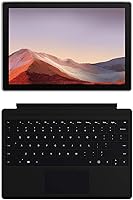
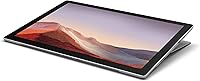
The Microsoft Surface Pro 7 2-in-1 Tablet occupies a well-defined niche in the Windows portable market — it's the machine you reach for when a real laptop experience is needed but bulk isn't welcome. Pick it up and the first impression is how slim and solidly built it is, without anything feeling flimsy or compromised. The bundled Black Type Cover makes this a more complete out-of-box experience than most tablets offer at a comparable tier, shifting it meaningfully closer to a full laptop replacement. Just keep expectations grounded: this 2-in-1 is genuinely strong for everyday productivity tasks, but it was never intended to replace a workstation for demanding workloads.

Features & Benefits

The 12.3-inch PixelSense display is one of the clearest strengths here — crisp text, accurate colors, and responsive touch input that works just as well with a fingertip as with a stylus. The 10th Gen Core i5 delivers a noticeable step up in day-to-day responsiveness compared to its predecessor, keeping things moving smoothly across Office apps, browser tabs, and video calls. Having both USB-C and USB-A on the same device addresses a long-running frustration from prior Surface Pro owners and meaningfully broadens connectivity options. Bluetooth 5.0 handles peripherals reliably, and the fast-charging capability means a short break can restore a substantial portion of the battery before heading back out.

Best For

This Surface Pro 7 is a natural fit for anyone whose daily life involves constant movement and a reliance on Microsoft tools. Frequent travelers, remote workers, and students juggling lectures, notes, and assignments will find the combination of light weight, Windows Hello sign-in, and tight OneDrive integration genuinely practical. Creative students — architects, designers, educators — will appreciate how naturally pen input functions on the display for annotation and sketching. What this 2-in-1 is not suited for is heavy lifting: video rendering, 3D modeling, or anything that pushes the integrated graphics hard. Those workflows hit the ceiling quickly, and a dedicated machine would serve them far better.

User Feedback

Across a large pool of verified buyers, the Surface tablet holds a solid 4.3-star rating. The display and overall build quality receive the most consistent praise — users frequently describe the screen as a standout and the hardware as premium-feeling. The Type Cover keyboard reviews well for a flat attachment, though typing on a lap reveals some flex that a traditional laptop keyboard avoids. Storage space is the most repeated complaint: 128GB fills up faster than expected once the operating system, updates, and a handful of apps settle in. Battery life generally meets expectations for moderate use, though heavier users occasionally find real-world endurance falls short of the advertised figure.

Pros

  • The high-resolution PixelSense display is genuinely sharp and color-accurate, making it a pleasure for reading, media, and creative work.
  • At under two pounds, the Surface tablet disappears in a bag — portability is a real, everyday advantage.
  • Having both USB-C and USB-A ports eliminates the dongle dependency that plagued earlier Surface models.
  • The bundled Type Cover adds significant practical value, making this feel like a complete package rather than a tablet needing expensive extras.
  • Windows Hello facial recognition is fast and reliable, cutting out the frustration of passwords in a busy workday.
  • Fast charging recovers most of the battery during a short break, reducing anxiety about running out mid-day.
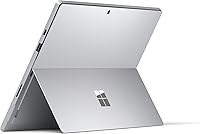
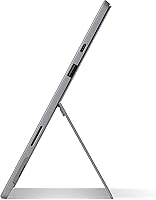
  • The adjustable kickstand handles a genuinely wide range of working positions, from upright desk use to nearly flat drawing mode.
  • Bluetooth 5.0 keeps peripherals like mice and headphones connected with noticeably less lag than older standards.
  • The 10th Gen Core i5 handles multitasking across Office apps, browser tabs, and video calls without stalling.
  • Build quality feels premium and durable — this is a device that holds up to daily handling without feeling fragile.

Cons

  • The 128GB base storage fills up fast once Windows updates and core apps settle in — cloud storage becomes a necessity, not a choice.
  • Integrated graphics hit their limits quickly under any sustained creative or processing load, leaving demanding users waiting.
  • The Type Cover flexes noticeably when used on a lap, which undermines the laptop-replacement experience in non-desk settings.
  • Fan noise becomes audible under prolonged workloads, which can be distracting in quiet environments like libraries or meetings.
  • Real-world battery life for heavy users can fall meaningfully short of the advertised maximum, requiring more frequent charging stops.
  • The kickstand requires a flat surface to be useful — unlike a clamshell laptop, it is awkward to use standing up or in tight spaces.
  • No built-in LTE option means relying on Wi-Fi or a phone hotspot when working away from a known network.
  • The Surface Pen is not included despite the display being optimized for it, adding an extra cost for users who want the full creative experience.
  • Thermal throttling under sustained workloads can cause performance dips, meaning burst speed does not always represent sustained speed.
  • Upgrading RAM or storage after purchase is not possible — what you configure at purchase is what you have for the device's lifetime.

Ratings

The scores below reflect our AI-driven analysis of thousands of verified global user reviews for the Microsoft Surface Pro 7 2-in-1 Tablet, with spam, bot-submitted, and incentivized feedback actively filtered out before scoring. Each category was weighted against real usage patterns — from daily commuters to college students to remote professionals — so the numbers reflect lived experience, not marketing claims. Both the standout strengths and the genuine frustrations are represented here without softening either side.

Display Quality
93%
The PixelSense screen consistently ranks as the device's most praised feature across review cohorts — users describe text as crisp enough to read comfortably for hours and colors as accurate enough for basic photo work without calibration. Outdoor readability also earns positive mentions from commuters and travelers.
A small but consistent group of users notes that the 3:2 aspect ratio, while excellent for documents, results in black bars when watching standard widescreen video content. Reflectivity on the glossy panel can also be distracting in bright window-lit office environments.
Build Quality
89%
The magnesium alloy chassis feels premium in hand — users repeatedly describe it as solid and confident, with no flex or creaking even after months of daily bag-and-out use. The fit and finish of the kickstand mechanism draws particular praise for staying exactly where you set it.
The corners and edges are prone to cosmetic scuffs and dents from everyday drops, which show more visibly on the platinum finish than darker alternatives. A few long-term owners report the kickstand hinge loosening slightly over time with heavy repeated use.
Portability
91%
At under two pounds for the tablet alone, this 2-in-1 is one of the lightest full-Windows machines in its class, and users who carry it daily — in backpacks, on public transit, through airports — consistently highlight how little they notice the weight by the end of a long day.
When the Type Cover and charger are added to a bag, the combined weight becomes more comparable to a thin ultrabook, slightly undermining the ultra-portable advantage. The charger itself is proprietary, adding bulk if you also need to carry USB-C charging cables for other devices.
Performance
76%
24%
For the core professional workload — Office suite, Teams calls, browser-heavy research sessions, and PDF workflows — the 10th Gen Core i5 keeps up without complaint, and users transitioning from older Surface models notice a genuine improvement in responsiveness during multitasking.
Sustained workloads expose the thermal ceiling quickly; users attempting extended video exports, large Lightroom catalogs, or running multiple virtual environments report noticeable slowdowns and audible fan activity. The integrated graphics create a hard ceiling that disappoints users who expected more creative headroom.
Battery Life
71%
29%
Under moderate use — a mix of document editing, video calls, and streaming — most users comfortably clear a full workday without reaching for the charger. The fast-charge capability is a practical lifesaver for users who can grab 45 minutes of charging between meetings.
The 10.5-hour rating proves optimistic under real-world conditions for heavy users; those with screen brightness up, multiple apps running, and Bluetooth active often report landing closer to 6 to 7 hours. Battery degradation over 18 or more months of ownership is also a recurring concern in longer-term reviews.
Keyboard Experience
68%
32%
The included Type Cover keyboard is better than most snap-on tablet keyboards on the market — key spacing is reasonable, the trackpad is responsive, and the overall layout is standard enough that most users adapt within an hour of first use.
Lap use is the consistent weak point: the kickstand-and-keyboard combination lacks the stability of a traditional clamshell laptop, and the keyboard fabric flexes under firm typing pressure on uneven surfaces. Users who spend long hours writing on trains or sofas find this trade-off genuinely limiting.
Storage
52%
48%
The SSD is fast — application launches and file transfers feel snappy, and the overall system responsiveness benefits from solid-state storage throughout. Users working primarily through cloud platforms like OneDrive report managing the space adequately with some discipline.
128GB is genuinely tight for a primary machine in 2024. Windows system files and cumulative updates consume a substantial portion, leaving users managing storage alerts within the first few months. The lack of expandable internal storage means this constraint is permanent, not fixable.
Connectivity
84%
The addition of USB-C alongside USB-A was a meaningful improvement that Surface Pro 6 owners immediately noticed — it eliminates the need for dongles in most real-world scenarios and allows the device to connect to modern docking stations without adapters.
There is no built-in LTE or 5G option, leaving users dependent on Wi-Fi or mobile hotspots in the field. The absence of a microSD card slot also limits offline storage expansion, which compounds the base storage frustration.
Touch & Pen Input
86%
Touch responsiveness is consistently described as accurate and natural, with minimal lag during scrolling or pinch-to-zoom interactions. Users in design, education, and healthcare roles who annotate documents frequently highlight how natural the pen input feels on the PixelSense surface.
The Surface Pen not being included in the box is a recurring source of frustration given how pen-optimized the display clearly is. Some users also report occasional palm rejection issues when writing in certain orientations, requiring a minor adjustment in technique.
Thermal Management
61%
39%
For the typical office user — documents, email, and video conferencing — the device runs quietly and stays cool enough that heat is never a concern during a standard workday. Casual users frequently report never hearing the fan at all.
Under sustained processing loads the fan becomes clearly audible, which is noticeable and distracting in quiet library or conference room settings. Some users also report the bottom of the device becoming uncomfortably warm during extended video calls with screen sharing active.
Software & OS
82%
18%
Running full Windows means no compromises on software compatibility — every standard Windows application installs and runs normally, which is a meaningful advantage over ARM-based or iOS alternatives for professionals with specific software dependencies.
Windows 10 Home ships with bloatware and startup items that require cleanup out of the box, and some users find the S Mode defaults confusing at first setup. The Windows 11 upgrade, while available, has introduced occasional driver compatibility reports from a subset of users.
Camera Quality
63%
37%
The front-facing camera handles video calls acceptably in well-lit environments, and Windows Hello facial recognition works quickly and reliably — making it one of the more frictionless login experiences in Windows devices.
The 8MP rear camera lags behind what users expect from a premium-tier device in 2024 — document scanning works, but photo quality is mediocre by smartphone standards. Low-light performance is a consistent disappointment for users who expected more from a flagship-positioned product.
Value for Money
67%
33%
The Type Cover inclusion meaningfully improves the overall value equation at this price tier — users who compare it against competing 2-in-1 Windows devices that charge extra for a keyboard attachment consistently view the bundle favorably.
Buyers expecting flagship-level specifications at this price point encounter real limitations: 128GB base storage, no pen included, and no LTE option feel like omissions for the investment being made. Users who later need a Surface Pen and expanded cloud storage report the real total cost climbing considerably.
Kickstand Versatility
78%
22%
The multi-angle kickstand is a genuinely clever design that holds firmly at any angle from nearly vertical to nearly flat, enabling drawing and sketching positions that a traditional laptop cannot replicate. Users who present frequently or share screens across a desk appreciate the flexibility.
On a lap, a couch, or any unstable surface, the kickstand loses its practical advantage — it requires a reasonably flat, firm base to stay upright. Commuters on buses and trains often find the setup too precarious to use comfortably during short-haul travel.
Ecosystem Integration
88%
For users already relying on Microsoft 365, OneDrive, Teams, and Windows Hello, this Surface tablet slots in with remarkably little setup friction. Syncing across devices, resuming documents mid-sentence, and managing files in OneDrive all work intuitively and reliably.
Users coming from macOS or Chrome OS ecosystems report a steeper-than-expected transition period, particularly around file management conventions and application defaults. Those not subscribed to Microsoft 365 also miss out on the productivity integration that makes the ecosystem argument most compelling.

Suitable for:

The Microsoft Surface Pro 7 2-in-1 Tablet is built around a specific kind of user: someone who moves constantly and cannot afford to carry a heavy machine, but refuses to compromise on a real Windows experience. Frequent business travelers will appreciate how little it weighs in a bag and how quickly it is ready to work, whether on a plane tray table or a hotel desk. Students in design, architecture, education, or journalism programs will find the pen-friendly display particularly useful for annotating readings, sketching concepts, or marking up documents naturally. Anyone already invested in the Microsoft ecosystem — relying daily on Office 365, Teams, OneDrive, or Windows Hello — will find this 2-in-1 slots in with very little friction. The bundled Type Cover makes the transition from tablet to functional laptop fast enough that switching modes never feels like a chore, which is the real test of whether a 2-in-1 concept actually works in practice.

Not suitable for:

The Microsoft Surface Pro 7 2-in-1 Tablet will frustrate buyers who expect workstation-level performance from a slim, fanless-adjacent form factor. Video editors, 3D modelers, software developers running virtual machines, or anyone whose work demands sustained processing power will hit the ceiling of the integrated graphics and thermal design quickly — fan noise under load is a real signal that the hardware is being pushed to its limits. Power users who store large media libraries, install many applications, or work offline frequently will find 128GB of base storage an ongoing headache; cloud dependency is not always optional. Gamers should look elsewhere entirely, as integrated graphics handle little beyond casual titles. Finally, buyers who type for long stretches in varied environments — especially on laps or soft surfaces — may find the Type Cover's flex unsatisfying compared to a conventional laptop keyboard.

Specifications

  • Display: The device features a 12.3″ PixelSense touchscreen with a resolution of 2736 x 1824 pixels, delivering sharp, color-accurate visuals suited for both productivity and light creative work.
  • Processor: Powered by a 10th Gen Intel Core i5, this generation brings a meaningful performance step forward for everyday multitasking compared to its predecessor.
  • RAM: 8GB of RAM is sufficient for juggling browser tabs, Office applications, and video calls simultaneously without noticeable slowdowns.
  • Storage: The 128GB SSD provides fast read and write speeds, though available space fills up more quickly than many users expect once the OS and applications are installed.
  • Graphics: Intel Iris Plus integrated graphics handle standard productivity tasks, light photo editing, and casual media consumption, but are not suited for GPU-intensive workloads.
  • Battery Life: Rated for up to 10.5 hours of use, with a fast-charge capability that brings the battery to approximately 80% in just over one hour.
  • Weight: The tablet itself weighs 1.70 lbs, making it one of the lighter full-Windows devices available at this performance tier.
  • Dimensions: The device measures 12.8 x 9.21 inches with a thickness of 2.68 inches when the kickstand is folded flat.
  • Ports: Includes one USB-C and one USB-A port, enabling simultaneous connection to modern accessories and legacy peripherals without an adapter.
  • Wireless: Bluetooth 5.0 is supported, providing lower latency and more stable connections to wireless peripherals compared to older Bluetooth standards.
  • Cameras: An 8MP rear-facing camera supports document scanning and video conferencing, with a front-facing camera optimized for Windows Hello facial recognition.
  • Operating System: Ships with Windows 10 Home, with eligibility for a free upgrade to Windows 11 when system requirements are met.
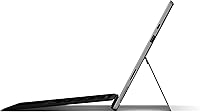
  • Kickstand: The built-in adjustable kickstand supports a wide range of angles, from nearly upright for desk use to nearly flat for drawing in studio mode.
  • Keyboard: A Black Type Cover keyboard is included in the box, attaching magnetically and adding a full trackpad without significantly increasing carry weight.
  • Pen Support: The display is fully compatible with the Microsoft Surface Pen, supporting tilt and pressure sensitivity for natural writing and sketching input.
  • Chipset Brand: The device is built on an Intel chipset platform, consistent with the 10th Gen Core processor family and its associated memory and I/O architecture.
  • Memory Speed: System memory operates at 2400 MHz, which is appropriate for the integrated graphics and multitasking demands of this device class.
  • Power Source: The device is powered by an internal Lithium Polymer battery and charges via the proprietary Surface Connect port included with the bundled charger.
  • Screen Aspect Ratio: The 3:2 aspect ratio of the display provides more vertical screen space than typical 16:9 laptops, which is noticeably useful for reading documents and browsing the web.
  • Warranty: Microsoft provides a standard one-year limited hardware warranty covering manufacturing defects, with extended coverage available through Microsoft Complete protection plans.

Related Reviews
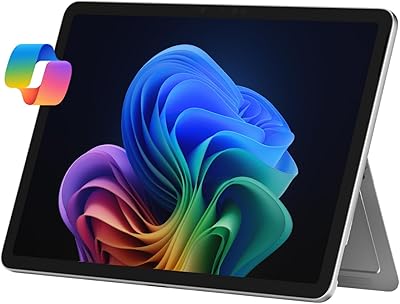
Microsoft Surface Pro 2-in-1 Laptop/Tablet (2025), 16GB RAM, 256GB Storage
86%
89%
Performance
92%
Battery Life
91%
Portability
88%
Display Quality
85%
AI Tools (Windows 11 Copilot)
More
Microsoft Surface Pro 2024 1TB 2-in-1 Laptop
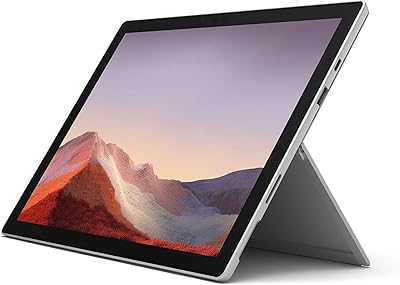
76%
93%
Display Quality
88%
Performance & Speed
81%
Battery Life
63%
Value for Money
86%
Form Factor & Portability
More
Microsoft Surface Pro 7 i5 16GB 256GB
79%
93%
Display Quality
91%
Build Quality & Design
82%
Performance & Speed
94%
Portability
67%
Battery Life
More
Microsoft Surface Pro 7 – 12.3″ – Intel Core i3 – 4GB RAM – 128GB SSD
86%
94%
Portability & Weight
88%
Battery Life
91%
Display Quality
90%
Build Quality
80%
Performance (General Use)
More
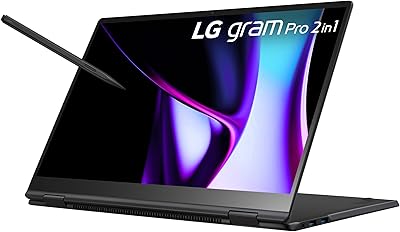
LG gram Pro 16T90SP-G 16-inch 2-in-1 Laptop Intel Core Ultra 7 16GB RAM 1TB SSD
86%
91%
Performance
93%
Portability
88%
Display Quality
77%
Battery Life
89%
Build Quality
More
RCA Cambio 10.1-inch 2-in-1 Tablet PC
79%
92%
Value for Money
88%
Portability
85%
Ease of Use
78%
Display Quality
82%
Keyboard Usability
More
Bliss Pro Fab Foaming 2-In-1 Cleanser and Exfoliator - 17.2 Fl Oz
85%
91%
Exfoliation Effectiveness
88%
Skin Sensitivity Compatibility
86%
Hydration and Moisture Retention
75%
Scent/Fragrance Appeal
89%
Ease of Use
More
Pantene Pro-V Sheer Volume 2 in 1 Shampoo & Conditioner, 20.1 fl oz
84%
87%
Volumizing Effect
92%
Ease of Use
84%
Fragrance
79%
Moisture and Smoothness
91%
Suitability for Chemically Treated Hair
More
HP OmniBook X Flip 14″ 2K Touch-Screen 2-in-1 Laptop, AMD Ryzen AI 7 3500U, 24GB RAM, 1.5TB Storage
86%
92%
Performance
90%
Display Quality
88%
Multitasking & RAM
94%
Storage Capacity
84%
Portability & Weight
More
Cinema Secrets Pro Cosmetics Ultimate Corrector 5-In-1 Pro Palette No.1
86%
91%
Effectiveness for Color Correction
88%
Blendability
84%
Coverage Customization
85%
Longevity of Wear
93%
Suitability for All Skin Tones
More

FAQ

No, the Surface Pen is sold separately. The box includes the tablet, the Black Type Cover keyboard, and a charger, which is already a solid bundle — but if pen input is central to how you plan to use it, budget for the pen as an additional purchase.

For most people handling email, Office documents, video calls, and web browsing, the Microsoft Surface Pro 7 2-in-1 Tablet genuinely works as a standalone machine. The Type Cover gives it real keyboard functionality, and the kickstand handles desk use well. Where it starts to feel limited is for power-heavy tasks like video editing or running complex software — those workflows really call for a dedicated laptop or desktop.

With moderate use — think a mix of document editing, video calls, and some browsing — most users land in the 7 to 9 hour range on a charge. The advertised 10.5 hours is achievable under light conditions, but heavy users pushing the processor consistently will see that number drop. The fast-charge feature helps a lot if you can plug in during a lunch break.

Honestly, it's tight. Windows itself takes up a significant portion right out of the box, and updates chip away at the remainder over time. If your files live primarily in OneDrive or you work mainly through a browser, you can make it work. If you store large media files locally or install many applications, you will feel the squeeze fairly quickly and may need an external drive or microSD workaround.

Yes. The USB-C port supports video output, so you can connect it to a monitor or projector with the right cable or adapter. The USB-A port can handle peripherals simultaneously, which means you're not forced to choose between accessories and display output — a genuine improvement over older Surface models.

On a hard desk surface it works surprisingly well — the key travel is decent and the layout is standard enough that most people adapt quickly. The main caveat is lap use: the kickstand and keyboard combination is less stable than a traditional laptop, and the keyboard can flex noticeably. For occasional typing on the go it's fine, but marathon writing sessions on a lap may become uncomfortable.

No. The RAM and SSD are soldered to the motherboard and cannot be upgraded after purchase. Whatever configuration you choose at the time of purchase is what you will have for the life of the device. This makes it especially important to think ahead about your storage needs before buying.

Under light workloads the fan is barely noticeable, but when the processor is under sustained load — say, during a long video export or with many applications running — the fan becomes audible. It's not unusually loud by laptop standards, but it is worth knowing about if you plan to use it in very quiet environments regularly.

The core difference is the operating system. This 2-in-1 runs full Windows, which means you can install any standard Windows software, run a full browser, and use a real file system without workarounds. If your school requires specific Windows software or you need a true desktop environment, it has a clear advantage over an iPad Pro. If your workflow is app-based and you're already in the Apple ecosystem, the iPad Pro may feel more intuitive.

Yes, the Surface tablet is eligible for the free upgrade to Windows 11, and Microsoft has confirmed it meets the hardware requirements for the upgrade. Many users have already updated without issues, and Microsoft has provided the upgrade path directly through Windows Update.