Overview

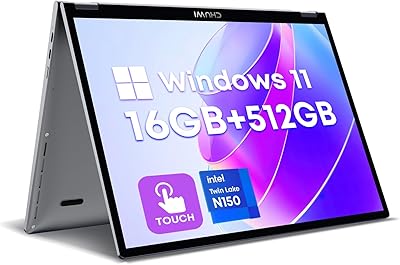
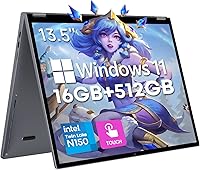
The CHUWI FreeBook 13.4″ 16GB/512GB sits in an interesting spot — a 2-in-1 convertible that punches above its weight class in build quality without pretending to be something it isn't. The 360-degree aluminum chassis feels surprisingly solid for the price, and at just 1.3kg it's genuinely easy to carry around. The Intel N150 processor keeps things efficient for everyday tasks, but don't expect it to chew through video editing or heavy multitasking. What really stands out is the 3:2 aspect ratio display — taller than the usual widescreen format, which makes scrolling documents and reading web pages noticeably more comfortable. Battery life hovers around five hours under real-world conditions, so power users should plan accordingly.
Features & Benefits

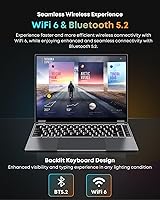
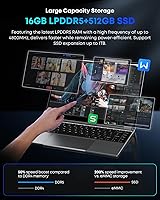
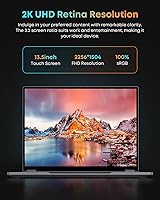
The 2K touchscreen is the headline spec here — a 2520×1680 panel with 100% sRGB coverage that looks genuinely crisp for documents, photos, and streaming. The 16GB of LPDDR5 RAM keeps browser tabs, Office apps, and light multitasking running without complaint, which is more than you'd expect at this price point. Storage lands at 512GB SSD, and there's an M.2 2280 slot if you need to expand up to 2TB later. WiFi 6 and Bluetooth 5.2 handle wireless duties well. The backlit keyboard covers more surface area than expected thanks to the narrow bezel layout, and MPP stylus support adds real utility for note-taking or sketching in tablet mode.

Best For

This 2-in-1 Chuwi makes the most sense for students and light professionals who want a portable convertible without stretching their budget. The 360-degree hinge genuinely earns its keep — propping it up for lectures, sketching out ideas with a stylus, or setting it in tent mode for a movie all work well in practice. Remote workers who mainly handle video calls, documents, and presentations will find it capable enough. It's also a smart upgrade pick for anyone coming from an older, slower budget machine who wants noticeably better RAM and display quality. Heavy creative work or gaming, though, is clearly beyond its comfort zone.

User Feedback

Buyers consistently highlight build quality and screen sharpness as standout strengths — both genuinely surprising at this price. The aluminum body feels more substantial than most budget competitors, and the display earns steady praise for clarity. On the flip side, the N150 processor shows its limits under sustained workloads; users running anything CPU-intensive for extended periods report noticeable slowdowns. Battery life is a recurring complaint, often landing closer to four hours in typical use rather than the five hours advertised. One important note: spec listings vary across Amazon pages, with RAM cited as either 12GB or 16GB — the current version ships with 16GB. Long-term hinge durability remains an open question among buyers.

Pros

  • The aluminum unibody chassis feels noticeably more premium than competing budget laptops at this price tier.
  • A 2K display with 100% sRGB and a 3:2 aspect ratio is genuinely rare at this price point.
  • 16GB of LPDDR5 RAM handles everyday multitasking without the sluggishness common in budget machines.
  • The 360-degree hinge works well for tent, presentation, and occasional tablet-mode use.
  • WiFi 6 and Bluetooth 5.2 keep this convertible laptop current for modern wireless environments.
  • MPP stylus support adds real note-taking and sketching utility, even if the stylus is sold separately.
  • At 1.3kg, daily portability is a genuine strength — easy to carry without back strain.
  • The M.2 2280 expansion slot means storage can grow up to 2TB as needs change over time.
  • The backlit keyboard covers more surface area than expected given the narrow-bezel design.
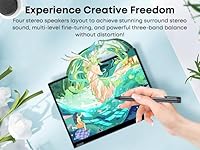
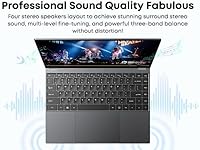
  • Four speakers deliver better volume and stereo spread than most single or dual-speaker budget rivals.

Cons

  • Real-world battery life of three to four hours falls well short of the advertised five-hour figure.
  • The Intel N150 throttles noticeably when pushed with sustained or CPU-intensive workloads.
  • Spec listings are inconsistent across product pages, with RAM cited as either 12GB or 16GB — confusing at purchase time.
  • No HDMI port means external display connections require a USB-C adapter, adding cost and friction.
  • The stylus is not included in the box despite MPP support being listed as a feature.
  • Palm rejection during stylus use is unreliable, particularly frustrating for left-handed writers.
  • Only one USB-A 3.0 port alongside a slower USB 2.0 port limits multi-peripheral setups without a hub.
  • Outdoor screen visibility is poor — the panel washes out in direct sunlight or bright environments.
  • Long-term hinge durability under heavy daily folding remains an unresolved concern among buyers.
  • Windows update cycles temporarily drag performance down to a crawl on the N150 processor.

Ratings

The CHUWI FreeBook 13.4″ 16GB/512GB scores below are generated by AI after analyzing verified buyer reviews from multiple global marketplaces, with spam, bot-submitted, and incentivized feedback actively filtered out. This convertible laptop draws a wide range of opinions depending on what buyers expected going in, and both its genuine strengths and recurring frustrations are reflected honestly in every category score.
Build Quality
83%
The aluminum unibody chassis genuinely impresses buyers who expected a plasticky budget machine. At just 1.3kg and as thin as 8mm at its narrowest point, the FreeBook feels more premium in hand than its price suggests — a detail commuters and students especially appreciate when tossing it into a bag daily.
Some buyers report minor flex along the keyboard deck under firm typing pressure, and a handful have questioned whether the hinge will hold up past the one-year mark with heavy daily folding and unfolding. It is solid for the price, but not quite flagship-grade.
Display Quality
88%
The 2K IPS panel with 100% sRGB coverage earns consistent praise for color accuracy and sharpness, particularly from buyers who use it for document work and light photo review. The 3:2 aspect ratio gives noticeably more vertical screen real estate than standard 16:9 laptops, which readers and coders appreciate immediately.
Outdoor visibility is limited — the panel struggles in bright sunlight or near windows, which is a common complaint from buyers who work in varied environments. Some users also note that the default Windows color profile needs a manual tweak to get the most out of the display.
Touchscreen Responsiveness
76%
24%
For casual touch navigation — swiping between apps, scrolling web pages, pinching to zoom in tablet mode — the screen responds well and feels accurate enough for everyday interactions. Buyers using it primarily for media consumption and browsing report no real frustrations.
Precision-focused users, particularly those doing light illustration or handwriting, report occasional input lag and palm rejection that is less reliable than expected. It handles broad gestures fine, but finer touch interactions reveal the limitations of a budget-tier digitizer.
Performance (CPU & RAM)
67%
33%
For typical daily workloads — browser tabs, Office apps, video calls, light content — the Intel N150 paired with 16GB of LPDDR5 RAM handles things without obvious stutter. Buyers upgrading from older Celeron or Pentium-era budget laptops often report a noticeable improvement in responsiveness.
Sustained workloads expose the N150's ceiling fairly quickly. Extended Zoom calls while running several browser tabs, or anything involving background updates alongside active use, causes CPU throttling that buyers find frustrating. This is not a machine for anyone who needs to push performance regularly.
Stylus Experience
61%
39%
MPP protocol support is a meaningful inclusion at this price tier, and buyers who use the FreeBook mainly for handwritten notes or basic sketching find it a useful addition. In tablet mode, the form factor genuinely works for light creative tasks or annotating PDFs during lectures.
The stylus is sold separately, which catches some buyers off guard. Latency is noticeable during fast strokes, and the palm rejection while writing is inconsistent enough that left-handed users in particular report frustration. It is functional for casual use but not reliable enough for serious artists.
Battery Life
54%
46%
Under genuinely light use — reading, occasional typing, low screen brightness — some buyers do approach the five-hour mark, which is adequate for shorter work sessions or a half-day out. For a slim aluminum convertible, the physical battery size is understandable given the chassis constraints.
Real-world battery life regularly lands between three and four hours under mixed workloads, which is meaningfully below the advertised figure. Multiple buyers flag this as their biggest disappointment, and it essentially requires carrying a charger for anything beyond a morning of work — a real inconvenience for students.
Keyboard & Typing Experience
79%
21%
The backlit keyboard covers a wider surface area than expected given the slim bezels, and the key travel feels decent for a machine this thin. Most buyers who type frequently report comfortable daily use, and the Fn+F5 backlight toggle works reliably in dim environments.
The key spacing takes some adjustment coming from a standard full-size keyboard, and a few buyers note that the trackpad's click zones feel slightly stiff compared to more expensive competitors. Not a dealbreaker, but noticeable enough that touch typists may need a brief adaptation period.
2-in-1 Versatility
74%
26%
The 360-degree hinge works well across tent and tablet modes for media consumption, and the transition between laptop and presentation modes is smooth enough for classroom or meeting use. Buyers who primarily use it as a laptop with occasional mode-switching report high satisfaction with this feature.
In full tablet mode, the weight and thickness make it less comfortable to hold for extended periods compared to a dedicated tablet. It is better suited to propped-up tent and stand modes than to one-handed use, which limits how often users actually switch away from laptop mode.
Connectivity & Ports
81%
19%
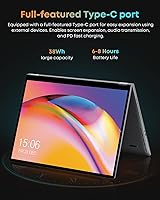
WiFi 6 and Bluetooth 5.2 both perform reliably — buyers in dense apartment buildings or office environments with many competing networks report fewer dropped connections than with older WiFi 5 machines. The full-function USB-C port handles charging and data simultaneously, which is a practical convenience.
Only one USB-A 3.0 port alongside a single USB 2.0 means buyers with multiple peripherals will want a hub. There is no HDMI port, which surprises some buyers who want direct external monitor output — the USB-C route works but adds friction compared to a dedicated video output.
Audio Quality
66%
34%
Four speakers is an unusual inclusion at this price tier, and buyers who use the FreeBook primarily for streaming or video calls are generally pleased with the volume output and stereo separation. Dialogue in movies and video call audio come through clearly at moderate volumes.
At higher volumes, the bass drops off and a mild tinny quality becomes apparent — not unusual for a slim chassis laptop, but worth flagging for buyers who care about music playback. The four-speaker configuration is more about loudness coverage than audio depth.
Portability
86%
At 1.3kg and genuinely pocketable dimensions, this convertible laptop earns consistent praise from students and commuters who carry it daily. Slipping it into a backpack alongside books and other gear never feels burdensome, which is a meaningful everyday advantage over heavier 13 and 14-inch competitors.
The slim profile means the charging brick is proportionally chunky in comparison, and a few buyers note it adds more bag weight than expected. The machine itself is light, but the full carry kit is less minimal than buyers initially anticipate.
Software & Out-of-Box Experience
69%
31%
Windows 11 Home ships preinstalled and is generally ready to use without major setup friction. Most buyers report that the OS feels reasonably clean for a budget device, without the excessive bloatware that plagues some competing brands at this price point.
There are occasional driver hiccups reported, particularly with touchscreen calibration and sleep-wake reliability in the first few weeks of use. A few buyers also flag that Windows updates on the N150 temporarily slow the machine to a frustrating crawl until the update cycle completes.
Value for Money
82%
18%
Measured against what this convertible laptop actually delivers — a 2K 3:2 display, 16GB RAM, aluminum build, WiFi 6, and stylus support — most buyers feel the price is justified. For students and budget-conscious buyers coming from far older hardware, the overall package feels like a strong deal.
Buyers who compare it against higher-end convertibles quickly feel the performance and battery compromises. The value proposition depends heavily on matching it to the right use case; anyone who pushes the CPU or needs all-day battery will find the gap to pricier alternatives feels justified in daily use.
Spec Listing Accuracy
47%
53%
Buyers who receive the current production unit with 16GB of LPDDR5 RAM report that actual performance aligns with those specs. When the machine delivers what it should, there are no surprises in day-to-day operation relative to the listed configuration.
Inconsistent RAM figures across Amazon listing sections — 12GB in some places, 16GB in others — have caused genuine buyer confusion and some returns. This erodes trust in the listing itself and is a recurring complaint in reviews, with several buyers unsure of what they actually ordered until the machine arrived.

Suitable for:

The CHUWI FreeBook 13.4″ 16GB/512GB is a strong fit for students who need a portable, do-it-all machine without a steep price tag — the 360-degree hinge means it can flip into tent mode during a lecture, fold flat for sketching notes with an MPP stylus, or sit in standard laptop mode for writing papers. Remote workers who spend their days on video calls, slide decks, and browser-based tools will find the 16GB of RAM and 2K display more than adequate for that workload. The 3:2 aspect ratio is a genuine productivity advantage that anyone who reads long documents or works in spreadsheets will notice immediately compared to a standard widescreen laptop. Casual users who want a compact machine for streaming, browsing, and occasional creative tasks will also be well served, especially if they appreciate the aluminum build quality that most competitors at this price skip entirely. If you're upgrading from a several-year-old budget laptop and want a meaningful jump in display clarity and system responsiveness without spending heavily, this convertible makes a compelling case.
Not suitable for:

The CHUWI FreeBook 13.4″ 16GB/512GB is the wrong choice for anyone who needs sustained processing power throughout the day — the Intel N150 is an efficient, entry-level chip, and it will throttle under demanding workloads like video editing, large spreadsheet calculations, or running multiple resource-heavy apps simultaneously. Power users who rely on their laptop from morning to night without access to an outlet should also look elsewhere, since real-world battery life consistently lands closer to three to four hours under mixed use, well below what most full-day workflows require. Gamers will find this machine unfit for anything beyond very casual browser-based titles, as the integrated graphics simply aren't built for gaming. Anyone expecting tablet-first usability should also temper expectations — in full tablet mode the FreeBook is heavier and thicker than a dedicated tablet, making extended one-handed use uncomfortable. Buyers who need a robust port selection without dongles or hubs will likely find the two USB-A ports and lack of HDMI frustrating in daily practice.
Specifications

  • Display: 13.4-inch IPS touchscreen with a 2520×1680 (2K) resolution and a 3:2 aspect ratio for a taller, more document-friendly viewing area.
  • Color Accuracy: The panel covers 100% of the sRGB color space, making it suitable for accurate color representation in photos and everyday media work.
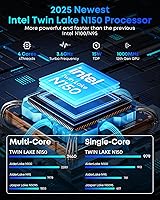
  • Processor: Intel N150 quad-core processor running up to 3.6GHz with a 15W TDP, designed for efficient everyday computing rather than heavy workloads.
  • RAM: 16GB of LPDDR5 memory provides ample headroom for multitasking across browser tabs, Office applications, and video calls simultaneously.
  • Storage: 512GB M.2 SSD is included as standard, with an additional M.2 2280 expansion slot supporting up to 2TB of total storage.
  • Operating System: Windows 11 Home comes preinstalled, ready to use out of the box without requiring a separate OS purchase or installation.
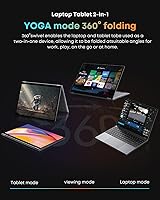
  • Hinge Design: A 360-degree convertible hinge allows the FreeBook to operate in laptop, tent, stand, and full tablet modes.
  • Chassis Material: The full unibody chassis is constructed from aviation-grade aluminum alloy, contributing to both rigidity and a premium feel.
  • Weight & Thickness: The machine weighs approximately 1.3kg and tapers to as thin as 8mm at its narrowest point, making it genuinely travel-friendly.
  • Dimensions: Overall footprint measures approximately 11.8 × 8.8 inches with a maximum thickness of around 0.66 inches.
  • Wireless: Dual-band WiFi 6 (802.11ax) delivers faster, more reliable wireless performance in congested network environments compared to older WiFi standards.
  • Bluetooth: Bluetooth 5.2 supports low-latency connections to peripherals including headphones, keyboards, and mice.
  • Ports: Connectivity includes one USB-A 3.0, one USB-A 2.0, one full-function USB-C (charging and data), and a 3.5mm headphone jack.
  • Keyboard: Full-sized backlit keyboard with an ultra-narrow bezel layout and a toggle shortcut (Fn+F5) to switch the backlight on or off.
  • Stylus Support: The touchscreen supports the MPP (Microsoft Pen Protocol) stylus standard for handwriting and drawing; stylus is sold separately.
  • Speakers: Four built-in speakers are positioned to deliver balanced stereo audio output across a wider frequency range than typical dual-speaker budget laptops.
  • Battery Life: Rated battery life is approximately 5 hours, though real-world use under mixed workloads typically yields closer to 3 to 4 hours.
  • Charging: The device charges via the USB-C port at 15V, and the same port supports data transfer and compatible display output simultaneously.
  • Graphics: Intel UHD Graphics running at up to 1000MHz handles everyday visuals, light media, and video playback but is not suited for dedicated gaming.
  • Warranty: CHUWI typically offers a 12-month manufacturer warranty; buyers should confirm current warranty terms directly with the seller at the time of purchase.

Related Reviews

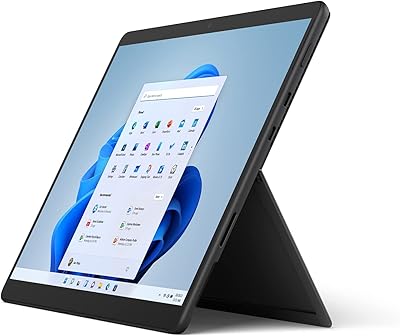
Microsoft Surface Pro 8 13″ i7 16GB 512GB SSD
86%
91%
Performance
87%
Battery Life
92%
Display Quality
88%
Portability
89%
Build Quality
More
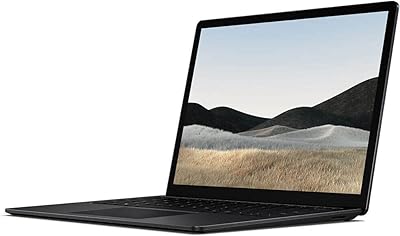
Microsoft Surface Laptop 4 13.5” i5/8GB/512GB
87%
89%
Performance
94%
Portability
88%
Battery Life
90%
Build Quality
87%
Display Quality
More
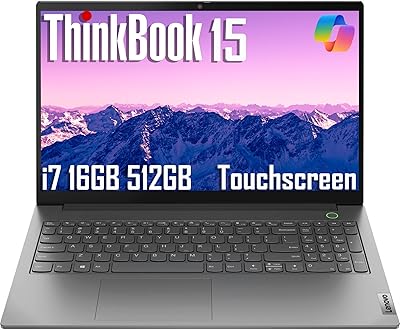
Lenovo ThinkBook 15 Gen 4 i7-1255U, 16GB RAM, 512GB SSD
84%
91%
Performance
68%
Battery Life
89%
Build Quality
75%
Portability
86%
Display Quality
More
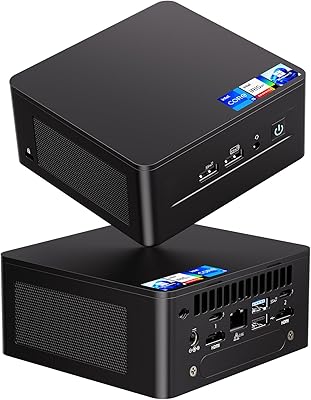
Intel NUC 13 Pro NUC13ANHi5 (16GB RAM, 512GB SSD)
87%
89%
CPU Performance
94%
Port Selection & I/O
91%
Build Quality & Design
86%
Storage Expandability
92%
Networking & Wireless
More
CHUWI MiniBook X N150 16GB/512GB
71%
84%
Display Quality
72%
Performance & Speed
93%
Portability & Form Factor
67%
Build Quality
58%
Battery Life
More
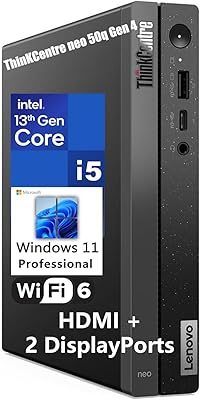
Lenovo ThinkCentre neo 50q Gen 4 Tiny
81%
88%
Performance for Daily Workloads
84%
Thermal Management & Noise
91%
Multi-Monitor Support
86%
Build Quality & Form Factor
73%
Port Selection & Connectivity
More
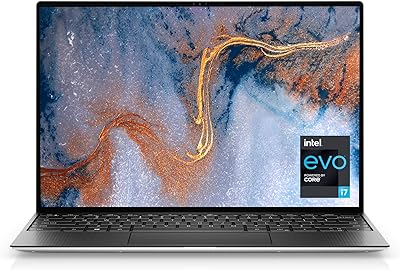
Dell XPS 13 (9310) Laptop, Intel Core i7-1185G7, 16GB RAM, 512GB SSD
85%
91%
Performance
95%
Display Quality
88%
Portability
75%
Battery Life
92%
Build Quality
More
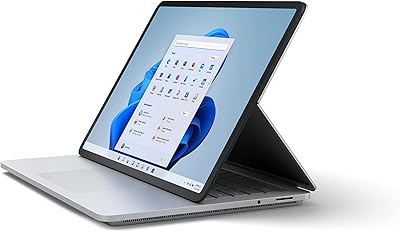
Microsoft Surface Laptop Studio 14.4″ Intel Core i7 16GB RAM 512GB SSD
83%
91%
Performance
94%
Display Quality
72%
Portability
88%
Build Quality
85%
Battery Life
More
Apple 2019 MacBook Pro 13.3″ Core i5 2.4GHz 16GB RAM 512GB SSD
87%
91%
Performance
95%
Display Quality
88%
Portability
83%
Battery Life
92%
Build Quality
More
Apple MacBook Pro 15.4-inch 2015, Intel Core i7, 16GB RAM, 512GB SSD
82%
90%
Performance for Demanding Tasks
92%
Display Quality
75%
Battery Life
88%
Build Quality
79%
Portability
More

FAQ

No, the stylus is sold separately. The FreeBook supports the MPP (Microsoft Pen Protocol) standard, so you will need to purchase a compatible MPP stylus independently. It is worth factoring that cost into your budget if stylus use is a priority for you.

The CHUWI FreeBook 13.4″ 16GB/512GB ships with 16GB of LPDDR5 RAM. The inconsistency you have seen across listing pages is a known issue with how product specs were entered at different points in the listing history. The current production unit is the 16GB configuration.
Yes, there is an M.2 2280 slot available for expansion, allowing you to add a second SSD of up to 2TB. The built-in 512GB drive cannot be swapped out directly, but the additional slot gives you meaningful room to grow if your storage needs increase over time.

Honestly, probably not. Under real mixed use, most buyers report three to four hours of battery life, which is below the advertised five hours. You can likely get through a couple of morning classes, but counting on it for a full day without a charger nearby is risky. Carrying the charging cable to school is the safer approach.

Tent mode — where the screen folds back past 180 degrees to form an inverted V shape — works really well for streaming or following a recipe on a countertop. Full tablet mode is functional but the machine is a bit heavier than a dedicated tablet, so extended one-handed use gets tiring. It is better suited to propped-up modes than to holding it like a regular tablet.

Light, casual gaming at low settings in older or browser-based titles is possible, but anything modern will struggle. For video editing, basic trimming of short clips in an app like Clipchamp is workable, but rendering or exporting video will be very slow and will push the N150 processor hard. It is genuinely not built for either task at any serious level.

Yes, the USB-C port is fully functional for simultaneous charging and data transfer. It also supports display output with a compatible adapter if you want to connect an external monitor, though there is no dedicated HDMI port built in.

Based on user feedback, the hinge feels solid in the first several months of use, but durability beyond the one-year mark is a point of uncertainty. Buyers who fold and unfold the machine multiple times daily have raised questions about long-term wear. Treating it with reasonable care rather than forcing it should help it last.

It manages well in moderately lit indoor environments, but direct sunlight or a very bright window behind you will wash the screen out noticeably. It is an IPS panel, so viewing angles are good, but peak brightness is not high enough to comfortably compete with strong ambient light.

For typical day-to-day tasks it runs well enough, and the 16GB of RAM helps keep things responsive. The one scenario where it noticeably slows down is during Windows background updates — when those kick in, performance drops can be frustrating. The best approach is to schedule updates for times when you are not actively using the machine.