Overview

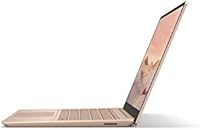
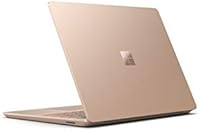
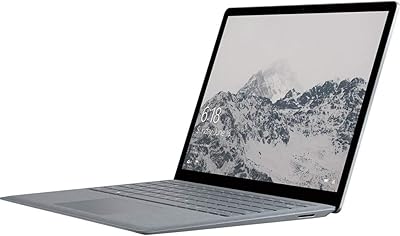
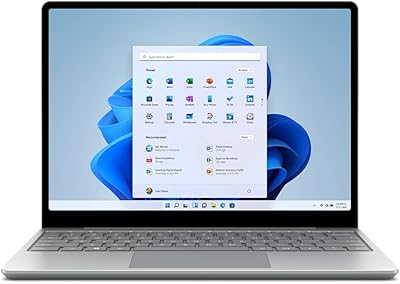
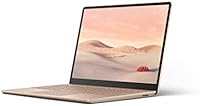
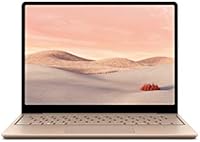
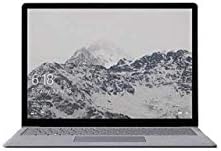
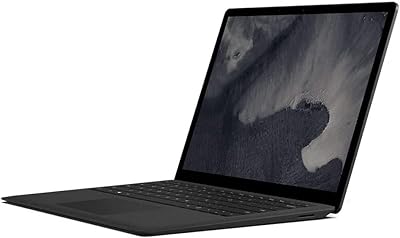
The Microsoft Surface Laptop Go 128GB Laptop sits at an interesting spot in Microsoft's lineup — compact enough to toss in a bag without a second thought, yet polished enough to avoid feeling like a budget compromise. At under 2.5 pounds, portability is genuine, not just a marketing claim. The 12.4-inch PixelSense touchscreen is a real perk at this price tier, where touchscreens are still far from standard. That said, this is a mid-range machine, and expectations should be calibrated accordingly — it won't match a Surface Pro or Laptop 5 on raw capability. One thing worth knowing upfront: it ships in Windows 10 S mode, which limits you to Microsoft Store apps unless you manually switch to Windows Home. That catches more buyers off guard than it should.
Features & Benefits

The Intel Core i5-1035G1 isn't the flashiest chip available, but it handles the work most people actually do — Word documents, spreadsheets, a dozen browser tabs, the occasional video call — without much complaint. Paired with 8GB of LPDDR4 RAM, everyday multitasking stays responsive. Storage is where things get tight: 128GB fills up faster than expected once Windows, Office, and a handful of apps settle in, making cloud storage less optional and more essential. The fingerprint reader built into the power button is a small but genuinely convenient touch for quick sign-ins. Wi-Fi 6 support is a welcome inclusion at this price point, and battery life is solid enough to carry most users through a standard workday.

Best For

The Surface Laptop Go is a particularly good fit for college students who want something light for carrying between classes, taking notes, and handling coursework without lugging around something heavy. Remote workers who prioritize portability over maximum processing power will also find it practical. It works well as a secondary household laptop — the kind kept nearby for quick browsing or streaming. If you're already using Microsoft 365, the integration feels natural from day one. And if you've ever wished a traditional clamshell offered a touchscreen for scrolling or annotating PDFs, this one delivers that without the price premium typically associated with full 2-in-1 convertibles.

User Feedback

Among verified buyers, the keyboard earns consistent praise — people describe it as comfortable for extended writing sessions, which is meaningful for a machine this compact. The display also receives genuine appreciation for its clarity relative to competitors at a similar price. On the downside, the 128GB storage ceiling is a recurring frustration; many users find it constraining well within the first year of ownership. The S mode software restriction tends to surprise first-time Surface buyers more than any other issue. Battery life, while decent, tends to fall short of rated figures under real conditions — most report eight to ten hours rather than thirteen. The webcam is functional but mediocre, which matters if video calls are a daily fixture.

Pros

  • Genuinely lightweight at under 2.5 pounds, making it one of the easier laptops to carry all day.
  • The 12.4-inch PixelSense touchscreen is a rare and welcome feature in this price tier.
  • Keyboard feel punches above the price point, drawing consistent praise from everyday typists.
  • Wi-Fi 6 support keeps the Surface Laptop Go relevant as home and office networks continue to upgrade.
  • The fingerprint reader in the power button makes unlocking fast and effortless.
  • Display sharpness and color accuracy stand out favorably compared to competitors at a similar price.
  • 8GB of RAM handles browser-heavy workdays and Office multitasking without frequent slowdowns.
  • SSD storage keeps boot times and app launches noticeably snappy.
  • A solid secondary laptop that pairs naturally with the Microsoft 365 ecosystem.
  • Battery life covers a standard workday comfortably under moderate use.

Cons

  • 128GB of storage fills up faster than most buyers anticipate, often within the first year.
  • Ships in Windows 10 S mode, which blocks non-Store apps until manually switched — a step many buyers don't expect.
  • Real-world battery life tends to land noticeably below the rated 13-hour figure.
  • The 720p webcam produces mediocre image quality that feels behind the curve for daily video calls.
  • Only two USB ports total limits flexibility for users with multiple peripherals.
  • No option to upgrade RAM post-purchase, so the 8GB ceiling is permanent.
  • The 128GB base storage cannot be expanded internally, making cloud reliance near-mandatory.
  • Port selection is minimal, with no SD card slot or Thunderbolt support included.

Ratings

Our AI rating system analyzed thousands of verified global buyer reviews for the Microsoft Surface Laptop Go 128GB Laptop, actively filtering out incentivized, duplicate, and bot-generated submissions to surface what real owners actually experience. The scores below reflect a transparent synthesis of both genuine praise and recurring frustrations — nothing is smoothed over to look better than it is.

Portability
93%
Buyers consistently highlight how easy this machine is to carry through a full day. At under 2.5 pounds, it disappears into a backpack without adding noticeable weight, making it a favorite among commuters, students moving between classes, and remote workers hopping between cafes and coworking spaces.
A small number of users note that the compact footprint, while great for travel, makes the screen feel slightly cramped during extended side-by-side document work. Those coming from 14-inch or 15-inch machines tend to feel the size difference more acutely during desk sessions.
Keyboard Quality
88%
The keyboard earns some of the most enthusiastic feedback for any laptop in this price range. Writers and students who use it for long typing sessions regularly call out the key travel and tactile response as noticeably better than what competitors offer at a similar cost.
A handful of users with larger hands find the layout slightly cramped, particularly around the right shift key. The keyboard also lacks a numpad, which is a minor but consistent complaint from users who work with spreadsheets or data entry regularly.
Display Quality
81%
19%
The 12.4-inch PixelSense touchscreen draws genuine appreciation for its sharpness and color accuracy relative to similarly priced laptops. Users note that text is crisp enough for long reading sessions, and the 3:2 aspect ratio gives more vertical space for documents and web pages than the standard 16:9 format.
Outdoor visibility is a recurring criticism — the display struggles against direct sunlight and becomes difficult to read in bright environments. Viewing angles are decent but not exceptional, and buyers used to higher-end IPS panels may notice the brightness ceiling during daily use.
Storage Capacity
41%
59%
The SSD itself is fast, keeping boot times and app launches snappy in day-to-day use. For users who rely on cloud storage through OneDrive or stream most of their media, the drive's speed makes the overall experience feel responsive and polished.
128GB is the single most complained-about aspect of the Surface Laptop Go across buyer reviews. After Windows and a basic set of apps are installed, usable space often drops below 90GB, and users report feeling the pinch within the first few months. There is no option to expand storage internally.
Battery Life
67%
33%
Under light workloads — browsing, note-taking, and light document editing — the battery comfortably covers a standard eight-hour workday without needing a top-up. For students in lectures or remote workers without reliable outlet access, this is a meaningful real-world advantage.
The manufacturer's 13-hour rating simply does not hold up under real conditions. Users running video calls, streaming, or juggling multiple browser tabs consistently report 8 to 10 hours, and heavier users see numbers closer to 6 or 7. Expectations calibrated to the spec sheet tend to lead to disappointment.
Performance
74%
26%
For the workloads this laptop is designed around — Office applications, web research, email, and light media consumption — the Core i5 and 8GB of RAM combination delivers a smooth, frustration-free experience. Most users in the target audience rarely encounter slowdowns during typical daily tasks.
Push it beyond its intended scope and the limitations become apparent. Running multiple video streams, large spreadsheets, or browser-heavy sessions with 15-plus tabs open can cause noticeable lag. It is not a machine for anyone who expects to run demanding software alongside everyday tasks simultaneously.
Build Quality
84%
The chassis feels solid and intentional — not plasticky or flimsy the way many budget laptops do. Users frequently comment that the Surface Laptop Go looks and feels more expensive than its price suggests, which matters for students or professionals who care about how their gear presents in public.
The lid does attract fingerprints and light scratches over time, and the hinge, while functional, doesn't inspire the same confidence as premium Surface models. A few users report minor flex in the keyboard deck under firm pressure, though this doesn't seem to affect long-term durability for most.
Webcam Quality
48%
52%
The 720p front camera is positioned adequately for basic video calls and covers the fundamental use case of joining a team meeting or a quick call without needing external hardware. For occasional, low-stakes video use, it is sufficient.
In a market where 1080p webcams are becoming standard even on budget laptops, the 720p camera feels behind the times. Users who rely on video conferencing for client calls, remote teaching, or frequent team meetings consistently describe the output as soft and underwhelming, particularly in lower-light environments.
Touchscreen Usability
79%
21%
Having a touchscreen on a traditional clamshell laptop adds genuine utility for scrolling long documents, zooming into images, and casual navigation without reaching for the trackpad. Students annotating PDFs or using touch-friendly apps find it a natural and convenient addition to the experience.
The touchscreen does not support the Surface Pen, which limits its appeal for anyone expecting tablet-like drawing or handwriting functionality. Some users also note that the screen accumulates smudges quickly with regular touch use, requiring more frequent cleaning than a standard non-touch display.
Software & OS Experience
62%
38%
Once Windows S mode is disabled and the machine is running Windows Home, the software experience is clean, fast, and well-integrated with Microsoft 365. Users already in the Microsoft ecosystem find setup straightforward and appreciate how naturally OneDrive and Office sync from day one.
The S mode situation catches too many buyers off guard — it blocks Chrome, most third-party apps, and common tools out of the box without any obvious warning during setup. While switching it off is free and simple, the confusion it creates adds unnecessary friction for users who are not technically savvy.
Value for Money
72%
28%
Relative to what the Surface Laptop Go offers — genuine build quality, a touchscreen, solid keyboard, and a reputable brand — the pricing feels competitive for buyers with light productivity needs. For a secondary laptop or a student machine, the value proposition holds up reasonably well.
Buyers expecting a fully capable primary laptop at this price may come away feeling the storage and performance trade-offs are too steep. A few competing models offer more storage or a sharper webcam for comparable money, making the value case less clear-cut for buyers who research alternatives closely.
Connectivity
71%
29%
Wi-Fi 6 support is a legitimate forward-looking feature that most buyers in this price range don't get, and it results in noticeably better wireless performance on compatible routers. Bluetooth 5.0 connects peripherals quickly and reliably without the dropout issues seen on older standards.
The port selection is lean — two USB-A ports and one USB-C with no HDMI or SD card slot means that desk-bound users almost always end up needing a hub. The absence of Thunderbolt support also limits high-speed external storage and display options for more demanding setups.
Setup & Ease of Use
82%
18%
Out of the box, the Surface Laptop Go is one of the more user-friendly Windows laptops to get up and running. The fingerprint reader in the power button makes the initial Windows Hello setup quick, and first-time Windows users generally find the interface approachable without a steep learning curve.
The S mode issue represents the most common setup frustration, and it disproportionately affects less experienced users who may not realize why certain apps refuse to install. Microsoft's prompting to add a Microsoft 365 subscription during setup also feels pushy to buyers who already own the software.
Audio Quality
63%
37%
For a compact machine, the speakers perform adequately for background music, YouTube, and casual video streaming in a quiet room. Volume levels are sufficient for personal use, and there is no significant distortion at moderate output levels.
At higher volumes the speakers thin out and lose low-end presence noticeably. Users watching movies or listening to music as a primary activity tend to find the audio experience flat compared to dedicated speaker systems or even some competing laptops with better-tuned audio hardware.

Suitable for:

The Microsoft Surface Laptop Go 128GB Laptop is a strong match for college students who want something genuinely portable without sacrificing the polished feel of a premium brand. At under 2.5 pounds, it disappears into a backpack, and the 12.4-inch touchscreen adds a layer of versatility that most competing laptops at this price simply don't offer. Remote workers who primarily live inside a browser, a few Office apps, and the occasional video call will find the performance more than adequate for their daily rhythm. It also works exceptionally well as a secondary household machine — the kind that lives on the kitchen counter or couch for light browsing, streaming, and quick email checks. Anyone already embedded in the Microsoft 365 ecosystem will appreciate how naturally everything connects from the moment of setup.
Not suitable for:

The Microsoft Surface Laptop Go 128GB Laptop is not the right call for anyone expecting it to handle creative workloads, video editing, or serious multitasking across resource-heavy applications. The 128GB storage fills up alarmingly fast once the operating system, productivity software, and a few personal files settle in, which means users who store photos, videos, or large project files locally will run into problems quickly. Power users who need to install applications outside the Microsoft Store should be aware that the machine ships in Windows S mode, requiring a manual switch to Windows Home before third-party software can be loaded. Frequent video callers who depend on sharp webcam output will likely find the 720p camera underwhelming compared to what competitors are now offering at similar price points. Anyone hoping to use this as a primary workstation for demanding tasks would be better served looking at a more capable machine with greater storage and processing headroom.

Specifications

  • Display: The laptop features a 12.4-inch PixelSense touchscreen with a resolution of 1536 x 1024 pixels, offering a 3:2 aspect ratio well-suited for document and web browsing tasks.
  • Processor: Powered by the Intel Core i5-1035G1 (10th Gen) with a boost clock up to 3.6 GHz and four cores, handling everyday productivity and light multitasking competently.
  • RAM: 8GB of LPDDR4 memory running at 2400 MHz is soldered to the motherboard and cannot be upgraded after purchase.
  • Storage: A 128GB solid-state drive provides fast boot and app load times, though available space after the OS installation is noticeably less than the headline figure.
  • Operating System: Ships with Windows 10 in S mode, which restricts app installs to the Microsoft Store; users can switch to Windows 10 Home for free at any time.
  • Battery: Rated for up to 13 hours of typical use, though real-world performance under active workloads generally falls between 8 and 10 hours.
  • Weight: The chassis weighs 2.45 pounds, making it one of the lighter options in the 12-inch laptop category.
  • Dimensions: Physical footprint measures 9.27 x 12.19 x 1.93 inches, compact enough to fit comfortably in most standard laptop sleeves and backpack compartments.
  • Wireless: Supports Wi-Fi 6 (802.11ax) for faster throughput and better performance on congested networks, along with Bluetooth 5.0.
  • Camera: A 720p HD front-facing camera is built in, adequate for occasional video calls but below the quality level of many competing laptops in 2024.
  • Security: A fingerprint reader is integrated directly into the power button, enabling Windows Hello biometric sign-in without a separate sensor.
  • Graphics: Intel UHD integrated graphics handle standard display output and light media tasks; discrete GPU workloads are not supported.
  • USB Ports: Includes two USB 3.0 Type-A ports for standard peripherals, plus one USB-C port for charging and data transfer.
  • Audio Jack: A 3.5mm headphone and microphone combo jack is present, allowing wired audio accessories without an adapter.
  • Keyboard: Full-size backlit keyboard with a glass-covered touchpad, frequently cited by users as one of the strongest physical attributes of the device.
  • Charging: Charges via a proprietary Microsoft Surface Connect magnetic port, with USB-C charging also supported as an alternative.
  • Voltage: The included power adapter operates at 15 volts, and the battery pack uses a single integrated lithium-ion cell.

Related Reviews
Microsoft Surface Laptop Go 3 Notebook
79%
91%
Build Quality
93%
Portability
84%
Display Quality
78%
Performance
74%
Battery Life
More
Microsoft Surface Go 3 10.5″ - Intel Core i3, 8GB RAM, 128GB SSD
84%
94%
Portability
85%
Performance for Everyday Tasks
89%
Battery Life
88%
Display Quality
83%
Build Quality
More
Microsoft Surface Laptop 1769 128GB
73%
91%
Build Quality
88%
Display Quality
74%
Battery Life
87%
Keyboard & Trackpad
76%
Performance
More
Microsoft Surface Laptop Go 2 - 12.4″, Intel Core i5, 8GB RAM, 256GB SSD
86%
92%
Portability & Weight
88%
Battery Life
85%
Display Quality
84%
Performance for Everyday Use
89%
Build Quality
More
Microsoft Surface Pro 5th Gen 128GB Tablet
73%
93%
Display Quality
91%
Build Quality
89%
Portability
78%
Performance
72%
Battery Life
More
Microsoft Surface Laptop 1st Gen 256GB
70%
88%
Build Quality
91%
Keyboard Comfort
87%
Display Quality
62%
Performance
61%
Battery Life
More
Microsoft Surface Laptop 4 13.5-inch 512GB
74%
91%
Display Quality
88%
Build Quality
87%
Keyboard & Trackpad
74%
Performance
71%
Battery Life
More
Microsoft Surface Laptop 2 256GB Laptop
73%
93%
Display Quality
91%
Build Quality
88%
Keyboard & Typing Experience
76%
Battery Life
74%
Performance & Speed
More
Microsoft Surface Pro 6 128GB 2-in-1 Tablet
71%
93%
Display Quality
91%
Build Quality
89%
Portability
74%
Performance
61%
Battery Life
More
Microsoft Surface Laptop 2024 13.8″
80%
93%
Display Quality
88%
Battery Life
91%
Build Quality & Design
87%
Performance (Everyday Workloads)
92%
Keyboard & Typing Experience
More

FAQ

It shipped originally with Windows 10 in S mode, but it is eligible for a free upgrade to Windows 11 Home. If you buy a unit today, it may already have Windows 11 installed depending on the seller, so it is worth checking the system settings after setup.

S mode limits the laptop to apps available only through the Microsoft Store, which rules out browsers like Chrome, most third-party software, and a lot of common tools. Switching it off is free and takes about two minutes in the Settings menu. For most users, turning it off is the right move unless you specifically want the added restrictions for a child or managed device.

It depends heavily on how you use your laptop. After Windows and basic apps are installed, you are often left with 80 to 90GB of usable space. If you store large files locally — photos, videos, downloaded music — that fills up faster than most people expect. Pairing this machine with OneDrive or an external drive is a practical solution for most users.

No. Both the RAM and SSD are soldered directly to the motherboard on this model, so what you buy is what you keep. If 8GB or 128GB feels tight for your needs now, it is worth considering a different configuration rather than assuming you can expand later.

It works well for the core tasks most students need — note-taking, research, writing papers, and video calls. The light weight and good keyboard make it easy to use in lectures or coffee shops. Storage can become an issue if you download a lot of course materials, so getting used to cloud storage habits early helps.

The 13-hour rating is a best-case figure measured under controlled conditions. In practice, with a mix of browser use, streaming, and productivity apps, most users report 8 to 10 hours. That is still solid for a full workday, but you should not count on 13 hours under real-world workloads.

Yes, but with some caveats. The built-in 720p webcam is functional and gets the job done for occasional meetings, but it is not sharp by current standards. If video quality matters to you — say, you present frequently or do client calls daily — you may want to pair it with an external webcam.

The Surface Laptop Go touchscreen supports touch input with your fingers, but it does not natively support the Surface Pen. If stylus input is important for your workflow — drawing, annotating PDFs, or digital note-taking — this model is not the right fit; the Surface Pro lineup would serve you better.

It has two USB 3.0 Type-A ports, one USB-C port, and a 3.5mm audio jack. There is no HDMI output or SD card slot, and no Thunderbolt support. For users with a monitor, extra drives, or multiple peripherals, a small USB-C hub is a practical addition and will make day-to-day desk use much more comfortable.

Under light to moderate workloads — web browsing, document editing, streaming — it runs quietly and stays cool. Extended heavier tasks like long video calls or running several apps simultaneously can cause the fans to spin up audibly, though it rarely becomes distracting. It is not designed for sustained heavy processing, and pushing it that way regularly may reduce long-term component longevity.

Where to Buy