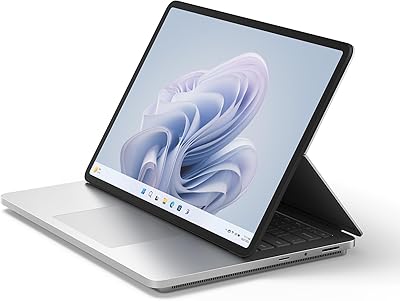
Overview

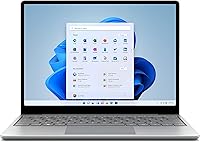
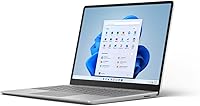
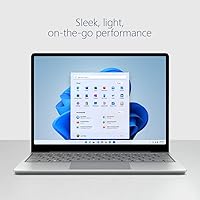
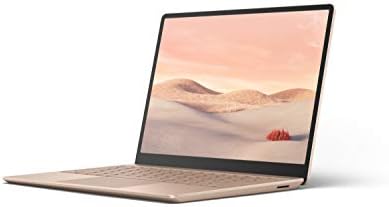
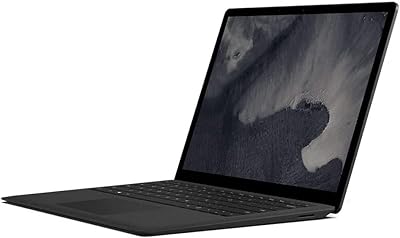
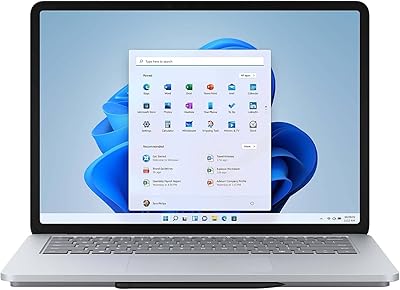
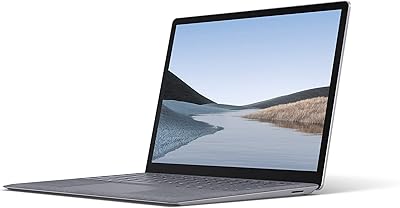
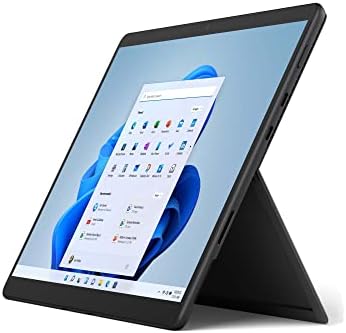
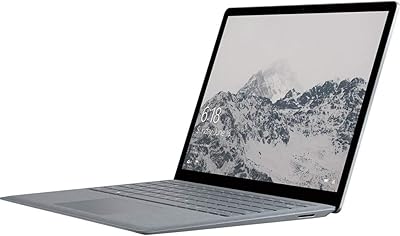
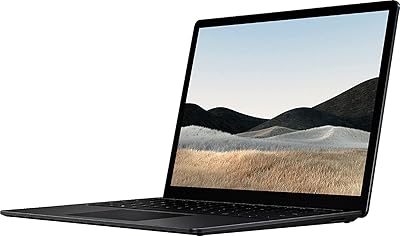
The Microsoft Surface Laptop Go 2 is a compact and portable device that offers reliable performance for everyday tasks. With its 12.4″ PixelSense touchscreen and a lightweight design, this laptop is ideal for users on the go. Powered by an Intel Core i5 processor, 8GB of RAM, and a 256GB SSD, this laptop strikes a balance between performance and portability. It’s an excellent choice for those who need a reliable, everyday device that doesn’t compromise on functionality or style. Whether for work, school, or casual use, this laptop is designed to deliver a smooth experience.

Features & Benefits

The Surface Laptop Go 2 comes equipped with a stunning 12.4″ PixelSense touchscreen that offers sharp visuals and vibrant colors. A key feature is its fast charging capability, allowing the laptop to reach 80% in just over an hour, which is perfect for those in need of quick power-ups during a busy day. The battery life lasts up to 13.5 hours, ensuring you can work on the go without constantly searching for an outlet. Additionally, the fingerprint power button provides a convenient and secure way to log in with just one touch.

Best For

This laptop is best suited for users seeking a lightweight and portable device that can handle everyday tasks with ease. It’s ideal for students and professionals who need a reliable machine for note-taking, browsing, or light productivity work. The combination of solid performance, long battery life, and a slim design makes it a great choice for those who prioritize portability without sacrificing functionality. Whether you’re commuting, working remotely, or attending class, this laptop offers the versatility to meet a variety of needs.

User Feedback

Overall, users appreciate the lightweight design and portability of this laptop, making it easy to carry throughout the day. The battery life receives high praise, especially for its ability to last through long work sessions. However, some users have mentioned that the performance can be limiting when multitasking heavily or running demanding applications like gaming or video editing. Despite this, the laptop is widely regarded as a solid option for those looking for a reliable, portable device for basic tasks and everyday use.

Pros

  • This laptop is highly portable, making it ideal for students and professionals who need to carry it around all day.
  • The 12.4″ PixelSense touchscreen display offers a clear and vibrant viewing experience for everyday tasks.
  • Battery life is a standout feature, lasting up to 13.5 hours, which is perfect for long work or study sessions without needing a recharge.
  • Fast charging feature allows users to get up to 80% battery in just about an hour, making it convenient for quick top-ups.
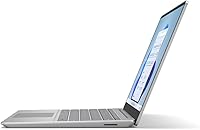
  • Weighing only 2.48 lbs, it’s one of the lightest options in its class, enhancing mobility for frequent travelers or commuters.
  • The fingerprint power button adds a layer of security with easy access, making it both a functional and secure device for on-the-go users.

Cons

  • Performance may struggle with heavy multitasking, making it less suitable for users who run demanding applications like video editing software.
  • The 12.4″ screen size may feel cramped for those who prefer a larger display for work or entertainment.
  • Some users have reported occasional lag when running multiple programs at once, which can impact overall productivity.
  • Gaming enthusiasts may find this laptop underperforms with graphically intense games due to its integrated graphics.
  • While the design is sleek, the device could be more durable, with some reports of wear on the exterior after extended use.
  • Limited upgrade options, especially when it comes to storage and RAM, may be a dealbreaker for those who need more flexibility.

Ratings

After analyzing verified user feedback from multiple platforms and languages, we present the ratings for the Microsoft Surface Laptop Go 2 - 12.4″, Intel Core i5, 8GB RAM, 256GB SSD. Only authentic, high-quality reviews were considered, excluding spam, bots, and exaggerated claims. Both strengths and areas for improvement are reflected in the following scores, offering a well-rounded view based on global user experiences.

Portability & Weight
92%
Many buyers highlight the lightweight design of this laptop, making it a top choice for those on the go. Its compact form factor ensures easy portability, whether traveling, commuting, or moving between meetings. For users who prioritize easy carrying, it's a perfect fit.
However, a few users mention that the small screen size of 12.4″ may feel cramped for those used to larger displays. While it's excellent for portability, it might not be ideal for those who regularly multitask with multiple windows open.
Battery Life
88%
The laptop's battery life is one of its standout features. Several users note that it easily lasts through long work sessions, making it reliable for those who need a device for all-day use. Fast charging is another perk, reaching 80% in just over an hour, which adds convenience.
Despite its solid battery life, some users feel that heavy usage—like video editing or gaming—can drain the battery more quickly than expected. It's important to note that prolonged intense tasks may impact the battery's endurance.
Display Quality
85%
The 12.4″ PixelSense touchscreen display is praised for its vibrant resolution, offering sharp images and accurate colors. It’s perfect for light media consumption, browsing, or working on documents. Many users appreciate the responsive touch interface for easy navigation.
However, some users find the 12.4″ size too small for extended media viewing or multitasking. The resolution, while decent, may not match up to higher-end models with 4K displays, especially for those seeking a more immersive experience.
Performance for Everyday Use
84%
Users generally find the performance of this device adequate for day-to-day tasks, such as web browsing, word processing, and light photo editing. The Intel Core i5 and 8GB of RAM ensure smooth operation for these types of activities, without noticeable lag.
However, when it comes to more demanding tasks, such as heavy multitasking or gaming, the performance may fall short. Some users report experiencing slowdowns or lag when running multiple apps at once, which limits its appeal for power users.
Build Quality
89%
The device is praised for its solid build quality and premium feel. Its sleek metal body adds to the overall aesthetic, giving it a high-end look without being overly heavy. Many users appreciate the durability for such a compact laptop.
On the downside, a few users have mentioned that while the build feels solid, the laptop is still susceptible to minor scuffs or scratches on the exterior. Additionally, the hinge could be more flexible for easier screen adjustments.
Ease of Setup
90%
The setup process is quick and hassle-free, with most users able to start using the laptop within minutes. The pre-installed Windows 11 Home makes it simple to get started, and there’s no need for additional drivers or software updates.
However, a few users mentioned that they encountered some initial configuration issues, such as syncing with external devices. While these issues are rare, they can be a bit frustrating for users new to Windows 11.
Security Features
91%
The inclusion of a fingerprint power button adds a level of security that many users appreciate. This biometric authentication ensures quick login and reduces the need for passwords, providing an easy-to-use and secure way to protect your data.
Some users note that the fingerprint sensor can be a bit finicky at times, requiring multiple attempts to register the fingerprint. In some cases, it may not work as smoothly as expected, causing slight inconvenience.
Multitasking Performance
70%
30%
For users who mainly use their device for light tasks, such as browsing and working with documents, multitasking is manageable. The laptop’s solid processing power allows for running multiple lightweight apps without significant lag.
However, users who need to run resource-heavy applications, such as video editing software or multiple browser tabs with heavy content, may find the laptop struggles with multitasking. Performance slows down under more demanding loads, which can impact productivity.
Keyboard & Typing Experience
82%
18%
The keyboard is comfortable and easy to type on, even during extended sessions. Several users appreciate the well-spaced keys and the satisfying key travel, making it a good choice for everyday typing tasks like writing emails or working on documents.
However, a few users report that the keyboard feels a bit cramped for those with larger hands. The lack of a number pad might also be a downside for some, especially for those who rely on it for data entry.
Software & Operating System Experience
86%
Windows 11 Home is pre-installed, providing an intuitive and modern interface. Users appreciate the stability of the operating system, with its smooth performance and compatibility with most productivity software. The system is regularly updated, ensuring security and feature improvements.
On the downside, some users note that Windows 11 can feel a bit overwhelming for those used to older versions of Windows. There’s also the occasional bug or system glitch that some users have experienced, although these are generally minor.
Value for Money
92%
For users looking for a portable device with solid performance, good battery life, and a reliable build, this laptop offers excellent value. Many buyers feel they’re getting a high-quality laptop without the high price tag typically associated with premium brands.
However, some users feel that the price could be a bit high for the specs, especially when compared to other laptops in the same range. The small screen size and limited power for heavy tasks may deter those seeking a more all-rounder device.
Customer Support
78%
22%
Several users have had positive experiences with the manufacturer’s customer support. They mention helpful responses and timely assistance for issues related to warranties and troubleshooting.
However, a number of users report slow response times and difficulty getting in touch with support for more complex issues. Some have also found the troubleshooting process frustrating, particularly for hardware-related problems.

Suitable for:

The Microsoft Surface Laptop Go 2 - 12.4″, Intel Core i5, 8GB RAM, 256GB SSD is a great choice for users who prioritize portability without compromising on everyday performance. It's especially well-suited for students, professionals, and commuters who need a reliable, lightweight device for tasks like browsing, word processing, and media consumption. Its long battery life makes it ideal for those who require all-day usage, whether in lectures, meetings, or while traveling. For individuals seeking a compact laptop with good performance for typical productivity apps, this device fits well into daily routines where space and convenience are key priorities.

Not suitable for:

However, this laptop may not be the best fit for users who need a powerhouse device for heavy multitasking or gaming. While its performance is sufficient for basic tasks, users who regularly work with demanding applications, such as video editing software or resource-heavy programs, may experience slowdowns. Additionally, those who prefer larger screens for detailed work or media consumption might find the 12.4″ display too small. If you're in need of a machine that can handle complex tasks or a larger screen real estate for multitasking, this device may not meet your expectations.

Specifications

  • Display Size: The laptop features a 12.4-inch PixelSense touchscreen display with a resolution of 1536 x 1024 pixels.
  • Processor: Powered by an Intel Core i5 processor, with a clock speed up to 4.2 GHz for efficient performance.
  • Memory: Equipped with 8GB of LPDDR4X RAM, offering solid multitasking capabilities for everyday use.
  • Storage: The device comes with a 256GB SSD for fast data access and storage capacity.
  • Graphics: Integrated Intel Iris Xe graphics provide adequate performance for light gaming and multimedia tasks.
  • Battery Life: Offers up to 13.5 hours of battery life, allowing for full-day usage on a single charge.
  • Charging: Supports fast charging, reaching 80% battery capacity in about one hour.
  • Operating System: Runs on Windows 11 Home, delivering the latest software features and updates.
  • Weight: Weighing only 2.48 lbs, this laptop is designed for portability and ease of use on the go.
  • Dimensions: The laptop measures 8.96 x 11.86 x 2.15 inches, making it compact enough for everyday carry.
  • Fingerprint Reader: Includes a fingerprint power button for secure and convenient login.
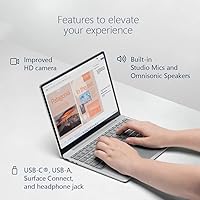
  • USB Ports: Comes with a USB-C port and a USB-A port, allowing for standard connectivity with external devices.
  • Wi-Fi: Supports Wi-Fi 6, providing fast and stable wireless connectivity.
  • Audio: Stereo speakers with Dolby Audio for clear sound, suitable for media consumption and virtual meetings.
  • Camera: Includes a 720p HD camera, suitable for video calls and online meetings.
  • Microphone: Equipped with dual microphones for clear voice capture during calls and meetings.
  • Storage Expansion: Supports external storage expansion via microSD card reader for additional space.
  • Security Features: In addition to the fingerprint reader, the laptop also features a TPM 2.0 chip for enhanced security.

FAQ

The Microsoft Surface Laptop Go 2 features a 12.4″ PixelSense touchscreen display, powered by an Intel Core i5 processor, 8GB of RAM, and a 256GB SSD. It offers up to 13.5 hours of battery life and supports fast charging, reaching 80% in just over an hour. The laptop is compact, lightweight (weighing only 2.48 lbs), and includes a fingerprint power button for enhanced security.

The battery of this laptop can last up to 13.5 hours on a single charge, depending on usage. For tasks like web browsing, document editing, and light media consumption, you can expect the laptop to last through most of your workday. If you're doing more intensive tasks, battery life may be shorter.

While this laptop can handle casual gaming, it may not perform well with graphically demanding games. It uses Intel Iris Xe integrated graphics, which is suitable for light gaming but struggles with high-performance titles. For more intense gaming, a dedicated gaming laptop would be a better choice.

The 12.4″ PixelSense touchscreen display on this device offers vibrant colors and sharp resolution, making it great for casual use, browsing, and media consumption. The touch functionality is responsive, and the display is bright enough for most indoor settings, though it might be challenging to use in direct sunlight.

This laptop comes with a 256GB SSD, which provides decent storage for documents, apps, and light media. However, the storage is not user-upgradable, as the SSD is soldered to the motherboard. If you need more storage, consider using cloud services or an external hard drive.

The Microsoft Surface Laptop Go 2 performs well for everyday tasks like web browsing, word processing, and video calls. However, when it comes to heavy multitasking, such as running multiple resource-heavy applications, some users have reported slower performance. The 8GB RAM and Intel Core i5 processor are suitable for most light to medium tasks, but may show signs of strain under more demanding workloads.

The laptop supports fast charging, and you can get up to 80% charge in about an hour. A full charge typically takes around 2.5 to 3 hours. This makes it a convenient option for users who need quick recharges between work sessions.

Yes, this laptop is a great choice for students. Its portability, long battery life, and solid performance for everyday tasks like note-taking, research, and media consumption make it ideal for school use. The lightweight design and fast charging feature are particularly helpful for students who need to carry it around campus.

Yes, the Surface Laptop Go 2 includes a fingerprint power button, which provides an easy and secure way to log in. This feature enhances privacy and is particularly useful for users who need quick, secure access to their device.

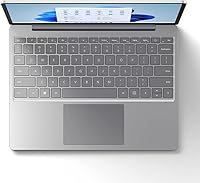
The keyboard on this laptop is well-designed for everyday typing tasks, offering a comfortable and responsive typing experience. While it's not as large as some other laptops, the key travel is decent, and the layout is ergonomic for most users. However, heavy typers may find the keyboard slightly cramped during extended sessions.