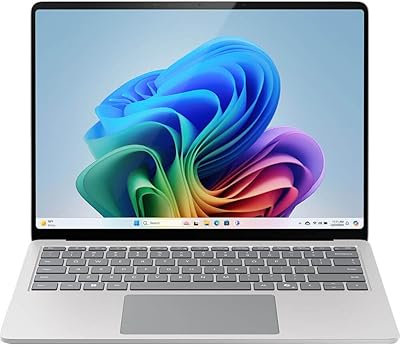
Microsoft Surface Laptop Studio 512GB Laptop
Overview
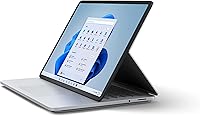
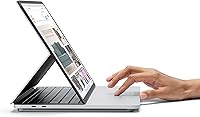
The Microsoft Surface Laptop Studio 512GB Laptop is Microsoft's most ambitious Surface yet — a machine built not just for everyday productivity but for professionals who create for a living. What sets it apart immediately is the tri-mode hinge design, which lets you pull the screen forward into a flat canvas or prop it up in a stage position for presentations. This isn't a gimmick; it genuinely changes how you interact with the machine depending on the task. At this price tier, you're up against Apple's MacBook Pro and Dell's XPS 15, so the value case has to be strong. For the right user, it absolutely is.
Features & Benefits
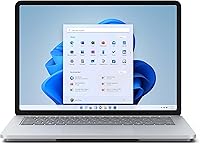
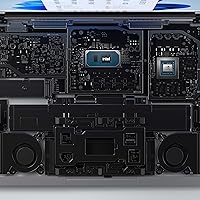
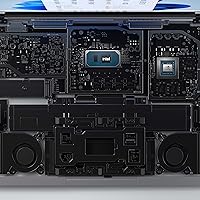
The 14.4-inch PixelSense Flow display is the first thing that earns its keep. Running at up to 120Hz with a 2400x1600 resolution, it handles color-critical work like illustration, photo editing, and motion graphics without the washed-out look common on budget panels. Under the hood, the quad-core Intel Core i7 paired with an NVIDIA RTX 3050 Ti gives this creative laptop real GPU muscle — enough to accelerate 3D renders, run AI-powered tools in Adobe apps, and handle light ray-traced workflows. The 512GB SSD keeps load times brisk, and Wi-Fi 6 support means large file transfers over a modern network won't become a bottleneck mid-session.
Best For
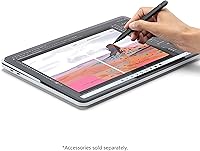
This creative laptop hits its stride with digital artists, illustrators, and UX designers who want pen-first workflow capabilities built into something portable. Pull the screen flat into canvas mode, pick up a Surface Slim Pen 2, and it starts to feel less like a laptop and more like a proper drawing surface — with a real GPU behind it. Architects doing light CAD work and video editors cutting 4K footage on location will also find it capable. That said, if raw processing power is the only priority, a similarly priced gaming-focused laptop will outperform it on pure benchmarks, so know what you're optimizing for before buying.
User Feedback
Owners of Microsoft's convertible laptop consistently praise the display and build quality — the platinum aluminum chassis feels premium, and the screen genuinely delivers for color-sensitive work. The form-factor versatility earns high marks, particularly from illustrators who find canvas mode integrates naturally into daily workflows. Where things get more mixed is battery life: real-world creative use tends to land closer to 7–9 hours rather than the rated 13.5, especially with the GPU active. Port selection is a recurring complaint — just two Thunderbolt 4 USB-C ports forces most users to carry a hub. Sustained rendering also triggers noticeable fan noise, which some find disruptive in quieter work environments.
Pros
- The 14.4-inch PixelSense Flow display is sharp, color-accurate, and noticeably better than most competing panels at this tier.
- The 120Hz refresh rate makes scrolling and stylus input feel significantly more responsive during creative work.
- Canvas and stage modes are genuinely practical — not marketing features that get used once and forgotten.
- The RTX 3050 Ti handles GPU-accelerated tasks in Adobe apps and light 3D rendering without breaking a sweat.
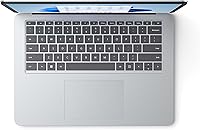
- Build quality is excellent; the platinum aluminum chassis feels solid and premium in daily handling.
- Surface Slim Pen 2 integration with haptic feedback gives pen drawing a tactile feel that most laptop stylus experiences lack.
- Wi-Fi 6 support keeps large file transfers and cloud syncing fast on modern networks.
- Windows 11 and Microsoft 365 work out of the box with no friction for professionals already in that ecosystem.
- The 16GB LPDDR4X RAM handles multitasking across creative applications without slowdown in typical workflows.
Cons
- Real-world battery life under creative workloads often falls well short of the 13.5-hour rated figure.
- Only two Thunderbolt 4 USB-C ports means most users will need to carry a hub for basic peripherals.
- Fan noise becomes noticeable during sustained rendering or heavy GPU tasks, which can be disruptive in quiet environments.
- At nearly 6 pounds, this creative laptop is on the heavier side for something marketed as portable.
- RAM and storage are soldered and non-upgradeable, which limits long-term value as software demands grow.
- The RTX 3050 Ti, while capable, trails behind comparably priced competitors for pure gaming or heavy compute performance.
- Repairability is poor — iFixit-style DIY repairs are not realistic, making out-of-warranty servicing expensive.
- The Surface Slim Pen 2 is sold separately, adding to an already significant total cost.
- Thermal throttling under prolonged workloads can reduce sustained CPU performance compared to larger, better-ventilated laptops.
Ratings
The scores below for the Microsoft Surface Laptop Studio 512GB Laptop were generated by our AI engine after analyzing thousands of verified global user reviews, with spam, incentivized, and bot-generated feedback actively filtered out. The result is an honest, balanced snapshot that captures both what this machine genuinely excels at and the real frustrations buyers have encountered in day-to-day use. No score has been softened — the wins and the pain points are reflected equally.
Display Quality
Build Quality
Performance
Pen Experience
Form Factor & Versatility
Battery Life
Thermal Management
Port Selection
Keyboard & Trackpad
Audio Quality
Webcam & Video Calls
Software & OS Integration
Value for Money
Repairability & Longevity
Connectivity & Wireless
Suitable for:
The Microsoft Surface Laptop Studio 512GB Laptop is purpose-built for creative professionals who need a portable workstation that adapts to how they actually work. Digital artists and illustrators will appreciate the canvas mode — pull the screen flat, grab a Surface Slim Pen 2, and you have a pressure-sensitive drawing surface backed by a real dedicated GPU, not integrated graphics. Architects doing light CAD or BIM work, motion designers cutting and color-grading on location, and UX designers who sketch and prototype in the same session will all find the tri-mode form factor genuinely useful rather than just novel. It also suits professionals already deep in the Microsoft ecosystem — Windows 11 Home, tight Office 365 integration, and OneDrive workflows all feel native here. If your day involves switching between typed documents, visual presentations, and hands-on creative work, this machine was designed with you specifically in mind.
Not suitable for:
The Microsoft Surface Laptop Studio 512GB Laptop is a harder sell for buyers whose priority is pure, uncompromising processing power relative to price. If you are a video editor rendering heavy 4K timelines for hours daily, or a 3D artist running sustained GPU compute workloads, a comparably priced desktop replacement from ASUS or Razer will outperform it on raw benchmarks and run cooler doing it. Budget-conscious buyers should also look elsewhere — this is a premium device, and the value only makes sense if the convertible form factor and display quality are central to your workflow, not incidental. Students or general productivity users who just need a reliable Windows laptop for documents and web browsing are paying significantly for features they will rarely use. Finally, anyone who requires extensive port variety without carrying a hub, or who expects Apple-level repairability and long-term component serviceability, will find the hardware decisions frustrating.
Specifications
- Display: 14.4″ PixelSense Flow touchscreen with a 3:2 aspect ratio, delivering accurate color reproduction suited for creative and design work.
- Resolution: The display runs at 2400x1600 pixels, producing sharp, detailed visuals across the full panel.
- Refresh Rate: Supports an adaptive refresh rate up to 120Hz for smoother scrolling, stylus input, and on-screen motion.
- Processor: Powered by a quad-core Intel Core i7-11700 running at 3GHz, part of Intel's 11th Gen H-Series lineup built for demanding workloads.
- RAM: 16GB of LPDDR4X memory is soldered to the motherboard and cannot be upgraded after purchase.
- Storage: 512GB SSD provides fast read and write speeds for application launches, file access, and large creative project files.
- Graphics: NVIDIA GeForce RTX 3050 Ti with 4GB of dedicated GDDR6 VRAM handles GPU-accelerated tasks, light ray tracing, and AI-enhanced creative applications.
- Operating System: Ships with Windows 11 Home pre-installed, optimized for touch and pen input with full Microsoft 365 compatibility.
- Battery Life: Rated at up to 13.5 hours; real-world usage under GPU-intensive creative workloads typically yields 7–9 hours.
- Wireless: Wi-Fi 6 (802.11ax) with Bluetooth 5.1 provides fast, low-latency wireless connectivity on compatible networks.
- Ports: Equipped with two Thunderbolt 4 USB-C ports and a Surface Connect port; no USB-A or HDMI ports are included natively.
- Webcam: An 8MP rear-facing camera supports high-resolution video capture, supplemented by a 1080p front-facing camera for video calls.
- Pen Support: Compatible with the Surface Slim Pen 2, which magnetically attaches and charges under the keyboard deck; sold separately.
- Form Factor: Tri-mode convertible design transitions between laptop, stage, and canvas configurations via a unique dynamic woven hinge.
- Weight: The device weighs 5.92 pounds (approximately 2.69 kg), making it moderately heavy for extended travel use.
- Dimensions: Physical footprint measures 9.84 x 13.63 x 2.4 inches when closed, comparable in size to many 15-inch laptops.
- Audio: Features a quad omnidirectional microphone array and Dolby Atmos-tuned speaker system with two 2W tweeters and two 3W woofers.
- Security: Includes a Windows Hello-compatible fingerprint reader integrated into the power button for fast, secure biometric sign-in.
- Warranty: Covered by a standard one-year limited hardware warranty from Microsoft, with optional Microsoft Complete extended coverage available.
- Power: Charges via a 102W Surface Connect power supply included in the box; USB-C charging is also supported at lower wattages.
Related Reviews
Microsoft Surface Laptop 4 13.5-inch 512GB
Microsoft Surface Laptop 5 15″ Laptop
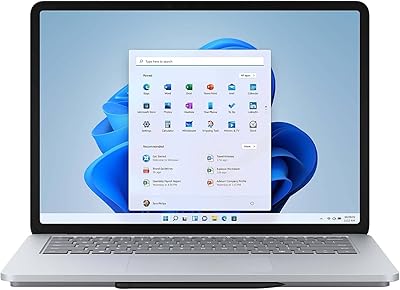
Microsoft Surface Laptop Studio 14.4″ Laptop
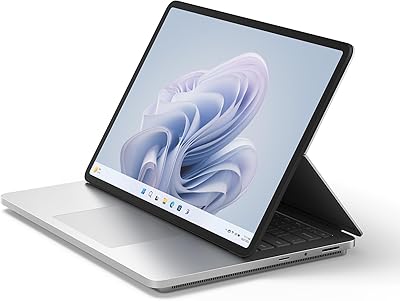
Microsoft Surface Laptop Studio 2 1TB Laptop
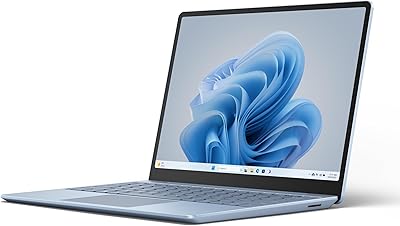
Microsoft Surface Laptop Go 3 Notebook
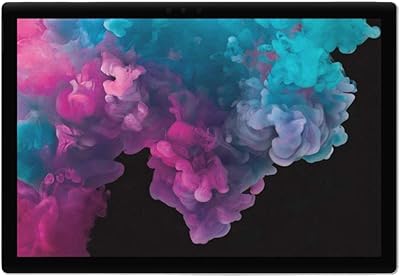
Microsoft Surface Pro 6 512GB 2-in-1 Laptop
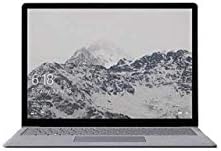
Microsoft Surface Laptop 1st Gen 256GB
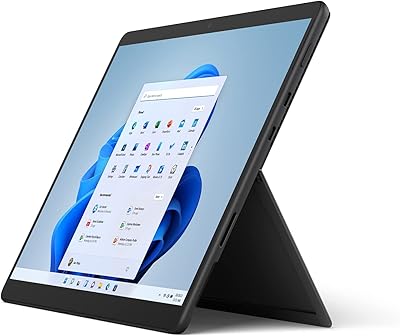
Microsoft Surface Pro 8 512GB 2-in-1 Tablet
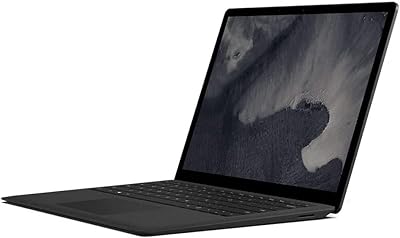
Microsoft Surface Laptop 2 256GB Laptop