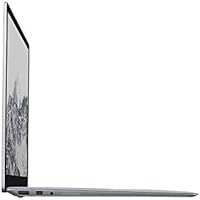
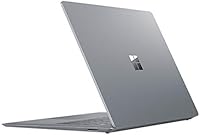
Overview

The Microsoft Surface Laptop 1st Gen 256GB marked a clear departure from Microsoft's hybrid Surface Pro line — this was a straightforward clamshell laptop, nothing more, nothing less. What made it stand out wasn't raw power; it was the design. The Alcantara fabric keyboard deck gave it a texture and warmth that cold aluminum competitors simply couldn't match. The 13.5-inch PixelSense display uses a 3:2 aspect ratio, which translates to noticeably more vertical space for reading documents or browsing the web. It sits comfortably in the mid-range tier — capable enough for daily work, but not meant for heavy creative pipelines. Students, professionals, and anyone invested in the Windows ecosystem will find it genuinely appealing.

Features & Benefits

The first-gen Surface Laptop runs on an Intel Core i5-7200U paired with 8GB of DDR3 RAM — a combination that handles everyday multitasking, Office apps, and light web-based work without complaint. The 256GB SSD keeps things snappy; boot times are quick, and file access feels responsive in a way spinning hard drives never quite managed. At 2.76 lbs, it travels easily, and the aluminum chassis feels genuinely solid in hand. The PixelSense touchscreen adds a layer of interactivity that Windows 10 Pro uses well, especially with native touch gestures. It also brings BitLocker encryption and remote desktop capabilities that you wouldn't typically expect at this price point.

Best For

This Surface Laptop hits a sweet spot for students and remote workers who spend most of their day writing, researching, or sitting in video calls. The keyboard is genuinely one of its strongest assets for anyone logging long hours at the keys. It also suits people already living in the Microsoft ecosystem — OneDrive, Office 365, and Windows Hello all work without friction. That said, if you regularly run demanding software or need to juggle multiple external peripherals, the limited port selection and aging processor will feel constraining. Think of it as a premium daily driver, not a workstation replacement.

User Feedback

Owners of Microsoft's original Surface Laptop consistently highlight two things: the keyboard feel and the display. The Alcantara fabric earns genuine praise for comfort, though longer-term users note it stains with wear under heavy daily use — something worth knowing before committing. The 3:2 display earns strong marks for reading and productivity work. On the other side, the limited port selection draws frequent frustration — one USB-A and a proprietary connector simply isn't enough for most workflows. Battery life also divides opinion; Microsoft's advertised figure rarely holds up under real mixed conditions, with most users landing between six and nine hours. The aging processor now struggles noticeably when pushed hard.

Pros

  • The Alcantara keyboard deck is one of the most comfortable typing surfaces on any Windows laptop in this class.
  • A 13.5-inch PixelSense display with a 3:2 aspect ratio makes reading and document work noticeably more comfortable than widescreen rivals.
  • At 2.76 lbs, this Surface Laptop is genuinely light and easy to carry through a full day.
  • Windows 10 Pro brings BitLocker encryption and remote desktop features that most mid-range laptops simply do not include.
  • The 256GB SSD keeps the system feeling responsive — boot times are quick and file access stays snappy.
  • The aluminum chassis feels premium and durable, with no flex or creaking under normal daily handling.
  • Native Windows Hello support makes secure, fast login effortless for everyday users.
  • The touchscreen adds practical flexibility for quick scrolling and navigation without forcing you into tablet mode.

Cons

  • The 7th-gen Intel Core i5 processor is noticeably underpowered by current standards, especially under heavier workloads.
  • Just one USB-A port and a proprietary connector make peripheral management a real inconvenience without a separate hub.
  • Real-world battery life under mixed use typically lands well below the manufacturer's advertised figure.
  • Alcantara fabric is prone to visible staining and surface wear over months of heavy daily use.
  • No USB-C or Thunderbolt port limits future-proofing and compatibility with modern accessories.
  • The 256GB storage fills up quickly for users managing large files, media libraries, or multiple software installs.
  • Integrated graphics rule out any meaningful gaming or GPU-accelerated creative work.
  • RAM is not upgradeable after purchase, so the 8GB ceiling is permanent for the life of the machine.

Ratings

The scores below for the Microsoft Surface Laptop 1st Gen 256GB were generated by our AI engine after analyzing thousands of verified global user reviews, with spam, incentivized, and bot-driven submissions actively filtered out. Every category reflects the honest balance of what real owners praised and where they ran into genuine frustration. Nothing has been softened to protect the brand — the numbers tell the full story.

Build Quality
88%
The aluminum lid and base feel genuinely solid — there is no flex or cheap give when you pick it up with one hand. Users who carry this laptop daily consistently note that it still looks and feels well-constructed after extended use, which is not something every mid-range machine can claim.
The Alcantara fabric keyboard deck is the one area where build quality becomes a gamble. While it feels luxurious initially, long-term owners frequently report visible wear, fraying, and stubborn staining that the aluminum portions of the chassis simply do not develop.
Keyboard Comfort
91%
This is arguably the single most praised aspect across owner reviews. The soft Alcantara fabric palm rest reduces wrist fatigue during long writing sessions in a way that hard plastic and bare aluminum keyboards cannot match, and key travel is well-tuned for touch typists.
The fabric's comfort advantage fades as it ages — discoloration and surface degradation mean the keyboard deck that felt premium at month one can look visibly tired by month twelve, particularly for users who type with bare hands in warm environments.
Display Quality
87%
The 13.5-inch PixelSense panel earns consistent praise for its sharpness and the practical benefits of the 3:2 aspect ratio, which gives noticeably more vertical space for reading long documents, browsing articles, and working in spreadsheets without constant scrolling.
Viewing angles and color accuracy are well-regarded for productivity work but fall short for color-critical creative tasks. A small number of users also note that the 60Hz refresh rate feels slightly dated compared to newer displays at similar price points.
Performance
62%
38%
For the core tasks this laptop was designed for — web browsing, email, Office apps, and video calls — the i5-7200U and 8GB RAM combination still delivers a responsive and usable experience. Boot times are quick thanks to the SSD, and day-to-day navigation feels fluid.
The 7th-generation Intel processor is the machine's most significant liability in the current market. Users running Zoom alongside multiple browser tabs and Office apps begin noticing thermal throttling and lag, and anything involving video rendering or large datasets makes the processor feel genuinely underpowered.
Battery Life
61%
39%
Under light use — writing, reading, and low-brightness browsing — this Surface Laptop can stretch comfortably through a standard workday without needing a charge, which is enough for most students and remote workers who have occasional access to outlets.
Microsoft's advertised 14.5-hour figure consistently misleads buyers. Real-world mixed-use reports cluster between 6 and 9 hours, and users running video calls, cloud sync, and multiple apps simultaneously often land closer to the lower end of that range.
Portability
86%
At 2.76 lbs and with a slim profile under 0.6 inches, this is a genuinely comfortable laptop to carry in a bag all day. Commuters and students who move between classrooms, coffee shops, and offices regularly appreciate not feeling the weight after a few hours.
The charger is bulkier than the laptop deserves, and the proprietary Surface Connect connector means you always need to carry Microsoft's specific brick — no opportunity to top up from a USB-C power bank or a shared cable in a pinch.
Port Selection
38%
62%
The USB-A port handles the most common connection needs for users who only plug in one peripheral at a time, and the 3.5mm headset jack is a small but appreciated inclusion that many competing ultrabooks quietly removed around the same period.
One USB-A, one Mini DisplayPort, and a proprietary charging connector is a genuinely frustrating setup in practice. Users who need an external drive, a mouse, and a monitor connected simultaneously discover very quickly that a USB hub is not optional — it is a required purchase.
Touchscreen
74%
26%
Touch responsiveness is accurate and smooth enough for practical use — scrolling long web pages, tapping small interface elements, and quick navigation all feel natural. Buyers who migrate from iPad or Android habits find the touch layer genuinely useful rather than a gimmick.
Without a fold-flat or tent mode, the touchscreen's utility is inherently limited to reach-and-tap interactions from a normal laptop position. Users who expected the flexibility of a full 2-in-1 experience are often disappointed once they realize the hinge does not fold beyond a standard open angle.
Software & Ecosystem
83%
Windows 10 Pro is a meaningful inclusion — features like BitLocker encryption, Remote Desktop, and native Active Directory support are genuinely useful for business users and students in managed IT environments, and they come pre-installed without any extra cost or configuration.
Some buyers report bloatware and background processes from Windows update cycles consuming noticeable RAM, which on an 8GB fixed-memory machine can feel more intrusive than on systems with more headroom. Driver update management has also been a friction point for a small subset of users.
Value for Money
59%
41%
When purchased at a significant discount from original retail, the first-gen Surface Laptop offers a premium-feeling machine with a genuinely great display and keyboard at a price that reflects its age. For budget-conscious buyers who need a polished daily driver, the value case is real.
At or near its original asking price, the aging hardware makes it a hard sell against newer mid-range competitors. Buyers paying a premium price for a 7th-gen processor with soldered, non-upgradeable RAM will find the value proposition uncomfortable compared to what the same money buys today.
Webcam Quality
57%
43%
The 720p front-facing camera handles standard video calls adequately in well-lit environments — functional enough for Zoom, Teams, and Google Meet at a time when many competing machines shipped with similarly modest specs.
By current standards, 720p is noticeably soft, and low-light performance degrades quickly into grainy, washed-out footage. Buyers who rely on video calls as a core part of their workday may find themselves self-conscious about image quality compared to colleagues on newer hardware.
Speakers & Audio
72%
28%
The dual front-facing speakers with Dolby Audio support produce clear, well-balanced sound for casual media consumption and video calls. Volume levels are adequate for a quiet office or dorm room, and the front-facing placement helps maintain clarity rather than bouncing sound off a desk.
Bass response is thin and the overall soundstage is narrow, which becomes apparent when watching films or listening to music with any dynamic range. Users who care about audio quality for entertainment use will almost certainly reach for headphones.
Alcantara Durability
49%
51%
Fresh out of the box, the Alcantara keyboard deck is one of the most tactilely distinctive surfaces on any Windows laptop — soft, warm, and genuinely different from every competitor. Many users describe it as a feature they actively miss when switching to other machines.
Long-term durability is the fabric's Achilles heel. Oil from hands, food residue, and general friction accumulate in the weave in ways that are difficult to reverse, and Microsoft's official cleaning guidance has limited impact on embedded staining. Several owners describe the deck looking noticeably worn within six to twelve months of daily use.
Connectivity & Wireless
68%
32%
Bluetooth performance is reliable for wireless keyboards, mice, and headphones, and Wi-Fi connectivity handles standard office and home network environments without notable dropout issues for everyday browsing and cloud-based work.
The lack of 802.11ac (Wi-Fi 5) support means this laptop tops out at older wireless standards, which can result in slower maximum throughput on modern routers compared to machines released just a generation later. It is a minor issue for most users but a real one in high-bandwidth environments.

Suitable for:

The Microsoft Surface Laptop 1st Gen 256GB is a strong match for students, writers, and remote professionals who spend most of their day in a browser, a word processor, or a spreadsheet. If your workflow revolves around Office 365, OneDrive, and the broader Windows ecosystem, this machine plugs in without friction — everything just works the way Microsoft intended. The 3:2 PixelSense display is genuinely well-suited to document-heavy work, giving you more readable vertical space than the typical widescreen laptop. At under three pounds, it travels light enough to carry daily without thinking about it. People who care about how their gear looks and feels — not just what it benchmarks — will appreciate the Alcantara keyboard deck and the clean aluminum chassis in a way that a purely spec-driven buyer might not.

Not suitable for:

The Microsoft Surface Laptop 1st Gen 256GB shows its age for anyone pushing beyond everyday productivity tasks. The 7th-generation Core i5 processor was mid-range when this laptop launched, and years later it genuinely struggles when you layer on video editing, heavy multitasking, or any compute-intensive software. The port situation is a real practical problem — one USB-A port and a proprietary Surface Connect connector is simply not enough for professionals who routinely connect external drives, monitors, or peripherals without a separate hub. Buyers who regularly work from a desk with multiple connected devices will find the setup frustrating rather than liberating. The Alcantara fabric, while comfortable, is not a good fit for users who eat at their desk, work in dusty environments, or simply prefer surfaces that can be wiped clean.

Specifications

  • Processor: Powered by an Intel Core i5-7200U (7th Gen) dual-core processor running at 2.5GHz, suitable for everyday productivity workloads.
  • RAM: Comes with 8GB of DDR3 SDRAM running at 1866MHz, soldered to the board and not user-upgradeable.
  • Storage: Equipped with a 256GB solid-state drive, offering faster read and write speeds compared to traditional spinning hard drives.
  • Display: Features a 13.5″ PixelSense touchscreen with a 3:2 aspect ratio, delivering a taller viewing area well suited to document and web work.
  • Screen Resolution: The display outputs at 2256 x 1504 pixels, providing sharp, detailed visuals at a pixel density of approximately 201 PPI.
  • Graphics: Uses Intel HD Graphics 620 integrated graphics, capable of handling everyday visual tasks but not suited for GPU-intensive applications.
  • Operating System: Ships with Windows 10 Pro, which includes enterprise features such as BitLocker disk encryption and Remote Desktop functionality.
  • Battery Life: Microsoft rates video playback battery life at up to 14.5 hours, though real-world mixed-use typically yields between 6 and 9 hours.
  • Weight: The laptop weighs 2.76 lbs (approximately 1.25 kg), placing it among the lighter options in the 13-inch Windows laptop category.
  • Chassis: The body combines an aluminum lid and base with an Alcantara fabric-covered keyboard deck, giving it a distinctive premium texture.
  • Ports: Connectivity includes one USB-A 3.0 port, one Mini DisplayPort, one proprietary Surface Connect port, and a 3.5mm headset jack.
  • Wireless: Supports 802.11a/b/g/n Wi-Fi standards along with Bluetooth for wireless peripheral and network connectivity.
  • Dimensions: The laptop measures approximately 11.5″ x 8.5″ x 0.57″ (292mm x 216mm x 14.5mm), keeping a slim profile suitable for bag carry.
  • Keyboard: Full-size backlit keyboard with Alcantara fabric palm rest, designed for extended typing comfort during long work sessions.
  • Webcam: Includes a front-facing 720p HD camera positioned above the display, adequate for standard video calls and conferencing.
  • Security: Supports Windows Hello facial recognition login via the front-facing camera, enabling fast and password-free authentication.
  • Audio: Features dual front-facing speakers with Dolby Audio Premium support for enhanced sound output during media playback.
  • Power Input: Charges via the proprietary 24V Surface Connect magnetic connector, which is not compatible with USB-C charging standards.
  • Color Option: Available in Platinum as listed, with the Alcantara keyboard deck matching the overall tone-on-tone design aesthetic.
  • Form Factor: Traditional clamshell laptop design with a touchscreen display, offering no tent or tablet mode unlike the Surface Pro line.

Related Reviews
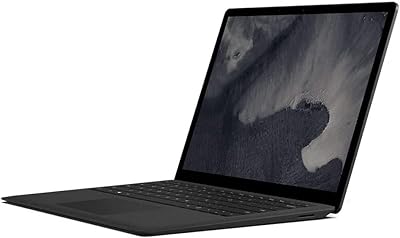
Microsoft Surface Laptop 2 256GB Laptop
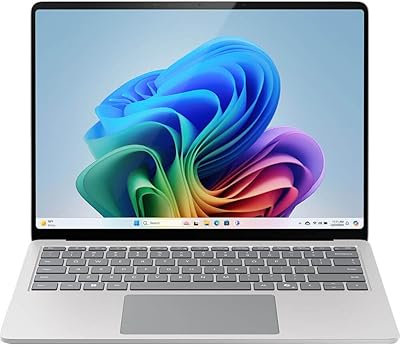
73%
93%
Display Quality
91%
Build Quality
88%
Keyboard & Typing Experience
76%
Battery Life
74%
Performance & Speed
More
Microsoft Surface Laptop 2024 13.8″
80%
93%
Display Quality
88%
Battery Life
91%
Build Quality & Design
87%
Performance (Everyday Workloads)
92%
Keyboard & Typing Experience
More
Microsoft Surface Laptop 2024 15″ Laptop
75%
91%
Display Quality
84%
Battery Life
82%
Performance
93%
Build Quality
88%
Keyboard & Trackpad
More
Microsoft Surface Pro 12″ 2025 2-in-1 Laptop
76%
93%
Build Quality
91%
Display Quality
84%
Performance
78%
Battery Life
96%
Portability
More
Microsoft Surface Pro 7 i5 16GB 256GB
79%
93%
Display Quality
91%
Build Quality & Design
82%
Performance & Speed
94%
Portability
67%
Battery Life
More
Microsoft Surface Laptop Studio 14.4″ Laptop
73%
93%
Display Quality
88%
Pen Experience
89%
Build Quality
58%
Battery Life
76%
Performance
More
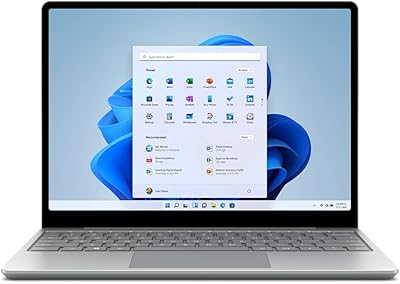
Microsoft Surface Laptop Go 2 - 12.4″, Intel Core i5, 8GB RAM, 256GB SSD
86%
92%
Portability & Weight
88%
Battery Life
85%
Display Quality
84%
Performance for Everyday Use
89%
Build Quality
More
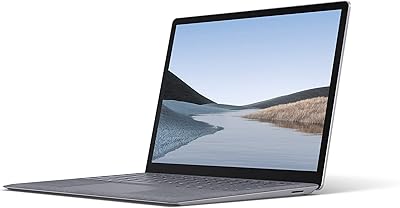
Microsoft Surface Laptop 3 13.5″ Laptop
78%
93%
Display Quality
89%
Build Quality
88%
Keyboard & Trackpad
81%
Everyday Performance
74%
Battery Life
More
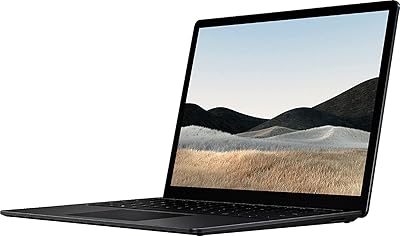
Microsoft Surface Laptop 4 13.5″ i7 16GB 256GB
75%
91%
Build Quality
89%
Display Quality
84%
Performance
76%
Battery Life
88%
Keyboard & Trackpad
More
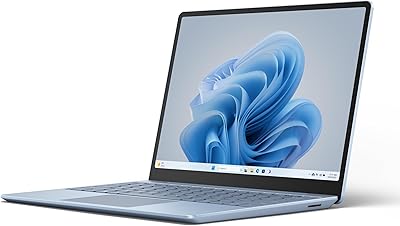
Microsoft Surface Laptop Go 3 Notebook
79%
91%
Build Quality
93%
Portability
84%
Display Quality
78%
Performance
74%
Battery Life
More

FAQ

For light, everyday use — browsing, writing, email, and Office apps — it still holds up reasonably well. The hardware is aging, particularly the 7th-gen processor, so if you plan on running demanding software or need longevity for several more years, a newer machine would serve you better. For budget-conscious buyers who prioritize build quality and a great keyboard over raw performance, it can still be a practical pick.

Expect somewhere between 6 and 9 hours under normal mixed use — browsing, documents, and the occasional video call. Microsoft's advertised 14.5-hour figure is based on continuous video playback under ideal conditions, which rarely reflects a real workday. If you keep screen brightness moderate and avoid heavy multitasking, you can comfortably get through a full work day without hunting for an outlet.

Unfortunately, no. Both the RAM and SSD are soldered directly to the motherboard, so what you buy is what you have. The 8GB RAM and 256GB SSD are fixed for the life of the machine, which is worth factoring in before purchase if your storage or memory needs tend to grow over time.

It genuinely feels different from a standard laptop keyboard deck — softer, warmer, and more comfortable under your wrists during long sessions. Most people who spend time with it end up liking it quite a bit. The concern is longevity: over months of heavy daily use, the fabric can start to show wear, discoloration, or light staining, especially if you eat at your desk or have oily skin. It is not easy to clean deeply.

Yes, it responds accurately and smoothly for basic touch navigation — scrolling web pages, tapping icons, and pinch-to-zoom all feel natural. It is not a 2-in-1, so you cannot fold it into tablet mode, but having touch available for quick interactions is genuinely useful. A stylus like the Surface Pen is also compatible if you want to annotate documents.

You can connect one external display via the Mini DisplayPort. There is no HDMI port built in, so you will need a Mini DisplayPort to HDMI adapter if your monitor does not accept that input directly. The single display output is a real limitation if you rely on a multi-monitor desk setup.

Honestly, it depends on your workflow. If you primarily work from Wi-Fi, use wireless peripherals, and only occasionally plug in a USB drive, the single USB-A port is manageable. But if you need to connect an external drive, a mouse, and a secondary monitor simultaneously, you will need a USB hub or dock. A lot of users end up buying one fairly quickly.

This Surface Laptop performs well for video calls, document collaboration, and cloud-based tools like Microsoft Teams and Zoom. The 720p webcam is functional but not exceptional by current standards. The speakers are clear enough for calls without headphones, and the microphone picks up voice without too much background noise.

It can open and run both programs, but it will not be a comfortable experience for serious editing work. Photoshop in particular can feel sluggish when working with large layered files, and rendering or exporting in Lightroom takes noticeably longer than it would on a machine with a more modern processor and dedicated graphics. For occasional light edits it is usable, but not for professional-volume workflows.

No, the first-gen Surface Laptop charges exclusively through the proprietary Surface Connect magnetic connector. It does not support USB-C or Thunderbolt charging, which means you are tied to Microsoft's official charger or a compatible third-party Surface Connect accessory. This is one of the more noticeable ways the design has aged compared to modern laptops that charge universally over USB-C.