Overview

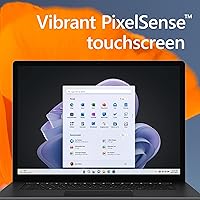
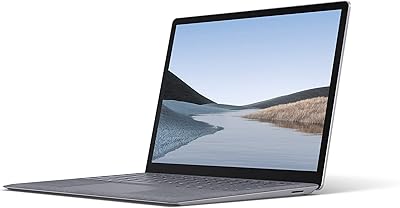
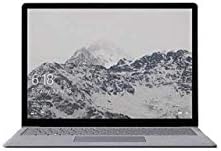
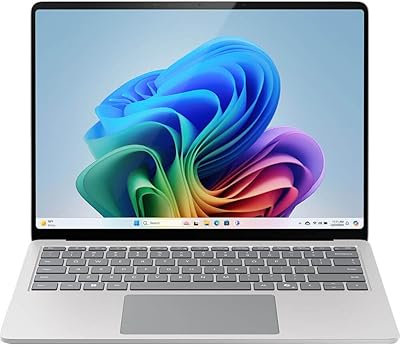
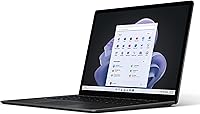
The Microsoft Surface Laptop 5 15″ Laptop sits in an interesting spot in the Windows ultrabook market — a large-screen, impressively portable machine designed for professionals and students who refuse to compromise on display quality. The 15-inch PixelSense touchscreen is the headline feature here, and it earns its billing with rich color and a sharp resolution that holds up well in bright environments. Intel Evo platform certification means the hardware is tuned for fast wake times and consistent responsiveness, not just raw clock speed. Windows 11 Home with Copilot integration adds a layer of AI-assisted productivity that, while still maturing, fits naturally into everyday workflows.
Features & Benefits

The 3:2 aspect ratio display is one of those things that sounds like a spec sheet detail until you actually use it — suddenly browser pages, spreadsheets, and documents need far less scrolling. The Intel Core i7 handles office multitasking and light photo editing capably, though the integrated Iris Xe graphics won't satisfy anyone with serious rendering needs. The honest caveat here is 8GB of RAM — it's not upgradeable post-purchase, which is a real concern for users who stack multiple applications or keep many browser tabs open. A Thunderbolt 4 port handles 4K monitor connections and fast file transfers, while Wi-Fi 6E keeps connectivity quick. The backlit keyboard and stylus support round out a thoughtful feature set.

Best For

This Surface Laptop punches hardest for remote workers and professionals who want a large, crisp screen they can actually carry through an airport without back strain — at 3.05 pounds, the form factor delivers. Students in writing-heavy or design-adjacent programs will appreciate the tall screen and stylus compatibility for note-taking and light illustration work. If you're already deep in the Microsoft ecosystem — Teams, OneDrive, Office 365 — the tight integration here makes daily workflows noticeably smoother. It's also a solid pick for travelers who need reliable battery life on the road. Where it falls short is with power users expecting GPU performance or heavy video editing capability.

User Feedback

Owners consistently praise the keyboard and build quality, with the aluminum chassis drawing comparisons to much pricier machines. Display color accuracy earns high marks as well. The two recurring frustrations, though, are hard to ignore: many buyers wish the port selection went further than a single Thunderbolt 4 — the absence of a USB-A port means dongle life for a lot of accessories. The non-upgradeable RAM is the sharper sticking point; buyers who didn't anticipate their workload growing are left with a locked-in 8GB configuration. On battery life, real-world use typically falls in the 10–12 hour range under mixed workloads, which is still impressive but notably below the rated figure. Windows Hello, by contrast, rarely draws complaints.

Pros

  • The 15-inch PixelSense display offers exceptional color accuracy and sharpness that stands out among Windows ultrabooks.
  • The 3:2 aspect ratio gives noticeably more vertical screen space, reducing scrolling in documents and web pages.
  • At 3.05 pounds, this Surface Laptop is genuinely easy to carry through a full travel day.
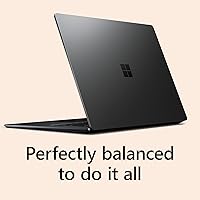
  • The aluminum build quality feels premium and durable without being heavy.
  • Real-world battery life in the 10 to 12 hour range covers most full workdays comfortably.
  • Windows Hello face login is fast, reliable, and makes unlocking feel completely effortless.
  • The keyboard strikes a well-balanced feel that holds up through long typing sessions.
  • Thunderbolt 4 support enables clean 4K monitor setups and fast external storage connections.
  • Wi-Fi 6E keeps wireless performance strong in congested network environments.
  • Touchscreen and stylus support add genuine flexibility for note-takers and light creative work.

Cons

  • 8GB of RAM is soldered and cannot be upgraded, locking you into a configuration that may feel tight within a few years.
  • A single Thunderbolt 4 port means most users will need a hub or dock for everyday desk setups.
  • Integrated graphics rule out any meaningful GPU-accelerated workloads, including video rendering and 3D work.
  • The rated 18-hour battery life is optimistic; mixed real-world use lands considerably lower.
  • No USB-A port is a recurring frustration for users with older accessories or external drives.
  • The 512GB SSD fills up quickly for users managing large media libraries or creative project files.
  • Competitors at a similar price offer 16GB of RAM as standard, making the memory ceiling harder to justify.
  • The webcam resolution is underwhelming for a laptop positioned at professionals who rely on video calls.
  • Copilot AI integration, while present, is still limited in practical daily utility for most users.
  • Glossy display finish can cause noticeable reflections in brightly lit or outdoor environments.

Ratings

The scores below reflect an AI-driven analysis of verified global user reviews for the Microsoft Surface Laptop 5 15″ Laptop, with spam, bot-generated, and incentivized submissions actively filtered out before scoring. Each category is rated on a 0–100 scale to give you an honest picture of where this machine genuinely excels and where real buyers have run into frustration. Both the standout strengths and the recurring pain points are weighted equally so you can make a confident, informed decision.

Display Quality
93%
The 15-inch PixelSense panel consistently earns high praise for color accuracy and sharpness, with users noting it holds up impressively in bright office environments and next to external monitors. The 3:2 aspect ratio is a recurring favorite among writers and researchers who find it dramatically reduces the need to scroll through long documents.
A notable portion of users flag the glossy finish as a frustration in rooms with overhead lighting or near windows, where reflections can become distracting enough to interrupt focus. A matte display option would address this for a meaningful segment of buyers.
Build Quality
91%
The machined aluminum chassis draws consistent comparisons to much more expensive machines, with users reporting that it feels solid and premium even after extended daily use in bags and on desks. The hinge mechanism in particular earns praise for staying firm without being stiff — an often-overlooked detail that affects daily usability.
A small but notable group of reviewers report that the darker color finishes show fingerprints and light scratches more visibly over time than expected for a premium device. Some users also note the chassis has limited flex resistance near the keyboard deck compared to rivals at a similar price.
Keyboard & Touchpad
88%
Typing comfort on this Surface Laptop is routinely praised by professionals who spend hours drafting documents, with many users specifically calling out the key travel and spacing as among the best in the Windows ultrabook category. The large touchpad tracks accurately and supports smooth multi-finger gestures without unwanted palm activation.
A subset of users coming from mechanical keyboards find the key travel slightly shallow after extended sessions, leading to minor fatigue during marathon writing days. A few reviewers also note the touchpad surface can feel slightly less responsive in very dry environments.
Performance & Speed
79%
21%
The Intel Evo-certified i7 handles the daily professional workload — web browsing, Office suite multitasking, Teams calls, and light photo work — with consistent responsiveness and fast wake-from-sleep that users describe as feeling closer to a phone than a traditional laptop. Boot times and application launches are quick enough that most users never feel they're waiting.
When workloads intensify — multiple large spreadsheets, background cloud sync, and video playback running simultaneously — the 8GB RAM ceiling becomes tangible and users report noticeable slowdowns. Those who switched from a 16GB configuration on another laptop express the most dissatisfaction, as the performance drop under load is clearly perceptible.
RAM & Upgradeability
47%
53%
For light-to-moderate productivity tasks, the 8GB DDR5 configuration handles day-to-day demands without obvious strain, and most casual users report no issues during typical browsing and communication workflows. DDR5 does offer faster memory bandwidth than older DDR4 alternatives, which provides a slight edge in responsiveness under lighter loads.
The soldered, non-upgradeable RAM is one of the most frequently cited dealbreakers in user reviews, with buyers who anticipated growing workloads feeling genuinely locked in with no hardware recourse. Competitors at a comparable price regularly ship with 16GB as standard, making this configuration feel like a deliberate compromise that undermines the laptop's premium positioning.
Battery Life
76%
24%
For a 15-inch laptop, real-world endurance is genuinely competitive — users working through full office days on email, documents, and video calls regularly report getting through the day without plugging in, something that simply isn't guaranteed in this screen size category. Travelers specifically appreciate not having to carry a charger for short trips.
The marketed 18-hour figure creates expectations that real use rarely meets, and a noticeable portion of buyers express frustration at the gap between that claim and their actual 10-to-12-hour experience. Battery degradation over the first year has also been flagged by some long-term owners as more pronounced than expected.
Port Selection
44%
56%
The single Thunderbolt 4 port is technically capable, supporting 4K monitor output, high-speed data transfer, and pass-through charging through a single connection — meaning a one-cable desk setup is achievable with the right dock. Users who already own a quality Thunderbolt hub tend to rate this less harshly than those who don't.
For buyers without a hub, the absence of USB-A and the reliance on a single multipurpose port is a recurring and significant complaint — particularly from professionals who regularly connect external drives, USB peripherals, and a monitor at the same desk. The Surface Connect charging port helps slightly, but most users still need a hub to avoid daily port juggling.
Touchscreen & Stylus Support
82%
18%
The touchscreen response is consistently rated as accurate and natural-feeling for a Windows laptop, with students and light creatives finding it genuinely useful for annotating PDFs, signing documents, and navigating content in presentation or tablet-style use. Stylus compatibility with the Surface Slim Pen extends its practical value for note-taking scenarios.
The stylus must be purchased separately, which adds cost that not all buyers anticipate, and a few reviewers note that palm rejection during stylus input can be inconsistent in longer writing sessions. Users looking for a drawing-tablet-grade experience report that the touch layer adds some latency compared to dedicated graphic tablets.
Windows Hello & Login
89%
Face recognition login is one of the more consistently praised convenience features across buyer reviews, with users describing the experience of opening the lid and being instantly logged in as one of those small things that meaningfully improves the feel of a daily driver. Reliability under varied lighting conditions earns particular appreciation from remote workers.
Low-light environments — dim home offices, evening use without a desk lamp — occasionally cause face recognition to fall back to PIN login, which breaks the otherwise frictionless experience. A small number of users also report that wearing glasses or changing facial hair coverage affects initial recognition accuracy until the system recalibrates.
Storage Capacity
73%
27%
The 512GB SSD is fast and provides enough headroom for the majority of professional users who rely on cloud storage for bulk file management through OneDrive or similar services. Application load times and file access speeds draw positive remarks, with users noting the SSD performance feels appropriately matched to the Intel Evo platform.
Users who work with large local media libraries, video project files, or offline backups find 512GB fills up faster than expected, especially without a straightforward external expansion option given the single-port setup. Buyers who don't plan to use cloud storage heavily should factor in the cost of an external drive from the start.
Portability & Weight
87%
At 3.05 pounds for a 15-inch machine, this Surface Laptop earns consistent praise from commuters and travelers who expected to sacrifice more in weight for the larger screen. Users who switched from 13-inch laptops to this model frequently note the weight difference was smaller than anticipated, making the display upgrade feel like a clear win.
While competitive in its class, the size of a 15-inch chassis is inherently less comfortable in tighter spaces — economy airline tray tables, small cafe desks — and a handful of users note they wished for a 13-inch option with the same display quality for more versatile portability.
Value for Money
63%
37%
Buyers who prioritize display quality, build finish, and Microsoft ecosystem integration over raw specs tend to feel the price is justified, particularly when comparing the premium feel of the chassis and screen to lower-cost Windows alternatives. The overall daily-use experience resonates well with professionals who value a refined product.
The 8GB non-upgradeable RAM at this price point is the central value objection in negative reviews, with many buyers noting that competing Windows laptops and the MacBook Air offer 16GB as standard for comparable or lower prices. For spec-focused buyers, the value case requires buying into the display and ecosystem angle rather than the hardware numbers.
Webcam Quality
58%
42%
The front-facing camera performs adequately for standard video calls on Teams, Zoom, and Google Meet under decent lighting conditions, which covers the primary use case for the majority of professional users who bought this machine. Low-latency performance during calls is generally smooth thanks to the Intel Evo platform.
Camera resolution and dynamic range fall noticeably short of expectations at this price tier, with users in variable lighting — backlit rooms, dim offices — reporting a noticeably grainy or washed-out image compared to competitors. Content creators who use the built-in webcam for streaming or recording express the clearest disappointment.
Software & AI Integration
67%
33%
Windows 11 Home runs cleanly on this hardware, and users invested in the Microsoft 365 ecosystem find the native integration with Teams, OneDrive, and Office apps genuinely smooth. Copilot access is appreciated as a useful writing and summarization assistant for those who adopt it into their daily habits.
Copilot's real-world utility draws mixed reactions — users who expected a transformative AI assistant frequently find its current capabilities more modest than the marketing suggests, with several reviews describing it as a promising feature that still needs maturation. Windows 11's occasional forced update interruptions also remain a point of frustration for a vocal segment of buyers.

Suitable for:

The Microsoft Surface Laptop 5 15″ Laptop is purpose-built for professionals and students who want a large, high-quality display in a machine light enough to carry daily without a second thought. Remote workers who spend long hours in documents, spreadsheets, or video calls will find the tall 3:2 screen genuinely reduces the fatigue of constant scrolling — it sounds minor until you switch back to a 16:9 display and immediately notice what you gave up. Business travelers benefit from the combination of real-world battery endurance and a sub-3.1-pound chassis that won't punish your shoulder on a long transit day. Anyone already invested in the Microsoft ecosystem — Teams, OneDrive, Office 365 — will notice the software integration feels native rather than bolted on. Students in writing-heavy, research, or light design programs will also find the touchscreen and optional stylus support genuinely useful rather than a gimmick.
Not suitable for:

The Microsoft Surface Laptop 5 15″ Laptop is the wrong tool for buyers who push their hardware hard. The 8GB of RAM is soldered and non-upgradeable, which means if your workload grows — more browser tabs, heavier applications, background processes — you cannot fix that limitation later without buying a new machine entirely. Video editors, 3D modelers, or anyone who relies on GPU-accelerated software will be let down by the integrated Intel Iris Xe graphics, which simply aren't built for that category of work. The port situation is also a genuine friction point for power users: a single Thunderbolt 4 port means you will likely need a hub or dock from day one if you regularly use multiple peripherals. Budget-conscious shoppers comparing raw specs per dollar will find competing Windows laptops offering more RAM or discrete graphics at a similar price point, making this a harder sell unless the display quality and build premium specifically appeal to you.
Specifications

  • Screen Size: The display measures 15 inches diagonally with a 3:2 aspect ratio, providing more vertical screen space than the standard 16:9 format common in competing laptops.
  • Resolution: The PixelSense touchscreen runs at 2496x1664 pixels, delivering sharp, detailed visuals well-suited for reading documents, editing photos, and video calls.
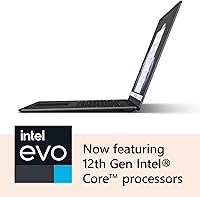
  • Processor: Powered by an Intel Core i7 on the Intel Evo platform, the CPU is optimized for fast wake times, sustained responsiveness, and efficient power use during everyday workloads.
  • RAM: This configuration ships with 8GB of DDR5 RAM, which is soldered to the motherboard and cannot be upgraded after purchase.
  • Storage: A 512GB SSD handles the internal storage, providing fast read and write speeds for application launches and file transfers.
  • Graphics: Intel Iris Xe integrated graphics handle display output and light visual tasks; no discrete GPU is included in this configuration.
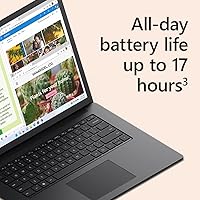
  • Battery Life: Microsoft rates battery life at up to 18 hours, though real-world mixed use typically results in 10 to 12 hours depending on workload and screen brightness.
  • Connectivity: A single Thunderbolt 4 port supports 4K monitor output, laptop charging, and high-speed data transfer up to 40Gbps.
  • Wireless: Wi-Fi 6E (802.11ax) is built in, enabling faster wireless speeds and better performance in congested network environments.
  • Weight: The chassis weighs 3.05 pounds, placing it among the lighter options in the 15-inch laptop category.
  • Dimensions: The laptop measures 13.4 x 9.6 x 0.58 inches, keeping the footprint slim and travel-friendly despite the larger screen size.
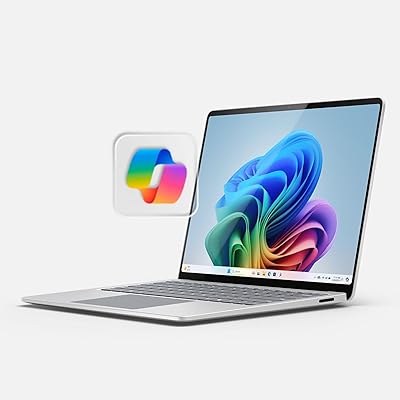
  • Operating System: Windows 11 Home comes pre-installed, with Microsoft Copilot AI integration available through the taskbar for AI-assisted productivity tasks.
  • Keyboard: The backlit keyboard features well-spaced keys with a travel depth tuned for extended typing comfort, along with a large touchpad for navigation.
  • Biometric Login: Windows Hello facial recognition enables secure, password-free login within seconds of opening the lid.
  • Display Type: The PixelSense panel supports touch input and is compatible with the Microsoft Surface Slim Pen for stylus-based input and annotation.
  • Memory Type: The installed RAM uses the DDR5 standard, which offers faster bandwidth compared to DDR4 found in older or budget configurations.
  • Aspect Ratio: The 3:2 screen ratio provides approximately 18% more vertical display area compared to a 16:9 panel of equivalent diagonal size.
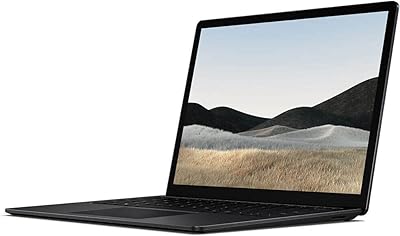
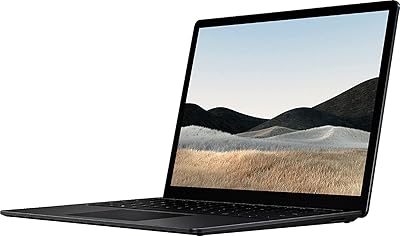
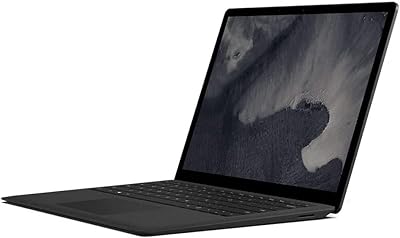
  • Color Options: The laptop is available in multiple finishes, including Black, allowing buyers to choose a look that suits personal or professional preferences.

Related Reviews

Microsoft Surface Laptop 4 13.5-inch 512GB
74%
91%
Display Quality
88%
Build Quality
87%
Keyboard & Trackpad
74%
Performance
71%
Battery Life
More
Microsoft Surface Laptop 2024 15″ Laptop
75%
91%
Display Quality
84%
Battery Life
82%
Performance
93%
Build Quality
88%
Keyboard & Trackpad
More
Microsoft Surface Laptop 3 13.5-inch, Intel Core i5, 8GB RAM, 256GB SSD
84%
88%
Performance
94%
Portability & Weight
82%
Battery Life
90%
Display Quality
85%
Build Quality & Durability
More
Microsoft Surface Laptop 1769 128GB
73%
91%
Build Quality
88%
Display Quality
74%
Battery Life
87%
Keyboard & Trackpad
76%
Performance
More
Microsoft Surface Laptop 4 13.5″ i7 16GB 256GB
75%
91%
Build Quality
89%
Display Quality
84%
Performance
76%
Battery Life
88%
Keyboard & Trackpad
More
Microsoft Surface Laptop Go 3 Notebook
79%
91%
Build Quality
93%
Portability
84%
Display Quality
78%
Performance
74%
Battery Life
More
Microsoft Surface Laptop 1st Gen, 256GB Storage, 8GB RAM
85%
92%
Portability & Design
88%
Battery Life
91%
Keyboard Comfort
74%
Display Quality
85%
Performance for Everyday Use
More
Microsoft Surface Laptop 2024 13.8″
80%
93%
Display Quality
88%
Battery Life
91%
Build Quality & Design
87%
Performance (Everyday Workloads)
92%
Keyboard & Typing Experience
More
Microsoft Surface Laptop 2 Core i5 8GB RAM 256GB SSD
84%
87%
Performance
91%
Battery Life
89%
Portability
93%
Build Quality
88%
Display Quality
More
HP Victus 15 Gaming Laptop 64GB 2TB Ryzen 5 7535HS RTX 2050
86%
95%
Performance
92%
Gaming Experience
90%
Display Quality
94%
Memory & Storage
87%
Build Quality
More

FAQ

For most everyday tasks — browsing, email, Office apps, video calls, and media playback — 8GB handles things without much strain. Where it starts to feel limiting is when you stack a lot of applications simultaneously or keep many browser tabs open at once. If your work involves anything heavier, like large spreadsheets, light video editing, or running virtual machines, you may hit the ceiling sooner than you'd like. The bigger concern is that the RAM is soldered in, so there is no upgrade path if your needs grow.

The rated 18-hour figure is based on controlled testing at low screen brightness with light workloads, so treat it as a best-case ceiling rather than a daily expectation. In typical mixed use — web browsing, document editing, a few video calls, and moderate brightness — most users report landing somewhere between 10 and 13 hours. That is still genuinely good for a 15-inch laptop, and most people will get through a full workday without hunting for an outlet.

Not without an adapter. The Microsoft Surface Laptop 5 15″ Laptop ships with a single Thunderbolt 4 port and a Surface Connect charging port — there is no USB-A built in. If you regularly use USB-A peripherals like flash drives, older mice, or external hard drives, you will want to budget for a Thunderbolt 4 hub or USB-C adapter from the start.
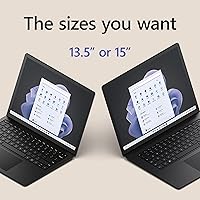
It works noticeably better than touchscreens on many Windows laptops because the 3:2 screen ratio gives you more usable vertical space for touch interactions. Scrolling through documents or tapping on-screen controls feels natural. Pair it with the optional Surface Slim Pen and it becomes genuinely useful for annotation, sketching rough layouts, or signing documents. It is not a replacement for a drawing tablet if illustration is your main job, but for light creative work it earns its place.

It depends heavily on the student's field and budget priorities. For students in writing, research, business, or communications programs, the large, crisp screen and comfortable keyboard make long study sessions noticeably more comfortable. The weight is manageable for daily campus carry. Students in engineering, video production, or 3D design should look elsewhere, as the integrated graphics and locked 8GB of RAM will restrict what they can do.

It uses the front-facing camera to recognize your face and log you in — usually within a second or two of opening the lid. Most users find it reliable across different lighting conditions, though very low-light environments can occasionally cause a fallback to PIN login. Overall it is one of the more positively received features among buyers, primarily because it removes the daily friction of typing a password every time you sit down.

Light photo editing in apps like Adobe Lightroom or Photos is manageable, and the display quality actually makes color work more enjoyable than on many competing screens. Video editing is where things get more complicated — short clip trimming and basic edits in an app like Clipchamp or DaVinci Resolve will work, but longer timelines, multi-layer projects, or export-heavy workflows will feel sluggish due to the integrated graphics and 8GB RAM ceiling. For dedicated content creators, this machine is a compromise.

Quite a bit. Thunderbolt 4 supports 4K monitor output, USB4 devices, external SSDs with fast transfer speeds, and full-featured USB-C hubs that can expand your port options significantly. You can charge the laptop through it as well, which means a single cable desk setup is possible if you use a powered Thunderbolt dock. The catch is that with only one port, you are splitting its use between charging and everything else unless you go through a hub.

It is a genuinely competitive comparison. The MacBook Air 15-inch typically ships with more unified memory starting at 16GB and offers longer sustained performance under load thanks to Apple Silicon efficiency. This Surface Laptop counters with a better aspect ratio display for productivity work, a more natural Windows ecosystem for those already embedded in Microsoft tools, and touchscreen input that the MacBook Air lacks entirely. If you are platform-agnostic and primarily care about raw performance per dollar, the MacBook Air has an edge. If you prefer Windows and value the display format and touch input, the Surface Laptop holds its own.

It ships with Windows 11 Home and includes trial access to Microsoft 365, but a full Office subscription is not bundled permanently. You will need an active Microsoft 365 subscription to use the full versions of Word, Excel, PowerPoint, and Outlook beyond the trial period. The free web versions of those apps are available through a Microsoft account at no extra cost if a subscription is not in your budget.