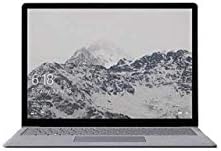
Microsoft Surface Pro 5th Gen 128GB Tablet
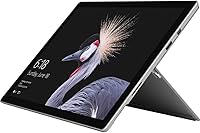
Overview
The Microsoft Surface Pro 5th Gen 128GB Tablet is Microsoft's answer to professionals who need a real laptop experience without the bulk of one. When this generation arrived, it brought meaningful improvements over its predecessor — notably a 50% battery life boost and a move to 7th-gen Intel processors that noticeably sharpened everyday responsiveness. At 1.69 lbs, it barely registers in a bag. The 12.3-inch PixelSense display is sharp enough to make lesser screens look muddy by comparison. One thing worth flagging early: the Type Cover and Surface Pen are sold separately, which can add considerably to the final cost. It ships with Windows 10 Pro, making it genuinely suitable for business and enterprise environments.
Features & Benefits
The i5 processor inside this Surface Pro handles the daily grind well — think juggling a dozen browser tabs, running Teams calls, and pushing through a heavy Excel sheet without missing a beat. The 128GB SSD is noticeably quick, but heavy users who store large media files or install many apps will bump into that ceiling faster than expected. Eight gigabytes of LPDDR3 RAM keeps multitasking fluid. The PixelSense display is genuinely one of the sharpest screens in this category — reading PDFs, editing photos, and watching video all look exceptional. Microsoft claims up to 13.5 hours of battery; in mixed real-world use with Wi-Fi active and multiple apps running, expect something closer to 8–10 hours. The integrated Intel UHD 620 handles everyday media tasks but won't satisfy anyone needing serious graphics power.
Best For
The 5th-gen Surface Pro makes the most sense for frequent business travelers who want a genuine Windows machine they can slide into a slim bag and forget about until they need it. Design and architecture students will appreciate the high-resolution display and compatibility with the Surface Pen — a natural pairing for sketching or annotating on the go. Remote workers who prefer a compact, clean desk setup over a bulky laptop will find it fits the bill nicely. If you already live inside OneDrive, Office 365, or Microsoft Teams, this 2-in-1 tablet slots right in. It also suits IT-adjacent roles where Windows Pro features like BitLocker encryption, Remote Desktop, and domain join capability actually matter day to day.
User Feedback
Owners consistently praise the build quality and display — the magnesium chassis feels premium, and the screen earns repeated compliments for its sharpness and color accuracy. The Windows Pro environment gets strong marks from business users who depend on it for advanced administrative tasks. On the flip side, the accessory situation frustrates many buyers: the keyboard and stylus sold separately can push total spend well beyond the base price. The single USB-A port comes up repeatedly as a connectivity headache, with most users needing a hub for any real workstation setup. Some owners report the device runs noticeably warm under sustained loads. The adjustable kickstand is clever in theory but feels awkward on a lap without the keyboard attached.
Pros
- The PixelSense display delivers exceptional sharpness and color accuracy that holds up against far more expensive screens.
- At under 1.7 lbs, this Surface Pro is light enough that carrying it all day genuinely stops being something you notice.
- Windows 10 Pro provides real enterprise features — BitLocker, Remote Desktop, and domain join — that business users actually rely on.
- The 7th-gen Core i5 handles everyday multitasking, Office workloads, and video calls without breaking a sweat.
- SSD storage means fast boot times and snappy app launches compared to older hard-drive-based machines.
- 8GB of RAM keeps multiple apps and browser tabs running smoothly without constant slowdowns.
- The adjustable kickstand offers genuine flexibility for desk, table, or stand-up presentation setups.
- Deep integration with Microsoft 365 and OneDrive makes cloud-first workflows feel natural and uninterrupted.
- The magnesium build feels premium and durable without adding unnecessary weight.
- Surface Pen compatibility makes this 2-in-1 tablet a compelling option for anyone who annotates documents or sketches ideas regularly.
Cons
- The Type Cover keyboard and Surface Pen are sold separately, which significantly inflates the real total cost of ownership.
- 128GB of storage fills up quickly for anyone who stores media locally or installs more than a handful of large applications.
- Only one USB-A port means most users will need to carry a hub for any practical multi-device desk setup.
- Under sustained workloads, some users report noticeable thermal throttling that reduces performance over extended sessions.
- Real-world battery life under mixed use — Wi-Fi on, multiple apps running — tends to land well below the 13.5-hour marketing figure.
- The kickstand design becomes awkward and unstable when working from a lap without the keyboard attached.
- The integrated GPU simply cannot handle serious video rendering, 3D work, or modern gaming without major compromises.
- Wireless connectivity is limited to older 802.11bgn standards, which may frustrate users on faster modern networks.
- The base 128GB configuration leaves little room for a local operating system buffer as Windows updates accumulate over time.
- No built-in cellular option means this 2-in-1 tablet depends entirely on Wi-Fi availability for connectivity on the road.
Ratings
The scores below reflect an AI-driven analysis of thousands of verified global user reviews for the Microsoft Surface Pro 5th Gen 128GB Tablet, with spam, bot-generated, and incentivized submissions actively filtered out before scoring. Each category captures what real buyers — from business travelers to design students — praised and complained about most consistently. Both the strengths and the friction points are represented honestly, so you can make a genuinely informed decision.
Display Quality
Build Quality
Portability
Performance
Battery Life
Value for Money
Keyboard & Accessories
Storage Capacity
Connectivity & Ports
Kickstand Design
Camera Quality
Software & OS
Surface Pen Compatibility
Thermal Management
Ecosystem Integration
Suitable for:
The Microsoft Surface Pro 5th Gen 128GB Tablet is a strong match for professionals who move between meetings, airports, and desks and need a single device that handles all of it without complaint. Business travelers in particular will appreciate how the 7th-gen Core i5 and Windows 10 Pro combination delivers a full, enterprise-grade computing experience in a package that barely registers in a carry-on. If your daily workload revolves around Office apps, video calls, document review, and cloud collaboration through tools like Teams or OneDrive, this 2-in-1 tablet covers that ground confidently. Design students, architects, and annotators who want a sharp screen for visual work — especially when paired with the optional Surface Pen — will find the 2736x1824 PixelSense display genuinely impressive for detailed tasks. Remote workers who want a clean desk setup without a bulky tower or clamshell laptop will also find it fits naturally into a compact, productive workspace.
Not suitable for:
Buyers expecting a complete out-of-the-box laptop experience should think carefully before committing, because the Microsoft Surface Pro 5th Gen 128GB Tablet ships without a keyboard or stylus — accessories that most users will want, and which add meaningful cost on top of the base price. Anyone who works with large local file libraries, video production assets, or extensive software installations will run into the 128GB storage ceiling faster than expected, making cloud dependency or external storage a practical necessity. Gamers and creative professionals who rely on GPU-heavy applications — video rendering, 3D modeling, or anything beyond casual photo editing — will find the integrated Intel UHD 620 graphics fall well short of their needs. Users who frequently connect multiple peripherals like external drives, monitors, or keyboards simultaneously will find the single USB-A port a constant source of friction without an external hub. Finally, anyone who primarily works from their lap rather than a desk or table may find the kickstand-based design genuinely uncomfortable compared to a traditional laptop hinge.
Specifications
- Processor: Powered by a 7th-generation Intel Core i5 chip with a boost speed of up to 3.5 GHz, providing capable performance for productivity and light creative tasks.
- RAM: Equipped with 8GB of LPDDR3 memory, sufficient for smooth multitasking across office applications, video conferencing, and multiple browser tabs simultaneously.
- Storage: Includes a 128GB solid-state drive offering fast read and write speeds, with no moving parts for improved durability and quicker boot times than traditional hard drives.
- Display: Features a 12.3-inch PixelSense touchscreen with a 2736x1824 pixel resolution, delivering sharp detail and accurate colors suited to document work and photo review.
- Graphics: Uses Intel UHD Graphics 620 integrated GPU, which handles everyday media playback and light photo editing but is not designed for GPU-intensive workloads.
- Operating System: Ships with Windows 10 Professional, which includes enterprise-grade tools such as BitLocker encryption, Remote Desktop, and domain join capability.
- Battery Life: Microsoft rates battery life at up to 13.5 hours of continuous video playback; real-world mixed-use sessions typically yield 8 to 10 hours depending on workload.
- Weight: The i5 model weighs approximately 1.7 lbs, making it one of the lighter full-Windows devices available in this display size category.
- Dimensions: Measures 12.72 x 9.07 x 1.91 inches, providing a slim and compact footprint that fits easily into most laptop bags and slim sleeves.
- Rear Camera: Includes an 8-megapixel rear-facing camera capable of capturing photos and 1080p video, suitable for document scanning and video calls.
- Wireless: Supports 802.11 b/g/n Wi-Fi standards for wireless connectivity; no cellular LTE option is available on this configuration.
- USB Ports: Provides a single USB 3.0 Type-A port, which limits simultaneous peripheral connections without the use of an external hub.
- Form Factor: Designed as a 2-in-1 detachable tablet with an integrated adjustable kickstand, enabling use as a standalone tablet or a laptop-style workstation with an optional keyboard.
- Color Options: Available in Black and Silver finishes, both featuring the signature magnesium alloy chassis construction Microsoft uses across the Surface line.
- Accessories Included: The device ships with a power supply; the Type Cover keyboard and Surface Pen are sold separately and are not included in the base package.
Related Reviews
Microsoft Surface Pro 7 2-in-1 Tablet
Microsoft Surface Pro 6 128GB 2-in-1 Tablet
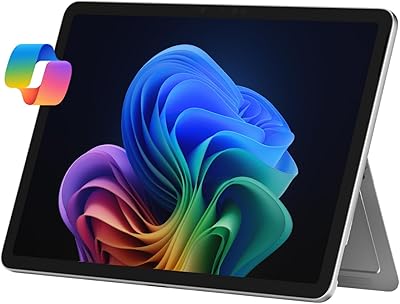
Microsoft Surface Pro 12″ 2025 2-in-1 Laptop
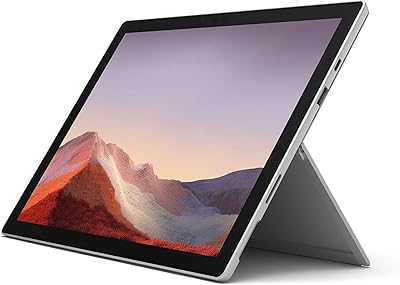
Microsoft Surface Pro 7 i5 16GB 256GB
Microsoft Surface Pro 7 – 12.3″ – Intel Core i3 – 4GB RAM – 128GB SSD
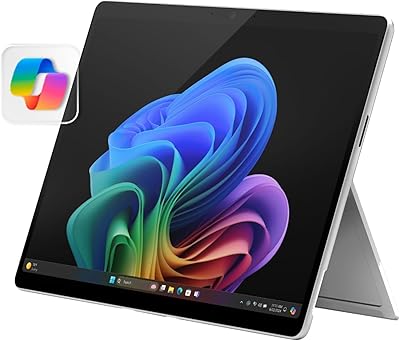
Microsoft Surface Pro 2024 1TB 2-in-1 Laptop
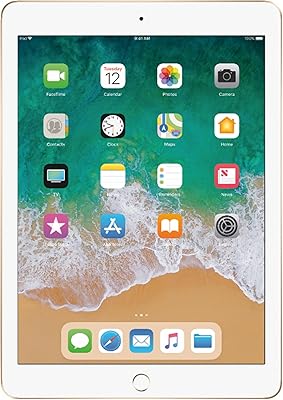
Apple iPad 5th Gen 9.7-inch 128GB Tablet
OUKITEL RT3 Pro Rugged Tablet 16GB+128GB
Microsoft Surface Pro 6 512GB 2-in-1 Laptop