Overview

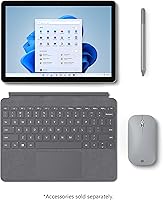
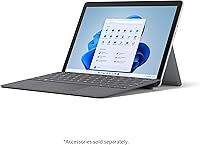
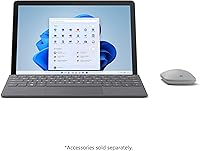
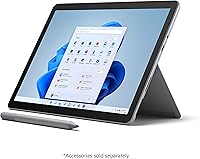
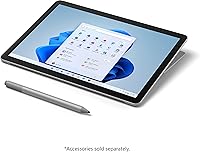
The Microsoft Surface Go 3 10.5″ 2-in-1 Tablet is a compact Windows device built for people who want genuine desktop functionality without carrying a full-sized laptop around. It strikes a reasonable balance between portability and a real operating system — you get Windows 11 in a form factor that fits comfortably in a tote bag. That said, keep expectations grounded: this is built for everyday tasks, not intensive workloads. One thing worth knowing upfront is that the Type Cover keyboard and Surface Pen are sold separately, which can add meaningful cost to your total spend and catches more than a few buyers off guard.
Features & Benefits

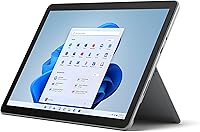
The 10.5″ PixelSense display is genuinely one of the standout qualities here — the 1920x1280 resolution looks crisp and bright for its size, making it comfortable for reading, video calls, and casual streaming. The Intel Core i3 with 8GB of RAM handles Office apps, light browsing, and multitasking without complaint; just don't push it with video editing or heavy workloads. The 128GB SSD is workable for most users, and the MicroSDXC card slot offers an affordable path to more storage. Wi-Fi 6 and Bluetooth 5.0 round out a solid connectivity package, and the whole thing weighs barely over a pound.

Best For

The Surface Go 3 is best suited to students and light users who need a portable, full Windows device for note-taking, writing papers, and everyday research. Families who want a shared tablet for browsing and streaming will find it easy to hand around. Commuters and remote workers who occasionally need a real desktop environment — rather than a mobile OS — will appreciate its compact footprint. It also makes a compelling upgrade for anyone still running an older tablet who wants the flexibility to add a keyboard or stylus down the line, depending on how their needs develop.

User Feedback

Owners of this compact Windows 2-in-1 consistently praise the display quality and how light it feels day to day — it is the kind of device people actually want to carry around. The downside is that real-world battery life rarely matches the spec sheet; most users report closer to 7 or 8 hours under normal conditions. The missing keyboard and pen in the box remains a recurring frustration, since the base price does not reflect what you would realistically need to spend for the full experience. Power users find the processor limiting under pressure, but for casual workloads, overall buyer sentiment stays fairly positive.

Pros

  • The sharp 10.5″ PixelSense display looks noticeably better than what most tablets in this size range offer.
  • At just over a pound, the Surface Go 3 is genuinely one of the lightest Windows devices you can buy.
  • Windows 11 Home is included out of the box, giving full desktop software access without any workarounds.
  • The 8GB of RAM keeps everyday multitasking smooth and avoids the sluggishness common on entry-level tablets.
  • Wi-Fi 6 support means faster, more reliable wireless connectivity in crowded networks like schools or cafes.
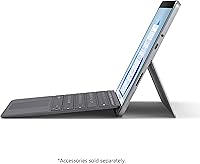
  • The adjustable built-in kickstand makes it comfortable to use on a desk or tray table without any accessories.
  • MicroSDXC support lets you cheaply and easily expand storage beyond the built-in 128GB SSD.
  • The 8MP rear camera is capable enough for scanning documents or joining a quick video call on the go.
  • Bluetooth 5.0 ensures stable connections to wireless keyboards, mice, and headphones.
  • Windows 11 support means this device should remain current with security updates and software compatibility for years.

Cons

  • The Type Cover keyboard and Surface Pen are sold separately, adding significant cost on top of the base price.
  • Real-world battery life typically lands around 7 to 8 hours, well below the advertised 11-hour figure.
  • The single USB-C port makes connecting multiple peripherals at once awkward without a separate hub.
  • The Intel Core i3 processor struggles noticeably when handling more than a handful of demanding tasks simultaneously.
  • The small screen size can feel cramped during long writing or spreadsheet sessions without an external monitor.
  • 128GB of built-in storage fills up faster than expected once Windows, Office, and a few apps are installed.
  • The device only comes with a USB-C port and headphone jack, so legacy USB-A accessories require an adapter.
  • No LTE or cellular option is available on this configuration, limiting connectivity when Wi-Fi is not accessible.
  • The palm rest and typing experience depend entirely on the separately purchased Type Cover, which varies in quality.
  • Competitive alternatives at a similar price point offer more processing power for users with heavier workloads.

Ratings

Our AI rating system analyzed thousands of verified global buyer reviews for the Microsoft Surface Go 3 10.5″ 2-in-1 Tablet, actively filtering out incentivized, spam, and bot-generated feedback to surface what real users actually experience. The scores below reflect both the genuine strengths that keep buyers satisfied and the recurring frustrations that affect day-to-day ownership. Nothing has been softened or inflated — what you see is an honest composite of real-world use.

Display Quality
88%
Users consistently single out the PixelSense screen as one of the best parts of owning this device. The 1920x1280 resolution looks noticeably sharper than competing tablets at this size, and buyers report comfortable reading and streaming experiences even in moderately bright environments.
A handful of users feel the screen brightness could push higher for outdoor use in direct sunlight. The slightly unconventional aspect ratio also takes some adjustment when watching widescreen video content, as black bars appear more prominently than expected.
Portability
93%
At just over a pound, the Surface Go 3 is genuinely easy to toss into a bag and forget about until you need it. Commuters and students repeatedly mention how much lighter it feels compared to even slim laptops, and the built-in kickstand means you rarely need to carry a stand separately.
The compact size that makes it so portable also limits its usefulness as a standalone workstation. Without the separately purchased keyboard attached, extended typing sessions on the touchscreen alone become tiresome relatively quickly.
Performance
61%
39%
For the everyday tasks this device targets — writing documents, browsing the web, video calls, and running Office apps — the Intel Core i3 and 8GB RAM combination performs without major hiccups. Light multitasking across several browser tabs and a productivity app runs smoothly for most users in this category.
Push past those basic tasks and the processor starts to show its limits noticeably. Users report sluggishness when handling large Excel files, running multiple demanding apps simultaneously, or dealing with background Windows updates while trying to work, which can be genuinely frustrating mid-session.
Battery Life
58%
42%
The Surface Go 3 can comfortably last through a half-day of moderate use on a single charge, which is sufficient for shorter commutes or a few hours of classroom work. The Fast Charging support is a practical addition that users appreciate when they do need to top up quickly before heading out.
The advertised 11-hour figure rarely materializes in real use. Most buyers report landing between 6 and 8 hours with Wi-Fi on, screen at normal brightness, and a few apps open — a meaningful gap from expectations that catches many buyers off guard after purchase.
Value for Money
54%
46%
As a standalone Windows 11 device with a quality display and capable everyday performance, the hardware itself is reasonably well-built for its price tier. Buyers who already own a keyboard and pen from a previous Surface device find the value proposition considerably stronger.
The cost of adding the Type Cover keyboard and Surface Pen pushes the total spend well beyond the base price, and that reality lands hard on buyers who assumed accessories were included. At the all-in price, competing devices with bundled keyboards start to look like stronger deals.
Build Quality
82%
18%
The magnesium chassis feels solid and premium in hand, which users consistently notice when comparing it to plasticky competitors in a similar price bracket. The hinge and kickstand mechanism feels durable and well-engineered, with no reported wobble or looseness even after sustained regular use.
The Platinum finish, while attractive, shows fingerprints and smudges readily and requires regular wiping to maintain its appearance. A small number of users also report minor flex in the display panel when applying pressure to the back of the device.
Keyboard Experience
51%
49%
When paired with the Type Cover, the Surface Go 3 transforms into a genuinely functional mini-laptop. The keys have decent travel for their size and the trackpad is accurate enough for most browsing and document work without needing an external mouse.
The Type Cover is not included and costs a significant amount extra, which is the single most common complaint tied to this accessory. The keyboard also flexes slightly during typing because it lacks a rigid base, and the compact key layout requires an adjustment period for users coming from full-sized keyboards.
Touchscreen Responsiveness
84%
Touch input is accurate and fluid in everyday use, whether navigating Windows 11, scrolling through web pages, or pinching to zoom on documents. Users who use the tablet primarily in touch mode report a natural and responsive experience that holds up well compared to dedicated tablet competitors.
Windows 11, while improved for touch, still occasionally presents UI elements that feel slightly too small or too close together for reliable finger tapping. A few users note that touch accuracy at the very edges of the screen is occasionally inconsistent.
Software & OS
86%
Running full Windows 11 Home is a genuine advantage over Android or ChromeOS tablets, giving users unrestricted access to desktop applications, file management, and peripheral compatibility that those platforms simply cannot match. Students and remote workers particularly value the ability to run the same software environment they use on their main computers.
Windows 11 on a 10.5-inch touchscreen can still feel cluttered in certain contexts, particularly when navigating legacy desktop apps not optimized for touch input. Occasional background system updates also consume processor and storage resources at inconvenient moments.
Connectivity
79%
21%
Wi-Fi 6 support gives the Surface Go 3 a real-world networking advantage in crowded environments like university campuses or shared office spaces, where older Wi-Fi standards can feel congested. Bluetooth 5.0 keeps wireless accessories connected reliably with minimal pairing issues reported.
The single USB-C port is the most cited connectivity frustration among users who regularly need to attach peripherals. Without a hub, you cannot charge and connect a USB device simultaneously, which is a noticeable daily inconvenience for users with a more complex desk setup.
Camera Quality
63%
37%
The 8MP rear camera performs adequately for scanning documents, photographing whiteboards, or joining a quick video call when a proper webcam is unavailable. In good lighting, image clarity is acceptable for a device in this category and use case.
Low-light performance drops off noticeably, producing grainy and washed-out images that are not suitable for anything beyond basic documentation. Users who expected a capable camera for content creation or detailed photography will find it falls short of that standard quickly.
Stylus Support
66%
34%
The Surface Go 3 is fully compatible with the Surface Pen, and users who invest in one report a natural and low-latency writing experience that works well for note-taking, annotation, and basic sketching. The digitizer accuracy is generally praised for a device at this price level.
The Surface Pen is not included and adds a meaningful amount to the total cost, which frustrates buyers who assumed stylus support implied stylus inclusion. There is also no built-in slot or attachment point on the tablet itself to store the pen, so it is easy to misplace.
Setup & Ease of Use
85%
Out of the box setup is straightforward, and Windows 11 Home guides new users through the initial configuration cleanly. Buyers switching from older Windows devices find the transition intuitive, and the touchscreen-first interface makes basic navigation approachable even for less tech-savvy family members.
Users who expect a fully ready-to-use device may be surprised by the number of additional steps involved — downloading Microsoft 365 separately, configuring Windows update preferences, and potentially purchasing peripherals before the device reaches its intended functionality.
Thermal Management
71%
29%
Under light to moderate workloads the device runs cool and quiet, with no fan noise since it uses a fanless thermal design. This makes it genuinely pleasant to use in quiet environments like libraries or meeting rooms where fan noise from laptops can be disruptive.
During extended heavier tasks, the chassis can become noticeably warm on the back panel, which some users find uncomfortable when holding the tablet for extended periods. The fanless design means there is no active cooling to manage heat spikes during sustained processor loads.
Audio Quality
67%
33%
The built-in stereo speakers produce clear enough audio for casual video watching and video calls, which covers the core needs of most users in this category. Volume levels are adequate in quiet indoor environments without sounding overly tinny for a device this compact.
In noisier settings the speakers struggle to project clearly, and bass response is predictably thin given the slim chassis. Users who watch content regularly or care about audio quality will want to use headphones or a Bluetooth speaker for a noticeably better experience.

Suitable for:

The Microsoft Surface Go 3 10.5″ 2-in-1 Tablet is a strong match for students who need a lightweight, full Windows device they can carry between classes without straining their bag or their back. It handles the core academic workload well — writing papers, running Office apps, video calls, and browser-based research all feel comfortable on this hardware. Families sharing a single device for casual use will appreciate how easy it is to pass around, given its slim profile and intuitive touchscreen. Commuters and remote workers who only need a real desktop OS for occasional light tasks will find the compact footprint far more practical than hauling a full laptop. Anyone upgrading from an aging Android tablet or entry-level Chromebook who specifically wants Windows will find the Surface Go 3 a meaningful step up in flexibility and software compatibility.
Not suitable for:

The Microsoft Surface Go 3 10.5″ 2-in-1 Tablet is not the right call for anyone expecting a complete out-of-the-box laptop experience — the keyboard and stylus cost extra, and that added spend can noticeably shift the value equation. Creative professionals, developers, or anyone running demanding software like video editors, CAD tools, or even a busy browser with dozens of tabs will run into the ceiling of the Intel Core i3 processor fairly quickly. The 10.5-inch screen, while sharp, is simply too small for extended writing sessions or detailed visual work without external accessories. Users who rely heavily on USB peripherals will find the single USB-C port limiting in a day-to-day workflow. If you need a primary machine that can do everything without compromise, this compact 2-in-1 is better treated as a secondary or supplementary device rather than a full laptop replacement.
Specifications

  • Screen Size: The display measures 10.5 inches diagonally with a PixelSense touchscreen panel.
  • Resolution: The screen renders at 1920x1280 pixels, delivering a pixel density of 220 pixels per inch.
  • Processor: An Intel Core i3 processor running at 1.3GHz handles the device's computing workload.
  • RAM: 8GB of RAM is included, supporting smooth multitasking across typical everyday applications.
  • Storage: The device ships with a 128GB solid-state drive for fast app loading and file access.
  • Storage Expansion: A MicroSDXC card reader allows users to expand available storage using affordable memory cards.
  • Graphics: Intel UHD Graphics 615 is integrated into the processor and handles display output and light visual tasks.
  • Operating System: Windows 11 Home comes pre-installed, providing access to the full Windows software ecosystem.
  • Battery Life: Microsoft rates battery life at up to 11 hours, though real-world usage typically yields 7 to 8 hours.
  • Weight: The tablet body weighs approximately 1.18 pounds, making it one of the lightest Windows devices available.
  • Dimensions: The device measures 7.98 inches long by 10.82 inches wide by 1.89 inches thick when the kickstand is closed.
  • Rear Camera: An 8-megapixel rear-facing camera supports document scanning, photography, and video recording.
  • Wireless: Wi-Fi 6 (802.11ax) is supported alongside 802.11a, b, g, and ac standards for broad network compatibility.
  • Bluetooth: Bluetooth 5.0 enables stable, low-latency connections to wireless accessories including keyboards and headphones.
  • Ports: Connectivity includes one USB-C port and a 3.5mm headphone jack; a USB-A adapter is required for legacy devices.
  • Display Type: The PixelSense touchscreen supports both finger touch and Surface Pen input, though the pen is sold separately.
  • Color: This configuration ships in Platinum, which is the standard finish for the Surface Go lineup.
  • Kickstand: A built-in adjustable kickstand supports the tablet at multiple angles for desk or tray use without accessories.
  • Keyboard Support: The Type Cover keyboard attaches magnetically but is not included in the box and must be purchased separately.
  • Chipset Brand: The device is powered by Intel silicon, with the chipset brand confirmed as Intel across all key components.

Related Reviews

Vantec NexStar JX 3.5″ HDD Enclosure
76%
93%
Ease of Setup
78%
Transfer Speed — USB
86%
Transfer Speed — eSATA
74%
Thermal Management
67%
Build Quality
More
Microsoft Surface Pro 12″ 2025 2-in-1 Laptop
76%
93%
Build Quality
91%
Display Quality
84%
Performance
78%
Battery Life
96%
Portability
More
Microsoft Surface Pro 2024 1TB 2-in-1 Laptop

76%
93%
Display Quality
88%
Performance & Speed
81%
Battery Life
63%
Value for Money
86%
Form Factor & Portability
More
RCA Cambio 10.1″ Windows 2-in-1 Tablet
62%
78%
Value for Money
47%
Performance
59%
Keyboard Quality
52%
Build Quality
54%
Battery Life
More
Vantec NexStar GX 2.5″ USB-C Drive Enclosure
79%
88%
Build Quality
83%
Transfer Speed
91%
Ease of Setup
71%
Heat Management
63%
Drive Fit & Tolerance
More
Vantec NexStar GX NST-371C31 3.5″ HDD Enclosure
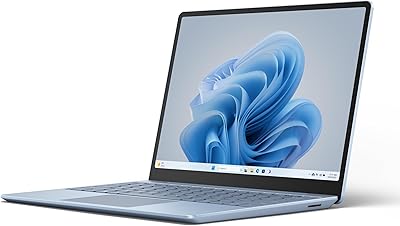
77%
88%
Build Quality
74%
Heat Management
79%
Transfer Performance
93%
Ease of Setup
76%
Compatibility
More
Microsoft Surface Laptop Go 3 Notebook
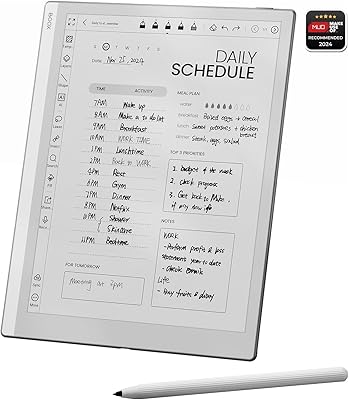
79%
91%
Build Quality
93%
Portability
84%
Display Quality
78%
Performance
74%
Battery Life
More
BOOX Go 10.3 E Ink Tablet
79%
91%
Screen Quality
88%
Writing & Annotation
93%
Eye Comfort
74%
App Ecosystem
86%
Build Quality
More
reMarkable 2 10.3-inch Paper Tablet
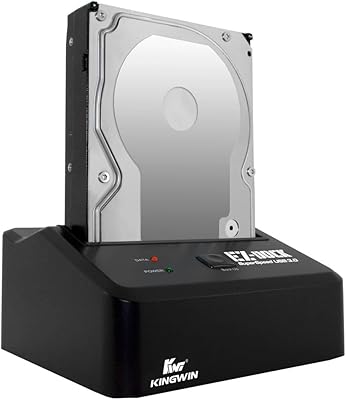
85%
94%
Tactile Writing Feel
92%
Build Quality & Design
97%
Distraction-Free Experience
89%
Battery Longevity
76%
Software Organization
More
Kingwin EZD-2535U3 Hard Drive Docking Station
80%
93%
Ease of Setup
88%
Drive Compatibility
76%
Transfer Speed
81%
Build Quality
84%
Hot-Swap Functionality
More

FAQ

No, it does not. The Type Cover keyboard is sold separately, which surprises a lot of buyers who assume it is bundled. Factor that additional cost into your budget before purchasing, since the tablet alone functions more like a touchscreen slate without it.

Yes, the Surface Go 3 is compatible with the Surface Pen, but the pen is also sold separately and is not included. If you plan to use it for note-taking or sketching, make sure to budget for the pen on top of the base device price.

For most college use cases — writing papers, attending online classes, using Office apps, and light research — it holds up well. The processor and RAM combination handles these tasks without major complaints. Just know that if your coursework involves software development, video editing, or data-heavy applications, you may find it limiting.

The official spec says up to 11 hours, but in real-world use with Wi-Fi on, browser tabs open, and screen brightness at a comfortable level, most users land closer to 7 or 8 hours. That is still enough for a typical school or work day, but you may want a charger handy if you are out for longer stretches.

Yes, and it is one of the more practical features on this device. The MicroSDXC card slot lets you drop in an affordable memory card to offload photos, documents, or media. It is not a replacement for fast internal storage, but it works well for expanding capacity on a budget.

It runs full Windows 11 Home, not a stripped-down or mobile variant. That means you can install standard Windows applications, connect to printers, use browser extensions, and do everything you would on a regular Windows laptop — within the limits of the hardware, of course.

It is genuinely one of the stronger points of this device. The PixelSense display at 1920x1280 is sharp and bright for its size, and the slightly taller aspect ratio actually works nicely for reading and browsing. For casual streaming, it looks great.

At minimum, most users will want the Type Cover keyboard and likely the Surface Pen if they plan to take handwritten notes. You may also want a USB-C hub if you need to connect USB-A devices, since the tablet only has a single USB-C port and a headphone jack built in.

The biggest difference is the operating system. The Surface Go 3 runs full Windows, which means access to desktop-class software that iPads simply cannot run natively. iPads tend to have stronger app ecosystems for creative and media work, while this device wins on software compatibility for Windows-specific tools and workflows.

The built-in kickstand works well on flat surfaces like desks and tray tables, but it can be awkward on your lap without the Type Cover to stabilize it. With the keyboard attached, lap use becomes much more practical, but on its own the kickstand setup is really designed for flat, solid surfaces.