
Overview

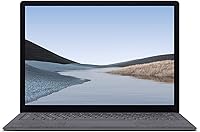
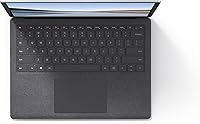
The Microsoft Surface Laptop 3 13.5″ Laptop arrived in late 2019 as Microsoft's clearest statement that Windows laptops could compete on design, not just specs. At its price point, buyers aren't just paying for internals — they're paying for the Alcantara keyboard deck, a soft fabric covering that feels genuinely different from the cold aluminum found on most competitors. The 13.5-inch PixelSense display with its 3:2 aspect ratio is another deliberate choice that separates it from the sea of standard 1080p screens. This is a machine built for people who want their laptop to feel considered, not just functional.

Features & Benefits

The PixelSense touchscreen at 2256x1504 pixels sounds like a spec-sheet number until you open a Word document or spreadsheet — the extra vertical height makes a real difference when reading long pages without constant scrolling. The 10th Gen Core i5 handles the usual productivity stack well: Office apps, video calls, a dozen browser tabs, some light photo work. Don't expect it to muscle through demanding video exports or GPU-heavy tasks; the integrated Iris Plus graphics are adequate, not impressive. The fast-charge capability — 80% in roughly an hour — and Wi-Fi 6 support are quiet but practical additions that extend this machine's useful life.

Best For

This Surface Laptop is a strong match for remote workers, students, and frequent travelers who want a sub-3-pound machine that doesn't compromise on screen quality. If you live inside Microsoft 365, rely on OneDrive, and log in with Windows Hello, the experience feels cohesive in a way that generic Windows laptops rarely achieve. Touchscreen and pen compatibility also make it practical for handwritten notes or quick annotations. That said, if you're chasing the best specs-per-dollar ratio, more powerful options exist at this tier. This machine rewards buyers who prioritize build quality and portability over raw horsepower.

User Feedback

Across more than 1,200 reviews, the Surface Laptop 3 holds a 4.4-star average, with the display clarity and typing experience drawing the most consistent praise. The Alcantara fabric, however, remains a genuine point of debate — some owners report it shows wear quickly around the wrist rest, while others have had no issues after extended daily use. Battery life under real workloads tends to land closer to 7–8 hours rather than the claimed 11.5, which disappointed some buyers expecting a true all-day stretch. The two-port setup and non-upgradeable 8GB RAM surface repeatedly as practical frustrations, especially for users whose needs have grown since purchase.

Pros

  • The 13.5-inch PixelSense display with its 3:2 aspect ratio is noticeably better for reading and document work than a standard widescreen.
  • At 2.79 pounds, the Surface Laptop 3 is genuinely easy to carry all day without shoulder fatigue.
  • The Alcantara keyboard deck feels premium and comfortable during long typing sessions.
  • Wi-Fi 6 support keeps this machine relevant on modern networks without any extra hardware.
  • Fast charging to 80% in roughly one hour is a practical feature that fits real-world schedules.
  • Windows Hello facial recognition login is fast, reliable, and noticeably more convenient than typing a password.
  • The 10th Gen Core i5 handles everyday productivity workloads smoothly, with no frustrating lag on typical tasks.
  • Touchscreen and pen-input support adds flexibility for note-takers and annotators.
  • The Windows 11 upgrade path extends the useful software life of this older hardware.
  • Build quality and fit-and-finish feel well above average for a Windows laptop at this price tier.

Cons

  • RAM is soldered at 8GB with no upgrade path, which limits long-term flexibility as software demands grow.
  • Real-world battery life lands closer to 7–8 hours for most users, falling short of the advertised 11.5 hours.
  • Only two ports means a USB hub is practically a required accessory for anyone with moderate peripheral needs.
  • The Alcantara fabric shows wear around the wrist rest over time, and it cannot be cleaned as easily as aluminum.
  • 256GB of internal storage fills up faster than expected, especially with Windows updates and a growing media library.
  • No webcam shutter is a minor but recurring complaint from privacy-conscious users.
  • This is 2019 hardware, and the performance gap versus current-generation chips is real and widening.
  • Intel Iris Plus graphics offer no meaningful capability for GPU-intensive tasks or modern gaming.
  • The display, while sharp, lacks high refresh rate support, which some users notice during fast scrolling.
  • No headphone jack on some configurations is an occasional inconvenience flagged by users who rely on wired audio.

Ratings

The scores below for the Microsoft Surface Laptop 3 13.5″ Laptop were generated by our AI after analyzing thousands of verified buyer reviews from global markets, with spam, bot activity, and incentivized feedback actively filtered out. The results reflect an honest cross-section of real ownership experiences — both the aspects users genuinely love and the recurring frustrations that surface after weeks or months of daily use. Nothing has been softened to protect the brand.

Display Quality
93%
The PixelSense screen consistently earns top marks from users who spend long hours reading documents, browsing, or reviewing spreadsheets — the 3:2 aspect ratio makes a tangible difference that owners notice immediately after switching from a standard widescreen. Colors are accurate and the touch response is quick and reliable.
A small but vocal group of reviewers wish the display supported a higher refresh rate for smoother scrolling, and a handful of creative professionals note that the color gamut, while good, falls short of what dedicated content-creation displays offer.
Build Quality
89%
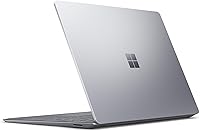
The overall chassis feels solid and premium in hand — the lid resists flex, the hinge is firm without being stiff, and the machine projects a level of quality that most Windows laptops at this tier simply do not match. Frequent travelers often cite how well it holds up after months of daily bag use.
The Alcantara fabric on the keyboard deck is the one weak point in an otherwise sturdy build — some long-term owners notice matting and subtle discoloration around the wrist rest after a year or two of heavy daily contact, which is more visible on the Platinum finish than darker options.
Keyboard & Trackpad
88%
Typing on the Alcantara-covered keyboard is genuinely comfortable for extended writing sessions — the key travel is satisfying without being mushy, and the soft fabric surround reduces wrist fatigue in a way that bare aluminum decks do not. The trackpad is large, smooth, and accurate enough for precise work without a mouse.
Some users with larger hands find the keyboard layout a touch cramped compared to 15-inch alternatives, and a few reviewers note that the Alcantara surface around the keys can trap fine debris over time, requiring more frequent cleaning than a standard keyboard deck.
Everyday Performance
81%
19%
For the typical productivity workload — Office 365, video calls, cloud-based tools, and a dozen browser tabs — the Surface Laptop 3 handles everything without hesitation. Boot times are fast, app switching is smooth, and the machine rarely gets warm during normal use, which users appreciate during long desk sessions.
Users who push beyond routine tasks — running multiple heavy applications simultaneously, working with large local datasets, or editing video — consistently report that performance degrades noticeably, and the non-upgradeable 8GB RAM means there is no straightforward fix for this bottleneck.
Battery Life
74%
26%
For light to moderate workloads — writing, browsing, and video calls — many owners comfortably get through a standard workday on a single charge, and the fast-charge feature genuinely helps when you need a quick top-up before heading out. The Surface Connect charger is also compact and easy to pack.
The gap between Microsoft's claimed 11.5 hours and what most users actually experience is a recurring sore point — real-world numbers of 7 to 9 hours are common, and users with brighter screen settings or heavier workloads report dropping below 6 hours, which is disappointing at this price point.
Portability
91%
At 2.79 pounds and just over half an inch thin, this is one of the more comfortable 13-inch Windows laptops to carry daily — it slides into a bag without adding noticeable weight, and commuters frequently mention that it feels lighter than expected even after a full day of carrying.
The slim chassis means there is no room for additional ports beyond the two included, and users who carry a lot of accessories often end up adding a hub or dongle to their bag, which partially offsets the portability advantage.
Connectivity & Ports
61%
39%
Having both a USB-C and a full-size USB-A port is genuinely useful for day-to-day needs — plugging in a USB drive, connecting a mouse, or attaching a dongle can all happen simultaneously, and Wi-Fi 6 support keeps wireless performance fast and future-proof on modern routers.
Two ports total is simply not enough for users who regularly connect an external monitor, a USB drive, and a mouse at the same time — a hub becomes an essential purchase, and that adds cost and desk clutter that buyers at this price tier should not have to accept.
Value for Money
67%
33%
Buyers who prioritize design, display quality, and the Microsoft ecosystem cohesion tend to feel the price is justified — the PixelSense screen, Alcantara finish, and Windows Hello integration together deliver an experience that cheaper laptops cannot replicate, and many owners express no regret at the time of purchase.
Viewed purely on a specs-per-dollar basis, the value argument weakens considerably — 8GB of non-upgradeable RAM and 256GB of storage feel increasingly constrained for the asking price, especially given that this is now several-year-old hardware competing against newer machines with more efficient chips.
Display Versatility
84%
The touchscreen is a genuinely useful addition for quick scrolling, annotating PDFs, and using the Surface Pen for handwritten notes — users in academic and creative fields mention using it regularly rather than treating it as a novelty. The 3:2 ratio also makes reading e-books and long-form content noticeably more comfortable.
The display does not fold into tablet mode, which limits the touch experience compared to a 2-in-1 device, and without a dedicated pen silo in the chassis, the Surface Pen must be purchased and carried separately, adding extra cost and one more thing to potentially lose.
Thermal Management
78%
22%
Under light and moderate loads the machine stays cool and nearly silent, which users who work in quiet environments — libraries, open offices, late-night sessions — consistently appreciate. The fan rarely spins up during everyday tasks, making the Surface Laptop 3 a genuinely unobtrusive work companion.
When the processor is under sustained load the machine gets warm enough on the underside to be uncomfortable on a lap, and the single fan can become audible during longer intensive tasks, which is noticeable for a machine positioned at the premium end of the market.
Software & Ecosystem
86%
Windows Hello facial recognition is fast and reliable — users regularly mention that unlocking the laptop feels effortless compared to PIN or password entry, and the tight integration with Microsoft 365 and OneDrive makes file sync and cross-device workflows genuinely smooth for buyers already in that ecosystem.
Users coming from macOS occasionally note that Windows driver and update management can still feel inconsistent compared to Apple's tighter hardware-software integration, and a small number of reviewers experienced early Windows 10 driver issues that required manual fixes before upgrading to Windows 11.
Webcam Quality
63%
37%
The 720p webcam produces acceptable video for everyday video calls — faces are recognizable and lighting is handled reasonably well in a well-lit room, which is sufficient for most remote work and study scenarios involving Teams or Zoom.
The 720p resolution feels noticeably behind competitors offering 1080p webcams in this price range, and the lack of a physical privacy shutter is a real complaint among privacy-conscious users who work with sensitive information and rely on external covers as a workaround.
Audio Experience
77%
23%
The upward-firing Omnisonic speakers produce noticeably better sound than the downward-firing or side-mounted setups found on many competing laptops — vocals are clear during video calls, and the sound is full enough for casual music listening without reaching for external speakers.
At high volume the speakers can distort slightly on bass-heavy content, and the maximum volume level is not quite loud enough to fill a medium-sized room, which is a recurring note among users who want to watch video or join group calls in noisy environments without headphones.
Long-term Relevance
58%
42%
The Windows 11 upgrade path keeps the software side of this machine current, and the premium build quality means the hardware itself holds up physically better than budget alternatives — users who bought it at launch report that it still functions well for the same workloads they used it for originally.
As a 2019 platform, the 10th Gen Core i5 and non-upgradeable 8GB RAM are genuine liabilities looking forward — users whose needs have grown since purchase feel the hardware ceiling more acutely than they did initially, and newer laptops at similar or lower prices now offer meaningfully better performance and efficiency.

Suitable for:

The Microsoft Surface Laptop 3 13.5″ Laptop is genuinely well-suited to students, remote workers, and light-traveling professionals who spend most of their day inside a browser, a video call, or a Microsoft 365 app. The 3:2 PixelSense display rewards anyone who reads and edits long documents, since that extra vertical real estate means less scrolling and more content visible at once. At under three pounds with a fast-charge battery, it handles the daily commute or a cross-country flight without complaint. Buyers already deep in the Microsoft ecosystem — Windows Hello, OneDrive, Teams — will find the whole experience unusually coherent. Those who appreciate tactile materials and considered hardware design over purely chasing benchmark numbers will also feel right at home with this machine.

Not suitable for:

The Microsoft Surface Laptop 3 13.5″ Laptop is a harder sell for anyone who needs serious computing headroom. The 8GB RAM is soldered and cannot be upgraded, which means power users who run virtual machines, edit high-resolution video, or keep 30-plus browser tabs open will hit a ceiling sooner than they'd like. The Intel Iris Plus graphics handle basic photo retouching, but this is not a machine for 3D rendering, gaming, or any GPU-intensive workflow — period. With only two ports total, professionals who regularly connect external drives, monitors, and peripherals will need a hub, adding cost and desk clutter. It is also worth being clear-eyed about the release date: this is 2019 hardware, and buyers expecting the performance or efficiency of a current-generation chip will be disappointed.

Specifications

  • Display Size: The laptop features a 13.5-inch PixelSense touchscreen with a 3:2 aspect ratio, providing more vertical space than a standard 16:9 widescreen display.
  • Resolution: The screen renders at 2256 x 1504 pixels, delivering sharp, detailed visuals well above standard 1080p on a display of this size.
  • Processor: A 10th Gen Intel Core i5 running at 1.2 GHz handles everyday computing tasks including productivity software, video conferencing, and light multitasking.
  • RAM: The system includes 8GB of LPDDR4 memory, which is soldered to the motherboard and cannot be upgraded after purchase.
  • Storage: A 256GB solid-state drive provides the primary storage, offering fast read and write speeds compared to traditional hard drives.
  • Graphics: Intel Iris Plus integrated graphics manage display output and light visual tasks; this is not a dedicated GPU and is unsuitable for gaming or GPU-intensive rendering.
  • Battery Life: Microsoft rates battery life at up to 11.5 hours, though real-world usage under typical workloads generally produces 7 to 9 hours.
  • Fast Charging: The included charger can bring the battery from empty to approximately 80% in about one hour using Microsoft's fast-charge technology.
  • Weight: The laptop weighs 2.79 pounds, placing it firmly in the lightweight category for a 13-inch class Windows machine.
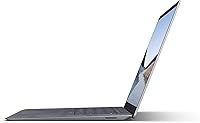
  • Dimensions: The chassis measures 12.1 x 8.8 x 0.57 inches, keeping it slim enough to slip into most standard laptop sleeves and bags without issue.
  • Ports: Connectivity is provided by one USB-A 3.1 port and one USB-C port, along with a Surface Connect port for the proprietary magnetic charger.
  • Wireless: The laptop supports Wi-Fi 6 (802.11ax) for fast wireless networking on compatible routers, plus Bluetooth for peripheral connectivity.
  • Keyboard Deck: The palm rest and keyboard surround are covered in Alcantara, a soft synthetic fabric material that distinguishes the Platinum model from competitors using standard aluminum.
  • Operating System: The laptop shipped with Windows 10 Home and is eligible for a free upgrade to Windows 11, which Microsoft has made available for compatible Surface devices.
  • Webcam: A 720p front-facing camera supports video calls and is paired with Windows Hello infrared facial recognition for password-free login.
  • Audio: Omnisonic speakers are positioned under the keyboard deck, projecting sound upward toward the user for cleaner audio during calls and media playback.
  • Pen Support: The touchscreen is compatible with the Microsoft Surface Pen, sold separately, enabling handwritten notes and on-screen annotations.
  • Aspect Ratio: The 3:2 display aspect ratio provides roughly 20% more vertical screen area compared to a 16:9 display of equivalent diagonal size.

Related Reviews
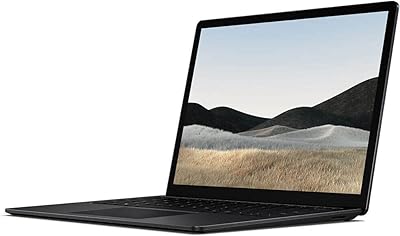
Microsoft Surface Laptop 4 13.5-inch 512GB
74%
91%
Display Quality
88%
Build Quality
87%
Keyboard & Trackpad
74%
Performance
71%
Battery Life
More
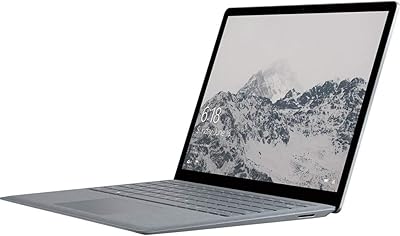
Microsoft Surface Laptop 1769 128GB
73%
91%
Build Quality
88%
Display Quality
74%
Battery Life
87%
Keyboard & Trackpad
76%
Performance
More
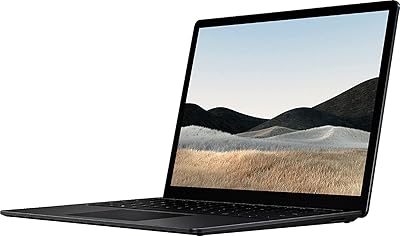
Microsoft Surface Laptop 4 13.5″ i7 16GB 256GB
75%
91%
Build Quality
89%
Display Quality
84%
Performance
76%
Battery Life
88%
Keyboard & Trackpad
More
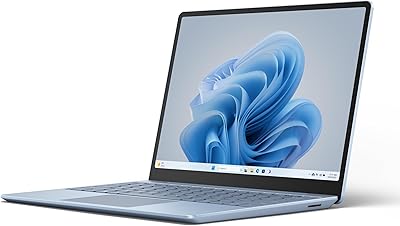
Microsoft Surface Laptop Go 3 Notebook
79%
91%
Build Quality
93%
Portability
84%
Display Quality
78%
Performance
74%
Battery Life
More
Microsoft Surface Laptop 2024 13.8″
80%
93%
Display Quality
88%
Battery Life
91%
Build Quality & Design
87%
Performance (Everyday Workloads)
92%
Keyboard & Typing Experience
More
Microsoft Surface Laptop 5 15″ Laptop
74%
93%
Display Quality
91%
Build Quality
88%
Keyboard & Touchpad
79%
Performance & Speed
47%
RAM & Upgradeability
More
Microsoft Surface Go 3 10.5″ - Intel Core i3, 8GB RAM, 128GB SSD
84%
94%
Portability
85%
Performance for Everyday Tasks
89%
Battery Life
88%
Display Quality
83%
Build Quality
More
Microsoft Surface Laptop 2024 1TB Laptop
76%
92%
Build Quality
89%
Display Quality
91%
Keyboard & Trackpad
78%
Battery Life
86%
Performance (Everyday)
More
Lenovo Yoga 6 13.3″ 2-in-1 Laptop - Ryzen 5, 8GB RAM, 256GB SSD
85%
85%
Performance
94%
Portability & Weight
92%
Battery Life
88%
Display Quality
90%
Build Quality
More
Microsoft Surface Pro 2024 1TB 2-in-1 Laptop
76%
93%
Display Quality
88%
Performance & Speed
81%
Battery Life
63%
Value for Money
86%
Form Factor & Portability
More

FAQ

Unfortunately, no. The RAM is soldered directly to the motherboard and the SSD is not user-accessible without voiding the warranty. What you buy is what you get, so it is worth choosing your configuration carefully upfront.

Yes, it includes Microsoft's Surface Connect magnetic charger. Note that while there is a USB-C port on the machine, the included charger uses the proprietary Surface Connect connector, not USB-C.

Microsoft recommends using a lint-free cloth lightly dampened with plain water or a small amount of isopropyl alcohol for spot cleaning. Avoid soaking the fabric or using abrasive cleaners, as these can break down the material over time.

The official claim of up to 11.5 hours is measured under controlled, light-use conditions. Most owners report something closer to 7 to 9 hours during typical use involving browsing, Office apps, and video calls — still solid for a full workday, but not the upper figure on the box.

Light video editing in something like Clipchamp or basic iMovie-equivalent tasks is manageable, but do not expect smooth performance in Premiere Pro with 4K footage. For gaming, integrated Intel Iris Plus graphics can handle very casual or older titles at low settings, but modern games are largely off the table.

Yes, this Surface Laptop is eligible for the free Windows 11 upgrade, which Microsoft has confirmed for compatible Surface devices. You can check and trigger the upgrade through Windows Update in Settings.

Yes, you can connect an external display via the USB-C port using a USB-C to DisplayPort or HDMI adapter, or via a USB-C hub if you need multiple outputs. Since there is no dedicated HDMI port, an adapter is required, and it is worth budgeting for one.

The touchscreen is accurate and responsive for tapping, scrolling, and pen input, but the Surface Laptop 3 is not a 2-in-1 — the display does not fold back into tablet mode. Think of the touch capability as a useful supplement to the keyboard and trackpad, not a replacement.

This depends a lot on how you use the machine. Some long-term owners report the fabric around the wrist rest begins to look worn or slightly matted after a year or two of heavy daily use, while others see minimal change. It is less forgiving than aluminum in terms of visible wear, so if pristine aesthetics matter to you, this is worth factoring into your decision.

Yes, there is a 3.5mm headphone jack on the right side of the chassis, so wired headphones and earbuds work without any adapter.