Overview

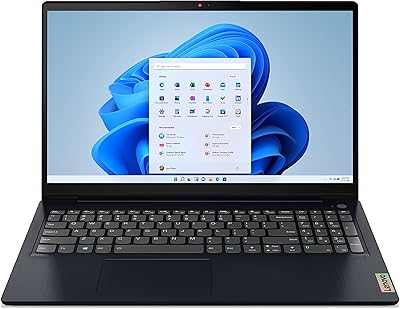
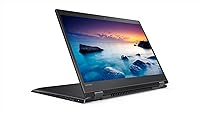
The Lenovo Flex 5 15.6-inch 2-in-1 Laptop arrived in 2017 as a mid-range convertible aimed at students and everyday multitaskers who wanted more flexibility than a standard clamshell without paying premium prices. Its defining design trait is the 360-degree hinge, which lets you flip into tablet, tent, or presentation mode depending on what the situation calls for. Within the broader Flex lineup, this model occupies a practical middle ground — genuinely capable for daily tasks like browsing, writing, and streaming, but not engineered for heavy creative workloads. Think of it as a capable daily driver, not a specialist machine.
Features & Benefits

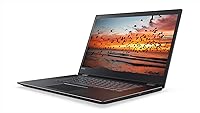
At the core of the Flex 5 is Intel's 8th Gen Core i5-8250U paired with 8GB of DDR4 RAM — a combination that handles everyday multitasking without complaint. The 256GB PCIe SSD is arguably the biggest practical win here; boot times and app launches feel noticeably quicker than anything running a spinning hard drive. The 15.6-inch IPS touchscreen hits full 1080p and holds up well from off-angles, making it comfortable for media consumption and light work. A fingerprint reader with Windows Hello handles logins quickly. One honest caveat: the integrated Intel HD Graphics 620 is fine for basic tasks but rules out anything beyond the most casual gaming.

Best For

This 2-in-1 laptop makes the most sense for college students who want one device that flips from note-taking into a full laptop without hauling extra gear. Remote workers who live in browsers, documents, and video calls will find it more than adequate for a full workday. If you are upgrading from an older machine with a spinning hard drive, the speed difference will be immediately apparent. Buyers interested in stylus input can pair this Lenovo convertible with the Active Pen, sold separately, for on-screen writing. Anyone with intensive graphics demands or heavy data-processing needs should look at more powerful alternatives.

User Feedback

Owners consistently praise the display quality and snappy storage performance, with many noting the build feels solid relative to the price. The hinge earns particular credit — it holds steady in tent and tablet modes without wobbling over time. On the downside, fan noise under sustained load is a recurring complaint, and the missing numeric keypad catches many buyers off guard on what is, after all, a 15-inch chassis. Battery life is the most cited sticking point: real-world use typically lands closer to six or seven hours rather than the advertised ten. A handful of users also flag pre-installed bloatware as an early friction point straight out of the box.

Pros

  • The PCIe SSD makes boot times and app launches feel genuinely snappy compared to HDD-based laptops in the same price range.
  • A 15.6-inch FHD IPS display offers accurate colors and solid off-angle viewing for a mid-range machine.
  • The 360-degree hinge is well-built and holds steady in tent and tablet modes without wobbling over time.
  • Fingerprint login with Windows Hello is fast and eliminates the daily password friction most users face.
  • Three USB 3.0 ports is a practical advantage — fewer dongles, more direct connections.
  • The 8th Gen Core i5 handles multitasking across browser tabs, documents, and video calls without breaking a sweat.
  • Touchscreen responsiveness is reliable and works well for casual stylus use when paired with the Active Pen.
  • Build quality feels solid relative to the price tier, with no obvious flex or creaking in the chassis.

Cons

  • Real-world battery life consistently falls short of the advertised 10-hour claim, averaging closer to 6 to 7 hours under normal use.
  • The fan becomes audible under sustained load, which can be distracting in quiet environments like libraries or meetings.
  • No numeric keypad on a 15.6-inch laptop is a genuine omission that catches many buyers off guard.
  • Integrated graphics rule out gaming beyond very light titles and make video editing a slow, frustrating experience.
  • The Flex 5 ships with pre-installed bloatware that requires a cleanup session before the experience feels polished.
  • At 4.4 pounds, holding this convertible in tablet mode for more than a few minutes becomes uncomfortable.
  • 802.11n Wi-Fi is a dated standard that can bottleneck performance on faster modern routers.
  • Storage cannot be expanded without opening the machine, and 256GB fills up faster than most buyers anticipate.

Ratings

The scores below reflect an AI-driven analysis of thousands of verified global user reviews for the Lenovo Flex 5 15.6-inch 2-in-1 Laptop, with spam, bot-submitted, and incentivized feedback actively filtered out before any scoring was applied. Each category captures what real owners consistently praised or complained about across extended use — not just first-impression reactions. Both the genuine strengths and the recurring frustrations are reflected transparently in every score.

Display Quality
84%
The 15.6-inch IPS panel earns consistent praise for its color accuracy and wide viewing angles, which make it comfortable for watching video content or collaborating on a document with someone sitting beside you. Brightness levels hold up reasonably well in moderately lit indoor environments.
Outdoor use in direct sunlight exposes the screen's reflective coating as a real limitation — glare becomes distracting quickly. A handful of users also noted that the panel's peak brightness, while adequate indoors, falls short of what some competing displays in this tier offer.
Performance
76%
24%
For the workloads this machine is actually designed for — juggling a dozen browser tabs, running Office apps, and streaming simultaneously — the Core i5-8250U and 8GB of RAM deliver a fluid, frustration-free experience. Boot times with the PCIe SSD are genuinely quick, which sets a positive tone every time you open the lid.
Push it into heavier territory — exporting a large video, running a virtual machine, or compiling code — and the processor throttles noticeably, with fans spinning up loudly in response. Users coming from higher-spec machines will feel the ceiling relatively quickly.
Battery Life
61%
39%
Under light workloads — reading, casual browsing, or note-taking with the screen at moderate brightness — the Flex 5 can stretch reasonably close to the 7-hour mark, making it viable for a standard school day without hunting for an outlet at every break.
The advertised 10-hour figure simply does not hold up under real-world mixed use, with most owners settling into a 6 to 7-hour reality at best. Anyone running video calls, productivity apps, and background syncing simultaneously should expect to charge by mid-afternoon.
Build Quality
78%
22%
For its price tier, the chassis feels notably solid — minimal flex in the keyboard deck and a lid that does not creak when repositioned. The hinge mechanism in particular earns strong marks, holding tent and presentation modes firmly without developing looseness over months of daily switching between modes.
The plastic construction, while sturdy, does pick up fine surface scratches over time, and the matte finish attracts oils from hands in ways that become visible under certain lighting. It does not have the premium feel of a metal-bodied machine, which some buyers find underwhelming up close.
2-in-1 Versatility
73%
27%
The 360-degree hinge genuinely earns its place here — switching between laptop, tent, and presentation modes is smooth and purposeful, not a gimmick. Students and remote workers who regularly prop the screen for a presentation or flip into tent mode on a cramped airplane tray find the flexibility adds real utility.
In true tablet mode, 4.4 pounds becomes an issue fast — holding it two-handed for more than 20 minutes is fatiguing. Without the Active Pen included in the box, the tablet experience also feels incomplete for anyone who wanted to take handwritten notes as a core use case.
Storage Speed
88%
The PCIe SSD is the single biggest real-world upgrade this machine offers over comparable HDD-based laptops at similar prices. Cold boot to desktop takes well under 15 seconds in typical conditions, and apps snap open in a way that immediately justifies the configuration.
The 256GB capacity is the practical limitation most owners eventually bump into, particularly as Windows updates, installed apps, and accumulated files compound over time. There is no easy tool-free way to add storage, so users who did not plan ahead often find themselves relying on external drives sooner than expected.
Keyboard & Typing Experience
63%
37%
The key travel is decent for a thin convertible, and most users settle into a comfortable typing rhythm within a few sessions. The layout handles standard document and email work without making fingers work awkwardly to find common keys.
The missing numeric keypad is a persistent complaint from users who expected a full layout on a 15.6-inch machine — it is the kind of omission that feels like a cost-cutting decision rather than a deliberate design choice. Key feedback is also on the softer side, which divides opinion among writers who prefer more tactile resistance.
Touchscreen Responsiveness
81%
19%
Finger-touch input is accurate and responsive enough for navigation, zooming, and casual sketching with a compatible stylus. In Windows 10 modes that lean into touch, like switching apps or scrolling through content in tent mode, the experience feels natural and well-calibrated.
The glass surface picks up fingerprints at an almost impressive rate, requiring frequent cleaning if you care about display clarity. Without the Active Pen bundled in, buyers interested in precise stylus input face an additional purchase before they can fully use the touchscreen for its most compelling purpose.
Graphics Capability
42%
58%
For everyday display tasks — running a 1080p video, powering dual monitors, or working with standard web graphics — the Intel HD Graphics 620 handles output cleanly and without complaint. It is perfectly adequate for the productivity-focused audience this machine targets.
Any attempt at gaming beyond very old or browser-based titles quickly exposes the GPU as a bottleneck, with frame rates dropping to unplayable levels in modern titles even at low settings. Photo and video editors will also feel the frustration of slow render previews and export times that a dedicated card would resolve.
Security Features
83%
The fingerprint reader works consistently and quickly — logging in with a touch rather than typing a password is a small convenience that adds up across a full day of use. Windows Hello integration makes the setup process straightforward even for users who have never used biometric login before.
The security package is limited to the fingerprint reader; there is no IR camera for face recognition, which some buyers in this segment have come to expect. A small number of users also reported occasional fingerprint registration errors that required re-enrollment to resolve.
Port Selection
69%
31%
Three USB 3.0 Type-A ports cover the basics for most users — plugging in a mouse, an external drive, and a USB accessory simultaneously without reaching for a hub is a genuine convenience that many thin laptops in this range sacrifice.
The absence of a USB-C or Thunderbolt port is a real gap for users who want to connect to modern docks, newer monitors, or fast external SSDs. It also feels dated given where the broader laptop market was heading even at the time of this model's release.
Wi-Fi Performance
54%
46%
For standard home and office Wi-Fi environments running on 2.4GHz or 5GHz networks, the 802.11n adapter handles everyday browsing, video streaming, and file transfers without causing obvious frustration during normal use.
The 802.11n standard was already behind the curve when this machine launched, and on faster modern routers it becomes a tangible bottleneck for large file transfers and high-bandwidth video calls. Users in environments with heavy network demands will notice the ceiling sooner than they would like.
Value for Money
77%
23%
Considered against what it actually delivers — a fast SSD, a solid IPS touchscreen, a reliable hinge, and a fingerprint reader — the Flex 5 represents genuine value for buyers whose needs align with its strengths. Students and light users in particular tend to come away feeling the machine punched above its price.
Buyers who push it into demanding territory quickly find themselves wishing they had spent more. The integrated graphics, dated Wi-Fi, and battery life shortfall are reminders that cost savings had to come from somewhere, and those trade-offs accumulate for users whose needs grow over time.
Out-of-Box Experience
58%
42%
Setup is straightforward and Windows 10 is ready to use quickly, with the fingerprint reader enrollment process being particularly smooth as a first-time experience. Most users report the machine working exactly as expected from the moment they power it on.
Pre-installed bloatware is a recurring complaint — trial software, manufacturer utilities, and unnecessary startup programs add friction to an otherwise clean first impression. A meaningful number of buyers spend the first hour removing software rather than using the machine, which is a common but avoidable frustration.
Fan & Thermal Management
55%
45%
During light tasks like browsing, document editing, or video playback, the Flex 5 runs quietly and without noticeable heat buildup on the chassis surface. Casual users who stay within everyday workloads rarely encounter thermal issues.
Sustained workloads — long export jobs, extended video calls, or running multiple heavy applications — trigger the fan at an audible level that becomes distracting in quiet environments like libraries or shared study spaces. Thermal throttling under prolonged load is also a known pattern that affects sustained performance.

Suitable for:

The Lenovo Flex 5 15.6-inch 2-in-1 Laptop is a strong fit for college students who want one device that handles both traditional laptop tasks and hands-on touch or stylus interaction without carrying two pieces of hardware. Its fast SSD and comfortable 1080p display make it well-suited for research, writing papers, streaming lectures, and casual media use throughout a busy campus day. Remote workers who primarily live in a browser, email client, or video conferencing app will find the performance more than adequate for a full workday. The 360-degree hinge adds genuine utility for presentation mode in meetings or tent mode on a cramped desk. It also makes a compelling upgrade for anyone still working on an older machine with a traditional spinning hard drive, since the jump in everyday responsiveness is immediately noticeable.
Not suitable for:

Buyers who need serious graphics capability should look elsewhere — the Lenovo Flex 5 15.6-inch 2-in-1 Laptop relies on integrated Intel HD Graphics 620, which simply cannot handle modern gaming, video editing, or 3D rendering at any meaningful level. Finance professionals and data-entry-heavy users may find the absent numeric keypad frustrating on what is, by size, a full-sized machine. Anyone expecting true all-day battery freedom may also be disappointed: real-world endurance lands closer to six or seven hours under moderate use, not the ten hours suggested on the spec sheet. Power users running demanding software stacks, virtual machines, or large datasets will quickly feel the ceiling of 8GB RAM and the mid-range processor. And if portability is a top priority, 4.4 pounds is on the heavier end for a convertible that you might want to hold in tablet mode for extended periods.

Specifications

  • Display: 15.6-inch IPS touchscreen with a 1920x1080 full HD resolution and wide viewing angles suited for both laptop and tablet orientations.
  • Processor: Intel Core i5-8250U (8th Gen) running at a 1.6 GHz base clock with four cores, providing solid performance for everyday computing tasks.
  • RAM: 8GB of DDR4 SDRAM running at 2133 MHz, with a maximum supported capacity of 16GB if upgraded.
  • Storage: 256GB PCIe solid-state drive delivering fast read and write speeds for quick boot times and responsive application launches.
  • Graphics: Intel HD Graphics 620 integrated GPU, capable of handling standard display output, light photo editing, and video playback but not suited for gaming.
  • Battery: Built-in Lithium Polymer battery rated by Lenovo at up to 10 hours, though real-world usage under moderate workloads typically yields 6 to 7 hours.
  • Operating System: Ships with Windows 10 Home pre-installed, including Windows Hello biometric support for fingerprint-based login.
  • Form Factor: 360-degree hinge convertible design that supports laptop, tablet, tent, and presentation modes without any detachable components.
  • Dimensions: The chassis measures 14.33 x 9.72 x 0.78 inches, keeping the profile relatively slim for a 15.6-inch convertible.
  • Weight: The unit weighs 4.4 pounds, which is manageable in a bag but noticeable when holding it in tablet mode for extended periods.
  • Security: An integrated fingerprint reader works with Windows Hello to allow fast, password-free login through biometric authentication.
  • Ports: Three USB 3.0 Type-A ports are included, providing direct connectivity for peripherals, external drives, and accessories without requiring a hub.
  • Wireless: Wi-Fi connectivity supports 802.11b, 802.11g, and 802.11n standards, compatible with standard home and office routers.
  • Stylus Support: The touchscreen is compatible with the Lenovo Active Pen for handwriting and drawing input, though the pen is sold separately and not included in the box.
  • Keyboard: Full-size keyboard layout without a numeric keypad, which is an unusual omission for a 15.6-inch chassis that physically has room for one.
  • Memory Speed: The installed DDR4 RAM operates at 2133 MHz, which is standard for this processor generation and adequate for multitasking.
  • Color: Available in Black with a textured finish that resists minor smudges and gives the chassis a clean, professional appearance.

Related Reviews

Lenovo IdeaPad Flex 5 14-inch 2-in-1 Laptop, Ryzen 7 5700U, 16GB RAM, 512GB SSD
85%
88%
Performance
93%
Display Quality
80%
Battery Life
75%
Portability/Weight
85%
Keyboard Comfort
More
Lenovo Yoga 6 13.3″ 2-in-1 Laptop - Ryzen 5, 8GB RAM, 256GB SSD
85%
85%
Performance
94%
Portability & Weight
92%
Battery Life
88%
Display Quality
90%
Build Quality
More
Lenovo Thinkpad 11e 2-in-1 Laptop, 11.6-inch, Intel Celeron, 4GB RAM, 128GB SSD
80%
88%
Value for Money
75%
Performance
93%
Portability/Size/Weight
70%
Display Quality
80%
Battery Life
More
Lenovo IdeaPad 1 15.6″ Touchscreen Laptop
73%
88%
Value for Money
91%
Storage & Speed
84%
Microsoft Office Inclusion
67%
Display Quality
73%
Touchscreen & Stylus
More
Lenovo Yoga 7i 16″ 2-in-1 Laptop, Core Ultra 7 155U, 16GB, 1TB
74%
84%
Display Quality
82%
Performance & Speed
79%
Build Quality & Hinge
81%
Keyboard & Trackpad
67%
Battery Life
More
CT Sounds TROPO-6.5-D2 6.5″ Car Subwoofer
77%
83%
Bass Output for Size
88%
Value for Money
79%
Build Quality
76%
Thermal Management
84%
Installation Ease
More
Lenovo IdeaPad 1 Gen 7 15.6″ Laptop
72%
91%
Value for Money
78%
Multitasking Performance
88%
Storage & Speed
67%
Display Quality
63%
Touchscreen Usability
More
Lenovo IdeaPad 15.6-inch Laptop, 12GB RAM, 512GB SSD, Intel Celeron N4500
82%
92%
Value for Money
89%
Battery Life
75%
Display Quality
85%
Performance for Basic Tasks
88%
Portability
More
EYY Yoga 3200U 15.6″ 2-in-1 Laptop (16GB/512GB)
64%
78%
Value for Money
62%
Performance
83%
RAM & Multitasking
74%
Storage Speed
71%
Display Quality
More
Lenovo IdeaPad 3 15.6-inch Laptop
70%
78%
Performance
74%
Display Quality
62%
Build Quality
57%
Battery Life
83%
Value for Money
More

FAQ

No, it does not. The Lenovo Flex 5 15.6-inch 2-in-1 Laptop is compatible with the Lenovo Active Pen, but that accessory is sold separately. The touchscreen works fine with a finger for basic navigation, but if you plan to use it for handwriting or sketching, budget for the pen as an add-on.

The machine supports up to 16GB of DDR4 RAM, so there is headroom to upgrade from the stock 8GB. That said, you would need to open the chassis to access the memory slot, so it is not a tool-free process. If you are comfortable with basic laptop upgrades, it is doable, but factor that in before purchase if you know you will need more RAM soon.

Lenovo advertises up to 10 hours, but in practice most users report landing somewhere between 6 and 7 hours under normal conditions — think browser tabs, document editing, and occasional video. If you are running heavier workloads or keeping the screen brightness high, expect to be closer to the 5-hour mark. It is adequate for a school day or a work-from-home session, but you will want a charger nearby for longer stretches.

Not really. The integrated Intel HD Graphics 620 can handle very light, older, or browser-based games, but anything with modern graphics demands will struggle. Do not expect to run recent AAA titles at playable settings. If gaming is a significant priority for you, a dedicated GPU is a must and this convertible is not the right pick.

No, and that surprises a lot of buyers given the 15.6-inch screen size. Most laptops this large include a full keyboard with a numpad, but Lenovo left it off on this model. If you regularly work with numbers or use accounting software, that omission will likely frustrate you. An external USB numpad is a cheap workaround if you still want to go with this machine.

Generally quite well. Most owners report that the hinge stays firm and does not loosen significantly even after regular use across multiple modes. It holds tent and tablet positions without the screen flopping around, which is one of the more common durability complaints on cheaper convertibles. That said, like any mechanical hinge, treating it with reasonable care will extend its lifespan.

Yes, there is a noticeable amount of pre-installed software out of the box, which is common across most Windows laptops in this price range. A quick cleanup session in the first hour — uninstalling trial software and disabling unnecessary startup programs — goes a long way toward improving the out-of-box experience. It is a minor but real friction point worth being aware of.

Yes, it handles that use case well. Video conferencing through Zoom, Teams, or Google Meet runs smoothly, and the display is clear enough to make a good impression on calls. The processor and RAM combination manages multiple browser tabs and productivity apps alongside a call without any noticeable slowdown. It is a solid remote work machine for standard office-style tasks.

It depends on your habits. For a student or light user who relies on cloud storage and streaming, 256GB is workable. If you download a lot of software, store large media files locally, or work with video, it can fill up faster than expected. Regularly offloading files to an external drive or cloud service is a good habit to develop if you go with this configuration.

At 4.4 pounds, this Lenovo convertible is noticeably heavier than a dedicated tablet when held with two hands. For short sessions — flipping through slides or sketching a quick idea — it is manageable. For extended reading or browsing in tablet mode, most users find it tiring on the arms after 20 to 30 minutes. Tent mode on a flat surface is often a more practical choice for longer tablet-style sessions.