



Overview

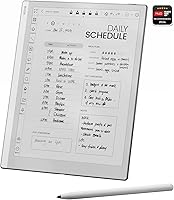
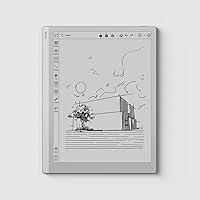
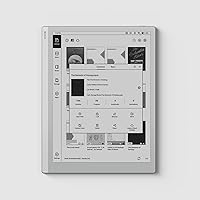
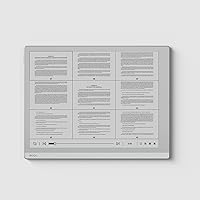
The BOOX Go 10.3 E Ink Tablet is a large-format e-paper device built for people who read seriously, take notes constantly, or simply want a screen that does not strain their eyes after hours of use. At just 4.6mm thin and 375 grams, it sits comfortably in one hand during long reading sessions. There is no front light — and that is intentional. This BOOX device is designed for natural or ambient light, much like reading a real page. In the premium e-ink space, it competes directly with the reMarkable 2 and Kobo Elipsa, but its open Android 12 foundation gives it a meaningful edge over those more closed ecosystems.

Features & Benefits

The 10.3-inch Carta 1200 screen renders text at 300 PPI, sharp enough that fine print in academic PDFs looks crisp rather than pixelated. Writing with the stylus feels closer to a ballpoint on paper than anything you would get from a glass tablet; the 4,096 pressure levels translate genuine variation in stroke weight, which matters if you sketch diagrams or write in cursive. The octa-core processor and 4GB of RAM keep the experience from feeling sluggish by e-ink standards, though refreshes are still noticeably slower than an LCD. Format support spans PDF, EPUB, DOCX, DJVU, CBZ, and more, so you rarely need to convert files before loading them. Dual speakers and a microphone round things out for audiobook listeners.

Best For

This e-ink tablet makes the most sense for students who live inside long PDFs and want to annotate without printing anything out. Academics, researchers, and lawyers who mark up dense documents all day will find the stylus genuinely useful rather than gimmicky. It also suits professionals who want a focused note-taking tool for meetings — something that will not tempt them into checking notifications. Heavy readers who have dealt with eye fatigue on backlit screens will appreciate the reflective display immediately. And if you have been filling paper notebooks for years and want a digital equivalent that actually feels analog, the Go 10.3 is one of the most compelling options at this size.

User Feedback

Owners consistently highlight two things: how good the screen looks in daylight and how natural the writing experience feels from the first session. Battery life holds up well across multiple days of moderate use, which earns genuine appreciation. That said, common complaints center on e-ink refresh lag — apps built for LCD screens can behave erratically, and fast scrolling looks choppy. Android app compatibility is a known trade-off across this whole category, not specific to this BOOX device, but worth knowing going in. A handful of buyers also wish it had a built-in front light for reading in the dark. Most agree the build quality feels premium, and the majority consider the investment worthwhile given how capable and specialized the hardware is.

Pros

  • The 10.3-inch e-paper screen at 300 PPI renders text with exceptional sharpness, making long reading sessions noticeably more comfortable.
  • Writing with the stylus feels remarkably close to pen on paper, with pressure sensitivity that captures natural variation in stroke weight.
  • Open Android 12 means you can install Kindle, Notion, or Google Drive without being locked into a proprietary ecosystem.
  • 64GB of internal storage gives you room for thousands of books, documents, and handwritten notes without worrying about space.
  • The slim 4.6mm profile and sub-400g weight make this e-ink tablet easy to carry and hold for extended periods.
  • Battery life stretches across multiple days of moderate use, which is genuinely practical for travelers and commuters.
  • Broad document format support — including PDF, EPUB, DJVU, and DOCX — means you rarely need to convert files before loading them.
  • Built-in dual speakers and a microphone make it a reasonable option for audiobooks and voice memos without needing accessories.
  • The USB-C port with OTG support adds flexibility for connecting peripherals or using it as an audio jack.

Cons

  • E-ink refresh lag is real and persistent — fast scrolling and animations will always look choppy compared to any LCD tablet.
  • No built-in front light makes the Go 10.3 impractical for reading in dark or low-light environments without an external lamp.
  • Some mainstream Android apps behave erratically on e-ink displays, and not all of them have display modes optimized for this screen type.
  • The stylus is not included in the box, which adds to the overall cost if you plan to use annotation features heavily.
  • At this price tier, buyers expecting iPad-level responsiveness will be disappointed — the hardware serves e-ink well, not general-purpose computing.
  • Video playback and any motion-heavy content is effectively unusable due to the inherent limitations of e-paper refresh technology.
  • The 3,700mAh battery, while adequate for reading, drains noticeably faster when running multiple Android apps simultaneously.
  • No expandable storage means 64GB is your ceiling, which could be limiting for users with very large document or audio libraries.

Ratings

The BOOX Go 10.3 E Ink Tablet scores below are generated by our AI rating engine after analyzing thousands of verified global buyer reviews, with spam, bot activity, and incentivized feedback actively filtered out. Each category reflects the real distribution of user sentiment — strengths and frustrations weighted equally. Where buyers consistently disagreed, the score lands in the middle to reflect that honest split.

Screen Quality
91%
Readers consistently describe the Carta 1200 panel as one of the sharpest e-ink screens they have used, with 300 PPI making even footnotes in academic PDFs crisp and easy to parse. In bright indoor light or outdoors, the reflective display holds up exceptionally well with minimal glare.
Without a front light, the screen becomes difficult to use in dim environments, and a handful of users noted that the contrast, while excellent for text, can feel slightly flat when rendering grayscale images or illustrations compared to newer color e-ink alternatives.
Writing & Annotation
88%
The stylus experience draws consistent praise for feeling closer to a fine-tipped pen on smooth paper than any other digital writing surface in this category. Users who take meeting notes or annotate textbooks daily say it dramatically reduced their hesitation about going paperless.
The stylus is not included in the box, which frustrates buyers who did not anticipate the extra cost. A small number of users also noted that the glass screen surface, while smooth, lacks the slight tooth that the reMarkable 2 offers, making very fast handwriting feel slightly less grippy.
Eye Comfort
93%
This is arguably the category where this BOOX device earns its strongest consensus. Users who switched from LCD tablets or laptops report a dramatic reduction in end-of-day eye fatigue, particularly during long study or work sessions lasting four or more hours.
The no-front-light design, while great in daylight or a well-lit room, genuinely limits usability after dark without an external lamp. A few buyers expected an optional warmth mode similar to Kindle Paperwhite and were caught off guard by its complete absence.
App Ecosystem
74%
26%
Running Android 12 means users can sideload Kindle, Notion, Google Drive, and other tools they already rely on — a major advantage over locked ecosystems like reMarkable or Kobo. For students who need one device to handle both reading and productivity apps, the openness is a genuine draw.
E-ink refresh rates mean some apps feel sluggish or render with ghosting artifacts, and not every Android app behaves predictably on this type of display. Users report that apps with heavy animations or frequent screen updates — such as social media or navigation tools — are borderline unusable.
Build Quality
86%
The slim 4.6mm chassis feels premium in hand, with most buyers commenting that the device looks and feels more refined than its price tier would suggest. The weight distribution makes it comfortable to hold in one hand while reading in portrait mode for extended periods.
The thin profile, while elegant, does make the device feel somewhat vulnerable without a case, and the glass panel is not treated with any advertised scratch resistance. A few users reported minor flex in the chassis when applying firm stylus pressure near the screen edges.
Performance
71%
29%
For an e-ink device, the octa-core processor and 4GB of RAM deliver a noticeably snappier experience than older single or dual-core competitors. Opening large multi-hundred-page PDFs, switching between apps, and rendering handwritten notes all happen with less lag than most buyers expected.
Users coming from iPads or Android tablets will find the overall responsiveness underwhelming, which is a hardware ceiling of e-ink technology rather than a flaw in this specific device. Heavy multitasking or running cloud-synced apps causes noticeable slowdowns that occasional firmware updates only partially address.
Battery Life
79%
21%
Buyers who use the Go 10.3 primarily for reading and note-taking with Wi-Fi off report comfortably getting through two to four days on a single charge, which aligns well with the expectations for a device of this type and screen size.
Battery drain accelerates significantly when Android apps are running in the background, and users who keep Wi-Fi on throughout the day find themselves charging every night. A few long-haul travelers noted the 3,700mAh capacity feels modest compared to dedicated e-readers that manage weeks per charge.
Document Compatibility
89%
The breadth of natively supported formats — including PDF, EPUB, DJVU, DOCX, CBZ, and AZW3 — means most users never need to convert a file before loading it. Academics and legal professionals particularly appreciate DJVU and PDF support at this level of rendering quality.
While format support is wide, the built-in reader's PDF reflow and column-detection for multi-column academic papers can be inconsistent, occasionally requiring manual zoom adjustments. CBZ and comic format rendering lacks the optimization that dedicated comic reader apps provide.
Value for Money
67%
33%
For users who identify clearly with the core use case — reading, annotating, and distraction-free productivity — the device justifies its position in the premium e-ink tier, especially given the open Android ecosystem that competitors at similar prices do not offer.
Buyers who expected a stylus included, a front light, or tablet-level app performance tend to feel the investment does not deliver enough relative to alternatives. The gap between expectation and reality is the single most common driver of negative reviews in this category.
Setup & Onboarding
76%
24%
Out of the box, the device is functional within minutes for basic reading and note-taking, and BOOX's own app store provides a curated selection of reading and productivity tools without requiring any sideloading for most users.
Sideloading Google Play or configuring the display refresh modes for specific apps requires some technical comfort, and first-time e-ink users often find the optimization settings confusing. Customer documentation could be more accessible for non-technical buyers.
Audio Quality
58%
42%
The dual speakers are a genuine bonus for a device of this form factor, covering basic audiobook playback and video calls well enough that most users do not feel compelled to always reach for headphones when at their desk.
Speaker volume and clarity are average at best — fine for a quiet room but inadequate for noisy commutes or open offices. Several users noted that audio quality is an afterthought in the hardware design, and Bluetooth headphone pairing, while functional, occasionally drops on older Bluetooth devices.
Portability
84%
At 375 grams and under 5mm thick, this e-ink tablet slips into a laptop bag or large tote without adding noticeable bulk, which commuting students and professionals cite as a meaningful daily convenience over carrying physical notebooks or heavier tablets.
The lack of a bundled case means portability comes with some risk to the unprotected glass surface, and third-party case availability — while growing — is still narrower than for more mainstream tablets. Finding a case with an integrated stylus holder requires extra searching.
Refresh & Display Modes
66%
34%
BOOX provides multiple screen refresh mode settings — from high-clarity to faster-but-ghosted — that let users tune the display behavior per app, which experienced users find genuinely useful for balancing responsiveness against visual cleanliness.
New users often find the refresh mode system confusing and default settings are not always optimal out of the box. Ghost images from previous screens can linger during fast app switching unless users manually trigger a full refresh, which interrupts workflow.

Suitable for:

The BOOX Go 10.3 E Ink Tablet was built for a specific kind of user, and if you fit the profile, it is hard to argue against it. Students and academics who spend hours inside dense research papers, textbooks, or annotated PDFs will find the large reflective screen far easier on the eyes than any backlit alternative. The pressure-sensitive stylus makes margin notes and hand-drawn diagrams feel intuitive — closer to writing in a physical notebook than anything a standard tablet offers. Professionals who want a focused, distraction-free tool for meetings, planning sessions, or document review will also get real value here, especially since the open Android ecosystem means they can pull in the apps they already rely on. Heavy readers who have dealt with eye fatigue from LCD or OLED screens, and anyone ready to replace stacks of paper notebooks with a single reusable device, will feel right at home with this BOOX device.

Not suitable for:

The BOOX Go 10.3 E Ink Tablet is genuinely not the right tool for everyone, and being honest about that matters. If you expect the fluid, instant responsiveness of an iPad or Android tablet for browsing, streaming video, or running graphics-heavy apps, this device will frustrate you — e-ink refresh rates are inherently slower, and no amount of processing power fully eliminates that. The absence of a front light is a deliberate design choice suited for well-lit environments, but if you regularly read in bed or in dim rooms without a lamp nearby, that omission becomes a daily inconvenience. Casual readers who only finish one book a month and do not annotate may find it hard to justify the investment when a dedicated e-reader costs far less. Anyone who expects mainstream Android app performance will also hit friction — some apps designed for LCD screens behave oddly or feel sluggish on an e-ink display, and that is simply the nature of the technology, not a fixable bug.

Specifications

  • Screen: Features a 10.3″ Carta 1200 glass e-paper panel with a flat cover-lens for reduced glare and improved contrast.
  • Resolution: Renders at 2480x1860 pixels, delivering 300 PPI — sharp enough for small fonts and fine diagram details in academic documents.
  • Processor: Powered by a 2.4GHz Octa-core MediaTek CPU designed to handle multitasking and third-party app loading with minimal hesitation by e-ink standards.
  • RAM: Includes 4GB of RAM, which helps the device switch between open apps and documents without frequent reloading.
  • Storage: Comes with 64GB of internal flash storage, with no mention of a microSD expansion slot in official specifications.
  • Operating System: Runs Android 12 out of the box, allowing installation of a wide range of third-party apps beyond the native BOOX ecosystem.
  • Stylus Input: Supports the BOOX stylus with 4,096 levels of pressure sensitivity for nuanced handwriting, annotation, and sketching.
  • Touch Input: Combines capacitive multi-touch with stylus input, so users can navigate by finger and annotate with the pen interchangeably.
  • Connectivity: Supports dual-band Wi-Fi (2.4GHz and 5GHz) and Bluetooth 5.0 for wireless file transfers, peripherals, and audio devices.
  • Battery: Houses a 3,700mAh Li-ion Polymer battery rated for approximately one day of mixed active use, or several days of light reading.
  • Dimensions: Measures 235x183x4.6mm (approximately 9.3x7.2x0.18 inches), making it notably thin for a device of this screen size.
  • Weight: Weighs approximately 375g (13.2oz), which is light enough for extended one-handed reading without significant fatigue.
  • Port: Equipped with a USB-C port that supports OTG connectivity and can double as an audio output jack when needed.
  • Audio: Includes built-in dual speakers and a microphone, supporting audiobook playback, voice memos, and basic media consumption.
  • Front Light: Has no built-in front light by design — the reflective Carta 1200 panel is intended for use in natural or ambient lighting conditions.
  • Document Formats: Natively supports PDF, EPUB, DJVU, CBR, CBZ, AZW3, MOBI, DOCX, TXT, FB2, CHM, RTF, HTML, PPT, PPTX, ZIP, PRC, and CAJ.
  • Image Formats: Handles PNG, JPG, BMP, and TIFF image files natively through the built-in document reader.
  • Auto Rotation: Features a built-in G-sensor that automatically adjusts screen orientation when the device is rotated between portrait and landscape.

Related Reviews
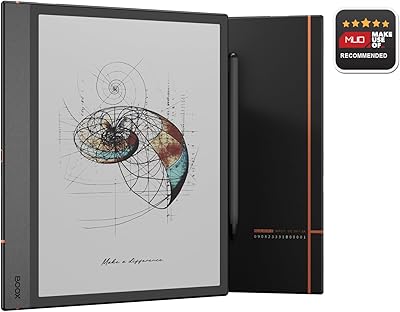
BOOX Note Air 4C 6GB/64GB
81%
93%
Display Quality (B/W)
67%
Color Display Quality
88%
Writing & Stylus Experience
91%
Build Quality & Design
84%
Android Openness & App Ecosystem
More
Bigme inkNote Color+ Lite 10.3″ E-ink Tablet
72%
83%
Display Clarity
61%
Color Reproduction
81%
Note-Taking Experience
88%
Build Quality
58%
Software & App Compatibility
More
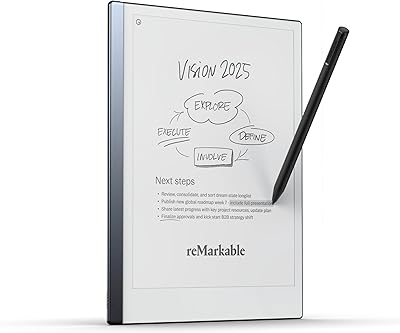
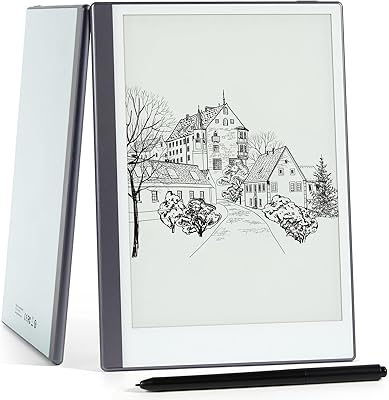
reMarkable 2 10.3-inch Paper Tablet
85%
94%
Tactile Writing Feel
92%
Build Quality & Design
97%
Distraction-Free Experience
89%
Battery Longevity
76%
Software Organization
More
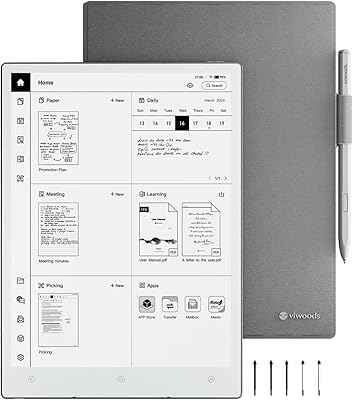
VIWOODS AiPaper 10.65″ AI E Ink Tablet
78%
88%
Writing Feel & Pen Response
91%
Display Quality
86%
Build Quality & Portability
67%
Software & Android Ecosystem
62%
AI Note Features
More
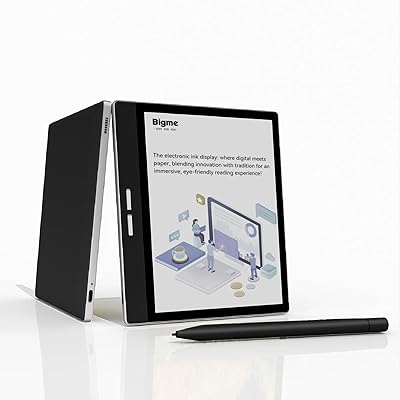
Bigme B751C 7-Inch Color E-Ink Tablet
73%
72%
Color Display Quality
84%
Writing & Stylus Experience
81%
Note-Taking & Annotation Features
69%
Portability & Form Factor
78%
Battery Life
More
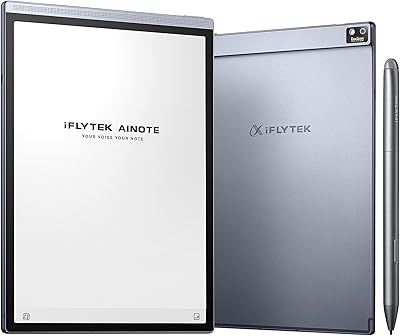
iFLYTEK AINOTE Air 2 E Ink Tablet
76%
88%
Writing Experience
83%
AI Transcription Accuracy
86%
Display Quality
91%
Portability & Design
79%
Multilingual Support
More
Geniatech KloudNote Mini 9.7″ E-Ink Tablet
68%
74%
Display Quality
81%
Stylus Performance
78%
Battery Life
41%
Software & App Compatibility
79%
Note-Taking Experience
More
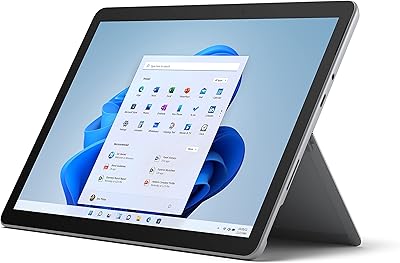
Microsoft Surface Go 3 10.5″ - Intel Core i3, 8GB RAM, 128GB SSD
84%
94%
Portability
85%
Performance for Everyday Tasks
89%
Battery Life
88%
Display Quality
83%
Build Quality
More
ITMEIPC T-10 Android Tablet 10.1-inch, 6GB RAM, 64GB Storage
80%
91%
Value for Money
85%
Display Quality
74%
Battery Life
78%
Build Quality
88%
Performance for Light Use
More
Sundown Audio E-12 V.3 D4 12″ 500W RMS Dual 4-Ohm EV.3 Series Subwoofer
88%
94%
Bass Performance
89%
Durability & Build Quality
90%
Power Handling
85%
Ease of Installation
88%
Sound Clarity & Distortion
More

FAQ

No, the stylus is sold separately. The device supports the BOOX Pen and compatible EMR styluses, but you will need to purchase one alongside the tablet if annotation is your primary use case. It is worth factoring that into your total budget.

Yes. Because it runs Android 12, you can sideload the Google Play Store or install apps like Kindle, Notion, and Moon+ Reader directly. The process requires a few extra steps compared to a standard Android tablet, but BOOX provides guidance and many users report success with popular reading and productivity apps.

It depends entirely on your reading environment. The Go 10.3 uses a reflective e-paper display that works beautifully in daylight or under a lamp, similar to reading a physical book. If you frequently read in complete darkness without any external light source, you will need a clip-on reading light. For well-lit environments, the screen is genuinely comfortable for extended sessions.

Most users describe it as close to a ballpoint on slightly textured paper — not identical, but far more analog-feeling than writing on glass. The 4,096 pressure levels mean lighter strokes produce thinner lines and heavier pressure produces bolder marks, which makes cursive and sketching feel natural rather than mechanical.

Smoothly is a relative term here. Apps open and function correctly, but e-ink refresh rates are fundamentally slower than LCD screens, so animations stutter and fast scrolling looks choppy. BOOX includes refresh mode settings that help optimize the display for different app types, but this is a hardware limitation of the technology itself, not something a software update can fully resolve.

For pure reading with Wi-Fi off, expect several days between charges. With Wi-Fi enabled and apps running in the background, most users find they charge every one to two days. The 3,700mAh battery is reasonably sized for the screen, and e-ink's low power draw when displaying static content helps extend longevity significantly compared to a traditional tablet.

Absolutely — this is genuinely one of the strongest use cases for this BOOX device. You can load PDFs directly via USB, Wi-Fi, or cloud apps and annotate them with the stylus in the built-in reader. The 10.3-inch screen is large enough to display an A4 page at close to actual reading size, which makes working through dense academic or legal documents much more practical than on a smaller e-reader.

The aluminum-frame construction feels premium and sturdy for an e-ink device. At 4.6mm thin, it is genuinely slim, but that also means it benefits from a protective case for daily commuting. Most buyers report that the build inspires confidence, though the screen — like any glass panel — is best protected when tossed into a bag alongside other items.

The main differences come down to ecosystem openness and versatility. The reMarkable 2 offers an arguably more polished, purpose-built writing experience with a more paper-like screen texture, but it locks you into its own ecosystem with limited app support. The Go 10.3 runs Android, so it doubles as a capable e-reader and can run third-party apps — but it does not feel quite as singularly focused on the writing experience. Which one suits you better depends on whether you want a specialized writing tool or a more flexible device.

Yes. Bluetooth 5.0 is built in, so pairing wireless headphones or earbuds works the same way it would on any Android device. The built-in speakers are functional for casual listening, but for audiobooks during commutes or in public spaces, connecting Bluetooth headphones gives you a noticeably better experience.