reMarkable 2 10.3-inch Paper Tablet


Overview
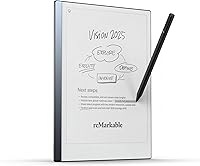
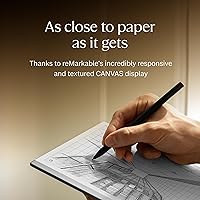
The reMarkable 2 10.3-inch Paper Tablet is designed for those who find modern tablets too noisy and cluttered for deep work. At just 4.7 mm thin, this digital notebook is remarkably portable, yet it feels surprisingly substantial thanks to its aluminum chassis. Instead of an app store filled with notifications, you get a focused workspace that mimics the friction of real paper. The second-generation CANVAS display technology creates a tactile response that invites long-form thinking rather than quick scrolling. It is a minimalist tool for anyone who needs to step away from the internet to get their best ideas down. Because the screen lacks a backlight, you will need a well-lit room, but the trade-off is a clarity that looks like printed ink.
Features & Benefits
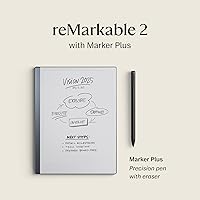
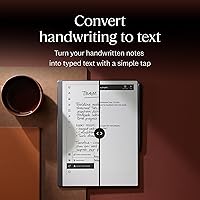
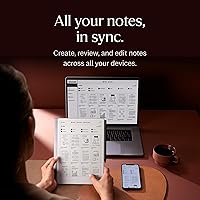
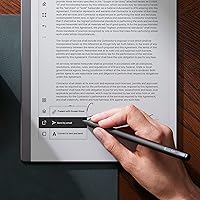
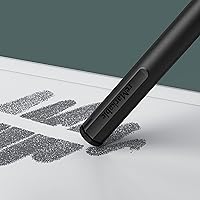
Using the paper-feel tablet daily reveals how much thought went into the writing experience. The Marker Plus stylus feels balanced in the hand and includes a built-in eraser that works just like a traditional pencil. You can sketch or write with tilt sensitivity and then use the software to turn those scribbles into editable typed text. Unlike standard tablets that need a daily charge, this E-Ink device easily lasts two weeks on a single cycle. It also keeps your files organized through a robust system of folders and tags. Syncing with Google Drive or OneDrive is straightforward, making it easy to pull up documents for a quick review. This digital notebook bridges the gap between analog habits and modern cloud workflows.
Best For
This E-Ink device is an excellent fit for executive professionals who spend their days reviewing and signing PDF documents without wanting to print stacks of paper. Students will also find the paper-feel tablet invaluable for capturing handwritten lecture notes that stay organized throughout the semester. If you are a writer looking for a focused environment to hammer out early drafts without the lure of social media, this digital notebook is a logical choice. It is also a smart alternative for readers who want to reduce eye strain, as the screen does not emit the harsh blue light found on smartphones. By focusing on a single task, it helps anyone who values clarity and concentration in their daily routine.
User Feedback
Real-world users frequently highlight the premium build quality and the satisfying drag of the pen against the screen. The absence of screen glare in bright sunlight makes the paper-feel tablet a favorite for outdoor use. However, the conversation often turns to the recurring cost of the Connect subscription, which some find frustrating given the initial price. New owners should take advantage of the 100-day trial to see if the cloud features justify the monthly fee. While the Linux-based interface is clean, a few people mention a slight learning curve when first navigating the settings. Despite these minor hurdles, the general consensus is that this digital notebook delivers on its promise of a superior, distraction-free writing experience for dedicated users.
Pros
- The 10.3-inch E-Ink display provides an authentic paper-like friction that is unmatched by glass screens.
- Marker Plus features a built-in eraser that makes correcting handwritten notes feel completely natural.
- A two-week battery life ensures you can go on business trips without hunting for a charger.
- The ultra-slim 4.7 mm aluminum design is both incredibly durable and effortlessly portable for daily commutes.
- Seamless handwriting-to-text conversion allows you to quickly turn meeting scribbles into professional emails.
- Direct integration with Google Drive and Dropbox simplifies the process of syncing documents across devices.
- The distraction-free interface eliminates notifications, helping you stay focused on long-form thinking and reading.
- This paper-feel tablet is perfectly legible in direct sunlight, unlike traditional glossy tablets or smartphones.
Cons
- The lack of an integrated backlight makes the reMarkable 2 10.3-inch Paper Tablet unusable in dark rooms without a lamp.
- Full access to cloud syncing and advanced features requires a recurring monthly subscription fee after the initial trial.
- Marker tips are a consumable item and will eventually require additional purchases as they wear down.
- The E-Ink refresh rate is noticeably slower than standard LCDs, which can cause slight ghosting during fast navigation.
- There is no option for expandable storage, leaving you limited to the 8 GB of internal flash memory.
- The Linux-based operating system lacks the intuitive gesture familiarity found in more mainstream mobile platforms.
- Large, high-resolution PDF files can take a few extra seconds to load and flip through.
- The proprietary stylus is expensive to replace if lost, and the device is less functional without it.
Ratings
To help you decide if the reMarkable 2 10.3-inch Paper Tablet fits your workflow, our AI analyzed thousands of verified global customer reviews while stripping away incentivized feedback and spam. This data-driven breakdown provides a transparent look at how this digital notebook performs in the real world, highlighting both its unmatched tactile experience and its polarizing software model.
Tactile Writing Feel
Build Quality & Design
Distraction-Free Experience
Battery Longevity
Software Organization
PDF Annotation
Handwriting-to-Text Precision
Sunlight Legibility
Ease of Portability
Cloud Syncing Ecosystem
Long-Term Value
Screen Clarity & Refresh
Suitable for:
The reMarkable 2 10.3-inch Paper Tablet is an exceptional tool for professionals and academics whose daily work revolves around deep focus, extensive note-taking, and document review. It is perfectly suited for executive leaders who need to sign and annotate heavy PDF contracts without the glare or distractions of a traditional backlit screen. Students will find this digital notebook invaluable for consolidating a semester's worth of handwritten notes into a single, highly portable 4.7 mm chassis. Writers and researchers who struggle with the constant pings of social media will appreciate how this device fosters a state of flow by removing all notifications and apps. If your priority is eye comfort and tactile feedback that truly mimics a pencil on paper, this is arguably the best specialized hardware on the market.
Not suitable for:
Despite its premium build, the reMarkable 2 10.3-inch Paper Tablet is not a replacement for a multi-purpose tablet and will frustrate anyone looking for an all-in-one entertainment device. Buyers who require a backlight for late-night reading in bed or dim environments should look elsewhere, as this E-Ink screen requires external light to be visible. It is also a poor choice for power users who need fast web browsing, video playback, or a wide array of third-party productivity apps. If you are on a tight budget, the combined cost of the device, the specialized stylus, and the recurring subscription fee for cloud features might feel like an unjustifiable investment. Additionally, users with highly complex, image-heavy PDF workflows may find the document navigation and refresh rates a bit sluggish compared to a high-end laptop or iPad.
Specifications
- Display Type: The device features a 10.3-inch monochrome digital paper display using second-generation CANVAS technology.
- Resolution: The screen offers a high-definition resolution of 1872 x 1404 pixels at 226 DPI.
- Dimensions: The tablet measures 11.02 x 7.38 inches with an ultra-slim thickness of only 4.7 mm.
- Weight: The total weight of the aluminum chassis is approximately 14.2 oz, making it highly portable.
- Internal Storage: It includes 8 GB of internal flash memory, capable of storing around 100,000 pages of notes.
- Processor: The hardware is powered by a 1.2 GHz dual-core ARM processor optimized for E-Ink performance.
- RAM: The system utilizes 1 GB of LPDDR3 SDRAM to handle document rendering and handwriting processing.
- Connectivity: It supports 2.4 GHz and 5 GHz Wi-Fi using the 802.11ac wireless standard.
- Battery Life: The rechargeable lithium-ion battery typically lasts up to two weeks on a single charge.
- Charging Port: Power and data transfer are managed via a standard USB-C interface.
- Operating System: The tablet runs on Codex, a custom Linux-based operating system designed specifically for low-latency writing.
- Pressure Levels: The screen supports 2,048 levels of pressure sensitivity for natural pen-to-paper dynamics.
- File Support: The device natively supports PDF and EPUB file formats for reading and annotation.
- Pen Technology: The Marker Plus stylus uses electromagnetic resonance (EMR) technology and requires no charging or pairing.
- Materials: The exterior is constructed from high-grade aluminum with a glass-reinforced display surface.
Related Reviews
reMarkable Paper Pro 11.8″

RCA Cambio 10.1″ Windows 2-in-1 Tablet
WXUNJA X-C30 10.1-inch Kids Tablet
Google Pixel Slate 12.3-Inch 2-in-1 Tablet Intel Core m3 8GB RAM 64GB
iFLYTEK AINOTE Air 2 E Ink Tablet
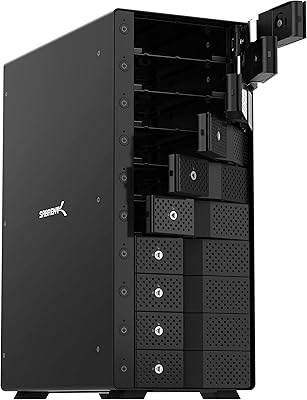
SABRENT DS-UCTB 10-Bay SATA Docking Station

ITMEIPC T-10 10.1-inch Android Tablet
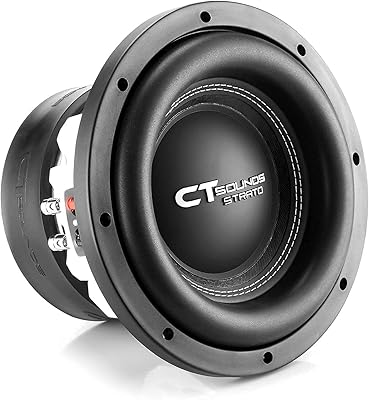
CT Sounds STRATO-10-D2 10 Inch Dual 2 Ohm Car Subwoofer
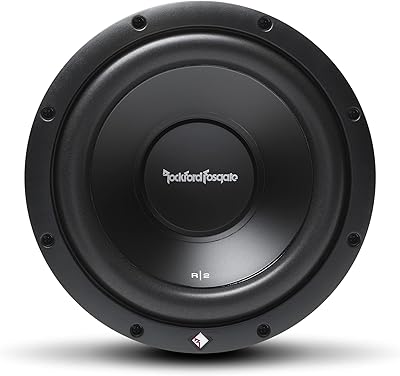
Rockford Fosgate R2D2-10 10-Inch Car Subwoofer