PEIOUS Wireless Ergonomic Keyboard and Mouse Combo

Overview
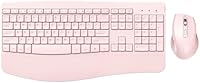
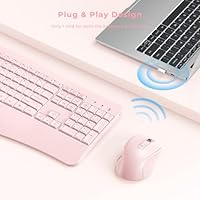
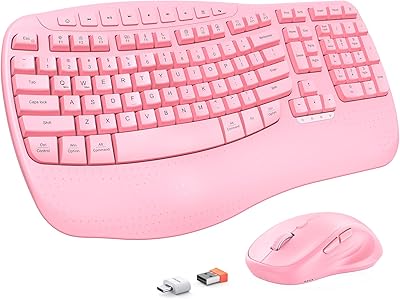
The PEIOUS Wireless Ergonomic Keyboard and Mouse Combo entered the market in late 2023 as a straightforward, wallet-friendly option for everyday Windows users who want a bit more comfort at their desk without spending a lot. The pink colorway gives it obvious appeal for home office setups where aesthetics actually matter to the person sitting there. What keeps the setup refreshingly uncomplicated is that a single USB receiver handles both the keyboard and mouse — plug it in and you are typing within seconds. The full-size layout with a dedicated number pad is a real advantage over the wave of compact keyboards flooding this price range, especially for anyone who works with numbers regularly.
Features & Benefits
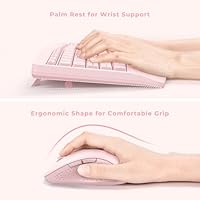
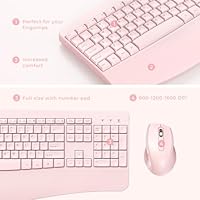
The integrated palm rest is probably the most practical feature here — it runs the full width of the keyboard and takes genuine pressure off your wrists during longer work sessions. The keys themselves have a low, quiet profile that makes typing in a shared space or on calls much less disruptive. An adjustable tilt lets you find a comfortable angle, and rubber feet on the base keep things from sliding around mid-task. The mouse has a contoured shape that fits naturally in the hand, with an adjustable DPI button for dialing in cursor speed. The wireless connection holds steadily across a typical room, and multimedia shortcut keys handle everyday tasks like volume control without any extra software.
Best For
This ergonomic combo makes the most sense for home office users who spend long stretches typing and want wrist support without investing in a premium ergonomic setup. It is also a solid step up for anyone still using a basic, flat keyboard with no comfort features at all. Students who care about their desk setup will appreciate the pink finish, which holds up well against the product photos. That said, it is worth being direct: this is a Windows-only setup. There is no Mac or Chromebook support, and Bluetooth pairing is not an option — you get one USB dongle, and that is it. For anyone needing cross-device or cross-platform flexibility, look elsewhere.
User Feedback
Buyers tend to highlight the wrist rest as a genuine comfort improvement, especially those coming from flat keyboards with no support at all. The quiet keys also earn consistent praise from people working near others. On the other side, some users at this price point notice that the build quality feels lightweight — the plastic is functional but not particularly sturdy. A few mention minor key wobble after extended use. Battery life gets mixed coverage: the PEIOUS keyboard and mouse set runs on AA batteries with no rechargeable option, which bothers some buyers more than others. Wireless reliability is rarely flagged as a problem, and the pink color is generally reported as accurate to photos.
Pros
- Built-in palm rest noticeably reduces wrist fatigue during long typing sessions.
- Single USB receiver connects both devices instantly — no drivers, no pairing steps.
- Full-size layout with number pad makes data entry and spreadsheet work much more efficient.
- Quiet low-profile keys are genuinely unobtrusive in shared spaces or during video calls.
- The wireless connection is stable and reliable across typical home desk distances.
- Pink colorway is accurate to product photos and coordinates well with modern desk aesthetics.
- Multimedia shortcut keys for volume and email work out of the box without any software.
- Adjustable DPI button lets users switch cursor speed on the fly without entering settings.
- Anti-slip rubber base and adjustable tilt keep the keyboard firmly in place during use.
- The ergonomic combo offers a notable feature set that is hard to match at this price point.
Cons
- Plastic construction feels lightweight and shows signs of wear within a few months of regular use.
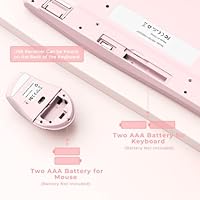
- No rechargeable battery option — both devices run on AA batteries that need periodic replacement.
- Key wobble on certain keys has been reported after extended use, affecting typing confidence.
- Mouse ergonomic benefit is mild and will not satisfy users with serious right-hand fatigue issues.
- Only one tilt angle is available, limiting customization for users with specific posture needs.
- DPI adjustment steps feel too coarse for users who need precise cursor control for detailed work.
- Completely incompatible with Mac, Chromebook, and Linux — Windows is the only supported platform.
- No Bluetooth support means users who switch between multiple devices cannot pair this combo across them.
- Left-handed users get no ergonomic benefit from the mouse shape whatsoever.
- Build longevity is a genuine concern for heavy users expecting more than a year or two of solid performance.
Ratings
The PEIOUS Wireless Ergonomic Keyboard and Mouse Combo has been evaluated by our AI rating system after analyzing thousands of verified global buyer reviews, with spam, bot activity, and incentivized feedback actively filtered out. The scores below reflect the honest consensus of real users — capturing what genuinely works well and where this budget-tier combo falls short. Both the strengths and the frustrations are represented transparently, so you can make a clear-headed buying decision.
Ergonomic Comfort
Typing Feel & Key Response
Mouse Ergonomics
Wireless Reliability
Build Quality & Durability
Value for Money
Setup & Ease of Use
Noise Level
Battery Life
Multimedia & Shortcut Keys
DPI & Mouse Precision
Aesthetic & Design
Compatibility & Platform Support
Keyboard Stability & Tilt
Suitable for:
The PEIOUS Wireless Ergonomic Keyboard and Mouse Combo is a strong fit for Windows-based home office workers who spend long stretches typing and want meaningful wrist support without committing to a high-end ergonomic setup. If you are currently using a flat, basic keyboard with no palm rest, the upgrade in daily comfort will feel immediate and worthwhile. Students setting up a first proper desk — especially those drawn to a pink aesthetic — will find this combo delivers a cohesive, functional workspace at a price that does not strain a tight budget. It also works well for anyone who finds cable management a constant annoyance but does not need the complexity of Bluetooth multi-device pairing. The full-size layout with a number pad makes it particularly practical for anyone handling spreadsheets, accounting tasks, or data entry as part of their daily routine.
Not suitable for:
The PEIOUS Wireless Ergonomic Keyboard and Mouse Combo is a hard pass for anyone outside the Windows ecosystem — Mac users, Chromebook owners, and Linux users will find no compatibility here, and that is not a limitation with any known workaround. If you are a heavy typist who values tactile key feedback or has grown accustomed to a mechanical keyboard, the low-profile keys will likely feel flat and unsatisfying within a few days. Users with diagnosed wrist or repetitive strain conditions should also temper expectations — the palm rest offers everyday comfort improvements, not therapeutic-grade ergonomic correction. Left-handed users will find the contoured mouse offers them no advantage, as the shape is built entirely for right-hand use. Finally, anyone expecting the build quality to hold up under intensive daily use for multiple years should look at a higher-tier option, as the lightweight plastic construction has a documented track record of showing wear within a few months.
Specifications
- Brand: Manufactured by PEIOUS, a value-tier peripherals brand that entered the keyboard and mouse combo market in late 2023.
- Color: Available in pink only, with a finish that buyers generally report as accurate to the product listing photos.
- Connectivity: Uses 2.4G wireless technology via a single USB-A dongle that connects and controls both the keyboard and mouse simultaneously.
- Wireless Range: The 2.4G receiver supports a wireless operating range of up to 10 meters under clear line-of-sight conditions.
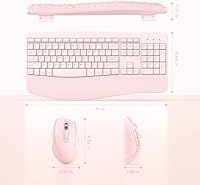
- Keyboard Layout: Full-size layout with an integrated numeric keypad, function row, and dedicated multimedia shortcut keys for volume, search, and email.
- Palm Rest: A built-in, non-detachable palm rest runs the full width of the keyboard base to support the wrists during extended typing sessions.
- Key Profile: Low-profile keys with a quiet keystroke mechanism designed to minimize typing noise in shared or open-plan environments.
- Tilt & Stability: The keyboard includes an adjustable tilt leg for angle customization and anti-slip rubber pads on the base to prevent movement on desk surfaces.
- Mouse Type: Right-handed ergonomic contoured mouse designed to support a natural hand position and reduce tension during prolonged use.
- DPI Adjustment: The mouse includes a dedicated DPI button that allows users to cycle through cursor speed settings without accessing any software or system menus.
- Receiver Storage: Both the keyboard and mouse feature a built-in slot on their underside to store the USB receiver safely when not in use or during travel.
- Power Source: Both devices are powered by AA batteries; there is no built-in rechargeable battery or USB charging option included with this combo.
- Compatibility: Designed exclusively for Windows-based computers and laptops; not compatible with macOS, ChromeOS, or Linux operating systems.
- Package Dimensions: The retail package measures 17.28 x 11.77 x 2.24 inches, accommodating the full-size keyboard and mouse together.
- Item Weight: The complete packaged unit weighs 2.29 pounds, reflecting the lightweight plastic construction of both devices.
- Bluetooth Support: This combo does not support Bluetooth; all wireless communication is handled exclusively through the included 2.4G USB receiver.
- BSR Ranking: Ranked #457 in the Computer Keyboard and Mouse Combos category on Amazon at the time of evaluation, indicating solid market traction for a newer brand.
- First Available: The product was first listed for sale in November 2023, making it a relatively recent entry in the budget ergonomic peripheral segment.
Related Reviews
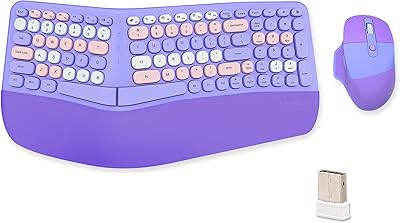
Lomiluskr Wireless Ergonomic Keyboard and Mouse Combo
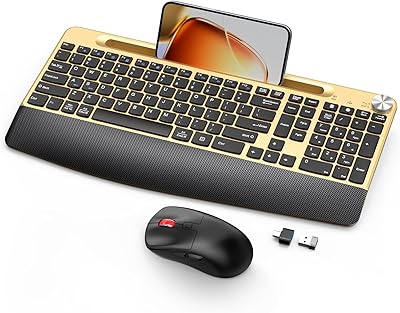
GAMCATZ Ergonomic Wireless Keyboard and Mouse Combo
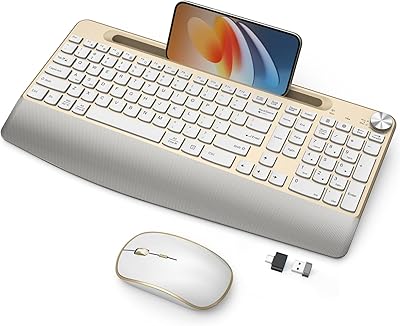
JOYACCESS Ergonomic Wireless Keyboard and Mouse Combo
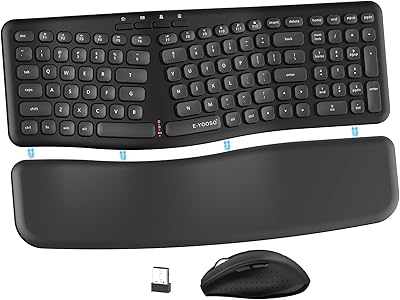
E-YOOSO Ergonomic Wireless Keyboard and Mouse Combo
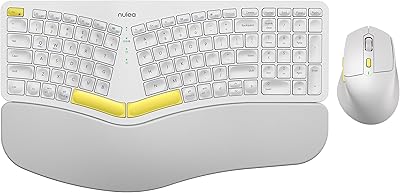
Nulea KM75
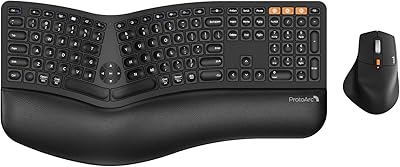
ProtoArc EKM01 Plus Ergonomic Keyboard Mouse Combo
MEETION Director-D-2 Ergonomic Wireless Keyboard Mouse Combo

Perixx Periduo-605 Wireless Ergonomic Keyboard Mouse Combo

Arteck HW192 Wireless Keyboard and Mouse Combo
