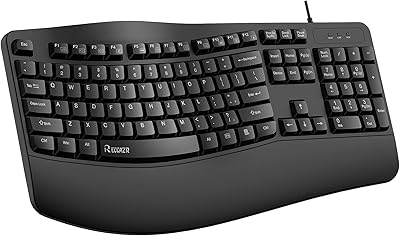
Microsoft Ergonomic Keyboard for Business Wired
Overview
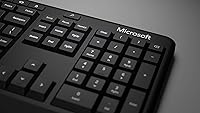
The Microsoft Ergonomic Keyboard for Business Wired is built for office professionals who spend the bulk of their workday at a keyboard and are starting to feel it in their wrists and forearms. Its split keyset design gently angles the hands outward into a more natural position, which makes a genuine difference over long sessions. The fabric-covered palm rest is a standout physical detail — soft enough to rest on comfortably, yet firm enough to support proper wrist alignment. It connects via USB-A, so there are no drivers to hunt down and no batteries to replace. In a crowded ergonomic keyboard market, this office keyboard earns attention through practical, thoughtful design rather than novelty.
Features & Benefits
The split keyset layout is the centerpiece here. By separating the key clusters and angling them outward, it encourages your hands to rest in a position that feels far less forced after hours of typing. The cushioned palm rest reinforces this by keeping wrists from drooping downward — a subtle but important detail for anyone prone to strain. An integrated numeric keypad sits to the right, which is genuinely useful if your work involves spreadsheets or financial data. Microsoft also packed in dedicated keys for Office 365, emoji input, and media controls; if you live in that ecosystem, those shortcuts save real time. For everyone else, they are easy to ignore. The wired connection keeps things simple and reliably accurate.
Best For
This ergonomic keyboard makes the most sense for people who type for a living and are already noticing discomfort in their wrists or forearms. It is particularly well-suited to Windows 10 users who rely on Microsoft 365 daily, since the dedicated shortcut keys actually earn their place in that context. IT departments or office managers sourcing peripherals in bulk will also appreciate the wired reliability — no battery replacements, no connectivity headaches. That said, this is a large keyboard. At 20 inches wide, it demands a spacious desk, and anyone accustomed to a standard flat layout will need an adjustment period with the split design. If you prefer slim, low-profile keyboards, this one probably is not the right fit.
User Feedback
With a 4.3-star average across over 140 ratings, the Microsoft wired keyboard lands solidly in positive territory. The most consistent praise centers on long-session comfort — many users report that wrist fatigue noticeably decreases after switching from a conventional keyboard. Build quality also gets frequent mentions; this does not feel like a flimsy peripheral. On the other side, some buyers flag the adjustment period as steeper than expected, especially for those who have never used a split layout before. The size draws complaints from users with limited desk space. A handful of reviewers note that the Office 365 shortcut keys feel redundant outside a Microsoft-heavy workflow. No major durability failures have been reported, though the sample size remains relatively modest.
Pros
- The split keyset design noticeably reduces wrist and forearm strain during long typing sessions.
- A fabric-covered cushioned palm rest keeps wrists in a neutral position without feeling cheap or flimsy.
- Wired USB-A connection means zero latency, no pairing headaches, and no batteries to replace.
- The integrated numeric keypad is a genuine convenience for spreadsheet-heavy or data-entry workflows.
- Dedicated Office 365 shortcut keys save meaningful time for users deep in the Microsoft ecosystem.
- Build quality feels solid and durable — this ergonomic keyboard is not a lightweight, disposable peripheral.
- Plug-and-play setup on Windows 10 requires no driver installation and works immediately out of the box.
- The ergonomist-approved design gives it a degree of credibility that goes beyond standard manufacturer claims.
- A strong 4.3-star rating across a meaningful number of real user reviews supports its comfort-focused reputation.
Cons
- At 20 inches wide, this office keyboard takes up serious desk real estate that not everyone can spare.
- New users face a steep adjustment period with the split layout — expect at least one to two uncomfortable weeks.
- Shortcut keys for Office and emoji have no function on Windows 8.1 or 7, limiting compatibility for older systems.
- Mac users and non-Microsoft ecosystem workers get little value from the dedicated shortcut key row.
- The keyboard is heavy for its category, which makes it impractical for anyone who moves between workspaces.
- No wireless option exists, so cable-averse users or those with docking station setups may find it restrictive.
- The large footprint can make positioning a mouse ergonomically awkward without a wide enough desk surface.
- With just over 140 ratings, the long-term durability picture is still relatively limited compared to more established rivals.
Ratings
The scores below reflect an AI-driven analysis of verified buyer reviews for the Microsoft Ergonomic Keyboard for Business Wired, with spam, bot activity, and incentivized feedback actively filtered out to ensure the results are as honest as possible. Ratings span comfort and typing feel all the way to value perception and ecosystem compatibility, so both the genuine strengths and the real frustrations are represented. Whether this office keyboard belongs on your desk or not, the scorecards below are designed to give you a clear-eyed answer.
Ergonomic Comfort
Build Quality
Typing Feel
Wrist & Posture Support
Shortcut Keys
Desk Footprint
Setup & Compatibility
Palm Rest Quality
Numeric Keypad
Cable & Connectivity
Value for Money
Noise Level
Durability
Aesthetics
Suitable for:
The Microsoft Ergonomic Keyboard for Business Wired is a strong match for office professionals and remote workers who spend four or more hours a day typing and are already experiencing wrist fatigue, forearm tension, or early signs of repetitive strain. The split keyset layout and cushioned palm rest work together in a way that genuinely supports neutral wrist posture, making this a practical choice for anyone whose current flat keyboard is starting to cause discomfort. It is especially well-suited to Windows 10 users who are heavily invested in the Microsoft 365 ecosystem, since the dedicated shortcut keys for Office apps, search, and media controls translate into real daily time savings in that context. Finance professionals, data analysts, and anyone who regularly crunches numbers will also appreciate the built-in numeric keypad, which removes the need for a separate peripheral cluttering the desk. IT managers sourcing peripherals for an office fleet will find the wired USB-A connection appealing for its plug-and-play simplicity and zero ongoing maintenance.
Not suitable for:
The Microsoft Ergonomic Keyboard for Business Wired is not the right call for everyone, and it is worth being honest about where it falls short. At 20 inches wide and nearly 4 pounds, this office keyboard demands a genuinely spacious desk — compact workstations or crowded shared desks will feel cramped almost immediately. Anyone switching from a conventional flat keyboard should also be prepared for a real adjustment period; the split layout feels awkward for the first week or two, and touch-typists who rely on muscle memory may find the transition frustrating rather than comfortable. Mac users or anyone working primarily outside the Windows ecosystem will lose access to the dedicated shortcut keys entirely, making the feature set feel half-baked for their workflow. If you prefer a slim, quiet, or low-profile typing experience, this keyboard's substantial build and tactile key travel will feel heavy and old-fashioned by comparison. Finally, buyers seeking a wireless setup for a clean cable-free desk will need to look elsewhere.
Specifications
- Connectivity: The keyboard connects via a wired USB-A cable, providing a stable, plug-and-play connection without any wireless pairing or battery requirements.
- Layout: Features a split keyset ergonomic design that angles the left and right key clusters outward to promote a more natural hand and wrist position.
- Palm Rest: Includes an attached cushioned palm rest covered in a premium fabric material designed to support neutral wrist posture during extended typing sessions.
- Dimensions: The keyboard measures 20″ in length, 11″ in width, and 3″ in height, making it one of the larger footprints in its category.
- Weight: The unit weighs 3.79 pounds, which reflects its solid, desk-bound build rather than a lightweight or portable design.
- Numeric Keypad: An integrated numeric keypad is built into the right side of the keyboard, eliminating the need for a separate external numpad peripheral.
- Shortcut Keys: Dedicated keys are included for Microsoft Office 365 shortcuts, emoji input, search functionality, and media playback controls.
- Compatible OS: Fully functional on Windows 10; Office and Emoji shortcut keys are non-functional on Windows 8.1 and Windows 7.
- Compatible Devices: Designed for use with desktop PCs and laptops running a compatible Windows operating system via USB-A port.
- Power Source: Powered entirely through the USB-A connection with no batteries required for the keyboard itself.
- Color: Available in a modern matte black finish that suits standard professional office environments.
- Model Number: The official Microsoft model number for this keyboard is 5QH-00001.
- Availability: This keyboard was first made available in February 2018 and has not been discontinued by the manufacturer.
- BSR Ranking: Holds a Best Sellers Rank of approximately #251 in the Computer Keyboards category on Amazon at the time of review.
- User Rating: Carries an average rating of 4.3 out of 5 stars based on 143 customer ratings on Amazon.
- Certification: The design has been reviewed and approved by ergonomists, lending it a degree of professional validation in the ergonomic peripherals space.
Related Reviews
Microsoft Natural Ergonomic Keyboard 4000
X9 Performance X9ERGOKEY Ergonomic Split Keyboard
Microsoft Surface Ergonomic Wireless Keyboard
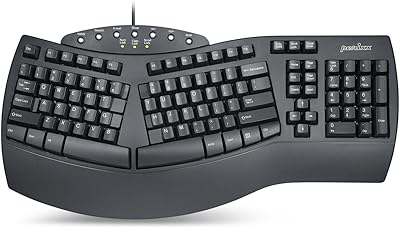
Perixx PERIBOARD-512B Ergonomic Split Keyboard
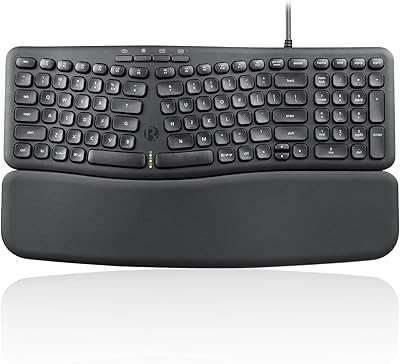
Perixx PERIBOARD-536 Ergonomic Compact Wired Keyboard
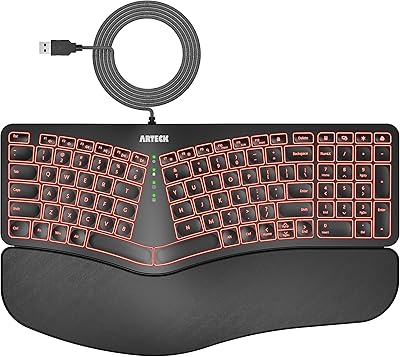
Arteck Ergonomic Split USB Keyboard with Wrist Rest
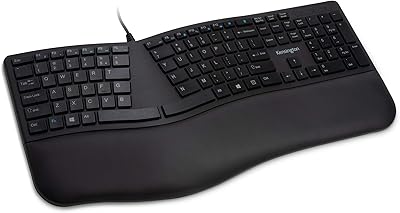
Kensington Pro Fit Ergo Wired Keyboard
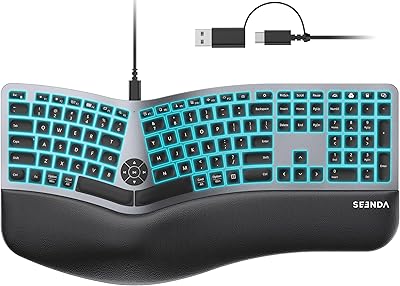
seenda KUW01 Ergonomic Split Keyboard
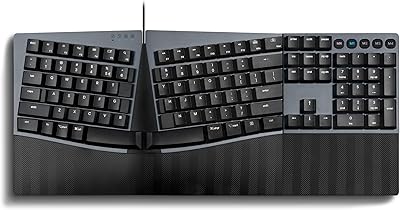
Perixx PERIBOARD-535 Ergonomic Split Mechanical Keyboard