GAMCATZ Ergonomic Wireless Keyboard and Mouse Combo

GAMCATZ Ergonomic Wireless Keyboard and Mouse Combo — image 1
GAMCATZ Ergonomic Wireless Keyboard and Mouse Combo — image 2
GAMCATZ Ergonomic Wireless Keyboard and Mouse Combo — image 3
GAMCATZ Ergonomic Wireless Keyboard and Mouse Combo — image 4

GAMCATZ Ergonomic Wireless Keyboard and Mouse Combo — image 5
GAMCATZ Ergonomic Wireless Keyboard and Mouse Combo — image 6
GAMCATZ Ergonomic Wireless Keyboard and Mouse Combo — image 7
77%
23%

Overview

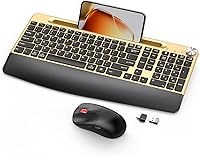
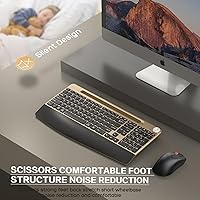
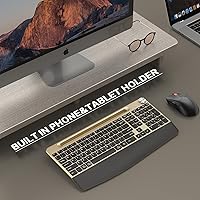
The GAMCATZ Ergonomic Wireless Keyboard and Mouse Combo is one of the few budget-friendly desk setups that tries to stand out visually — that bold gold finish is hard to miss in a category where black and gray dominate. GAMCATZ isn't a household name, so don't expect the build quality of a Logitech or Keychron, but at this price point the trade-off is fair. What genuinely catches attention is the integrated phone holder on the keyboard — unusual at this price tier and worth knowing about upfront. Setup couldn't be simpler: one shared USB receiver handles both devices, and you're working within seconds of plugging in.

Features & Benefits

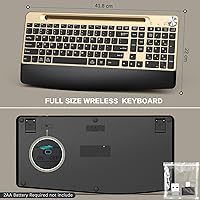
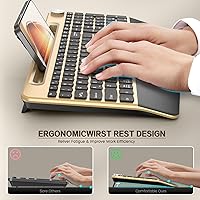
The keyboard's low-profile membrane keys have a 2mm stroke that feels closer to a laptop keyboard than a traditional desktop board — soft, quiet, and easy on the fingers during lighter sessions. The integrated wrist rest is firm rather than cushioned, which some people prefer for posture support, though those expecting plush padding may be surprised. A small but genuinely handy detail is the analog volume knob on the top-right corner; twisting it to adjust audio is faster than reaching for on-screen controls. The mouse covers five DPI settings up to 2400 and includes forward/back navigation buttons. Both devices run on AAA batteries — not included — though the claimed battery life is impressively long.

Best For

This wireless combo makes the most sense for home office workers who share a space — the near-silent keys and quiet mouse clicks mean you can work through a call or late into the evening without drawing attention. Students putting together a first desk setup will appreciate how much personality the gold colorway adds for the money. The phone holder is a genuine convenience for anyone who splits attention between a desktop screen and a phone throughout the day. That said, heavy typists and coders who depend on tactile key feedback will likely find the membrane feel underwhelming. The dual Mac and Windows support makes this ergonomic desk bundle a reasonable pick for anyone who switches between systems regularly.

User Feedback

The GAMCATZ keyboard and mouse set is a newer listing, so reviews are still building up — patterns in early feedback carry more weight than overall star counts. Buyers tend to respond positively to wrist rest comfort during shorter work sessions, though a few note it feels harder than expected for all-day use. The gold finish gets consistent praise for looking sharp on a desk, but there are occasional mentions of surface scuffs appearing faster than hoped. The phone holder draws mixed reactions — many find it genuinely useful for glancing at notifications, while others treat it as a minor extra. Mouse fit comes up as a concern for larger hands, so hand size is worth considering before buying.

Pros

  • Near-silent keys and quiet mouse clicks make this wireless combo ideal for shared spaces and open-plan homes.
  • The built-in wrist rest adds genuine comfort during shorter typing sessions without raising the overall cost.
  • A single USB receiver connects both keyboard and mouse instantly — no pairing steps or software required.
  • The analog volume knob is a small but practical touch that saves time compared to on-screen audio controls.
  • Claimed battery life stretches up to 36 months on the keyboard, so replacements are rarely a concern.
  • The folding phone holder keeps a device visible on the desk without eating into your workspace.
  • Full Windows and Mac dual-layout support means one setup works cleanly across both operating systems.
  • The gold finish genuinely stands out in a market dominated by plain black and gray peripherals.
  • Five adjustable DPI levels on the mouse offer enough flexibility for everyday browsing and office productivity.
  • Forward and back navigation buttons on the mouse make browser-heavy workflows noticeably faster and less fiddly.

Cons

  • The wrist rest is firm plastic, not cushioned foam, which can cause discomfort during extended typing sessions.
  • Membrane keys lack the tactile feedback that heavy typists and coders typically need for sustained productivity.
  • Batteries are not included in the box, adding a small but easy-to-miss cost before first use.
  • GAMCATZ is a newer, lesser-known brand with a limited track record for long-term durability or after-sale support.
  • The phone holder is passive and display-only — it cannot charge, sync, or interact with any connected device.
  • The mouse tops out at 2400 DPI, which falls short for graphic design work or any precision-heavy tasks.
  • Being a recent listing, verified buyer reviews are still thin, making real-world reliability harder to gauge.
  • The bold gold colorway is highly specific — buyers with neutral or minimalist desk setups may find it clashes.

Ratings

These scores for the GAMCATZ Ergonomic Wireless Keyboard and Mouse Combo were produced by our AI rating engine after analyzing verified buyer reviews from global markets, with spam, incentivized, and bot-generated feedback actively filtered out before any score was calculated. The results capture what real users consistently encountered across every measurable aspect of this wireless combo — from the quiet typing experience and plug-and-play setup that earn genuine praise, to the firm wrist rest and budget-tier build quality that temper expectations. Both the strengths and the real-world trade-offs are transparently reflected so you can make a well-informed decision.

Value for Money
83%
For a budget-tier wireless combo that bundles a full-size keyboard, a contoured mouse, an integrated wrist rest, and a phone holder, most buyers feel they are getting more than the price suggests. The feature-to-cost ratio consistently draws positive comments, particularly from students and first-time home office setups where every dollar counts.
The plastic construction feels noticeably light and is expected by some buyers to show wear faster than a more expensive set. The feature-heavy approach also means individual components, especially the mouse, do not quite match the depth of dedicated single-item rivals at a comparable price point.
Typing Feel
72%
28%
The low-profile membrane keys with a 2mm stroke feel closer to a laptop keyboard than a chunky desktop board — light, smooth, and easy on the fingers during email-heavy or browsing-focused workdays. Users who moved from a laptop to a desktop setup often mention the typing transition feels immediately natural.
Writers, coders, and heavy data-entry users consistently find the membrane feel too soft and undifferentiated for sustained productivity — there is no tactile bump or audible click to confirm a keystroke, which leads to more errors during fast-paced work. Anyone moving down from a mechanical keyboard will find the drop in feedback quite pronounced.
Mouse Performance
74%
26%
The five DPI levels give enough range for the average office user — dropping to 800 for precision work and stepping up to 2400 for quick screen navigation both feel usable. The addition of forward and back navigation buttons is a welcome touch that makes browser-heavy workdays noticeably more fluid.
The 2400 DPI ceiling is too low for graphic designers or anyone working across multiple large monitors where faster cursor travel is essential. A handful of users with larger hands also note that the mouse body feels slightly compact, which causes mild palm fatigue during longer sessions.
Wireless Reliability
87%
The 2.4GHz single-receiver setup earns consistent praise for staying connected without dropout or noticeable lag during a typical desk session. Users appreciate that both devices share one USB port, keeping the setup tidy, and the 10-meter range comfortably covers most home and small office environments.
A small number of users report occasional signal interference in heavily congested wireless environments, particularly in apartment buildings or coworking spaces with many competing 2.4GHz devices nearby. This is a known limitation of the frequency band and is not unique to this combo, but it is worth considering if your setup is already wireless-heavy.
Wrist Comfort
68%
32%
Having the wrist rest built directly into the keyboard is genuinely convenient — there is nothing extra to buy or position, and it keeps the palm at a level angle that most users find adequate for shorter to moderate typing sessions throughout the workday.
The rest is hard plastic rather than a padded or gel surface, and users who type for four or more hours straight tend to report discomfort building at the heel of the hand. Those with existing wrist sensitivity or repetitive strain concerns would likely need to supplement this with a separate foam or gel pad.
Build Quality
61%
39%
The keyboard and mouse both feel acceptably solid at first use — keys do not wobble or rattle, and the mouse buttons click cleanly without mushy response. For light daily use on a home desk, the construction holds up adequately through the first months of ownership.
The overall plastic build feels lightweight in a way that signals budget-tier manufacturing, and some buyers report the gold surface developing fine scratches after just a few weeks of regular contact. Long-term durability remains an open question given the brand's limited track record, and no published warranty detail is available to provide reassurance.
Battery Life
88%
The auto-sleep function is a real practical advantage — users consistently report going months without thinking about batteries, which is exactly what you want from a daily peripheral. The claimed 36-month keyboard life in particular stands out as an exceptional value-add for a combo at this price tier.
The most common frustration is that batteries are not included in the box, meaning the set cannot be used immediately after unboxing without a separate purchase. Real-world battery life also varies significantly with usage intensity, and heavy typists are unlikely to reach the theoretical maximums advertised by the manufacturer.
Noise Level
86%
This is one of the standout strengths of the GAMCATZ keyboard and mouse set — users working late at night or in shared bedrooms and apartments consistently describe the quiet keys and muted clicks as genuinely appreciated rather than just a marketing bullet point. The low noise profile holds up reliably during video calls too.
A few users in very quiet environments note that the keyboard is not completely silent — a faint thud at the bottom of each keystroke becomes perceptible in a still room. It is meaningfully quieter than a standard membrane board, but it does not compare to a purpose-built silent mechanical switch keyboard.
Setup & Compatibility
91%
The plug-and-play experience is genuinely effortless — virtually every buyer who mentions setup describes both devices working immediately with no drivers, no pairing process, and no configuration required. Dual Windows and Mac support means switching between a work Mac and a personal PC is handled by the same kit without any hardware changes.
Mac users occasionally need a few minutes to remap function keys to match their expected system shortcuts, which is a minor but real friction point that Windows users do not face. The USB-A-only receiver also means users with newer MacBooks or USB-C-only laptops will need an adapter that is not included in the box.
Design & Aesthetics
77%
23%
The gold colorway earns real admiration from buyers tired of the endless sea of black and gray peripherals — it photographs well in desk setup photos and gives a workspace personality that budget combos rarely deliver. Students and creatives in particular respond warmly to how distinctive the finish looks in person.
The gold finish is genuinely polarizing — buyers with neutral or minimalist desk setups frequently describe it as too bold or mismatched next to silver monitors and white accessories. Surface wear is also a recurring concern, with some owners noting fine scuffs appearing on high-contact areas within the first month of regular use.
Phone Holder Utility
63%
37%
Users who keep a phone on the desk for reference — monitoring messages, following a recipe, or tracking a delivery — consistently describe the holder as more useful than they initially expected, since it keeps the screen visible without any extra clutter from a separate stand.
The holder is strictly passive and cannot charge, sync, or interact with any device placed in it, which disappoints buyers who assumed some form of functional connectivity from the listing description. The slot is also sized for certain device thicknesses, and tablets in bulky protective cases are frequently reported as fitting poorly or not at all.
Volume Knob & Hotkeys
79%
21%
The analog volume knob earns outsized appreciation once used daily — spinning it to adjust audio without touching the screen or navigating menus is genuinely faster than alternatives. The 12 multimedia hotkeys cover enough everyday functions, from media playback to brightness adjustments, to meaningfully reduce reliance on the taskbar.
A few users find that certain hotkey combinations behave differently on Mac than expected, requiring a short adjustment period to build new muscle memory. The volume knob, while useful, is not the most precise control for fine-tuned adjustments, and some buyers describe it feeling slightly stiff compared to knobs on higher-end keyboards.
Mouse Ergonomics
67%
33%
The contoured mouse shape follows the natural curve of the hand reasonably well, and users with average-sized hands generally report a comfortable grip during typical office use without significant fatigue building over shorter sessions. Button placement becomes intuitive fairly quickly after a brief break-in period.
Users with larger hands are the most vocal critics — the mouse body sits slightly short in the palm, pushing toward a claw or fingertip grip that becomes uncomfortable over extended sessions. Left-handed users are also not catered to, as the forward and back navigation buttons are positioned exclusively on the left side of the mouse.

Suitable for:

The GAMCATZ Ergonomic Wireless Keyboard and Mouse Combo is a solid fit for home office workers and remote employees who share a living space and need to stay quiet — the silent keys and low-click mouse make it easy to type through video calls or late-night sessions without bothering others. Students building out a first desk setup on a budget will find it appealing, especially if they want something that looks distinctive rather than generic. Anyone who keeps a phone or tablet on the desk for reference while working will genuinely get use out of the built-in holder, which keeps the device visible without occupying extra surface area. The plug-and-play USB receiver and dual Windows and Mac support also make this a practical pick for people who switch between operating systems or share a computer between household members. If your typing is light to moderate and you prioritize comfort and quiet over speed and tactile precision, this wireless combo covers the basics without asking much in return.

Not suitable for:

The GAMCATZ Ergonomic Wireless Keyboard and Mouse Combo is not the right call for anyone who spends hours writing, coding, or doing data entry and depends on satisfying key feedback to stay productive — membrane keys with a 2mm stroke simply cannot replicate the tactile response of a mechanical switch, and fatigue will set in faster during marathon sessions. Power users who need a precise, high-performance mouse will also find the top DPI ceiling limiting compared to gaming or professional-grade alternatives. The integrated wrist rest, while a welcome inclusion, is firm plastic rather than soft foam, which may disappoint anyone expecting cushioned support for all-day use. GAMCATZ is an emerging brand with a limited public track record, so buyers who prioritize long-term build durability or want reliable warranty backing should temper expectations accordingly. If your desk aesthetic leans minimal, matte black, or silver, the bold gold colorway may feel out of place and is not easily ignored.

Specifications

  • Connectivity: Both keyboard and mouse connect via a single shared 2.4GHz USB nano-receiver that requires no software or pairing steps.
  • Wireless Range: The wireless connection remains stable at distances up to 10 meters (33 ft) from the USB receiver under typical conditions.
  • Keyboard Type: Full-size membrane keyboard with low-profile key construction and a 2mm actuation stroke per key press.
  • Key Switches: Silent membrane switches are used throughout to minimize audible typing noise in shared or quiet environments.
  • Mouse DPI: Mouse offers five selectable sensitivity levels at 800, 1200, 1600, 2000, and 2400 DPI, switchable via a dedicated button.
  • Wrist Rest: A firm wrist rest is integrated directly into the keyboard chassis and provides positional palm support during use.
  • Phone Holder: A folding phone and tablet holder is built into the top edge of the keyboard for passive device display only, with no charging or data functionality.
  • Hotkeys: Twelve independent multimedia hotkeys are included on the keyboard for direct access to common system and media functions.
  • Volume Knob: An analog twist knob positioned on the top-right of the keyboard allows direct audio volume adjustment without any on-screen interface.
  • OS Compatibility: The keyboard and mouse support both Windows and Mac OS through a dual-layout design on the same hardware unit.
  • Keyboard Battery: The keyboard is powered by 2x AAA batteries (not included) with a manufacturer-claimed battery life of up to 36 months under normal use.
  • Mouse Battery: The mouse is powered by 2x AAA batteries (not included) with a manufacturer-claimed battery life of up to 18 months under normal use.
  • Auto-Sleep: Both devices include an automatic sleep function that activates during periods of inactivity to reduce unnecessary battery drain.
  • Mouse Buttons: The mouse includes left click, right click, scroll wheel click, and dedicated forward and back browser navigation buttons.
  • Package Dimensions: The retail package measures 17.2 x 9.13 x 2.4 inches and weighs 2.23 pounds in total.

Related Reviews
JOYACCESS Ergonomic Wireless Keyboard and Mouse Combo
77%
88%
Value for Money
91%
Design & Aesthetics
76%
Typing Comfort
58%
Typing Feel & Key Response
74%
Mouse Performance
More
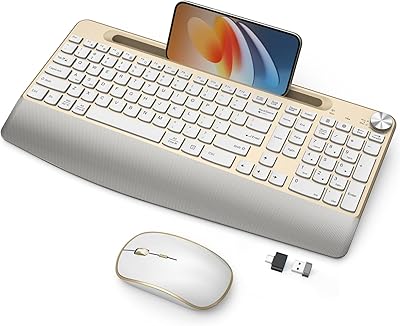
Lomiluskr Wireless Ergonomic Keyboard and Mouse Combo
70%
79%
Ergonomic Design
76%
Wrist Rest Quality
63%
Wireless Reliability
58%
Mouse Comfort & Fit
81%
Value for Money
More
PEIOUS Wireless Ergonomic Keyboard and Mouse Combo
74%
78%
Ergonomic Comfort
74%
Typing Feel & Key Response
69%
Mouse Ergonomics
83%
Wireless Reliability
61%
Build Quality & Durability
More
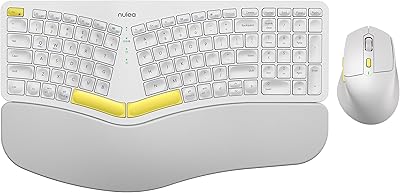
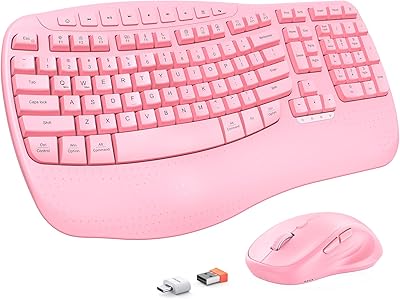
E-YOOSO Ergonomic Wireless Keyboard and Mouse Combo
84%
88%
Ergonomic Comfort
91%
Wireless Connectivity
94%
Ease of Setup
82%
Design and Build Quality
85%
Mouse Performance
More
Nulea KM75
Nulea KM75
76%
83%
Ergonomic Comfort
79%
Memory Foam Palm Rest
76%
Keyboard Typing Feel
72%
Mouse Ergonomics
74%
Multi-Device Switching
More
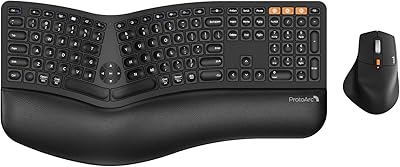
ProtoArc EKM01 Plus Ergonomic Keyboard Mouse Combo
74%
88%
Ergonomic Comfort
74%
Typing Experience
91%
Multi-Device Connectivity
83%
Mouse Comfort & Design
77%
Build Quality
More
MEETION Director-D-2 Ergonomic Wireless Keyboard and Mouse Combo
85%
88%
Ergonomic Comfort
91%
Wireless Connectivity
86%
Battery Life
89%
Mouse Precision (DPI Settings)
62%
Key Quietness
More
Perixx Periduo-605 Wireless Ergonomic Keyboard Mouse Combo

72%
83%
Ergonomic Comfort
61%
Keyboard Feel & Typing
79%
Mouse Comfort & Design
69%
Wireless Reliability
76%
Value for Money
More
Arteck HW192 Wireless Keyboard and Mouse Combo

78%
78%
Build Quality
72%
Typing Experience
63%
Mouse Comfort & Ergonomics
81%
Battery Life
69%
Wireless Connectivity
More
seenda Wireless Keyboard and Mouse Combo
76%
88%
Value for Money
91%
Design & Aesthetics
93%
Ease of Setup
74%
Typing Comfort
61%
Mouse Performance
More

FAQ

No software or drivers are needed. Plug the USB nano-receiver into an available USB-A port on your computer and both devices connect automatically. It is a true plug-and-play setup that works straight out of the box.

The GAMCATZ Ergonomic Wireless Keyboard and Mouse Combo is designed to support both operating systems on the same hardware, so no switching or separate devices are required. Mac users may need to remap a few function keys to match their preferred shortcuts, but day-to-day use on either system is straightforward.

No, batteries are not included. Both the keyboard and the mouse each require 2 AAA batteries, so it is worth grabbing a fresh pack before you sit down to set everything up — easy to overlook until you are ready to go.

The holder is purely a passive stand — it props your phone or tablet upright so you can see the screen while you work, but it has no charging, syncing, or connectivity function whatsoever. Think of it as a built-in phone cradle rather than a smart dock. It is a convenient way to keep your device visible without cluttering the desk.

The keys are noticeably softer than a standard desktop keyboard and will not carry across a quiet room. The mouse clicks are similarly subdued. It is not completely inaudible in total silence, but it is quiet enough to use comfortably during video calls or late-night sessions without bothering someone nearby.

It is a firm, rigid surface that is molded into the keyboard base — not a soft gel or foam pad. It provides positional support and helps keep your wrists level, which works well for shorter sessions. If you type for many hours a day, you may find a separate cushioned wrist pad more comfortable alongside it.

There is a dedicated DPI button on the mouse that cycles through the five available settings: 800, 1200, 1600, 2000, and 2400. Each press steps up to the next level, and the difference in cursor speed is noticeable enough that you can find a comfortable sensitivity fairly quickly. For general office and browsing use, most people settle somewhere in the middle range.

The USB nano-receiver needs a standard USB-A port to work, so any device with one — desktop, laptop, or a tablet paired with a USB hub or adapter — should be compatible. It does not use Bluetooth, so if your device only has USB-C ports, you will need a USB-A to USB-C adapter to bridge the connection.

The auto-sleep feature helps extend battery life significantly, so changes should be infrequent. When batteries are running low, you will typically notice missed keystrokes or delayed cursor response before the device stops working entirely. Keeping a spare set of AAA batteries nearby means you will never be caught off guard for long.

It is a warm, metallic gold that is genuinely noticeable — this is not a quiet champagne or sandy beige. If you are building a desk setup that stands out, that works in its favor. If your workspace already has a strong color scheme leaning toward black, white, or silver, it may clash with other accessories. It is worth factoring into your decision if a cohesive look matters to you.