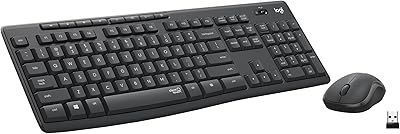
Logitech K360 Wireless Compact Keyboard
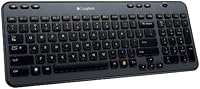
Overview
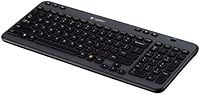
The Logitech K360 Wireless Compact Keyboard has been a steady presence on desks since 2011, and its continued strong sales rank suggests it earns its place. This isn't a flashy mechanical board or a gamer's dream — it's a practical daily driver designed to cut clutter and just work. The Unifying receiver plugs in once and stays there, requiring zero setup fuss on subsequent uses. What makes it worth considering isn't any single standout feature but the overall reliability of the package: compact footprint, wireless freedom, and a brand reputation that's hard to argue with at this price point.
Features & Benefits
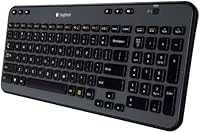
The K360 trims the numpad without rearranging anything else, so switching from a full-size board feels natural within minutes. Battery life is where this Logitech board genuinely impresses — two AA batteries can last up to three years under normal use, meaning you'll likely forget batteries are even involved. The 12 one-touch shortcut keys cover the actions most people reach for repeatedly: launching a browser, jumping to email, adjusting volume. Customizing those shortcuts requires installing Logitech's SetPoint software, which is free but adds a step worth knowing about before purchase. The 2.4 GHz wireless connection stays stable across a typical room without noticeable lag.
Best For
This compact wireless keyboard is a natural fit for home office workers who want to reclaim desk space without giving up a comfortable typing experience. It also suits anyone who moves between a laptop and a desktop — plug the Unifying receiver in once and you're done. People who've been burned by Bluetooth pairing headaches tend to appreciate the dependable RF connection here. That said, the K360 is aimed squarely at Windows users doing standard productivity work: writing, browsing, email. If you need a backlit keyboard for low-light environments or prefer the tactile click of mechanical switches, this isn't the right board.
User Feedback
Across a broad base of long-term owners, battery longevity comes up repeatedly as the standout positive — people routinely mention going a year or more without touching the batteries. Typing feel earns consistent praise too, with many noting the keys hold up well after years of heavy daily use. On the flip side, the lack of backlighting is a recurring complaint, especially from users who work in dim rooms or late at night. A smaller but notable share of buyers find reprogramming the shortcut keys through SetPoint more involved than expected. The receiver's low-profile fit in a laptop port is a small but frequently appreciated practical touch.
Pros
- Battery life is genuinely exceptional — most users go well over a year without changing batteries.
- The compact layout keeps your desk tidy without removing any standard keys you actually use.
- Setup takes under a minute: plug in the Unifying receiver and start typing immediately.
- One tiny receiver can also support a compatible Logitech mouse, reducing dongle clutter.
- The K360 has been on the market since 2011 — its longevity signals real-world durability.
- Keys feel solid and consistent, holding up well through years of daily typing sessions.
- The Unifying receiver sits nearly flush in a laptop port, making it easy to leave in permanently.
- 12 one-touch shortcut keys cover common tasks like email, browser, and media without extra clicks.
- Stable 2.4 GHz wireless signal means virtually no dropout during normal office-distance use.
Cons
- No backlight at all — completely impractical for dim rooms or nighttime use.
- Full shortcut key customization requires installing SetPoint software, which adds unexpected friction.
- SetPoint's interface feels dated and can be confusing for less tech-savvy users.
- Membrane key switches feel mushy to anyone accustomed to mechanical keyboards.
- No dedicated numpad makes this unsuitable for finance, accounting, or heavy data entry work.
- Primarily designed for Windows; Mac users lose significant functionality out of the box.
- Plastic build feels lightweight in a way that some users associate with lower durability.
- No wireless on/off switch, which can slowly drain batteries during transport or storage.
- Limited adjustability — no tilt legs or height customization beyond the fixed default angle.
Ratings
The scores below reflect an AI-driven analysis of verified global user reviews for the Logitech K360 Wireless Compact Keyboard, with spam, bot-generated, and incentivized feedback actively filtered out to ensure accuracy. Each category is scored independently to give you an honest picture of where this board genuinely excels and where real buyers have run into frustration. Both consistent praise and recurring complaints are represented transparently so you can make a confident decision.
Battery Life
Ease of Setup
Wireless Reliability
Typing Comfort
Build Quality
Compact Layout
Shortcut Keys
Value for Money
Backlight
Mac Compatibility
Unifying Receiver Design
Noise Level
Longevity
Software Experience
Suitable for:
The Logitech K360 Wireless Compact Keyboard is a strong match for home office workers and everyday PC users who prioritize reliability over bells and whistles. If your desk is cramped and you've been tolerating cable clutter or a bulky full-size board, the compact layout here frees up meaningful space without forcing you to relearn where your keys are. It's particularly well-suited to people who are done fussing with Bluetooth pairing — plug the Unifying receiver in once, and it simply works every time. Those who already use a Logitech mouse will appreciate that the same tiny receiver can handle both devices simultaneously. Budget-conscious buyers who want a trusted brand and a keyboard that will still be running years from now without a single battery swap will find this board quietly earns its keep.
Not suitable for:
The Logitech K360 Wireless Compact Keyboard is not the right choice for anyone who works regularly in low-light conditions, since there is no backlighting at all — not even a basic option. Writers or coders who care deeply about key feel will likely find the membrane switches underwhelming compared to mechanical alternatives in a similar or slightly higher price range. Mac users should also approach with caution, as the layout and shortcut keys are designed with Windows workflows in mind, and full functionality relies on Logitech's SetPoint software, which has limited macOS support. Gamers or anyone needing precise, low-latency input for fast-paced applications should look elsewhere — this board was built for spreadsheets and emails, not reaction-time-sensitive tasks. If you need a numpad for data entry work, the compact form factor is a dealbreaker from the start.
Specifications
- Dimensions: The keyboard measures 6.5″ in length, 1.75″ in width, and 15.56″ in height, making it notably compact compared to full-size boards.
- Weight: The unit is extremely lightweight, designed for easy repositioning on a desk or portability between workspaces.
- Material: The chassis is constructed from plastic, keeping the overall weight low while maintaining a solid enough build for daily office use.
- Color: Available in Dark Silver, giving it a neutral, professional appearance that suits most home and office desk setups.
- Wireless Technology: Connectivity is handled via a 2.4 GHz radio frequency signal using Logitech's proprietary Unifying receiver.
- Receiver Type: The included Unifying receiver is a compact USB dongle that can pair with up to six compatible Logitech devices simultaneously.
- USB Compatibility: The Unifying receiver supports both USB-A and USB-C ports, depending on the adapter or port configuration of the host device.
- Battery Life: Rated for up to 3 years of use on two standard AA batteries, which are included in the box.
- Battery Type: Requires two AA batteries; replacements are widely available and inexpensive if the included batteries are ever depleted.
- Layout: Features a compact tenkeyless layout that removes the numpad but retains the full standard alphanumeric and function key arrangement.
- Shortcut Keys: Includes 12 one-touch programmable shortcut keys positioned along the top row for quick access to common tasks like email, browser, and media controls.
- Shortcut Software: Full customization of the shortcut keys requires Logitech's free SetPoint software, which must be downloaded and installed separately.
- Backlight: This keyboard has no backlight of any kind; it is not suitable for use in low-light or dark environments.
- Switch Type: Uses membrane key switches, which offer a quieter, softer keystroke compared to mechanical alternatives.
- OS Compatibility: Primarily designed and optimized for Windows operating systems; Mac compatibility is limited, particularly for shortcut key functionality.
- Device Compatibility: Compatible with desktop PCs, laptops, and notebooks that support a standard USB or USB-C connection.
- Model Number: The official model number is 920-003366, useful for identifying compatible accessories or verifying product authenticity.
- Release Date: First made available in June 2011, reflecting over a decade of continued production and market presence.
- Manufacturer: Designed and produced by Logitech, Inc., a well-established Swiss-American peripheral manufacturer headquartered in Lausanne, Switzerland.
- Discontinuation Status: As of the latest available data, this keyboard has not been discontinued by the manufacturer and remains in active production.
Related Reviews
Logitech K270 Wireless Keyboard
Logitech Wireless Illuminated Keyboard K800
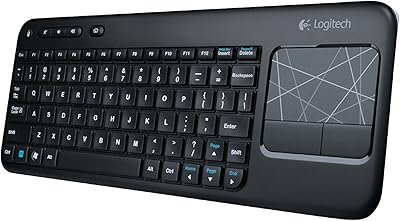
Logitech K400 Wireless Touch Keyboard

Logitech MX Mechanical
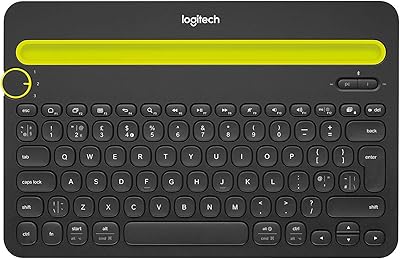
Logitech K480 Multi-Device Bluetooth Keyboard
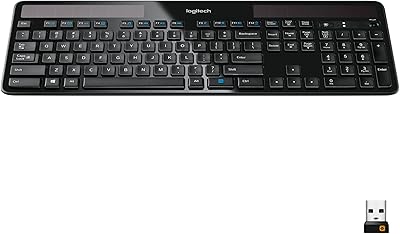
Logitech K750 Wireless Solar Keyboard
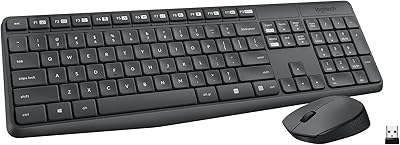
Logitech MK235
Logitech MK320 Wireless Keyboard and Mouse Combo
Logitech MX Keys S