Overview

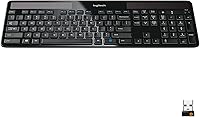
The Logitech K750 Wireless Solar Keyboard takes a genuinely different approach to the wireless keyboard category — it charges itself from ambient light, meaning you never hunt for batteries or reach for a charging cable. That idea alone makes it compelling for office workers, home desk setups, and anyone tired of the battery replacement cycle. Physically, it sits noticeably flatter than a traditional keyboard, with a slim, understated profile that keeps your desk looking clean. It has been on the market since 2011, and that longevity says something real about its durability. One thing to flag upfront: this is a Windows-only device. Mac and Linux users should look elsewhere — there is no official support.
Features & Benefits

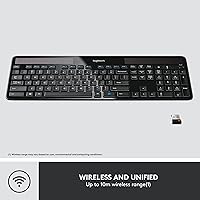
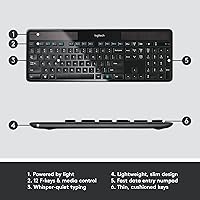
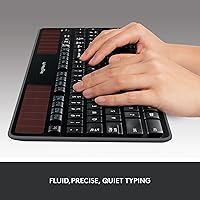
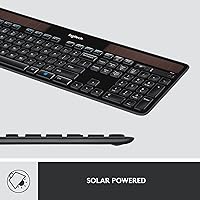
What makes the K750 stand apart from most wireless keyboards is the solar charging system. It draws power from both indoor and outdoor light sources and can keep running for over three months in complete darkness — which essentially means it is always ready when you are. The Logitech Unifying Receiver lets you connect up to six compatible Logitech devices through a single USB port, and the wireless range extends to 33 feet, which is more than enough for any normal desk arrangement. The keys themselves are low-profile with a slight concave shape that makes extended typing sessions genuinely comfortable. The full-size layout — number pad included — means no compromises on productivity.

Best For

This solar keyboard is a natural fit for office professionals who want a tidy desk and never want to think about battery maintenance again. If you already own other Logitech peripherals that use the Unifying Receiver — a mouse, a number pad, a presenter — it slots right into that ecosystem without adding more USB clutter. It also appeals to eco-conscious users who prefer reducing battery waste wherever possible. That said, the K750 works best in well-lit workspaces. If your office relies heavily on dim overhead lighting or you work primarily in dark rooms, the solar panel will struggle to keep up. Light-to-moderate typists who prefer quiet, low-profile keys over a clicky, tactile feel will feel right at home here.

User Feedback

Long-term owners consistently praise this wireless solar keyboard for its low-maintenance reliability — once it is set up, it largely takes care of itself. The key feel draws positive remarks too, particularly from people who type for long stretches without fatigue. Wireless stability is another common highlight. On the other side, some buyers are caught off guard by the Windows-only limitation, which is not always obvious before purchase. A fair number of users working in darker offices report that the solar panel charges more slowly than expected — a real-world tradeoff worth knowing about. The absence of keyboard backlighting is a recurring gripe for anyone who works in low-light conditions at any point in the day.

Pros

  • Never replace batteries again — solar charging from ambient light keeps the K750 powered indefinitely in normal office conditions.
  • The three-month dark reserve means a week of vacation or a dim office stretch will not leave you stranded.
  • One Unifying Receiver connects up to six Logitech devices, cutting USB port clutter significantly.
  • The low-profile concave keys feel genuinely comfortable during long typing sessions without wrist fatigue.
  • Wireless connectivity is stable and responsive across a range of up to 33 feet.
  • A full-size layout with number pad means no productivity trade-offs compared to a standard wired keyboard.
  • At 1.65 lbs, the keyboard is light enough to reposition on your desk or take to a second workspace easily.
  • Over a decade on the market with thousands of reviews — this is a proven, well-tested design, not a gamble.
  • The slim profile keeps your desk looking clean and uncluttered without sacrificing a full key set.

Cons

  • Strictly Windows-only — Mac and Linux users have no supported path to use this keyboard.
  • Solar charging depends heavily on workspace lighting; dim or windowless offices may see inconsistent performance.
  • No keyboard backlighting whatsoever, which is a real problem for anyone who works in low-light environments.
  • Key travel is short and quiet — typists who prefer a tactile, clicky feel will find it unsatisfying.
  • No Bluetooth support means you cannot connect to tablets, phones, or devices without a USB port.
  • The Unifying Receiver occupies a USB-A port permanently, which can be an issue on laptops with limited ports.
  • No dedicated media controls or customizable macro keys for power users who want more from their keyboard.
  • The solar panel cover adds some bulk to the top of the keyboard, which slightly disrupts the otherwise flat aesthetic.

Ratings

Our AI rating engine analyzed thousands of verified global purchases of the Logitech K750 Wireless Solar Keyboard, actively filtering out incentivized reviews, duplicate submissions, and bot-generated feedback to surface what real long-term users actually think. The scores below reflect a balanced picture — genuine strengths are recognized, but recurring frustrations and edge-case failures are weighted honestly and transparently. Whether this solar keyboard earns a place on your desk depends heavily on your workspace conditions and workflow, and these ratings are designed to help you figure that out quickly.

Solar Charging Reliability
74%
26%
In well-lit offices and home setups near windows, the solar charging system works exactly as advertised — users report going months or even years without ever thinking about power. The freedom from battery shopping alone earns genuine appreciation from people who have owned the K750 for several years.
Users in dimly lit offices or basement workspaces consistently flag that solar charging underperforms in low-light conditions, occasionally requiring the AAA battery backup sooner than expected. The charging experience is environment-dependent in a way that the product marketing does not always make obvious upfront.
Wireless Connectivity
88%
The 2.4 GHz connection is rock-solid for day-to-day office use — users report virtually zero dropped keystrokes or input lag during normal tasks, even from across a large desk or in open-plan offices with significant wireless interference nearby. The 33-foot range is rarely maxed out, but knowing it is there adds confidence.
A small subset of users report occasional micro-dropouts in environments crowded with competing 2.4 GHz devices, such as busy coworking spaces with many routers and wireless peripherals operating simultaneously. Reconnection after sleep or waking a PC from hibernation can also take a beat longer than some users prefer.
Typing Comfort
83%
The concave low-profile keys receive consistent praise from people who type for four to eight hours a day — the shallow travel reduces finger fatigue compared to traditional raised keyboards, and the key spacing feels well-calibrated for both fast typists and slower two-finger users adapting from a laptop.
Users who have come from mechanical keyboards — especially those with tactile bump or clicky switches — frequently describe the key feel as too soft or mushy for their taste. The lack of physical feedback is a genuine adjustment for anyone accustomed to more pronounced actuation.
Build Quality & Durability
86%
Long-term owners are among the K750's most vocal advocates — it is common to find reviews from people who have used this keyboard daily for four, five, or even six years without a single hardware failure. The plastic chassis feels solid underhand and does not flex or creak during normal typing.
The keyboard is predominantly plastic, and while it holds up well over time, it does not project the premium heft that some buyers expect at this price point. A few users note that the surface finish attracts fingerprints and light scratches more readily than they would like over extended use.
OS & Device Compatibility
51%
49%
For Windows 10 and Windows 11 users — which represents the clear majority of desktop PC owners — setup is genuinely plug-and-play. Plug in the receiver, and the keyboard is recognized instantly with no driver installation required for basic functionality.
The Windows-only limitation is the single most cited source of buyer disappointment in the entire review pool. Mac users, Linux users, and anyone hoping to connect it to a tablet or smart TV are simply out of luck — and because compatibility is not always prominently displayed at point of purchase, returns and negative reviews driven by this issue are disproportionately high.
Unifying Receiver Ecosystem
91%
For users already in the Logitech ecosystem, the ability to consolidate up to six peripherals onto one receiver is a practical everyday win — one USB port handles the keyboard, mouse, and potentially a presentation remote or number pad simultaneously. Long-time Logitech users frequently cite this as a deciding factor in repeat purchases.
The receiver occupies a USB-A port permanently, which is increasingly problematic on modern ultrabooks and laptops that ship with only one or two USB-A ports. Users without a hub may find themselves in a frustrating trade-off between the keyboard and other essential USB devices.
Setup & Ease of Use
92%
Out of the box, setup takes under two minutes for most users — insert the receiver, turn on the keyboard, and it connects. There is no software required for basic use, no pairing codes to enter, and no firmware to update before you can start typing.
Pairing additional devices to the Unifying receiver requires downloading Logitech's Unifying Software, which some less tech-savvy users find unnecessarily cumbersome. A small number of users have also experienced initial connectivity issues on freshly built Windows machines that required a USB port swap to resolve.
Desk Footprint & Aesthetics
84%
The slim profile and full-size layout occupy roughly the same desk real estate as a standard keyboard while looking noticeably more refined — office workers who care about a clean, minimal desk setup consistently praise the keyboard's visual restraint. The matte black finish blends into most desk environments without drawing attention.
The solar panel strip running along the top of the keyboard is a minor visual interruption that a handful of users find incongruous with the otherwise clean design. It also adds a few millimeters to the top edge height, which can be slightly awkward when reaching for items placed directly behind the keyboard.
Key Backlighting
23%
77%
There is genuinely nothing to say here from a positive standpoint — the absence of backlighting is a design choice, not an oversight, and touch typists who never look at their keys in bright environments are entirely unaffected by it.
The complete lack of backlighting is one of the most recurring complaints from buyers who work in variable lighting conditions. Anyone who uses their computer in a dim room at any point during the day — whether early morning, late evening, or in a windowless office — will find this limitation a persistent frustration.
Value for Money
69%
31%
For users who get the most out of it — Windows office workers in well-lit spaces who truly never want to think about batteries again — the K750 delivers strong long-term value, with owners reporting reliable daily use spanning multiple years from a single purchase.
At its current price point, the absence of backlighting, Bluetooth, and cross-platform compatibility feels like a meaningful gap compared to competing keyboards that offer those features for similar or less money. Buyers who do not specifically need solar charging may find better overall value elsewhere in the market.
Low-Maintenance Operation
93%
This is arguably the K750's strongest real-world selling point — users describe it as one of those rare peripherals that simply disappears into the background of their workday. No reminders to charge, no cable to manage, no battery level anxiety. It just works, day after day.
The maintenance-free experience does depend on your environment cooperating — if ambient light drops significantly or you move the keyboard to a darker room, the hands-off experience starts to break down and requires more active monitoring of charge levels via the Logitech Solar App.
Noise Level
81%
19%
Open-plan office workers and people on frequent video calls consistently praise how quiet the K750 is during typing — keystrokes are muted enough that colleagues seated nearby rarely notice, and the keys do not produce the sharp clatter that makes some keyboards disruptive in shared spaces.
A small number of users who prefer audible feedback as a tactile cue find the quietness disorienting at first, and a few report that certain keys — particularly the spacebar — develop a subtle rattle sound over time with heavy use.
Software & Customization
57%
43%
The Logitech Solar App provides a genuinely useful real-time charge monitor that lets users verify their workspace has adequate lighting for charging — it is a small but practical addition that gives the solar concept some transparency and accountability.
Beyond charge monitoring, software customization options are limited. There are no remappable keys, no macro support, and no per-key configuration available through Logitech Options or any other utility. Power users who expect modern software integration from a keyboard at this price point will find the experience underwhelming.
Portability
72%
28%
At 1.65 lbs and with a flat profile, the K750 is light enough to carry between a home office and a work desk without much hassle, and it fits reasonably well in a laptop bag alongside other gear for users who split time between locations.
The full-size layout and fixed number pad make it noticeably wider than compact or tenkeyless alternatives, which limits how conveniently it fits in smaller bags. The dependency on the USB receiver also means one more small accessory to track — and losing it without a replacement on hand renders the keyboard unusable.

Suitable for:

The Logitech K750 Wireless Solar Keyboard is genuinely well-matched for office professionals and home desk workers who are tired of the ongoing hassle of swapping batteries or untangling charging cables. If you work in a reasonably well-lit space — natural light from a window, standard overhead office lighting, or even a bright desk lamp — the solar panel does its job quietly in the background, and you simply never think about power again. It is also a smart pick for anyone already invested in the Logitech ecosystem, since the Unifying Receiver lets you consolidate multiple peripherals onto a single USB port without fuss. Eco-conscious users who want to cut down on disposable battery waste over the years will appreciate the long-term environmental upside. Light-to-moderate typists who prefer a quiet, low-profile typing experience over a loud mechanical feel will find the key action comfortable for full workdays.
Not suitable for:

If you use a Mac, a Linux machine, or anything other than a Windows PC, the K750 is simply not designed for you — compatibility is strictly limited to Windows 10 and 11 or later, and there is no workaround that changes that reality. Anyone who regularly works in dim environments, dark rooms, or windowless spaces should think carefully before buying, because the solar panel depends on ambient light to function, and charging will be inconsistent at best in those conditions. Mechanical keyboard enthusiasts or heavy typists who crave deep key travel and tactile click feedback will find the low-profile keys underwhelming. The complete absence of backlighting also rules this keyboard out for anyone who types in low-light settings or works late into the evening. Finally, buyers hoping to use Bluetooth or connect to tablets and mobile devices will find no such option here — it is a single-protocol, USB-receiver-only keyboard.

Specifications

  • Brand & Model: Manufactured by Logitech under the model designation K750, with part number 920-002912.
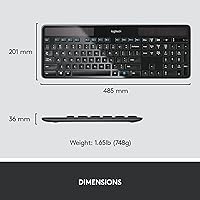
  • Dimensions: The keyboard measures 19.09″ in length, 7.91″ in width, and 1.42″ in height.
  • Weight: At 1.65 lbs, it is light enough to reposition easily without feeling flimsy on the desk.
  • Power Source: Powered entirely by solar cells that harvest energy from both indoor artificial light and outdoor sunlight.
  • Battery Backup: Two AAA batteries provide a reserve charge capable of sustaining operation for over three months in complete darkness.
  • Wireless Protocol: Uses Logitech Advanced 2.4 GHz radio frequency wireless for a stable, low-latency connection.
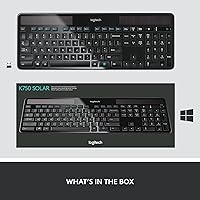
  • USB Receiver: Includes one Logitech Unifying USB receiver that supports pairing with up to six compatible Logitech devices simultaneously.
  • Wireless Range: Delivers reliable connectivity up to 33 feet between the keyboard and the Unifying receiver.
  • Layout: Full-size QWERTY layout with a dedicated number pad, function row, and a complete navigation cluster.
  • Key Type: Low-profile keys with a Logitech-designed concave key cap shape intended to reduce finger slippage and typing fatigue.
  • Backlighting: No keyboard backlighting is present; this is a fully non-illuminated keyboard.
  • OS Compatibility: Officially compatible with Windows 10 and Windows 11 or later only; Mac and Linux are not supported.
  • Color: Available in Black only for this model variant.
  • Connectivity Type: Wireless only via USB receiver; no Bluetooth option is available on this model.
  • Multi-Device Pairing: The included Unifying receiver can pair with up to six compatible Logitech peripherals using a single USB port.
  • First Available: This keyboard was first made available to consumers in March 2011, reflecting over a decade of continuous availability.
  • Manufacturer: Designed and manufactured by Logitech, a Swiss company headquartered in Lausanne, Switzerland.
  • Discontinuation: As of the latest available data, this keyboard has not been discontinued by the manufacturer.

Related Reviews

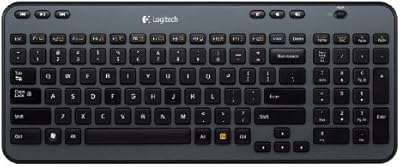
Logitech K360 Wireless Compact Keyboard
72%
93%
Battery Life
91%
Ease of Setup
88%
Wireless Reliability
79%
Typing Comfort
74%
Build Quality
More
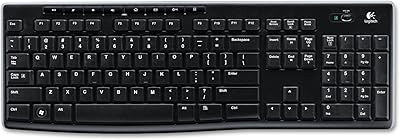
Logitech K270 Wireless Keyboard
75%
88%
Wireless Reliability
58%
Typing Feel
94%
Setup & Ease of Use
86%
Numeric Pad Usability
72%
Build Quality
More
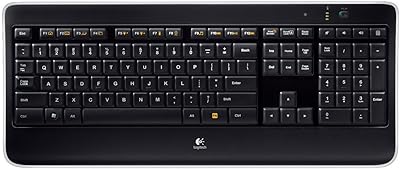
Logitech Wireless Illuminated Keyboard K800
87%
89%
Typing Experience
91%
Backlighting Performance
85%
Build Quality
80%
Wireless Connectivity
88%
Battery Life
More
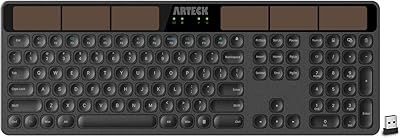
Arteck HW126 Wireless Solar Keyboard
77%
83%
Solar Charging Reliability
88%
Typing Comfort
81%
Build Quality
74%
Wireless Connectivity
86%
Value for Money
More
Logitech K400 Wireless Touch Keyboard
78%
94%
Ease of Setup
91%
Wireless Reliability
68%
Touchpad Usability
74%
Typing Comfort
88%
Battery Life
More
Logitech K480 Multi-Device Bluetooth Keyboard
79%
93%
Multi-Device Switching
91%
Cross-Platform Compatibility
88%
Battery Life
84%
Built-In Device Cradle
72%
Typing Comfort
More
Logitech MX Mechanical
81%
88%
Typing Feel & Switch Quality
91%
Noise Level
86%
Build Quality & Materials
93%
Battery Life
87%
Multi-Device Connectivity
More
Logitech POP Keys Mechanical Wireless Keyboard
76%
88%
Typing Feel
84%
Build Quality
81%
Wireless Reliability
91%
Battery Life
93%
Design & Aesthetics
More
Logitech MK295
Logitech MK295
78%
88%
Noise Reduction
91%
Value for Money
79%
Keyboard Typing Experience
63%
Mouse Comfort & Ergonomics
93%
Battery Life
More
Logitech MX Keys S
Logitech MX Keys S
81%
91%
Typing Feel & Key Response
93%
Multi-Device Connectivity
84%
Build Quality & Durability
94%
Battery Life
76%
Backlighting & Visibility
More

FAQ

It works with both indoor and outdoor light, so direct sunlight is not required. Standard office fluorescent or LED overhead lighting is generally enough to keep it charged during a normal workday. That said, if your workspace is particularly dim — think windowless basement offices or rooms with very low ambient light — charging will be slower and less consistent.

The K750 includes a built-in reserve that can keep it running for more than three months in complete darkness, so a vacation or a stretch of remote work will not drain it dead. When you return to a lit environment, the solar cells will resume charging on their own without any action on your part.

No — the Logitech K750 Wireless Solar Keyboard is designed exclusively for Windows 10 and Windows 11 or later. It does not have official Mac, iOS, Android, or Linux support, and there is no software driver available to bridge that gap. If you need a cross-platform or Mac-compatible keyboard, you will need to look at a different model.
Not natively. The K750 pairs to a single Unifying receiver, and switching it between computers would require moving the physical receiver. It does not have a built-in multi-host switch button like some other keyboards do, so it is best thought of as a dedicated single-computer peripheral.

Logitech provides a free software tool called the Logitech Solar App, available for download on Windows, which lets you check the current light level hitting the solar panel and monitor the charge status in real time. It is a handy way to verify that your workspace is bright enough to keep the keyboard topped up.

Yes, absolutely. That is one of the genuine everyday conveniences of the Unifying ecosystem. As long as your existing receiver supports Unifying pairing and you have not already paired six devices to it, you can add the K750 to it using the Logitech Unifying Software and free up the second USB port entirely.

It sits somewhere in between. The low-profile keys and short travel distance feel closer to a laptop keyboard than a traditional chunky desktop board. The concave key cap shape does help guide your fingers, and most people find it comfortable for extended typing. If you are used to a laptop and transitioning to a desktop setup, the adjustment period is minimal.

No, there is no backlighting of any kind on this keyboard. If you frequently work in a dimly lit room or late at night with the lights off, that is a real limitation worth factoring into your decision. Touch typists who rarely look at the keys will not miss it, but hunt-and-peck typists in dark environments will likely find it frustrating.

The Unifying receiver supports a wireless range of up to 33 feet, which is far more than the typical desk-to-computer distance in any home or office setup. In practice, interference from walls or other wireless devices can reduce that range somewhat, but for normal seated desk use it is unlikely to ever be an issue.

For routine cleaning, a can of compressed air works well for dislodging debris between keys. The surface can be wiped gently with a slightly damp microfiber cloth — avoid any liquid cleaners or solvents directly on the solar panel cells, as these can leave residue that reduces light absorption over time. Make sure the keyboard is not actively connected and that no liquid seeps beneath the keys.