Overview

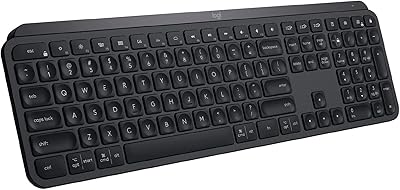
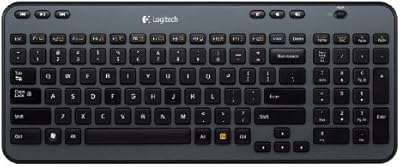
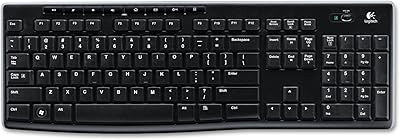
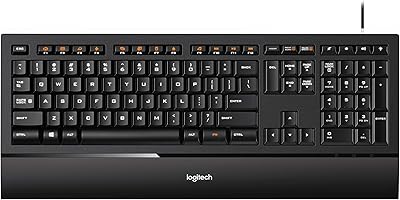
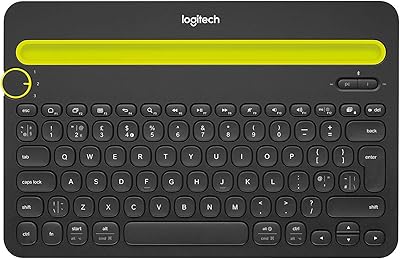
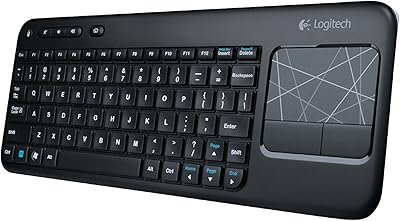
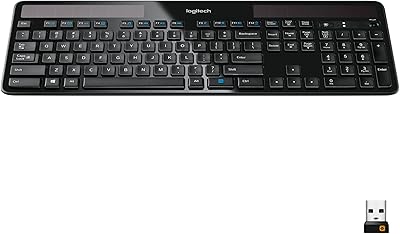
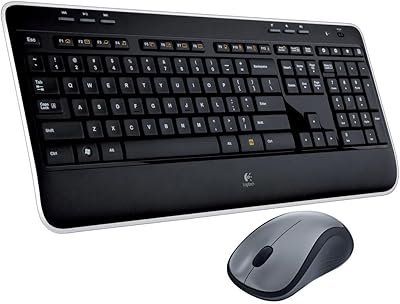
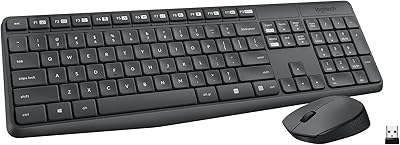
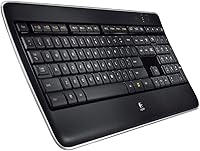
The Logitech Wireless Illuminated Keyboard K800 is a full-sized, wireless keyboard that brings comfort and productivity together. Designed for people who spend long hours typing, this keyboard offers a clean, modern look while delivering functionality. The backlit keys provide excellent visibility even in low-light conditions, making it ideal for nighttime or dimly lit environments. It connects via a USB receiver, ensuring a stable wireless connection without the clutter of cords. This backlit keyboard is perfect for both work and casual use, combining ergonomics with sleek design.
Features & Benefits

The Logitech K800 is equipped with wireless USB connectivity, allowing for easy setup and mobility. One standout feature is its automatic backlighting, which adjusts based on ambient lighting, ensuring you always have a well-lit workspace. The low-profile keys offer a smooth, quiet typing experience, making it perfect for shared offices or home environments. Powered by two AA batteries, this keyboard offers impressive battery life, so you won’t have to worry about frequent replacements. Its modern, compact design is ideal for minimalist workspaces.

Best For

This wireless illuminated keyboard is an excellent choice for professionals seeking a quiet typing experience during long work sessions. It’s also a great option for those who frequently work in low-light conditions, thanks to its automatic backlighting. The Logitech K800 is well-suited for office workers, casual users, and anyone looking to upgrade from a basic wired keyboard. Whether you’re working from home, in an office, or in a shared workspace, its ergonomic design provides comfort during prolonged typing sessions.

User Feedback

Users generally appreciate the quiet typing experience, especially in shared spaces, as it reduces distractions. The automatic backlighting adjustment is another favored feature, ensuring optimal visibility in various lighting conditions. However, some users have reported occasional connectivity issues, particularly with the wireless receiver, which can disrupt the experience. A few also mentioned that the keys could feel more tactile for those who do a lot of heavy typing. Overall, most find the keyboard to be a reliable, comfortable tool for daily use.

Pros

  • The backlit keys automatically adjust to different lighting conditions, making it ideal for low-light environments.
  • Users appreciate the quiet, low-profile keys that provide a comfortable typing experience in shared spaces.
  • Wireless USB connectivity ensures a stable and hassle-free setup, eliminating the need for tangled cables.
  • The sleek, modern design complements various workspaces, making it an attractive addition to any office or desk.
  • Battery life lasts a long time with just two AA batteries, providing extended use between replacements.
  • This keyboard is well-suited for both business and casual use, offering versatility for different types of work.

Cons

  • Some users report occasional connectivity issues, especially when the receiver is too far from the device.
  • Heavy typists may find the key feel too soft and lacking in tactile feedback, which may affect typing speed.
  • The plastic construction may feel less durable over time, especially with frequent use or in demanding environments.
  • While the backlighting is useful, it may not be bright enough for some users who need higher intensity.
  • The keyboard's large size may not be ideal for users with limited desk space or those needing a more compact setup.
  • A few buyers noted that the automatic backlight adjustment sometimes doesn’t respond quickly enough to changes in lighting.

Ratings

After analyzing verified user reviews from multiple platforms and languages, we found that the Logitech Wireless Illuminated Keyboard K800 consistently delivers a solid experience for most users, excelling in comfort, design, and functionality. Authentic feedback was carefully filtered to exclude spam, bot-generated, and incentivized reviews, ensuring the ratings reflect real-world usage. While there are some complaints about connectivity and key feel, the overall sentiment remains positive, with key strengths standing out across various sources and regions.

Typing Experience
89%
Many users love the smooth and quiet typing experience offered by this device. The low-profile keys provide a responsive feel, making it ideal for shared workspaces where noise reduction is important. This makes the keyboard an excellent choice for office environments, where typing sound can be a distraction.
However, some heavy typists feel the key travel could be more tactile. The quiet, low-profile design may not satisfy those who prefer a more traditional, clicky keyboard feel. A few users also reported that it can take time to adjust to the quieter typing sensation.
Backlighting Performance
91%
The automatic backlighting is one of the standout features of this keyboard. The keys adjust their brightness based on the surrounding light, ensuring optimal visibility in dim conditions. Many users find this feature especially useful when working late or in poorly lit offices, adding convenience and visibility without manual adjustments.
Some users have mentioned that the backlight could be brighter on certain settings, especially in very low-light environments. While it works well for most users, the lack of customization options for brightness levels left a few buyers wanting more control over the lighting.
Build Quality
85%
The Logitech K800 boasts a modern, sleek design with a premium feel. Its plastic build is lightweight yet durable, making it comfortable for daily use. Users appreciate how the keyboard fits nicely in various work environments, blending seamlessly with office furniture and adding a touch of sophistication to their setup.
Despite its stylish look, a few users have reported that the plastic construction feels slightly fragile, especially when pressed hard. Some have also pointed out that it may not be as durable as other higher-end keyboards, and there are occasional concerns about long-term wear on the keys.
Wireless Connectivity
80%
20%
The wireless functionality is a major draw for many buyers. It connects effortlessly via a USB receiver, allowing users to maintain a clean and clutter-free desk. The connection is stable for the most part, offering good range and responsiveness, making it convenient for office setups without the hassle of tangled wires.
However, some users have experienced occasional connection drops, especially when using the keyboard on devices farther away from the receiver. A few reviews also mention interference issues in environments with many wireless devices, which can disrupt the signal from time to time.
Battery Life
88%
The battery life is impressive, with many users noting that the keyboard can last for weeks on just two AA batteries. This long-lasting power efficiency is a big plus for those who don’t want to constantly replace or recharge batteries. The energy-saving features ensure minimal maintenance for regular use.
On the downside, a small number of users have found the battery life to be shorter than expected, particularly with continuous backlighting. While the keyboard still outperforms many other models in this area, some would prefer longer-lasting performance, especially in the absence of rechargeable options.
Ergonomics
87%
This keyboard’s low-profile keys and slight incline offer a comfortable typing position, reducing wrist strain for most users. It’s a great option for people who spend long hours at their desks and want to improve their typing ergonomics without investing in expensive external accessories. The smooth, quiet keypress also contributes to overall comfort.
A few buyers feel that the low-profile design doesn't provide enough tactile feedback, leading to discomfort over extended typing sessions. Some users with larger hands also reported that the keyboard’s size and key spacing may not offer the most comfortable typing experience for everyone.
Ease of Setup
92%
Setting up this keyboard is a breeze—simply plug in the USB receiver, and you're good to go. Many users appreciate the plug-and-play simplicity, which eliminates the need for any complicated setup or installation process. It's ideal for users who need a fast, hassle-free solution to integrate a wireless keyboard into their workspace.
While the setup process is straightforward, a small number of users have experienced difficulty connecting the keyboard with certain devices. Some have mentioned that pairing issues may occur with specific operating systems or older hardware, though these are relatively rare.
Design & Aesthetics
93%
The sleek, modern design of this backlit keyboard is a hit among users. It blends well with most office setups, offering a stylish and minimalistic appearance. The slim profile adds a touch of elegance without sacrificing functionality, and the black finish complements almost any workspace.
However, some users feel that the keyboard’s design could be slightly more robust, especially in comparison to other models at a similar price point. A few have mentioned that, while visually appealing, the keyboard might not have the most premium feel under heavy daily use.
Compatibility
85%
This keyboard works well with a wide range of operating systems, including Windows, macOS, and Linux, making it a versatile option for users who need cross-platform compatibility. Many buyers appreciate how easily it integrates with their existing devices, offering seamless support for most popular systems.
A few users with non-standard configurations or older operating systems reported compatibility issues, particularly when trying to use certain function keys. While it works fine for most, there are occasional hurdles for users with specialized setups.
User Interface & Key Feel
78%
22%
The interface is intuitive, with easily accessible keys and a user-friendly layout. Many find the key feel comfortable for casual typing, making it suitable for those who prioritize convenience over complex features.
However, some users expressed dissatisfaction with the key feel, mentioning that it lacks the tactile feedback needed for heavy typists. The low-profile keys, while quiet, don't provide the same response as more traditional mechanical keyboards, leaving some users preferring a different typing experience.
Long-Term Durability
84%
Despite being lightweight, the build quality holds up well over time. Many users report that the keyboard continues to perform reliably even after months of use, with minimal wear on the keys. The long-term durability of this keyboard ensures that it remains a reliable tool for daily work.
However, a few buyers have noted early signs of wear on the key labels or slight fading of the backlighting after extended use. While this doesn’t impact functionality, some users feel that the keyboard may not withstand heavy use as well as other models in the same price range.
Overall Value
90%
Overall, this keyboard offers excellent value for the price. It combines modern features like wireless connectivity, backlighting, and ergonomic design into a well-priced package. Users feel it offers a lot of functionality and comfort without breaking the bank, making it a strong choice for both casual and business use.
Some users feel that while the keyboard is great for most tasks, it may not provide the premium feel or extra features of higher-end models. Despite the solid performance, a few would prefer additional customization options or better build materials for a more long-term investment.

Suitable for:

The Logitech Wireless Illuminated Keyboard K800 is a great choice for office workers, students, and professionals who need a reliable and comfortable typing experience. Its quiet, low-profile keys make it particularly suited for shared workspaces, such as co-working environments or libraries, where noise can be a concern. The automatic backlighting ensures usability even in dimly lit conditions, making it ideal for those who often work in the evening or in low-light rooms. Its wireless connectivity also makes it convenient for users who value a clean, clutter-free desk, especially those transitioning from wired keyboards to a more ergonomic setup. Whether you're typing emails, working on documents, or browsing, this device offers practicality and comfort for business and casual use alike.
Not suitable for:

However, the Logitech K800 may not be the best option for users who prioritize a highly tactile or mechanical typing experience. Heavy typists or those accustomed to more responsive keys might find the low-profile design less satisfying. Additionally, while the keyboard generally performs well, some users have reported occasional connectivity issues, particularly when used with devices that are farther from the USB receiver or in environments with lots of wireless interference. For individuals looking for a highly durable, premium-feeling keyboard or those who prefer more customization options for backlighting, this backlit keyboard might feel lacking. It's also not ideal for users who need the longest-lasting power, as some reviews mention that battery life may be shorter than expected under heavy use.

Specifications

  • Connectivity: Uses a wireless USB receiver for stable and easy setup without needing additional software.
  • Battery: Powered by two AA batteries, offering long-lasting use with efficient power consumption.
  • Backlighting: Features automatic backlighting that adjusts based on ambient light levels for improved visibility.
  • Key Type: Low-profile, quiet keys designed for a responsive typing experience with minimal noise.
  • Design: Sleek, modern design that complements various workspaces, ideal for both business and casual environments.
  • Dimensions: Measures 17.75 x 7.5 x 1 inches, offering a full-sized layout for comfortable typing.
  • Weight: Weighs approximately 2 pounds, making it sturdy yet portable for desk use.
  • Compatibility: Compatible with Windows, macOS, and Linux operating systems, providing broad usability.
  • Recommended Use: Ideal for business, office, and home office setups due to its quiet and comfortable typing experience.
  • Material: Constructed from durable plastic, ensuring a lightweight yet robust build.
  • Wireless Range: Offers a reliable wireless range, typically effective up to 30 feet (10 meters).
  • Key Travel: Short key travel for a quick, comfortable typing experience, suitable for extended use.
  • Backlight Adjustment: The backlighting automatically adjusts to your environment, enhancing visibility in low-light settings.
  • Battery Life: Battery life varies depending on use, but it typically lasts several months with average use.
  • Key Feel: The keys are quiet and soft, but some users find them less tactile for heavy typists.
  • USB Receiver: The USB receiver is small and unobtrusive, providing a seamless connection without taking up much space.

FAQ

Setting up the Logitech Wireless Illuminated Keyboard K800 is simple. Plug the USB receiver into an available USB port on your computer, turn on the keyboard, and it will automatically connect. No drivers are required, and it should be ready to use immediately on most systems.

The Logitech Wireless Illuminated Keyboard K800 offers a full-sized, wireless layout with low-profile, quiet keys. It features automatic backlighting that adjusts based on ambient light, a stable wireless connection via a USB receiver, and long battery life powered by two AA batteries.

Yes, this backlit keyboard is compatible with Windows, macOS, and even Linux. You can use it seamlessly across different operating systems, making it versatile for various setups.

The keyboard has built-in sensors that detect ambient light levels. When you're in a dimly lit room, the keys automatically light up. The brightness adjusts based on how dark or bright your environment is, ensuring that you're always able to see the keys.

While the Logitech K800 is primarily designed for desktop and laptop use, it may work with some tablets and smartphones that support USB OTG (On-The-Go) adapters. However, you may need additional accessories or software depending on your device’s compatibility.

The keyboard is powered by two AA batteries, and users report that it can last up to several months, depending on usage. The automatic backlighting also helps to conserve battery by adjusting to the surrounding light levels.

Yes, the Logitech Wireless Illuminated Keyboard K800 is known for its quiet typing experience. The low-profile keys are soft and responsive, making it ideal for shared spaces or offices where noise reduction is important.

Some users have reported occasional connectivity issues, especially if the receiver is too far from the keyboard. A few have also mentioned that the key feel could be more tactile, particularly for those who type with a heavier touch.

The Logitech K800 is more suited for office and casual use due to its quiet keys and ergonomic design. It may not be the best choice for gaming, where faster key response and more tactile feedback are typically preferred.

While the keyboard has a sleek design, it’s primarily made of plastic, which may not be as durable as some other keyboards with metal builds. However, it should hold up well under normal office use but may show wear faster if used in demanding environments.