Logitech MX Mechanical




Overview
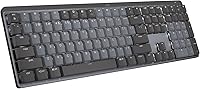
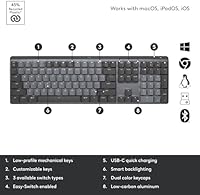
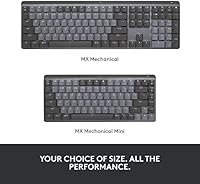
The Logitech MX Mechanical is Logitech's answer to professionals who want real mechanical feedback without the bulk or noise that typically comes with it. Unlike most mechanical keyboards, this wireless mechanical keyboard sits notably low — the switches are slim, the metal top plate feels solid without being ostentatious, and the overall footprint fits neatly on a modern desk. It connects across Windows, macOS, Linux, and more, making it a smart pick if you regularly juggle two or three machines. The backlighting adjusts on its own based on ambient light, which is a small but genuinely useful touch for those who work across changing environments.
Features & Benefits
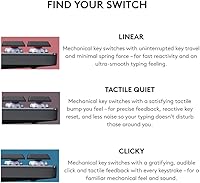
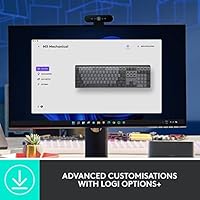
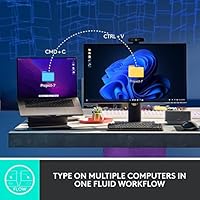
The Tactile Quiet switches are the most important thing to understand here — they give you a perceptible bump on each keystroke without the sharp crack you hear from standard mechanicals, which matters a lot in shared or open-plan spaces. A proximity sensor wakes the backlight when your hands approach and dims it when you step away, which does real work keeping the battery life healthy — up to 15 days on a full charge, or nearly 10 months with lighting disabled. Pairing to three devices via Bluetooth or the Logi Bolt receiver takes seconds, and Logi Options+ lets you remap keys and set up multi-computer control through Flow. USB-C charging is a welcome addition.
Best For
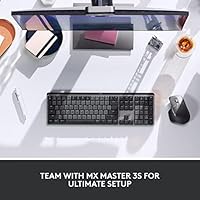
This Logitech board makes the most sense for people who type heavily in places where noise is a concern — open offices, co-working spaces, or shared home setups. It's also a practical choice for anyone juggling multiple computers; the ability to switch between a work laptop, a personal Mac, and a Linux box on a single keyboard is something you appreciate more the longer you use it. Those upgrading from a membrane keyboard will likely find the tactile feedback a genuine improvement without the volume of a clicky board. Already in the MX ecosystem with an MX Master mouse? Flow and Logi Options+ make this pairing even more worthwhile.
User Feedback
Across over 3,400 ratings, the MX Mechanical holds a 4.3-star average, and the feedback breaks down in a fairly predictable way. Owners consistently praise how the typing feel translates day-to-day — you get the tactile response without bothering colleagues, and most say the battery numbers hold up in real use. Where things get more mixed is the price: several reviewers feel it's a lot to ask when comparable boards offer more features for less. The single-color backlight gets called out specifically — at this price point, the absence of per-key RGB feels like an oversight to many. Logi Options+ also divides people; it's capable software, but firmware hiccups and occasional sync issues have frustrated a portion of users.
Pros
- Tactile Quiet switches deliver satisfying keystroke feedback without disturbing people nearby.
- Outstanding battery life — weeks of use on a charge, or months with the backlight off.
- Reliable multi-device pairing across up to three computers with fast, one-press switching.
- The metal top plate gives the board a solid, premium feel that holds up under heavy daily use.
- Proximity-activated backlighting saves battery intelligently without any manual management.
- USB-C charging is a practical, future-friendly choice that most rivals still haven't matched.
- Broad OS support covers Windows, macOS, Linux, Chrome OS, iOS, and Android without compromise.
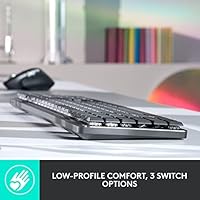
- Low-profile key design reduces finger travel and helps minimize fatigue during long typing sessions.
- Flow cross-computer control via Logi Options+ is a genuine productivity tool for multi-machine users.
- Ranked among the top sellers in its category, backed by thousands of verified long-term owner reviews.
Cons
- Logi Options+ software is powerful but has a well-documented history of sync failures and post-update bugs.
- Single-color backlight feels underpowered for a board at this price — no RGB or zone customization available.
- No wired fallback mode means a dead battery during a critical work session leaves you completely stuck.
- Bluetooth connectivity can drop or fail to reconnect after sleep cycles, particularly on macOS.
- At over 2.5 pounds and 17.9 inches wide, this is not a realistic option for users who travel with their keyboard.
- The Logi Bolt receiver uses USB-A, which requires an adapter on most modern thin laptops.
- No adjustable tilt legs limit ergonomic flexibility for users who prefer a steeper typing angle.
- Linux users get working hardware support but lose most of the advanced Logi Options+ software features.
- No wrist rest is included despite the premium positioning and the ergonomic low-profile framing.
- Keyboard enthusiasts used to high-profile, heavy-actuation switches may find the typing feel too subtle.
Ratings
The Logitech MX Mechanical scores below are generated by AI after analyzing thousands of verified global user reviews, with spam, bot activity, and incentivized feedback actively filtered out. Both the strengths and the genuine frustrations buyers have reported are reflected transparently across each category — nothing is glossed over. Whether this wireless mechanical keyboard earns its premium asking price depends heavily on your workflow, and these scores are designed to help you make that call clearly.
Typing Feel & Switch Quality
Noise Level
Build Quality & Materials
Battery Life
Multi-Device Connectivity
Software & Customization (Logi Options+)
Backlighting
Low-Profile Key Design & Ergonomics
Cross-OS Compatibility
Value for Money
Wireless Reliability
Portability & Form Factor
Charging & Power Convenience
Aesthetic & Desk Presence
Suitable for:
The Logitech MX Mechanical is built for professionals who spend serious hours at a keyboard and need tactile feedback without the noise that comes with it — think writers, developers, or analysts working in open offices or alongside a partner at home. If you regularly move between two or three computers running different operating systems, the multi-device pairing and broad OS support make a genuine practical difference to your daily routine rather than just sounding good on paper. It also fits well into the MX ecosystem — pairing it with an MX Master mouse unlocks Flow cross-computer control, which turns what might seem like a software perk into something you actually use every day. Home office workers who care about how their desk looks and feels will appreciate that this Logitech board does not look or sound like a gaming peripheral. And if you are upgrading from a membrane keyboard and want a quieter path into mechanical typing, the low-profile Tactile Quiet switches are one of the most approachable entry points available at this level.
Not suitable for:
The Logitech MX Mechanical is a harder sell if you are a keyboard enthusiast who wants a pronounced, high-travel mechanical feel — the low-profile switches are deliberately restrained, and power typists accustomed to heavier, taller switches often find the experience underwhelming. Anyone who prioritizes lighting customization should look elsewhere: the single-color backlight, while functional, is a real limitation for buyers who expect per-key RGB at this price point. If your workflow is tied to a single computer and you have no need for multi-device pairing or cross-OS support, you are paying a premium for features you will never use, and competing boards offer comparable typing quality for less. Frequent travelers will also find the size and weight impractical — this is a desk-bound board, not something you drop into a laptop bag. Finally, Linux power users lose meaningful access to Logi Options+ software features, which strips out a chunk of the value proposition on that platform.
Specifications
- Switch Type: Low-profile Tactile Quiet mechanical switches provide a perceptible tactile bump with reduced noise compared to standard mechanical switches.
- Form Factor: Full-size layout with a standard key arrangement including a dedicated number pad, measuring 17.9 x 5.9 x 2.1 inches.
- Weight: The keyboard weighs 2.55 pounds, making it a solid desk-bound board rather than a portable travel option.
- Build Material: Metal top plate with recycled plastic structural components; the Graphite variant contains 45% certified post-consumer recycled plastic.
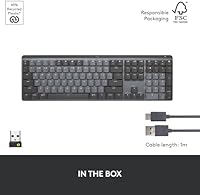
- Connectivity: Connects via Bluetooth Low Energy or the included Logi Bolt 2.4GHz USB receiver for a stable, low-latency wireless connection.
- Multi-Device: Supports pairing with up to 3 devices simultaneously, switchable via dedicated keys at the top of the board.
- Battery Life: Rated for up to 15 days of use on a full charge with backlighting active, or up to 10 months with backlighting disabled.
- Charging: Charges via USB-C; no wired operation mode is available while charging.
- Backlight: Single-color, proximity-activated backlight that auto-adjusts brightness based on ambient lighting conditions.
- Receiver Type: Includes one Logi Bolt USB-A receiver; only one receiver is needed to connect multiple compatible Logitech devices.
- Compatible OS: Officially supports Windows 10 and 11, macOS 10.15 and later, Linux, Chrome OS, iOS 14, iPadOS 14, and Android 8.0.
- Software: Logi Options+ software enables Fn-key remapping, backlighting customization, Flow cross-computer control, and per-app profiles on Windows and macOS.
- Key Customization: Fn-row keys are remappable via Logi Options+; no per-key RGB or advanced lighting zone assignment is available.
- Power Source: Powered by an internal 1,500mAh rechargeable lithium polymer battery; no disposable batteries are required.
- USB Adapter: The included USB receiver uses a USB-A connector; users with USB-C-only laptops will need a separate adapter.
- ASIN: The Amazon Standard Identification Number for this product is B09LK1P1RD.
- BSR: Ranked #26 in the Computer Keyboards category on Amazon at the time of review.
- Rating: Holds an average customer rating of 4.3 out of 5 stars based on 3,461 verified ratings.
Related Reviews
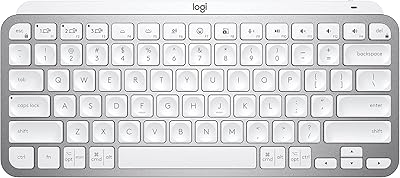
Logitech MX Keys Mini Wireless Keyboard
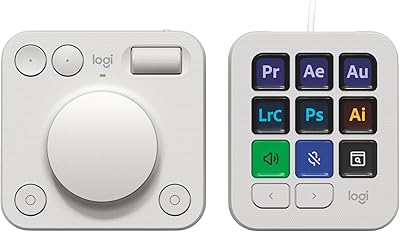
Logitech MX Creative Console Customizable Keypad
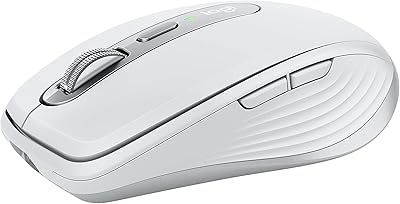
Logitech MX Anywhere 3 for Mac Mouse
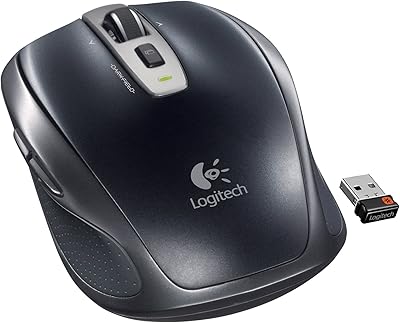
Logitech Wireless Anywhere Mouse MX

Logitech MX Vertical
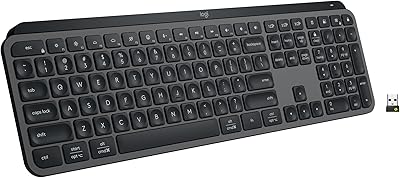
Logitech MX Keys S
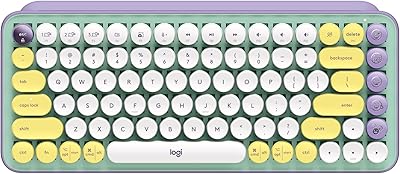
Logitech POP Keys Mechanical Wireless Keyboard
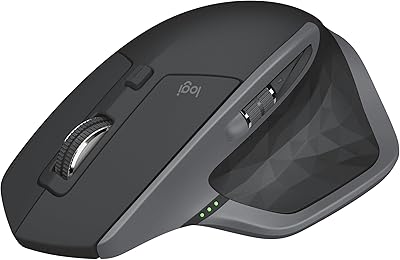
Logitech MX Master 2S Wireless Mouse
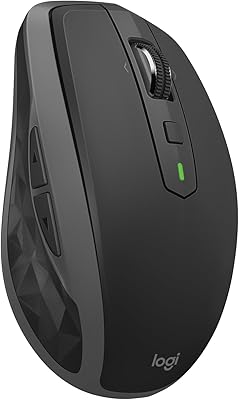
Logitech MX Anywhere 2S Bluetooth Edition