Logitech MX Keys

Overview
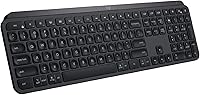
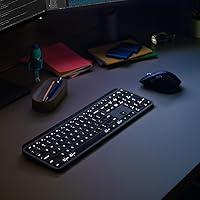
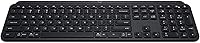
The Logitech MX Keys has held a firm spot among the top-ranked wireless keyboards since its 2019 launch, and for good reason. This wireless keyboard targets professionals who split their time across multiple machines and operating systems — the kind of people who genuinely need a board that works just as well on a MacBook as it does on a Windows workstation or a Linux box. The full-size layout, complete with a dedicated numpad, handles the needs of data-heavy workers, while the aluminum alloy top plate gives it a solidity that plastic competitors simply cannot match. The price sits firmly in premium territory, so casual typists will find it harder to justify.
Features & Benefits
The spherically-dished keycaps are the first thing most people notice after a few minutes of typing — each key is subtly curved to match the natural contour of a fingertip, which translates to noticeably fewer misstrokes during long writing or coding sessions. The backlight handles itself smartly: proximity sensors detect when your hands approach and light up the board automatically, then dim once you step away. A full charge carries this Logitech board through about ten days of regular use with the backlight on; turn it off and you are realistically looking at months between charges. Multi-device pairing supports up to three computers or devices, covering every major operating system.
Best For
This wireless keyboard makes the most sense for professionals who regularly bounce between a Mac and a Windows machine, or anyone running Linux who wants full compatibility out of the box without driver headaches. Writers and analysts who spend the bulk of their day typing will appreciate the low-profile scissor switches — they strike a balance that many find preferable to loud mechanical boards while still offering noticeably more feedback than a typical membrane keyboard. If you already use an MX Master mouse, pairing through Logitech Options software adds extra workflow benefits. Casual typists or those on tight budgets, though, will likely find the price hard to swallow.
User Feedback
Owners consistently single out the key feel as the highlight — many describe it as the best typing experience they have had on a low-profile board. Battery performance earns strong marks too, particularly from users who disable the backlight entirely. On the other side, a handful of buyers wish the backlight were brighter in sunny or well-lit offices. The Flow multi-computer feature draws genuine enthusiasm from people who rely on it daily, but it requires installing Logitech Options software — it does not function straight out of the box, which is worth knowing upfront. Gamers will also want to look elsewhere; the MX Keys lacks macro key support and full anti-ghosting.
Pros
- Spherically-dished keycaps genuinely reduce finger fatigue during long writing or coding sessions.
- The aluminum top plate feels and behaves like a premium peripheral, not a plastic desk accessory.
- Battery lasts up to five months with the backlight off — charging becomes a rare chore.
- Pairs with up to three devices and switches between them with a single dedicated button press.
- Works natively across Windows, macOS, Linux, iOS, and Android without driver installation for basic use.
- The proximity-sensing backlight is a small but practical feature that saves battery without any manual input.
- Low-profile scissor switches offer noticeably more feedback than standard membrane boards without the noise of mechanicals.
- USB-C charging means one less proprietary cable to track down when the battery finally runs low.
- Clean, professional aesthetic fits virtually any desk setup without looking out of place.
Cons
- Logitech Options software must be installed on every machine to unlock the Flow cross-computer feature — it is not hardware-native.
- The backlight struggles to stay visible under strong overhead lighting or in bright window-lit offices.
- No wrist rest is included, and the fixed tilt angle does not suit users who prefer a steeper or negative incline.
- The USB Logi Bolt receiver occupies a port permanently, which matters on ultrabooks with only one or two USB-A slots.
- No per-key RGB or color customization options exist at any level — the lighting is white-only and non-zoned.
- Occasional Bluetooth dropout has been reported in dense wireless environments like coworking spaces.
- The price tier is genuinely hard to defend for single-device users who do not need cross-platform switching.
- Mechanical keyboard enthusiasts will likely find the tactile feedback too shallow to fully satisfy after switching.
- The spacebar and backspace keys produce a noticeably louder thud than the rest of the keys, which stands out in quiet rooms.
Ratings
The Logitech MX Keys consistently ranks among the most scrutinized wireless keyboards on the market, and these scores reflect AI analysis of thousands of verified global buyer reviews, with spam, bot submissions, and incentivized feedback actively filtered out. Both the genuine strengths and the real frustrations buyers encounter are transparently factored into every score below — nothing is glossed over.
Typing Experience
Build Quality
Multi-Device Switching
Battery Life
Cross-Platform Compatibility
Backlight Quality
Software & Ecosystem Integration
Noise Level
Ergonomics & Comfort
Portability
Value for Money
Connectivity Reliability
Aesthetics & Desk Presence
Gaming Suitability
Suitable for:
The Logitech MX Keys is purpose-built for professionals who spend the majority of their working day at a desk and need a keyboard that keeps up across multiple machines and operating systems without constant reconfiguration. If your typical morning involves switching from a MacBook for video calls to a Windows desktop for heavy document work, this wireless keyboard was essentially designed around your workflow. Writers, analysts, and software developers who log four or more hours of typing daily will notice real benefits from the spherically-dished keycaps — the reduced finger fatigue over a long session is not subtle. Anyone already invested in the Logitech MX ecosystem, particularly MX Master mouse users, gets additional value through unified device management via Logitech Options software. It also fits naturally into home office setups where a well-built, professional-looking peripheral justifies a higher upfront cost because it is expected to last for years without needing replacement.
Not suitable for:
Buyers who primarily use a single computer and do not need cross-device or cross-OS functionality will find it difficult to justify what this Logitech board costs compared to capable alternatives at a fraction of the price. Gamers should look elsewhere entirely — the lack of meaningful anti-ghosting, dedicated macro keys, and fast polling rates makes it a poor match for anything beyond casual play. Frequent travelers and commuters who want to carry a keyboard daily will find the 1.8-pound weight and full-size footprint impractical compared to compact tenkeyless or 60-percent boards. Buyers who expect rich RGB customization or hot-swappable switch options will also be disappointed; the design philosophy here is deliberately restrained, and that trade-off does not suit everyone. Finally, users who prefer to run their machines entirely without third-party background software should know upfront that the Flow multi-device feature — one of the board's headline capabilities — requires Logitech Options installed and active to function at all.
Specifications
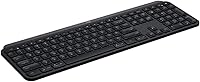
- Dimensions: The keyboard measures 17.7 x 6.1 x 1.6 inches, making it a full-size layout suitable for desk use but not ideal for travel.
- Weight: It weighs 1.8 pounds, which contributes to its stable, planted feel on a desk during extended typing sessions.
- Build Material: The top plate is constructed from aluminum alloy, while the underside and key mechanisms use high-grade plastic components.
- Key Type: Low-profile scissor switches with spherically-dished keycaps are used across all keys to reduce finger fatigue and improve typing accuracy.
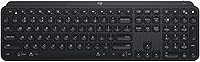
- Layout: Full-size QWERTY layout with a dedicated numeric keypad, function row, and media control keys built into the top row.
- Connectivity: Connects via Bluetooth 5.1 or the included USB Logi Bolt receiver, with support for simultaneous pairing to up to three devices.
- OS Support: Compatible with Windows 10 and 11, macOS, Linux, Chrome OS, iOS, Android, and iPadOS without requiring additional drivers for basic functionality.
- Battery Type: Powered by a built-in lithium polymer battery that charges via USB-C; no disposable batteries are required or supported.
- Battery Life: Rated for up to 10 days of use with the backlight active, or up to 5 months with the backlight fully disabled.
- Backlight: Per-key white LED backlighting with a proximity sensor that automatically activates when hands approach and dims when you step away.
- Multi-Device Pairing: Supports pairing with up to three devices simultaneously, switchable via dedicated Easy-Switch buttons located at the top of the board.
- Software: Logitech Options or Logi Options+ software is optional for basic use but required to enable the Flow cross-computer control feature.
- Flow Feature: Logitech Flow allows the keyboard to switch between computers automatically and enables clipboard sharing across up to two computers running the software.
- Color Options: Available in three colorways: Black, Graphite, and Pale Grey, each with a matte finish on the aluminum top plate.
- Model Number: The official model number is 920-009295, and the ASIN on Amazon is B07XD3VS62 for reference when purchasing or registering the product.
- Warranty: Logitech provides a standard one-year limited hardware warranty covering manufacturing defects under normal use conditions.
- In the Box: The package includes the keyboard, a USB Logi Bolt receiver, a USB-C charging cable, and documentation for setup and software download.
Related Reviews
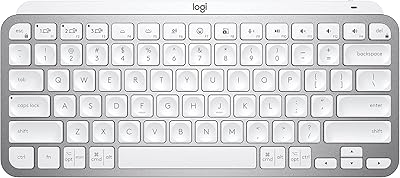
Logitech MX Keys Mini Wireless Keyboard
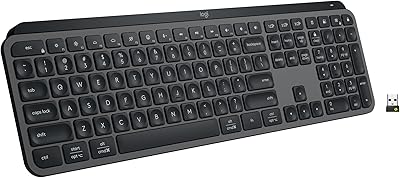
Logitech MX Keys S
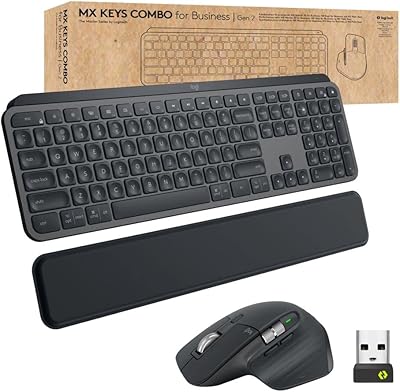
Logitech MX Keys Business Gen 2 Combo
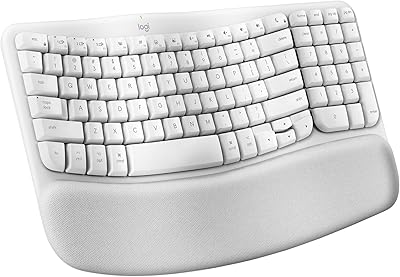
Logitech Wave Keys for Mac Ergonomic Keyboard
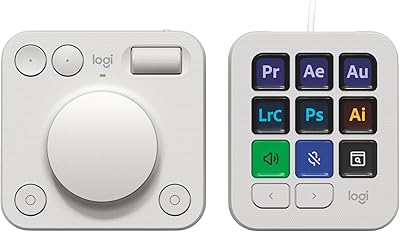
Logitech MX Creative Console Customizable Keypad
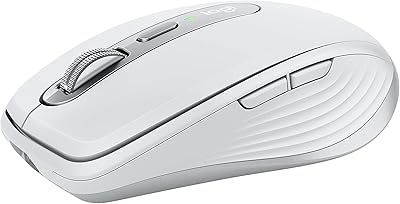
Logitech MX Anywhere 3 for Mac Mouse
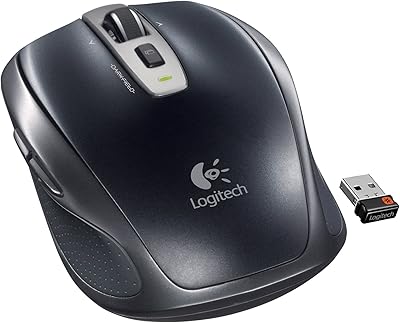
Logitech Wireless Anywhere Mouse MX

Logitech MX Vertical
Logitech Wave Keys MK670 Combo
