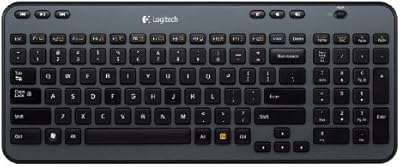
Logitech K740 Illuminated Wired Keyboard

Overview
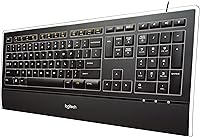
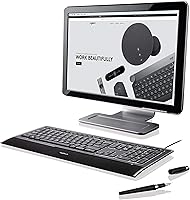
The Logitech K740 Illuminated Wired Keyboard has held its ground in a crowded market since 2008 — and that kind of staying power is not accidental. While wireless keyboards have dominated recent headlines, this Logitech keyboard makes a quiet, confident case for staying plugged in: no battery anxiety, no pairing headaches, just a clean connection every time. The design is notably slim for a full-size board, sitting flat on your desk without the chunky profile that most traditional keyboards carry. At its price point, buyers are right to ask whether a wired keyboard justifies the premium — and the answer largely depends on how much you value build quality and typing feel over feature novelty.
Features & Benefits
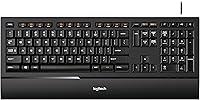
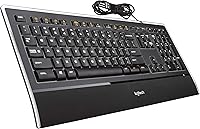
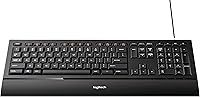
The K740's backlighting is done right — keys are laser-etched rather than pad-printed, which means the legends will not fade after a year of heavy use. Brightness is adjustable manually, so you can dial it down for a dim room or cut it entirely. The PerfectStroke key system gives each keystroke a consistent, slightly cushioned feel across the full key surface, which matters more than people expect during long writing sessions. The built-in soft-touch palm rest removes the need for a separate wrist pad, and the cable runs a generous six feet — long enough to reach a tower tucked under your desk without any tension. The full-size layout, including programmable function keys, means nothing is sacrificed for the slim form.
Best For
This illuminated keyboard is a strong fit for Windows PC users who spend most of their day at a desk and want typing comfort without a secondary wrist accessory cluttering the setup. If you work in low-light conditions — early mornings, late nights, or a dim home office — the backlit keys are genuinely useful, and the single-color backlighting keeps things clean without the distraction of RGB. Worth flagging upfront: Mac compatibility is essentially nonexistent, so if you are on Apple hardware, skip it. For Windows users who prefer a dependable cable over wireless hassle and want a full-size layout with no compromises, the K740 is a precise, well-considered choice.
User Feedback
With close to 5,900 ratings and a 4.6-star average, the K740 sits at #664 in Computer Keyboards — a strong position for a keyboard that has not been redesigned in years. The patterns across reviews are consistent: buyers repeatedly praise the key feel and build, noting that the typing experience holds up well over months of daily use. Durability comes up often in a positive light, with long-term owners describing their units still performing reliably after several years. On the critical side, the price draws scrutiny — some buyers feel a wired keyboard at this tier should offer more, particularly given the absence of wireless or multi-device support. Windows exclusivity is another common frustration, especially for mixed-platform households.
Pros
- Laser-etched key legends will not fade with heavy daily use, unlike pad-printed alternatives.
- The integrated palm rest removes the need for a separate wrist accessory cluttering your desk.
- PerfectStroke keys deliver a consistent, comfortable typing feel across the entire key surface.
- Backlighting brightness adjusts manually, making the K740 practical in dim or shared office environments.
- Full-size layout with programmable F-keys means no functionality is trimmed to achieve the slim form.
- USB-powered and plug-and-play — just connect the cable and start working, no software required to get going.
- The six-foot cable gives enough reach for tower setups placed under or beside a desk.
- Nearly 5,900 ratings with a 4.6-star average reflects consistent satisfaction across a large, long-term user base.
- Long-term owners frequently report the keyboard still performing reliably after several years of everyday use.
- The ultra-thin profile keeps your desk looking clean without sacrificing the comfort of a full-size board.
Cons
- Windows-only compatibility is a hard cutoff — Mac users have no practical path to full functionality.
- The price is high for a wired keyboard, especially given the absence of wireless or multi-device features.
- No Bluetooth or wireless option means you are permanently tethered to one machine.
- Single-color backlighting offers no customization for users accustomed to RGB or per-key color control.
- The design has not been meaningfully updated since its 2008 launch, which shows in the feature set.
- No dedicated USB hub or pass-through port, so the cable occupies one of your available USB slots.
- Buyers in mixed-platform households will find this illuminated keyboard frustratingly limited to one ecosystem.
- No built-in wrist height adjustment — the fixed low profile may not suit everyone's ergonomic preference.
Ratings
The scores below for the Logitech K740 Illuminated Wired Keyboard were generated by our AI after analyzing thousands of verified global buyer reviews, with spam, bot submissions, and incentivized feedback actively filtered out. The results reflect a balanced picture — where this keyboard genuinely earns its reputation and where real users have consistently run into friction. Both the strengths and the shortcomings are represented transparently so you can make a genuinely informed call.
Typing Feel
Build Quality
Backlighting Quality
Key Durability
Comfort & Ergonomics
Value for Money
Plug-and-Play Setup
Cable & Connectivity
Noise Level
Desk Footprint
OS & Platform Compatibility
Wireless & Connectivity Options
Lighting Customization
Long-Term Reliability
Suitable for:
The Logitech K740 Illuminated Wired Keyboard is built for Windows PC users who spend serious time at their desk and want a typing experience that does not feel like a compromise. If you write, code, or work in spreadsheets for hours at a stretch, the combination of the PerfectStroke key system and the built-in palm rest makes a real difference in how your hands feel by the end of the day. The slim profile appeals to anyone who keeps a tidy workstation — it sits flat without eating desk space, and because it draws power through USB, there are no batteries to manage and no connection to maintain. People who work in low-light environments will especially appreciate the backlit keys, which are bright enough to be practical without being distracting. If your priority is a dependable, plug-and-play keyboard that holds up over years of daily use, the K740 has an unusually strong track record for exactly that.
Not suitable for:
The Logitech K740 Illuminated Wired Keyboard is a poor fit for Mac users — compatibility is limited to Windows, and trying to force it into an Apple setup will likely result in frustration with key mapping and missing functionality. Buyers looking for modern wireless convenience, multi-device Bluetooth switching, or rechargeable operation should look elsewhere entirely; this keyboard is fully corded by design, and that is not going to change. If RGB lighting or per-key color customization matters to you, the single-color backlighting here will feel limiting by comparison. Gamers who need specialized macro support, anti-ghosting, or rapid actuation will also find the K740 does not serve those priorities. Finally, shoppers working with a tight budget may reasonably decide the price asks too much for a wired keyboard without wireless or advanced modern features — and that is a fair conclusion.
Specifications
- Brand: Manufactured by Logitech, a Swiss-American company with decades of experience in peripheral hardware.
- Model: The K740 is part of Logitech's illuminated keyboard lineup, carrying the model number 920-000914.
- Connectivity: Connects via a fixed USB cable with no wireless option or Bluetooth pairing.
- Cable Length: The integrated USB cable measures approximately 6 feet, providing enough reach for most standard desktop configurations.
- Layout: Full-size keyboard layout including a number pad, programmable function keys, and all standard navigation keys.
- Key System: Uses Logitech's PerfectStroke system, which is designed to deliver uniform pressure and tactile response across the entire key surface.
- Backlighting: Single-color LED backlighting with manual brightness adjustment; key legends are laser-etched for long-term legibility.
- Palm Rest: Features an integrated soft-touch palm rest built directly into the keyboard body rather than offered as a detachable accessory.
- Profile: Ultra-thin form factor designed to sit low and flat on a desk surface compared to traditional raised keyboards.
- Dimensions: The keyboard measures approximately 3″ deep by 18″ wide by 8″ tall, making it a compact footprint for a full-size board.
- Weight: Weighs approximately 2.31 pounds, which feels solid in use without being heavy or awkward to reposition.
- Power Source: Powered entirely through the USB connection — no batteries are required and there is no charging cable to manage.
- Compatible OS: Officially supports Windows 7, 8, 10, and 11; Mac and Chrome OS are not officially supported.
- Color: Available in black with a matte finish across both the key deck and the integrated palm rest area.
- Key Material: Keycap legends are laser-etched rather than pad-printed, which prevents the characters from wearing off with regular daily use.
- Release Date: Originally launched in September 2008, the K740 has remained in continuous production for well over a decade.
- Ratings: Holds a 4.6 out of 5 star rating based on approximately 5,900 customer ratings on Amazon as of the time of writing.
- BSR Rank: Ranked #664 in the Computer Keyboards category on Amazon, reflecting sustained buyer interest across a competitive segment.
Related Reviews
Logitech Wireless Illuminated Keyboard K800
Logitech MX Keys
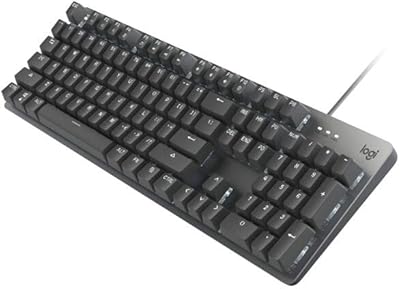
Logitech K845 Mechanical Keyboard (TTC Blue)
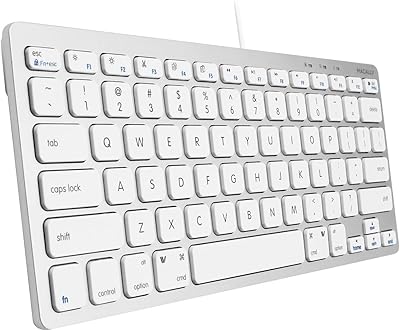
Macally SLIMKEYCA Compact Wired Keyboard
Logitech K270 Wireless Keyboard
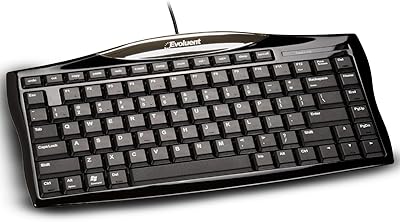
Evoluent EKB Compact Wired Keyboard
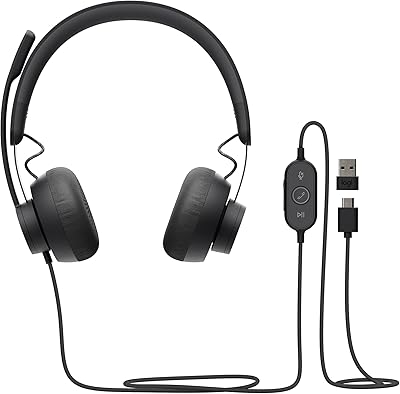
Logitech Zone Wired
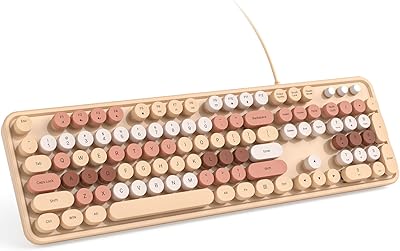
KNOWSQT Wired Computer Keyboard
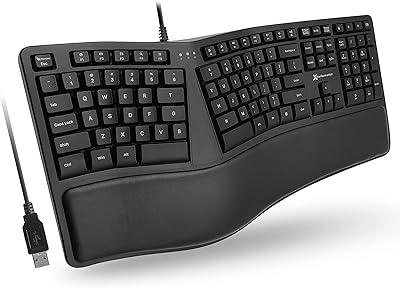
X9 Performance X9ERGOKEY Ergonomic Split Keyboard