



Overview
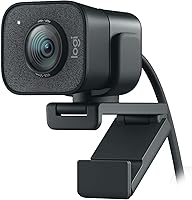
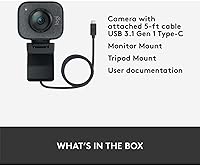
The Logitech StreamCam Plus Webcam is built for content creators and streamers who want dependable, high-quality video without wrestling with a complicated camera setup. What distinguishes this version from the standard StreamCam is the included tripod mount — a small but genuinely useful addition that opens up placement options beyond a monitor clip. Launched in 2020, it has aged reasonably well despite a now-crowded field of strong challengers. The compact body rotates between landscape and portrait orientation, which is a thoughtful touch for creators who work across formats. Just be clear on expectations: this is a polished consumer webcam, not a mirrorless camera substitute.
Features & Benefits
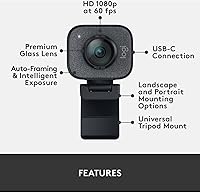
The most immediately noticeable upgrade this Logitech webcam offers over budget options is how motion renders at 60 frames per second — faces stay crisp during head turns and gestures in a way that standard 30fps footage simply doesn't. The f/2.0 aperture and continuous face-tracking autofocus perform well in decent light, keeping you sharp whether you're leaning forward or stepping back. USB-C connectivity is a practical win for modern setups. The rotating lens mount handles vertical framing for Reels or TikTok without adapters. The built-in dual mics are fine for calls and casual streaming, though anyone serious about audio will still want a dedicated microphone.
Best For
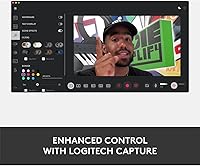
The StreamCam Plus is a strong fit for Twitch and YouTube streamers who want consistent 1080p60 output without building a full camera-and-capture-card setup. Remote workers who spend half their day on video calls will notice a real jump in perceived professionalism compared to a laptop's built-in camera. The portrait mode makes it legitimately useful for short-form creators working in vertical formats. Desk space matters too — the compact frame and bundled tripod give you mounting flexibility without buying extras. If you're already using Logitech peripherals, Logi Capture software makes configuration straightforward from day one.
User Feedback
Buyers consistently highlight image sharpness and how quickly this streaming camera gets running — plug it in, and it simply works. Build quality earns regular praise as well; it feels solid and well-constructed. Where opinions diverge is low-light performance: the autofocus tends to hunt and occasionally locks onto the background when lighting isn't ideal. Some users also note that fine-tuning exposure and color controls requires the Logi Capture app, which not everyone appreciates. The price premium over the base StreamCam splits opinion — most feel the tripod bundle and overall polish justify it, but a portion of buyers aren't fully convinced.
Pros
- Footage at 60fps looks noticeably smoother and more professional than standard webcam output.
- Face-tracking autofocus performs reliably in well-lit environments, keeping you sharp without manual adjustments.
- USB-C connectivity feels modern and keeps cable clutter minimal compared to older USB-A webcams.
- The rotating lens mount handles both landscape and portrait framing — genuinely useful for short-form video creators.
- Bundled tripod mount adds real placement flexibility without needing to buy extra accessories.
- Setup is fast and straightforward; it works as a plug-and-play device on most modern operating systems.
- Compact, solid build quality that holds up well over years of daily use.
- The f/2.0 aperture produces a slightly softer background effect that flatters on-camera appearance.
- Logi Capture software offers a clean interface for basic adjustments without a steep learning curve.
- A strong all-in-one option for remote workers who want a clear upgrade over a built-in laptop camera.
Cons
- Autofocus hunts visibly in low light or backlit conditions, which can distract viewers mid-stream.
- Advanced settings like manual exposure control are locked behind the Logi Capture app — no app, limited control.
- The built-in microphones are adequate for calls but fall short for anyone serious about stream audio quality.
- The price premium over the base StreamCam is hard to justify if you already own a decent tripod or monitor mount.
- No 4K option — buyers who anticipate upgrading to higher resolution content in the near future will outgrow it.
- The Logi Capture software has received mixed long-term reviews for stability on certain operating system updates.
- This streaming camera does not perform as well in dark or inconsistently lit rooms compared to some newer rivals.
- Color accuracy straight out of the box can lean slightly cool or oversaturated depending on your environment.
- No physical privacy shutter, which is a feature some competing webcams now include as standard.
- At its price point, competition from options like the Elgato Facecam has grown strong enough to warrant direct comparison before buying.
Ratings
The scores below for the Logitech StreamCam Plus Webcam were generated by AI after analyzing thousands of verified global user reviews, with spam, bot submissions, and incentivized feedback actively filtered out. Each category reflects both the genuine strengths buyers consistently celebrate and the recurring frustrations that surface across real-world use cases. Nothing has been smoothed over — the numbers tell the honest story.
Image Quality
Autofocus Performance
Low-Light Performance
Ease of Setup
Build Quality
Microphone Quality
Software Experience
Portrait Mode Usability
Tripod Mount Value
Value for Money
Frame Rate Smoothness
Compatibility
Long-Term Durability
Suitable for:
The Logitech StreamCam Plus Webcam is an excellent choice for streamers and content creators who want noticeably better video quality without the complexity of a dedicated camera setup. If you spend several hours a week on Twitch, YouTube, or in video meetings, the jump from a basic webcam to smooth 1080p60 footage is something your audience and colleagues will immediately notice. The bundled tripod mount makes it especially practical for home studio setups where a monitor clip isn't ideal — you can position it on a desk, shelf, or beside a light panel without buying extra gear. Vertical content creators who produce Instagram Reels or TikTok videos will also appreciate the rotating lens design, which genuinely removes a workflow friction point. Anyone already invested in Logitech peripherals will find the Logi Capture software integration refreshingly straightforward to configure.
Not suitable for:
The Logitech StreamCam Plus Webcam is not the right call for anyone expecting mirrorless or DSLR image quality — at this tier, it is still a webcam, and in challenging lighting it will behave like one. If your streaming or recording space has poor lighting, heavy backlighting, or frequently shifting light sources, the autofocus system can struggle, hunting between the subject and background in ways that become distracting on camera. Professional broadcasters or video producers who need granular manual control over exposure, white balance, and focus will quickly hit the ceiling of what the Logi Capture software allows. Buyers on a tight budget should also weigh whether the tripod bundle justifies the premium over the base StreamCam, particularly since competing options from Elgato and Razer now offer strong alternatives at similar or lower price points. And if audio quality matters to you beyond basic calls, the built-in mics will not replace a proper USB or XLR microphone.
Specifications
- Resolution: Records and streams at 1080p Full HD, capturing fine facial detail and text on screen with clarity.
- Frame Rate: Supports up to 60fps, producing noticeably smoother motion than the 30fps output common on budget webcams.
- Sensor: Uses a 2.1 megapixel CCD sensor designed to balance color accuracy and sharpness in typical indoor lighting.
- Aperture: Fixed f/2.0 aperture allows more light into the sensor, helping maintain image quality in moderately dim environments.
- Autofocus: Continuous autofocus with face-priority tracking adjusts automatically as the subject moves within the frame.
- Connectivity: Connects via USB-C, offering broad compatibility with modern laptops, desktops, and USB-C hubs.
- Microphone: Dual built-in omnidirectional microphones capture audio from multiple directions, suitable for calls and casual streaming.
- Lens Mount: Rotating lens mount supports both landscape and portrait orientations, switchable without any tools or adapters.
- Dimensions: Measures 1.89 x 2.28 x 3.35 inches, making it compact enough to fit on most monitor tops or desk setups.
- Weight: Weighs 5.3 ounces, light enough to mount on a standard tripod without stability concerns.
- Included Accessory: Comes bundled with a tripod mount, allowing placement on any standard 1/4-inch tripod thread.
- Software: Compatible with Logi Capture software, which provides controls for exposure, white balance, and field-of-view adjustments.
- Color: Available in Graphite, a dark neutral finish that blends into most desk and broadcast setups without drawing attention.
- OS Compatibility: Works as a plug-and-play device on Windows 10 or later and macOS 10.14 or later, with no driver installation required for basic use.
- Field of View: Offers a 78-degree diagonal field of view, framing a single subject comfortably without excessive background distraction.
- Market Tier: Positioned as a premium consumer webcam, targeting streamers and content creators who need reliable quality beyond entry-level options.
Related Reviews
Logitech B525 HD Webcam
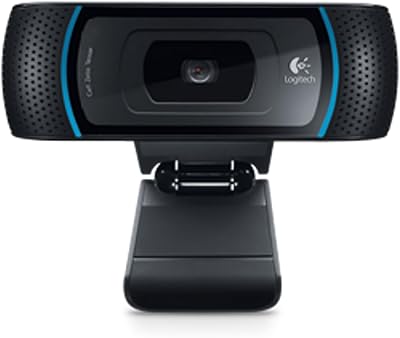
Logitech B910 HD Webcam
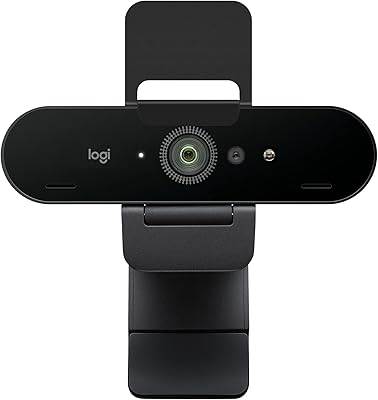
Logitech BRIO Stream Webcam
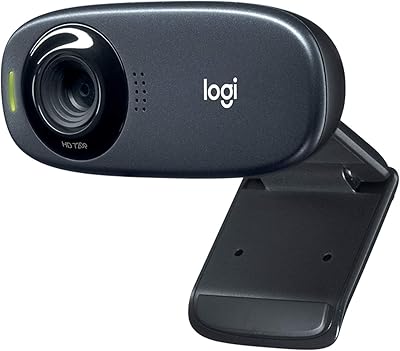
Logitech C310 HD Webcam
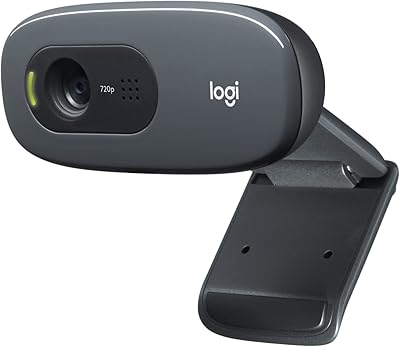
Logitech C270 HD Webcam
Logitech C925e
Logitech Brio 4K Pro Webcam
Logitech C910 HD Pro Webcam