
Overview

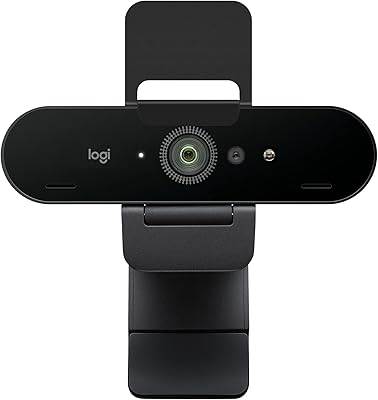
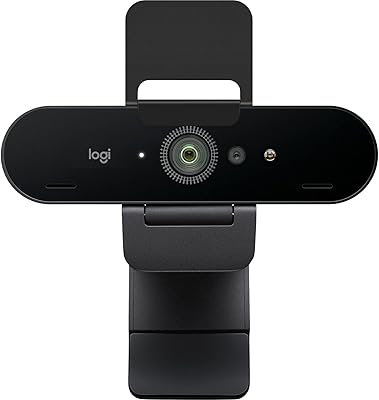
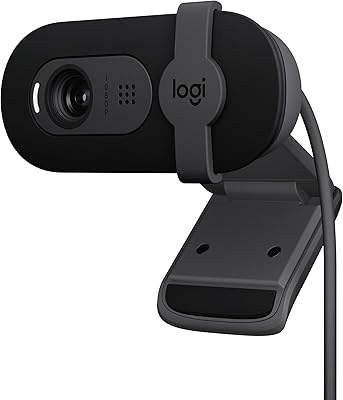
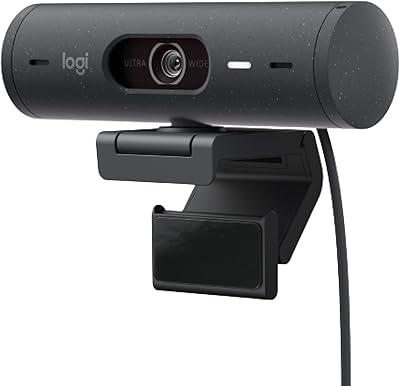
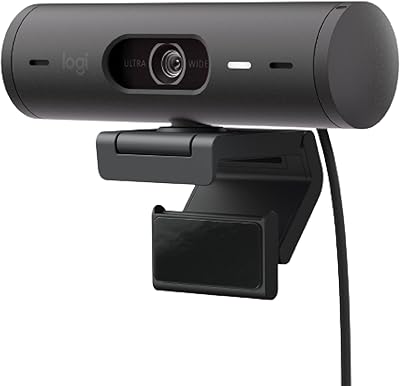
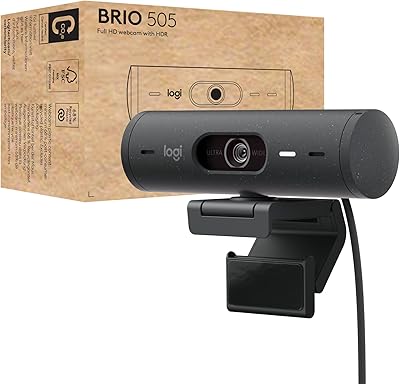
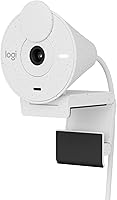
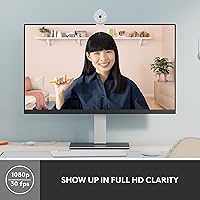
The Logitech Brio 300 Webcam is a sleek, 1080p HD webcam designed to deliver clear video quality for a wide range of users. With its USB-C plug-and-play connectivity, setting up this webcam is quick and easy, making it ideal for professionals or casual users alike. The compact design fits seamlessly into most setups, ensuring that space is used efficiently without compromising functionality. This video camera offers a solid mix of performance and simplicity, perfect for both personal and professional use. The Brio 300 is a great choice for anyone looking for a reliable webcam that doesn't require complicated configuration.

Features & Benefits

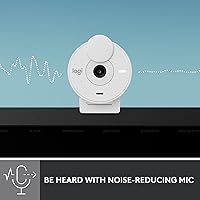
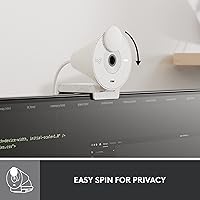
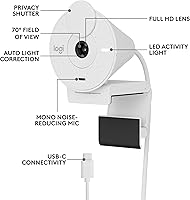
The Brio 300 stands out with its RightLight 2 auto light correction, ensuring clear visibility in a variety of lighting conditions, from bright offices to dimly lit rooms. Coupled with its mono noise-reducing microphone, this webcam provides clear audio during calls, making conversations feel natural and professional. A built-in privacy shutter lets users block the camera with ease when not in use, adding an extra layer of security. Whether you're video conferencing, streaming, or recording, these features help ensure an optimal experience for both video and audio.

Best For

This webcam is perfect for remote workers or professionals who rely on video conferencing apps like Zoom and Microsoft Teams. It’s also an excellent option for streamers or content creators who require reliable video quality without complex setups. The Brio 300’s plug-and-play functionality makes it a great choice for users who need something simple to set up. Additionally, its compact design ensures that it works well in home offices, small workspaces, or even shared spaces without taking up much room or creating clutter.

User Feedback

The Brio 300 has received a solid rating of 4.4 out of 5 stars based on 976 reviews, with many users praising its easy installation and solid video performance. Buyers have noted that the webcam delivers clear, vibrant video quality, especially for its price range. However, some users have pointed out the limited 70° field of view, which can be a drawback for group calls or wider shots. Despite this, the simplicity and effectiveness of the Brio 300 make it a highly rated choice for those seeking reliable video performance at an affordable price.

Pros

  • Easy to set up with plug-and-play USB-C connectivity.
  • Clear 1080p HD video quality makes it ideal for professional calls.
  • RightLight 2 adjusts lighting, making it suitable for varied environments.
  • Compact design fits well into most workspaces or home setups.
  • Mono noise-reducing microphone provides clearer audio during calls.
  • Privacy shutter offers peace of mind when not using the camera.
  • Great for remote workers and content creators who need a reliable webcam.
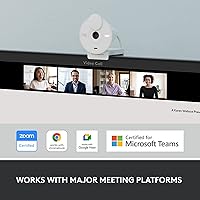
  • Works seamlessly with popular platforms like Zoom and Microsoft Teams.

Cons

  • Field of view is limited to 70°, which may not be wide enough for group calls.
  • Plastic build may not feel as durable compared to higher-end models.
  • Some users find the microphone quality could be improved for better clarity.
  • The compact size may not appeal to those looking for a more customizable setup.
  • Lack of advanced features, like adjustable settings or a wider field of view, limits flexibility.
  • A few users report the camera struggles in low-light conditions despite the light correction feature.

Ratings

The ratings for the Logitech Brio 300 Webcam reflect a thorough analysis of authentic user reviews collected from multiple countries, languages, and platforms. All low-quality feedback, such as spam, bot-generated, or incentivized reviews, was filtered out to ensure only reliable insights. Both the strengths and pain points of this webcam are represented in the scores, with users particularly praising its video quality and easy setup while expressing some concerns about the field of view during group calls.

Video Quality
88%
Many users were impressed by the crisp 1080p HD resolution, which provides sharp and clear visuals during calls and streaming. This webcam delivers vibrant, true-to-life colors, even in less-than-ideal lighting conditions, making it a strong contender for professional video conferencing and content creation.
However, some users reported that the video quality could be inconsistent under low light, despite the built-in light correction. A few reviewers also mentioned that the image sharpness dropped slightly when streaming at higher frame rates, affecting the overall clarity.
Ease of Setup
93%
The plug-and-play USB-C setup was widely praised for being incredibly straightforward. Users noted that the webcam was easy to install on various devices, including laptops and desktops, without requiring any complex software or drivers. The quick installation process made it an attractive choice for those needing minimal configuration.
Despite the simplicity of the setup, a handful of users mentioned that the webcam occasionally required troubleshooting to work with specific apps. Some complained that it didn’t work seamlessly with older devices or certain operating systems, requiring manual adjustments.
Audio Quality
85%
The mono noise-reducing microphone was a hit with users, especially those using it for video calls. Many reported clear and crisp audio with minimal background noise, which was ideal for meetings or casual conversations. This feature was especially appreciated in environments with ambient noise.
However, some reviewers felt the microphone wasn’t as sensitive as expected, making it harder to pick up soft voices in larger rooms. A few also mentioned that the sound could sometimes be a bit tinny, which could be a downside for long discussions or professional presentations.
Build Quality
84%
The compact and lightweight design of this webcam was generally well-received. Users appreciated its sturdy build and sleek appearance, which easily blended into various office setups. Its portability also made it ideal for frequent travelers or remote workers on the go.
Some buyers felt that while the webcam was durable, it could have been made of higher-quality materials. A few users mentioned that the plastic construction didn’t feel as premium as other webcams in the same price range, though it still held up well in daily use.
Field of View
71%
29%
While the 70° field of view is adequate for one-on-one calls and personal use, it’s a feature that many users find functional. For solo streaming or calls, the view is perfectly sufficient, providing a good frame without distortion.
However, several users expressed frustration with the narrow field of view, especially for group calls. The 70° range limited the number of people who could comfortably fit in the frame, which became a major issue for those who wanted to use it in larger meetings or collaborative video sessions.
Light Correction Performance
90%
Users were particularly impressed with the RightLight 2 auto light correction feature, which helped enhance video quality in a variety of lighting conditions. Whether in dimly lit rooms or during bright daylight, the webcam consistently adjusted to provide optimal visibility without requiring manual tweaks.
While the feature works well in most environments, some users noted that it struggled in very low or very harsh lighting. A few reported that the light correction didn’t always compensate for extreme contrasts, leaving their video slightly washed out or too dark in some settings.
Privacy Features
80%
20%
The built-in privacy shutter received positive feedback for its convenience and security. Many users found it reassuring that they could easily block the camera when not in use, offering peace of mind when working from home or during breaks in professional settings.
Despite its usefulness, some users felt the shutter mechanism was a bit stiff, making it less fluid to operate. A few also expressed concerns that it could wear out over time with frequent use, although this was not a widespread complaint.
Compatibility with Platforms
92%
The webcam was highly praised for its wide compatibility with popular video conferencing platforms like Microsoft Teams, Zoom, and Google Meet. This made it a go-to option for remote workers and professionals who needed a reliable solution for seamless communication across different apps.
A small number of users reported occasional compatibility issues with less common software or certain OS versions. While this wasn’t a frequent issue, it was an inconvenience for those using niche programs or older operating systems.
Design and Size
87%
The sleek, compact design made it easy to fit the webcam into any workspace. Users found it both functional and aesthetically pleasing, with many appreciating its ability to blend into different setups without taking up too much space.
While the compact size is generally seen as an advantage, some users found it too small to properly adjust on larger screens or monitors. A few mentioned that it didn’t offer enough tilt or swivel flexibility for personalized positioning.
Value for Money
89%
Many buyers felt the Brio 300 offered great value for its price, delivering solid performance and essential features like HD video, light correction, and easy setup at an affordable cost. It was often described as a high-quality, budget-friendly webcam suitable for both professional and personal use.
Some users believed that the webcam’s price point could have been lower, especially considering the limited field of view and the fact that there are webcams with similar specifications at a more affordable price. A few buyers felt they could have gotten a comparable device for less.
Long-Term Durability
78%
22%
The webcam has proven to be quite durable for most users, with many reporting it working flawlessly after months of use. Its compact design and simple features made it low-maintenance, and it showed little wear even with frequent travel or heavy daily use.
However, some users were concerned about the webcam’s long-term durability, with a few noting minor issues like lens fogging or the shutter mechanism becoming stiffer over time. These were relatively isolated incidents but still worth mentioning for those concerned about longevity.
User Support
76%
24%
When users reached out for support, many reported receiving helpful responses and guidance. The manufacturer's customer service team was generally described as knowledgeable and responsive, offering assistance for troubleshooting and setup issues.
Despite some positive experiences, others mentioned long wait times for responses or difficulty getting immediate help. A few users found the support process to be frustrating, particularly when trying to resolve compatibility issues or receive assistance with software-related concerns.

Suitable for:

The Logitech Brio 300 Webcam is ideal for remote workers, professionals, and content creators who need reliable video quality with minimal setup. With its 1080p HD resolution, USB-C plug-and-play connectivity, and compact design, this webcam is well-suited for video calls, online meetings, and streaming. It's particularly beneficial for users seeking ease of use, as the webcam integrates seamlessly with popular platforms like Zoom, Microsoft Teams, and Google Meet. Additionally, the built-in RightLight 2 auto light correction makes it a great choice for users in varying lighting conditions, such as home offices or travel setups where lighting may not always be perfect.

Not suitable for:

While the Logitech Brio 300 Webcam excels in many areas, it may not be the best choice for users who require a wide field of view. The 70° angle may be limiting for group video calls or collaborative settings, making it less suitable for teams that need to fit multiple participants into the frame. Additionally, the webcam’s plastic build and narrow design may not meet the expectations of users looking for a more robust or customizable webcam. Those who need superior microphone sensitivity or want more advanced features, such as wider viewing angles or customizable settings, might want to explore other options.

Specifications

  • Resolution: Offers 1080p HD resolution for clear and detailed video quality.
  • Connectivity: Uses USB-C for fast, plug-and-play connectivity with compatible devices.
  • Field of View: Has a 70° field of view, suitable for individual or small group calls.
  • Light Correction: Features RightLight 2 auto light correction for optimal visibility in varying lighting conditions.
  • Microphone: Equipped with a mono noise-reducing microphone for clear audio during calls.
  • Privacy Shutter: Includes a privacy shutter for easy camera blockage when not in use.
  • Compatibility: Works with major video conferencing apps, including Microsoft Teams, Zoom, and Google Meet.
  • Plug-and-Play: Supports plug-and-play operation, eliminating the need for additional software or drivers.
  • Design: Compact and lightweight design, making it suitable for various setups and environments.
  • Rating: Rated 4.4 out of 5 stars based on 976 user reviews.
  • Microphone Type: The integrated microphone is a mono type, designed to reduce background noise.
  • Mounting Options: Can be mounted on a computer monitor or placed on a desk for flexible positioning.
  • Dimensions: The webcam has a compact form factor, measuring approximately 3.5 inches in width.
  • Software: No additional software installation required; works natively with supported apps.
  • Warranty: Includes a standard 1-year limited warranty from the manufacturer.
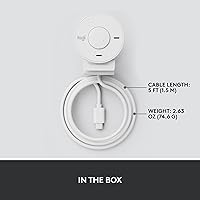
  • Weight: Lightweight design, weighing just under 0.3 pounds for portability.
  • Power Source: Powered directly via USB-C connection from the computer, no external power needed.
  • Use Case: Ideal for remote work, video conferencing, streaming, and content creation.

FAQ

Setting up this webcam is easy with its plug-and-play USB-C connectivity. Simply plug it into your computer, and the device will be automatically detected. No additional software or drivers are required.

This webcam offers 1080p HD resolution for clear, high-quality video calls. It ensures crisp visuals whether you're working from home or streaming your content.

Yes, this webcam is fully compatible with popular video conferencing platforms, including Zoom, Microsoft Teams, and Google Meet. It delivers smooth performance for virtual meetings and video chats.

RightLight 2 adjusts the lighting in real-time to improve visibility, making you look better in various lighting conditions, from dim rooms to bright environments.

Yes, this webcam is ideal for streamers and content creators who need reliable video quality. It’s easy to set up and delivers clear, sharp video for live streams or recordings.

Yes, the webcam comes with a built-in privacy shutter. This allows you to easily block the camera when it's not in use, providing an extra layer of security and privacy.

The webcam has a 70° field of view, which is suitable for one-on-one video calls or small groups. However, it may feel narrow for larger group video calls.

Yes, the webcam includes a mono noise-reducing microphone, which helps to eliminate background noise, providing clearer audio during calls and meetings.

Absolutely. The webcam's 1080p resolution and professional-grade video quality make it perfect for remote workers and professionals needing a reliable solution for video conferencing.

While it performs well for most users, the webcam’s limited 70° field of view can be a drawback for those needing to capture a wider area, such as in group calls. Also, some users feel the build quality is more lightweight than premium options.