






Overview
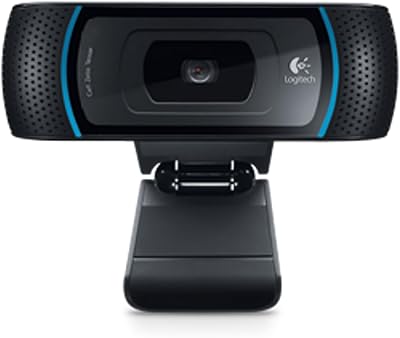
The Logitech BRIO Stream Webcam arrived in 2017 as one of the few consumer cameras pushing into 4K territory, and for a brand known for dependable peripherals, it set a high bar at launch. Years later, it still holds its own in a more competitive market, though buyers should weigh it against newer options that have since closed the gap. Plug it into a USB 3.0 port and it just works — no driver hunting, no complicated setup ritual. It targets streamers, remote professionals, and content creators who want dependable image quality without tinkering. At its price point, expectations should be high, and largely, this streaming webcam delivers.
Features & Benefits
The BSI CMOS sensor is the heart of this streaming webcam, and it earns its keep in low-light situations where cheaper cameras produce muddy, noisy images. The RightLight 3 system continuously adjusts exposure, so your face stays well-lit even when daylight shifts behind you. Being able to toggle between 65°, 78°, and 90° fields of view adds real flexibility — tighter for solo calls, wider for showing a full workspace. The built-in dual microphones are decent for casual use, though serious streamers will still want a dedicated mic. HDR support also helps in backlit situations that would otherwise blow out your background entirely.
Best For
This streaming webcam earns a strong recommendation for anyone who wants plug-and-play reliability without spending hours configuring settings. Streamers broadcasting on Twitch or YouTube who need crisp 1080p at 60fps will find it consistently delivers. Remote workers on frequent video calls benefit from the auto-exposure, which keeps them looking sharp across changing lighting throughout the day. If you are already using Logitech peripherals, the Capture software ties things together with easy scene switching and customization. Where it fits less well is for buyers on a tight budget or those needing cutting-edge autofocus — in those cases, newer rivals may deserve a closer look.
User Feedback
Owners of the BRIO Stream consistently highlight image sharpness and low-light performance as standout strengths, with many noting it outperforms cameras at lower price points in dim rooms. Build quality also draws compliments — it feels solid on a monitor clip, not like something that snaps after a few repositions. That said, a recurring frustration involves the Logitech Capture software, which some users find finicky or prone to update-related hiccups, and a few report driver conflicts on certain systems. The built-in microphones get mixed marks — passable for quick calls, but not broadcast-ready. Most agree the camera hardware justifies the cost; the software experience is what divides opinions.
Pros
- Crisp 1080p at 60fps makes a noticeable difference on streaming platforms compared to basic webcams.
- The BSI CMOS sensor handles low-light conditions better than most cameras in this category.
- Three adjustable fields of view give real flexibility for solo streams, group setups, or desk overviews.
- HDR support prevents washed-out backgrounds in bright or backlit environments.
- USB 3.0 plug-and-play setup requires no driver installation on most modern systems.
- Build quality feels solid and durable — owners report years of reliable use without physical issues.
- RightLight 3 auto-exposure works quietly in the background, keeping your image consistent without manual tweaking.
- Compatible with OBS, Zoom, Teams, and virtually every major video platform out of the box.
- The adjustable monitor clip is sturdy and accommodates a range of screen thicknesses.
- 4K capture capability gives future flexibility for workflows that may shift to higher-resolution output.
Cons
- Logitech Capture software has a history of update-related bugs that can disrupt an otherwise smooth experience.
- Driver conflicts on certain Windows configurations have frustrated a meaningful number of long-term users.
- Built-in microphones are mediocre for the price tier — most serious users will need a separate mic anyway.
- Autofocus performance lags behind newer webcams released in recent years at comparable or lower prices.
- No official Linux support limits its audience to Windows and macOS users only.
- The price is harder to justify now that newer competitors offer similar image quality for less.
- There is no physical privacy shutter, which is a dealbreaker for some privacy-conscious buyers.
- The camera relies heavily on software for fine-tuned adjustments, making it less appealing to manual-control enthusiasts.
Ratings
The Logitech BRIO Stream Webcam scores below reflect an AI-assisted analysis of verified global user reviews, with spam, incentivized, and bot-generated feedback actively filtered out to ensure reliability. This streaming webcam earns strong marks in several key areas while showing real weaknesses that buyers should weigh carefully before committing. Both the genuine strengths and the recurring frustrations are reflected transparently in every category score.
Image Quality
Low-Light Performance
Software Experience
Ease of Setup
Build Quality
Microphone Quality
Compatibility
Value for Money
HDR Performance
Field of View Flexibility
Autofocus
Longevity & Reliability
Streaming Performance
Suitable for:
The Logitech BRIO Stream Webcam is a strong match for anyone who streams regularly and wants a camera that delivers consistent, high-resolution output without spending time on complicated configuration. Remote professionals who spend hours each week on video calls will appreciate the RightLight 3 auto-exposure, which keeps their image looking polished even as office lighting shifts throughout the day. Home studio creators working in less-than-ideal lighting conditions — a spare bedroom, a basement setup — will find the BSI CMOS sensor handles dim environments far better than entry-level alternatives. It also suits buyers already invested in the Logitech ecosystem, since the Capture software integrates naturally with other Logitech gear. If your priority is plug-and-play reliability and a proven track record from a brand with real support infrastructure, this streaming webcam is a sensible choice.
Not suitable for:
The Logitech BRIO Stream Webcam is harder to recommend for buyers on a tighter budget, as the price demands real justification and newer competitors have closed the gap considerably since its 2017 launch. Shoppers who are sensitive to software reliability may find the Logitech Capture application more frustrating than helpful, with occasional driver conflicts and update issues reported by a notable portion of long-term users. Creators who plan to record professional voiceovers or expect broadcast-quality audio straight from the camera will be disappointed — the built-in microphones are functional but not a substitute for even a modest USB condenser mic. Users who need cutting-edge autofocus, the kind found in more recently released cameras, may also find this Logitech camera slightly behind the curve on that front. And if your workflow is entirely Linux-based, official support is limited enough to make this a risky purchase.
Specifications
- Sensor: Uses a BSI CMOS (Back-Side Illuminated) sensor, which captures more light per pixel and produces cleaner images in dim environments compared to standard CMOS designs.
- Max Resolution: Capable of recording at up to 4K Ultra HD (4096x2160 pixels) when used with compatible software and sufficient USB 3.0 bandwidth.
- Stream Resolution: Outputs 1080p full HD video at up to 60 frames per second, the most practical setting for live streaming and video conferencing.
- Field of View: Offers three selectable fields of view — 65°, 78°, and 90° — allowing users to frame a tight headshot or a wider workspace view as needed.
- Aperture: Fixed aperture of f/2.0 allows a meaningful amount of light to reach the sensor, contributing to its above-average low-light performance.
- HDR Support: Supports High Dynamic Range (HDR) capture, which helps retain detail in both bright highlights and shadowed areas within the same frame.
- Low-Light System: RightLight 3 technology continuously monitors and adjusts exposure and white balance to keep the image consistent as ambient lighting changes.
- Microphone: Equipped with dual omnidirectional microphones that pick up sound from multiple directions, suitable for casual calls and basic streaming audio.
- Connectivity: Connects via USB 3.0 (USB-A) for fast data transfer; also backward-compatible with USB 2.0 ports, though at reduced video performance.
- Dimensions: Measures 4.02 x 1.06 x 1.04 inches, making it compact enough to sit unobtrusively on top of most monitors or laptop screens.
- Weight: Weighs just 3.18 ounces, so the included monitor clip handles the load without straining or tipping on standard display bezels.
- Compatible OS: Officially supported on Windows 10 or later and macOS 10.10 or later; Linux compatibility is not officially supported by Logitech.
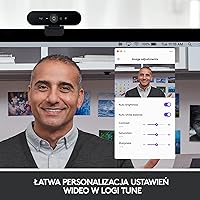
- Software: Works with the free Logitech Capture application, which provides scene switching, camera settings control, and basic streaming configuration tools.
- Color: Available in Black; the matte finish resists fingerprints reasonably well and blends into most monitor and desk setups.
- Video Format: Records and streams in MP4 format when using Logitech Capture for local recording purposes.
- Audio Format: Supports AAC and PCM audio formats for recorded content, covering compatibility with most editing and streaming workflows.
- Privacy Shutter: Does not include a built-in physical privacy shutter; users who require a lens cover will need to use a third-party clip-on solution.
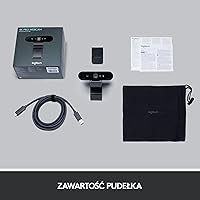
- Mount Type: Includes a universal clip mount that fits flat-panel monitors and laptop screens, with a fold-out base for optional tripod or desk placement.
- Launch Date: First made available on August 31, 2017, making it a well-established product with a long user feedback history across multiple years of use.
- Model Number: Carries the official Logitech model number 960-001194, useful for cross-referencing warranty claims, driver downloads, and compatible accessories.
Related Reviews
Logitech Brio 4K Pro Webcam
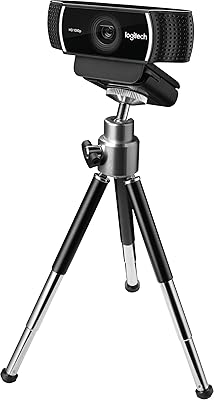
Logitech C922 Pro Stream Webcam
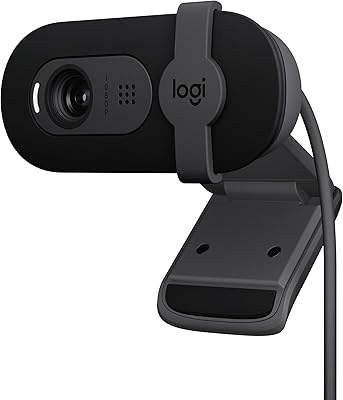
Logitech Brio 101
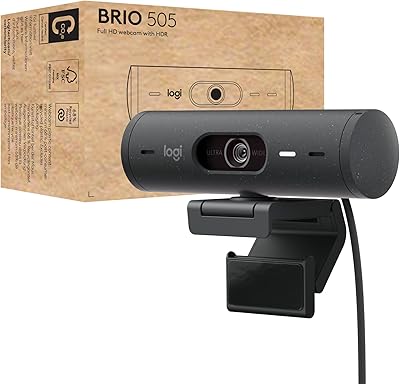
Logitech Brio 505
Logitech Brio 500 Full HD Webcam
Logitech Brio 501
Logitech B525 HD Webcam
Logitech C925e