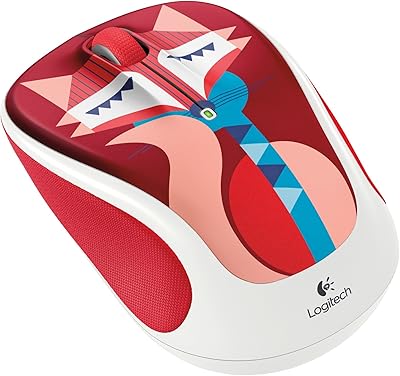
Logitech POP Mouse







Overview
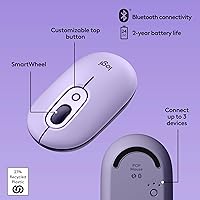
The Logitech POP Mouse is Logitech’s answer to a simple question: why should your peripherals be boring? Part of a broader lineup designed around personality and color, the Cosmos colorway brings lavender and purple tones to your desk without feeling childish. At its mid-range price, this wireless mouse sits in a competitive spot — it is not trying to win over power users or gamers, and it does not pretend to. What it does well is serve everyday computing needs with a compact, palm-fit body that slips into a bag without a second thought. Worth noting upfront: if you have larger hands, the compact size may feel restrictive over long sessions.
Features & Benefits
The clicks are the first thing you notice. Thanks to SilentTouch technology, pressing either button produces almost no audible sound — genuinely useful in shared spaces without feeling muffled or cheap. The SmartWheel scrolling is the real standout though: scroll slowly and it tracks line by line; flick it fast and it free-spins through long documents in a flash. Connectivity across up to three devices works reliably — mid-meeting, switching from your laptop to your tablet takes one press of the Easy-Switch button. The emoji button is honestly a bit of a novelty, but remapping it to a custom shortcut via Logi Options+ turns it into something genuinely useful for productivity. Battery life rarely needs thinking about.
Best For
This compact Bluetooth mouse is a strong pick for anyone juggling multiple devices throughout the day — think a student moving between a university laptop and a personal tablet, or a remote worker alternating between a work machine and a home desktop. It also suits anyone working in a shared or quiet environment where audible clicking would be disruptive. The aesthetic angle is real: if you care about how your desk setup looks and want peripherals that feel like a considered choice rather than an afterthought, this fits that mindset well. If you already use the POP Keys keyboard, pairing them makes visual sense. It is not the right tool for heavy creative work or precision-intensive tasks.
User Feedback
With a 4.7 rating across more than 3,000 reviews, the POP Mouse earns its reputation honestly. The most consistent praise centers on how quiet it is in practice — buyers who work in offices or shared households specifically call this out as a daily win. The SmartWheel also draws frequent compliments from people who scroll through long spreadsheets or documents regularly. On the critical side, a recurring theme is hand size compatibility: users with larger hands find it comfortable for short sessions but tiring over a full workday. A handful of buyers also find the emoji button loses its charm quickly, though most warm to remapping it. Build quality and battery longevity rarely come up as complaints.
Pros
- Near-silent clicks make this wireless mouse genuinely practical in shared offices and quiet environments.
- SmartWheel auto-shift scrolling handles both careful document navigation and fast page-skimming without manual switching.
- Connecting to a second or third device takes a single button press — no re-pairing required.
- Battery life is exceptional; most users go well over a year before needing a replacement AA.
- At 2.9 oz, the POP Mouse slips into any bag and adds almost no travel burden.
- The emoji button doubles as a remappable shortcut key for productivity-focused users on Windows and macOS.
- Broad Bluetooth compatibility covers Windows, macOS, Chrome OS, iPadOS, and Android without extra hardware.
- The Cosmos colorway stands out in a market full of generic black and gray peripherals.
- Setup is fast and frustration-free — most users are up and running in under two minutes.
- A 4.7 rating across thousands of verified reviews reflects durable, real-world satisfaction rather than launch hype.
Cons
- Users with larger hands consistently report discomfort during extended work sessions due to the compact body shape.
- Logi Options+ is restricted to Windows and macOS, locking out Chrome OS and Linux users from all software customization.
- The emoji button feels like a novelty that loses its appeal quickly for anyone who does not remap it.
- No battery level indicator on the mouse itself means a dead battery can catch you off guard mid-session.
- The FLOW multi-device feature requires both Logi Options+ and a shared Wi-Fi network, limiting its real-world availability.
- Glossy accents pick up fingerprints and smudges noticeably, especially on lighter colorways like Cosmos.
- The plastic build, while functional, feels less refined than competing mice at a similar price point.
- SmartWheel auto-switching can feel unpredictable for users who scroll at moderate speeds and want consistent behavior.
- No USB receiver is included, so users on machines with restricted or unreliable Bluetooth have no fallback option.
- Occasional reconnection delays after a device wakes from sleep have been flagged by a meaningful minority of users.
Ratings
The Logitech POP Mouse scores were generated by AI after analyzing thousands of verified global buyer reviews, with spam, bot-submitted, and incentivized feedback actively filtered out. Across more than 3,000 real-world assessments, this wireless mouse earns consistent praise for its silence, portability, and multi-device convenience — while a few honest limitations around hand fit and niche features keep the picture balanced and transparent.
Silent Click Performance
SmartWheel Scrolling
Multi-Device Connectivity
Battery Life
Ergonomics & Hand Fit
Portability & Build Design
Aesthetic & Color Design
Emoji Button & Customization
Bluetooth Setup & Stability
Software & App Experience
Scrolling Precision
Value for Money
OS & Device Compatibility
Sustainability & Materials
Suitable for:
The Logitech POP Mouse is a genuinely strong pick for anyone whose daily computing life involves moving between two or three devices without wanting the hassle of re-pairing or managing dongles. Students who carry a laptop to class and come home to a desktop, remote workers alternating between a personal machine and a work-issued one, and frequent travelers who need a reliable mouse that fits inside any bag will all find it earns its place quickly. It also makes particular sense for people working in shared environments — open-plan offices, library study rooms, or co-working spaces — where audible clicking would draw unwanted attention. The aesthetic angle is real and worth acknowledging: if you are the kind of person who thinks about how your desk looks and wants peripherals that feel chosen rather than inherited, the POP lineup delivers that without asking you to pay a premium for the privilege. Finally, if you are already using the POP Keys keyboard, pairing the two creates a coherent, visually consistent setup that feels intentional.
Not suitable for:
The Logitech POP Mouse is not the right tool if you have large hands and plan to use it for more than a couple of hours at a stretch — the compact body forces a grip that becomes genuinely uncomfortable over long sessions, and this is one of the most consistent complaints from buyers who fall into that category. It is equally unsuitable for anyone doing precision-intensive work like graphic design, photo editing, or detailed CAD tasks, where a higher-resolution optical sensor and more refined tracking matter. Gamers should look elsewhere entirely — this is a lifestyle and productivity mouse, and it was never designed for the responsiveness or DPI range those use cases demand. Users on Linux or Chrome OS will also get a stripped-down experience, since Logi Options+ does not support those platforms, meaning no button remapping, no FLOW, and no scroll customization. And if you are simply looking for the most basic, no-frills wireless mouse at the lowest possible price, the mid-range cost here reflects features — silent clicks, smart scrolling, multi-device support — that you will be paying for whether you use them or not.
Specifications
- Weight: The mouse weighs 2.9 oz, making it light enough for all-day portability without feeling insubstantial in the hand.
- Dimensions: The body measures 14.12 x 2.34 x 1.38 inches, sized for a compact palm-fit grip suited to small and medium hands.
- Connectivity: Connects via Bluetooth only — no USB receiver is included or supported, so Bluetooth availability on your device is required.
- Multi-Device: Pairs with up to 3 devices simultaneously, switchable via the Easy-Switch button on the underside of the mouse.
- Click Technology: SilentTouch Technology reduces click noise to near-silent levels, designed for use in shared or noise-sensitive environments.
- Scroll Wheel: SmartWheel automatically shifts between precise line-by-line scrolling and fast free-spin mode based on how quickly you scroll.
- Special Button: A dedicated middle button opens an emoji picker by default and can be remapped to a custom shortcut via Logi Options+ on Windows and macOS.
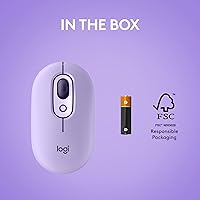
- Battery: Powered by a single AA battery, included in the box, with an estimated battery life of up to 24 months under typical use conditions.
- Movement Sensor: Uses an optical movement detection sensor suitable for standard office surfaces and everyday computing tasks.
- OS Compatibility: Works with Windows 10 and 11, macOS 10.15 or later, Chrome OS, Linux, and iPadOS 13.4 or later, though software support varies by platform.
- Software Support: Logi Options+ app is available for Windows and macOS only, enabling button remapping, FLOW multi-device control, and scroll speed customization.
- FLOW Feature: The FLOW function allows seamless cursor movement between connected computers on the same network and is exclusive to Windows and macOS via Logi Options+.
- Color Variant: The Cosmos colorway features lavender and mystic purple tones across the body, part of a broader family of expressive POP lineup colorways.
- Recycled Materials: Plastic components in the Cosmos variant include 27% post-consumer recycled plastic, excluding printed wiring assembly plastics and packaging.
- Platform Support: Compatible with laptop, PC, and tablet form factors; not designed or recommended for gaming or high-precision creative workstation use.
- Series: Part of the Logitech POP lineup, which includes the POP Keys wireless mechanical keyboard designed to pair aesthetically with this mouse.
- Manufacturer: Designed and sold by Logitech, a Swiss-American peripheral brand with a long-standing reputation in consumer input devices.
- Model Number: Official model number is 910-006624, which can be used to verify compatibility with accessories or confirm the correct variant when purchasing.
- Market Rank: Ranked #97 in the Computer Mice category on Amazon, supported by a 4.7 out of 5 rating across more than 3,000 verified reviews.
- Release Date: First made available in January 2023, positioning it as a relatively recent release with active software and firmware support from Logitech.
Related Reviews

Logitech M275 Wireless Mouse
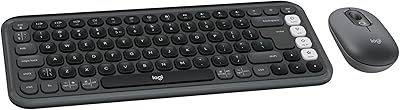
Logitech POP ICON Combo
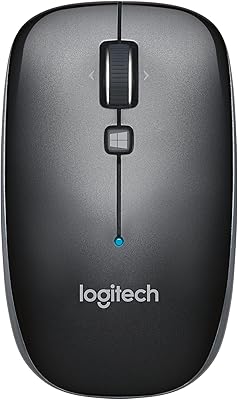
Logitech M557 Bluetooth Mouse

Logitech M320 Wireless Mouse

Logitech M535 Bluetooth Mouse
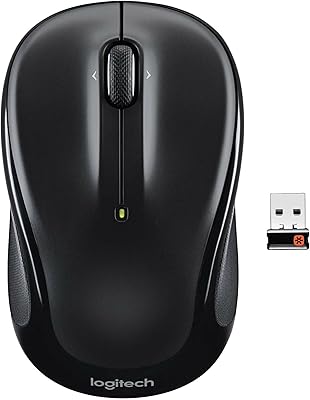
Logitech M325 Wireless Mouse

Logitech M217 Wireless Mouse

Logitech M510
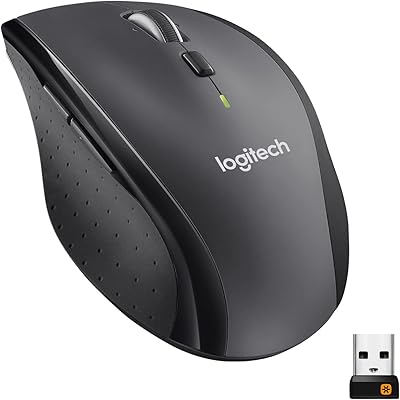
Logitech M705 Marathon Wireless Mouse