Overview

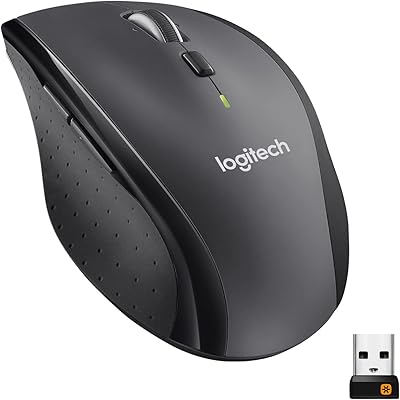
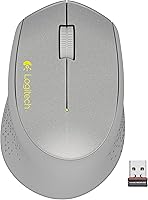
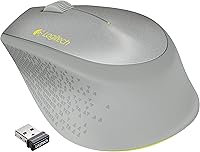
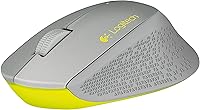
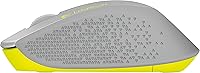
The Logitech M320 Wireless Mouse is exactly what it claims to be: a no-fuss wireless peripheral from one of the most trusted names in computer accessories. Released back in 2014, it has quietly stuck around because it handles the basics well without asking much of you. The compact, ambidextrous shape works for both hands, and the silver-grey finish gives it a clean, understated look that suits home desks and busy office environments alike. This is not a mouse built for power users or precision work — it's aimed squarely at people who want reliable daily functionality without any setup headaches or learning curve.

Features & Benefits

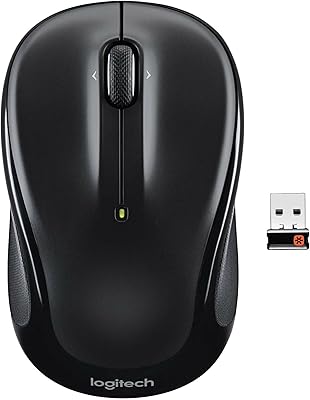
Plug the Tiny Unifying receiver into any USB port and the M320 connects instantly — no software, no pairing ritual. That same tiny receiver can handle up to six compatible Logitech devices at once, which is useful if you want to clear some USB clutter from your desk. The optical sensor tracks at 1000 dpi, perfectly capable for web browsing, document work, and spreadsheets, though it won't satisfy anyone doing graphic design or fast-paced editing. What really stands out is battery longevity: a single AA cell can last up to a year, so you're not constantly hunting for replacements. At just 3.2 oz, it also drops easily into a bag.

Best For

This wireless mouse makes the most sense for people who want the freedom of wireless without any of the complexity. If you're switching away from a corded mouse for the first time, the M320 is about as low-barrier as it gets — plug in the receiver and you're working within seconds. It also fits naturally in shared workspaces, like a family desk or a rotating office setup, since there's nothing to misconfigure between users. Laptop users will appreciate how little the receiver protrudes. That said, if you regularly work in Photoshop or expect adjustable tracking speeds, this Logitech mouse won't stretch that far.

User Feedback

Buyers consistently call out easy setup as the highlight — most say it was working within seconds of unboxing, with no drivers needed. Battery life comes up repeatedly in positive reviews too, with many reporting the included AA lasting well beyond their initial expectations. On the critical side, some find the fixed 1000 dpi tracking a frustrating ceiling, especially those who have used mice with adjustable sensitivity. Comfort feedback tends to be moderate: adequate for short to mid-length sessions, but less ideal for larger hands over several hours. Build quality lands where you'd expect for this price tier — sturdy enough, not flimsy, but nowhere near premium.

Pros

  • Connects instantly with no software or driver installation required — genuinely plug-and-play.
  • The Tiny Unifying receiver is small enough to leave in your laptop port without risk of snapping.
  • One AA battery can realistically last close to a year, which means less maintenance and fewer interruptions.
  • A single receiver supports up to six compatible Logitech devices, reducing USB port clutter.
  • At 3.2 oz, the M320 is light enough to toss in a bag without adding noticeable weight.
  • The ambidextrous shape works for both left- and right-handed users without compromise.
  • Logitech's 2.4 GHz connection is stable and consistent across typical home and office distances.
  • Build quality is solid and dependable for the price tier — buttons feel firm and the scroll wheel holds up with daily use.
  • The silver-grey colorway blends cleanly with most laptop and monitor setups without looking out of place.

Cons

  • The fixed 1000 dpi sensor cannot be adjusted, which feels restrictive if you switch between tasks requiring different sensitivities.
  • No dedicated software or onboard customization means the three buttons are all you get, with no remapping options.
  • The compact body can cause hand fatigue during long sessions, particularly for users with medium to large hands.
  • Charging is not an option — this Logitech mouse runs on disposable AA batteries, which some buyers find outdated.
  • Only a single color variant is available, offering no flexibility for buyers who care about matching their setup.
  • Losing the Unifying receiver effectively renders the mouse unusable, and replacements require a separate purchase.
  • At its price, several newer competitors now offer adjustable dpi, rechargeable batteries, and more ergonomic shapes.
  • The scroll wheel lacks horizontal tilt functionality, which limits navigation comfort in wide spreadsheets or design tools.
  • No indicator light or low-battery warning means you may only notice the battery is dying when the cursor starts cutting out.

Ratings

The scores below for the Logitech M320 Wireless Mouse were generated by our AI after analyzing thousands of verified purchase reviews from global buyers, with spam, incentivized feedback, and bot activity actively filtered out. Each category reflects a genuine cross-section of real-world usage — from first-time wireless converts to long-term daily users — and both the strengths and the frustrations are represented honestly. You will find this mouse scores well where simplicity and reliability matter, and shows its age where modern buyers expect more.

Ease of Setup
94%
Buyers consistently describe the setup experience as genuinely effortless — plug in the receiver and the cursor moves within seconds, no disc, no account, no configuration screen. For first-time wireless mouse users or those setting up a shared office desk, that zero-friction experience is genuinely appreciated and frequently called out in reviews.
A small number of users on older systems or non-standard USB hubs reported brief recognition delays, though these cases were rare. There is also no setup feedback like an LED indicator, so users who are unsure whether it connected successfully have no visual confirmation on the device itself.
Wireless Reliability
88%
The 2.4 GHz connection holds up well in typical home and office environments, with very few reports of cursor stuttering or signal drops during standard tasks. Users who work near WiFi routers or in open-plan offices rarely flagged interference as a problem, which speaks to the stability Logitech's Unifying system is known for.
A subset of buyers in densely networked environments — think busy coworking spaces or apartments with many wireless devices — noted occasional micro-lag that was hard to pin down but noticeable during precise clicking. The mouse also lacks any indicator for when signal quality degrades, leaving users to troubleshoot by trial and error.
Battery Life
91%
Battery performance is one of the clearest strengths here, with many users reporting the included AA lasted well over six months and, in lighter use cases, approaching the advertised year-long estimate. For people who hate maintenance interruptions, this is the kind of peripheral that just stays working in the background without demanding attention.
There is no low-battery warning light or alert, which means the first sign of a dying battery is often an unresponsive cursor mid-task — an avoidable frustration. The reliance on disposable AA batteries also puts off buyers who prefer the sustainability or convenience of USB-rechargeable mice, a standard feature in many current competitors.
Tracking Performance
62%
38%
For browsing the web, writing emails, and working through spreadsheets, the optical sensor does exactly what is asked of it. Users doing general home and office computing rarely complained about the tracking itself — the cursor lands where you intend it to on standard desk surfaces and mouse pads without issue.
The fixed 1000 dpi ceiling is a recurring frustration among users who need to work across multiple monitors or switch between precision-heavy tasks like photo editing and casual scrolling. With no on-device sensitivity adjustment and no software dpi control, there is no workaround beyond the OS pointer speed slider, which is a blunt tool at best.
Comfort & Ergonomics
63%
37%
For users with smaller hands or those who primarily use a mouse for lighter, shorter sessions, the M320 sits comfortably enough and does not cause any immediate fatigue. Its light weight means wrist strain from lifting and repositioning is minimal, which matters for people who move their mouse across a desk frequently throughout the day.
Users who work at a computer for five or more hours daily reported noticeable discomfort from the compact, symmetrical shape, which provides limited palm support compared to ergonomically contoured options. People with medium to large hands frequently mentioned that their fingers felt cramped or awkwardly positioned after extended periods of use.
Build Quality
72%
28%
For its price tier, the M320 feels adequately constructed — buttons click with a consistent, firm response, and the scroll wheel does not develop rattle or looseness after months of use, which is a common failure point on cheap mice. The rubber grip surface holds up well over time and does not show obvious wear quickly.
The plastic shell feels noticeably lightweight in a way that reads as inexpensive rather than portable, and several long-term users noted that the finish on the top surface can develop a slightly glossy worn patch from palm contact over many months. It is not a mouse that signals quality when you first pick it up.
Portability
83%
At 3.2 oz and with a receiver small enough to remain plugged into a laptop port during transport, the M320 is genuinely easy to carry between locations without adding meaningful bulk to a bag. Commuters and people who split time between a home desk and an office frequently praised this as a practical daily carry option.
The mouse itself has no storage slot for the receiver, which is a minor but real inconvenience — when unplugged, the tiny dongle is easy to misplace inside a bag. Losing the receiver is arguably the single most common practical complaint across the entire review base for this mouse.
Value for Money
78%
22%
Buyers who need a simple, reliable wireless mouse from a trusted brand and do not require anything beyond basic functionality generally feel the M320 delivers fair value. The combination of Logitech's name, solid connection stability, and strong battery life makes it feel like a reasonable spend for everyday, undemanding use.
The competitive landscape has shifted significantly since this model launched, and several newer options at a similar price now offer adjustable dpi, rechargeable batteries, and better ergonomics. For buyers researching current options, the M320 can feel like it is trading on brand reputation more than product-level competitiveness.
Unifying Receiver Ecosystem
81%
19%
Users already in the Logitech ecosystem — with a Unifying-compatible keyboard, for example — found real practical value in being able to consolidate multiple devices onto a single USB port. The ability to pair up to six devices on one receiver is a standout convenience for those running minimalist desk setups.
Buyers without existing Logitech Unifying devices gain almost no benefit from this feature, since pairing additional devices requires downloading Logitech's software. And if the receiver is lost, replacing it and re-pairing requires that same software process, which is an extra step that can confuse less technical users.
Scroll Wheel
69%
31%
The scroll wheel feels tactile and predictable — each notch registers cleanly, which makes line-by-line reading and document navigation comfortable. Users who spend a lot of time reading long articles or scrolling through email threads found it responsive enough for that kind of sustained, repetitive use.
There is no horizontal scrolling support, which becomes a real limitation when working in wide spreadsheets or navigating design tools that rely on lateral movement. The wheel also lacks any free-spin mode, meaning fast scrolling through very long documents requires more physical effort than on mice with momentum-based wheels.
Surface Compatibility
71%
29%
The optical sensor performs reliably on the surfaces most users actually work on — standard desk materials, fabric mouse pads, and light wood finishes all produce consistent tracking. Users who travel with the mouse noted that it handled hotel desks and coworking tables without needing a dedicated pad.
Highly reflective surfaces like glass desks or polished marble cause the sensor to stutter or lose tracking entirely, a known limitation of optical sensors at this price tier. Some users with darker desk surfaces also reported occasional inconsistency, suggesting the sensor is optimized for mid-tone, matte materials.
Ambidextrous Design
74%
26%
Left-handed users specifically appreciated that the symmetrical shape does not force them to adapt to a right-hand-optimized form, which remains frustratingly common even among affordable wireless mice. In shared household or office settings, the ambidextrous layout means the mouse works for anyone who picks it up.
The same symmetry that makes it usable for both hands also means it is optimized for neither — there are no contoured thumb rests or side grips that would help stabilize the mouse during extended sessions. Users who strongly prefer a shaped, handed design find the neutral form feels slightly generic in practice.
Button Customization
41%
59%
For users who want nothing more than left-click, right-click, and scroll, the three-button layout is clean and uncluttered. There is no risk of accidentally triggering extra buttons during casual use, which some buyers — particularly older users or those new to wireless peripherals — cited as an unexpected positive.
There are no programmable side buttons, no back or forward navigation shortcuts, and no onboard memory for custom configurations. Power users or anyone accustomed to a five-button mouse will feel noticeably constrained, and the absence of any software-level remapping means there is genuinely no way to expand the mouse's functionality.
Aesthetics
66%
34%
The silver-grey color scheme is neutral enough to blend into most desk environments without looking conspicuous, and several buyers in professional or minimalist setups appreciated that it did not draw attention. It pairs naturally with aluminum-bodied laptops and light-colored desk accessories.
Only one color variant exists, which limits appeal for buyers who want to match a specific setup aesthetic or prefer something more expressive. The design also shows its age — the shell shape and finish language look noticeably dated compared to the cleaner, more modern silhouettes found in current budget wireless mice.

Suitable for:

The Logitech M320 Wireless Mouse is a strong match for anyone who needs a dependable, low-maintenance cursor for everyday computing tasks. Office workers who spend their days in spreadsheets, documents, and browser tabs will find it covers everything they need without any friction. It works equally well for students setting up a home study station or older users who just want something familiar and straightforward to operate. Because it requires no software installation and connects the moment you plug in the receiver, it is also an excellent choice for shared desks or public-facing workstations where simplicity and durability matter more than advanced features. Laptop users who move between a home desk and a café or coworking space will appreciate how little the receiver sticks out of the USB port, making it easy to leave plugged in without worrying about snapping it off.

Not suitable for:

The Logitech M320 Wireless Mouse is not the right pick for anyone who demands precision or customization from their peripheral. Graphic designers, video editors, and anyone doing detailed work in creative software will quickly find the fixed 1000 dpi sensor limiting — there is no way to adjust sensitivity on the fly, and the tracking ceiling is modest by modern standards. Gamers should look elsewhere entirely; this mouse was built for productivity, not fast-paced responsiveness. People with larger hands or those who work at a mouse for six or more hours a day may find the compact shape uncomfortable over extended sessions. If you already own several Logitech Unifying-compatible devices and have used up your receiver slots, the shared-receiver benefit disappears, and you are left with a basic three-button mouse at a price point where the competition has grown considerably stronger over the past decade.

Specifications

  • Model Number: The M320 carries the manufacturer part number 910-004352, used to identify it across Logitech's product lineup.
  • Connectivity: This mouse connects via a 2.4 GHz wireless signal, delivering a stable and consistent link within a typical operating range.
  • Receiver Type: It uses Logitech's Tiny Unifying receiver, a compact USB dongle capable of pairing with up to six compatible Logitech devices simultaneously.
  • Tracking Tech: An optical sensor handles movement detection at a fixed 1000 dpi, suitable for standard office surfaces and everyday computing tasks.
  • Buttons: The mouse features three buttons — left-click, right-click, and a clickable scroll wheel — with no additional programmable side buttons.
  • Scroll Wheel: A single-axis scroll wheel is included for vertical navigation; it does not support horizontal tilt scrolling.
  • Battery: Power comes from one AA battery (included in the box), with Logitech rating battery life at up to one year under typical use conditions.
  • Weight: The mouse weighs 3.2 oz (approximately 91g), keeping it light enough for easy portability between workspaces.
  • Dimensions: Physical dimensions measure 1.51 x 2.67 x 4.15 inches (H x W x L), placing it in a compact form factor suited for smaller hand sizes or travel use.
  • Color: The M320 is available in a silver and grey colorway, giving it a neutral, professional appearance compatible with most desk setups.
  • Material: The outer shell and grip surfaces use a rubber material that provides basic friction and tactile comfort during use.
  • Interface: Connection to a host device is made via USB through the included Unifying receiver; no Bluetooth option is available on this model.
  • Driver Requirement: No driver installation is required — the mouse operates as a plug-and-play device on compatible operating systems straight out of the box.
  • Hand Orientation: The ambidextrous shape accommodates both left- and right-handed users without any configuration or hardware adjustment.
  • Manufacturer: The M320 is designed and sold by Logitech, a Swiss-American peripheral brand with a long-standing presence in the consumer and professional input device market.
  • Release Date: This model was first made available in October 2014 and has remained an active listing without being discontinued by the manufacturer.
  • Compatibility: The mouse is compatible with standard USB-equipped computers running Windows, macOS, and Linux operating systems that support HID-class USB devices.
  • DPI Adjustability: The sensor operates at a fixed 1000 dpi with no on-device button or software option to change tracking sensitivity.

Related Reviews
Logitech M217 Wireless Mouse

76%
94%
Ease of Setup
88%
Battery Life
71%
Tracking Performance
62%
Ergonomics & Comfort
81%
Value for Money
More
Logitech M325 Wireless Mouse
82%
88%
Scroll Wheel Performance
93%
Battery Life
78%
Comfort & Ergonomics
81%
Wireless Reliability
84%
Value for Money
More
Logitech M275 Wireless Mouse

76%
84%
Ergonomic Comfort
82%
Wireless Reliability
91%
Setup & Ease of Use
77%
Battery Life
79%
Value for Money
More
Logitech M510
Logitech M510
81%
91%
Ergonomic Comfort
93%
Battery Life
88%
Wireless Reliability
79%
Tracking Accuracy
74%
Build Quality
More
Logitech Signature M550 L
83%
93%
Ergonomic Comfort
91%
Silent Click Performance
89%
Battery Life
88%
Wireless Connectivity Reliability
84%
Multi-Device Compatibility
More
Logitech M325 Wireless Mouse
77%
91%
Value for Money
93%
Battery Life
94%
Ease of Setup
86%
Wireless Reliability
71%
Tracking Accuracy
More
Logitech M720 Triathlon
82%
91%
Multi-Device Switching
93%
Scroll Wheel Performance
94%
Battery Life
78%
Ergonomics & Comfort
82%
Connectivity Reliability
More
Logitech M705 Marathon Wireless Mouse
81%
94%
Battery Life
91%
Scroll Wheel Performance
88%
Wireless Reliability
83%
Ergonomics & Comfort
81%
Tracking Accuracy
More
Logitech Wireless Anywhere Mouse MX
86%
94%
Tracking Performance
89%
Ergonomics/Comfort
72%
Battery Life
91%
Portability/Size
87%
Ease of Use/Setup
More
Logitech MX Vertical
79%
88%
Ergonomic Comfort
61%
Adjustment Period
83%
Build Quality
86%
Multi-Device Connectivity
91%
Battery Life
More

FAQ

No, the Logitech M320 Wireless Mouse works without any driver or software installation. Just plug the Unifying receiver into a USB port, and your computer will recognize it within seconds. If you want to explore optional customization settings, Logitech's free Options software supports it, but it is entirely optional.

It works with both Windows and macOS without any issue. Since it connects as a standard USB HID device, Linux systems generally support it too. No special setup is needed on any of these platforms.

Logitech quotes up to one year on a single AA battery, and many users report that figure holds up reasonably well in practice. Light daily use — a few hours of browsing and document work — tends to push battery life toward the longer end of that estimate. Heavy users may see somewhat shorter life, but it is rarely a frequent complaint.

Unfortunately, this mouse relies entirely on the Unifying receiver to connect — there is no Bluetooth fallback. If the receiver is lost, you would need to purchase a replacement Logitech Unifying receiver separately. The good news is that a replacement receiver can be paired to the mouse using Logitech's free Unifying software.

Yes, the Tiny Unifying receiver supports pairing with up to six compatible Logitech devices at once. So if you already have a Logitech keyboard that uses a Unifying receiver, you can consolidate both devices onto a single USB port. You will need Logitech's Unifying software to pair additional devices beyond the first.

That depends on your hand size and how long your sessions typically run. For a few hours of light work, most users find it perfectly comfortable. For longer sessions or larger hands, the compact shape can start to feel a bit limiting, as it does not offer much palm support. If you work at a computer for six or more hours daily, it may be worth considering a more ergonomic option.

Optical sensors can struggle on highly reflective or transparent surfaces, and the M320 is no exception. It performs reliably on standard desk surfaces, mouse pads, and matte materials. For glass desks or very shiny surfaces, using a mouse pad is a simple fix.

Not directly on the mouse itself — there is no dpi-switch button. You can, however, adjust pointer speed through your operating system's mouse settings, which gives you a reasonable range of control. For users who need on-the-fly dpi switching, this mouse is not the right fit.

Yes, the M320 has a symmetrical, ambidextrous design that works for both hands. There are no thumb buttons positioned for right-hand-only use, so left-handed users will not feel like they are using a compromised product. Just adjust the button functions in your OS settings if needed.

The M320 was designed over a decade ago, and the budget wireless mouse category has evolved considerably since then. Newer competitors at a similar price point often offer adjustable dpi, rechargeable batteries, and more ergonomic shaping. That said, this Logitech mouse still holds its ground on connection reliability and battery longevity, and it benefits from the Logitech Unifying ecosystem if you are already invested in it. If you need modern features, it is worth comparing current alternatives before buying.

Where to Buy