


Overview
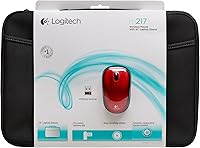
The Logitech M217 Wireless Mouse has been quietly doing its job for over a decade, and that kind of staying power means something. Paired with a 16-inch laptop sleeve, it targets everyday notebook users who want a capable alternative to fumbling with a touchpad. The plug-and-play nano-receiver is the real draw here — no software, no configuration, just plug it in and you're moving. Optical tracking handles typical desk surfaces well enough for browsing, document editing, and general productivity. With a 4.2-star average across nearly 100 real-world ratings, it has earned consistent trust as a dependable, no-nonsense daily tool.
Features & Benefits
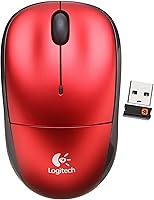
The nano USB receiver tucks neatly inside the mouse body when not in use — a small detail that saves real frustration for anyone who has lost a tiny dongle mid-trip. Battery life is genuinely impressive: a single AA cell can power this wireless mouse for up to six months, helped along by an on/off switch and an automatic sleep mode that activates during idle periods. Setup on Windows takes about ten seconds — plug in, move the cursor, done. At just 8 ounces, the build is compact and portable, and the included sleeve adds practical carry protection without much fuss or extra cost.
Best For
This laptop mouse bundle makes the most sense for students, remote workers, and commuters — people who spend long hours in documents or spreadsheets and find touchpad navigation genuinely tiring. If your workflow is Windows-based and you want zero setup friction, this is an easy pick. The long battery life also matters for road warriors who cannot babysit a charge. Budget-conscious buyers get reasonable value from the sleeve inclusion, even if it is a functional add-on rather than a refined accessory. It is less suited to precision tasks like graphic design or gaming — this is firmly a casual productivity tool and does not pretend otherwise.
User Feedback
Buyers who have used the Logitech nano-receiver mouse day-to-day tend to highlight two things immediately: how effortless the connection is, and how rarely they think about the battery. Those are genuine strengths. The lightweight build is where opinions split — some users appreciate how easy it is to carry, while others find it a touch too light for extended sessions, especially if they prefer a meatier grip. The sleeve draws mixed reactions too; most treat it as a welcome bonus rather than a standout inclusion. Mac and ChromeOS users should treat the Windows-only support as a real limitation worth checking before buying.
Pros
- Plug-and-play setup works instantly on Windows — no drivers, no software, no frustration.
- The nano-receiver stores inside the mouse body, so losing it during travel is essentially a non-issue.
- A single AA battery powers this wireless mouse for up to six months of typical use.
- The auto-sleep mode and on/off switch mean battery life in practice often stretches even further than advertised.
- At 8 ounces, it is light enough to toss in a bag without adding noticeable weight to your kit.
- Optical tracking is smooth and accurate enough for everyday productivity tasks like writing, browsing, and spreadsheet work.
- The bundled 16-inch laptop sleeve adds genuine everyday carry value without inflating the price.
- A 4.2-star average across nearly 100 ratings reflects consistent real-world satisfaction over many years.
- The compact build travels well and works comfortably on most standard desk and table surfaces.
Cons
- Officially supports Windows only, leaving Mac and ChromeOS users with uncertain compatibility.
- The lightweight feel divides users — those who prefer a grippy, substantial mouse may find it unsatisfying for long sessions.
- The included laptop sleeve is functional but basic; do not expect anything close to a premium carry case.
- No adjustable DPI settings, which limits flexibility if your workflow demands varying cursor sensitivity.
- Optical tracking can struggle on glossy or highly reflective surfaces, which is a known limitation of this sensor type.
- The fixed red color offers no choice for buyers who prefer a more neutral or professional-looking peripheral.
- No dedicated software means there is no option to remap buttons or customize behavior beyond the defaults.
- With only 98 ratings available, the review pool is relatively small for drawing broad conclusions about long-term durability.
Ratings
The Logitech M217 Wireless Mouse scores below reflect an AI-driven analysis of verified buyer reviews collected from multiple global sources, with spam, incentivized submissions, and bot activity actively filtered out before any scoring was applied. Each category transparently captures both what this laptop mouse bundle consistently gets right and where real buyers have encountered genuine frustrations. Whether you are weighing setup convenience, long-term battery behavior, or everyday ergonomics, every score here is grounded in aggregated, authentic user experience — not manufacturer claims.
Ease of Setup
Battery Life
Tracking Performance
Ergonomics & Comfort
Value for Money
Wireless Connectivity
Receiver Design
Build Quality
Portability
Bundle Value
OS Compatibility
Cursor Precision
Power Management
Click Feel
Suitable for:
The Logitech M217 Wireless Mouse is a natural fit for students, remote workers, and frequent travelers who want a reliable, low-maintenance peripheral without any technical setup headaches. If you spend long stretches working in documents, spreadsheets, or browser tabs and find touchpad navigation genuinely uncomfortable, this wireless mouse offers a meaningful upgrade that takes seconds to activate. The nano-receiver design and months-long battery life make it especially practical for people who are always on the move and cannot afford to babysit a peripheral. Budget-conscious shoppers who also need a basic laptop sleeve will appreciate getting both in a single, sensibly priced purchase. Windows users in particular get the full benefit here, since the plug-and-play connection requires absolutely nothing beyond inserting the receiver into a USB port.
Not suitable for:
The Logitech M217 Wireless Mouse has clear limitations that make it a poor match for certain buyers, and it is worth being direct about them. If you use a Mac or a ChromeOS device as your primary machine, the Windows-only driver support creates real compatibility uncertainty that should give you pause before purchasing. The lightweight build, while handy for portability, will disappoint users who prefer a heavier, more substantial mouse for long daily sessions — this is a genuine ergonomic trade-off, not just a matter of preference. Anyone needing precision tracking for graphic design, photo editing, or gaming will find that optical performance at this level simply does not meet those demands. The included sleeve, while a welcome addition, is a basic protective cover rather than a quality carry accessory, so buyers expecting a premium case will likely be underwhelmed by that part of the bundle.
Specifications
- Connectivity: The mouse uses a 2.4GHz wireless connection via a USB nano-receiver that plugs into any standard USB-A port.
- Receiver Storage: The nano-receiver stores inside the mouse body when not actively in use, preventing it from being misplaced during travel.
- Tracking Technology: Optical movement detection provides reliable cursor tracking across typical desk surfaces including wood, fabric, and most mouse pads.
- Battery Type: One AA battery powers the mouse, and a fresh Duracell AA is included in the box at purchase.
- Battery Life: Logitech rates battery life at up to 6 months under normal everyday usage patterns.
- Sleep Mode: An automatic sleep mode activates after a period of inactivity, conserving battery life without any manual input required.
- Power Switch: A physical on/off switch on the underside of the mouse allows users to cut power completely during storage or transit.
- OS Compatibility: Official compatibility is limited to Windows operating systems; support for macOS, ChromeOS, or Linux is not guaranteed by the manufacturer.
- Software Required: No driver or software installation is needed; the mouse becomes fully operational the moment the nano-receiver is inserted into a USB port.
- Item Weight: The mouse weighs 8 oz, making it light enough to carry daily without adding noticeable bulk to a laptop bag.
- Dimensions: The product measures 12 x 3 x 12 inches, reflecting a compact form factor designed with notebook users in mind.
- Color: This model ships in red; no alternative color options are offered under this specific product listing.
- Bundle Contents: The bundle includes the wireless mouse, the USB nano-receiver, one AA battery, and a 16-inch protective laptop sleeve.
- Model Number: The Logitech model number is 910-002139, listed on Amazon under ASIN B005YQZK6E.
Related Reviews

Logitech M275 Wireless Mouse
Logitech M325 Wireless Mouse

Logitech M320 Wireless Mouse

Logitech M510

Logitech MX Vertical
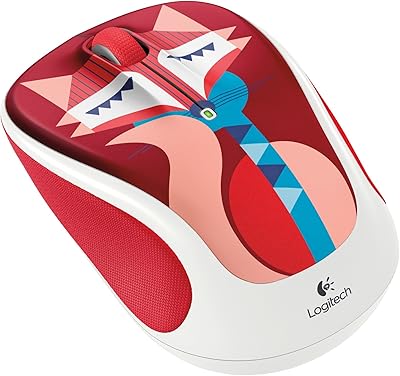
Logitech M325 Wireless Mouse
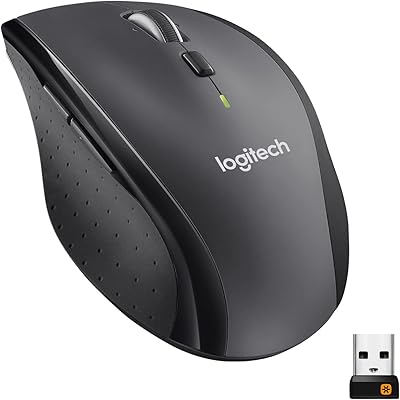
Logitech M705 Marathon Wireless Mouse
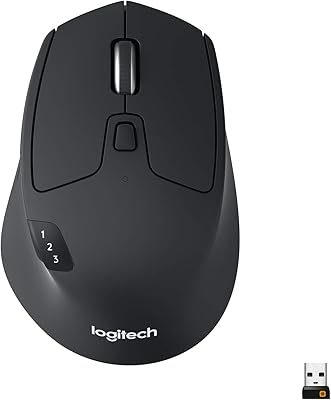
Logitech M720 Triathlon
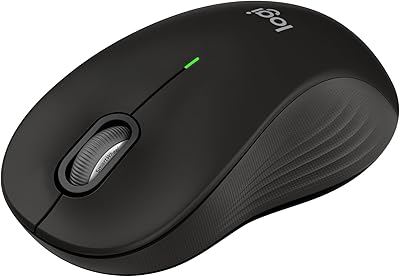
Logitech Signature M550 L