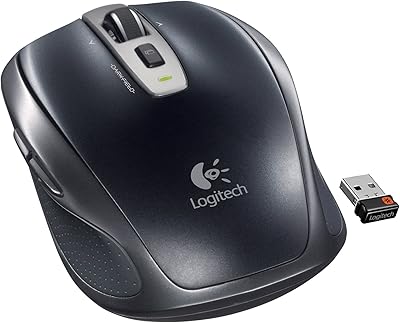
Overview
The Logitech M325 Wireless Mouse has been around since 2012, which tells you something right there — in a market where products get replaced every few months, this one has quietly held its ground for well over a decade. It sits at an accessible price point, making it an easy recommendation for anyone who needs a dependable, no-fuss mouse for daily browsing and light office tasks. With a 4.6-star average across thousands of ratings, the reception has been consistently positive, though expectations matter here. This is a comfort-first peripheral built around simplicity, not a feature-packed tool for power users.
Features & Benefits
The scroll wheel on the M325 is genuinely one of its strongest selling points. Logitech designed it specifically for web browsing — it tracks smoothly through long pages and tilts left or right for horizontal navigation, which is a small but useful touch when working in wide spreadsheets or timelines. The contoured shape and textured rubber grips help reduce hand fatigue during longer sessions, though it is worth noting the fit is comfortable for average-sized hands, not a clinical ergonomic solution. The Unifying nano-receiver stays tucked into your USB port without getting in the way, and can connect up to six compatible Logitech devices. On battery life, two AA batteries can carry you up to 18 months — a real advantage over mice that need frequent recharging.
Best For
This compact wireless mouse hits a sweet spot for a pretty specific kind of user. If you spend most of your day reading articles, filling out forms, or browsing between tabs, it handles all of that without friction. It's also a natural fit for laptop users on the move — the nano-receiver is small enough to leave in your machine without snagging on anything, so there's no setup ritual every time you sit down. Students, casual home office workers, and budget-conscious buyers who just want something reliable out of the box tend to get the most value here. That said, if you're a developer, a designer, or someone with particularly large hands, you may find this Logitech mouse a bit limiting for full-day use.
User Feedback
Long-term owners of the M325 come back for it repeatedly, and that pattern alone says quite a bit. The scroll wheel earns the most consistent praise — buyers say it feels noticeably smoother than comparable mice at this price level. Battery life holds up in practice too, with many users reporting 12 to 15 months before needing fresh AAs. Where things get more mixed is size. This compact wireless mouse runs on the smaller side, and users with larger hands often find it cramped during a full workday. Some also note the click buttons feel slightly shallow compared to pricier Logitech models. Wireless dropout gets flagged occasionally, but most users report stable connectivity in a typical desk setup. Repeat purchases are common, with long-term durability being the reason cited most.
Pros
- The scroll wheel is noticeably smoother than most competing mice at this price level, making long browsing sessions far more comfortable.
- Battery life routinely delivers 12 to 18 months on a single set of AAs — dramatically longer than rechargeable mice that need frequent topping up.
- The nano-receiver is small enough to leave plugged in permanently without fear of it snapping off in a bag.
- Works across Windows, macOS, and Linux with zero driver installation required for everyday use.
- Textured rubber side grips reduce hand fatigue meaningfully during moderate-length desk sessions.
- One Unifying receiver can pair with up to six compatible Logitech devices, keeping your USB ports less cluttered.
- Optical tracking performs consistently on most common desk surfaces, eliminating the need for a dedicated mousepad.
- Thousands of long-term owners report returning to buy a second or third unit after years of trouble-free use.
- At its accessible price point, the M325 offers wireless reliability that many entry-level wired mice cannot match.
- Plug-and-play setup is genuinely instant — no software, no configuration, no learning curve whatsoever.
Cons
- The compact body causes noticeable hand cramping for users with larger hands during extended daily use.
- Click buttons feel shallow and plasticky — a clear step down in tactile feedback compared to even modestly pricier alternatives.
- No DPI adjustment or programmable buttons puts a hard ceiling on usefulness for anyone with more demanding computing needs.
- Designed exclusively for right-handed use, which rules it out entirely for left-handed users.
- A subset of buyers report intermittent wireless dropout that can break concentration at frustrating moments.
- Disposable AA batteries mean ongoing replacement costs and waste over the product's lifespan.
- The contoured shape offers comfort for average hands, but it is not a genuine ergonomic solution for wrist strain or repetitive stress concerns.
- The 2012-era design lacks modern conveniences like silent clicks, side navigation buttons, or any form of onboard customization.
Ratings
The scores and analysis below were generated by AI after processing thousands of verified buyer reviews of the Logitech M325 Wireless Mouse from global markets, with spam, incentivized, and bot-generated feedback actively filtered out. Every category reflects the full picture — standout strengths and genuine frustrations — based on what real long-term owners consistently report. The result is an honest, data-grounded snapshot of where this compact wireless mouse earns its reputation and where buyers should temper their expectations.
Scroll Wheel Performance
Battery Life
Comfort & Ergonomics
Wireless Reliability
Value for Money
Click Response
Build Quality
Tracking Accuracy
Ease of Setup
Portability
Long-term Durability
Cross-Platform Compatibility
Receiver Design
Suitable for:
The Logitech M325 Wireless Mouse is a strong match for everyday users who spend most of their time browsing the web, reading long documents, or handling routine correspondence — people who want a reliable, comfortable pointing device without any setup complexity. Students doing online research, remote workers managing email, and older adults who simply want something that works out of the box will find it checks nearly all their practical boxes. The nano-receiver is compact enough to leave plugged into a laptop port permanently, making it a convenient travel companion for anyone moving regularly between home, a library, or a shared workspace. Battery life is genuinely impressive at this price tier, meaning low-maintenance users can realistically go a year or more without thinking about replacements. If your priorities are day-to-day comfort, wireless freedom, and plug-and-play simplicity over advanced features, this is a well-tested, time-proven option that has earned its standing in a very crowded market.
Not suitable for:
The Logitech M325 Wireless Mouse was built for simplicity, and that same quality becomes a hard limitation the moment your needs grow beyond casual browsing or light document work. Gamers, graphic designers, and video editors will bump into its ceiling quickly — there are no adjustable DPI settings, no programmable side buttons, and the optical sensor is not engineered for fast, precision-intensive workflows. Users with larger hands should be cautious, as the compact form factor can cause real discomfort during full workdays that no amount of rubber gripping will fully correct. The click buttons are functional but have a shallow, plasticky feel that will underwhelm anyone accustomed to the tactile feedback of a better-built mouse. Left-handed users are excluded entirely, since the contoured shape is designed strictly for right-hand use with no ambidextrous version available in this line.
Specifications
- Connectivity: The M325 connects via 2.4 GHz radio frequency using the included Logitech Unifying nano-receiver, which plugs into a standard USB-A port.
- Tracking: An optical sensor provides reliable cursor tracking across most standard desk and table surfaces without requiring a dedicated mousepad.
- Battery Life: Two AA batteries power the mouse for up to 18 months of typical daily use before a replacement set is needed.
- Weight: The mouse weighs 3.28 oz (approximately 93 g), keeping wrist load low during extended sessions.
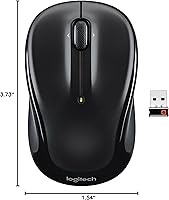
- Dimensions: The body measures 3.73″ in length, 2.24″ in height, and 1.54″ in width, placing it firmly in the compact size category.
- OS Compatibility: Compatible with Windows 10, macOS, and Linux operating systems; plug-and-play functionality requires no driver installation for standard use.
- Scroll Wheel: The micro-precise scroll wheel supports smooth vertical scrolling and tilts left or right to enable horizontal navigation in compatible applications.
- Grip Material: Textured rubber side grips are integrated into the body to reduce slippage and cushion the hand during longer work sessions.
- Form Factor: The contoured body is shaped for right-handed use only, designed to cradle the palm and fingers during typical browsing postures.
- Receiver Type: Uses the Logitech Unifying nano-receiver standard, which supports pairing with up to 6 compatible Logitech Unifying devices through a single receiver.
- Wireless Range: The 2.4 GHz connection maintains stable performance at distances of up to 10 meters (33 ft) under typical indoor conditions.
- Hardware Platform: Designed to work with both PC and Mac hardware without requiring additional adapters or platform-specific configuration.
- Color: Available in Black, with textured rubber grip sections providing a contrast finish against the plastic shell.
- Release Date: First made available in March 2012, the M325 has remained in continuous production and retail availability for over a decade.
Related Reviews

Logitech M217 Wireless Mouse

Logitech M510

Logitech M320 Wireless Mouse

Logitech M275 Wireless Mouse
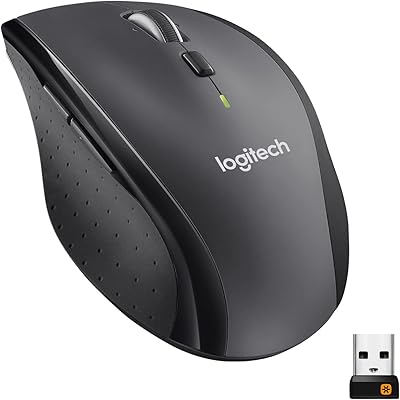
Logitech M705 Marathon Wireless Mouse
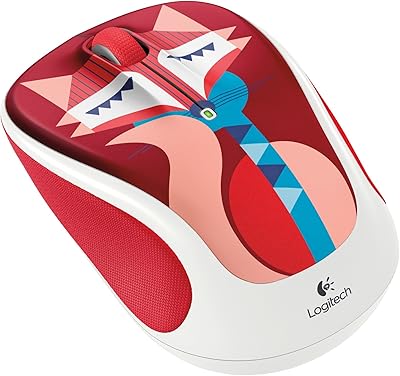
Logitech M325 Wireless Mouse
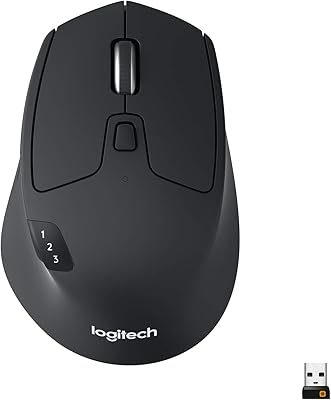
Logitech M720 Triathlon
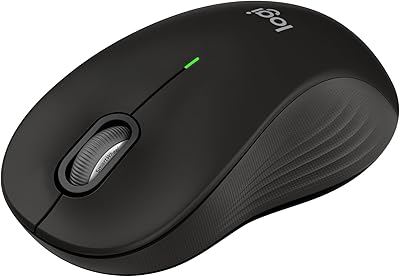
Logitech Signature M550 L

Logitech MX Vertical