Logitech POP ICON Combo






Overview
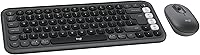
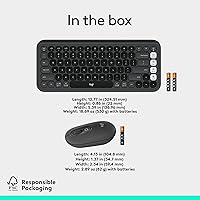
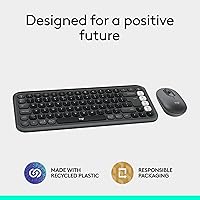
The Logitech POP ICON Combo arrived in late 2024 as a compact, style-forward option sitting comfortably between throwaway budget sets and full-on mechanical rigs. It pairs a 75% Bluetooth keyboard with a SmartWheel mouse in coordinated colorways — a small but appreciated touch for anyone who cares how their desk looks. The keyboard's low-profile design keeps things slim without making the whole setup feel flimsy. Logitech also used recycled plastic in the construction, which is a genuine material choice rather than a marketing afterthought. For the price, it's a capable, thoughtfully designed combo that doesn't ask you to compromise too much.
Features & Benefits
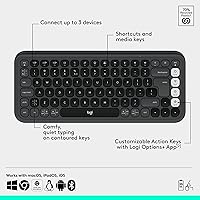
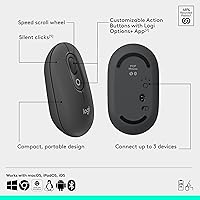
The standout feature day-to-day is the Easy-Switch button, which lets you jump between up to three paired Bluetooth devices without any fiddling. If you work from a laptop, a desktop, and an iPad in the same day, this alone justifies the purchase. The mouse uses Silent Touch Technology, and the keyboard keys are low-profile enough that typing during a video call won't distract anyone around you. Scrolling with the SmartWheel feels noticeably responsive — one flick shifts you from page-crawling precision to quick document skimming. Through the Logi Options+ app, you can remap 15 keyboard keys and 2 mouse buttons, making the combo adapt to almost any workflow. Battery life is genuinely impressive: the mouse runs up to two years, the keyboard up to three.
Best For
This wireless keyboard-and-mouse duo fits naturally into the life of someone who juggles multiple screens throughout the day — think a writer who drafts on a desktop but edits on a tablet, or a student bouncing between a personal laptop and a shared school computer. Quiet office environments are where it really earns its keep; both the mouse and keyboard are noticeably hushed compared to standard peripherals. People who like customizing shortcuts for specific apps or AI tools will appreciate the depth of the Logi Options+ support. It's also a solid pick for anyone building a cohesive desk setup without hunting for separately matched pieces. The eco-minded buyer gets a small but real win here too, given the recycled plastic content.
User Feedback
Across verified reviews, the quietness of the clicks draws consistent praise — buyers who switched from louder combos call the difference noticeable within minutes. Multi-device switching also earns frequent mentions from people running a tablet-plus-laptop setup. That said, the compact 75% layout isn't for everyone; users coming from full-size boards report a real adjustment period, especially with the repositioned keys. A recurring ergonomic note: the mouse runs small, which is fine for average or smaller hands but can cause fatigue over long sessions for larger-handed users. Worth noting too — no Logi Bolt USB receiver is included, so Bluetooth is your only connection option out of the box. Overall, the 4.4-star average across 500+ ratings reflects a product most buyers are genuinely happy with.
Pros
- Easy-Switch lets you flip between three Bluetooth devices instantly, no re-pairing needed.
- The keyboard and mouse are genuinely quiet — noticeable in open offices and during video calls.
- Battery life is exceptional; the keyboard can go up to three years between AA replacements.
- SmartWheel scrolling shifts between precision and speed modes with a single flick, saving real time.
- 15 remappable keyboard keys and app-specific profiles add real depth via Logi Options+.
- Works natively across Windows, macOS, iPadOS, ChromeOS, and iOS without extra drivers.
- Matched colorways make this wireless keyboard-and-mouse duo one of the cleaner-looking combos at its tier.
- Recycled plastic construction (37–70% depending on color) is a verifiable sustainability step, not just marketing.
- Compact 75% layout reduces desk footprint significantly compared to full-size boards.
- Broad OS compatibility means it stays useful even as your device lineup changes over time.
Cons
- No Logi Bolt USB receiver included — Bluetooth-only connectivity is a real gap for some desktop setups.
- The mouse runs small and causes fatigue for users with larger hands during full workdays.
- Compact 75% layout requires a genuine adjustment period coming from a standard-size keyboard.
- The matte plastic surface shows fingerprints and smudges faster than expected for a design-forward product.
- Logi Options+ customization is desktop-only, so mobile-only or iOS-primary users lose remapping entirely.
- The keyboard can slide on smooth desk surfaces during heavier typing sessions due to its light weight.
- No carrying case or key cover is included, making frequent travel with the set messier than it should be.
- Linux users get limited app support, which locks them out of meaningful customization features.
- Bluetooth performance in dense wireless environments can produce occasional micro-lag during peak usage.
- Replacing AA batteries over time adds a small but recurring cost compared to rechargeable alternatives.
Ratings
The Logitech POP ICON Combo scores here reflect AI analysis of verified global buyer reviews, with spam, bot-submitted, and incentivized feedback actively filtered out before scoring. Each category below captures both what real users consistently praised and where they ran into friction — nothing is glossed over. From multi-device convenience to ergonomic trade-offs, the scorecards give you an honest picture of what this wireless keyboard-and-mouse duo actually delivers day to day.
Multi-Device Switching
Noise Level
Battery Life
Keyboard Typing Feel
Mouse Ergonomics
SmartWheel Scrolling
Customization & App Support
Build Quality & Materials
Design & Aesthetics
Cross-Platform Compatibility
Value for Money
Setup & Pairing
Portability
Connectivity Reliability
Suitable for:
The Logitech POP ICON Combo is built for people whose workday naturally sprawls across multiple devices — the remote worker who drafts on a desktop, reviews on a tablet, and occasionally answers messages from a laptop will get immediate, practical value from the Easy-Switch functionality alone. Students sharing a dorm or apartment will appreciate how quietly both devices operate; typing during late-night study sessions or clicking through slides on a call simply does not disturb the people around you. Productivity-focused users who want to customize shortcuts for specific apps — whether that is an AI writing tool, a design platform, or a project management suite — have enough remapping depth in Logi Options+ to make the set genuinely personal. The coordinated design also makes it a smart choice for anyone building a cohesive home-office setup without the hassle of sourcing a keyboard and mouse that visually match. And if sustainability factors into your buying decisions, the recycled plastic content is a real, documented material choice rather than a packaging promise.
Not suitable for:
The Logitech POP ICON Combo will frustrate buyers who have spent years on a full-size keyboard and expect to transition without friction — the 75% layout repositions enough keys that muscle memory will work against you for at least a week or two, and some users never fully adapt. If you have larger hands, the mouse is worth trying before committing; multiple reviewers with bigger grips report fatigue during long sessions, and no amount of positive reviews on other fronts will fix a mouse that simply does not fit your hand. The set ships without a Logi Bolt USB receiver, so if your desktop PC has unreliable or absent Bluetooth, you will need to purchase the receiver separately, which adds cost and a step that should not be necessary at this price point. Gamers or power users who need fast, precise sensor performance, mechanical key feedback, or a full numpad will find this combo falls well short of what dedicated gaming or professional-tier peripherals offer. Finally, anyone looking for a rechargeable setup — no cable or charging port anywhere in sight — should look elsewhere, since both devices run on replaceable AA batteries.
Specifications
- Layout: The keyboard uses a 75% compact layout with low-profile, laptop-style keys designed for comfortable extended typing.
- Connectivity: Both devices connect via Bluetooth and support Easy-Switch pairing to up to 3 devices simultaneously across multiple operating systems.
- Device Switching: A dedicated Easy-Switch button on both the keyboard and mouse allows instant toggling between up to 3 paired Bluetooth devices.
- Mouse Technology: The mouse uses Silent Touch Technology to suppress click noise, making it noticeably quieter than standard optical mice.
- Scrolling: The POP ICON mouse features a SmartWheel that shifts between high-precision and free-spin speed-scrolling with a single flick.
- Programmable Keys: The keyboard includes 15 remappable Action Keys that can be configured through the Logi Options+ desktop application.
- Programmable Buttons: The mouse has 2 customizable Action Buttons that support app-specific shortcuts via the Logi Options+ app.
- App Support: Full customization requires the Logi Options+ application, available for Windows and macOS; mobile and Linux support is limited.
- Mouse Battery: The mouse is powered by a single AA battery with a rated life of up to 2 years under typical usage conditions.
- Keyboard Battery: The keyboard runs on AAA batteries with a rated life of up to 3 years, supported by an auto-sleep power-saving mode.
- Power Source: Both devices are battery-powered with included batteries; neither device supports USB-C or any wired charging.
- OS Compatibility: The set is compatible with Windows, macOS, iPadOS, ChromeOS, and iOS without requiring additional drivers.
- Recycled Content: Plastic components in the combo contain between 37% and 70% recycled plastic depending on the color variant selected.
- Packaging: Product packaging uses FSC-certified paper as part of Logitech's stated commitment to responsible material sourcing.
- Package Weight: The full combo package weighs 1.84 pounds, inclusive of both devices and included batteries.
- Package Dimensions: The retail box measures 16.81 x 6.22 x 1.46 inches, sized for both devices packed flat together.
- Receiver Included: No Logi Bolt USB receiver is included in the box; the set ships as Bluetooth-only out of the package.
- Compatibility Note: The Logitech Bolt USB receiver (sold separately) can be used with this set if Bluetooth connectivity is unavailable or unreliable.
- Date Available: The combo was first made available for purchase in October 2024 as part of Logitech's expanded POP ICON lineup.
- Model Number: The official Logitech model number for this combo is 920-013135, with ASIN B0D5G2TRHC on Amazon.
Related Reviews
Logitech POP ICON Keys Wireless Keyboard

Clinique Pop Longwear Lipstick - AN Icon Pop Matte

Logitech POP Mouse
Logitech Slim Bluetooth Combo
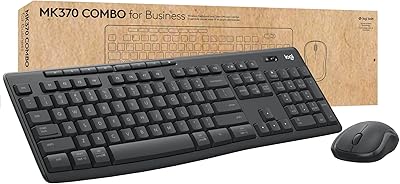
Logitech MK370 Combo for Business
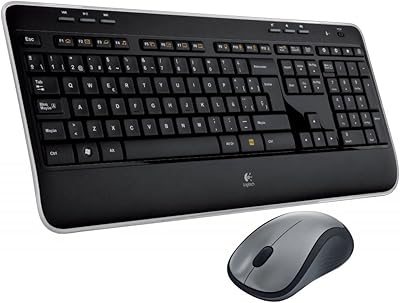
Logitech MK520 Wireless Keyboard Mouse Combo
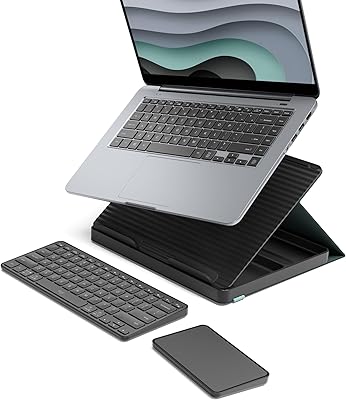
Logitech Casa Pop-Up Desk Laptop Stand Kit
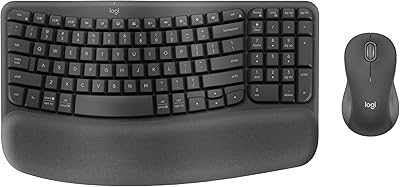
Logitech Wave Keys MK670 Combo
Logitech MK650 for Business