
Overview
The Logitech M325 Wireless Mouse is a compact, no-frills option built for everyday computing tasks — the kind of mouse you grab when you want something reliable without overthinking it. It connects via a USB nano receiver that plugs in and works instantly, with zero software installation required. At just over 3 ounces, it is light enough to toss in a bag without a second thought. The optical sensor handles standard desk surfaces and typical office use well. It works out of the box with PC, Chrome OS, and Linux, which makes it notably versatile for a mouse at this price point.
Features & Benefits
The standout spec here is battery life. Running on two included AA batteries, the M325 is rated for up to 18 months of use, achieved through an auto-sleep function that kicks in during inactivity — a genuinely practical feature for anyone who forgets to switch their mouse off. The nano receiver is small enough to leave plugged in while traveling without worrying about snapping it off. Tracking is solid on wood, fabric, and most desk pads, though it is optical rather than laser, so skip it for pixel-precise design work. The rubber-grip scroll wheel feels responsive enough for everyday browsing, and wireless range covers a standard desk setup comfortably.
Best For
This wireless mouse hits its stride with students, remote workers, and anyone who needs a simple pointing device that just works. If you are on a Chromebook, this is one of the more dependable plug-and-play options at this tier — no driver headaches, no Bluetooth pairing ritual. The compact, travel-friendly form factor makes it easy to slip into a laptop bag alongside a notebook. That said, be realistic about the use case: web browsing, email, document editing, light spreadsheet work — these are where the M325 earns its keep. For photo editing, CAD work, or gaming, you will want something with a more capable sensor and a larger build.
User Feedback
Across close to 600 ratings, this Logitech mouse holds a strong 4.6-star average, and the praise is fairly consistent: easy setup, long battery life, and a dependable wireless connection day to day. Quite a few buyers mention being genuinely surprised by how long the batteries last — months pass without needing a swap. On the flip side, people with larger hands often find the compact body tiring over extended sessions. The scroll wheel draws some criticism too; it works fine for casual browsing but lacks the precise, tactile feel of mice in higher price brackets. Neither issue is a dealbreaker for the intended audience, but both are worth factoring in before buying.
Pros
- Battery life routinely lasts many months on a single set of AA batteries, reducing maintenance hassle.
- Plug-and-play USB nano receiver means zero software installation or driver setup required.
- Confirmed compatibility with Chrome OS and Linux makes it genuinely versatile across platforms.
- At just over 3 ounces, this wireless mouse is light enough to carry daily without noticing the weight.
- The nano receiver is small enough to leave plugged in during travel without fear of damage.
- Optical tracking performs reliably on wood, fabric, and standard desk surfaces without a mousepad.
- Auto-sleep power management helps preserve battery life without any manual input from the user.
- Rated 4.6 stars across nearly 600 reviews, reflecting consistent real-world satisfaction.
- The compact form factor suits small to medium hands and fits easily into a laptop bag or backpack.
- Straightforward, no-fuss setup makes it accessible even for less tech-savvy users.
Cons
- The scroll wheel lacks the tactile precision found on mice in higher price brackets.
- No adjustable DPI settings limit its usefulness for tasks requiring fine cursor control.
- Users with larger hands frequently report discomfort during extended work sessions.
- Requires a USB-A port, which can be a problem on newer laptops with only USB-C connections.
- The optical sensor is not suited for pixel-accurate design, photo editing, or CAD work.
- No dedicated software or customizable buttons for users who prefer a tailored experience.
- Wireless range, while adequate for a desk, is not reliable across longer distances or through walls.
- The patterned color design may not appeal to users who prefer a minimal or professional aesthetic.
- Only compatible with one device at a time — no multi-device pairing option available.
Ratings
The scores below reflect an AI-driven analysis of verified global buyer reviews for the Logitech M325 Wireless Mouse, with spam, bot-generated, and incentivized submissions actively filtered out to ensure the results represent genuine user experiences. We looked at everything from daily commuter feedback to long-term desk use reports, surfacing both what buyers consistently love and where the product falls short. The result is a transparent, balanced picture of real-world performance across the categories that matter most to everyday buyers.
Value for Money
Battery Life
Ease of Setup
Wireless Reliability
Tracking Accuracy
Comfort & Ergonomics
Scroll Wheel Quality
Portability
Build Quality
Cross-Platform Compatibility
Click Responsiveness
Design & Aesthetics
Receiver Management
Suitable for:
The Logitech M325 Wireless Mouse is a smart pick for anyone who needs a dependable, low-maintenance pointing device for routine daily tasks. Students carrying a laptop between classes, remote workers setting up at a coffee shop, and casual home users who just want something that works without configuration will all find it fits the bill. It is especially well-suited for Chromebook owners, since confirmed plug-and-play compatibility removes any guesswork. The compact, lightweight build makes it easy to pack, and the impressively long battery life means you are unlikely to think about it much once it is set up — which, for many buyers, is exactly the point. If your computing day revolves around browsing, writing, email, and spreadsheets, this Logitech mouse comfortably handles all of it without asking for anything in return.
Not suitable for:
The Logitech M325 Wireless Mouse is not the right tool for anyone whose work demands precision or extended physical comfort. Graphic designers, photo editors, and CAD users will quickly run into the limits of its optical sensor, which lacks the accuracy and adjustable DPI settings found on more specialized mice. Gamers should look elsewhere entirely — the tracking response and build are not designed for fast, high-stakes input. People with larger hands will also want to be careful here; multiple users have flagged that the compact body becomes uncomfortable during long work sessions, which is a real concern for anyone spending hours a day at a desk. And if you rely on Bluetooth rather than USB ports — increasingly common on slim modern laptops — the nano receiver dependency could be a practical obstacle worth thinking through before buying.
Specifications
- Connection Type: Connects via 2.4 GHz wireless using a included USB nano receiver, requiring no software or pairing process.
- Tracking Technology: Uses an optical sensor suited for everyday tracking on standard desk surfaces, fabric, and most common materials.
- Battery: Powered by 2 AA batteries, which are included in the box at the time of purchase.
- Battery Life: Rated for up to 18 months of use on a single set of AA batteries under typical usage conditions.
- Power Management: An automatic sleep function conserves power during periods of inactivity, contributing significantly to the extended battery lifespan.
- Weight: The mouse weighs 3.28 ounces, making it one of the lighter options in its category for portability.
- Dimensions: Measures 2.24″ wide by 3.73″ long by 1.54″ tall, placing it firmly in the compact size category.
- Receiver Type: The included nano USB receiver is small enough to remain plugged into a laptop port during transport without significant protrusion.
- Compatible OS: Works out of the box with Windows, Chrome OS, and Linux without requiring any additional driver installation.
- Hardware Platform: Designed primarily for use with PC hardware, including desktops and laptops across supported operating systems.
- Scroll Wheel: Features a rubber-grip scroll wheel designed for comfortable page navigation during standard browsing and document tasks.
- Form Factor: Compact, ambidextrous-leaning shape suited to small and medium hands, though it may feel tight for users with larger hands.
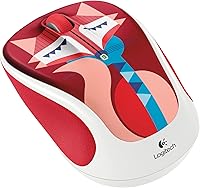
- Color Variant: Available in a patterned colorway called Francesca Fox, which features a decorative surface design rather than a plain finish.
- Wireless Range: Provides adequate wireless range for standard desktop and home office use, performing reliably within a typical room distance.
- Manufacturer: Designed and produced by Logitech, a brand with longstanding recognition in the computer peripherals market.
- First Available: This model was first made available in June 2015 and has remained in production without being discontinued by the manufacturer.
- Best Seller Rank: Holds a ranking of #1,397 in the Computer Mice category on Amazon based on recent sales data.
- Average Rating: Holds an average customer rating of 4.6 out of 5 stars across 593 verified ratings on Amazon.
Related Reviews
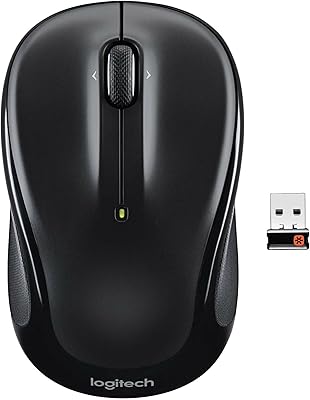
Logitech M325 Wireless Mouse

Logitech M320 Wireless Mouse

Logitech M217 Wireless Mouse

Logitech M510

Logitech M275 Wireless Mouse
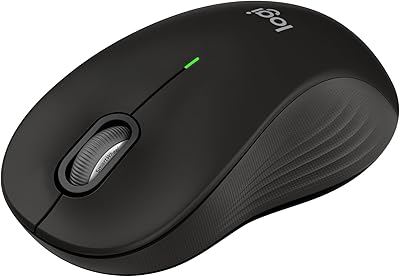
Logitech Signature M550 L
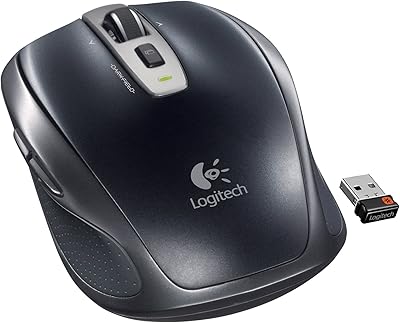
Logitech Wireless Anywhere Mouse MX
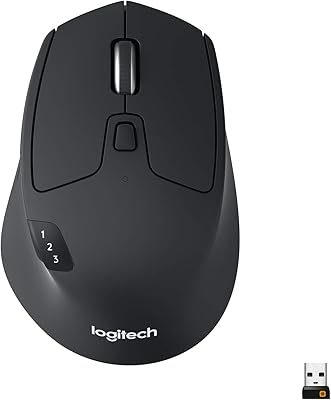
Logitech M720 Triathlon

Logitech MX Vertical