Logitech POP Keys Mechanical Wireless Keyboard

Logitech POP Keys Mechanical Wireless Keyboard — image 1
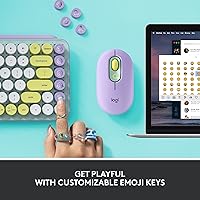
Logitech POP Keys Mechanical Wireless Keyboard — image 2
Logitech POP Keys Mechanical Wireless Keyboard — image 3

Logitech POP Keys Mechanical Wireless Keyboard — image 4

Logitech POP Keys Mechanical Wireless Keyboard — image 5
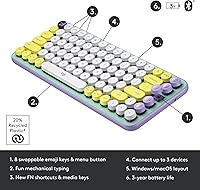
Logitech POP Keys Mechanical Wireless Keyboard — image 6
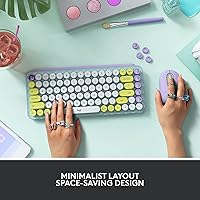
Logitech POP Keys Mechanical Wireless Keyboard — image 7

Logitech POP Keys Mechanical Wireless Keyboard — image 8

Logitech POP Keys Mechanical Wireless Keyboard — image 9
Logitech POP Keys Mechanical Wireless Keyboard — image 10
76%
24%

Overview

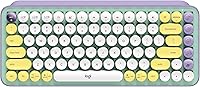
The Logitech POP Keys Mechanical Wireless Keyboard arrived in late 2021 as part of Logitech's POP lineup — a range clearly designed for people who want their desk to say something about them. The Daydream Mint colorway leans into a candy-soft palette of mint, lilac, and sunshine yellow that stands out in a sea of black and gray peripherals. It sits at a mid-range price point where it competes with both solid productivity boards and entry-level enthusiast mechanicals, making the buying decision genuinely interesting. Wireless flexibility comes via Bluetooth or the Logi Bolt USB receiver, supporting up to three paired devices. Battery life runs on two AAA cells, with Logitech claiming up to three years between swaps — a strong real-world advantage for anyone tired of charging cables.

Features & Benefits

The headline quirk of this Logitech keyboard is its eight physically swappable emoji keys — pop one out, snap another in, and the board becomes a small expression of your personality. Beyond the novelty, the typewriter-style mechanical switches are the real draw for most buyers. The scooped keycaps give each keystroke a satisfying tactile click that makes typing feel deliberate without being punishing. The Easy-Switch keys let you jump between a laptop, tablet, and phone without fiddling with Bluetooth menus, which is genuinely useful in a multi-device workflow. The compact tenkeyless layout keeps your mouse closer, reducing shoulder strain — a modest but real benefit. Single-color backlighting and a share of recycled plastic round out a package that feels both functional and considered.

Best For

This wireless mechanical board makes the most sense for creative and lifestyle-focused users who care about how their desk looks as much as how it performs — students, content creators, and remote workers especially. If you regularly bounce between an iPad, a MacBook, and an Android phone, the three-device pairing is a practical win rather than a marketing checkbox. It also makes an excellent gift for someone who wants a keyboard that feels personal rather than generic. Pure keyboard enthusiasts chasing hot-swap switches or full RGB will likely look elsewhere, but casual to moderate typists who want tactile feedback without a steep learning curve will find the POP Keys hits a comfortable middle ground. Broad OS support means it just works, regardless of your ecosystem.

User Feedback

Among verified buyers, the POP Keys earns consistent praise for its build quality and the genuinely satisfying typing feel — people are often surprised by how sturdy it feels at this price. The aesthetic gets strong marks, particularly in the Daydream Mint finish. That said, criticisms are worth noting: there is no RGB lighting, switch variety is limited to one option, and some buyers report that Logi Options+ software runs more reliably on macOS than Windows. The emoji keys split opinion — a portion of long-term users admit they rarely swap them after initial setup, though others find the emoji menu key genuinely speeds up chat-heavy workflows. Overall sentiment leans positive, with most buyers feeling the price is fair for what the board actually delivers day to day.

Pros

  • Satisfying tactile typing feel that makes long writing sessions genuinely enjoyable without fatiguing your fingers.
  • Three-device Bluetooth pairing with Easy-Switch keys works reliably and saves real time in multi-device workflows.
  • Claimed battery life of up to three years on two AAA cells is a standout advantage over rechargeable competitors.
  • The compact tenkeyless layout keeps your desk uncluttered and positions your mouse at a more natural distance.
  • Broad OS support means the POP Keys connects without fuss across Apple, Android, ChromeOS, and Windows devices.
  • Build quality feels sturdy and premium relative to what you would expect at this price point.
  • Swappable emoji keys are a genuinely fun customization option, and the dedicated emoji menu key speeds up chat-heavy work.
  • Available in distinctive colorways that stand out from the generic black-and-gray peripheral market.
  • Includes recycled plastic content, a small but meaningful nod to sustainability-conscious buyers.
  • Pairs naturally with the POP Mouse for a cohesive, coordinated desk setup.

Cons

  • Only one switch type is available, giving tactile-preference buyers no choice and enthusiasts no reason to stay.
  • Logi Options+ customization software can be unreliable on Windows, with sync and configuration issues reported by multiple users.
  • Single-color backlighting is underwhelming compared to RGB competitors at a similar price, especially for low-light use.
  • No number pad means this board is a poor fit for anyone who works regularly with spreadsheets or numerical data.
  • The emoji key novelty fades quickly for many buyers, who rarely swap them after the first week.
  • Clicky mechanical switches generate noticeable noise that can disrupt open offices, shared spaces, or quiet households.
  • At its mid-range price, some competing keyboards offer more switch variety, better software, or stronger build quality.
  • Battery life claims assume moderate use; heavier usage or backlight reliance will shorten the real-world lifespan considerably.
  • No USB-C charging port means you are dependent on AAA batteries rather than a cable you likely already own.

Ratings

The scores below reflect an AI-driven analysis of verified global buyer reviews for the Logitech POP Keys Mechanical Wireless Keyboard, with spam, bot-generated, and incentivized submissions actively filtered out before scoring. Each category is weighted against real-world usage patterns reported by confirmed purchasers, from daily home office typists to multi-device creative professionals. Both the standout strengths and the honest frustrations are factored in, so the numbers you see represent the full picture — not just the highlights.

Typing Feel
88%
The typewriter-style mechanical switches earn consistent praise from buyers who type for extended stretches — writers, students, and remote workers frequently describe the scooped keycaps and tactile click as genuinely satisfying in a way that makes typing feel more deliberate and enjoyable. Many users note it was their first mechanical keyboard and it converted them quickly.
A portion of buyers find the switches on the louder side for shared environments, and there is only one switch option available, which frustrates users who prefer a quieter tactile or linear feel. Keyboard enthusiasts specifically flag the lack of switch variety as a meaningful limitation.
Build Quality
84%
For a mid-range wireless keyboard aimed at lifestyle users, the physical construction impresses most buyers. The keycaps feel solid underhand, the board does not flex noticeably during vigorous typing sessions, and the overall finish holds up well over months of daily use without obvious wear to the colorway.
A small but consistent group of reviewers notes that the plastic body, while sturdy, does not feel as premium as competitors at a similar price point, particularly around the corners. Some users also report that keycaps can attract visible smudges and oils faster than expected given the pastel finish.
Wireless Reliability
81%
19%
The Bluetooth 5.1 connection holds steady for most users across laptops, tablets, and smartphones, and the Easy-Switch keys make device hopping fast enough that it genuinely fits into a real multi-device workflow without constant re-pairing headaches. The Logi Bolt receiver is a reliable fallback for users with finicky Bluetooth hardware.
A recurring thread in user feedback involves occasional input lag or brief disconnects when switching between devices on Bluetooth, particularly on Windows machines. The Logi Bolt receiver mitigates this but occupies a USB port, which is a trade-off some users would rather not make.
Battery Life
91%
The claimed 3-year battery life on two AAA cells is one of the most consistently praised aspects of this board among long-term owners. Users who have had the keyboard for over a year frequently report never having replaced the batteries yet, making it a genuinely low-maintenance peripheral compared to rechargeable alternatives.
The 3-year figure assumes relatively moderate daily use with minimal backlight engagement, and power users who type heavily throughout the day or keep the backlight active will see that estimate shrink noticeably. A few buyers also prefer the convenience of USB-C charging over managing disposable batteries.
Design & Aesthetics
93%
The Daydream Mint colorway is one of the most visually distinctive keyboard options in its price range, and buyers overwhelmingly describe it as a desk centerpiece rather than just a peripheral. The cohesion with the matching POP Mouse makes it especially popular among users who invest thought into their workspace setup.
The aesthetic is clearly polarizing by design — buyers who prefer understated or professional-looking setups find the pastel, candy-toned look too playful for a corporate or neutral desk environment. The colorway commitment is permanent since keycap replacements that match the theme are limited outside the Logitech ecosystem.
Multi-Device Switching
79%
21%
The three-device Easy-Switch system works well enough in practice that users managing a MacBook, iPad, and Android phone genuinely rely on it as part of their daily setup. The keypress-to-switch response is fast and the pairing process is straightforward even for less tech-savvy buyers.
Some Windows users report that Bluetooth device memory occasionally resets or requires re-pairing after system updates, which undermines the convenience factor. The experience is noticeably smoother on Apple devices, creating an inconsistency that matters if your primary machine runs Windows.
Software & Customization
58%
42%
Logi Options+ allows remapping of keys and customization of the emoji keys on Windows and macOS, which is a useful layer of personalization for users who want to go beyond the defaults. The emoji menu key in particular benefits from software tuning to match the emoji sets users actually reach for.
Logi Options+ has a documented history of reliability problems on Windows — sync failures, settings not sticking after restarts, and occasional crashes are mentioned across multiple independent reviews. Chrome OS, Android, and iOS users get no software customization at all, which limits the board's adaptability for non-desktop platforms.
Emoji Keys
71%
29%
For users in chat-heavy roles — community managers, customer support staff, social media coordinators — the dedicated emoji menu key provides a faster shortcut than hunting through an on-screen panel. The physical swappable keycaps are a satisfying personalization touch that makes the board feel genuinely owned rather than generic.
Long-term owners frequently admit the novelty fades within a few weeks, and many stop swapping the keycaps after the initial setup. For buyers who do not use emojis regularly in their workflow, the feature reads more as decoration than utility, making it a weak justification for the price if that is the primary draw.
Noise Level
44%
56%
Users who enjoy an audible click and work in a private home office or solo setup actively appreciate the satisfying clack the switches produce — it contributes to the tactile feedback experience that draws people to mechanical keyboards in the first place.
The POP Keys is consistently flagged as too loud for open-plan offices, co-working spaces, or households where others are nearby. This is one of the most common reasons buyers return or regret the purchase, and it is worth taking seriously if noise in shared spaces is any kind of concern.
Portability
76%
24%
The tenkeyless layout and 1.72 lb weight make the POP Keys easy to slide into a bag for commuting between home and a co-working space. Users who hot-desk or work from different locations appreciate that it does not require a dedicated permanent spot on a single desk.
Without a protective carrying case included in the box, the exposed pastel keycaps are vulnerable to scratches during transport, and the board is bulkier than ultra-slim travel keyboards. It is portable in the loose sense but not designed with travel as the primary use case.
Value for Money
72%
28%
Buyers who prioritize aesthetics and a tactile typing experience together tend to feel the pricing is fair — there is no direct competitor that combines this level of visual design, multi-device wireless, and mechanical switches in one package at a comparable cost.
Users who evaluate the board on pure typing performance or features-per-dollar find the pricing harder to justify, particularly given the limited switch options, single-color backlight, and inconsistent software experience. A few reviewers note that budget mechanical keyboards from other brands offer a more functional package for less.
OS Compatibility
86%
The range of supported operating systems is genuinely broad — Windows, macOS, iPadOS, iOS, Chrome OS, and Android are all covered — which makes the POP Keys a flexible choice for households or workflows that mix platforms without wanting multiple keyboards.
Full functionality, particularly key remapping through Logi Options+, is locked to Windows and macOS only, which means iOS, Android, and Chrome OS users get a reduced experience. Buyers who rely primarily on a Chromebook or iPad as their main device should factor this in before purchasing.
Ergonomics
66%
34%
The compact layout positions the mouse closer to the body than a full-size board, which does reduce shoulder extension during long sessions. Several users who transitioned from full-size keyboards note a modest improvement in how their arm and shoulder feel after a workday.
Logitech's ergonomic claims are limited — there is no wrist rest, no tenting, and the typing angle is fixed. Users with existing wrist or shoulder issues are unlikely to find meaningful relief here, and expecting significant ergonomic benefit beyond basic desk-space savings would be an overreach.

Suitable for:

The Logitech POP Keys Mechanical Wireless Keyboard is a strong fit for anyone who wants a daily driver that pulls double duty as a desk accessory — think students, content creators, social media managers, and remote workers who spend real time at a keyboard but also care about their workspace aesthetic. If you regularly switch between a laptop, a tablet, and a phone, the three-device pairing with Easy-Switch keys removes a genuine daily friction point that cheaper boards simply do not address. Writers and moderate typists who have been curious about mechanical switches but do not want to fall down the enthusiast rabbit hole will appreciate the tactile, clicky feel without the complexity or cost of a custom build. The broad OS compatibility — spanning Windows, macOS, iPadOS, iOS, ChromeOS, and Android — makes it a practical pick for mixed-ecosystem households or anyone who has ditched Windows for Apple. It also works beautifully as a gift for someone who values self-expression; few keyboards at this price point feel this intentional in their design.

Not suitable for:

The Logitech POP Keys Mechanical Wireless Keyboard is not the right call for serious keyboard enthusiasts who want hot-swappable switches, full RGB lighting, or a wide selection of switch types to experiment with — this board offers one switch option and single-color backlighting, full stop. Heavy spreadsheet users will feel the absence of a number pad quickly, since the compact tenkeyless layout prioritizes desk space over input range. Competitive gamers should also look elsewhere; the wireless latency, lack of polling rate customization, and general positioning of this board put it firmly in the productivity and lifestyle category rather than gaming. If you are a Windows power user hoping to customize every key and macro through software, be aware that Logi Options+ has a more polished experience on macOS and can be frustrating to configure reliably on Windows. Finally, buyers who need a whisper-quiet keyboard for shared office spaces or late-night sessions will find the clicky mechanical switches carry more sound than most membrane or low-profile alternatives.

Specifications

  • Form Factor: Compact tenkeyless layout measuring 12.65″ long by 5.45″ wide by 1.4″ tall, designed to save desk space.
  • Weight: The keyboard weighs 1.72 lbs, making it light enough to move between workspaces without hassle.
  • Switch Type: Typewriter-style mechanical switches with scooped keycaps deliver a tactile, clicky keystroke feel.
  • Connectivity: Connects via Bluetooth 5.1 or the included Logi Bolt USB receiver for a stable low-latency wireless link.
  • Multi-Device: Supports pairing with up to 3 devices simultaneously, switchable instantly using dedicated Easy-Switch keys.
  • Battery: Powered by 2 AAA batteries (included), with a manufacturer-claimed battery life of up to 3 years under typical use.
  • Backlighting: Features single-color backlighting that keeps power consumption low while maintaining visibility in dim conditions.
  • Emoji Keys: Includes 8 physically swappable emoji keycaps and 1 dedicated emoji menu key for quick emoji access.
  • Customization: Key remapping and emoji key customization are available through Logi Options+ software on Windows and macOS only.
  • OS Support: Compatible with Windows 10, macOS 10.15, iPadOS 14, iOS 14, Chrome OS, and Android 8 or later.
  • Compatible Devices: Works with laptops, desktop PCs, tablets, and smartphones across multiple operating system ecosystems.
  • Recycled Materials: Plastic components include 20% certified post-consumer recycled content in the Daydream Mint colorway.
  • Color Variant: The Daydream Mint edition features a palette of mint, lilac, white, and sunshine yellow across keycaps and body.
  • Ecosystem Pairing: Designed to complement the POP Mouse, which shares the same aesthetic language and Logitech POP product line.
  • Model Number: The official model number is 920-010708, which can be used to verify compatibility or locate support resources.
  • First Available: This keyboard was first made available in November 2021 as part of Logitech's expanded POP accessories lineup.

Related Reviews
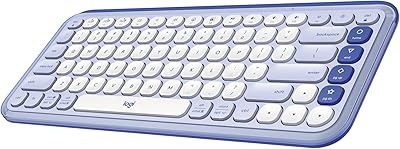
Logitech POP ICON Keys Wireless Keyboard

81%
91%
Multi-Device Switching
93%
Aesthetic Design
88%
Key Noise Level
74%
Typing Comfort
83%
Build Quality
More
Logitech MX Mechanical
81%
88%
Typing Feel & Switch Quality
91%
Noise Level
86%
Build Quality & Materials
93%
Battery Life
87%
Multi-Device Connectivity
More
Logitech MX Keys S
Logitech MX Keys S
81%
91%
Typing Feel & Key Response
93%
Multi-Device Connectivity
84%
Build Quality & Durability
94%
Battery Life
76%
Backlighting & Visibility
More
Logitech MX Keys
Logitech MX Keys
80%
93%
Typing Experience
91%
Build Quality
88%
Multi-Device Switching
94%
Battery Life
92%
Cross-Platform Compatibility
More
Merdia Triple Mode 100-Key Wireless Mechanical Keyboard
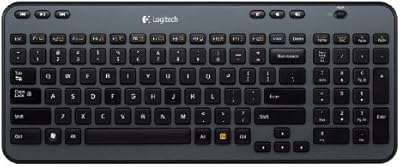
74%
88%
Value for Money
84%
Wireless Connectivity
81%
Typing Experience
83%
Hot-Swap Functionality
67%
Build Quality
More
Logitech K360 Wireless Compact Keyboard
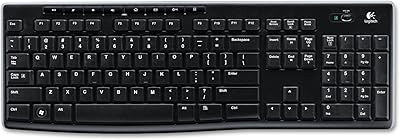
72%
93%
Battery Life
91%
Ease of Setup
88%
Wireless Reliability
79%
Typing Comfort
74%
Build Quality
More
Logitech K270 Wireless Keyboard
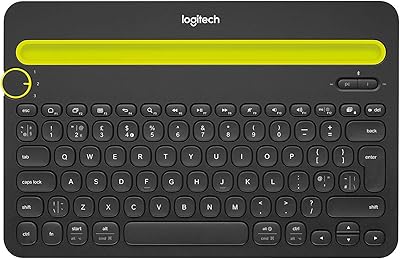
75%
88%
Wireless Reliability
58%
Typing Feel
94%
Setup & Ease of Use
86%
Numeric Pad Usability
72%
Build Quality
More
Logitech K480 Multi-Device Bluetooth Keyboard
79%
93%
Multi-Device Switching
91%
Cross-Platform Compatibility
88%
Battery Life
84%
Built-In Device Cradle
72%
Typing Comfort
More
Pauroty 60% Wireless Mechanical Keyboard
86%
88%
Connectivity Options
75%
Battery Life
93%
Portability
84%
Ergonomics
91%
RGB Customization
More
Logitech Wireless Illuminated Keyboard K800
87%
89%
Typing Experience
91%
Backlighting Performance
85%
Build Quality
80%
Wireless Connectivity
88%
Battery Life
More

FAQ

Yes, the POP Keys connects to iPadOS 14 and iOS 14 or later via Bluetooth without any drivers or extra setup. Just put it in pairing mode and connect from your device settings. Keep in mind that emoji key customization through Logi Options+ is only available on Windows and macOS, so the software side of things is limited on Apple mobile devices.

Logitech claims up to 3 years, which sounds ambitious but is plausible if you type a moderate amount daily and keep the backlight off or on low. Heavy users or those who leave the backlight on consistently will see that figure drop. That said, running on AAA batteries means you are never scrambling for a cable — just swap them out and keep going.

Absolutely. The Easy-Switch keys let you store up to 3 device pairings and jump between them with a single keypress. In practice, switching takes about a second, which is fast enough to not disrupt your flow. Just note that Logi Options+ customization software works better on macOS than Windows in most users' experience.

Honestly, it depends on how you work. If you are in chat-heavy roles — community managers, social media folks, heavy Slack users — the dedicated emoji menu key does speed things up noticeably. The swappable physical keycaps are fun to personalize, though many users swap them once and leave them as-is. If you rarely use emojis in your workflow, they are decorative more than functional.

Yes, the clicky mechanical switches are on the louder side compared to membrane or low-profile keyboards. They have a satisfying sound if you enjoy that, but in a shared office, open-plan workspace, or quiet household, expect some comments. If noise is a concern, this probably is not the right board for your situation.

You can use either, and both work well. Bluetooth is the most convenient option for multi-device setups since it does not use up a USB port. The Logi Bolt receiver is useful if your device has Bluetooth issues or if you want a more consistent connection on older hardware. The receiver is included in the box, so you have both options from day one.

Yes, Chrome OS is on the supported list and the keyboard connects without any extra steps. Basic functionality works great. Just be aware that Logi Options+ is not available on Chrome OS, so software-level customization of the emoji keys or remapping will not be possible on that platform.

The keycaps pull off with a gentle upward tug — no tools needed. Logitech includes a set of alternate emoji keycaps in the box, so you have options to start with. If you want more variety, standard MX-compatible keycap pullers work fine, and the switches use a standard stem that accepts many third-party keycaps, though the unique scooped profile of the originals is specific to this board.

The single-color backlight functions across connected devices, but you can only adjust its settings through Logi Options+ on Windows or macOS. On other platforms like iOS or Android, the backlight still works but you control it using the keyboard's built-in function shortcuts rather than the software interface.

The main distinction is the switch type — mechanical switches give each keypress a distinct tactile bump and audible click that membrane keyboards simply do not replicate. Beyond that, the POP Keys adds multi-device wireless switching, a personality-driven design, and the swappable emoji keys, which together make it a more expressive and flexible option than a standard wireless board at a comparable price.

Where to Buy