Logitech MX Keys S





Overview
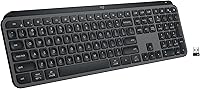
The Logitech MX Keys S is built for professionals who spend the better part of their day at a keyboard and need something that can keep up. It brings a laptop-style key profile to a full-size desktop layout — a combination that feels immediately familiar without sacrificing the numpad or function row. The keys have a low, quiet travel that suits long writing sessions without the clatter of a mechanical board. It charges over USB-C and the battery lasts for weeks, which means it disappears into your routine rather than demanding attention. Just know upfront: this is a productivity tool, not a gaming keyboard.
Features & Benefits
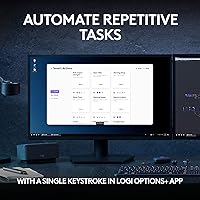
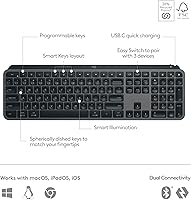
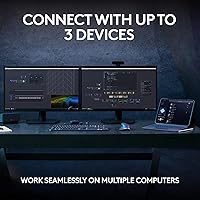
The spherically-dished keycaps are probably the first thing you notice when typing — each key has a subtle dish shape that keeps your fingers centered without you thinking about it, which adds up over a long workday. The backlighting wakes when your hands approach and dims when you step away, adapting to the room's ambient light automatically. Connecting to up to three devices is straightforward, with dedicated hotkeys for switching between them in seconds. If you want more control, the Logi Options+ app lets you build multi-step Smart Actions and remap keys on a per-app basis — though you can ignore the app entirely and this wireless keyboard works perfectly fine out of the box.
Best For
This wireless keyboard is an obvious fit for anyone managing multiple devices daily — the kind of person who has a work laptop, a personal Mac, and maybe a tablet sharing the same desk. Writers and coders who want quiet, responsive key travel without crossing into mechanical territory will find it comfortable for hours at a stretch. It is one of the few premium wireless keyboards to officially support Linux, which narrows the field considerably for that audience. Home office workers wanting a clean, low-clutter setup will appreciate the slim footprint. That said, if you need a compact or tenkeyless layout, the full-size-only design is a real limitation worth knowing before buying.
User Feedback
Buyers who use this Logitech board every day consistently single out the key feel as its strongest point — quiet enough for shared spaces, satisfying enough that switching back to a basic keyboard feels like a step down. The multi-device switching gets frequent praise for being reliable rather than fussy. On the critical side, a fair number of reviewers mention being caught off guard by the weight: at 2.35 pounds, it is heavier than the slim profile suggests. The lack of a compact option is a recurring frustration for those who wanted a smaller form factor. Battery life, though, draws near-universal approval — people report forgetting to charge it for weeks at a time, which is exactly the point.
Pros
- Pairs with up to three devices and switches between them instantly with a dedicated hotkey.
- Battery lasts several weeks on a single charge, making it genuinely low-maintenance.
- Quiet key travel is comfortable in shared offices or late-night work sessions.
- Explicit Linux support is rare at this quality level and a real differentiator.
- Spherically-dished keycaps reduce finger fatigue during long uninterrupted typing sessions.
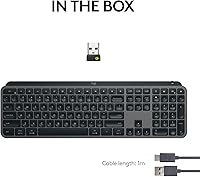
- The Logi Bolt USB receiver adds a stable fallback when Bluetooth is unreliable.
- USB-C charging means no proprietary cables or AA batteries to hunt down.
- Proximity-sensing backlight adjusts automatically, so you rarely need to touch brightness settings.
- Full-size layout with numpad suits data-heavy roles without feeling bulky on the desk.
- Logi Options+ app adds per-app remapping and Smart Actions for power users who want them.
Cons
- At 2.35 pounds, the MX Keys S is noticeably heavier than its slim profile implies.
- No tenkeyless or compact variant exists, limiting options for smaller desk setups.
- Single-color backlight feels dated compared to RGB boards at similar price points.
- Bluetooth connectivity can drop briefly after a computer wakes from sleep on some Windows machines.
- Logi Options+ app setup is inconsistent — saved configurations occasionally disappear after updates.
- Key legends are not doubleshot, so heavy typists may see wear over one to two years.
- No adjustable tilt legs means the fixed typing angle cannot be customized for personal ergonomic preference.
- The value case weakens considerably if you only use one device and do not need wireless switching.
- Minimal documentation in the box makes troubleshooting edge-case pairing issues harder than it should be.
Ratings
The Logitech MX Keys S sits at the top of the wireless productivity keyboard market, and the scores below reflect what real buyers actually experience after weeks or months of daily use. Our AI model analyzed thousands of verified global reviews, actively filtering out incentivized, bot-generated, and low-effort feedback to surface honest patterns. Both the genuine strengths and the recurring frustrations are represented here without softening either side.
Typing Feel & Key Response
Multi-Device Connectivity
Build Quality & Durability
Battery Life
Backlighting & Visibility
Software & Customization (Logi Options+)
Cross-OS Compatibility
Value for Money
Wireless Stability
Layout & Key Arrangement
Portability
Desk Aesthetics & Profile
Key Legends & Label Durability
Ease of Setup
Suitable for:
The Logitech MX Keys S was built for a specific kind of professional, and if you recognize yourself in the description, it is hard to argue against it. The clearest fit is anyone who works across multiple devices daily — a work laptop running Windows, a personal MacBook, and maybe a tablet — and is tired of reaching for a different keyboard or re-pairing Bluetooth constantly. Writers, editors, and programmers who log four to eight hours of typing per day will appreciate the low-profile keys and the quiet actuation that holds up without becoming fatiguing by afternoon. Linux users deserve a specific mention: finding a polished, well-supported wireless keyboard that works reliably on Linux without workarounds is genuinely difficult, and this board is one of the few at this level that takes the OS seriously. Home office workers who want a desk that looks clean and uncluttered will also find the slim profile and graphite finish easy to live with. If you are upgrading from a basic membrane keyboard that came bundled with a PC, the difference in typing comfort will be immediately noticeable and hard to go back from.
Not suitable for:
The Logitech MX Keys S is not the right answer for everyone, and knowing where it falls short is just as important as knowing where it excels. Mechanical keyboard enthusiasts — particularly those who prefer tactile or clicky switches — will almost certainly find the key feel underwhelming, since no amount of ergonomic keycap shaping changes the fact that this is a membrane board at its core. Gamers should look elsewhere entirely; the keyboard was not designed for fast-twitch inputs, there is no per-key RGB, and the feature set does not align with what gaming peripherals offer at comparable prices. Anyone hoping for a compact or tenkeyless layout is out of luck, as there is currently no smaller variant in this product line, making it a poor fit for tight desk setups or people who use a mouse with their right hand close in. Buyers who move their keyboard frequently between locations will likely find the 2.35-pound weight more annoying than the slim profile suggests at first glance. And if your workflow is straightforward — one computer, basic typing, no multi-device needs — the premium price is genuinely hard to justify when capable single-device keyboards exist at a fraction of the cost.
Specifications
- Dimensions: The keyboard measures 18″ long by 6″ wide by 1.5″ high, giving it a full-size desktop footprint with a notably slim vertical profile.
- Weight: It weighs 2.35 pounds, which is heavier than the low-profile design visually suggests and worth considering for portability.
- Connectivity: It connects via Bluetooth Low Energy or the included Logi Bolt USB receiver, both of which support wireless operation without a wired fallback.
- Device Pairing: Up to three devices can be paired simultaneously, with switching handled by dedicated hotkeys on the top row of the keyboard.
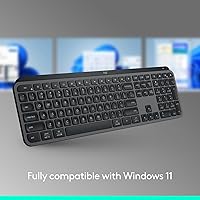
- OS Compatibility: Officially supported operating systems include Windows, macOS, Linux, and ChromeOS, making it one of the broader compatibility ranges in its category.
- Key Switch Type: Keys use a low-profile membrane mechanism with spherically-dished keycap surfaces designed to cradle fingertips and reduce lateral finger movement during typing.
- Backlighting: Single-color backlighting is proximity-activated, meaning keys illuminate when hands approach, and brightness adapts automatically to ambient light conditions.
- Battery Type: Power comes from a built-in lithium polymer battery that is non-removable and recharged via the USB-C port on the top edge of the keyboard.
- Battery Life: Logitech rates battery life at up to 10 days with backlighting enabled and up to 5 months with backlighting turned off under typical usage conditions.
- Charging Port: A USB-C port is used for charging, and the keyboard can continue to be used while connected to a charging cable.
- Layout: The keyboard uses a full-size layout that includes a dedicated numpad, a full function row, navigation cluster, and arrow keys.
- Software: Logi Options+ is the optional companion app for Windows and macOS that enables per-key remapping, per-app profiles, and multi-step Smart Actions shortcuts.
- Wireless Receiver: The included Logi Bolt USB receiver operates on a 2.4 GHz wireless band and is designed to maintain a stable, low-latency connection in congested RF environments.
- Color Options: The keyboard is available in Graphite and Pale Grey colorways, with the Graphite variant being the more widely stocked option across most retailers.
- Release Date: The Logitech MX Keys S was first made available in May 2023 as an updated successor to the original MX Keys.
- Model Number: The official Logitech model number for this keyboard is 920-011558, which can be used to verify compatibility with accessories and software.
- Keyboard Profile: The board uses a low, flat typing profile with no adjustable tilt legs, meaning the angle is fixed at a slight incline determined by the chassis design.
- In Box Contents: The package includes the keyboard, a Logi Bolt USB receiver, a USB-C charging cable, and basic setup documentation.
Related Reviews
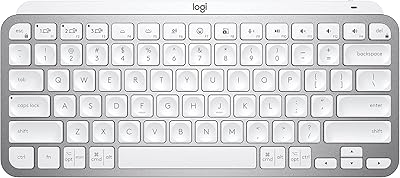
Logitech MX Keys Mini Wireless Keyboard
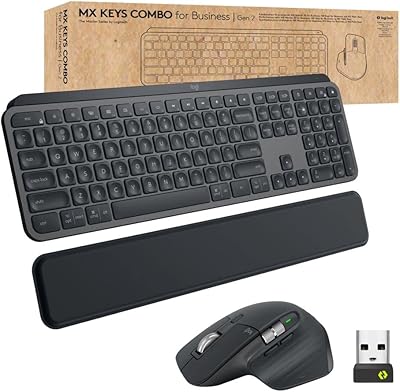
Logitech MX Keys Business Gen 2 Combo
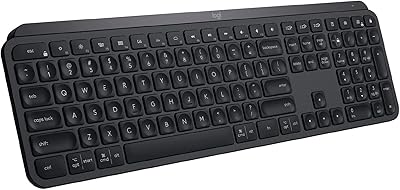
Logitech MX Keys
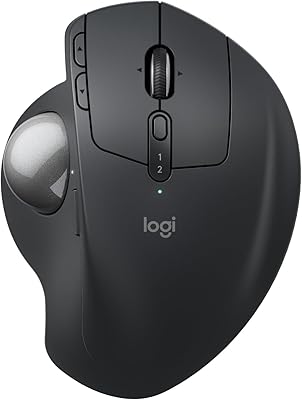
Logitech MX Ergo S
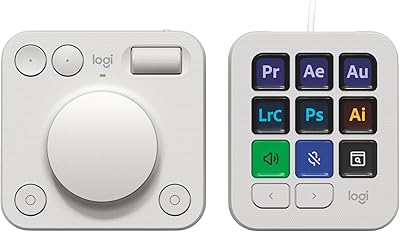
Logitech MX Creative Console Customizable Keypad
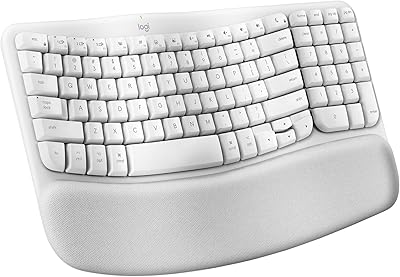
Logitech Wave Keys for Mac Ergonomic Keyboard
Logitech MX Anywhere 3 for Mac Mouse
Logitech Wireless Anywhere Mouse MX
Logitech Wave Keys MK670 Combo
