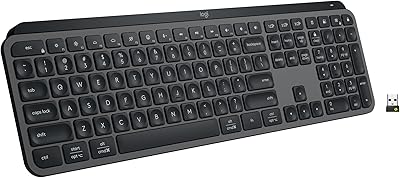
Logitech Pebble Keys 2 K380s



Overview
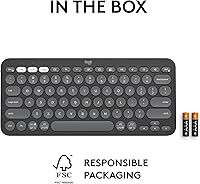
The Logitech Pebble Keys 2 K380s is a compact, low-profile Bluetooth keyboard that arrived in late 2023 as part of Logitech's Pebble 2 Collection. It's built for people who switch between devices constantly and prefer a clean, clutter-free workspace. The tenkeyless layout keeps things slim — just 0.63 inches thick — while the laptop-style keys make extended typing sessions comfortable rather than tiring. Logitech used recycled plastic for at least 49% of the plastic parts, and the packaging is FSC-certified, which is a nice touch without being the main reason to buy it. At its mid-range price, it works well as a practical daily driver.
Features & Benefits
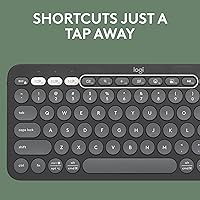
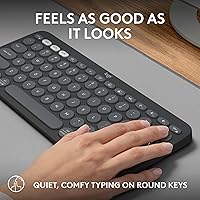
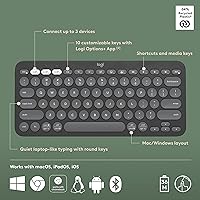
The Easy-Switch buttons are the standout feature here — three dedicated keys let you hop between paired devices almost instantly. Picture finishing a paragraph on your MacBook, tapping one button, and immediately typing on your iPad without missing a beat. The keys are quiet and slightly scooped, which gives your fingertips something to settle into; noise levels stay low enough for a shared office without the keys feeling mushy. Ten Fn keys can be remapped through the Logi Options+ app, putting shortcuts for screen capture, emoji, or dictation within reach. Battery life is a real highlight — two AAA cells are rated for up to three years of regular use.
Best For
This wireless keyboard makes most sense for people managing multiple devices throughout the day — a student switching between a Chromebook, an iPad, and a phone, or a remote worker moving between a Mac and a Windows PC. The slim footprint is a genuine advantage for minimalist setups and for anyone who needs to pack a keyboard into a bag without added bulk. macOS and iPadOS users especially benefit from shortcut keys that map correctly out of the box. Anyone coming from a full-size keyboard with a numpad should know upfront that the compact layout requires a real adjustment period.
User Feedback
Across more than 3,500 ratings, the K380s holds a 4.5-star average, and the review thread reads like consistent real-world satisfaction. Buyers most often highlight the quiet keys and fast device switching, which many describe as reliable in daily practice. Battery longevity comes up repeatedly as a pleasant surprise. The main sticking point: a growing number of users feel that disposable AAA batteries are an outdated choice when USB-C charging has become standard on peripherals at this price point. The compact layout also draws occasional complaints from people transitioning off larger keyboards, who find the size shift takes longer to get used to than expected.
Pros
- Easy-Switch buttons make jumping between three paired devices feel completely effortless in daily use.
- Battery life regularly surprises users — many report over a year of use on the original included AAA batteries.
- Low-profile, quiet keys are genuinely comfortable for long writing sessions in shared or noise-sensitive spaces.
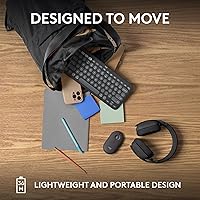
- The slim, tenkeyless body slips into a laptop bag without demanding any dedicated packing space.
- Mac and iPad shortcut keys work correctly out of the box with zero setup required.
- Ten Fn keys can be remapped via Logi Options+ for custom workflow shortcuts on Windows and macOS.
- Bluetooth Low Energy keeps the connection stable without noticeably affecting host device battery life.
- The K380s is competitively priced against multi-device keyboards that offer fewer features at similar or higher cost.
- Recycled plastic construction and FSC-certified packaging add a meaningful sustainability layer to the purchase.
- Available in three clean color options that blend easily into minimalist or professional desk setups.
Cons
- No USB-C or rechargeable battery option is a real drawback for buyers trying to reduce disposable battery waste.
- Logi Options+ customization is locked out entirely for ChromeOS and iPadOS users.
- The compact right-side key cluster causes frequent mistyping errors during the initial adjustment period.
- Plastic build shows surface scuffs after months of regular carry use, which affects long-term appearance.
- No visual indicator confirms which device is currently active, causing occasional confusion after idle periods.
- Some users report intermittent reconnection delays after the keyboard sits unused for a longer stretch.
- Android compatibility is functional but inconsistent depending on device model and OS version.
- The round keycap aesthetic is polarizing and may feel out of place in traditionally styled workspaces.
- No backlit keys make it difficult to use in low-light environments without memorizing the layout first.
- The base package does not include a Logi Bolt USB dongle, limiting options for RF-congested environments.
Ratings
The Logitech Pebble Keys 2 K380s has been scored by our AI system after analyzing thousands of verified buyer reviews from global markets, with spam, bot-generated, and incentivized submissions actively filtered out. The result is a transparent breakdown that reflects where this wireless keyboard genuinely excels and where real users have run into friction. Both the standout strengths and the honest shortcomings are captured in the category scores below.
Multi-Device Switching
Typing Comfort
Portability & Form Factor
Battery Life
Key Noise Level
Build Quality & Materials
Connectivity Stability
Software & Customization
Compatibility Across Platforms
Value for Money
Setup & Ease of Use
Key Layout & Spacing
Aesthetics & Color Options
Eco-Friendly Design
Suitable for:
The Logitech Pebble Keys 2 K380s is purpose-built for people who spend their day bouncing between multiple devices and have little patience for tangled cables or clunky pairing menus. Remote workers who keep a laptop open on one side of their desk and a tablet propped up on the other will find the one-tap device switching genuinely useful rather than just a spec-sheet feature. Students who carry a keyboard between home, class, and the library will appreciate how little space it takes up and the fact that it can go more than a year without a battery change under regular use. Mac and iPad users in particular benefit from how naturally the shortcut keys map to system functions right out of the box, without needing to dig into settings. Anyone working in a shared environment — a co-working space, a quiet office, or a household where others are sleeping — will also appreciate how little noise the keys produce during extended sessions.
Not suitable for:
The Logitech Pebble Keys 2 K380s is a poor fit for anyone who depends on a numpad for accounting, data entry, or spreadsheet-heavy work, since that entire section is simply absent. Power typists who have migrated to mechanical keyboards will likely find the key travel shallow and the tactile feedback underwhelming — this is a keyboard built around portability and quietness, not typing performance. Buyers who have moved away from disposable batteries entirely will hit a wall here, as there is no rechargeable option and the AAA battery dependency is baked into the design. ChromeOS and iPadOS users looking to remap keys and customize shortcuts are also out of luck, since the Logi Options+ app is restricted to Windows and macOS. If you need a keyboard that projects a premium or professional aesthetic in client-facing settings, the plastic construction and round keycap design may not align with that expectation.
Specifications
- Connectivity: The keyboard connects via Bluetooth Low Energy (BLE), keeping the link stable while minimizing battery drain on paired devices.
- Paired Devices: Up to 3 devices can be stored simultaneously, switchable via dedicated Easy-Switch buttons on the top-left of the keyboard.
- Compatible OS: Works with Windows, macOS, iPadOS, ChromeOS, and Android; basic functionality is available on Linux without official support.
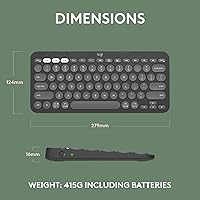
- Dimensions: The keyboard measures 10.98″ long by 4.88″ wide by 0.63″ thick, keeping it compact enough for most laptop bags.
- Weight: At 14.6 oz (415 g), the K380s is light enough for daily carry without adding meaningful bulk to a work bag.
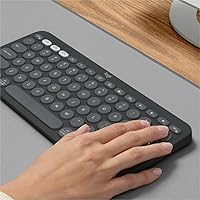
- Layout: Compact tenkeyless layout with a standard alphanumeric section, function row, and arrow keys, but no dedicated numpad.
- Key Type: Low-profile, quiet, scooped round keycaps provide a soft tactile feel similar to a laptop keyboard, with reduced actuation noise.
- Customizable Keys: Ten Fn-row keys are fully remappable through the Logi Options+ app, available for Windows and macOS only.
- Special Keys: Dedicated shortcut keys for emoji menu, dictation, screen capture, and Easy-Switch device toggling are built into the key layout.
- Battery: Powered by 2 AAA batteries (included), rated for up to 3 years of use under typical conditions with auto-sleep mode active.
- Power Saving: An automatic sleep mode activates after a period of inactivity to extend battery life and requires any key press to wake.
- Material: Plastic parts contain a minimum of 49% certified post-consumer recycled plastic, with no significant metal components in the chassis.
- Packaging: The retail packaging, including product wrap, is sourced from FSC-certified forests and other controlled, responsibly managed sources.
- App Support: The Logi Options+ app (free download at logi.com/optionsplus) enables key customization on Windows 10 or later and macOS.
- Available Colors: Sold in three colorways — Tonal Graphite, Rose, and Off-white — each with a color-matched key legend and chassis finish.
- Wireless Range: Standard Bluetooth operational range is up to 10 meters (33 feet) in open conditions, subject to environmental interference.
- Item Model: The official model number is 920-011775, sold under the K380s series designation within the Logitech Pebble 2 Collection.
- Release Date: The keyboard was first made available for purchase on September 6, 2023, as part of Logitech's updated Pebble 2 lineup.
Related Reviews
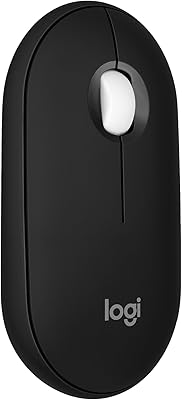
Logitech Pebble Mouse 2 M350s
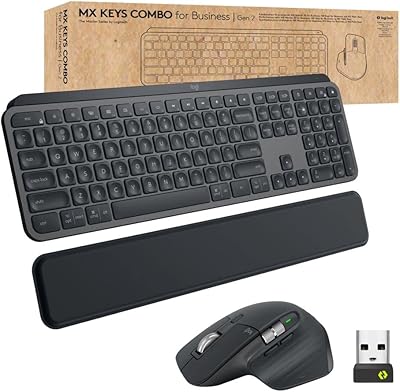
Logitech MX Keys Business Gen 2 Combo
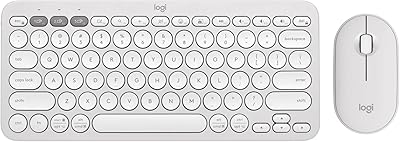
Logitech Pebble 2 Combo Wireless Keyboard Mouse

Logitech Pebble M350 Wireless Mouse
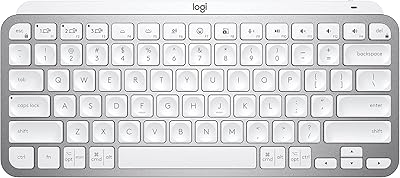
Logitech MX Keys Mini Wireless Keyboard
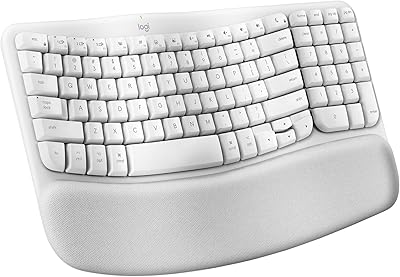
Logitech Wave Keys for Mac Ergonomic Keyboard
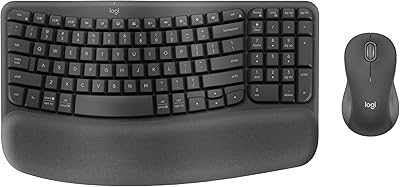
Logitech Wave Keys MK670 Combo
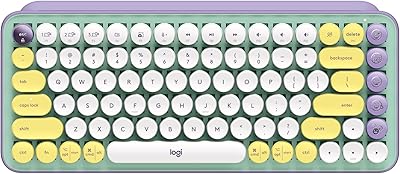
Logitech POP Keys Mechanical Wireless Keyboard
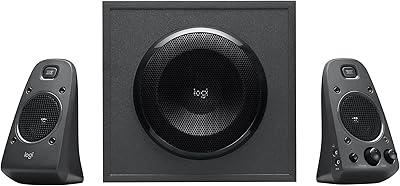
Logitech Z625